With the wide range of applications you can use to work with a file — sharing the file via apps such as Slack, processing it via apps such as DocuSign, storing it in apps such as Salesforce, and so on — it is difficult to track each and every action you have taken. Box addresses this via the Integration Activity stream.
When you preview a file in Box, Integration Activity lists at a glance all of someone’s actions involving a Box file across third-party apps designated for that person — for example, when they shared a file via a Slack message or attached a file to a Salesforce or NetSuite record. This eliminates the need to search through multiple applications to account for every time they may have acted on a file. Instead, the Integration Activity stream makes it easy for people to quickly discover when and to whom they sent a file via Slack, or pushed a document through a DocuSign workflow, or attached a contract to a Salesforce or NetSuite record, and so on.
It also includes when others in your organization have taken these types of actions. For example, it can display all the times a co-worker shared a file via a public Slack channel, or even a private Slack channel of which you’re a member. (This does not apply to a co-worker who has opted out of displaying their integration activity.)
Box begins recording file activity immediately after a Box admin turns on Integration Activity and configures the integration for your organization. It continues recording and accruing file activity from that point forward. There is no time limit — that is, it saves and displays all file events it’s permitted to, regardless of their age. In this way, Integration Activity gives you a single source of truth with regard to when and how you’ve used a document across certain apps in your organization’s ecosystem, as well as to how others in your organization have used the document (depending on your permissions to view).
What apps are included?
Current apps include:
- Slack
- Send to DocuSign
- Box for Salesforce
- Box for NetSuite
However, APIs enable any third-party developer to feature their Box integration in the Integration Activity stream, and more third-party app integrations are coming.
Using the Integration Activity Stream
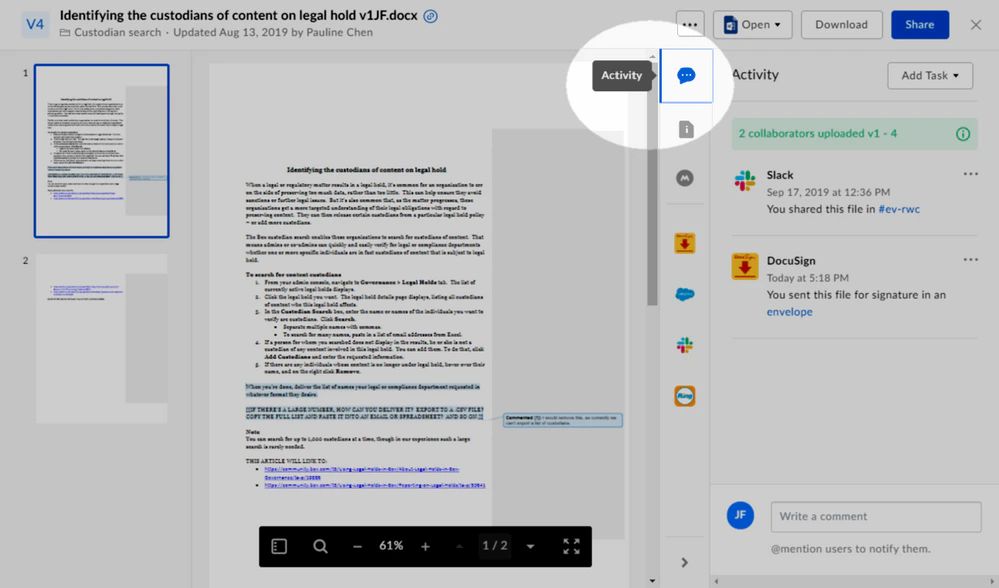
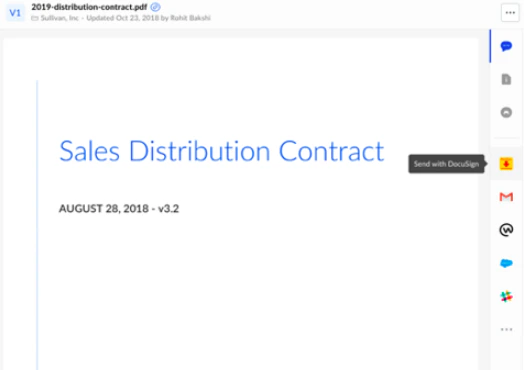
Preview a Box file. In a separate pane on the right, Box displays a unified view of all the actions taken on that file across third-party apps.
If you don’t see this view, the activity pane is collapsed into a narrow bar on the right. Click the ellipsis (…) at the top of the bar to expand the pane and view all activity.
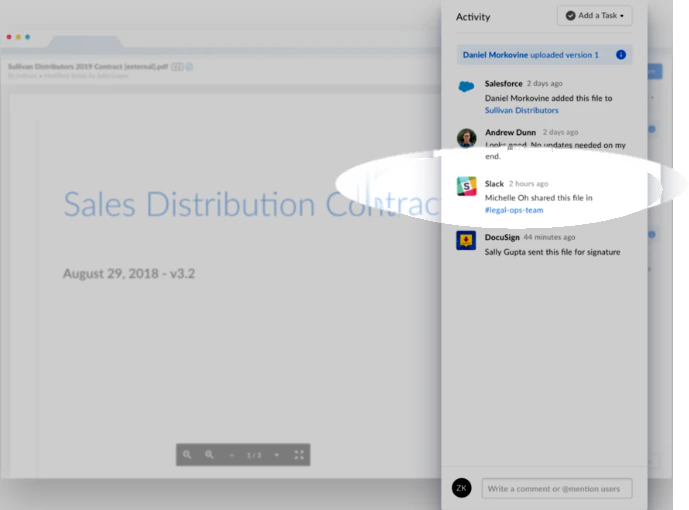
To view details of any specific action, click in the row of the activity you want. In the below example, previewing a sales distribution contract reveals four discrete actions that have been taken on that file, including sharing it via Slack. Click the Slack listing, and Slack opens and displays the message in which you shared the sales contract.
What file actions are listed
For the most part, Integration Activity works the same way regardless of the application whose activity it displays. However, it may be helpful to understand what specific file events per application you can access. Below are details for each current integration.
Integration Activity for Slack
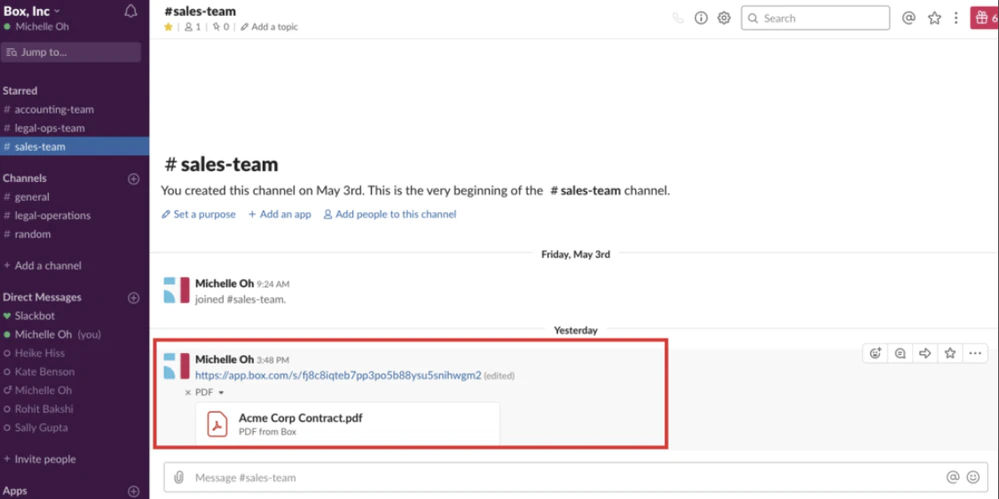
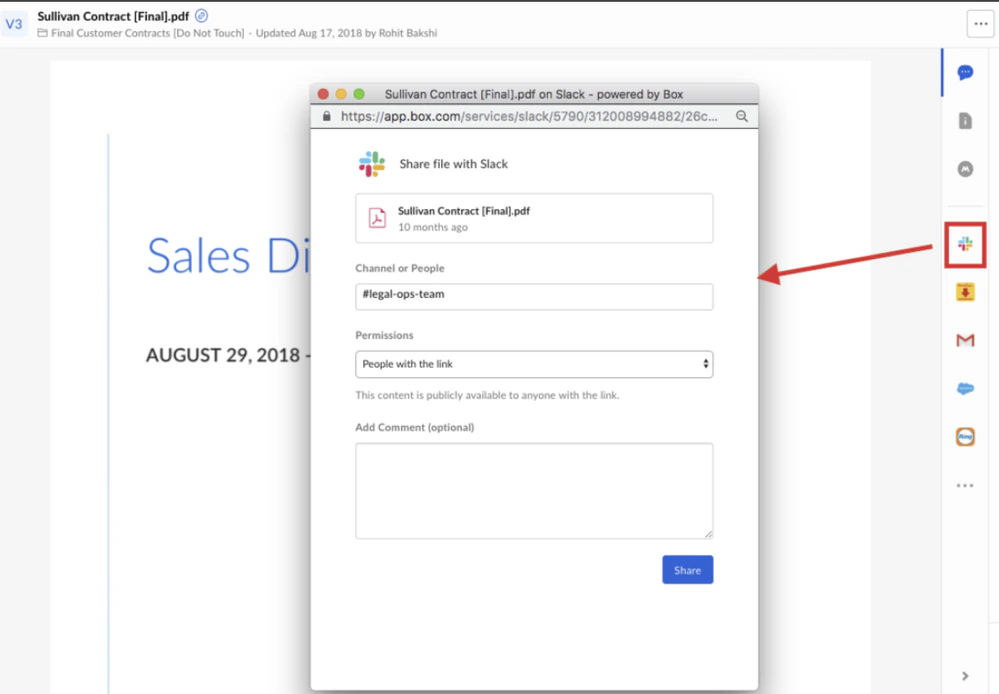
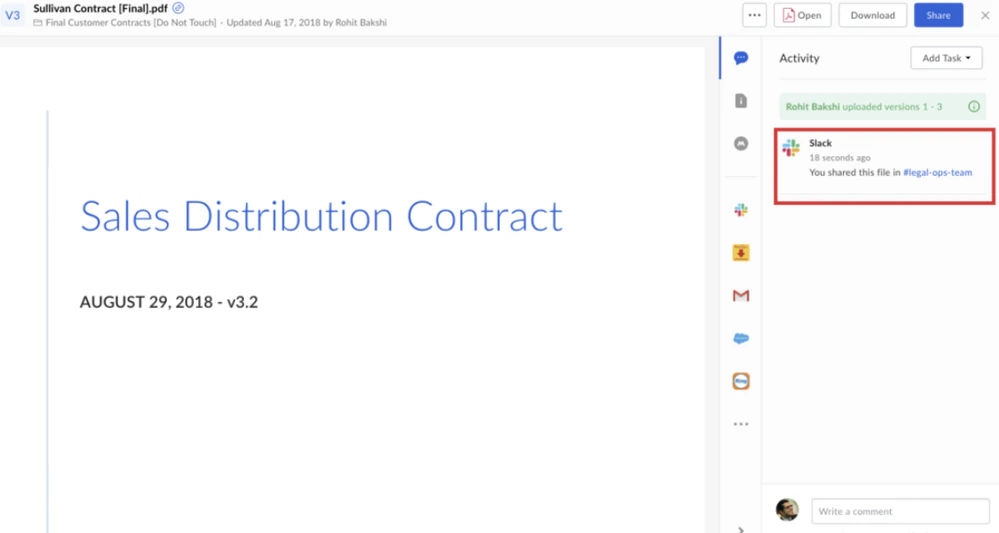
When you have shared a Box file via Slack — either by previewing the file in Box and then clicking the Slack Recommended Web Integration, or by pasting the link directly in the Slack message window — Integration Activity links directly to the message in Slack where the file was shared. Further, Box records Slack activity regardless of whether you share a file via a Slack direct message or via a Slack private channel.
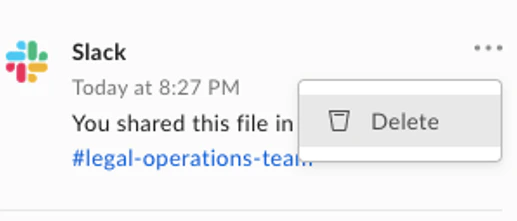
Here it is in the Slack interface:
And here it is in Box Preview:
You ONLY see Slack activity in Box IF you have access to view that activity when you’re in Slack. Box maps its permissions to those in Slack. That means to access a Box file you share in Slack, you must have permission BOTH to the channel in Slack AND to the file in Box. In the context of app activity, that means Box records a file event in your Integration Activity stream only if you also have the appropriate permission in both Box (to the file) and Slack (to the channel).
Integration Activity for Send to DocuSign
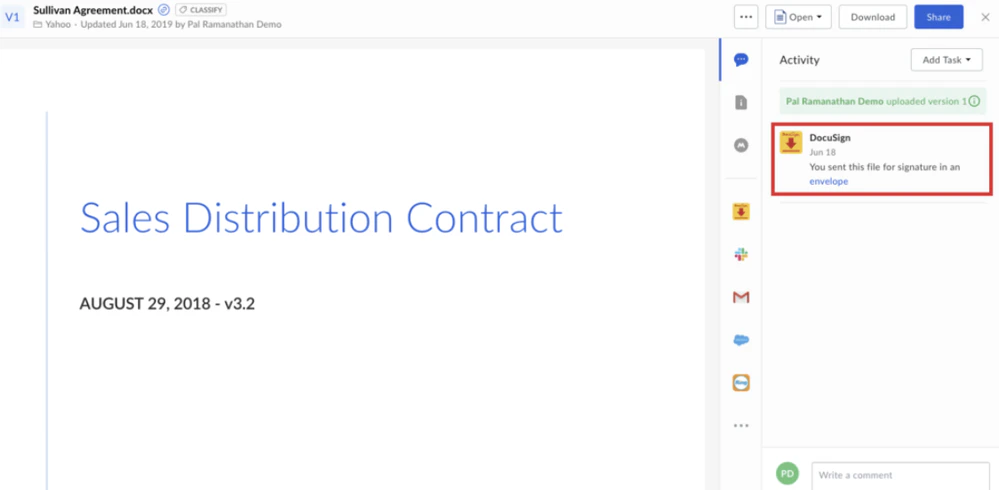
Integration Activity links to details about DocuSign events when:
- You send a Box file for signature via the DocuSign Recommended Web Integration
- You sign a Box file in DocuSign that was sent for signature using the DocuSign integration
Details include:
- The original file that was sent for signature through DocuSign integration
- The envelope status page in DocuSign
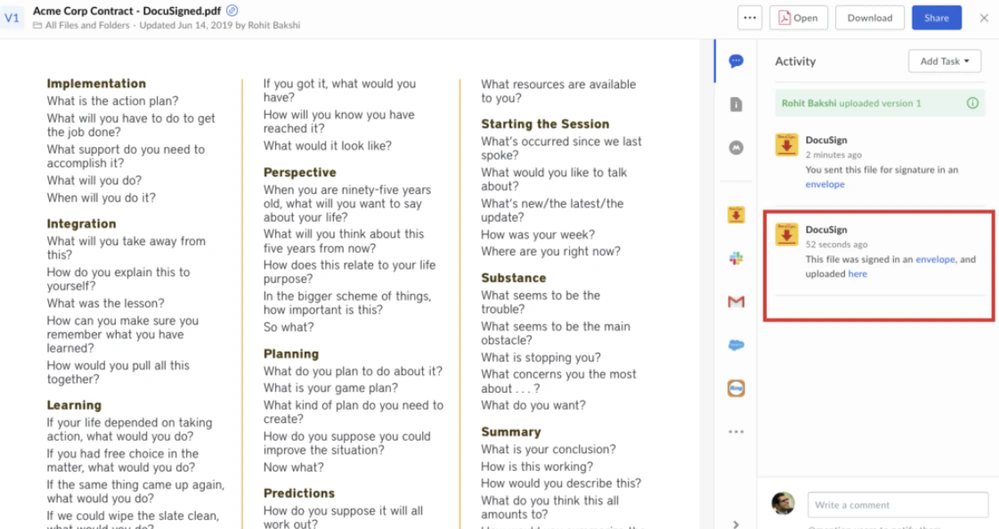
- The signed file that was uploaded back to Box through the DocuSign integration
Here it is before the signature, in DocuSign:
Here it is before the signature, in Box Preview:
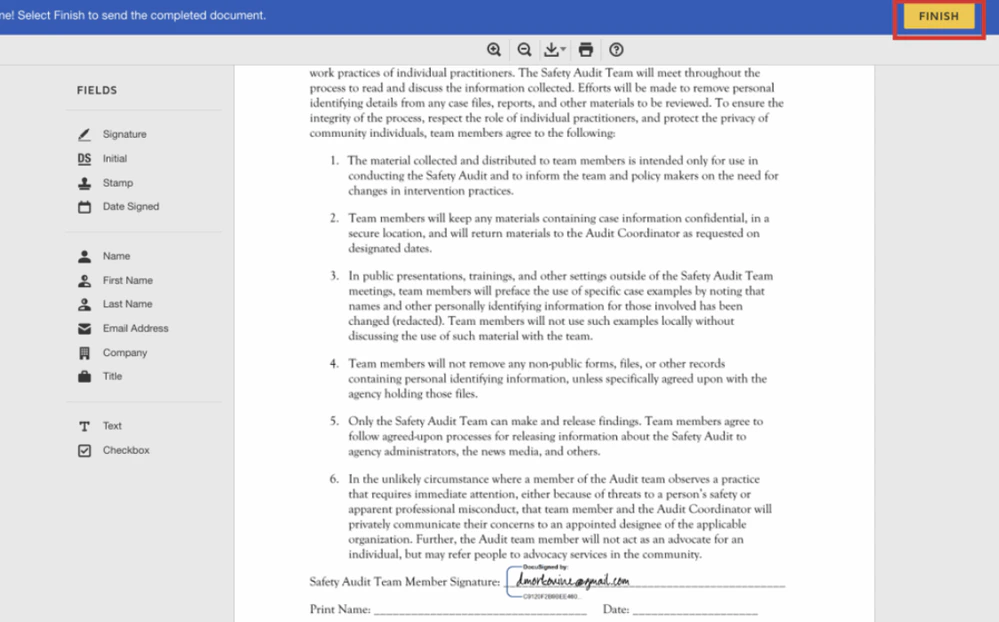
Here it is after the signature, in DocuSign:
And here it is after the signature, in Box Preview:
Integration Activity for Box for Salesforce
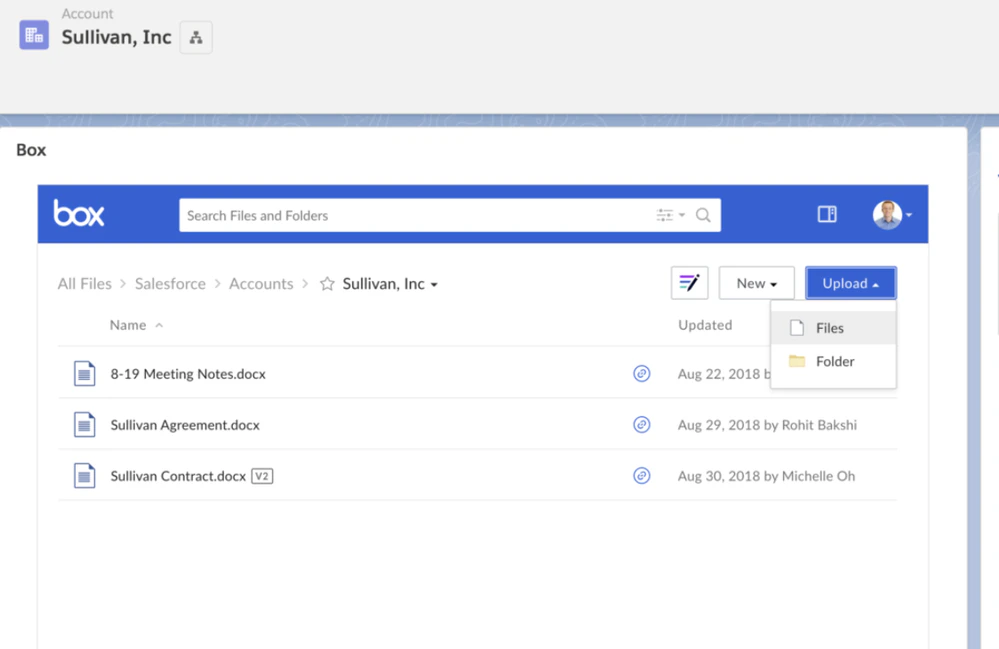
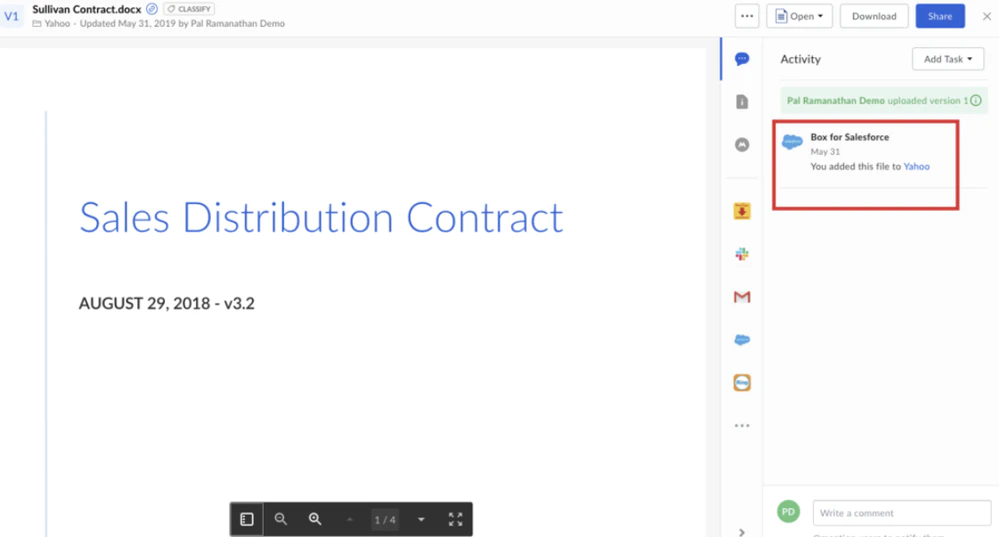
When you use the Box for Salesforce integration to attach a Box file to a Salesforce record (such as account, opportunity, lead, and so on) via the Salesforce embed widget, Integration Activity links directly to the Salesforce record to which the file was attached.
Before you can add Salesforce file activity to the Box Integration Activity stream, you must configure it. Integration Activity for Box for NetSuite
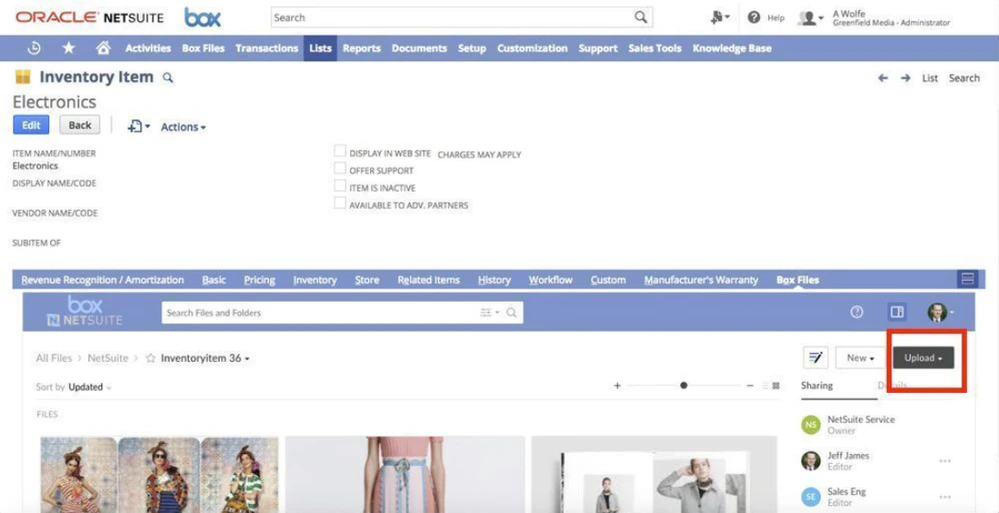
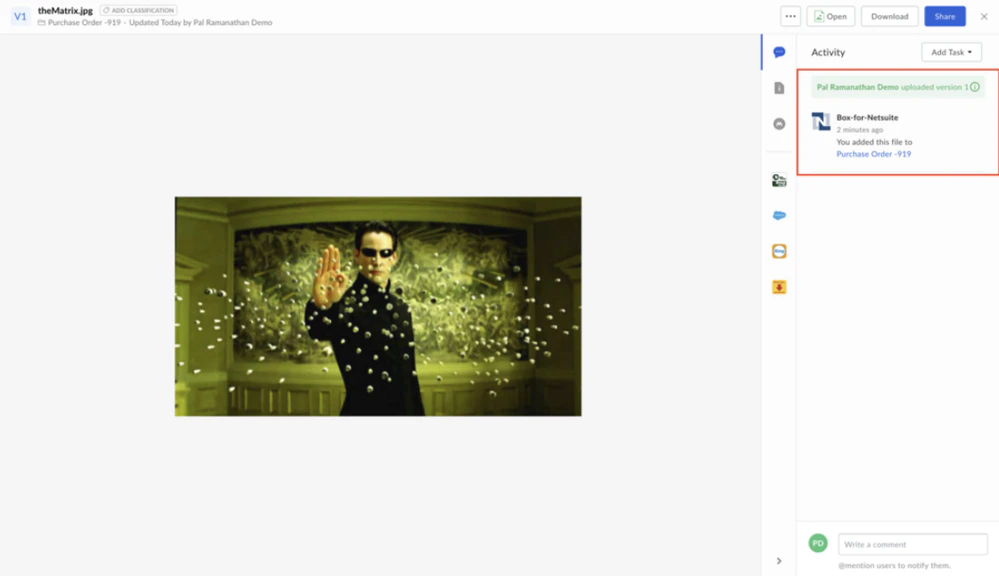
When you use the Box for NetSuite integration to attach a Box file to a NetSuite record (such as a purchase order) via the NetSuite embed widget, Integration Activity links directly to the NetSuite record to which the file was attached.
To install Integration Activity for NetSuite, please contact your Box Account Team for details.
Disabling Integration Activity
If you do not want Box to track your activities or display them to others in Box Preview, you can opt out of Integration Activity.
To opt out of Integration Activity:
- From Box, in the upper-right portion of the screen, next to your initials click the down arrow.
- From the menu that displays, click Account Settings.
- When the Account Settings page displays, click the Integrations tab.
- In the Integration Activity Stream section, check Hide my Integration Activity.
When you opt out from Integration Activity, the system hides all previous activities as well.
- In the Integration Activity stream, locate the file action you want to delete.
- Next to the action, click the garbage can icon, and at the prompt, click Delete.
Deleting a specific activity removes it from that file in Box. It also is no longer available to anyone else. However, this does not delete the activity from within the third-party application, itself. Others can still access the relevant conversation or record from within the individual app.