Box Drive on macOS can now store the Box folder on an external drive instead of the local disk. This gives users more flexibility when working with large volumes of content locally, especially when internal disk capacity is limited. The feature is intended for workflows that depend on large files and need more local storage without requiring a larger internal SSD.
This capability is particularly relevant for teams in areas such as Media & Entertainment, Life Sciences, and Engineering, where file sizes can exceed the capacity of standard internal drives. Users continue to work in the same Box Drive native macOS experience, while using supported external storage.
Admin Enablement
Before users can move the Box folder to an external drive, the setting must be enabled on the Mac.
-
Open the Terminal app.
-
Run the following command:
-
Quit Box Drive completely.
-
Relaunch Box Drive.
After this setting is enabled and Box Drive has restarted, the option to change the folder location becomes available in Box Drive preferences.
Get Started
To move the Box folder to an external drive:
- Right-click the Box icon in the macOS menu bar.
- Select Preferences.
- In the Preferences window, click Change location.
- Choose the location for the Box Drive folder.
- A Finder window will pop up and have you Grant Access to the chosen external drive.
- Allow Box Drive to move the local cache to the new location.
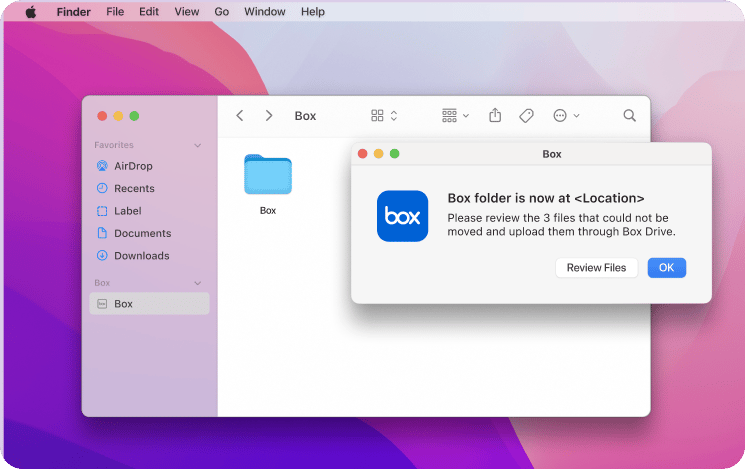
When the move is complete, Box Drive displays a confirmation dialog.
Requirements
To use external drive support with Box Drive on macOS, both the system and the drive must meet specific requirements.
System Requirements
- Operating system: macOS 15 (Sequoia) or later
- Box Drive version: the latest version of Box Drive
External Drive Requirements
- File system: APFS
- Security: encrypted and password protected
- Connection type: physically connected storage, such as USB or Thunderbolt
- Permissions: read/write access required
- Drive state: the drive cannot be quarantined
Known Limitations
The following configurations are not supported:
- Network drives, including NAS and SMB locations
- External drives that are not formatted as APFS (Encrypted)
- Drives that are not encrypted and password protected
- Drives without read/write permissions
- Drives in a quarantined state
What This Changes for Users
Using an external drive for the Box folder expands the amount of data that can be managed through Box Drive without relying solely on internal disk capacity. This capability allows larger volumes of content to be stored in one location instead of being split across local disks, Box on the web, and partially downloaded Box Drive content.
The feature does not change how content is accessed in Box Drive; it only changes where the local Box folder and cache are stored, provided the external drive meets the documented requirements. Last modified on July 10, 2026