This article is about Box Shuttle in the Admin Console. If you’re using legacy Box Shuttle, a standalone tool, see legacy migration guides.
The first time SharePoint Online admin authentication in a new customer tenant requires a Global Admin. For first time authentications, a principal identity is created for the Shuttle application in the customer tenant. The Global Admin user must already have navigated to the customer tenant admin center.A Sharepoint admin can also then authenticate SharePoint Online admin systems, only after navigating to the customer Admin center.
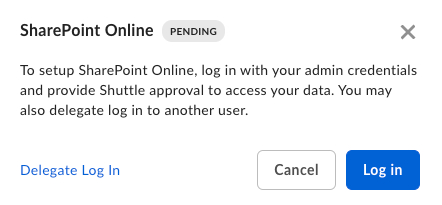
Follow the on-screen instructions to connect Sharepoint Online:
Log in to Sharepoint using your global admin credentials.
Authorize Box Shuttle to access your data.
Last modified on July 10, 2026
Was this page helpful?
{"docsConfig":{"theme":"aspen","$schema":"https://mintlify.com/docs.json","name":"Box Docs","colors":{"primary":"#0061d5","light":"#f6fafd","dark":"#0061d5"},"logo":{"light":"https://mintcdn.com/product-docs/ONsf42vv_y9dJmBw/logo/box-docs-logo-blue.svg?fit=max\u0026auto=format\u0026n=ONsf42vv_y9dJmBw\u0026q=85\u0026s=43f89b5922f3c3494f281ef365a42de6","dark":"https://mintcdn.com/product-docs/ONsf42vv_y9dJmBw/logo/box-docs-logo-white.svg?fit=max\u0026auto=format\u0026n=ONsf42vv_y9dJmBw\u0026q=85\u0026s=414f2123caf435126919e28dd5c1193e"},"favicon":"https://mintcdn.com/product-docs/MCBzZYdItclgMZru/logo/favicon.png?fit=max\u0026auto=format\u0026n=MCBzZYdItclgMZru\u0026q=85\u0026s=6e1c0fa9e8c8cd62af5ddc4811946c8d","api":{"examples":{"languages":["curl","python","node","swift","java",".Net"]}},"background":{"color":{"light":"#ffffff","dark":"#000000"}},"navbar":{"links":[],"primary":{"type":"button","label":"Announcements","href":"https://support.box.com/hc/en-us/sections/21358356019347-Announcements"}},"footer":{"socials":{"x":"https://twitter.com/box","linkedin":"https://www.linkedin.com/company/box","github":"https://github.com/box","youtube":"https://www.youtube.com/user/box","facebook":"https://www.facebook.com/box"},"links":[{"header":" ","items":[{"label":"Blog","href":"https://blog.box.com/?_gl=1*1au6aur*_gcl_au*MTU1MTg5MDkzMC4xNzY3ODkyMTUx"},{"label":"Subscriptions","href":"https://cpm-form.trustarc.com/form?brandId=1e36ee3e-35df-4cce-91c5-c66a682e7ae7\u0026consentFormId=2117db13-71aa-48b2-aba4-e5cb40479d7e"},{"label":"Terms of Service","href":"https://www.box.com/legal/termsofservice?_gl=1*10rh0kr*_gcl_au*MTU1MTg5MDkzMC4xNzY3ODkyMTUx"},{"label":"Privacy Policy","href":"https://www.box.com/legal/privacypolicy?_gl=1*10rh0kr*_gcl_au*MTU1MTg5MDkzMC4xNzY3ODkyMTUx"},{"label":"Do not Sell My Info","href":"https://www.box.com/legal/regionalnotice?_gl=1*10rh0kr*_gcl_au*MTU1MTg5MDkzMC4xNzY3ODkyMTUx"},{"label":"Fair Use Policy","href":"https://www.box.com/legal/fairusepolicy?_gl=1*10rh0kr*_gcl_au*MTU1MTg5MDkzMC4xNzY3ODkyMTUx"},{"label":"Cookie Notification","href":"https://www.box.com/en-gb/legal/cookie-notification?url_redirect=direct"},{"label":"llms.txt","href":"/llms.txt"},{"label":"Cookie Preferences","href":"/cookie-preferences"}]}]},"seo":{"metatags":{"og:image":"/logo/box-docs-logo-white.png","google-site-verification":"fuelbNhVR1kQluNBJjYt4K1Hj5HvJLhLnIq0o9CAY9E"}},"fonts":{"family":"Inter"},"styling":{"eyebrows":"breadcrumbs","latex":true},"integrations":{"adobe":{"launchUrl":"https://assets.adobedtm.com/6055abd7bbba/73be83bdd204/launch-e45625c1aeb9.min.js"}},"contextual":{"options":["cursor","vscode","mcp","chatgpt","claude","perplexity","copy","view"],"display":"header"},"metadata":{"timestamp":true},"navigation":{"languages":[{"language":"en","href":"en"},{"language":"fr","footer":{"socials":{"x":"https://twitter.com/box","linkedin":"https://www.linkedin.com/company/box","github":"https://github.com/box","youtube":"https://www.youtube.com/user/box","facebook":"https://www.facebook.com/box"},"links":[{"header":" ","items":[{"label":"Blog","href":"https://blog.box.com/?_gl=1*1au6aur*_gcl_au*MTU1MTg5MDkzMC4xNzY3ODkyMTUx"},{"label":"Abonnements","href":"https://cpm-form.trustarc.com/form?brandId=1e36ee3e-35df-4cce-91c5-c66a682e7ae7\u0026consentFormId=2117db13-71aa-48b2-aba4-e5cb40479d7e"},{"label":"Conditions d'utilisation","href":"https://www.box.com/legal/termsofservice?_gl=1*10rh0kr*_gcl_au*MTU1MTg5MDkzMC4xNzY3ODkyMTUx"},{"label":"Politique de confidentialité","href":"https://www.box.com/legal/privacypolicy?_gl=1*10rh0kr*_gcl_au*MTU1MTg5MDkzMC4xNzY3ODkyMTUx"},{"label":"Ne pas vendre mes informations","href":"https://www.box.com/legal/regionalnotice?_gl=1*10rh0kr*_gcl_au*MTU1MTg5MDkzMC4xNzY3ODkyMTUx"},{"label":"Politique d'utilisation équitable","href":"https://www.box.com/legal/fairusepolicy?_gl=1*10rh0kr*_gcl_au*MTU1MTg5MDkzMC4xNzY3ODkyMTUx"},{"label":"Notification relative aux cookies","href":"https://www.box.com/en-gb/legal/cookie-notification?url_redirect=direct"},{"label":"llms.txt","href":"/llms.txt"},{"label":"Préférences de cookies","href":"/cookie-preferences"}]}]},"href":"fr"},{"language":"ja","footer":{"socials":{"x":"https://twitter.com/box","linkedin":"https://www.linkedin.com/company/box","github":"https://github.com/box","youtube":"https://www.youtube.com/user/box","facebook":"https://www.facebook.com/box"},"links":[{"header":" ","items":[{"label":"サービス利用規約","href":"https://www.box.com/ja-jp/legal/termsofservice"},{"label":"個人情報保護方針","href":"https://www.box.com/ja-jp/legal/privacypolicy"},{"label":"Fair Use Policy","href":"https://www.box.com/legal/fairusepolicy"},{"label":"クッキーに関する通知","href":"https://www.box.com/ja-jp/legal/cookie-notification"},{"label":"llms.txt","href":"/llms.txt"},{"label":"本サイトは英語版の参考訳です","href":"/ja"}]}]},"navbar":{"links":[],"primary":{"type":"button","label":"製品アップデート","href":"https://support.box.com/hc/ja/sections/21358356019347"}},"href":"ja"}]}},"deployment":{"deploymentMetadataValue":{"subdomain":"product-docs","hasAudioNarration":false,"actualSubdomain":"product-docs","customDomains":["docs.box.com"],"gitSource":{"type":"github","owner":"box","repo":"box-docs","deployBranch":"main","contentDirectory":"","isPrivate":true,"mountPath":"","label":""},"chroma":{"liveDeploymentHistoryId":"6ae392bb324318fa4d1e2aa6","collectionId":"3c637ace-b557-4de4-82b3-028d69630227","schemaVersion":"v3","latestBuiltDeploymentHistoryId":"6ae392bb324318fa4d1e2aa6"},"feedback":{"thumbs":true},"entitlements":{"AI_CHAT":{"status":"ENABLED"},"REMOVE_BRANDING":{"status":"ENABLED"},"CONTEXTUAL_FEEDBACK":{"status":"ENABLED"},"CODE_SNIPPET_FEEDBACK":{"status":"ENABLED"},"WEB_MCP":{"status":"ENABLED"},"NARRATION":{"status":"ENABLED"}},"buildId":"6ae392bb324318fa4d1e2aa6","clientVersion":"0.0.4021","searchFilterCounts":[{"language":"en","tag":"E-signature","count":1447},{"language":"ja","tag":"電子サイン","count":1437},{"language":"en","tag":"Box Admin Tools","count":165},{"language":"ja","tag":"管理コンソール","count":163},{"language":"en","tag":"Box Fundamentals","count":115},{"language":"ja","tag":"Boxの基礎","count":114},{"language":"fr","tag":"Home","count":102},{"language":"fr","tag":"Principes fondamentaux de Box","count":101},{"language":"fr","tag":"Pour les utilisateurs","count":91},{"language":"en","tag":"Reporting and Insights","count":48},{"language":"ja","tag":"レポートとインサイト","count":47},{"language":"en","tag":"Managing Box Users and Admins","count":43},{"language":"ja","tag":"Boxユーザーと管理者の管理","count":43},{"language":"en","tag":"Box Mobile","count":42},{"language":"ja","tag":"Box Mobile","count":42},{"language":"en","tag":"Box MCP Server","count":41},{"language":"ja","tag":"Box MCPサーバー","count":41},{"language":"en","tag":"Staying organized","count":40},{"language":"en","tag":"Box Shield","count":40},{"language":"ja","tag":"Boxで常に整理","count":40},{"language":"ja","tag":"Box Shield","count":40},{"language":"fr","tag":"Rester organisé","count":39},{"language":"en","tag":"Box Shuttle","count":36},{"language":"ja","tag":"プラットフォーム設定ガイド","count":35},{"language":"fr","tag":"Collaborer","count":26},{"language":"fr","tag":"Organisation et suivi du contenu","count":21},{"language":"fr","tag":"Partage de contenu avec Box","count":14},{"language":"fr","tag":"Commencer","count":14},{"language":"fr","tag":"Connexion et paramètres de l'utilisateur","count":13},{"language":"fr","tag":"Pour les administrateurs","count":10}]},"assistantConfig":{"enableAskAiButton":false,"enableStarterQuestions":false,"enableAskAiSearchBar":true},"basePath":"","hasChatPermissions":true,"hasWebMcpPermissions":true,"toggles":[{"name":"kill-isr","enabled":true,"variant":{"name":"disabled","enabled":false,"feature_enabled":true},"impressionData":false},{"name":"agent-mintlify-slack","enabled":true,"variant":{"name":"disabled","enabled":false,"feature_enabled":true},"impressionData":false},{"name":"agent-integrations-settings","enabled":true,"variant":{"name":"disabled","enabled":false,"feature_enabled":true},"impressionData":false},{"name":"automations-pr-grouping","enabled":true,"variant":{"name":"disabled","enabled":false,"feature_enabled":true},"impressionData":false},{"name":"custom-prefix","enabled":true,"variant":{"name":"disabled","enabled":false,"feature_enabled":true},"impressionData":false},{"name":"analytics-v7","enabled":true,"variant":{"name":"disabled","enabled":false,"feature_enabled":true},"impressionData":false},{"name":"user-flows-analytics","enabled":true,"variant":{"name":"disabled","enabled":false,"feature_enabled":true},"impressionData":false},{"name":"no-publish-flow","enabled":true,"variant":{"name":"disabled","enabled":false,"feature_enabled":true},"impressionData":false},{"name":"workos-onboarding","enabled":true,"variant":{"name":"disabled","enabled":false,"feature_enabled":true},"impressionData":false},{"name":"llms-txt-v2","enabled":true,"variant":{"name":"disabled","enabled":false,"feature_enabled":true},"impressionData":false},{"name":"pause-universal-search-reconcile","enabled":true,"variant":{"name":"disabled","enabled":false,"feature_enabled":true},"impressionData":false},{"name":"snapshot-serving-live","enabled":true,"variant":{"name":"disabled","enabled":false,"feature_enabled":true},"impressionData":false},{"name":"stripTemperatureMiddleware","enabled":true,"variant":{"name":"disabled","enabled":false,"feature_enabled":true},"impressionData":false},{"name":"per-site-search-delta","enabled":true,"variant":{"name":"disabled","enabled":false,"feature_enabled":true},"impressionData":false},{"name":"support-platform-pylon-zendesk","enabled":true,"variant":{"name":"disabled","enabled":false,"feature_enabled":true},"impressionData":false},{"name":"snapshot-serving","enabled":true,"variant":{"name":"disabled","enabled":false,"feature_enabled":true},"impressionData":false},{"name":"instant-rollback","enabled":true,"variant":{"name":"disabled","enabled":false,"feature_enabled":true},"impressionData":false},{"name":"granular-notifications-server","enabled":true,"variant":{"name":"disabled","enabled":false,"feature_enabled":true},"impressionData":false},{"name":"granular-notifications","enabled":true,"variant":{"name":"disabled","enabled":false,"feature_enabled":true},"impressionData":false},{"name":"editor-private-page-search","enabled":true,"variant":{"name":"disabled","enabled":false,"feature_enabled":true},"impressionData":false},{"name":"automations-fable","enabled":true,"variant":{"name":"disabled","enabled":false,"feature_enabled":true},"impressionData":false},{"name":"fixed-ai-action-pricing","enabled":true,"variant":{"name":"disabled","enabled":false,"feature_enabled":true},"impressionData":false},{"name":"automation-resolve-merge-conflict","enabled":true,"variant":{"name":"disabled","enabled":false,"feature_enabled":true},"impressionData":false},{"name":"scoped-publishing","enabled":true,"variant":{"name":"disabled","enabled":false,"feature_enabled":true},"impressionData":false},{"name":"mintql","enabled":true,"variant":{"name":"disabled","enabled":false,"feature_enabled":true},"impressionData":false},{"name":"page-level-analytics","enabled":true,"variant":{"name":"disabled","enabled":false,"feature_enabled":true},"impressionData":false},{"name":"editor-version-history-v2","enabled":true,"variant":{"name":"disabled","enabled":false,"feature_enabled":true},"impressionData":false},{"name":"billing-page-v2","enabled":true,"variant":{"name":"disabled","enabled":false,"feature_enabled":true},"impressionData":false},{"name":"workspace-projects","enabled":true,"variant":{"name":"disabled","enabled":false,"feature_enabled":true},"impressionData":false},{"name":"assistant-v5","enabled":true,"variant":{"name":"disabled","enabled":false,"feature_enabled":true},"impressionData":false},{"name":"byok-sep-25","enabled":true,"variant":{"name":"disabled","enabled":false,"feature_enabled":true},"impressionData":false},{"name":"fork-pr-previews","enabled":true,"variant":{"name":"disabled","enabled":false,"feature_enabled":true},"impressionData":false},{"name":"revalidation-jwt","enabled":true,"variant":{"name":"disabled","enabled":false,"feature_enabled":true},"impressionData":false},{"name":"vite-origin","enabled":true,"variant":{"name":"disabled","enabled":false,"feature_enabled":true},"impressionData":false},{"name":"billing-updated-9-15","enabled":true,"variant":{"name":"disabled","enabled":false,"feature_enabled":true},"impressionData":false},{"name":"workos-sso-scim","enabled":true,"variant":{"name":"disabled","enabled":false,"feature_enabled":true},"impressionData":false},{"name":"hobby-abuse-scan","enabled":true,"variant":{"name":"disabled","enabled":false,"feature_enabled":true},"impressionData":false},{"name":"dashboard-inbox","enabled":true,"variant":{"name":"disabled","enabled":false,"feature_enabled":true},"impressionData":false},{"name":"workos-signup","enabled":true,"variant":{"name":"disabled","enabled":false,"feature_enabled":true},"impressionData":false},{"name":"workos-enabled","enabled":true,"variant":{"name":"disabled","enabled":false,"feature_enabled":true},"impressionData":false}],"googleFontsInlined":false},"customCss":[{"filePath":"style.css","content":".mdx-content{z-index:1}#footer>div{z-index:0;padding-top:2.5rem!important;padding-bottom:2.5rem!important}#google-preferred-source-column{display:flex;flex-direction:column;align-items:flex-end;flex:0 0 auto;width:max-content;max-width:100%}#google-preferred-source{display:flex;justify-content:flex-end;width:auto;margin:0;padding-top:16px}.google-preferred-source-button{appearance:none;margin:0;padding:0;border:0;background:0 0;line-height:0;cursor:pointer}.google-preferred-source-badge{display:block;width:140px;max-width:100%;height:auto}.dark .google-preferred-source-badge--light,.google-preferred-source-badge--dark{display:none}.dark .google-preferred-source-badge--dark{display:block}footer div.flex.gap-4.flex-col.md\\:flex-row.md\\:items-center.md\\:gap-8.md\\:justify-center{flex-wrap:wrap;align-items:flex-start;row-gap:.75rem}footer div.flex.gap-4.flex-col.md\\:flex-row.md\\:items-center.md\\:gap-8.md\\:justify-center a{min-width:0;max-width:min(100%,18rem);white-space:normal;overflow-wrap:anywhere;text-align:center;line-height:1.5;text-overflow:clip;overflow:visible;align-self:stretch;flex-shrink:1;cursor:pointer!important}h6{font-style:italic;font-size:.75em}.link-icon{background-color:currentColor!important;-webkit-mask-image:url(https://d3gk2c5xim1je2.cloudfront.net/v7.1.0/regular/arrow-up-right.svg);mask-image:url(https://d3gk2c5xim1je2.cloudfront.net/v7.1.0/regular/arrow-up-right.svg);-webkit-mask-repeat:no-repeat;mask-repeat:no-repeat;-webkit-mask-position:center;mask-position:center}.homepage-section h2{text-align:center!important}.hero-background{position:absolute;top:0;left:0;width:100%;height:100%;overflow:hidden;z-index:0}#topbar-cta-button a span{border-radius:25px}.hero-content{position:relative;z-index:10}.homepage_max_width{max-width:1400px;margin-left:auto;margin-right:auto}.homepage_max_width .card-group{gap:1.5rem}.latest_section .card-group{gap:2rem}#teconsent{display:none!important;visibility:hidden!important;position:absolute!important;left:-9999px!important;opacity:0!important;pointer-events:none!important}#consent_blackbar{position:relative;z-index:9999999!important}#sidebar,.left-0.right-0.sticky.sm\\:px-4.pb-4.sm\\:pb-6.bottom-0.pt-1.flex.flex-col.items-center.w-full.overflow-hidden.z-20{z-index:1}#sidebar-content{z-index:0}.sidebar-group-header,sidebar-group-header{display:none!important}a.nav-anchor img[src$=\"/images/sidebar/box.svg\"]{background-color:transparent!important}#truste-consent-track{z-index:9999999!important;position:fixed!important}.dark #truste-consent-track{background-color:#151f26!important;border-color:#1a1a1a}.dark #truste-show-consent{background-color:#fff;color:#151f26}.dark #truste-consent-text{color:#fff}#truste-consent-content{max-width:1400px}.dark .release-card{border:.93px solid #ffffff1a!important}.release-item{display:flex;align-items:flex-start;justify-content:space-between;gap:16px;margin:0;padding:14px 0;text-decoration:none!important;box-shadow:none!important;border-radius:8px}.release-item__copy{display:flex;flex-direction:column;gap:2px;min-width:0}.release-item__pills{display:flex;flex-shrink:0;align-items:center;gap:8px;margin-top:calc((1.375*16px - 30px)/2)}.release-pill{display:inline-flex;align-items:center;gap:8px;height:30px;padding:0 12px 0 8px;border:1.5px solid #c8c9ce;border-radius:999px;background:0 0;color:#6a6b70;font-family:Inter,sans-serif;font-size:13px;font-weight:500;line-height:1;letter-spacing:0;white-space:nowrap;transition:background-color .15s ease,border-color .15s ease,color .15s ease}.release-pill__dot{width:8px;height:8px;border-radius:999px;flex-shrink:0;background:#9ca3af}.release-pill__label{display:block;transform:translateY(.5px)}.release-pill--new .release-pill__dot{background:#1ec682}.release-pill--updated .release-pill__dot{background:#fbc170}.release-pill--accent .release-pill__dot{background:#9d4cff}.release-item:focus-visible .release-pill,.release-item:hover .release-pill{border-color:#c8c9ce;background:#f2f2f4;color:#15171c}.release-item:active .release-pill{border-color:#6e6f76;background:0 0;color:#15171c}.release-item:focus-visible{outline:2px solid #0061d5;outline-offset:2px}.dark .release-pill{border-color:#38373d;background:0 0;color:#cfced3}.dark .release-item:focus-visible .release-pill,.dark .release-item:hover .release-pill{border-color:#38373d;background:#222327;color:#fff}.dark .release-item:active .release-pill{border-color:#74747e;background:0 0;color:#fff}.dark .feature-card{border:.93px solid #ffffff1a!important}.chat-assistant-floating-input::before,.custom-footer-logo [data-rmiz-btn-zoom],.custom-footer-logo [data-rmiz-ghost]{display:none!important}.custom-footer-logo [data-rmiz]{pointer-events:none!important}.custom-footer-logo{pointer-events:auto;cursor:pointer}.custom-footer{border-top:1px solid #e5e7eb}.dark .custom-footer{border-top:1px solid rgba(255,255,255,.1)}.custom-footer-link{display:inline-block;min-width:0;max-width:min(100%,18rem);font-size:.875rem;line-height:1.5;text-align:center;white-space:normal;overflow-wrap:anywhere;color:#6b7280}.custom-footer-link:hover{color:#111827}.dark .custom-footer-link{color:#9ca3af}.dark .custom-footer-link:hover,.dark .custom-footer-social:hover{color:#fff}.custom-footer-social{color:#6b7280}.custom-footer-social:hover{color:#111827}.dark .custom-footer-social{color:#9ca3af}.sticky-section{--sticky-section-top:calc(var(--topbar-height, 4rem) + 1.9rem);margin:1rem 0}.sticky-section__title{position:sticky;top:var(--sticky-section-top);z-index:10;display:block;width:calc(100% + 8px);box-sizing:border-box;margin:1rem 0 0;margin-left:-8px;padding:0 8px 0 4px;border-top:1px solid #0061d5;border-left:8px solid #0061d5;background-color:#fff;color:#0061d5;scroll-margin-top:calc(var(--sticky-section-top) + 1rem)}.dark .sticky-section__title{background-color:#000}.sticky-section__label{color:inherit;font-size:1rem;font-weight:700;line-height:1.6}.sticky-section__content{margin:0;padding:0 0 .75rem .75rem}.sticky-section__paragraph{margin:1rem 0}.sticky-section__content>[data-as=p]{display:block;margin:1rem 0}.sticky-section__content>:first-child{margin-top:0}.sticky-section__content>:last-child{margin-bottom:0}@media (max-width:768px){.sticky-section{margin:.875rem 0}.sticky-section__title{width:calc(100% + 8px);padding-right:8px}.sticky-section__content{padding:0 0 .75rem .5rem}}.chat-assistant-floating-input{z-index:1!important}.chat-assistant-floating-input>div{max-width:800px;margin-left:auto;margin-right:auto;padding-left:1rem;padding-right:1rem}.chat-assistant-floating-input .rounded-2xl{background-color:#fff!important;backdrop-filter:none!important;-webkit-backdrop-filter:none!important;transition:box-shadow .2s ease,border-color .2s ease,transform .2s ease}.dark .chat-assistant-floating-input .rounded-2xl{background-color:#1a1f26!important}.chat-assistant-floating-input .rounded-2xl:hover{box-shadow:0 4px 16px rgba(0,0,0,.08);border-color:var(--primary)}.dark .chat-assistant-floating-input .rounded-2xl:hover{box-shadow:0 4px 16px rgba(0,0,0,.3)}body:has(#chat-assistant-sheet[aria-hidden=false]) .chat-assistant-floating-input{opacity:0!important;visibility:hidden!important}"}],"page":{"pagePath":"en/box-shuttle/configuring-source-systems/sharepoint-online","slug":"/en/box-shuttle/configuring-source-systems/sharepoint-online","pageMetadata":{"title":"Sharepoint Online","old_title":"Sharepoint Online – Box Support","permalink":"17263583003411-Sharepoint-Online","og:title":"Sharepoint Online","og:description":"This article is about Box Shuttle in the Admin Console. If you’re using legacy Box Shuttle, a standalone tool, see legacy migration guides. The first time SharePoint Online admin authentication in ...","description":null,"href":"/en/box-shuttle/configuring-source-systems/sharepoint-online"},"pageType":"default","mdx":{"mdxSource":{"compiledSource":"\"use strict\";const{Fragment:_Fragment,jsx:_jsx,jsxs:_jsxs}=arguments[0];const{useMDXComponents:_provideComponents}=arguments[0];function _createMdxContent(props){const _components={a:`a`,li:`li`,ol:`ol`,p:`p`,strong:`strong`,..._provideComponents(),...props.components},{Frame,Heading,Note,OptimizedImage}=_components;if(!Frame)_missingMdxReference(`Frame`,true);if(!Heading)_missingMdxReference(`Heading`,true);if(!Note)_missingMdxReference(`Note`,true);if(!OptimizedImage)_missingMdxReference(`OptimizedImage`,true);return _jsxs(_Fragment,{children:[_jsx(`div`,{className:`article_labels_list`,style:{display:`none`},dangerouslySetInnerHTML:{__html:`Admin , New , Box Shuttle`}}),`\n`,_jsx(Note,{children:_jsxs(_components.p,{children:[`This article is about Box Shuttle in the Admin Console. If you’re using legacy Box Shuttle, a standalone tool, see `,_jsx(_components.a,{href:`/en/box-shuttle/box-shuttle-legacy`,children:`legacy migration guides`}),`.`]})}),`\n`,_jsx(_components.p,{children:`The first time SharePoint Online admin authentication in a new customer tenant requires a Global Admin. \\xA0For first time authentications, a principal identity is created for the Shuttle application in the customer tenant. The Global Admin user must already have navigated to the customer tenant admin center.`}),`\n`,_jsx(_components.p,{children:`A Sharepoint admin can also then authenticate SharePoint Online admin systems, only after navigating to the customer Admin center.`}),`\n`,_jsx(Heading,{level:`2`,id:`set-up-sharepoint-as-source-system`,children:`Set up Sharepoint as source system`}),`\n`,_jsxs(_components.ol,{children:[`\n`,_jsx(_components.li,{children:`Provide a unique name for the job.`}),`\n`,_jsxs(_components.li,{children:[`Select `,_jsx(_components.strong,{children:`Sharepoint Online`}),`.`]}),`\n`,_jsxs(_components.li,{children:[`Follow the on-screen instructions to connect Sharepoint Online:`,`\n`,_jsxs(_components.ol,{children:[`\n`,_jsxs(_components.li,{children:[`\n`,_jsx(_components.p,{children:`Log in to Sharepoint using your global admin credentials.`}),`\n`]}),`\n`,_jsxs(_components.li,{children:[`\n`,_jsx(_components.p,{children:`Authorize Box Shuttle to access your data.`}),`\n`,_jsx(Frame,{children:_jsx(OptimizedImage,{src:`https://mintcdn.com/product-docs/r6SANzcNtU2WKtAp/images/box-shuttle/sharepoint-online-setup-dialog-pending.png?fit=max\u0026auto=format\u0026n=r6SANzcNtU2WKtAp\u0026q=85\u0026s=7ef16b2c9d147898c925171c1637d8cb`,alt:`SharePoint Online setup dialog with PENDING status, Delegate Log In link, and Log in button.`,\"data-og-width\":`442`,width:`442`,\"data-og-height\":`205`,height:`205`,\"data-path\":`images/box-shuttle/sharepoint-online-setup-dialog-pending.png`,\"data-optimize\":`true`,\"data-opv\":`3`,srcset:`https://mintcdn.com/product-docs/r6SANzcNtU2WKtAp/images/box-shuttle/sharepoint-online-setup-dialog-pending.png?w=280\u0026fit=max\u0026auto=format\u0026n=r6SANzcNtU2WKtAp\u0026q=85\u0026s=9815bcd9c1e78e476b8fd92ee4d72279 280w, https://mintcdn.com/product-docs/r6SANzcNtU2WKtAp/images/box-shuttle/sharepoint-online-setup-dialog-pending.png?w=560\u0026fit=max\u0026auto=format\u0026n=r6SANzcNtU2WKtAp\u0026q=85\u0026s=03562cffe1904fcdd5a0695ac9720b52 560w, https://mintcdn.com/product-docs/r6SANzcNtU2WKtAp/images/box-shuttle/sharepoint-online-setup-dialog-pending.png?w=840\u0026fit=max\u0026auto=format\u0026n=r6SANzcNtU2WKtAp\u0026q=85\u0026s=cbc95f89a136d0911ab5637e8fe3f97d 840w, https://mintcdn.com/product-docs/r6SANzcNtU2WKtAp/images/box-shuttle/sharepoint-online-setup-dialog-pending.png?w=1100\u0026fit=max\u0026auto=format\u0026n=r6SANzcNtU2WKtAp\u0026q=85\u0026s=379369b67262ee6c268785a06eca307a 1100w, https://mintcdn.com/product-docs/r6SANzcNtU2WKtAp/images/box-shuttle/sharepoint-online-setup-dialog-pending.png?w=1650\u0026fit=max\u0026auto=format\u0026n=r6SANzcNtU2WKtAp\u0026q=85\u0026s=398b95cfaad50e7d7abaa5b0ccc33af9 1650w, https://mintcdn.com/product-docs/r6SANzcNtU2WKtAp/images/box-shuttle/sharepoint-online-setup-dialog-pending.png?w=2500\u0026fit=max\u0026auto=format\u0026n=r6SANzcNtU2WKtAp\u0026q=85\u0026s=d62deebab66c26b7aabf16c88d591750 2500w`})}),`\n`]}),`\n`]}),`\n`]}),`\n`]})]})}function MDXContent(props={}){const{wrapper:MDXLayout}={..._provideComponents(),...props.components};return MDXLayout?_jsx(MDXLayout,{...props,children:_jsx(_createMdxContent,{...props})}):_createMdxContent(props)}return{default:MDXContent};function _missingMdxReference(id,component){throw new Error(`Expected `+(component?`component`:`object`)+\" `\"+id+\"` to be defined: you likely forgot to import, pass, or provide it.\")}","frontmatter":{},"scope":{"config":{},"pageMetadata":{"title":"Sharepoint Online","old_title":"Sharepoint Online – Box Support","permalink":"17263583003411-Sharepoint-Online","og:title":"Sharepoint Online","og:description":"This article is about Box Shuttle in the Admin Console. If you’re using legacy Box Shuttle, a standalone tool, see legacy migration guides. The first time SharePoint Online admin authentication in ...","description":null,"href":"/en/box-shuttle/configuring-source-systems/sharepoint-online"}}},"mdxSourceWithNoJs":null,"noJsSplices":[[618,679,""]]},"mdxExtracts":{"tableOfContents":[{"title":"Set up Sharepoint as source system","slug":"set-up-sharepoint-as-source-system","depth":2,"children":[]}],"codeExamples":{}},"jsLinks":["/_mintlify/custom/product-docs/523776d2eff70e58/script/cookie-banner.js","/_mintlify/custom/product-docs/fd6ca81a81bf6022/cookie-preferences.js","/_mintlify/custom/product-docs/f1b5f0d4536ca2e6/script/preferred-source.js"],"subdomain":"product-docs","siteName":"Box Docs","title":"Sharepoint Online","navMaps":{"firstHrefInVersion":{},"firstHrefInLanguage":{"en":{"href":"/en/box-shuttle/configuring-source-systems/sharepoint-online","matchLevel":0},"fr":{"href":"/fr","matchLevel":4},"ja":{"href":"/ja/box-shuttle/configuring-source-systems/sharepoint-online","matchLevel":1}}},"lastModified":"2026-10-29T16:50:04.066Z","gitLastModified":"2026-07-10T13:31:18.000Z","originalFileLocation":"en/box-shuttle/configuring-source-systems/sharepoint-online.mdx","locale":"en"},"headHtml":"\u003cscript data-mint-head>(function(){var d=document.documentElement,p=null;if(!p){try{p=localStorage.getItem(\"isDarkMode\")}catch(e){}if(p==='true')p='dark';else if(p==='false')p='light';if(p!=='light'\u0026\u0026p!=='dark'\u0026\u0026p!=='system')p=\"system\"}var r=p==='system'?(matchMedia(\"(prefers-color-scheme: dark)\").matches?'dark':'light'):p;d.classList.remove(r==='dark'?'light':'dark');d.classList.add(r);d.setAttribute(\"data-theme-preference\",p)})();\u003c/script>\u003cmeta data-mint-head name=\"application-name\" content=\"Box Docs\">\u003cmeta data-mint-head name=\"generator\" content=\"Mintlify\">\u003clink data-mint-head rel=\"icon\" type=\"image/png\" sizes=\"192x192\" href=\"/mintlify-assets/_mintlify/favicons/product-docs/pi9kV77UoLPKiOCf/_generated/favicon/android-chrome-192x192.png\" media=\"(prefers-color-scheme: light)\">\u003clink data-mint-head rel=\"apple-touch-icon\" type=\"image/png\" sizes=\"180x180\" href=\"/mintlify-assets/_mintlify/favicons/product-docs/pi9kV77UoLPKiOCf/_generated/favicon/apple-touch-icon.png\">\u003clink data-mint-head rel=\"icon\" type=\"image/png\" sizes=\"16x16\" href=\"/mintlify-assets/_mintlify/favicons/product-docs/pi9kV77UoLPKiOCf/_generated/favicon/favicon-16x16.png\" media=\"(prefers-color-scheme: light)\">\u003clink data-mint-head rel=\"icon\" type=\"image/png\" sizes=\"32x32\" href=\"/mintlify-assets/_mintlify/favicons/product-docs/pi9kV77UoLPKiOCf/_generated/favicon/favicon-32x32.png\" media=\"(prefers-color-scheme: light)\">\u003clink data-mint-head rel=\"shortcut icon\" type=\"image/x-icon\" href=\"/mintlify-assets/_mintlify/favicons/product-docs/pi9kV77UoLPKiOCf/_generated/favicon/favicon.ico\" media=\"(prefers-color-scheme: light)\">\u003clink data-mint-head rel=\"icon\" type=\"image/png\" sizes=\"192x192\" href=\"/mintlify-assets/_mintlify/favicons/product-docs/pi9kV77UoLPKiOCf/_generated/favicon-dark/android-chrome-192x192.png\" media=\"(prefers-color-scheme: dark)\">\u003clink data-mint-head rel=\"icon\" type=\"image/png\" sizes=\"16x16\" href=\"/mintlify-assets/_mintlify/favicons/product-docs/pi9kV77UoLPKiOCf/_generated/favicon-dark/favicon-16x16.png\" media=\"(prefers-color-scheme: dark)\">\u003clink data-mint-head rel=\"icon\" type=\"image/png\" sizes=\"32x32\" href=\"/mintlify-assets/_mintlify/favicons/product-docs/pi9kV77UoLPKiOCf/_generated/favicon-dark/favicon-32x32.png\" media=\"(prefers-color-scheme: dark)\">\u003clink data-mint-head rel=\"shortcut icon\" type=\"image/x-icon\" href=\"/mintlify-assets/_mintlify/favicons/product-docs/pi9kV77UoLPKiOCf/_generated/favicon-dark/favicon.ico\" media=\"(prefers-color-scheme: dark)\">\u003cmeta data-mint-head property=\"og:title\" content=\"Sharepoint Online\">\u003cmeta data-mint-head property=\"og:description\" content=\"This article is about Box Shuttle in the Admin Console. If you’re using legacy Box Shuttle, a standalone tool, see legacy migration guides. The first time SharePoint Online admin authentication in ...\">\u003cmeta data-mint-head property=\"og:site_name\" content=\"Box Docs\">\u003cmeta data-mint-head property=\"og:url\" content=\"https://docs.box.com/en/box-shuttle/configuring-source-systems/sharepoint-online\">\u003cmeta data-mint-head property=\"og:type\" content=\"website\">\u003cmeta data-mint-head property=\"og:image\" content=\"https://product-docs.mintlify.app/logo/box-docs-logo-white.png\">\u003cmeta data-mint-head property=\"og:image:width\" content=\"1200\">\u003cmeta data-mint-head property=\"og:image:height\" content=\"630\">\u003cmeta data-mint-head name=\"twitter:card\" content=\"summary_large_image\">\u003cmeta data-mint-head name=\"twitter:title\" content=\"Sharepoint Online\">\u003cmeta data-mint-head name=\"twitter:description\" content=\"This article is about Box Shuttle in the Admin Console. If you’re using legacy Box Shuttle, a standalone tool, see legacy migration guides. The first time SharePoint Online admin authentication in ...\">\u003cmeta data-mint-head name=\"twitter:image\" content=\"https://product-docs.mintlify.app/logo/box-docs-logo-white.png\">\u003cmeta data-mint-head name=\"twitter:image:width\" content=\"1200\">\u003cmeta data-mint-head name=\"twitter:image:height\" content=\"630\">\u003cmeta data-mint-head name=\"msapplication-config\" content=\"/mintlify-assets/_mintlify/favicons/product-docs/pi9kV77UoLPKiOCf/_generated/favicon/browserconfig.xml\">\u003cmeta data-mint-head name=\"apple-mobile-web-app-title\" content=\"Box Docs\">\u003cmeta data-mint-head name=\"msapplication-TileColor\" content=\"#0061d5\">\u003cmeta data-mint-head name=\"google-site-verification\" content=\"fuelbNhVR1kQluNBJjYt4K1Hj5HvJLhLnIq0o9CAY9E\">\u003clink data-mint-head rel=\"canonical\" href=\"https://docs.box.com/en/box-shuttle/configuring-source-systems/sharepoint-online\">\u003clink data-mint-head rel=\"alternate\" type=\"application/xml\" href=\"/sitemap.xml\">\u003clink data-mint-head rel=\"alternate\" type=\"text/markdown\" href=\"/en/box-shuttle/configuring-source-systems/sharepoint-online.md\">\u003clink data-mint-head rel=\"alternate\" hreflang=\"en\" href=\"https://docs.box.com/en/box-shuttle/configuring-source-systems/sharepoint-online\">\u003clink data-mint-head rel=\"alternate\" hreflang=\"ja\" href=\"https://docs.box.com/ja/box-shuttle/configuring-source-systems/sharepoint-online\">\u003clink data-mint-head rel=\"alternate\" hreflang=\"x-default\" href=\"https://docs.box.com/en/box-shuttle/configuring-source-systems/sharepoint-online\">\u003cscript data-mint-head type=\"application/ld+json\">{\"@context\":\"https://schema.org\",\"@graph\":[{\"@type\":\"Organization\",\"@id\":\"https://docs.box.com/#organization\",\"name\":\"Box Docs\",\"url\":\"https://docs.box.com\",\"logo\":{\"@type\":\"ImageObject\",\"url\":\"https://mintcdn.com/product-docs/ONsf42vv_y9dJmBw/logo/box-docs-logo-blue.svg?fit=max\u0026auto=format\u0026n=ONsf42vv_y9dJmBw\u0026q=85\u0026s=43f89b5922f3c3494f281ef365a42de6\"}},{\"@type\":\"WebSite\",\"@id\":\"https://docs.box.com#website\",\"name\":\"Box Docs\",\"url\":\"https://docs.box.com\",\"publisher\":{\"@id\":\"https://docs.box.com/#organization\"}},{\"@type\":\"WebPage\",\"@id\":\"https://docs.box.com/en/box-shuttle/configuring-source-systems/sharepoint-online#webpage\",\"url\":\"https://docs.box.com/en/box-shuttle/configuring-source-systems/sharepoint-online\",\"name\":\"Sharepoint Online\",\"dateModified\":\"2026-07-10T13:31:18.000Z\",\"isPartOf\":{\"@id\":\"https://docs.box.com#website\"},\"breadcrumb\":{\"@id\":\"https://docs.box.com/en/box-shuttle/configuring-source-systems/sharepoint-online#breadcrumb\"}},{\"@type\":\"BreadcrumbList\",\"@id\":\"https://docs.box.com/en/box-shuttle/configuring-source-systems/sharepoint-online#breadcrumb\",\"itemListElement\":[{\"@type\":\"ListItem\",\"position\":1,\"name\":\"Home\",\"item\":\"https://docs.box.com/en/box-fundamentals/for-users/getting-started/the-basics-of-box\"},{\"@type\":\"ListItem\",\"position\":2,\"name\":\"Box Shuttle\",\"item\":\"https://docs.box.com/en/box-shuttle/about-box-shuttle/introducing-box-shuttle\"},{\"@type\":\"ListItem\",\"position\":3,\"name\":\"Configuring Source Systems\",\"item\":\"https://docs.box.com/en/box-shuttle/configuring-source-systems/about-source-system-configuration\"},{\"@type\":\"ListItem\",\"position\":4,\"name\":\"Sharepoint Online\",\"item\":\"https://docs.box.com/en/box-shuttle/configuring-source-systems/sharepoint-online\"}]},{\"@type\":[\"Article\",\"TechArticle\"],\"@id\":\"https://docs.box.com/en/box-shuttle/configuring-source-systems/sharepoint-online#article\",\"headline\":\"Sharepoint Online\",\"name\":\"Sharepoint Online\",\"url\":\"https://docs.box.com/en/box-shuttle/configuring-source-systems/sharepoint-online\",\"mainEntityOfPage\":{\"@id\":\"https://docs.box.com/en/box-shuttle/configuring-source-systems/sharepoint-online#webpage\"},\"image\":\"https://docs.box.com/logo/box-docs-logo-white.png\",\"dateModified\":\"2026-07-10T13:31:18.000Z\",\"publisher\":{\"@id\":\"https://docs.box.com/#organization\"},\"isPartOf\":{\"@id\":\"https://docs.box.com#website\"}}]}\u003c/script>","siteName":"Box Docs","nav":{"global":null,"languages":[{"language":"en","tabs":[{"tab":"Home","pages":[{"title":"Home","sidebarTitle":"Box Docs","mode":"frame","href":"/en"},{"group":"Home","expanded":true,"pages":[{"group":"Box Fundamentals","icon":"/images/sidebar/box-fundamentals.svg","expanded":false,"pages":[{"title":"The Basics of Box","href":"/en/box-fundamentals/for-users/getting-started/the-basics-of-box"},{"group":"Getting Started","pages":[{"title":"Getting Started: Box User Basics","href":"/en/box-fundamentals/for-users/getting-started/box-user-basics"},{"title":"Download Box Drive and Edit","href":"/en/box-fundamentals/for-users/getting-started/download-box-drive-and-edit"},{"title":"Upload Your Content to Box","href":"/en/box-fundamentals/for-users/getting-started/upload-your-content-to-box"},{"title":"Collaborate on Files","href":"/en/box-fundamentals/for-users/getting-started/collaborate-on-files"},{"title":"What Box Email Notifications Cannot Be Disabled?","href":"/en/box-fundamentals/for-users/getting-started/what-box-email-notifications-cannot-be-disabled"},{"title":"Replace Email Attachments with Shared Links","href":"/en/box-fundamentals/for-users/getting-started/replace-email-attachments-with-shared-links"},{"title":"Replace Email Chains with Comments and Tasks","href":"/en/box-fundamentals/for-users/getting-started/replace-email-chains-with-comments-and-tasks"}]},{"group":"User Login and Settings","pages":[{"title":"Security Key MFA Troubleshooting","href":"/en/box-fundamentals/for-users/user-login-and-settings/security-key-mfa-troubleshooting"},{"title":"Logging in to Box","href":"/en/box-fundamentals/for-users/user-login-and-settings/logging-in-to-box"},{"title":"Logging in with Single Sign On (SSO)","href":"/en/box-fundamentals/for-users/user-login-and-settings/logging-in-with-single-sign-on-sso"},{"title":"Logging in on a Device That Is Not Yours","href":"/en/box-fundamentals/for-users/user-login-and-settings/logging-in-on-a-device-that-is-not-yours"},{"title":"Creating a Password","href":"/en/box-fundamentals/for-users/user-login-and-settings/creating-a-password"},{"title":"Changing Your Password","href":"/en/box-fundamentals/for-users/user-login-and-settings/changing-your-password"},{"title":"Reset My Box Account Password","href":"/en/box-fundamentals/for-users/user-login-and-settings/reset-my-box-account-password"},{"title":"Multi-Factor Authentication Set Up for Your Account","href":"/en/box-fundamentals/for-users/user-login-and-settings/multi-factor-authentication-set-up-for-your-account"},{"title":"Device Activation: Verify Your Identity with a One-Time Passcode","sidebarTitle":"Device Activation: Verify Your Identity with an OTP","href":"/en/box-fundamentals/for-users/user-login-and-settings/device-activation-verify-your-identity-with-a-one-time-passcode"},{"title":"Enrolling in 2FA for External Collaboration","href":"/en/box-fundamentals/for-users/user-login-and-settings/enrolling-in-2fa-for-external-collaboration"},{"title":"Box + SSO: Working with External Passwords","href":"/en/box-fundamentals/for-users/user-login-and-settings/box-sso-working-with-external-passwords"},{"title":"Configuring Email for Box Notifications","href":"/en/box-fundamentals/for-users/user-login-and-settings/configuring-email-for-box-notifications"},{"title":"Changing Your Notification Email Address","href":"/en/box-fundamentals/for-users/user-login-and-settings/changing-your-notification-email-address"},{"title":"Removing Your Notification Email Address","href":"/en/box-fundamentals/for-users/user-login-and-settings/removing-your-notification-email-address"},{"title":"Manage Account Settings","href":"/en/box-fundamentals/for-users/user-login-and-settings/manage-account-settings"},{"title":"Language and Time Zones","href":"/en/box-fundamentals/for-users/user-login-and-settings/language-and-time-zones"}]},{"group":"Collaborating","pages":[{"group":"Using Shared Links","pages":[{"title":"Configuring Individual Shared Link Settings","href":"/en/box-fundamentals/for-users/collaborating/using-shared-links/configuring-individual-shared-link-settings"},{"title":"Creating Shared Links","href":"/en/box-fundamentals/for-users/collaborating/using-shared-links/creating-shared-links"},{"title":"Securing Shared Links","href":"/en/box-fundamentals/for-users/collaborating/using-shared-links/securing-shared-links"},{"title":"Requiring email verification on shared links","sidebarTitle":"Email verification (OTP)","href":"/en/box-fundamentals/for-users/collaborating/using-shared-links/requiring-email-verification-on-shared-links"},{"title":"Accessing a shared link that requires email verification","sidebarTitle":"Accessing a verified link","href":"/en/box-fundamentals/for-users/collaborating/using-shared-links/accessing-an-email-verified-shared-link"},{"title":"Folder and Account Sharing Settings","href":"/en/box-fundamentals/for-users/collaborating/using-shared-links/folder-and-account-sharing-settings"},{"title":"Customizing Shared Link Content Ordering","href":"/en/box-fundamentals/for-users/collaborating/using-shared-links/customizing-shared-link-content-ordering"}]},{"group":"Sharing Content using Box","pages":[{"title":"Adding Comments and Tasks","href":"/en/box-fundamentals/for-users/collaborating/sharing-content-using-box/adding-comments-and-tasks"},{"title":"Locking \u0026 Unlocking Files","href":"/en/box-fundamentals/for-users/collaborating/sharing-content-using-box/locking-unlocking-files"},{"title":"About Box File Request","href":"/en/box-fundamentals/for-users/collaborating/sharing-content-using-box/introducing-box-file-request"},{"title":"Using File Request to get Content from Anyone","href":"/en/box-fundamentals/for-users/collaborating/sharing-content-using-box/using-file-request-to-get-content-from-anyone"},{"title":"How Content Submitters View and Use File Request","href":"/en/box-fundamentals/for-users/collaborating/sharing-content-using-box/how-content-submitters-view-and-use-file-request"},{"title":"Annotating Documents","href":"/en/box-fundamentals/for-users/collaborating/sharing-content-using-box/annotating-documents"},{"title":"Document and Image Files You Can Annotate","href":"/en/box-fundamentals/for-users/collaborating/sharing-content-using-box/document-and-image-files-you-can-annotate"},{"title":"Drawing Annotations on the Box Web App","href":"/en/box-fundamentals/for-users/collaborating/sharing-content-using-box/drawing-annotations-on-the-box-web-app"},{"title":"Annotating Videos","href":"/en/box-fundamentals/for-users/collaborating/sharing-content-using-box/annotating-videos"},{"title":"Watermarking Files","href":"/en/box-fundamentals/for-users/collaborating/sharing-content-using-box/watermarking-files"},{"title":"Avoiding Unintentional Exposure of your Files and Documents","href":"/en/box-fundamentals/for-users/collaborating/sharing-content-using-box/avoiding-unintentional-exposure-of-your-files-and-documents"},{"title":"Using security classification","href":"/en/box-fundamentals/for-users/collaborating/sharing-content-using-box/using-security-classification"},{"title":"Custom Watermarking","href":"/en/box-fundamentals/for-users/collaborating/sharing-content-using-box/custom-watermarking"},{"title":"Branding Your File Request","href":"/en/box-fundamentals/for-users/collaborating/sharing-content-using-box/branding-your-file-request"},{"title":"Create a Box Embed Widget","href":"/en/box-fundamentals/for-users/collaborating/sharing-content-using-box/create-a-box-embed-widget"}]},{"group":"Collaborating by Inviting Others","pages":[{"title":"Understanding Item Permissions","href":"/en/box-fundamentals/for-users/collaborating/collaborating-by-inviting-others/understanding-folder-permissions"},{"title":"Understanding Collaborator Permission Levels","href":"/en/box-fundamentals/for-users/collaborating/collaborating-by-inviting-others/understanding-collaborator-permission-levels"},{"title":"Inviting Collaborators","href":"/en/box-fundamentals/for-users/collaborating/collaborating-by-inviting-others/inviting-collaborators"},{"title":"Managing Collaborators","href":"/en/box-fundamentals/for-users/collaborating/collaborating-by-inviting-others/managing-collaborators"},{"title":"Accept and Reject Invitations from Collaborators","href":"/en/box-fundamentals/for-users/collaborating/collaborating-by-inviting-others/accept-and-reject-invitations-from-collaborators"},{"title":"How To End A Folder Collaboration","href":"/en/box-fundamentals/for-users/collaborating/collaborating-by-inviting-others/how-to-end-a-folder-collaboration"}]}]},{"group":"Staying organized","pages":[{"group":"Managing Files and Folders","pages":[{"title":"About the New UI and Collections","href":"/en/box-fundamentals/for-users/staying-organized/managing-files-and-folders/introducing-the-new-ui-and-collections"},{"title":"Using Collections","href":"/en/box-fundamentals/for-users/staying-organized/managing-files-and-folders/using-collections"},{"title":"Moving and Copying Files \u0026 Folders","href":"/en/box-fundamentals/for-users/staying-organized/managing-files-and-folders/moving-and-copying-files-folders"},{"title":"Delete Files or Folders","href":"/en/box-fundamentals/for-users/staying-organized/managing-files-and-folders/delete-files-or-folders"},{"title":"Managing Trash","href":"/en/box-fundamentals/for-users/staying-organized/managing-files-and-folders/managing-trash"},{"title":"Create New Files And Folders","href":"/en/box-fundamentals/for-users/staying-organized/managing-files-and-folders/create-new-files-and-folders"},{"title":"Search for Files, Folders, and Content","href":"/en/box-fundamentals/for-users/staying-organized/managing-files-and-folders/search-for-files-folders-and-content"},{"title":"Rename Files And Folders","href":"/en/box-fundamentals/for-users/staying-organized/managing-files-and-folders/rename-files-and-folders"},{"title":"Box Folder Settings","href":"/en/box-fundamentals/for-users/staying-organized/managing-files-and-folders/box-folder-settings"},{"title":"Adding Descriptions to Folders and Files","href":"/en/box-fundamentals/for-users/staying-organized/managing-files-and-folders/adding-descriptions-to-folders-and-files"}]},{"group":"Organizing and Tracking Content","pages":[{"title":"Using the Dispositions page","href":"/en/box-fundamentals/for-users/staying-organized/organizing-and-tracking-content/using-the-dispositions-page"},{"title":"File and Folder Badges","href":"/en/box-fundamentals/for-users/staying-organized/organizing-and-tracking-content/file-and-folder-badges"},{"title":"Accessing Version History","href":"/en/box-fundamentals/for-users/staying-organized/organizing-and-tracking-content/accessing-version-history"},{"title":"Accessing Commonly-Used Web Integrations in Box","href":"/en/box-fundamentals/for-users/staying-organized/organizing-and-tracking-content/accessing-commonly-used-web-integrations-in-box"},{"title":"Tracking User Activity on Files","href":"/en/box-fundamentals/for-users/staying-organized/organizing-and-tracking-content/tracking-user-activity-on-files"},{"title":"Tracking User Activity on Folders","href":"/en/box-fundamentals/for-users/staying-organized/organizing-and-tracking-content/tracking-user-activity-on-folders"},{"title":"Introduction to metadata","href":"/en/box-fundamentals/for-users/staying-organized/organizing-and-tracking-content/introduction-to-metadata"},{"title":"Using metadata","href":"/en/box-fundamentals/for-users/staying-organized/organizing-and-tracking-content/using-metadata"},{"title":"Using Tags","href":"/en/box-fundamentals/for-users/staying-organized/organizing-and-tracking-content/using-tags"},{"title":"Cascading metadata in folders","href":"/en/box-fundamentals/for-users/staying-organized/organizing-and-tracking-content/cascading-metadata-in-folders"},{"title":"Using the Box Task Center","href":"/en/box-fundamentals/for-users/staying-organized/organizing-and-tracking-content/using-the-box-task-center"},{"title":"Creating Bookmarks","href":"/en/box-fundamentals/for-users/staying-organized/organizing-and-tracking-content/creating-bookmarks"},{"title":"Sort Files and Folders","href":"/en/box-fundamentals/for-users/staying-organized/organizing-and-tracking-content/sort-files-and-folders"},{"title":"Understanding Folder Icons and Colors","href":"/en/box-fundamentals/for-users/staying-organized/organizing-and-tracking-content/understanding-folder-icons-and-colors"},{"title":"Tracking File Activity in Different Applications","href":"/en/box-fundamentals/for-users/staying-organized/organizing-and-tracking-content/tracking-file-activity-in-different-applications"},{"title":"Using keyboard shortcuts for Box","href":"/en/box-fundamentals/for-users/staying-organized/organizing-and-tracking-content/using-keyboard-shortcuts-for-box"},{"title":"Using the Box Notification Center","href":"/en/box-fundamentals/for-users/staying-organized/organizing-and-tracking-content/using-the-box-notification-center"},{"title":"Using Recents","href":"/en/box-fundamentals/for-users/staying-organized/organizing-and-tracking-content/using-recents"},{"title":"Installing the Integration Activity Stream in your Enterprise","href":"/en/box-fundamentals/for-users/staying-organized/organizing-and-tracking-content/installing-the-integration-activity-stream-in-your-enterprise"},{"title":"Installing App Activity for Box for Salesforce","href":"/en/box-fundamentals/for-users/staying-organized/organizing-and-tracking-content/installing-app-activity-for-box-for-salesforce"},{"title":"Understanding Box File Timestamps","href":"/en/box-fundamentals/for-users/staying-organized/organizing-and-tracking-content/understanding-box-file-timestamps"},{"title":"Using the API to add metadata to multiple files","href":"/en/box-fundamentals/for-users/staying-organized/organizing-and-tracking-content/using-the-api-to-add-metadata-to-multiple-files"}]},{"group":"Previewing Content","pages":[{"title":"Introducing Box Preview","href":"/en/box-fundamentals/for-users/staying-organized/previewing-content/introducing-box-preview"},{"title":"Previewing ZIP Files","href":"/en/box-fundamentals/for-users/staying-organized/previewing-content/previewing-zip-files"},{"title":"Previewing 3D Files","href":"/en/box-fundamentals/for-users/staying-organized/previewing-content/previewing-3d-files"},{"title":"Previewing PDF Files","href":"/en/box-fundamentals/for-users/staying-organized/previewing-content/previewing-pdf-files"},{"title":"Viewing Different Fonts in Box Content Preview","href":"/en/box-fundamentals/for-users/staying-organized/previewing-content/viewing-different-fonts-in-box-content-preview"},{"title":"Viewing Different File Types Supported in Box Content Preview","href":"/en/box-fundamentals/for-users/staying-organized/previewing-content/viewing-different-file-types-supported-in-box-content-preview"},{"title":"Enabling Subtitles/Closed Captions in Video Preview","href":"/en/box-fundamentals/for-users/staying-organized/previewing-content/enabling-subtitlesclosed-captions-in-video-preview"},{"title":"Print Files From Box","href":"/en/box-fundamentals/for-users/staying-organized/previewing-content/print-files-from-box"},{"title":"Keyboard Shortcuts for Videos","href":"/en/box-fundamentals/for-users/staying-organized/previewing-content/keyboard-shortcuts-for-videos"},{"title":"Using Annotations in Preview","href":"/en/box-fundamentals/for-users/staying-organized/previewing-content/using-annotations-in-preview"},{"title":"Editing Markdown files in Preview","href":"/en/box-fundamentals/for-users/staying-organized/previewing-content/editing-markdown-files-in-preview"},{"title":"Using confidence levels and references in Box Preview","href":"/en/box-fundamentals/for-users/staying-organized/previewing-content/using-the-confidence-level-in-preview"}]}]},{"group":"Uploads and downloads","pages":[{"title":"Migrating from Box FTP to Box SFTP","href":"/en/box-fundamentals/for-users/uploads-and-downloads/uploading-and-downloading-files-and-folders-to-box/migrating-from-box-ftp-to-box-sftp"},{"title":"Choose the Correct SFTP Endpoint for Your Region","href":"/en/box-fundamentals/for-users/uploads-and-downloads/uploading-and-downloading-files-and-folders-to-box/choose-the-correct-sftp-endpoint-for-your-region"},{"title":"Using Box with SFTP","href":"/en/box-fundamentals/for-users/uploads-and-downloads/uploading-and-downloading-files-and-folders-to-box/using-box-with-sftp"},{"title":"Upload to Box Through Email","href":"/en/box-fundamentals/for-users/uploads-and-downloads/uploading-and-downloading-files-and-folders-to-box/upload-to-box-through-email"},{"title":"Using Box with FTPS","href":"/en/box-fundamentals/for-users/uploads-and-downloads/uploading-and-downloading-files-and-folders-to-box/using-box-with-ftps"},{"title":"Understand the Maximum File Size You Can Upload to Box","href":"/en/box-fundamentals/for-users/uploads-and-downloads/uploading-and-downloading-files-and-folders-to-box/understand-the-maximum-file-size-you-can-upload-to-box"},{"title":"Upload to Box With the File Browser","href":"/en/box-fundamentals/for-users/uploads-and-downloads/uploading-and-downloading-files-and-folders-to-box/upload-to-box-with-the-file-browser"},{"title":"Download Files and Folders from Box","href":"/en/box-fundamentals/for-users/uploads-and-downloads/uploading-and-downloading-files-and-folders-to-box/download-files-and-folders-from-box"},{"title":"Drag and Drop Files into Box","href":"/en/box-fundamentals/for-users/uploads-and-downloads/uploading-and-downloading-files-and-folders-to-box/drag-and-drop-files-into-box"},{"title":"Understanding macOS File Sizes","href":"/en/box-fundamentals/for-users/uploads-and-downloads/uploading-and-downloading-files-and-folders-to-box/understanding-macos-file-sizes"},{"title":"File Transfer: How Can I Preserve Original Created/Modified Times?","href":"/en/box-fundamentals/for-users/uploads-and-downloads/uploading-and-downloading-files-and-folders-to-box/file-transfer-how-can-i-preserve-original-createdmodified-times"},{"title":"Uploading iWork or .pkg Files","href":"/en/box-fundamentals/for-users/uploads-and-downloads/uploading-and-downloading-files-and-folders-to-box/uploading-iwork-or-pkg-files"}]},{"group":"For Admins","pages":[{"title":"Getting Started: Box Admin Basics","href":"/en/box-fundamentals/for-admins/getting-started/box-admin-basics"},{"title":"Plan Your Folder Structure","href":"/en/box-fundamentals/for-admins/getting-started/plan-your-folder-structure"},{"title":"Add Users","href":"/en/box-fundamentals/for-admins/getting-started/add-users"},{"title":"Deploying Box -- Overview for New Admins","href":"/en/box-fundamentals/for-admins/getting-started/deploying-box-overview-for-new-admins"},{"title":"Migrate Content","href":"/en/box-fundamentals/for-admins/getting-started/migrate-content"},{"title":"Communications Templates","href":"/en/box-fundamentals/for-admins/getting-started/communications-templates"},{"title":"Customize Your Account's Branding","href":"/en/box-fundamentals/for-admins/getting-started/customize-your-accounts-branding"},{"title":"Choose Essential Admin Settings","href":"/en/box-fundamentals/for-admins/getting-started/choose-essential-admin-settings"},{"title":"Administering Box File Request","href":"/en/box-fundamentals/for-admins/collaborating/sharing-content-with-box/administering-box-file-request"},{"title":"Collaboration Invites Create An Account","href":"/en/box-fundamentals/for-admins/collaborating/collaborating-by-inviting-others/collaboration-invites-create-an-account"},{"title":"Installing Recommended Web Integrations in your Enterprise","href":"/en/box-fundamentals/for-admins/staying-organized/organizing-and-tracking-content/installing-recommended-web-integrations-in-your-enterprise"}]}]},{"group":"Box Admin Tools","icon":"/images/sidebar/box-admin-tools.svg","expanded":false,"pages":[{"title":"About Box Admin Tools","sidebarTitle":"About Box Admin Tools","href":"/en/box-admin-tools/index"},{"group":"How-To Guides for Admins","pages":[{"title":"Admin Console Guide","href":"/en/box-admin-tools/how-to-guides-for-admins/admin-console-guide"},{"title":"Searching the Admin Console","href":"/en/box-admin-tools/how-to-guides-for-admins/searching-the-admin-console"},{"title":"Viewing Organization Storage and Bandwidth Usage","href":"/en/box-admin-tools/how-to-guides-for-admins/viewing-organization-storage-and-bandwidth-usage"},{"title":"Receiving Box Announcements via the What's New Center","href":"/en/box-admin-tools/how-to-guides-for-admins/receiving-box-announcements-via-the-whats-new-center"},{"title":"Large Scale Deployments","href":"/en/box-admin-tools/how-to-guides-for-admins/large-scale-deployments"},{"title":"Large Scale Deployments: Box Sync","href":"/en/box-admin-tools/how-to-guides-for-admins/large-scale-deployments-box-sync"},{"title":"Box Desktop Application Update Behavior","href":"/en/box-admin-tools/how-to-guides-for-admins/box-desktop-application-update-behavior"},{"title":"Domain Management, Verification, and Auto Enrollment","href":"/en/box-admin-tools/how-to-guides-for-admins/domain-management-verification-and-auto-enrollment"},{"title":"Application Settings for Your Enterprise","href":"/en/box-admin-tools/how-to-guides-for-admins/application-settings-for-your-enterprise"},{"title":"Restricting Applications from the Admin Console","href":"/en/box-admin-tools/how-to-guides-for-admins/restricting-applications-from-the-admin-console"},{"title":"Understanding Requests to Authorize or Allow Applications","href":"/en/box-admin-tools/how-to-guides-for-admins/understanding-requests-to-authorize-or-allow-applications"},{"title":"Box Verified Enterprise \u0026 Supported Apps","href":"/en/box-admin-tools/how-to-guides-for-admins/box-verified-enterprise-supported-apps"},{"title":"Managing platform apps","href":"/en/box-admin-tools/how-to-guides-for-admins/managing-platform-apps"},{"title":"Enabling folder-level metadata and cascade","href":"/en/box-admin-tools/how-to-guides-for-admins/enabling-folder-level-metadata-and-cascade"},{"title":"Shared Links Settings for Your Enterprise","href":"/en/box-admin-tools/how-to-guides-for-admins/shared-links-settings-for-your-enterprise"},{"title":"Important Admin Considerations for Editable Shared Links","href":"/en/box-admin-tools/how-to-guides-for-admins/important-admin-considerations-for-editable-shared-links"},{"title":"Managing email verification (OTP) for shared links","sidebarTitle":"Email verification for shared links","href":"/en/box-admin-tools/how-to-guides-for-admins/managing-email-verification-for-shared-links"},{"title":"Limit collaboration to allowlisted domains","href":"/en/box-admin-tools/how-to-guides-for-admins/limit-collaboration-to-allowlisted-domains"},{"title":"Configure additional collaboration for application content","href":"/en/box-admin-tools/how-to-guides-for-admins/configure-additional-collaboration-for-application-content"},{"title":"Enabling email uploads for your enterprise","href":"/en/box-admin-tools/how-to-guides-for-admins/enabling-email-uploads-for-your-enterprise"},{"title":"Manage Notifications for Enterprise Users","href":"/en/box-admin-tools/how-to-guides-for-admins/manage-notifications-for-enterprise-users"},{"title":"Using Silent Mode to Suppress User Notifications","href":"/en/box-admin-tools/how-to-guides-for-admins/using-silent-mode-to-suppress-user-notifications"},{"title":"Customizing/Branding Your Users' Box Experience","href":"/en/box-admin-tools/how-to-guides-for-admins/customizingbranding-your-users-box-experience"},{"title":"Using Custom Terms Of Service","href":"/en/box-admin-tools/how-to-guides-for-admins/using-custom-terms-of-service"},{"title":"Creating Automated Processes","href":"/en/box-admin-tools/how-to-guides-for-admins/creating-automated-processes"},{"title":"Editing an Existing Automation","href":"/en/box-admin-tools/how-to-guides-for-admins/editing-an-existing-automation"},{"title":"Deleting an Existing Automation","href":"/en/box-admin-tools/how-to-guides-for-admins/deleting-an-existing-automation"},{"title":"Using Self Service SSO Certificate Management","href":"/en/box-admin-tools/how-to-guides-for-admins/using-self-service-sso-certificate-management"},{"title":"Using Notification of SSO Certificate Expiration","href":"/en/box-admin-tools/how-to-guides-for-admins/using-notification-of-sso-certificate-expiration"},{"title":"Best Practice - Terminating Employees","href":"/en/box-admin-tools/how-to-guides-for-admins/best-practice-terminating-employees"},{"title":"Deprovision Users with the Box API or CLI","href":"/en/box-admin-tools/how-to-guides-for-admins/deprovision-users-with-the-box-api-or-cli"},{"title":"Adjusting the Number of File Versions to Preserve","href":"/en/box-admin-tools/how-to-guides-for-admins/adjusting-the-number-of-file-versions-to-preserve"},{"title":"Customize Trash Settings for Your Enterprise","href":"/en/box-admin-tools/how-to-guides-for-admins/customize-trash-settings-for-your-enterprise"}]},{"group":"Managing Box Users and Admins","pages":[{"group":"Understanding User Management","pages":[{"title":"About User Management","sidebarTitle":"About User Management","href":"/en/box-admin-tools/managing-box-users-and-admins/understanding-user-management/index"},{"title":"Users \u0026 Groups Settings","href":"/en/box-admin-tools/managing-box-users-and-admins/understanding-user-management/users-groups-settings"},{"title":"Editing New User Default Settings","href":"/en/box-admin-tools/managing-box-users-and-admins/understanding-user-management/editing-new-user-default-settings"},{"title":"Viewing and Filtering User Lists","href":"/en/box-admin-tools/managing-box-users-and-admins/understanding-user-management/viewing-and-filtering-user-lists"},{"title":"Running the User Details Report","href":"/en/box-admin-tools/managing-box-users-and-admins/understanding-user-management/running-the-user-details-report"},{"title":"Running the User Engagement Report","href":"/en/box-admin-tools/managing-box-users-and-admins/understanding-user-management/running-the-user-engagement-report"},{"title":"Restricting External Collaboration in Your Organization","href":"/en/box-admin-tools/managing-box-users-and-admins/understanding-user-management/restricting-external-collaboration-in-your-organization"},{"title":"Enabling and Disabling Access for Box Support","href":"/en/box-admin-tools/managing-box-users-and-admins/understanding-user-management/enabling-and-disabling-access-for-box-support"},{"title":"Assigning Zones through the Admin Console","href":"/en/box-admin-tools/managing-box-users-and-admins/understanding-user-management/assigning-zones-through-the-admin-console"}]},{"group":"Managed Users","pages":[{"title":"About Managed Users","href":"/en/box-admin-tools/managing-box-users-and-admins/managed-users/about-managed-users"},{"title":"Managed User Roles","href":"/en/box-admin-tools/managing-box-users-and-admins/managed-users/managed-user-roles"},{"title":"Adding Managed Users","href":"/en/box-admin-tools/managing-box-users-and-admins/managed-users/adding-managed-users"},{"title":"Configuring and Editing Users","href":"/en/box-admin-tools/managing-box-users-and-admins/managed-users/configuring-and-editing-users"},{"title":"Configuring User Tracking Codes","href":"/en/box-admin-tools/managing-box-users-and-admins/managed-users/configuring-user-tracking-codes"},{"title":"Deleting managed users","href":"/en/box-admin-tools/managing-box-users-and-admins/managed-users/deleting-managed-users"},{"title":"Restore Recently Deleted Users","href":"/en/box-admin-tools/managing-box-users-and-admins/managed-users/restoring-recently-deleted-users"},{"title":"Recovering Deleted Users","href":"/en/box-admin-tools/managing-box-users-and-admins/managed-users/recovering-deleted-users"},{"title":"Understanding administrator and co-administrator permissions","href":"/en/box-admin-tools/managing-box-users-and-admins/managed-users/understanding-administrator-and-co-administrator-permissions"},{"title":"Granting And Modifying Co-Admin Permissions","href":"/en/box-admin-tools/managing-box-users-and-admins/managed-users/granting-and-modifying-co-admin-permissions"},{"title":"Changing Co-Admin Permissions","href":"/en/box-admin-tools/managing-box-users-and-admins/managed-users/changing-co-admin-permissions"},{"title":"Best Practice - Creating Your Admin Team","href":"/en/box-admin-tools/managing-box-users-and-admins/managed-users/best-practice-creating-your-admin-team"},{"title":"Transferring Admin Privileges to Another User","href":"/en/box-admin-tools/managing-box-users-and-admins/managed-users/transferring-admin-privileges-to-another-user"},{"title":"Admin Transfer Protocol for Departed Admins","href":"/en/box-admin-tools/managing-box-users-and-admins/managed-users/admin-transfer-protocol-for-departed-admins"},{"title":"Managing Notification Emails for Managed Users","href":"/en/box-admin-tools/managing-box-users-and-admins/managed-users/managing-notification-emails-for-managed-users"},{"title":"Using Instant Login for a Managed User's Account","href":"/en/box-admin-tools/managing-box-users-and-admins/managed-users/using-instant-login-for-a-managed-users-account"}]},{"group":"Unmanaged Users","pages":[{"title":"About Unmanaged Users","href":"/en/box-admin-tools/managing-box-users-and-admins/unmanaged-users/about-unmanaged-users"},{"title":"View Details of an Unmanaged User","href":"/en/box-admin-tools/managing-box-users-and-admins/unmanaged-users/view-details-of-an-unmanaged-user"},{"title":"Managing Folders That Have Been Shared With an Unmanaged User","href":"/en/box-admin-tools/managing-box-users-and-admins/unmanaged-users/managing-folders-that-have-been-shared-with-an-unmanaged-user"},{"title":"Converting Unmanaged Users to Managed Users","href":"/en/box-admin-tools/managing-box-users-and-admins/unmanaged-users/converting-unmanaged-users-to-managed-users"},{"title":"Deleting an Unmanaged User","href":"/en/box-admin-tools/managing-box-users-and-admins/unmanaged-users/deleting-an-unmanaged-user"}]},{"group":"External Users","pages":[{"title":"About External Users","href":"/en/box-admin-tools/managing-box-users-and-admins/external-users/about-external-users"},{"title":"View Details of an External User","href":"/en/box-admin-tools/managing-box-users-and-admins/external-users/view-details-of-an-external-user"},{"title":"Managing Folders That Have Been Shared With an External User","href":"/en/box-admin-tools/managing-box-users-and-admins/external-users/managing-folders-that-have-been-shared-with-an-external-user"},{"title":"Inviting External Users to Become Managed Users","href":"/en/box-admin-tools/managing-box-users-and-admins/external-users/inviting-external-users-to-become-managed-users"},{"title":"Deleting an External User","href":"/en/box-admin-tools/managing-box-users-and-admins/external-users/deleting-an-external-user"},{"title":"Best Practice - Managing External Users","href":"/en/box-admin-tools/managing-box-users-and-admins/external-users/best-practice-managing-external-users"}]},{"group":"Groups","pages":[{"title":"Creating and Managing Groups","href":"/en/box-admin-tools/managing-box-users-and-admins/groups/creating-and-managing-groups"},{"title":"Adding Users to Groups","href":"/en/box-admin-tools/managing-box-users-and-admins/groups/adding-users-to-groups"},{"title":"Removing Users From Groups","href":"/en/box-admin-tools/managing-box-users-and-admins/groups/removing-users-from-groups"},{"title":"Designating Group Admins","href":"/en/box-admin-tools/managing-box-users-and-admins/groups/designating-group-admins"},{"title":"Adding Folders to Groups","href":"/en/box-admin-tools/managing-box-users-and-admins/groups/adding-folders-to-groups"},{"title":"Removing Folders From Groups","href":"/en/box-admin-tools/managing-box-users-and-admins/groups/removing-folders-from-groups"},{"title":"Inviting Groups To Folders","href":"/en/box-admin-tools/managing-box-users-and-admins/groups/inviting-groups-to-folders"}]}]},{"group":"Managing Content","pages":[{"group":"Content Manager","pages":[{"title":"About Content Manager","href":"/en/box-admin-tools/managing-content/content-manager/about-content-manager"},{"title":"Searching for Files and Folders","href":"/en/box-admin-tools/managing-content/content-manager/searching-for-files-and-folders"},{"title":"Managing a User's Files and Folders","href":"/en/box-admin-tools/managing-content/content-manager/managing-a-users-files-and-folders"},{"title":"Managing Collaborators of a User's Files and Folders","href":"/en/box-admin-tools/managing-content/content-manager/managing-collaborators-of-a-users-files-and-folders"},{"title":"Managing Shared Links of a User's Files and Folders","href":"/en/box-admin-tools/managing-content/content-manager/managing-shared-links-of-a-users-files-and-folders"},{"title":"Classification Management","href":"/en/box-admin-tools/managing-content/content-manager/classification-management"},{"title":"Trashing an Active File","href":"/en/box-admin-tools/managing-content/content-manager/trashing-an-active-file"},{"title":"Managing a User's Trashed Files","href":"/en/box-admin-tools/managing-content/content-manager/managing-a-users-trashed-files"},{"title":"Restoring a Trashed File or Folder","href":"/en/box-admin-tools/managing-content/content-manager/restoring-a-trashed-file-or-folder"}]},{"group":"File Requests","pages":[{"title":"Managing File Requests","href":"/en/box-admin-tools/managing-content/file-requests/managing-file-requests"}]},{"group":"Metadata","pages":[{"title":"Managing metadata templates","href":"/en/box-admin-tools/managing-content/metadata/managing-metadata-templates"},{"title":"Metadata taxonomies","href":"/en/box-admin-tools/managing-content/metadata/metadata-taxonomies"}]},{"group":"Content Recovery","pages":[{"title":"About Content Recovery","href":"/en/box-admin-tools/managing-content/content-recovery/about-content-recovery"},{"title":"Recovering Content","href":"/en/box-admin-tools/managing-content/content-recovery/recovering-content"}]},{"group":"Enterprise Settings","pages":[{"title":"Changing the Default Collaborator Level from Editor to Viewer","href":"/en/box-admin-tools/managing-content/enterprise-settings/changing-the-default-collaborator-level-from-editor-to-viewer"},{"title":"Distinguishing Between Email Domains and Box EIDs for Shared Links","href":"/en/box-admin-tools/managing-content/enterprise-settings/distinguishing-between-email-domains-and-box-eids-for-shared-links"},{"title":"File and folder auto-expiration","href":"/en/box-admin-tools/managing-content/enterprise-settings/file-and-folder-auto-expiration"}]}]},{"group":"Box Security","pages":[{"title":"About Box Security","href":"/en/box-admin-tools/box-security/about-box-security"},{"title":"Best Practice - Choosing Security Settings","href":"/en/box-admin-tools/box-security/best-practice-choosing-security-settings"},{"title":"The Importance of MFA and Strong Passwords","href":"/en/box-admin-tools/box-security/the-importance-of-mfa-and-strong-passwords"},{"title":"Understanding Phishing and Social Engineering Attacks","href":"/en/box-admin-tools/box-security/understanding-phishing-and-social-engineering-attacks"},{"title":"Defending Against Credential Stuffing Attacks","href":"/en/box-admin-tools/box-security/defending-against-credential-stuffing-attacks"},{"title":"Investigating Suspicious Login Activity","href":"/en/box-admin-tools/box-security/investigating-suspicious-login-activity"},{"title":"Ransomware","href":"/en/box-admin-tools/box-security/ransomware"},{"title":"Configuring Multi-Factor Authentication","href":"/en/box-admin-tools/box-security/configuring-multi-factor-authentication"},{"title":"Multi-Factor Authentication Required for Admin Console Critical Actions","href":"/en/box-admin-tools/box-security/multi-factor-authentication-required-for-admin-console-critical-actions"},{"title":"Requiring Strong Passwords for External Collaborators","href":"/en/box-admin-tools/box-security/requiring-strong-passwords-for-external-collaborators"},{"title":"Setting Up Single Sign-On (SSO) for Your Organization","href":"/en/box-admin-tools/box-security/setting-up-single-sign-on-sso-for-your-organization"},{"title":"Changing Your Single Sign On (SSO) Provider","href":"/en/box-admin-tools/box-security/changing-your-single-sign-on-sso-provider"},{"title":"Setting Up Device Trust Security Requirements","href":"/en/box-admin-tools/box-security/setting-up-device-trust-security-requirements"},{"title":"Device Pinning","href":"/en/box-admin-tools/box-security/device-pinning"},{"title":"Enabling and Configuring CrowdStrike for Device Protection","href":"/en/box-admin-tools/box-security/enabling-and-configuring-crowdstrike-for-device-protection"},{"title":"Configuring A Firewall For Box Applications and Services","href":"/en/box-admin-tools/box-security/configuring-a-firewall-for-box-applications-and-services"}]},{"group":"Reporting and Insights","pages":[{"title":"About Reporting and Insights","href":"/en/box-admin-tools/reporting-and-insights/about-reporting-and-insights"},{"title":"Using Reports","href":"/en/box-admin-tools/reporting-and-insights/using-reports"},{"title":"Running Reports","href":"/en/box-admin-tools/reporting-and-insights/running-reports"},{"title":"Co-Admin Permissions Required to Run Reports","href":"/en/box-admin-tools/reporting-and-insights/co-admin-permissions-required-to-run-reports"},{"title":"Scheduling Reports","href":"/en/box-admin-tools/reporting-and-insights/scheduling-reports"},{"title":"Saving Report Configurations","href":"/en/box-admin-tools/reporting-and-insights/saving-report-configurations"},{"title":"Subscribing Users to Reports","href":"/en/box-admin-tools/reporting-and-insights/subscribing-users-to-reports"},{"title":"Canceling Reports","href":"/en/box-admin-tools/reporting-and-insights/canceling-reports"},{"title":"Viewing Report Status","href":"/en/box-admin-tools/reporting-and-insights/viewing-report-status"},{"title":"Dates and Times in Report Data","href":"/en/box-admin-tools/reporting-and-insights/dates-and-times-in-report-data"},{"title":"Reporting on Custom URLs","href":"/en/box-admin-tools/reporting-and-insights/reporting-on-custom-urls"},{"title":"Report destination folders","href":"/en/box-admin-tools/reporting-and-insights/report-destination-folders"},{"title":"Admin Insights","href":"/en/box-admin-tools/reporting-and-insights/admin-insights"},{"title":"Admin Insights Data Tiles","href":"/en/box-admin-tools/reporting-and-insights/admin-insights-data-tiles"},{"title":"AI Insights","href":"/en/box-admin-tools/reporting-and-insights/ai-insights"},{"title":"Platform Insights","href":"/en/box-admin-tools/reporting-and-insights/platform-insights"},{"title":"Platform Insights Data Tiles","href":"/en/box-admin-tools/reporting-and-insights/platform-insights-data-tiles"},{"title":"Shared Links OTP Access List report","sidebarTitle":"Shared Links OTP Access List report","href":"/en/box-admin-tools/reporting-and-insights/shared-links-otp-access-list-report"},{"title":"Access Stats Report","href":"/en/box-admin-tools/reporting-and-insights/access-stats-report"},{"title":"AI Units Report","href":"/en/box-admin-tools/reporting-and-insights/ai-units-report"},{"title":"Bandwidth Usage by Files and Folders Report","href":"/en/box-admin-tools/reporting-and-insights/bandwidth-usage-by-files-and-folders-report"},{"title":"Bandwidth Usage by User Report","href":"/en/box-admin-tools/reporting-and-insights/bandwidth-usage-by-user-report"},{"title":"Box Sign Report","href":"/en/box-admin-tools/reporting-and-insights/box-sign-report"},{"title":"Classification Report","href":"/en/box-admin-tools/reporting-and-insights/classification-report"},{"title":"Collaborations Report","href":"/en/box-admin-tools/reporting-and-insights/collaborations-report"},{"title":"Content Recovery Report","href":"/en/box-admin-tools/reporting-and-insights/content-recovery-report"},{"title":"Disposition Report","href":"/en/box-admin-tools/reporting-and-insights/disposition-report"},{"title":"Folder Activity Report","href":"/en/box-admin-tools/reporting-and-insights/folder-activity-report"},{"title":"Folder Shared Links Report","href":"/en/box-admin-tools/reporting-and-insights/folder-shared-links-report"},{"title":"Folders and Files Report","href":"/en/box-admin-tools/reporting-and-insights/folders-and-files-report"},{"title":"Geographic Activity Report","href":"/en/box-admin-tools/reporting-and-insights/geographic-activity-report"},{"title":"Groups Report","href":"/en/box-admin-tools/reporting-and-insights/groups-report"},{"title":"Information Barrier Report","href":"/en/box-admin-tools/reporting-and-insights/information-barrier-report"},{"title":"Integration Activity Report","href":"/en/box-admin-tools/reporting-and-insights/integration-activity-report"},{"title":"Legal Hold Custodian Report","href":"/en/box-admin-tools/reporting-and-insights/legal-hold-custodian-report"},{"title":"Legal Holds Report","href":"/en/box-admin-tools/reporting-and-insights/legal-holds-report"},{"title":"MCP Platform Activity Report","href":"/en/box-admin-tools/reporting-and-insights/mcp-platform-activity-report"},{"title":"MCP Tool Calls Report","href":"/en/box-admin-tools/reporting-and-insights/mcp-tool-calls-report"},{"title":"Outbound Collaboration Report","href":"/en/box-admin-tools/reporting-and-insights/outbound-collaboration-report"},{"title":"Platform Activity Report","href":"/en/box-admin-tools/reporting-and-insights/platform-activity-report"},{"title":"Retention Report","href":"/en/box-admin-tools/reporting-and-insights/retention-report"},{"title":"Security Logs Report","href":"/en/box-admin-tools/reporting-and-insights/security-logs-report"},{"title":"Shared Links Report","href":"/en/box-admin-tools/reporting-and-insights/shared-links-report"},{"title":"Storage Report","href":"/en/box-admin-tools/reporting-and-insights/storage-report"},{"title":"User Activity Report","href":"/en/box-admin-tools/reporting-and-insights/user-activity-report"},{"title":"User Details Report","href":"/en/box-admin-tools/reporting-and-insights/user-details-report"},{"title":"User Engagement Report","href":"/en/box-admin-tools/reporting-and-insights/user-engagement-report"},{"title":"User Statistics Report","href":"/en/box-admin-tools/reporting-and-insights/user-statistics-report"}]},{"group":"Box Admin Reference","pages":[{"title":"Enterprise Settings: Custom Setup Tab","href":"/en/box-admin-tools/box-admin-reference/enterprise-settings-custom-setup-tab"},{"title":"Enterprise Settings: Security Tab","href":"/en/box-admin-tools/box-admin-reference/enterprise-settings-security-tab"},{"title":"Enterprise Settings: Device Protection Tab","href":"/en/box-admin-tools/box-admin-reference/enterprise-settings-device-protection-tab"},{"title":"Enterprise Settings: Content \u0026 Sharing Tab","href":"/en/box-admin-tools/box-admin-reference/enterprise-settings-content-sharing-tab"},{"title":"Enterprise Settings: Platform Apps","href":"/en/box-admin-tools/box-admin-reference/enterprise-settings-platform-apps"},{"title":"Enterprise Settings: Notifications Tab","href":"/en/box-admin-tools/box-admin-reference/enterprise-settings-notifications-tab"},{"title":"Enterprise Settings: User Settings Tab","href":"/en/box-admin-tools/box-admin-reference/enterprise-settings-user-settings-tab"},{"title":"Enterprise Settings: Mobile Tab","href":"/en/box-admin-tools/box-admin-reference/enterprise-settings-mobile-tab"},{"title":"Enterprise Settings: Box Clients","href":"/en/box-admin-tools/box-admin-reference/enterprise-settings-box-clients"},{"title":"Governance Settings","href":"/en/box-admin-tools/box-admin-reference/governance-settings"}]}]},{"group":"Box AI","icon":"/images/sidebar/box-ai.svg","expanded":false,"pages":[{"title":"About Box AI","href":"/en/box-ai/getting-started/what-is-box-ai"},{"group":"Getting Started","pages":[{"title":"Box AI Basics","href":"/en/box-ai/about-box-ai"},{"title":"Accessing Box AI","href":"/en/box-ai/using-box-ai"},{"title":"Box AI Features in Business Plans","href":"/en/box-ai/box-ai-features-in-business-plans"},{"title":"Understanding Box AI Usage: Daily Quotas and AI Units","href":"/en/box-ai/understanding-ai-units-in-box"}]},{"group":"Configuring Box AI","pages":[{"title":"Configuring Box AI","href":"/en/box-ai/admins/configuring-box-ai"},{"title":"Creating and Configuring Agents","href":"/en/box-ai/creating-and-configuring-agents"},{"title":"Configuring Advanced Guardrails","href":"/en/box-ai/admins/guardrails-in-box-ai"},{"title":"Enabling Box AI Studio and Managing Agents","href":"/en/box-ai/admins/enabling-box-ai-studio-and-managing-agents"},{"title":"Viewing Box AI usage in the Usage tab","href":"/en/box-ai/admins/viewing-box-ai-usage"}]},{"group":"Using Box AI","pages":[{"title":"Box AI for Documents","href":"/en/box-ai/getting-started/box-ai-for-documents"},{"title":"Box AI for Drive","href":"/en/box-ai/box-ai-for-drive"},{"title":"Box AI for Hubs","href":"/en/box-ai/admins/box-ai-for-hubs"},{"title":"Box AI for Mobile","href":"/en/box-ai/box-ai-for-mobile"},{"title":"Box AI for Notes","href":"/en/box-ai/getting-started/box-ai-for-notes"},{"title":"Box AI for Slack","href":"/en/box-ai/getting-started/box-ai-for-slack"},{"title":"Best Practices with Box AI","href":"/en/box-ai/users/best-practices-with-box-ai"},{"title":"Giving Feedback on AI Responses","href":"/en/box-ai/users/giving-feedback-on-ai-responses"},{"title":"Writing Effective AI Prompts for Better Results","href":"/en/box-ai/users/writing-effective-ai-prompts-for-better-results"}]}]},{"group":"Box Apps","icon":"/images/sidebar/box-apps.svg","expanded":false,"pages":[{"title":"About Box Apps","href":"/en/box-apps/box-apps-for-box-admins/about-box-apps"},{"group":"Configuring Box Apps","pages":[{"title":"Enabling Box Apps","href":"/en/box-apps/box-apps-for-box-admins/enabling-box-apps"},{"title":"Box Apps Permissions","href":"/en/box-apps/box-apps-for-box-admins/box-apps-permissions"}]},{"group":"Using Box Apps","pages":[{"title":"Creating an app","href":"/en/box-apps/using-box-apps/apps/creating-an-app"},{"title":"Editing an App","href":"/en/box-apps/using-box-apps/apps/editing-an-app"},{"title":"Viewing Box Solutions","href":"/en/box-apps/using-box-apps/viewing-box-solutions"},{"title":"Using Charts in Box Apps","href":"/en/box-apps/using-box-apps/using-charts-in-box-apps"},{"title":"Notifications in Box Apps","href":"/en/box-apps/using-box-apps/notifications-in-box-apps"},{"title":"Managing metadata in Box Apps","href":"/en/box-apps/using-box-apps/managing-metadata-in-box-apps"},{"title":"Configuring View in Box Apps","href":"/en/box-apps/using-box-apps/configuring-view-in-box-apps"},{"title":"Using AutoFiler in Box Apps","href":"/en/box-apps/using-box-apps/using-autofiler-in-box-apps"}]}]},{"group":"Box Archive","icon":"/images/sidebar/box-archive.svg","expanded":false,"pages":[{"title":"About Box Archive","href":"/en/box-archive/getting-started/introducing-box-archive"},{"title":"Configuring Access to Archives","href":"/en/box-archive/admins/configuring-access-to-archives"},{"title":"Archiving Files and Folders","href":"/en/box-archive/admins/archiving-files-and-folders"},{"title":"Delete from Archive","href":"/en/box-archive/admins/delete-from-archive"},{"title":"Viewing and Searching Archives","href":"/en/box-archive/admins/viewing-and-searching-archives"},{"title":"Restoring Archived Content and Deleting Archives","href":"/en/box-archive/admins/restoring-archived-content-and-deleting-archives"},{"title":"Understanding Archives in Downgraded Accounts","href":"/en/box-archive/admins/understanding-archives-in-downgraded-accounts"},{"title":"Understanding Archive Reporting","href":"/en/box-archive/admins/understanding-archive-reporting"},{"title":"Known Archive Limitations","href":"/en/box-archive/admins/known-archive-limitations"}]},{"group":"Box Automate","icon":"/images/sidebar/box-automate.svg","expanded":false,"pages":[{"title":"About Box Automate","sidebarTitle":"About Box Automate","href":"/en/box-automate/about-box-automate"},{"title":"Box Automate Features in Business Plans","sidebarTitle":"Features by plan","href":"/en/box-automate/automate-features-in-business-plans"},{"title":"Enabling Box Automate","sidebarTitle":"Enabling Box Automate","href":"/en/box-automate/enabling-box-automate"},{"title":"Creating workflows in Box Automate","sidebarTitle":"Creating workflows","href":"/en/box-automate/creating-workflows-in-box-automate"},{"title":"Managing workflows","sidebarTitle":"Managing workflows","href":"/en/box-automate/managing-workflows"},{"title":"Differences Between Box Automate and Box Relay","sidebarTitle":"Automate vs Box Relay","href":"/en/box-automate/differences-between-box-automate-and-box-relay"},{"title":"Migrating from Box Relay to Box Automate","sidebarTitle":"Migrating from Box Relay","href":"/en/box-automate/migrating-from-box-relay-to-box-automate"},{"title":"Using Box Custom Connectors","sidebarTitle":"Custom Connectors","href":"/en/box-automate/using-box-custom-connectors"}]},{"group":"Box Canvas","icon":"/images/sidebar/box-canvas.svg","expanded":false,"pages":[{"title":"About Box Canvas","href":"/en/box-canvas/box-canvas-for-admins/introducing-box-canvas"},{"title":"Configuring Box Canvas","href":"/en/box-canvas/box-canvas-for-admins/configuring-box-canvas"},{"title":"Creating and Sharing Box Canvas","href":"/en/box-canvas/working-together-in-box-canvas/creating-and-sharing-box-canvas"},{"title":"Undo/Redo in Box Canvas","href":"/en/box-canvas/working-together-in-box-canvas/undoredo-in-box-canvas"},{"title":"Using templates in Canvas","href":"/en/box-canvas/creating-and-editing-box-canvas/using-templates-in-canvas"},{"title":"Creating Sticky Notes on a Canvas","href":"/en/box-canvas/creating-and-editing-box-canvas/creating-sticky-notes-on-a-canvas"},{"title":"Adding Text to Canvas","href":"/en/box-canvas/creating-and-editing-box-canvas/adding-text-to-canvas"},{"title":"Adding images to Box Canvas","href":"/en/box-canvas/creating-and-editing-box-canvas/adding-images-to-box-canvas"},{"title":"Adding Drawings, Shapes and Icons to Canvas","href":"/en/box-canvas/creating-and-editing-box-canvas/adding-drawings-shapes-and-icons-to-canvas"},{"title":"Connector Tool in Canvas","href":"/en/box-canvas/creating-and-editing-box-canvas/connector-tool-in-canvas"}]},{"group":"Box Compliance","icon":"/images/sidebar/box-compliance.svg","expanded":false,"pages":[{"group":"KeySafe","pages":[{"title":"About KeySafe","href":"/en/box-compliance/keysafe/about-keysafe"},{"title":"KeySafe Keyless Authentication","href":"/en/box-compliance/keysafe/keysafe-keyless-authentication"},{"title":"KeySafe KMS Technical Requirements","href":"/en/box-compliance/keysafe/keysafe-kms-technical-requirements"},{"title":"Enabling KeySafe with Amazon Web Services","href":"/en/box-compliance/keysafe/enabling-keysafe-with-amazon-web-services"},{"title":"Enabling KeySafe with Google Cloud Platform","href":"/en/box-compliance/keysafe/enabling-keysafe-with-google-cloud-platform"}]},{"group":"GxP","pages":[{"title":"GxP Validation","href":"/en/box-compliance/gxp/gxp-validation"},{"title":"GxP Sandbox and Controlled Feature Releases","href":"/en/box-compliance/gxp/gxp-sandbox-and-controlled-feature-releases"}]}]},{"group":"Box Doc Gen","icon":"/images/sidebar/box-doc-gen.svg","expanded":false,"pages":[{"title":"About Box Doc Gen","href":"/en/box-doc-gen/about-box-doc-gen/introducing-box-doc-gen"},{"title":"How Box Doc Gen works","href":"/en/box-doc-gen/about-box-doc-gen/box-doc-gen-building-blocks"},{"group":"Getting started","pages":[{"title":"Enabling Box Doc Gen","href":"/en/box-doc-gen/box-doc-gen-installation/enabling-box-doc-gen"},{"title":"Installing the Template Creator add-in for Microsoft Word","sidebarTitle":"Installing the Word add-in","href":"/en/box-doc-gen/box-doc-gen-installation/installing-the-box-doc-gen-template-creator-add-in-for-microsoft-word"}]},{"group":"Templates","pages":[{"group":"Word (DOCX) templates","pages":[{"title":"Creating a template from JSON","href":"/en/box-doc-gen/box-doc-gen-templates/creating-a-template-from-json"},{"title":"Creating a template manually","href":"/en/box-doc-gen/box-doc-gen-templates/creating-a-template-manually"},{"title":"Adding template tags","href":"/en/box-doc-gen/box-doc-gen-templates/adding-template-tags"},{"title":"Template tags reference","href":"/en/box-doc-gen/box-doc-gen-templates/template-tags-reference-guide-and-examples"},{"title":"Uploading templates to Doc Gen","href":"/en/box-doc-gen/box-doc-gen-templates/uploading-templates-to-doc-gen"},{"title":"Marking a document as a Doc Gen template","sidebarTitle":"Marking a document as a template","href":"/en/box-doc-gen/box-doc-gen-templates/managing-box-doc-gen-templates"},{"title":"Box Doc Gen limitations","href":"/en/box-doc-gen/box-doc-gen-templates/box-doc-gen-limitations"}]},{"group":"PDF templates","pages":[{"title":"Authoring a PDF template","sidebarTitle":"Authoring","href":"/en/box-doc-gen/pdf-templates/authoring-a-pdf-template"},{"title":"Supported PDF features","sidebarTitle":"Supported features","href":"/en/box-doc-gen/pdf-templates/supported-pdf-features"},{"title":"PDF template limitations","sidebarTitle":"Limitations","href":"/en/box-doc-gen/pdf-templates/pdf-template-limitations"},{"title":"Generating documents from a PDF template","sidebarTitle":"Generating documents","href":"/en/box-doc-gen/pdf-templates/generating-documents-from-a-pdf-template"}]},{"group":"PowerPoint (PPTX) templates","pages":[{"title":"Supported PowerPoint features","sidebarTitle":"Supported features","href":"/en/box-doc-gen/powerpoint-templates/supported-powerpoint-features"},{"title":"Generating documents from a PowerPoint template","sidebarTitle":"Generating documents","href":"/en/box-doc-gen/powerpoint-templates/generating-documents-from-a-powerpoint-template"}]},{"group":"HTML templates","pages":[{"title":"Supported HTML features","sidebarTitle":"Supported features","href":"/en/box-doc-gen/html-templates/supported-html-features"},{"title":"Generating documents from an HTML template","sidebarTitle":"Generating documents","href":"/en/box-doc-gen/html-templates/generating-documents-from-an-html-template"}]}]},{"group":"Box Doc Split","pages":[{"title":"About Box Doc Split","sidebarTitle":"Overview","href":"/en/box-doc-gen/doc-split/about-doc-split"},{"title":"Enabling Box Doc Split","href":"/en/box-doc-gen/doc-split/enabling-box-doc-split"},{"title":"Splitting a PDF with a manual split","sidebarTitle":"Manual split","href":"/en/box-doc-gen/doc-split/manual-split"},{"title":"Splitting a PDF with a smart split","sidebarTitle":"Smart split","href":"/en/box-doc-gen/doc-split/smart-split"}]},{"group":"Generating documents","pages":[{"title":"Generating documents using Doc Gen","sidebarTitle":"Overview","href":"/en/box-doc-gen/generating-documents-using-doc-gen/generating-documents-using-doc-gen"},{"title":"Generating documents using the Box web app","sidebarTitle":"Using the Box web app","href":"/en/box-doc-gen/generating-documents-using-doc-gen/generating-documents-using-box-web-app"},{"title":"Generating documents with Box Doc Gen and Box Relay","sidebarTitle":"Using Box Relay","href":"/en/box-doc-gen/generating-documents-using-doc-gen/generating-documents-with-box-doc-gen-and-box-relay"},{"title":"Setting up Box Doc Gen in Salesforce","sidebarTitle":"Using Salesforce","href":"/en/box-doc-gen/generating-documents-using-doc-gen/setting-up-box-doc-gen-in-salesforce"}]},{"group":"Tracking and troubleshooting","pages":[{"title":"Tracking document generation activity","href":"/en/box-doc-gen/tracking-and-troubleshooting/tracking-document-generation-activity"},{"title":"Document generation statuses","href":"/en/box-doc-gen/tracking-and-troubleshooting/document-generation-statuses"},{"title":"Troubleshooting request errors","href":"/en/box-doc-gen/tracking-and-troubleshooting/troubleshooting-request-errors"}]}]},{"group":"Box Drive","icon":"/images/sidebar/box-drive.svg","expanded":false,"pages":[{"title":"About Box Drive","href":"/en/box-drive/getting-started-with-box-drive/about-box-drive"},{"group":"Getting Started with Box Drive","pages":[{"title":"Connecting AI apps to Box Drive","href":"/en/box-drive/getting-started-with-box-drive/connecting-ai-apps-to-box-drive"},{"title":"Using External Drives with Box Drive on macOS","href":"/en/box-drive/getting-started-with-box-drive/using-external-drives-with-box-drive-on-macos"},{"title":"Hiding files and folders in Box Drive","href":"/en/box-drive/getting-started-with-box-drive/hiding-files-and-folders-in-box-drive"},{"title":"New Box Drive for Windows: Built on a New Architecture","href":"/en/box-drive/getting-started-with-box-drive/new-box-drive-for-windows-built-on-a-new-architecture"},{"title":"Installing and Updating Box Drive","href":"/en/box-drive/getting-started-with-box-drive/installing-and-updating-box-drive"},{"title":"Using Box Drive Basics","href":"/en/box-drive/getting-started-with-box-drive/using-box-drive-basics"},{"title":"Understanding Permissions When Moving Content in Box Drive","href":"/en/box-drive/getting-started-with-box-drive/understanding-permissions-when-moving-content-in-box-drive"},{"title":"Making Content Available Offline","href":"/en/box-drive/getting-started-with-box-drive/making-content-available-offline"},{"title":"Managing Hard Drive Space When you Mark Content for Offline Use","href":"/en/box-drive/getting-started-with-box-drive/managing-hard-drive-space-when-you-mark-content-for-offline-use"},{"title":"Using Box Drive in Multi-User Environments","href":"/en/box-drive/getting-started-with-box-drive/using-box-drive-in-multi-user-environments"},{"title":"Box Drive for Google Workspace","href":"/en/box-drive/getting-started-with-box-drive/box-drive-for-google-workspace"},{"title":"Uninstalling Box Sync Using Box Drive","href":"/en/box-drive/getting-started-with-box-drive/uninstalling-box-sync-using-box-drive"},{"title":"Switching from Box Sync to Box Drive","href":"/en/box-drive/getting-started-with-box-drive/switching-from-box-sync-to-box-drive"},{"title":"Uninstalling Box Drive","href":"/en/box-drive/getting-started-with-box-drive/uninstalling-box-drive"}]},{"group":"Deploying and Managing Box Drive","pages":[{"title":"Enabling Known Folder Redirection on Windows","href":"/en/box-drive/deploying-and-managing-box-drive/enabling-known-folder-redirection-on-windows"},{"title":"Large Scale Deployments: Box Drive","href":"/en/box-drive/deploying-and-managing-box-drive/large-scale-deployments-box-drive"},{"title":"Technical Information for Box Drive Administrators","href":"/en/box-drive/deploying-and-managing-box-drive/technical-information-for-box-drive-administrators"},{"title":"Enabling Box Drive for Your Users","href":"/en/box-drive/deploying-and-managing-box-drive/enabling-box-drive-for-your-users"},{"title":"Monitoring Box Drive Adoption","href":"/en/box-drive/deploying-and-managing-box-drive/monitoring-box-drive-adoption"},{"title":"Configuring the Default Box Drive Folder Location (Windows Only)","href":"/en/box-drive/deploying-and-managing-box-drive/configuring-the-default-box-drive-folder-location-windows-only"},{"title":"Enabling Enhanced Lock/Unlock on Box Drive (Windows Only)","href":"/en/box-drive/deploying-and-managing-box-drive/enabling-enhanced-lockunlock-on-box-drive-windows-only"},{"title":"Enabling the Mark for Offline Feature for Your Enterprise","href":"/en/box-drive/deploying-and-managing-box-drive/enabling-the-mark-for-offline-feature-for-your-enterprise"},{"title":"Configuring Box Drive for FedRAMP compliance","href":"/en/box-drive/deploying-and-managing-box-drive/configuring-box-drive-for-fedramp-compliance"}]}]},{"group":"Box for Developers","icon":"/images/sidebar/box-platform.svg","expanded":false,"pages":[{"title":"Box for Developers - Overview and Resources","href":"/en/box-platform/box-platform-overview-and-resources"},{"title":"Platform Apps","href":"/en/box-platform/platform-apps"},{"title":"Authorizing Platform Applications in Sandbox and Production Environments","href":"/en/box-platform/authorizing-platform-applications-in-sandbox-and-production-environments"},{"title":"Managing developer sandboxes for Box admins","href":"/en/box-platform/managing-developer-sandboxes-for-box-admins"},{"title":"Box API Recipes for Box Admins","href":"/en/box-platform/box-api-recipes-for-box-admins"},{"title":"Understanding the Metadata Query API and Search API","href":"/en/box-platform/understanding-the-metadata-query-api-and-search-api"}]},{"group":"Box Extract","icon":"/images/sidebar/box-extract.svg","expanded":false,"pages":[{"title":"About Box Extract","href":"/en/box-extract/about-box-extract"},{"title":"Enabling Box Extract","href":"/en/box-extract/enabling-box-extract"},{"title":"Using Box Extract","href":"/en/box-extract/using-box-extract"},{"title":"Managing Custom Extract Agents in Box Extract","href":"/en/box-extract/managing-custom-extract-agents-in-box-extract"}]},{"group":"Box Forms","icon":"/images/sidebar/box-forms.svg","expanded":false,"pages":[{"title":"About Box Forms","href":"/en/box-forms/about-box-forms"},{"title":"Enabling Box Forms","href":"/en/box-forms/enabling-box-forms"},{"title":"Creating a form","href":"/en/box-forms/creating-a-form"},{"title":"Managing Box Forms","href":"/en/box-forms/managing-box-forms"},{"title":"Understanding File Restrictions in Box Forms","href":"/en/box-forms/understanding-file-restrictions-in-box-forms"}]},{"group":"Box Governance","icon":"/images/sidebar/box-governance.svg","expanded":false,"pages":[{"group":"Retention","pages":[{"title":"Disposition Insights","href":"/en/box-governance/retention/disposition-insights"},{"title":"Modifiable Retention Exceptions","href":"/en/box-governance/retention/modifiable-retention-exceptions"},{"title":"About Retention and Retention Policies","href":"/en/box-governance/retention/about-retention-and-retention-policies"},{"title":"Creating a Retention Policy","href":"/en/box-governance/retention/creating-a-retention-policy"},{"title":"Editing a Retention Policy","href":"/en/box-governance/retention/editing-a-retention-policy"},{"title":"Adding Folders to a Retention Policy","href":"/en/box-governance/retention/adding-folders-to-a-retention-policy"},{"title":"Removing Folders From a Retention Policy","href":"/en/box-governance/retention/removing-folders-from-a-retention-policy"},{"title":"Adding Metadata to a Retention Policy","href":"/en/box-governance/retention/adding-metadata-to-a-retention-policy"},{"title":"Removing Metadata From a Retention Policy","href":"/en/box-governance/retention/removing-metadata-from-a-retention-policy"},{"title":"Adding Classification Labels to a Retention Policy","href":"/en/box-governance/retention/adding-classification-labels-to-a-retention-policy"},{"title":"Removing Classification Labels from a Retention Policy","href":"/en/box-governance/retention/removing-classification-labels-from-a-retention-policy"},{"title":"Convert a Modifiable Retention Policy to a Non-modifiable Retention Policy","href":"/en/box-governance/retention/convert-a-modifiable-retention-policy-to-a-non-modifiable-retention-policy"},{"title":"Retiring a Retention Policy","href":"/en/box-governance/retention/retiring-a-retention-policy"},{"title":"Deleting a Retention Policy","href":"/en/box-governance/retention/deleting-a-retention-policy"},{"title":"Automatic Email of User Communication","href":"/en/box-governance/retention/automatic-email-of-user-communication"}]},{"group":"Legal Holds","pages":[{"title":"About Legal Hold Policies","href":"/en/box-governance/legal-holds/about-legal-hold-policies"},{"title":"Creating and Editing a Legal Hold Policy","href":"/en/box-governance/legal-holds/creating-and-editing-a-legal-hold-policy"},{"title":"Identifying the Custodians of Content on Legal Hold","href":"/en/box-governance/legal-holds/identifying-the-custodians-of-content-on-legal-hold"},{"title":"Exporting Content Under Legal Hold for eDiscovery","href":"/en/box-governance/legal-holds/exporting-content-under-legal-hold-for-ediscovery"},{"title":"When a Custodian Leaves the Company When There Is a Legal Hold","href":"/en/box-governance/legal-holds/when-a-custodian-leaves-the-company-when-there-is-a-legal-hold"},{"title":"Reporting on Legal Holds","href":"/en/box-governance/legal-holds/reporting-on-legal-holds"},{"title":"Releasing a Legal Hold","href":"/en/box-governance/legal-holds/releasing-a-legal-hold"},{"title":"Legal Hold Permissions","href":"/en/box-governance/legal-holds/legal-hold-permissions"}]}]},{"group":"Box Hubs","icon":"/images/sidebar/box-hubs.svg","expanded":false,"pages":[{"title":"About Box Hubs","href":"/en/box-hubs/box-hubs-for-admins/about-box-hubs"},{"group":"Configuring Box Hubs","pages":[{"title":"Box Hubs Permissions","href":"/en/box-hubs/box-hubs-for-admins/box-hubs-permissions"},{"title":"Configuring Box Hubs","href":"/en/box-hubs/box-hubs-for-admins/configuring-box-hubs"},{"title":"Hubs Admin Management","href":"/en/box-hubs/box-hubs-for-admins/hubs-admin-management"},{"title":"Box Hubs Reports","href":"/en/box-hubs/box-hubs-for-admins/box-hubs-reports"},{"title":"Box Hubs Known Issues and Limitations","href":"/en/box-hubs/box-hubs-for-admins/box-hubs-known-issues-and-limitations"}]},{"group":"Using Box Hubs","pages":[{"title":"Creating and Deleting a Hub","href":"/en/box-hubs/using-box-hubs/creating-and-deleting-a-hub"},{"title":"Adding Content to Box Hubs","href":"/en/box-hubs/using-box-hubs/adding-content-to-box-hubs"},{"title":"Working with the Box Hubs Builder","href":"/en/box-hubs/using-box-hubs/working-with-the-box-hubs-builder"},{"title":"Sharing a Hub","href":"/en/box-hubs/using-box-hubs/sharing-a-hub"},{"title":"Copying a Hub","href":"/en/box-hubs/using-box-hubs/copying-a-hub"},{"title":"Searching Box Hubs","href":"/en/box-hubs/using-box-hubs/searching-box-hubs"},{"title":"Using keyboard shortcuts in Box Hubs","href":"/en/box-hubs/using-box-hubs/using-keyboard-shortcuts-in-box-hubs"}]}]},{"group":"Box MCP Server","icon":"/images/sidebar/box-mcp.png","expanded":false,"pages":[{"title":"About Box MCP server","href":"/en/box-mcp/about-box-mcp-server"},{"title":"Supported AI platforms","href":"/en/box-mcp/supported-ai-platforms"},{"group":"Platform setup guides","pages":[{"title":"Amazon Quick","href":"/en/box-mcp/configuring-box-mcp-server/amazon-quick-suite"},{"title":"Anthropic Messages API","href":"/en/box-mcp/configuring-box-mcp-server/anthropic-messages-api"},{"title":"Atlassian Rovo \u0026 Jira","href":"/en/box-mcp/configuring-box-mcp-server/atlassian-rovo"},{"title":"ChatGPT","href":"/en/box-mcp/configuring-box-mcp-server/chatgpt"},{"title":"Claude","href":"/en/box-mcp/configuring-box-mcp-server/claude"},{"title":"Claude Code","href":"/en/box-mcp/configuring-box-mcp-server/claude-code"},{"title":"Claude Cowork","href":"/en/box-mcp/configuring-box-mcp-server/claude-cowork"},{"title":"Codex","href":"/en/box-mcp/configuring-box-mcp-server/codex"},{"title":"Cursor","href":"/en/box-mcp/configuring-box-mcp-server/cursor"},{"title":"Databricks","href":"/en/box-mcp/configuring-box-mcp-server/databricks"},{"title":"Figma","href":"/en/box-mcp/configuring-box-mcp-server/figma"},{"title":"Gemini Enterprise","href":"/en/box-mcp/configuring-box-mcp-server/gemini-enterprise"},{"title":"GitHub MCP Registry","href":"/en/box-mcp/configuring-box-mcp-server/github-mcp-registry"},{"title":"Glean Assistant","href":"/en/box-mcp/configuring-box-mcp-server/glean"},{"title":"Grok","href":"/en/box-mcp/configuring-box-mcp-server/grok"},{"title":"Groq Responses API","href":"/en/box-mcp/configuring-box-mcp-server/groq-responses-api"},{"title":"Harvey","href":"/en/box-mcp/configuring-box-mcp-server/harvey"},{"title":"HubSpot Breeze","href":"/en/box-mcp/configuring-box-mcp-server/hubspot-breeze"},{"title":"IBM watsonx Orchestrate","href":"/en/box-mcp/configuring-box-mcp-server/ibm-watsonx-orchestrate"},{"title":"LangSmith Agent Builder","href":"/en/box-mcp/configuring-box-mcp-server/langsmith-agent-builder"},{"title":"Manus","href":"/en/box-mcp/configuring-box-mcp-server/manus"},{"title":"Microsoft Agent 365","href":"/en/box-mcp/configuring-box-mcp-server/microsoft-agent-365"},{"title":"Microsoft Azure API Center","href":"/en/box-mcp/configuring-box-mcp-server/microsoft-azure-api-center"},{"title":"Microsoft Copilot","href":"/en/box-mcp/configuring-box-mcp-server/microsoft-copilot"},{"title":"Microsoft Copilot Studio","href":"/en/box-mcp/configuring-box-mcp-server/microsoft-copilot-studio"},{"title":"Microsoft Foundry Tools","href":"/en/box-mcp/configuring-box-mcp-server/microsoft-foundry-tools"},{"title":"Mistral Le Chat","href":"/en/box-mcp/configuring-box-mcp-server/mistral-le-chat"},{"title":"Muse","href":"/en/box-mcp/configuring-box-mcp-server/muse"},{"title":"Notion","href":"/en/box-mcp/configuring-box-mcp-server/notion"},{"title":"Runlayer","href":"/en/box-mcp/configuring-box-mcp-server/runlayer"},{"title":"Slackbot","href":"/en/box-mcp/configuring-box-mcp-server/slackbot"},{"title":"ServiceNow","href":"/en/box-mcp/configuring-box-mcp-server/servicenow"},{"title":"Superhuman Go","href":"/en/box-mcp/configuring-box-mcp-server/superhuman-go"},{"title":"Vercel Connect","href":"/en/box-mcp/configuring-box-mcp-server/vercel-connect"},{"title":"Windows On-Device Registry","href":"/en/box-mcp/configuring-box-mcp-server/windows-on-device-registry"}]},{"title":"Available tools","sidebarTitle":"Available tools","href":"/en/box-mcp/tools"},{"title":"Manage tool access","href":"/en/box-mcp/admin-controls"},{"title":"MCP frequently asked questions","sidebarTitle":"MCP FAQs","href":"/en/box-mcp/faq"},{"title":"Pricing","href":"/en/box-mcp/pricing"}]},{"group":"Box Metadata","icon":"/images/sidebar/box-metadata.png","expanded":false,"pages":[{"title":"Introduction to metadata","href":"/en/box-fundamentals/for-users/staying-organized/organizing-and-tracking-content/introduction-to-metadata"},{"title":"Using metadata","href":"/en/box-fundamentals/for-users/staying-organized/organizing-and-tracking-content/using-metadata"},{"title":"Managing metadata templates","href":"/en/box-admin-tools/managing-content/metadata/managing-metadata-templates"},{"title":"Metadata taxonomies","href":"/en/box-admin-tools/managing-content/metadata/metadata-taxonomies"},{"title":"Cascading metadata in folders","href":"/en/box-fundamentals/for-users/staying-organized/organizing-and-tracking-content/cascading-metadata-in-folders"},{"title":"Using the API to add metadata to multiple files","href":"/en/box-fundamentals/for-users/staying-organized/organizing-and-tracking-content/using-the-api-to-add-metadata-to-multiple-files"},{"title":"Enabling folder-level metadata and cascade","href":"/en/box-admin-tools/how-to-guides-for-admins/enabling-folder-level-metadata-and-cascade"}]},{"group":"Box Mobile","icon":"/images/sidebar/box-mobile.svg","expanded":false,"pages":[{"title":"About Box Mobile","sidebarTitle":"About Box Mobile","href":"/en/box-mobile/index"},{"group":"How-To Guides for Mobile","pages":[{"title":"Selecting Box Preview's Display Mode on Mobile Devices","href":"/en/box-mobile/how-to-guides-for-mobile/selecting-box-previews-display-mode-on-mobile-devices"},{"title":"Using the Status-and-Transfers Icon","href":"/en/box-mobile/how-to-guides-for-mobile/using-the-status-and-transfers-icon"},{"title":"Box as a Managed Place in Microsoft Intune","href":"/en/box-mobile/how-to-guides-for-mobile/box-as-a-managed-place-in-microsoft-intune"},{"title":"Recording audio in the Box app on iOS and Android","href":"/en/box-mobile/how-to-guides-for-mobile/recording-audio-in-the-box-app-on-ios-and-android"},{"title":"Using Capture mode in the Box app on iOS and Android","href":"/en/box-mobile/how-to-guides-for-mobile/using-capture-mode-in-the-box-app-on-ios-and-android"},{"title":"Using Document Scanning","href":"/en/box-mobile/how-to-guides-for-mobile/using-document-scanning"},{"title":"Using the Box Task Center on Mobile","href":"/en/box-mobile/how-to-guides-for-mobile/using-the-box-task-center-on-mobile"},{"title":"Using the Box Notification Center on Mobile","href":"/en/box-mobile/how-to-guides-for-mobile/using-the-box-notification-center-on-mobile"},{"title":"Safari View Controller and Chrome Custom Tabs Support","href":"/en/box-mobile/how-to-guides-for-mobile/safari-view-controller-and-chrome-custom-tabs-support"},{"title":"Using and Managing Box Capture","href":"/en/box-mobile/how-to-guides-for-mobile/using-and-managing-box-capture"},{"title":"Annotating a PDF With Notability","href":"/en/box-mobile/how-to-guides-for-mobile/annotating-a-pdf-with-notability"},{"title":"Understanding Mobile Security Settings","href":"/en/box-mobile/how-to-guides-for-mobile/understanding-mobile-security-settings"},{"title":"Accessing Content Using Document Provider","href":"/en/box-mobile/how-to-guides-for-mobile/accessing-content-using-document-provider"}]},{"group":"Box for Android","pages":[{"title":"Box for Android Preview","href":"/en/box-mobile/box-for-android/box-for-android-preview"},{"title":"Managing Content with Box for Android","href":"/en/box-mobile/box-for-android/managing-content-with-box-for-android"},{"title":"Collaborate Using Box for Android","href":"/en/box-mobile/box-for-android/collaborate-using-box-for-android"},{"title":"Using Collections for Android","href":"/en/box-mobile/box-for-android/using-collections-for-android"},{"title":"Android Annotations: Highlight region and highlight text","href":"/en/box-mobile/box-for-android/android-annotations-highlight-region-and-highlight-text"},{"title":"Drawing Annotations on Android Devices","href":"/en/box-mobile/box-for-android/drawing-annotations-on-android-devices"},{"title":"Viewing Annotated Files with Box for Android","href":"/en/box-mobile/box-for-android/viewing-annotated-files-with-box-for-android"},{"title":"Configure Notification and Security Settings on Box for Android","href":"/en/box-mobile/box-for-android/configure-notification-and-security-settings-on-box-for-android"}]},{"group":"Box for iOS","pages":[{"title":"Manage Your Content with Box for iOS","href":"/en/box-mobile/box-for-ios/manage-your-content-with-box-for-ios"},{"title":"Sharing Files and Folders From Box on Your iPhone or iPad","href":"/en/box-mobile/box-for-ios/sharing-files-and-folders-from-box-on-your-iphone-or-ipad"},{"title":"Collaborate Using Box For iOS","href":"/en/box-mobile/box-for-ios/collaborate-using-box-for-ios"},{"title":"Using Collections for iOS","href":"/en/box-mobile/box-for-ios/using-collections-for-ios"},{"title":"iOS Annotations: Highlight region and highlight text","href":"/en/box-mobile/box-for-ios/ios-annotations-highlight-region-and-highlight-text"},{"title":"Drawing Annotations on iPads and iPhones","href":"/en/box-mobile/box-for-ios/drawing-annotations-on-ipads-and-iphones"},{"title":"Viewing Annotated Files with Box for iOS","href":"/en/box-mobile/box-for-ios/viewing-annotated-files-with-box-for-ios"},{"title":"Using iOS drag-and-drop","href":"/en/box-mobile/box-for-ios/using-ios-drag-and-drop"},{"title":"Previewing Box Files on your iPad","href":"/en/box-mobile/box-for-ios/previewing-box-files-on-your-ipad"},{"title":"Understand What File Types are Supported by Box's iOS Preview","href":"/en/box-mobile/box-for-ios/understand-what-file-types-are-supported-by-boxs-ios-preview"},{"title":"Syncing via Apps on your iOS Device","href":"/en/box-mobile/box-for-ios/syncing-via-apps-on-your-ios-device"},{"title":"Using the Box for iOS Security Settings","href":"/en/box-mobile/box-for-ios/using-the-box-for-ios-security-settings"},{"title":"Using the iOS EMM Unprotected \u0026 Protected Checkbox","href":"/en/box-mobile/box-for-ios/using-the-ios-emm-unprotected-protected-checkbox"}]},{"group":"Enterprise Mobility Management (EMM) with Box","pages":[{"title":"Using EMM with Box","href":"/en/box-mobile/enterprise-mobility-management-emm-with-box/using-emm-with-box"},{"title":"Configuration Guides - General Information","href":"/en/box-mobile/enterprise-mobility-management-emm-with-box/configuration-guides-general-information"},{"title":"Deployment Process","href":"/en/box-mobile/enterprise-mobility-management-emm-with-box/deployment-process"},{"title":"Using MDM with Box","href":"/en/box-mobile/enterprise-mobility-management-emm-with-box/using-mdm-with-box"},{"title":"Using MAM with Box","href":"/en/box-mobile/enterprise-mobility-management-emm-with-box/using-mam-with-box"},{"title":"Application Users","href":"/en/box-mobile/enterprise-mobility-management-emm-with-box/application-users"},{"title":"Application Administrators","href":"/en/box-mobile/enterprise-mobility-management-emm-with-box/application-administrators"}]}]},{"group":"Box Notes","icon":"/images/sidebar/box-notes.svg","expanded":false,"pages":[{"title":"About Box Notes","href":"/en/box-notes/creating-and-editing-box-notes/introducing-box-notes"},{"group":"Creating and Editing Box Notes","pages":[{"title":"Creating a Box Note","href":"/en/box-notes/creating-and-editing-box-notes/creating-a-box-note"},{"title":"Using Templates in Box Notes","href":"/en/box-notes/creating-and-editing-box-notes/using-templates-in-box-notes"},{"title":"Formatting Text in Box Notes","href":"/en/box-notes/creating-and-editing-box-notes/formatting-text-in-box-notes"},{"title":"Adding Links to Box Notes","href":"/en/box-notes/creating-and-editing-box-notes/adding-links-to-box-notes"},{"title":"Adding a Divider Line in Box Notes","href":"/en/box-notes/creating-and-editing-box-notes/adding-a-divider-line-in-box-notes"},{"title":"Inserting Call Outs","href":"/en/box-notes/creating-and-editing-box-notes/inserting-call-outs"},{"title":"Inserting Block Quotes","href":"/en/box-notes/creating-and-editing-box-notes/inserting-block-quotes"},{"title":"Inserting Images in Box Notes","href":"/en/box-notes/creating-and-editing-box-notes/inserting-images-in-box-notes"},{"title":"Inserting Table of Contents into Box Notes","href":"/en/box-notes/creating-and-editing-box-notes/inserting-table-of-contents-into-box-notes"},{"title":"Inserting and Formatting Tables in Box Notes","href":"/en/box-notes/creating-and-editing-box-notes/inserting-and-formatting-tables-in-box-notes"},{"title":"Inserting Emojis and Symbols","href":"/en/box-notes/creating-and-editing-box-notes/inserting-emojis-and-symbols"},{"title":"Deleting Box Notes","href":"/en/box-notes/creating-and-editing-box-notes/deleting-box-notes"},{"title":"Printing a Box Note","href":"/en/box-notes/creating-and-editing-box-notes/printing-a-box-note"},{"title":"Using Code Blocks in Box Notes","href":"/en/box-notes/creating-and-editing-box-notes/using-code-blocks-in-box-notes"}]},{"group":"Working Together in Box Notes","pages":[{"title":"Tracking Changes and Recent Activity in a Box Note","href":"/en/box-notes/working-together-in-box-notes/tracking-changes-and-recent-activity-in-a-box-note"},{"title":"Comments and Annotations in Box Notes","href":"/en/box-notes/working-together-in-box-notes/comments-and-annotations-in-box-notes"},{"title":"Sharing Your Box Notes","href":"/en/box-notes/working-together-in-box-notes/sharing-your-box-notes"},{"title":"Overview of Collaboration in Box Notes","href":"/en/box-notes/working-together-in-box-notes/overview-of-collaboration-in-box-notes"}]},{"group":"Staying Organized in Box Notes","pages":[{"title":"Accessing Box Notes Inbox","href":"/en/box-notes/staying-organized-in-box-notes/accessing-box-notes-inbox"},{"title":"Tracking Version History in Box Notes","href":"/en/box-notes/staying-organized-in-box-notes/tracking-version-history-in-box-notes"},{"title":"Moving or Copying Box Notes","href":"/en/box-notes/staying-organized-in-box-notes/moving-or-copying-box-notes"},{"title":"Organizing Your Box Notes","href":"/en/box-notes/staying-organized-in-box-notes/organizing-your-box-notes"},{"title":"Using Favorites with Box Notes","href":"/en/box-notes/staying-organized-in-box-notes/using-favorites-with-box-notes"},{"title":"Opening or Searching for Box Notes","href":"/en/box-notes/staying-organized-in-box-notes/opening-or-searching-for-box-notes"},{"title":"Accessing Recent Box Notes","href":"/en/box-notes/staying-organized-in-box-notes/accessing-recent-box-notes"}]},{"group":"Installing and Deploying Box Notes Apps","pages":[{"title":"Box Notes in Box for iOS","href":"/en/box-notes/installing-and-deploying-box-notes-apps/box-notes-in-box-for-ios"},{"title":"Box Notes in Box for Android","href":"/en/box-notes/installing-and-deploying-box-notes-apps/box-notes-in-box-for-android"},{"title":"Box Notes Notices and Known Limitations","href":"/en/box-notes/installing-and-deploying-box-notes-apps/box-notes-notices-and-known-limitations"},{"title":"Using Box Notes on Different Devices","href":"/en/box-notes/installing-and-deploying-box-notes-apps/using-box-notes-on-different-devices"}]}]},{"group":"Box Relay","icon":"/images/sidebar/box-relay.svg","expanded":false,"pages":[{"title":"About Box Relay","href":"/en/box-relay/about-relay/introducing-box-relay"},{"title":"Relay Features in Box Business Plans","href":"/en/box-relay/about-relay/relay-features-in-box-business-plans"},{"group":"Managing and Tracking Workflows","pages":[{"title":"Transferring Your Workflow to Another User","href":"/en/box-relay/managing-and-tracking-workflows/transferring-your-workflow-to-another-user"},{"title":"Tracking and Downloading the Progress of your Workflows","href":"/en/box-relay/managing-and-tracking-workflows/tracking-and-downloading-the-progress-of-your-workflows"},{"title":"Managing and Modifying Your Workflows in Relay","href":"/en/box-relay/managing-and-tracking-workflows/managing-and-modifying-your-workflows-in-relay"}]},{"group":"Administering and Configuring Relay","pages":[{"title":"Enabling Box Relay for your Organization","href":"/en/box-relay/administering-and-configuring-relay/enabling-box-relay-for-your-organization"},{"title":"Reporting on Relay Usage in your Organization","href":"/en/box-relay/administering-and-configuring-relay/reporting-on-relay-usage-in-your-organization"}]},{"group":"Building Basic Workflows","pages":[{"title":"Understanding Triggers and Outcomes in Relay","href":"/en/box-relay/building-basic-workflows/understanding-triggers-and-outcomes-in-relay"},{"title":"Envisioning a Workflow in Relay","href":"/en/box-relay/building-basic-workflows/envisioning-a-workflow-in-relay"},{"title":"Creating a New Workflow in Relay","href":"/en/box-relay/building-basic-workflows/creating-a-new-workflow-in-relay"},{"title":"Using Templates to Build Workflows Quickly","href":"/en/box-relay/building-basic-workflows/using-templates-to-build-workflows-quickly"},{"title":"A Sample Workflow - Marketing Campaign Budget Approval","href":"/en/box-relay/building-basic-workflows/a-sample-workflow-marketing-campaign-budget-approval"}]},{"group":"Building Enhanced Workflows","pages":[{"title":"Creating and Running a Manual Start Workflow","href":"/en/box-relay/building-enhanced-workflows/creating-and-running-a-manual-start-workflow"},{"title":"Routing your Workflow when a Task is Rejected","href":"/en/box-relay/building-enhanced-workflows/routing-your-workflow-when-a-task-is-rejected"},{"title":"Starting Relay Workflows Automatically with File Request","href":"/en/box-relay/building-enhanced-workflows/starting-relay-workflows-automatically-with-file-request"},{"title":"Generating Documents with Box Doc Gen and Box Relay","href":"/en/box-relay/building-enhanced-workflows/generating-documents-with-box-doc-gen-and-box-relay"},{"title":"Creating and Using Your own Custom Workflow Templates","href":"/en/box-relay/building-enhanced-workflows/creating-and-using-your-own-custom-workflow-templates"}]}]},{"group":"Box Shield","icon":"/images/sidebar/box-shield.svg","expanded":false,"pages":[{"title":"About Box Shield","href":"/en/box-shield/using-box-shield/introducing-box-shield"},{"group":"Getting Started with Box Shield","pages":[{"title":"Getting Started With Box Shield Classification and Access Policies","href":"/en/box-shield/getting-started-with-box-shield/getting-started-with-box-shield-classification-and-access-policies"},{"title":"Creating and Using Classification Labels Based On Industry Best Practices","href":"/en/box-shield/getting-started-with-box-shield/creating-and-using-classification-labels-based-on-industry-best-practices"},{"title":"Configuring Shield Access Policies to Match Industry Best Practices","href":"/en/box-shield/getting-started-with-box-shield/configuring-shield-access-policies-to-match-industry-best-practices"}]},{"group":"Using Box Shield","pages":[{"title":"Microsoft Information Protection Integration","href":"/en/box-shield/using-box-shield/microsoft-information-protection-integration"},{"title":"Testing Shield in Trial Mode","href":"/en/box-shield/using-box-shield/testing-shield-in-trial-mode"}]},{"group":"Shield Classification Labels and Policies","pages":[{"title":"AI Classification label criteria - Best practices","href":"/en/box-shield/shield-classification-labels-and-policies/ai-classification-label-criteria-best-practices"},{"title":"AI Classification","href":"/en/box-shield/shield-classification-labels-and-policies/ai-classification"},{"title":"Classification Policies (Automated Classification)","href":"/en/box-shield/shield-classification-labels-and-policies/classification-policies-automated-classification"},{"title":"Classification Settings","href":"/en/box-shield/shield-classification-labels-and-policies/classification-settings"},{"title":"Classification Modification Permissions","href":"/en/box-shield/shield-classification-labels-and-policies/classification-modification-permissions"},{"title":"Classification Labels","href":"/en/box-shield/shield-classification-labels-and-policies/classification-labels"},{"title":"Managing automated classification policies","href":"/en/box-shield/shield-classification-labels-and-policies/managing-automated-classification-policies"}]},{"group":"Shield Threat Detection Rules","pages":[{"title":"Create, Edit, and Delete a Threat Detection Rule","href":"/en/box-shield/shield-threat-detection-rules/create-edit-and-delete-a-threat-detection-rule"},{"title":"Suspicious Location Detection Rule","href":"/en/box-shield/shield-threat-detection-rules/suspicious-location-detection-rule"},{"title":"Suspicious Session Detection Rule","href":"/en/box-shield/shield-threat-detection-rules/suspicious-session-detection-rule"},{"title":"Anomalous Download Detection Rule","href":"/en/box-shield/shield-threat-detection-rules/anomalous-download-detection-rule"},{"title":"Malicious Content Detection Rule","href":"/en/box-shield/shield-threat-detection-rules/malicious-content-detection-rule"},{"title":"Ransomware Activity Detection Rule","href":"/en/box-shield/shield-threat-detection-rules/ransomware-activity-detection-rule"},{"title":"Using Threat Detection","href":"/en/box-shield/shield-threat-detection-rules/using-threat-detection"},{"title":"AI Threat Analysis","href":"/en/box-shield/shield-threat-detection-rules/ai-threat-analysis"}]},{"group":"Shield Smart Access Policies","pages":[{"title":"About Smart Access","href":"/en/box-shield/shield-smart-access-policies/about-smart-access"},{"title":"Security Control Types","href":"/en/box-shield/shield-smart-access-policies/security-control-types"},{"title":"Shield Access Policy Settings","href":"/en/box-shield/shield-smart-access-policies/shield-access-policy-settings"},{"title":"Auto-Expiration of Shared Links","href":"/en/box-shield/shield-smart-access-policies/auto-expiration-of-shared-links"},{"title":"Security Control: Watermarking Customization","href":"/en/box-shield/shield-smart-access-policies/security-control-watermarking-customization"}]},{"group":"Shield Lists","pages":[{"title":"About Shield Lists","href":"/en/box-shield/shield-lists/about-shield-lists"},{"title":"Creating a Shield List","href":"/en/box-shield/shield-lists/creating-a-shield-list"},{"title":"Editing a Shield List","href":"/en/box-shield/shield-lists/editing-a-shield-list"},{"title":"Deleting a Shield List","href":"/en/box-shield/shield-lists/deleting-a-shield-list"}]},{"group":"Shield Information Barrier","pages":[{"title":"Information Barriers for Hubs","href":"/en/box-shield/shield-information-barrier/information-barriers-for-hubs"},{"title":"Understanding Information Barriers","href":"/en/box-shield/shield-information-barrier/understanding-information-barriers"},{"title":"Creating an Information Barrier","href":"/en/box-shield/shield-information-barrier/creating-an-information-barrier"},{"title":"Creating an Information Barrier User Segment","href":"/en/box-shield/shield-information-barrier/creating-an-information-barrier-user-segment"},{"title":"Configuring Permissions Between Information Barrier Segments","href":"/en/box-shield/shield-information-barrier/configuring-permissions-between-information-barrier-segments"},{"title":"Enabling an Information Barrier","href":"/en/box-shield/shield-information-barrier/enabling-an-information-barrier"},{"title":"Editing an Information Barrier","href":"/en/box-shield/shield-information-barrier/editing-an-information-barrier"},{"title":"Editing an Information Barrier User Segment","href":"/en/box-shield/shield-information-barrier/editing-an-information-barrier-user-segment"},{"title":"Deleting an Information Barrier User Segment","href":"/en/box-shield/shield-information-barrier/deleting-an-information-barrier-user-segment"},{"title":"Disabling an Information Barrier","href":"/en/box-shield/shield-information-barrier/disabling-an-information-barrier"}]}]},{"group":"Box Shuttle","icon":"/images/sidebar/box-shuttle.svg","expanded":false,"pages":[{"title":"Introducing Box Shuttle","href":"/en/box-shuttle/about-box-shuttle/introducing-box-shuttle"},{"title":"Box Shuttle Standard and Advanced Tooling","href":"/en/box-shuttle/about-box-shuttle/box-shuttle-standard-and-advanced-tooling"},{"title":"Accessing Box Shuttle","href":"/en/box-shuttle/about-box-shuttle/accessing-box-shuttle"},{"group":"Configuring Source Systems","pages":[{"title":"About Source System Configuration","href":"/en/box-shuttle/configuring-source-systems/about-source-system-configuration"},{"title":"Managing Source Systems","href":"/en/box-shuttle/configuring-source-systems/managing-source-systems"},{"title":"Windows","href":"/en/box-shuttle/configuring-source-systems/windows"},{"title":"Box Shuttle Windows Agent","href":"/en/box-shuttle/configuring-source-systems/box-shuttle-windows-agent"},{"title":"Box Shuttle Windows Agent Drive Configuration","href":"/en/box-shuttle/configuring-source-systems/box-shuttle-windows-agent-drive-configuration"},{"title":"Google Drive","href":"/en/box-shuttle/configuring-source-systems/google-drive"},{"title":"OneDrive for Business","href":"/en/box-shuttle/configuring-source-systems/onedrive-for-business"},{"title":"Dropbox for Business","description":null,"href":"/en/box-shuttle/configuring-source-systems/dropbox-for-business"},{"title":"Sharepoint Online","href":"/en/box-shuttle/configuring-source-systems/sharepoint-online"},{"title":"SharePoint Server","description":null,"href":"/en/box-shuttle/configuring-source-systems/sharepoint-server"},{"title":"Citrix ShareFile","href":"/en/box-shuttle/configuring-source-systems/citrix-sharefile"},{"title":"Azure Files","href":"/en/box-shuttle/configuring-source-systems/azure-files"},{"title":"Azure Blob","href":"/en/box-shuttle/configuring-source-systems/azure-blob"},{"title":"Amazon S3","href":"/en/box-shuttle/configuring-source-systems/amazon-s3"}]},{"group":"Preparing for Content Migration","pages":[{"title":"Preparing Content for Migration","href":"/en/box-shuttle/preparing-for-content-migration/preparing-content-for-migration"}]},{"group":"Analyzing and Migrating Content","pages":[{"title":"Jobs Dashboard","href":"/en/box-shuttle/analyzing-and-migrating-content/jobs-dashboard"},{"title":"Analyzing Data","href":"/en/box-shuttle/analyzing-and-migrating-content/analyzing-data"},{"title":"Migrating Data Only","href":"/en/box-shuttle/analyzing-and-migrating-content/migrating-data-only"},{"title":"Migrating Data with Permissions","href":"/en/box-shuttle/analyzing-and-migrating-content/migrating-data-with-permissions"},{"title":"Bulk Mapping with a Spreadsheet","href":"/en/box-shuttle/analyzing-and-migrating-content/bulk-mapping-with-a-spreadsheet"},{"title":"Scheduling Jobs","href":"/en/box-shuttle/analyzing-and-migrating-content/scheduling-jobs"}]},{"group":"Box Shuttle Reports","pages":[{"title":"About Box Shuttle Reports","sidebarTitle":"About Reports","href":"/en/box-shuttle/box-shuttle-reports/about-box-shuttle-reports"},{"title":"Box Shuttle Report Types","sidebarTitle":"Report Types","href":"/en/box-shuttle/box-shuttle-reports/box-shuttle-report-types"},{"title":"Viewing Box Shuttle job report charts","sidebarTitle":"Job Report Charts","href":"/en/box-shuttle/box-shuttle-reports/box-shuttle-report-charts"},{"title":"Exporting Box Shuttle Reports","sidebarTitle":"Exporting Reports","href":"/en/box-shuttle/box-shuttle-reports/exporting-box-shuttle-reports"},{"title":"Job Report Archive","href":"/en/box-shuttle/box-shuttle-reports/job-report-archive"}]},{"group":"Box Shuttle (Legacy)","pages":[{"title":"How to Migrate Content with Legacy Box Shuttle","href":"/en/box-shuttle/box-shuttle-legacy/how-to-migrate-content-with-legacy-box-shuttle"},{"title":"Migrating Content from File Servers to Box","href":"/en/box-shuttle/box-shuttle-legacy/migrating-content-from-file-servers-to-box"},{"title":"Migrating Content from OneDrive for Business to Box","href":"/en/box-shuttle/box-shuttle-legacy/migrating-content-from-onedrive-for-business-to-box"},{"title":"Migrating Content from SharePoint Online to Box","href":"/en/box-shuttle/box-shuttle-legacy/migrating-content-from-sharepoint-online-to-box"},{"title":"Migrating Content from Dropbox for Business to Box","href":"/en/box-shuttle/box-shuttle-legacy/migrating-content-from-dropbox-for-business-to-box"},{"title":"Migrating Content from Google Drive to Box","href":"/en/box-shuttle/box-shuttle-legacy/migrating-content-from-google-drive-to-box"},{"title":"Getting Box Support Assistance","href":"/en/box-shuttle/box-shuttle-legacy/getting-box-support-assistance"}]}]},{"group":"Box Sign","icon":"/images/sidebar/box-sign.svg","expanded":false,"pages":[{"title":"About Box Sign","href":"/en/box-sign/box-sign-for-admins/introducing-box-sign"},{"group":"Configuring Box Sign","pages":[{"title":"Box Sign features in Box Individual and Business plans","href":"/en/box-sign/box-sign-for-admins/box-sign-features-in-box-individual-and-business-plans"},{"title":"Configuring signature settings","href":"/en/box-sign/box-sign-for-admins/configuring-signature-settings"},{"title":"CAC/PIV e-signature authentication","href":"/en/box-sign/box-sign-for-admins/cacpiv-e-signature-authentication"},{"title":"Enforcing recipient authentication methods","href":"/en/box-sign/box-sign-for-admins/enforcing-recipient-authentication"},{"title":"Enabling sender controls","href":"/en/box-sign/box-sign-for-admins/enabling-sending-settings"},{"title":"Enabling recipient controls","href":"/en/box-sign/box-sign-for-admins/enabling-recipient-controls"},{"title":"Configuring Box Sign enablement settings","href":"/en/box-sign/box-sign-for-admins/configuring-box-sign-enablement-settings"},{"title":"Configuring disclosure settings","href":"/en/box-sign/box-sign-for-admins/configuring-disclosure-settings"},{"title":"Enabling custom branding","href":"/en/box-sign/box-sign-for-admins/enabling-custom-branding"}]},{"group":"Sending a document for signature","pages":[{"title":"Sending a document for signature","sidebarTitle":"Overview","href":"/en/box-sign/sending-a-document-for-signature/index"},{"title":"Using text input validation","href":"/en/box-sign/sending-a-document-for-signature/using-input-text-validation"},{"title":"21 CFR Part 11 compliance support","href":"/en/box-sign/sending-a-document-for-signature/21-cfr-part-11-compliance-support"},{"title":"Sender disclosure embedded in Box Sign","href":"/en/box-sign/sending-a-document-for-signature/sender-disclosure-embedded-in-box-sign"},{"title":"Adding conditional fields","href":"/en/box-sign/sending-a-document-for-signature/adding-conditional-fields"},{"title":"Using ready-sign links","href":"/en/box-sign/sending-a-document-for-signature/using-ready-sign-links"},{"title":"Roles for signers","href":"/en/box-sign/sending-a-document-for-signature/roles-for-signers"},{"title":"Additional recipient authentication","href":"/en/box-sign/sending-a-document-for-signature/additional-recipient-authentication"}]},{"title":"Signing a document","sidebarTitle":"Signing a document","href":"/en/box-sign/signing-a-document/index"},{"group":"Sign document management","pages":[{"title":"Sharing signature requests","href":"/en/box-sign/sign-document-management/sharing-signature-requests"},{"title":"Changing a sent signature request","href":"/en/box-sign/sign-document-management/changing-a-sent-signature-request"},{"title":"Viewing sign request","href":"/en/box-sign/sign-document-management/viewing-sign-request"},{"title":"Viewing the signing log","href":"/en/box-sign/sign-document-management/viewing-the-signing-log"}]},{"group":"Multiple documents in a signature request","pages":[{"title":"Multiple files overview","href":"/en/box-sign/multiple-documents-in-a-signature-request/multiple-files-overview"},{"title":"Sending multiple files for signature","href":"/en/box-sign/multiple-documents-in-a-signature-request/sending-multiple-files-for-signature"},{"title":"Editing files","href":"/en/box-sign/multiple-documents-in-a-signature-request/editing-files"},{"title":"Known limitations for multiple files","href":"/en/box-sign/multiple-documents-in-a-signature-request/known-limitations-for-multiple-files"}]},{"group":"Templates","pages":[{"title":"Using batch send templates","href":"/en/box-sign/templates/using-batch-send-templates"},{"title":"Creating, using, and sharing templates","href":"/en/box-sign/templates/creating-using-and-sharing-templates"},{"title":"Creating templates using tags","href":"/en/box-sign/templates/creating-templates-using-tags"}]},{"group":"File storage and permissions","pages":[{"title":"Understanding the sender's file storage and permissions","href":"/en/box-sign/file-storage-and-permissions/understanding-the-senders-file-storage-and-permissions"},{"title":"Understanding the signer's file storage and permissions","href":"/en/box-sign/file-storage-and-permissions/understanding-the-signers-file-storage-and-permissions"}]},{"title":"Box Sign metadata","sidebarTitle":"Box Sign metadata","href":"/en/box-sign/box-sign-metadata"}]},{"group":"Box Sync","icon":"/images/sidebar/box-sync.svg","expanded":false,"pages":[{"title":"About Box Sync","href":"/en/box-sync/using-box-sync/about-box-sync"},{"title":"Installing Box Sync","href":"/en/box-sync/using-box-sync/installing-box-sync"},{"title":"Logging in to Box Sync with WebView2","href":"/en/box-sync/using-box-sync/logging-in-to-box-sync-with-webview2"},{"title":"Marking Content for Box Sync","href":"/en/box-sync/using-box-sync/marking-content-for-box-sync"},{"title":"Modifying the Location of the Box Sync Folder","href":"/en/box-sync/using-box-sync/modifying-the-location-of-the-box-sync-folder"},{"title":"For Box Admins: Changing the Default Location for the Box Sync Folder","href":"/en/box-sync/using-box-sync/for-box-admins-changing-the-default-location-for-the-box-sync-folder"},{"title":"Unsyncing a Folder","href":"/en/box-sync/using-box-sync/unsyncing-a-folder"},{"title":"Deleting Synced Folders","href":"/en/box-sync/using-box-sync/deleting-synced-folders"},{"title":"Redirect My Documents Folder to Automatically Be Box Sync Default Folder Location","href":"/en/box-sync/using-box-sync/redirect-my-documents-folder-to-automatically-be-box-sync-default-folder-location"},{"title":"Setting Box Sync as a Default Save Location in Windows","href":"/en/box-sync/using-box-sync/setting-box-sync-as-a-default-save-location-in-windows"},{"title":"Using Box Sync To Link To Other Box Files","href":"/en/box-sync/using-box-sync/using-box-sync-to-link-to-other-box-files"},{"title":"Reinstall Box Sync on a New Computer","href":"/en/box-sync/using-box-sync/reinstall-box-sync-on-a-new-computer"},{"title":"Uninstalling Box Sync Manually","href":"/en/box-sync/using-box-sync/uninstalling-box-sync-manually"}]},{"group":"Box Tools","icon":"/images/sidebar/box-tools.svg","expanded":false,"pages":[{"title":"Installing Box Tools","href":"/en/box-tools/using-box-tools/installing-box-tools"},{"title":"Allow Box domains local network access in Chrome, Edge and Firefox to avoid Box Tools disruption","href":"/en/box-tools/using-box-tools/allow-box-domains-local-network-access-in-chrome-edge-and-firefox-to-avoid-box-tools-disruption"},{"title":"Understanding System Requirements to Use Box Tools v4","href":"/en/box-tools/using-box-tools/understanding-system-requirements-to-use-box-tools-v4"},{"title":"Opening and Editing Files with Box Tools","href":"/en/box-tools/using-box-tools/opening-and-editing-files-with-box-tools"},{"title":"Large Scale Deployments: Box Tools","href":"/en/box-tools/using-box-tools/large-scale-deployments-box-tools"},{"title":"Configuring Box Tools for FedRAMP compliance","href":"/en/box-tools/using-box-tools/configuring-box-tools-for-fedramp-compliance"},{"title":"Uninstall Box Tools","href":"/en/box-tools/using-box-tools/uninstall-box-tools"}]},{"group":"Box Zones","icon":"/images/sidebar/box-zones-icon.svg","expanded":false,"pages":[{"title":"About Box Zones","href":"/en/box-zones/introducing-box-zones"},{"title":"Configuring Firewall Access for Box Zones","href":"/en/box-zones/configuring-firewall-access-for-box-zones"},{"title":"Using Zones SSO","href":"/en/box-zones/using-zones-sso"},{"title":"Confirming Content Storage Locations in Box Zones","href":"/en/box-zones/confirming-content-storage-locations-in-box-zones"},{"title":"Confirming Metadata Storage Locations in Box Zones","href":"/en/box-zones/confirming-metadata-storage-locations-in-box-zones"},{"title":"Complying with International Data Privacy Rules: Multizones","href":"/en/box-zones/complying-with-international-data-privacy-rules-multizones"},{"title":"Complying with the General Data Protection Regulation (GDPR)","href":"/en/box-zones/complying-with-the-general-data-protection-regulation-gdpr"}]},{"group":"Accessibility","icon":"/images/sidebar/accessibility.svg","expanded":false,"pages":[{"title":"Accessibility overview","href":"/en/accessibility/accessibility"}]}]}]},{"tab":"Get started","pages":[{"title":"Get started","sidebarTitle":"Get started","href":"/en/get-started"},{"group":"Get started","expanded":true,"pages":[{"group":"Box Fundamentals","icon":"/images/sidebar/box-fundamentals.svg","expanded":false,"pages":[{"title":"The Basics of Box","href":"/en/box-fundamentals/for-users/getting-started/the-basics-of-box"},{"group":"Getting Started","pages":[{"title":"Getting Started: Box User Basics","href":"/en/box-fundamentals/for-users/getting-started/box-user-basics"},{"title":"Download Box Drive and Edit","href":"/en/box-fundamentals/for-users/getting-started/download-box-drive-and-edit"},{"title":"Upload Your Content to Box","href":"/en/box-fundamentals/for-users/getting-started/upload-your-content-to-box"},{"title":"Collaborate on Files","href":"/en/box-fundamentals/for-users/getting-started/collaborate-on-files"},{"title":"What Box Email Notifications Cannot Be Disabled?","href":"/en/box-fundamentals/for-users/getting-started/what-box-email-notifications-cannot-be-disabled"},{"title":"Replace Email Attachments with Shared Links","href":"/en/box-fundamentals/for-users/getting-started/replace-email-attachments-with-shared-links"},{"title":"Replace Email Chains with Comments and Tasks","href":"/en/box-fundamentals/for-users/getting-started/replace-email-chains-with-comments-and-tasks"}]},{"group":"User Login and Settings","pages":[{"title":"Security Key MFA Troubleshooting","href":"/en/box-fundamentals/for-users/user-login-and-settings/security-key-mfa-troubleshooting"},{"title":"Logging in to Box","href":"/en/box-fundamentals/for-users/user-login-and-settings/logging-in-to-box"},{"title":"Logging in with Single Sign On (SSO)","href":"/en/box-fundamentals/for-users/user-login-and-settings/logging-in-with-single-sign-on-sso"},{"title":"Logging in on a Device That Is Not Yours","href":"/en/box-fundamentals/for-users/user-login-and-settings/logging-in-on-a-device-that-is-not-yours"},{"title":"Creating a Password","href":"/en/box-fundamentals/for-users/user-login-and-settings/creating-a-password"},{"title":"Changing Your Password","href":"/en/box-fundamentals/for-users/user-login-and-settings/changing-your-password"},{"title":"Reset My Box Account Password","href":"/en/box-fundamentals/for-users/user-login-and-settings/reset-my-box-account-password"},{"title":"Multi-Factor Authentication Set Up for Your Account","href":"/en/box-fundamentals/for-users/user-login-and-settings/multi-factor-authentication-set-up-for-your-account"},{"title":"Device Activation: Verify Your Identity with a One-Time Passcode","sidebarTitle":"Device Activation: Verify Your Identity with an OTP","href":"/en/box-fundamentals/for-users/user-login-and-settings/device-activation-verify-your-identity-with-a-one-time-passcode"},{"title":"Enrolling in 2FA for External Collaboration","href":"/en/box-fundamentals/for-users/user-login-and-settings/enrolling-in-2fa-for-external-collaboration"},{"title":"Box + SSO: Working with External Passwords","href":"/en/box-fundamentals/for-users/user-login-and-settings/box-sso-working-with-external-passwords"},{"title":"Configuring Email for Box Notifications","href":"/en/box-fundamentals/for-users/user-login-and-settings/configuring-email-for-box-notifications"},{"title":"Changing Your Notification Email Address","href":"/en/box-fundamentals/for-users/user-login-and-settings/changing-your-notification-email-address"},{"title":"Removing Your Notification Email Address","href":"/en/box-fundamentals/for-users/user-login-and-settings/removing-your-notification-email-address"},{"title":"Manage Account Settings","href":"/en/box-fundamentals/for-users/user-login-and-settings/manage-account-settings"},{"title":"Language and Time Zones","href":"/en/box-fundamentals/for-users/user-login-and-settings/language-and-time-zones"}]},{"group":"Collaborating","pages":[{"group":"Using Shared Links","pages":[{"title":"Configuring Individual Shared Link Settings","href":"/en/box-fundamentals/for-users/collaborating/using-shared-links/configuring-individual-shared-link-settings"},{"title":"Creating Shared Links","href":"/en/box-fundamentals/for-users/collaborating/using-shared-links/creating-shared-links"},{"title":"Securing Shared Links","href":"/en/box-fundamentals/for-users/collaborating/using-shared-links/securing-shared-links"},{"title":"Requiring email verification on shared links","sidebarTitle":"Email verification (OTP)","href":"/en/box-fundamentals/for-users/collaborating/using-shared-links/requiring-email-verification-on-shared-links"},{"title":"Accessing a shared link that requires email verification","sidebarTitle":"Accessing a verified link","href":"/en/box-fundamentals/for-users/collaborating/using-shared-links/accessing-an-email-verified-shared-link"},{"title":"Folder and Account Sharing Settings","href":"/en/box-fundamentals/for-users/collaborating/using-shared-links/folder-and-account-sharing-settings"},{"title":"Customizing Shared Link Content Ordering","href":"/en/box-fundamentals/for-users/collaborating/using-shared-links/customizing-shared-link-content-ordering"}]},{"group":"Sharing Content using Box","pages":[{"title":"Adding Comments and Tasks","href":"/en/box-fundamentals/for-users/collaborating/sharing-content-using-box/adding-comments-and-tasks"},{"title":"Locking \u0026 Unlocking Files","href":"/en/box-fundamentals/for-users/collaborating/sharing-content-using-box/locking-unlocking-files"},{"title":"About Box File Request","href":"/en/box-fundamentals/for-users/collaborating/sharing-content-using-box/introducing-box-file-request"},{"title":"Using File Request to get Content from Anyone","href":"/en/box-fundamentals/for-users/collaborating/sharing-content-using-box/using-file-request-to-get-content-from-anyone"},{"title":"How Content Submitters View and Use File Request","href":"/en/box-fundamentals/for-users/collaborating/sharing-content-using-box/how-content-submitters-view-and-use-file-request"},{"title":"Annotating Documents","href":"/en/box-fundamentals/for-users/collaborating/sharing-content-using-box/annotating-documents"},{"title":"Document and Image Files You Can Annotate","href":"/en/box-fundamentals/for-users/collaborating/sharing-content-using-box/document-and-image-files-you-can-annotate"},{"title":"Drawing Annotations on the Box Web App","href":"/en/box-fundamentals/for-users/collaborating/sharing-content-using-box/drawing-annotations-on-the-box-web-app"},{"title":"Annotating Videos","href":"/en/box-fundamentals/for-users/collaborating/sharing-content-using-box/annotating-videos"},{"title":"Watermarking Files","href":"/en/box-fundamentals/for-users/collaborating/sharing-content-using-box/watermarking-files"},{"title":"Avoiding Unintentional Exposure of your Files and Documents","href":"/en/box-fundamentals/for-users/collaborating/sharing-content-using-box/avoiding-unintentional-exposure-of-your-files-and-documents"},{"title":"Using security classification","href":"/en/box-fundamentals/for-users/collaborating/sharing-content-using-box/using-security-classification"},{"title":"Custom Watermarking","href":"/en/box-fundamentals/for-users/collaborating/sharing-content-using-box/custom-watermarking"},{"title":"Branding Your File Request","href":"/en/box-fundamentals/for-users/collaborating/sharing-content-using-box/branding-your-file-request"},{"title":"Create a Box Embed Widget","href":"/en/box-fundamentals/for-users/collaborating/sharing-content-using-box/create-a-box-embed-widget"}]},{"group":"Collaborating by Inviting Others","pages":[{"title":"Understanding Item Permissions","href":"/en/box-fundamentals/for-users/collaborating/collaborating-by-inviting-others/understanding-folder-permissions"},{"title":"Understanding Collaborator Permission Levels","href":"/en/box-fundamentals/for-users/collaborating/collaborating-by-inviting-others/understanding-collaborator-permission-levels"},{"title":"Inviting Collaborators","href":"/en/box-fundamentals/for-users/collaborating/collaborating-by-inviting-others/inviting-collaborators"},{"title":"Managing Collaborators","href":"/en/box-fundamentals/for-users/collaborating/collaborating-by-inviting-others/managing-collaborators"},{"title":"Accept and Reject Invitations from Collaborators","href":"/en/box-fundamentals/for-users/collaborating/collaborating-by-inviting-others/accept-and-reject-invitations-from-collaborators"},{"title":"How To End A Folder Collaboration","href":"/en/box-fundamentals/for-users/collaborating/collaborating-by-inviting-others/how-to-end-a-folder-collaboration"}]}]},{"group":"Staying organized","pages":[{"group":"Managing Files and Folders","pages":[{"title":"About the New UI and Collections","href":"/en/box-fundamentals/for-users/staying-organized/managing-files-and-folders/introducing-the-new-ui-and-collections"},{"title":"Using Collections","href":"/en/box-fundamentals/for-users/staying-organized/managing-files-and-folders/using-collections"},{"title":"Moving and Copying Files \u0026 Folders","href":"/en/box-fundamentals/for-users/staying-organized/managing-files-and-folders/moving-and-copying-files-folders"},{"title":"Delete Files or Folders","href":"/en/box-fundamentals/for-users/staying-organized/managing-files-and-folders/delete-files-or-folders"},{"title":"Managing Trash","href":"/en/box-fundamentals/for-users/staying-organized/managing-files-and-folders/managing-trash"},{"title":"Create New Files And Folders","href":"/en/box-fundamentals/for-users/staying-organized/managing-files-and-folders/create-new-files-and-folders"},{"title":"Search for Files, Folders, and Content","href":"/en/box-fundamentals/for-users/staying-organized/managing-files-and-folders/search-for-files-folders-and-content"},{"title":"Rename Files And Folders","href":"/en/box-fundamentals/for-users/staying-organized/managing-files-and-folders/rename-files-and-folders"},{"title":"Box Folder Settings","href":"/en/box-fundamentals/for-users/staying-organized/managing-files-and-folders/box-folder-settings"},{"title":"Adding Descriptions to Folders and Files","href":"/en/box-fundamentals/for-users/staying-organized/managing-files-and-folders/adding-descriptions-to-folders-and-files"}]},{"group":"Organizing and Tracking Content","pages":[{"title":"Using the Dispositions page","href":"/en/box-fundamentals/for-users/staying-organized/organizing-and-tracking-content/using-the-dispositions-page"},{"title":"File and Folder Badges","href":"/en/box-fundamentals/for-users/staying-organized/organizing-and-tracking-content/file-and-folder-badges"},{"title":"Accessing Version History","href":"/en/box-fundamentals/for-users/staying-organized/organizing-and-tracking-content/accessing-version-history"},{"title":"Accessing Commonly-Used Web Integrations in Box","href":"/en/box-fundamentals/for-users/staying-organized/organizing-and-tracking-content/accessing-commonly-used-web-integrations-in-box"},{"title":"Tracking User Activity on Files","href":"/en/box-fundamentals/for-users/staying-organized/organizing-and-tracking-content/tracking-user-activity-on-files"},{"title":"Tracking User Activity on Folders","href":"/en/box-fundamentals/for-users/staying-organized/organizing-and-tracking-content/tracking-user-activity-on-folders"},{"title":"Introduction to metadata","href":"/en/box-fundamentals/for-users/staying-organized/organizing-and-tracking-content/introduction-to-metadata"},{"title":"Using metadata","href":"/en/box-fundamentals/for-users/staying-organized/organizing-and-tracking-content/using-metadata"},{"title":"Using Tags","href":"/en/box-fundamentals/for-users/staying-organized/organizing-and-tracking-content/using-tags"},{"title":"Cascading metadata in folders","href":"/en/box-fundamentals/for-users/staying-organized/organizing-and-tracking-content/cascading-metadata-in-folders"},{"title":"Using the Box Task Center","href":"/en/box-fundamentals/for-users/staying-organized/organizing-and-tracking-content/using-the-box-task-center"},{"title":"Creating Bookmarks","href":"/en/box-fundamentals/for-users/staying-organized/organizing-and-tracking-content/creating-bookmarks"},{"title":"Sort Files and Folders","href":"/en/box-fundamentals/for-users/staying-organized/organizing-and-tracking-content/sort-files-and-folders"},{"title":"Understanding Folder Icons and Colors","href":"/en/box-fundamentals/for-users/staying-organized/organizing-and-tracking-content/understanding-folder-icons-and-colors"},{"title":"Tracking File Activity in Different Applications","href":"/en/box-fundamentals/for-users/staying-organized/organizing-and-tracking-content/tracking-file-activity-in-different-applications"},{"title":"Using keyboard shortcuts for Box","href":"/en/box-fundamentals/for-users/staying-organized/organizing-and-tracking-content/using-keyboard-shortcuts-for-box"},{"title":"Using the Box Notification Center","href":"/en/box-fundamentals/for-users/staying-organized/organizing-and-tracking-content/using-the-box-notification-center"},{"title":"Using Recents","href":"/en/box-fundamentals/for-users/staying-organized/organizing-and-tracking-content/using-recents"},{"title":"Installing the Integration Activity Stream in your Enterprise","href":"/en/box-fundamentals/for-users/staying-organized/organizing-and-tracking-content/installing-the-integration-activity-stream-in-your-enterprise"},{"title":"Installing App Activity for Box for Salesforce","href":"/en/box-fundamentals/for-users/staying-organized/organizing-and-tracking-content/installing-app-activity-for-box-for-salesforce"},{"title":"Understanding Box File Timestamps","href":"/en/box-fundamentals/for-users/staying-organized/organizing-and-tracking-content/understanding-box-file-timestamps"},{"title":"Using the API to add metadata to multiple files","href":"/en/box-fundamentals/for-users/staying-organized/organizing-and-tracking-content/using-the-api-to-add-metadata-to-multiple-files"}]},{"group":"Previewing Content","pages":[{"title":"Introducing Box Preview","href":"/en/box-fundamentals/for-users/staying-organized/previewing-content/introducing-box-preview"},{"title":"Previewing ZIP Files","href":"/en/box-fundamentals/for-users/staying-organized/previewing-content/previewing-zip-files"},{"title":"Previewing 3D Files","href":"/en/box-fundamentals/for-users/staying-organized/previewing-content/previewing-3d-files"},{"title":"Previewing PDF Files","href":"/en/box-fundamentals/for-users/staying-organized/previewing-content/previewing-pdf-files"},{"title":"Viewing Different Fonts in Box Content Preview","href":"/en/box-fundamentals/for-users/staying-organized/previewing-content/viewing-different-fonts-in-box-content-preview"},{"title":"Viewing Different File Types Supported in Box Content Preview","href":"/en/box-fundamentals/for-users/staying-organized/previewing-content/viewing-different-file-types-supported-in-box-content-preview"},{"title":"Enabling Subtitles/Closed Captions in Video Preview","href":"/en/box-fundamentals/for-users/staying-organized/previewing-content/enabling-subtitlesclosed-captions-in-video-preview"},{"title":"Print Files From Box","href":"/en/box-fundamentals/for-users/staying-organized/previewing-content/print-files-from-box"},{"title":"Keyboard Shortcuts for Videos","href":"/en/box-fundamentals/for-users/staying-organized/previewing-content/keyboard-shortcuts-for-videos"},{"title":"Using Annotations in Preview","href":"/en/box-fundamentals/for-users/staying-organized/previewing-content/using-annotations-in-preview"},{"title":"Editing Markdown files in Preview","href":"/en/box-fundamentals/for-users/staying-organized/previewing-content/editing-markdown-files-in-preview"},{"title":"Using confidence levels and references in Box Preview","href":"/en/box-fundamentals/for-users/staying-organized/previewing-content/using-the-confidence-level-in-preview"}]}]},{"group":"Uploads and downloads","pages":[{"title":"Migrating from Box FTP to Box SFTP","href":"/en/box-fundamentals/for-users/uploads-and-downloads/uploading-and-downloading-files-and-folders-to-box/migrating-from-box-ftp-to-box-sftp"},{"title":"Choose the Correct SFTP Endpoint for Your Region","href":"/en/box-fundamentals/for-users/uploads-and-downloads/uploading-and-downloading-files-and-folders-to-box/choose-the-correct-sftp-endpoint-for-your-region"},{"title":"Using Box with SFTP","href":"/en/box-fundamentals/for-users/uploads-and-downloads/uploading-and-downloading-files-and-folders-to-box/using-box-with-sftp"},{"title":"Upload to Box Through Email","href":"/en/box-fundamentals/for-users/uploads-and-downloads/uploading-and-downloading-files-and-folders-to-box/upload-to-box-through-email"},{"title":"Using Box with FTPS","href":"/en/box-fundamentals/for-users/uploads-and-downloads/uploading-and-downloading-files-and-folders-to-box/using-box-with-ftps"},{"title":"Understand the Maximum File Size You Can Upload to Box","href":"/en/box-fundamentals/for-users/uploads-and-downloads/uploading-and-downloading-files-and-folders-to-box/understand-the-maximum-file-size-you-can-upload-to-box"},{"title":"Upload to Box With the File Browser","href":"/en/box-fundamentals/for-users/uploads-and-downloads/uploading-and-downloading-files-and-folders-to-box/upload-to-box-with-the-file-browser"},{"title":"Download Files and Folders from Box","href":"/en/box-fundamentals/for-users/uploads-and-downloads/uploading-and-downloading-files-and-folders-to-box/download-files-and-folders-from-box"},{"title":"Drag and Drop Files into Box","href":"/en/box-fundamentals/for-users/uploads-and-downloads/uploading-and-downloading-files-and-folders-to-box/drag-and-drop-files-into-box"},{"title":"Understanding macOS File Sizes","href":"/en/box-fundamentals/for-users/uploads-and-downloads/uploading-and-downloading-files-and-folders-to-box/understanding-macos-file-sizes"},{"title":"File Transfer: How Can I Preserve Original Created/Modified Times?","href":"/en/box-fundamentals/for-users/uploads-and-downloads/uploading-and-downloading-files-and-folders-to-box/file-transfer-how-can-i-preserve-original-createdmodified-times"},{"title":"Uploading iWork or .pkg Files","href":"/en/box-fundamentals/for-users/uploads-and-downloads/uploading-and-downloading-files-and-folders-to-box/uploading-iwork-or-pkg-files"}]},{"group":"For Admins","pages":[{"title":"Getting Started: Box Admin Basics","href":"/en/box-fundamentals/for-admins/getting-started/box-admin-basics"},{"title":"Plan Your Folder Structure","href":"/en/box-fundamentals/for-admins/getting-started/plan-your-folder-structure"},{"title":"Add Users","href":"/en/box-fundamentals/for-admins/getting-started/add-users"},{"title":"Deploying Box -- Overview for New Admins","href":"/en/box-fundamentals/for-admins/getting-started/deploying-box-overview-for-new-admins"},{"title":"Migrate Content","href":"/en/box-fundamentals/for-admins/getting-started/migrate-content"},{"title":"Communications Templates","href":"/en/box-fundamentals/for-admins/getting-started/communications-templates"},{"title":"Customize Your Account's Branding","href":"/en/box-fundamentals/for-admins/getting-started/customize-your-accounts-branding"},{"title":"Choose Essential Admin Settings","href":"/en/box-fundamentals/for-admins/getting-started/choose-essential-admin-settings"},{"title":"Administering Box File Request","href":"/en/box-fundamentals/for-admins/collaborating/sharing-content-with-box/administering-box-file-request"},{"title":"Collaboration Invites Create An Account","href":"/en/box-fundamentals/for-admins/collaborating/collaborating-by-inviting-others/collaboration-invites-create-an-account"},{"title":"Installing Recommended Web Integrations in your Enterprise","href":"/en/box-fundamentals/for-admins/staying-organized/organizing-and-tracking-content/installing-recommended-web-integrations-in-your-enterprise"}]}]},{"group":"Box Admin Tools","icon":"/images/sidebar/box-admin-tools.svg","expanded":false,"pages":[{"title":"About Box Admin Tools","sidebarTitle":"About Box Admin Tools","href":"/en/box-admin-tools/index"},{"group":"How-To Guides for Admins","pages":[{"title":"Admin Console Guide","href":"/en/box-admin-tools/how-to-guides-for-admins/admin-console-guide"},{"title":"Searching the Admin Console","href":"/en/box-admin-tools/how-to-guides-for-admins/searching-the-admin-console"},{"title":"Viewing Organization Storage and Bandwidth Usage","href":"/en/box-admin-tools/how-to-guides-for-admins/viewing-organization-storage-and-bandwidth-usage"},{"title":"Receiving Box Announcements via the What's New Center","href":"/en/box-admin-tools/how-to-guides-for-admins/receiving-box-announcements-via-the-whats-new-center"},{"title":"Large Scale Deployments","href":"/en/box-admin-tools/how-to-guides-for-admins/large-scale-deployments"},{"title":"Large Scale Deployments: Box Sync","href":"/en/box-admin-tools/how-to-guides-for-admins/large-scale-deployments-box-sync"},{"title":"Box Desktop Application Update Behavior","href":"/en/box-admin-tools/how-to-guides-for-admins/box-desktop-application-update-behavior"},{"title":"Domain Management, Verification, and Auto Enrollment","href":"/en/box-admin-tools/how-to-guides-for-admins/domain-management-verification-and-auto-enrollment"},{"title":"Application Settings for Your Enterprise","href":"/en/box-admin-tools/how-to-guides-for-admins/application-settings-for-your-enterprise"},{"title":"Restricting Applications from the Admin Console","href":"/en/box-admin-tools/how-to-guides-for-admins/restricting-applications-from-the-admin-console"},{"title":"Understanding Requests to Authorize or Allow Applications","href":"/en/box-admin-tools/how-to-guides-for-admins/understanding-requests-to-authorize-or-allow-applications"},{"title":"Box Verified Enterprise \u0026 Supported Apps","href":"/en/box-admin-tools/how-to-guides-for-admins/box-verified-enterprise-supported-apps"},{"title":"Managing platform apps","href":"/en/box-admin-tools/how-to-guides-for-admins/managing-platform-apps"},{"title":"Enabling folder-level metadata and cascade","href":"/en/box-admin-tools/how-to-guides-for-admins/enabling-folder-level-metadata-and-cascade"},{"title":"Shared Links Settings for Your Enterprise","href":"/en/box-admin-tools/how-to-guides-for-admins/shared-links-settings-for-your-enterprise"},{"title":"Important Admin Considerations for Editable Shared Links","href":"/en/box-admin-tools/how-to-guides-for-admins/important-admin-considerations-for-editable-shared-links"},{"title":"Managing email verification (OTP) for shared links","sidebarTitle":"Email verification for shared links","href":"/en/box-admin-tools/how-to-guides-for-admins/managing-email-verification-for-shared-links"},{"title":"Limit collaboration to allowlisted domains","href":"/en/box-admin-tools/how-to-guides-for-admins/limit-collaboration-to-allowlisted-domains"},{"title":"Configure additional collaboration for application content","href":"/en/box-admin-tools/how-to-guides-for-admins/configure-additional-collaboration-for-application-content"},{"title":"Enabling email uploads for your enterprise","href":"/en/box-admin-tools/how-to-guides-for-admins/enabling-email-uploads-for-your-enterprise"},{"title":"Manage Notifications for Enterprise Users","href":"/en/box-admin-tools/how-to-guides-for-admins/manage-notifications-for-enterprise-users"},{"title":"Using Silent Mode to Suppress User Notifications","href":"/en/box-admin-tools/how-to-guides-for-admins/using-silent-mode-to-suppress-user-notifications"},{"title":"Customizing/Branding Your Users' Box Experience","href":"/en/box-admin-tools/how-to-guides-for-admins/customizingbranding-your-users-box-experience"},{"title":"Using Custom Terms Of Service","href":"/en/box-admin-tools/how-to-guides-for-admins/using-custom-terms-of-service"},{"title":"Creating Automated Processes","href":"/en/box-admin-tools/how-to-guides-for-admins/creating-automated-processes"},{"title":"Editing an Existing Automation","href":"/en/box-admin-tools/how-to-guides-for-admins/editing-an-existing-automation"},{"title":"Deleting an Existing Automation","href":"/en/box-admin-tools/how-to-guides-for-admins/deleting-an-existing-automation"},{"title":"Using Self Service SSO Certificate Management","href":"/en/box-admin-tools/how-to-guides-for-admins/using-self-service-sso-certificate-management"},{"title":"Using Notification of SSO Certificate Expiration","href":"/en/box-admin-tools/how-to-guides-for-admins/using-notification-of-sso-certificate-expiration"},{"title":"Best Practice - Terminating Employees","href":"/en/box-admin-tools/how-to-guides-for-admins/best-practice-terminating-employees"},{"title":"Deprovision Users with the Box API or CLI","href":"/en/box-admin-tools/how-to-guides-for-admins/deprovision-users-with-the-box-api-or-cli"},{"title":"Adjusting the Number of File Versions to Preserve","href":"/en/box-admin-tools/how-to-guides-for-admins/adjusting-the-number-of-file-versions-to-preserve"},{"title":"Customize Trash Settings for Your Enterprise","href":"/en/box-admin-tools/how-to-guides-for-admins/customize-trash-settings-for-your-enterprise"}]},{"group":"Managing Box Users and Admins","pages":[{"group":"Understanding User Management","pages":[{"title":"About User Management","sidebarTitle":"About User Management","href":"/en/box-admin-tools/managing-box-users-and-admins/understanding-user-management/index"},{"title":"Users \u0026 Groups Settings","href":"/en/box-admin-tools/managing-box-users-and-admins/understanding-user-management/users-groups-settings"},{"title":"Editing New User Default Settings","href":"/en/box-admin-tools/managing-box-users-and-admins/understanding-user-management/editing-new-user-default-settings"},{"title":"Viewing and Filtering User Lists","href":"/en/box-admin-tools/managing-box-users-and-admins/understanding-user-management/viewing-and-filtering-user-lists"},{"title":"Running the User Details Report","href":"/en/box-admin-tools/managing-box-users-and-admins/understanding-user-management/running-the-user-details-report"},{"title":"Running the User Engagement Report","href":"/en/box-admin-tools/managing-box-users-and-admins/understanding-user-management/running-the-user-engagement-report"},{"title":"Restricting External Collaboration in Your Organization","href":"/en/box-admin-tools/managing-box-users-and-admins/understanding-user-management/restricting-external-collaboration-in-your-organization"},{"title":"Enabling and Disabling Access for Box Support","href":"/en/box-admin-tools/managing-box-users-and-admins/understanding-user-management/enabling-and-disabling-access-for-box-support"},{"title":"Assigning Zones through the Admin Console","href":"/en/box-admin-tools/managing-box-users-and-admins/understanding-user-management/assigning-zones-through-the-admin-console"}]},{"group":"Managed Users","pages":[{"title":"About Managed Users","href":"/en/box-admin-tools/managing-box-users-and-admins/managed-users/about-managed-users"},{"title":"Managed User Roles","href":"/en/box-admin-tools/managing-box-users-and-admins/managed-users/managed-user-roles"},{"title":"Adding Managed Users","href":"/en/box-admin-tools/managing-box-users-and-admins/managed-users/adding-managed-users"},{"title":"Configuring and Editing Users","href":"/en/box-admin-tools/managing-box-users-and-admins/managed-users/configuring-and-editing-users"},{"title":"Configuring User Tracking Codes","href":"/en/box-admin-tools/managing-box-users-and-admins/managed-users/configuring-user-tracking-codes"},{"title":"Deleting managed users","href":"/en/box-admin-tools/managing-box-users-and-admins/managed-users/deleting-managed-users"},{"title":"Restore Recently Deleted Users","href":"/en/box-admin-tools/managing-box-users-and-admins/managed-users/restoring-recently-deleted-users"},{"title":"Recovering Deleted Users","href":"/en/box-admin-tools/managing-box-users-and-admins/managed-users/recovering-deleted-users"},{"title":"Understanding administrator and co-administrator permissions","href":"/en/box-admin-tools/managing-box-users-and-admins/managed-users/understanding-administrator-and-co-administrator-permissions"},{"title":"Granting And Modifying Co-Admin Permissions","href":"/en/box-admin-tools/managing-box-users-and-admins/managed-users/granting-and-modifying-co-admin-permissions"},{"title":"Changing Co-Admin Permissions","href":"/en/box-admin-tools/managing-box-users-and-admins/managed-users/changing-co-admin-permissions"},{"title":"Best Practice - Creating Your Admin Team","href":"/en/box-admin-tools/managing-box-users-and-admins/managed-users/best-practice-creating-your-admin-team"},{"title":"Transferring Admin Privileges to Another User","href":"/en/box-admin-tools/managing-box-users-and-admins/managed-users/transferring-admin-privileges-to-another-user"},{"title":"Admin Transfer Protocol for Departed Admins","href":"/en/box-admin-tools/managing-box-users-and-admins/managed-users/admin-transfer-protocol-for-departed-admins"},{"title":"Managing Notification Emails for Managed Users","href":"/en/box-admin-tools/managing-box-users-and-admins/managed-users/managing-notification-emails-for-managed-users"},{"title":"Using Instant Login for a Managed User's Account","href":"/en/box-admin-tools/managing-box-users-and-admins/managed-users/using-instant-login-for-a-managed-users-account"}]},{"group":"Unmanaged Users","pages":[{"title":"About Unmanaged Users","href":"/en/box-admin-tools/managing-box-users-and-admins/unmanaged-users/about-unmanaged-users"},{"title":"View Details of an Unmanaged User","href":"/en/box-admin-tools/managing-box-users-and-admins/unmanaged-users/view-details-of-an-unmanaged-user"},{"title":"Managing Folders That Have Been Shared With an Unmanaged User","href":"/en/box-admin-tools/managing-box-users-and-admins/unmanaged-users/managing-folders-that-have-been-shared-with-an-unmanaged-user"},{"title":"Converting Unmanaged Users to Managed Users","href":"/en/box-admin-tools/managing-box-users-and-admins/unmanaged-users/converting-unmanaged-users-to-managed-users"},{"title":"Deleting an Unmanaged User","href":"/en/box-admin-tools/managing-box-users-and-admins/unmanaged-users/deleting-an-unmanaged-user"}]},{"group":"External Users","pages":[{"title":"About External Users","href":"/en/box-admin-tools/managing-box-users-and-admins/external-users/about-external-users"},{"title":"View Details of an External User","href":"/en/box-admin-tools/managing-box-users-and-admins/external-users/view-details-of-an-external-user"},{"title":"Managing Folders That Have Been Shared With an External User","href":"/en/box-admin-tools/managing-box-users-and-admins/external-users/managing-folders-that-have-been-shared-with-an-external-user"},{"title":"Inviting External Users to Become Managed Users","href":"/en/box-admin-tools/managing-box-users-and-admins/external-users/inviting-external-users-to-become-managed-users"},{"title":"Deleting an External User","href":"/en/box-admin-tools/managing-box-users-and-admins/external-users/deleting-an-external-user"},{"title":"Best Practice - Managing External Users","href":"/en/box-admin-tools/managing-box-users-and-admins/external-users/best-practice-managing-external-users"}]},{"group":"Groups","pages":[{"title":"Creating and Managing Groups","href":"/en/box-admin-tools/managing-box-users-and-admins/groups/creating-and-managing-groups"},{"title":"Adding Users to Groups","href":"/en/box-admin-tools/managing-box-users-and-admins/groups/adding-users-to-groups"},{"title":"Removing Users From Groups","href":"/en/box-admin-tools/managing-box-users-and-admins/groups/removing-users-from-groups"},{"title":"Designating Group Admins","href":"/en/box-admin-tools/managing-box-users-and-admins/groups/designating-group-admins"},{"title":"Adding Folders to Groups","href":"/en/box-admin-tools/managing-box-users-and-admins/groups/adding-folders-to-groups"},{"title":"Removing Folders From Groups","href":"/en/box-admin-tools/managing-box-users-and-admins/groups/removing-folders-from-groups"},{"title":"Inviting Groups To Folders","href":"/en/box-admin-tools/managing-box-users-and-admins/groups/inviting-groups-to-folders"}]}]},{"group":"Managing Content","pages":[{"group":"Content Manager","pages":[{"title":"About Content Manager","href":"/en/box-admin-tools/managing-content/content-manager/about-content-manager"},{"title":"Searching for Files and Folders","href":"/en/box-admin-tools/managing-content/content-manager/searching-for-files-and-folders"},{"title":"Managing a User's Files and Folders","href":"/en/box-admin-tools/managing-content/content-manager/managing-a-users-files-and-folders"},{"title":"Managing Collaborators of a User's Files and Folders","href":"/en/box-admin-tools/managing-content/content-manager/managing-collaborators-of-a-users-files-and-folders"},{"title":"Managing Shared Links of a User's Files and Folders","href":"/en/box-admin-tools/managing-content/content-manager/managing-shared-links-of-a-users-files-and-folders"},{"title":"Classification Management","href":"/en/box-admin-tools/managing-content/content-manager/classification-management"},{"title":"Trashing an Active File","href":"/en/box-admin-tools/managing-content/content-manager/trashing-an-active-file"},{"title":"Managing a User's Trashed Files","href":"/en/box-admin-tools/managing-content/content-manager/managing-a-users-trashed-files"},{"title":"Restoring a Trashed File or Folder","href":"/en/box-admin-tools/managing-content/content-manager/restoring-a-trashed-file-or-folder"}]},{"group":"File Requests","pages":[{"title":"Managing File Requests","href":"/en/box-admin-tools/managing-content/file-requests/managing-file-requests"}]},{"group":"Metadata","pages":[{"title":"Managing metadata templates","href":"/en/box-admin-tools/managing-content/metadata/managing-metadata-templates"},{"title":"Metadata taxonomies","href":"/en/box-admin-tools/managing-content/metadata/metadata-taxonomies"}]},{"group":"Content Recovery","pages":[{"title":"About Content Recovery","href":"/en/box-admin-tools/managing-content/content-recovery/about-content-recovery"},{"title":"Recovering Content","href":"/en/box-admin-tools/managing-content/content-recovery/recovering-content"}]},{"group":"Enterprise Settings","pages":[{"title":"Changing the Default Collaborator Level from Editor to Viewer","href":"/en/box-admin-tools/managing-content/enterprise-settings/changing-the-default-collaborator-level-from-editor-to-viewer"},{"title":"Distinguishing Between Email Domains and Box EIDs for Shared Links","href":"/en/box-admin-tools/managing-content/enterprise-settings/distinguishing-between-email-domains-and-box-eids-for-shared-links"},{"title":"File and folder auto-expiration","href":"/en/box-admin-tools/managing-content/enterprise-settings/file-and-folder-auto-expiration"}]}]},{"group":"Box Security","pages":[{"title":"About Box Security","href":"/en/box-admin-tools/box-security/about-box-security"},{"title":"Best Practice - Choosing Security Settings","href":"/en/box-admin-tools/box-security/best-practice-choosing-security-settings"},{"title":"The Importance of MFA and Strong Passwords","href":"/en/box-admin-tools/box-security/the-importance-of-mfa-and-strong-passwords"},{"title":"Understanding Phishing and Social Engineering Attacks","href":"/en/box-admin-tools/box-security/understanding-phishing-and-social-engineering-attacks"},{"title":"Defending Against Credential Stuffing Attacks","href":"/en/box-admin-tools/box-security/defending-against-credential-stuffing-attacks"},{"title":"Investigating Suspicious Login Activity","href":"/en/box-admin-tools/box-security/investigating-suspicious-login-activity"},{"title":"Ransomware","href":"/en/box-admin-tools/box-security/ransomware"},{"title":"Configuring Multi-Factor Authentication","href":"/en/box-admin-tools/box-security/configuring-multi-factor-authentication"},{"title":"Multi-Factor Authentication Required for Admin Console Critical Actions","href":"/en/box-admin-tools/box-security/multi-factor-authentication-required-for-admin-console-critical-actions"},{"title":"Requiring Strong Passwords for External Collaborators","href":"/en/box-admin-tools/box-security/requiring-strong-passwords-for-external-collaborators"},{"title":"Setting Up Single Sign-On (SSO) for Your Organization","href":"/en/box-admin-tools/box-security/setting-up-single-sign-on-sso-for-your-organization"},{"title":"Changing Your Single Sign On (SSO) Provider","href":"/en/box-admin-tools/box-security/changing-your-single-sign-on-sso-provider"},{"title":"Setting Up Device Trust Security Requirements","href":"/en/box-admin-tools/box-security/setting-up-device-trust-security-requirements"},{"title":"Device Pinning","href":"/en/box-admin-tools/box-security/device-pinning"},{"title":"Enabling and Configuring CrowdStrike for Device Protection","href":"/en/box-admin-tools/box-security/enabling-and-configuring-crowdstrike-for-device-protection"},{"title":"Configuring A Firewall For Box Applications and Services","href":"/en/box-admin-tools/box-security/configuring-a-firewall-for-box-applications-and-services"}]},{"group":"Reporting and Insights","pages":[{"title":"About Reporting and Insights","href":"/en/box-admin-tools/reporting-and-insights/about-reporting-and-insights"},{"title":"Using Reports","href":"/en/box-admin-tools/reporting-and-insights/using-reports"},{"title":"Running Reports","href":"/en/box-admin-tools/reporting-and-insights/running-reports"},{"title":"Co-Admin Permissions Required to Run Reports","href":"/en/box-admin-tools/reporting-and-insights/co-admin-permissions-required-to-run-reports"},{"title":"Scheduling Reports","href":"/en/box-admin-tools/reporting-and-insights/scheduling-reports"},{"title":"Saving Report Configurations","href":"/en/box-admin-tools/reporting-and-insights/saving-report-configurations"},{"title":"Subscribing Users to Reports","href":"/en/box-admin-tools/reporting-and-insights/subscribing-users-to-reports"},{"title":"Canceling Reports","href":"/en/box-admin-tools/reporting-and-insights/canceling-reports"},{"title":"Viewing Report Status","href":"/en/box-admin-tools/reporting-and-insights/viewing-report-status"},{"title":"Dates and Times in Report Data","href":"/en/box-admin-tools/reporting-and-insights/dates-and-times-in-report-data"},{"title":"Reporting on Custom URLs","href":"/en/box-admin-tools/reporting-and-insights/reporting-on-custom-urls"},{"title":"Report destination folders","href":"/en/box-admin-tools/reporting-and-insights/report-destination-folders"},{"title":"Admin Insights","href":"/en/box-admin-tools/reporting-and-insights/admin-insights"},{"title":"Admin Insights Data Tiles","href":"/en/box-admin-tools/reporting-and-insights/admin-insights-data-tiles"},{"title":"AI Insights","href":"/en/box-admin-tools/reporting-and-insights/ai-insights"},{"title":"Platform Insights","href":"/en/box-admin-tools/reporting-and-insights/platform-insights"},{"title":"Platform Insights Data Tiles","href":"/en/box-admin-tools/reporting-and-insights/platform-insights-data-tiles"},{"title":"Shared Links OTP Access List report","sidebarTitle":"Shared Links OTP Access List report","href":"/en/box-admin-tools/reporting-and-insights/shared-links-otp-access-list-report"},{"title":"Access Stats Report","href":"/en/box-admin-tools/reporting-and-insights/access-stats-report"},{"title":"AI Units Report","href":"/en/box-admin-tools/reporting-and-insights/ai-units-report"},{"title":"Bandwidth Usage by Files and Folders Report","href":"/en/box-admin-tools/reporting-and-insights/bandwidth-usage-by-files-and-folders-report"},{"title":"Bandwidth Usage by User Report","href":"/en/box-admin-tools/reporting-and-insights/bandwidth-usage-by-user-report"},{"title":"Box Sign Report","href":"/en/box-admin-tools/reporting-and-insights/box-sign-report"},{"title":"Classification Report","href":"/en/box-admin-tools/reporting-and-insights/classification-report"},{"title":"Collaborations Report","href":"/en/box-admin-tools/reporting-and-insights/collaborations-report"},{"title":"Content Recovery Report","href":"/en/box-admin-tools/reporting-and-insights/content-recovery-report"},{"title":"Disposition Report","href":"/en/box-admin-tools/reporting-and-insights/disposition-report"},{"title":"Folder Activity Report","href":"/en/box-admin-tools/reporting-and-insights/folder-activity-report"},{"title":"Folder Shared Links Report","href":"/en/box-admin-tools/reporting-and-insights/folder-shared-links-report"},{"title":"Folders and Files Report","href":"/en/box-admin-tools/reporting-and-insights/folders-and-files-report"},{"title":"Geographic Activity Report","href":"/en/box-admin-tools/reporting-and-insights/geographic-activity-report"},{"title":"Groups Report","href":"/en/box-admin-tools/reporting-and-insights/groups-report"},{"title":"Information Barrier Report","href":"/en/box-admin-tools/reporting-and-insights/information-barrier-report"},{"title":"Integration Activity Report","href":"/en/box-admin-tools/reporting-and-insights/integration-activity-report"},{"title":"Legal Hold Custodian Report","href":"/en/box-admin-tools/reporting-and-insights/legal-hold-custodian-report"},{"title":"Legal Holds Report","href":"/en/box-admin-tools/reporting-and-insights/legal-holds-report"},{"title":"MCP Platform Activity Report","href":"/en/box-admin-tools/reporting-and-insights/mcp-platform-activity-report"},{"title":"MCP Tool Calls Report","href":"/en/box-admin-tools/reporting-and-insights/mcp-tool-calls-report"},{"title":"Outbound Collaboration Report","href":"/en/box-admin-tools/reporting-and-insights/outbound-collaboration-report"},{"title":"Platform Activity Report","href":"/en/box-admin-tools/reporting-and-insights/platform-activity-report"},{"title":"Retention Report","href":"/en/box-admin-tools/reporting-and-insights/retention-report"},{"title":"Security Logs Report","href":"/en/box-admin-tools/reporting-and-insights/security-logs-report"},{"title":"Shared Links Report","href":"/en/box-admin-tools/reporting-and-insights/shared-links-report"},{"title":"Storage Report","href":"/en/box-admin-tools/reporting-and-insights/storage-report"},{"title":"User Activity Report","href":"/en/box-admin-tools/reporting-and-insights/user-activity-report"},{"title":"User Details Report","href":"/en/box-admin-tools/reporting-and-insights/user-details-report"},{"title":"User Engagement Report","href":"/en/box-admin-tools/reporting-and-insights/user-engagement-report"},{"title":"User Statistics Report","href":"/en/box-admin-tools/reporting-and-insights/user-statistics-report"}]},{"group":"Box Admin Reference","pages":[{"title":"Enterprise Settings: Custom Setup Tab","href":"/en/box-admin-tools/box-admin-reference/enterprise-settings-custom-setup-tab"},{"title":"Enterprise Settings: Security Tab","href":"/en/box-admin-tools/box-admin-reference/enterprise-settings-security-tab"},{"title":"Enterprise Settings: Device Protection Tab","href":"/en/box-admin-tools/box-admin-reference/enterprise-settings-device-protection-tab"},{"title":"Enterprise Settings: Content \u0026 Sharing Tab","href":"/en/box-admin-tools/box-admin-reference/enterprise-settings-content-sharing-tab"},{"title":"Enterprise Settings: Platform Apps","href":"/en/box-admin-tools/box-admin-reference/enterprise-settings-platform-apps"},{"title":"Enterprise Settings: Notifications Tab","href":"/en/box-admin-tools/box-admin-reference/enterprise-settings-notifications-tab"},{"title":"Enterprise Settings: User Settings Tab","href":"/en/box-admin-tools/box-admin-reference/enterprise-settings-user-settings-tab"},{"title":"Enterprise Settings: Mobile Tab","href":"/en/box-admin-tools/box-admin-reference/enterprise-settings-mobile-tab"},{"title":"Enterprise Settings: Box Clients","href":"/en/box-admin-tools/box-admin-reference/enterprise-settings-box-clients"},{"title":"Governance Settings","href":"/en/box-admin-tools/box-admin-reference/governance-settings"}]}]},{"group":"Box AI","icon":"/images/sidebar/box-ai.svg","expanded":false,"pages":[{"title":"About Box AI","href":"/en/box-ai/getting-started/what-is-box-ai"},{"group":"Getting Started","pages":[{"title":"Box AI Basics","href":"/en/box-ai/about-box-ai"},{"title":"Accessing Box AI","href":"/en/box-ai/using-box-ai"},{"title":"Box AI Features in Business Plans","href":"/en/box-ai/box-ai-features-in-business-plans"},{"title":"Understanding Box AI Usage: Daily Quotas and AI Units","href":"/en/box-ai/understanding-ai-units-in-box"}]},{"group":"Configuring Box AI","pages":[{"title":"Configuring Box AI","href":"/en/box-ai/admins/configuring-box-ai"},{"title":"Creating and Configuring Agents","href":"/en/box-ai/creating-and-configuring-agents"},{"title":"Configuring Advanced Guardrails","href":"/en/box-ai/admins/guardrails-in-box-ai"},{"title":"Enabling Box AI Studio and Managing Agents","href":"/en/box-ai/admins/enabling-box-ai-studio-and-managing-agents"},{"title":"Viewing Box AI usage in the Usage tab","href":"/en/box-ai/admins/viewing-box-ai-usage"}]},{"group":"Using Box AI","pages":[{"title":"Box AI for Documents","href":"/en/box-ai/getting-started/box-ai-for-documents"},{"title":"Box AI for Drive","href":"/en/box-ai/box-ai-for-drive"},{"title":"Box AI for Hubs","href":"/en/box-ai/admins/box-ai-for-hubs"},{"title":"Box AI for Mobile","href":"/en/box-ai/box-ai-for-mobile"},{"title":"Box AI for Notes","href":"/en/box-ai/getting-started/box-ai-for-notes"},{"title":"Box AI for Slack","href":"/en/box-ai/getting-started/box-ai-for-slack"},{"title":"Best Practices with Box AI","href":"/en/box-ai/users/best-practices-with-box-ai"},{"title":"Giving Feedback on AI Responses","href":"/en/box-ai/users/giving-feedback-on-ai-responses"},{"title":"Writing Effective AI Prompts for Better Results","href":"/en/box-ai/users/writing-effective-ai-prompts-for-better-results"}]}]},{"group":"Box Apps","icon":"/images/sidebar/box-apps.svg","expanded":false,"pages":[{"title":"About Box Apps","href":"/en/box-apps/box-apps-for-box-admins/about-box-apps"},{"group":"Configuring Box Apps","pages":[{"title":"Enabling Box Apps","href":"/en/box-apps/box-apps-for-box-admins/enabling-box-apps"},{"title":"Box Apps Permissions","href":"/en/box-apps/box-apps-for-box-admins/box-apps-permissions"}]},{"group":"Using Box Apps","pages":[{"title":"Creating an app","href":"/en/box-apps/using-box-apps/apps/creating-an-app"},{"title":"Editing an App","href":"/en/box-apps/using-box-apps/apps/editing-an-app"},{"title":"Viewing Box Solutions","href":"/en/box-apps/using-box-apps/viewing-box-solutions"},{"title":"Using Charts in Box Apps","href":"/en/box-apps/using-box-apps/using-charts-in-box-apps"},{"title":"Notifications in Box Apps","href":"/en/box-apps/using-box-apps/notifications-in-box-apps"},{"title":"Managing metadata in Box Apps","href":"/en/box-apps/using-box-apps/managing-metadata-in-box-apps"},{"title":"Configuring View in Box Apps","href":"/en/box-apps/using-box-apps/configuring-view-in-box-apps"},{"title":"Using AutoFiler in Box Apps","href":"/en/box-apps/using-box-apps/using-autofiler-in-box-apps"}]}]},{"group":"Box Archive","icon":"/images/sidebar/box-archive.svg","expanded":false,"pages":[{"title":"About Box Archive","href":"/en/box-archive/getting-started/introducing-box-archive"},{"title":"Configuring Access to Archives","href":"/en/box-archive/admins/configuring-access-to-archives"},{"title":"Archiving Files and Folders","href":"/en/box-archive/admins/archiving-files-and-folders"},{"title":"Delete from Archive","href":"/en/box-archive/admins/delete-from-archive"},{"title":"Viewing and Searching Archives","href":"/en/box-archive/admins/viewing-and-searching-archives"},{"title":"Restoring Archived Content and Deleting Archives","href":"/en/box-archive/admins/restoring-archived-content-and-deleting-archives"},{"title":"Understanding Archives in Downgraded Accounts","href":"/en/box-archive/admins/understanding-archives-in-downgraded-accounts"},{"title":"Understanding Archive Reporting","href":"/en/box-archive/admins/understanding-archive-reporting"},{"title":"Known Archive Limitations","href":"/en/box-archive/admins/known-archive-limitations"}]},{"group":"Box Automate","icon":"/images/sidebar/box-automate.svg","expanded":false,"pages":[{"title":"About Box Automate","sidebarTitle":"About Box Automate","href":"/en/box-automate/about-box-automate"},{"title":"Box Automate Features in Business Plans","sidebarTitle":"Features by plan","href":"/en/box-automate/automate-features-in-business-plans"},{"title":"Enabling Box Automate","sidebarTitle":"Enabling Box Automate","href":"/en/box-automate/enabling-box-automate"},{"title":"Creating workflows in Box Automate","sidebarTitle":"Creating workflows","href":"/en/box-automate/creating-workflows-in-box-automate"},{"title":"Managing workflows","sidebarTitle":"Managing workflows","href":"/en/box-automate/managing-workflows"},{"title":"Differences Between Box Automate and Box Relay","sidebarTitle":"Automate vs Box Relay","href":"/en/box-automate/differences-between-box-automate-and-box-relay"},{"title":"Migrating from Box Relay to Box Automate","sidebarTitle":"Migrating from Box Relay","href":"/en/box-automate/migrating-from-box-relay-to-box-automate"},{"title":"Using Box Custom Connectors","sidebarTitle":"Custom Connectors","href":"/en/box-automate/using-box-custom-connectors"}]},{"group":"Box Canvas","icon":"/images/sidebar/box-canvas.svg","expanded":false,"pages":[{"title":"About Box Canvas","href":"/en/box-canvas/box-canvas-for-admins/introducing-box-canvas"},{"title":"Configuring Box Canvas","href":"/en/box-canvas/box-canvas-for-admins/configuring-box-canvas"},{"title":"Creating and Sharing Box Canvas","href":"/en/box-canvas/working-together-in-box-canvas/creating-and-sharing-box-canvas"},{"title":"Undo/Redo in Box Canvas","href":"/en/box-canvas/working-together-in-box-canvas/undoredo-in-box-canvas"},{"title":"Using templates in Canvas","href":"/en/box-canvas/creating-and-editing-box-canvas/using-templates-in-canvas"},{"title":"Creating Sticky Notes on a Canvas","href":"/en/box-canvas/creating-and-editing-box-canvas/creating-sticky-notes-on-a-canvas"},{"title":"Adding Text to Canvas","href":"/en/box-canvas/creating-and-editing-box-canvas/adding-text-to-canvas"},{"title":"Adding images to Box Canvas","href":"/en/box-canvas/creating-and-editing-box-canvas/adding-images-to-box-canvas"},{"title":"Adding Drawings, Shapes and Icons to Canvas","href":"/en/box-canvas/creating-and-editing-box-canvas/adding-drawings-shapes-and-icons-to-canvas"},{"title":"Connector Tool in Canvas","href":"/en/box-canvas/creating-and-editing-box-canvas/connector-tool-in-canvas"}]},{"group":"Box Compliance","icon":"/images/sidebar/box-compliance.svg","expanded":false,"pages":[{"group":"KeySafe","pages":[{"title":"About KeySafe","href":"/en/box-compliance/keysafe/about-keysafe"},{"title":"KeySafe Keyless Authentication","href":"/en/box-compliance/keysafe/keysafe-keyless-authentication"},{"title":"KeySafe KMS Technical Requirements","href":"/en/box-compliance/keysafe/keysafe-kms-technical-requirements"},{"title":"Enabling KeySafe with Amazon Web Services","href":"/en/box-compliance/keysafe/enabling-keysafe-with-amazon-web-services"},{"title":"Enabling KeySafe with Google Cloud Platform","href":"/en/box-compliance/keysafe/enabling-keysafe-with-google-cloud-platform"}]},{"group":"GxP","pages":[{"title":"GxP Validation","href":"/en/box-compliance/gxp/gxp-validation"},{"title":"GxP Sandbox and Controlled Feature Releases","href":"/en/box-compliance/gxp/gxp-sandbox-and-controlled-feature-releases"}]}]},{"group":"Box Doc Gen","icon":"/images/sidebar/box-doc-gen.svg","expanded":false,"pages":[{"title":"About Box Doc Gen","href":"/en/box-doc-gen/about-box-doc-gen/introducing-box-doc-gen"},{"title":"How Box Doc Gen works","href":"/en/box-doc-gen/about-box-doc-gen/box-doc-gen-building-blocks"},{"group":"Getting started","pages":[{"title":"Enabling Box Doc Gen","href":"/en/box-doc-gen/box-doc-gen-installation/enabling-box-doc-gen"},{"title":"Installing the Template Creator add-in for Microsoft Word","sidebarTitle":"Installing the Word add-in","href":"/en/box-doc-gen/box-doc-gen-installation/installing-the-box-doc-gen-template-creator-add-in-for-microsoft-word"}]},{"group":"Templates","pages":[{"group":"Word (DOCX) templates","pages":[{"title":"Creating a template from JSON","href":"/en/box-doc-gen/box-doc-gen-templates/creating-a-template-from-json"},{"title":"Creating a template manually","href":"/en/box-doc-gen/box-doc-gen-templates/creating-a-template-manually"},{"title":"Adding template tags","href":"/en/box-doc-gen/box-doc-gen-templates/adding-template-tags"},{"title":"Template tags reference","href":"/en/box-doc-gen/box-doc-gen-templates/template-tags-reference-guide-and-examples"},{"title":"Uploading templates to Doc Gen","href":"/en/box-doc-gen/box-doc-gen-templates/uploading-templates-to-doc-gen"},{"title":"Marking a document as a Doc Gen template","sidebarTitle":"Marking a document as a template","href":"/en/box-doc-gen/box-doc-gen-templates/managing-box-doc-gen-templates"},{"title":"Box Doc Gen limitations","href":"/en/box-doc-gen/box-doc-gen-templates/box-doc-gen-limitations"}]},{"group":"PDF templates","pages":[{"title":"Authoring a PDF template","sidebarTitle":"Authoring","href":"/en/box-doc-gen/pdf-templates/authoring-a-pdf-template"},{"title":"Supported PDF features","sidebarTitle":"Supported features","href":"/en/box-doc-gen/pdf-templates/supported-pdf-features"},{"title":"PDF template limitations","sidebarTitle":"Limitations","href":"/en/box-doc-gen/pdf-templates/pdf-template-limitations"},{"title":"Generating documents from a PDF template","sidebarTitle":"Generating documents","href":"/en/box-doc-gen/pdf-templates/generating-documents-from-a-pdf-template"}]},{"group":"PowerPoint (PPTX) templates","pages":[{"title":"Supported PowerPoint features","sidebarTitle":"Supported features","href":"/en/box-doc-gen/powerpoint-templates/supported-powerpoint-features"},{"title":"Generating documents from a PowerPoint template","sidebarTitle":"Generating documents","href":"/en/box-doc-gen/powerpoint-templates/generating-documents-from-a-powerpoint-template"}]},{"group":"HTML templates","pages":[{"title":"Supported HTML features","sidebarTitle":"Supported features","href":"/en/box-doc-gen/html-templates/supported-html-features"},{"title":"Generating documents from an HTML template","sidebarTitle":"Generating documents","href":"/en/box-doc-gen/html-templates/generating-documents-from-an-html-template"}]}]},{"group":"Box Doc Split","pages":[{"title":"About Box Doc Split","sidebarTitle":"Overview","href":"/en/box-doc-gen/doc-split/about-doc-split"},{"title":"Enabling Box Doc Split","href":"/en/box-doc-gen/doc-split/enabling-box-doc-split"},{"title":"Splitting a PDF with a manual split","sidebarTitle":"Manual split","href":"/en/box-doc-gen/doc-split/manual-split"},{"title":"Splitting a PDF with a smart split","sidebarTitle":"Smart split","href":"/en/box-doc-gen/doc-split/smart-split"}]},{"group":"Generating documents","pages":[{"title":"Generating documents using Doc Gen","sidebarTitle":"Overview","href":"/en/box-doc-gen/generating-documents-using-doc-gen/generating-documents-using-doc-gen"},{"title":"Generating documents using the Box web app","sidebarTitle":"Using the Box web app","href":"/en/box-doc-gen/generating-documents-using-doc-gen/generating-documents-using-box-web-app"},{"title":"Generating documents with Box Doc Gen and Box Relay","sidebarTitle":"Using Box Relay","href":"/en/box-doc-gen/generating-documents-using-doc-gen/generating-documents-with-box-doc-gen-and-box-relay"},{"title":"Setting up Box Doc Gen in Salesforce","sidebarTitle":"Using Salesforce","href":"/en/box-doc-gen/generating-documents-using-doc-gen/setting-up-box-doc-gen-in-salesforce"}]},{"group":"Tracking and troubleshooting","pages":[{"title":"Tracking document generation activity","href":"/en/box-doc-gen/tracking-and-troubleshooting/tracking-document-generation-activity"},{"title":"Document generation statuses","href":"/en/box-doc-gen/tracking-and-troubleshooting/document-generation-statuses"},{"title":"Troubleshooting request errors","href":"/en/box-doc-gen/tracking-and-troubleshooting/troubleshooting-request-errors"}]}]},{"group":"Box Drive","icon":"/images/sidebar/box-drive.svg","expanded":false,"pages":[{"title":"About Box Drive","href":"/en/box-drive/getting-started-with-box-drive/about-box-drive"},{"group":"Getting Started with Box Drive","pages":[{"title":"Connecting AI apps to Box Drive","href":"/en/box-drive/getting-started-with-box-drive/connecting-ai-apps-to-box-drive"},{"title":"Using External Drives with Box Drive on macOS","href":"/en/box-drive/getting-started-with-box-drive/using-external-drives-with-box-drive-on-macos"},{"title":"Hiding files and folders in Box Drive","href":"/en/box-drive/getting-started-with-box-drive/hiding-files-and-folders-in-box-drive"},{"title":"New Box Drive for Windows: Built on a New Architecture","href":"/en/box-drive/getting-started-with-box-drive/new-box-drive-for-windows-built-on-a-new-architecture"},{"title":"Installing and Updating Box Drive","href":"/en/box-drive/getting-started-with-box-drive/installing-and-updating-box-drive"},{"title":"Using Box Drive Basics","href":"/en/box-drive/getting-started-with-box-drive/using-box-drive-basics"},{"title":"Understanding Permissions When Moving Content in Box Drive","href":"/en/box-drive/getting-started-with-box-drive/understanding-permissions-when-moving-content-in-box-drive"},{"title":"Making Content Available Offline","href":"/en/box-drive/getting-started-with-box-drive/making-content-available-offline"},{"title":"Managing Hard Drive Space When you Mark Content for Offline Use","href":"/en/box-drive/getting-started-with-box-drive/managing-hard-drive-space-when-you-mark-content-for-offline-use"},{"title":"Using Box Drive in Multi-User Environments","href":"/en/box-drive/getting-started-with-box-drive/using-box-drive-in-multi-user-environments"},{"title":"Box Drive for Google Workspace","href":"/en/box-drive/getting-started-with-box-drive/box-drive-for-google-workspace"},{"title":"Uninstalling Box Sync Using Box Drive","href":"/en/box-drive/getting-started-with-box-drive/uninstalling-box-sync-using-box-drive"},{"title":"Switching from Box Sync to Box Drive","href":"/en/box-drive/getting-started-with-box-drive/switching-from-box-sync-to-box-drive"},{"title":"Uninstalling Box Drive","href":"/en/box-drive/getting-started-with-box-drive/uninstalling-box-drive"}]},{"group":"Deploying and Managing Box Drive","pages":[{"title":"Enabling Known Folder Redirection on Windows","href":"/en/box-drive/deploying-and-managing-box-drive/enabling-known-folder-redirection-on-windows"},{"title":"Large Scale Deployments: Box Drive","href":"/en/box-drive/deploying-and-managing-box-drive/large-scale-deployments-box-drive"},{"title":"Technical Information for Box Drive Administrators","href":"/en/box-drive/deploying-and-managing-box-drive/technical-information-for-box-drive-administrators"},{"title":"Enabling Box Drive for Your Users","href":"/en/box-drive/deploying-and-managing-box-drive/enabling-box-drive-for-your-users"},{"title":"Monitoring Box Drive Adoption","href":"/en/box-drive/deploying-and-managing-box-drive/monitoring-box-drive-adoption"},{"title":"Configuring the Default Box Drive Folder Location (Windows Only)","href":"/en/box-drive/deploying-and-managing-box-drive/configuring-the-default-box-drive-folder-location-windows-only"},{"title":"Enabling Enhanced Lock/Unlock on Box Drive (Windows Only)","href":"/en/box-drive/deploying-and-managing-box-drive/enabling-enhanced-lockunlock-on-box-drive-windows-only"},{"title":"Enabling the Mark for Offline Feature for Your Enterprise","href":"/en/box-drive/deploying-and-managing-box-drive/enabling-the-mark-for-offline-feature-for-your-enterprise"},{"title":"Configuring Box Drive for FedRAMP compliance","href":"/en/box-drive/deploying-and-managing-box-drive/configuring-box-drive-for-fedramp-compliance"}]}]},{"group":"Box for Developers","icon":"/images/sidebar/box-platform.svg","expanded":false,"pages":[{"title":"Box for Developers - Overview and Resources","href":"/en/box-platform/box-platform-overview-and-resources"},{"title":"Platform Apps","href":"/en/box-platform/platform-apps"},{"title":"Authorizing Platform Applications in Sandbox and Production Environments","href":"/en/box-platform/authorizing-platform-applications-in-sandbox-and-production-environments"},{"title":"Managing developer sandboxes for Box admins","href":"/en/box-platform/managing-developer-sandboxes-for-box-admins"},{"title":"Box API Recipes for Box Admins","href":"/en/box-platform/box-api-recipes-for-box-admins"},{"title":"Understanding the Metadata Query API and Search API","href":"/en/box-platform/understanding-the-metadata-query-api-and-search-api"}]},{"group":"Box Extract","icon":"/images/sidebar/box-extract.svg","expanded":false,"pages":[{"title":"About Box Extract","href":"/en/box-extract/about-box-extract"},{"title":"Enabling Box Extract","href":"/en/box-extract/enabling-box-extract"},{"title":"Using Box Extract","href":"/en/box-extract/using-box-extract"},{"title":"Managing Custom Extract Agents in Box Extract","href":"/en/box-extract/managing-custom-extract-agents-in-box-extract"}]},{"group":"Box Forms","icon":"/images/sidebar/box-forms.svg","expanded":false,"pages":[{"title":"About Box Forms","href":"/en/box-forms/about-box-forms"},{"title":"Enabling Box Forms","href":"/en/box-forms/enabling-box-forms"},{"title":"Creating a form","href":"/en/box-forms/creating-a-form"},{"title":"Managing Box Forms","href":"/en/box-forms/managing-box-forms"},{"title":"Understanding File Restrictions in Box Forms","href":"/en/box-forms/understanding-file-restrictions-in-box-forms"}]},{"group":"Box Governance","icon":"/images/sidebar/box-governance.svg","expanded":false,"pages":[{"group":"Retention","pages":[{"title":"Disposition Insights","href":"/en/box-governance/retention/disposition-insights"},{"title":"Modifiable Retention Exceptions","href":"/en/box-governance/retention/modifiable-retention-exceptions"},{"title":"About Retention and Retention Policies","href":"/en/box-governance/retention/about-retention-and-retention-policies"},{"title":"Creating a Retention Policy","href":"/en/box-governance/retention/creating-a-retention-policy"},{"title":"Editing a Retention Policy","href":"/en/box-governance/retention/editing-a-retention-policy"},{"title":"Adding Folders to a Retention Policy","href":"/en/box-governance/retention/adding-folders-to-a-retention-policy"},{"title":"Removing Folders From a Retention Policy","href":"/en/box-governance/retention/removing-folders-from-a-retention-policy"},{"title":"Adding Metadata to a Retention Policy","href":"/en/box-governance/retention/adding-metadata-to-a-retention-policy"},{"title":"Removing Metadata From a Retention Policy","href":"/en/box-governance/retention/removing-metadata-from-a-retention-policy"},{"title":"Adding Classification Labels to a Retention Policy","href":"/en/box-governance/retention/adding-classification-labels-to-a-retention-policy"},{"title":"Removing Classification Labels from a Retention Policy","href":"/en/box-governance/retention/removing-classification-labels-from-a-retention-policy"},{"title":"Convert a Modifiable Retention Policy to a Non-modifiable Retention Policy","href":"/en/box-governance/retention/convert-a-modifiable-retention-policy-to-a-non-modifiable-retention-policy"},{"title":"Retiring a Retention Policy","href":"/en/box-governance/retention/retiring-a-retention-policy"},{"title":"Deleting a Retention Policy","href":"/en/box-governance/retention/deleting-a-retention-policy"},{"title":"Automatic Email of User Communication","href":"/en/box-governance/retention/automatic-email-of-user-communication"}]},{"group":"Legal Holds","pages":[{"title":"About Legal Hold Policies","href":"/en/box-governance/legal-holds/about-legal-hold-policies"},{"title":"Creating and Editing a Legal Hold Policy","href":"/en/box-governance/legal-holds/creating-and-editing-a-legal-hold-policy"},{"title":"Identifying the Custodians of Content on Legal Hold","href":"/en/box-governance/legal-holds/identifying-the-custodians-of-content-on-legal-hold"},{"title":"Exporting Content Under Legal Hold for eDiscovery","href":"/en/box-governance/legal-holds/exporting-content-under-legal-hold-for-ediscovery"},{"title":"When a Custodian Leaves the Company When There Is a Legal Hold","href":"/en/box-governance/legal-holds/when-a-custodian-leaves-the-company-when-there-is-a-legal-hold"},{"title":"Reporting on Legal Holds","href":"/en/box-governance/legal-holds/reporting-on-legal-holds"},{"title":"Releasing a Legal Hold","href":"/en/box-governance/legal-holds/releasing-a-legal-hold"},{"title":"Legal Hold Permissions","href":"/en/box-governance/legal-holds/legal-hold-permissions"}]}]},{"group":"Box Hubs","icon":"/images/sidebar/box-hubs.svg","expanded":false,"pages":[{"title":"About Box Hubs","href":"/en/box-hubs/box-hubs-for-admins/about-box-hubs"},{"group":"Configuring Box Hubs","pages":[{"title":"Box Hubs Permissions","href":"/en/box-hubs/box-hubs-for-admins/box-hubs-permissions"},{"title":"Configuring Box Hubs","href":"/en/box-hubs/box-hubs-for-admins/configuring-box-hubs"},{"title":"Hubs Admin Management","href":"/en/box-hubs/box-hubs-for-admins/hubs-admin-management"},{"title":"Box Hubs Reports","href":"/en/box-hubs/box-hubs-for-admins/box-hubs-reports"},{"title":"Box Hubs Known Issues and Limitations","href":"/en/box-hubs/box-hubs-for-admins/box-hubs-known-issues-and-limitations"}]},{"group":"Using Box Hubs","pages":[{"title":"Creating and Deleting a Hub","href":"/en/box-hubs/using-box-hubs/creating-and-deleting-a-hub"},{"title":"Adding Content to Box Hubs","href":"/en/box-hubs/using-box-hubs/adding-content-to-box-hubs"},{"title":"Working with the Box Hubs Builder","href":"/en/box-hubs/using-box-hubs/working-with-the-box-hubs-builder"},{"title":"Sharing a Hub","href":"/en/box-hubs/using-box-hubs/sharing-a-hub"},{"title":"Copying a Hub","href":"/en/box-hubs/using-box-hubs/copying-a-hub"},{"title":"Searching Box Hubs","href":"/en/box-hubs/using-box-hubs/searching-box-hubs"},{"title":"Using keyboard shortcuts in Box Hubs","href":"/en/box-hubs/using-box-hubs/using-keyboard-shortcuts-in-box-hubs"}]}]},{"group":"Box MCP Server","icon":"/images/sidebar/box-mcp.png","expanded":false,"pages":[{"title":"About Box MCP server","href":"/en/box-mcp/about-box-mcp-server"},{"title":"Supported AI platforms","href":"/en/box-mcp/supported-ai-platforms"},{"group":"Platform setup guides","pages":[{"title":"Amazon Quick","href":"/en/box-mcp/configuring-box-mcp-server/amazon-quick-suite"},{"title":"Anthropic Messages API","href":"/en/box-mcp/configuring-box-mcp-server/anthropic-messages-api"},{"title":"Atlassian Rovo \u0026 Jira","href":"/en/box-mcp/configuring-box-mcp-server/atlassian-rovo"},{"title":"ChatGPT","href":"/en/box-mcp/configuring-box-mcp-server/chatgpt"},{"title":"Claude","href":"/en/box-mcp/configuring-box-mcp-server/claude"},{"title":"Claude Code","href":"/en/box-mcp/configuring-box-mcp-server/claude-code"},{"title":"Claude Cowork","href":"/en/box-mcp/configuring-box-mcp-server/claude-cowork"},{"title":"Codex","href":"/en/box-mcp/configuring-box-mcp-server/codex"},{"title":"Cursor","href":"/en/box-mcp/configuring-box-mcp-server/cursor"},{"title":"Databricks","href":"/en/box-mcp/configuring-box-mcp-server/databricks"},{"title":"Figma","href":"/en/box-mcp/configuring-box-mcp-server/figma"},{"title":"Gemini Enterprise","href":"/en/box-mcp/configuring-box-mcp-server/gemini-enterprise"},{"title":"GitHub MCP Registry","href":"/en/box-mcp/configuring-box-mcp-server/github-mcp-registry"},{"title":"Glean Assistant","href":"/en/box-mcp/configuring-box-mcp-server/glean"},{"title":"Grok","href":"/en/box-mcp/configuring-box-mcp-server/grok"},{"title":"Groq Responses API","href":"/en/box-mcp/configuring-box-mcp-server/groq-responses-api"},{"title":"Harvey","href":"/en/box-mcp/configuring-box-mcp-server/harvey"},{"title":"HubSpot Breeze","href":"/en/box-mcp/configuring-box-mcp-server/hubspot-breeze"},{"title":"IBM watsonx Orchestrate","href":"/en/box-mcp/configuring-box-mcp-server/ibm-watsonx-orchestrate"},{"title":"LangSmith Agent Builder","href":"/en/box-mcp/configuring-box-mcp-server/langsmith-agent-builder"},{"title":"Manus","href":"/en/box-mcp/configuring-box-mcp-server/manus"},{"title":"Microsoft Agent 365","href":"/en/box-mcp/configuring-box-mcp-server/microsoft-agent-365"},{"title":"Microsoft Azure API Center","href":"/en/box-mcp/configuring-box-mcp-server/microsoft-azure-api-center"},{"title":"Microsoft Copilot","href":"/en/box-mcp/configuring-box-mcp-server/microsoft-copilot"},{"title":"Microsoft Copilot Studio","href":"/en/box-mcp/configuring-box-mcp-server/microsoft-copilot-studio"},{"title":"Microsoft Foundry Tools","href":"/en/box-mcp/configuring-box-mcp-server/microsoft-foundry-tools"},{"title":"Mistral Le Chat","href":"/en/box-mcp/configuring-box-mcp-server/mistral-le-chat"},{"title":"Muse","href":"/en/box-mcp/configuring-box-mcp-server/muse"},{"title":"Notion","href":"/en/box-mcp/configuring-box-mcp-server/notion"},{"title":"Runlayer","href":"/en/box-mcp/configuring-box-mcp-server/runlayer"},{"title":"Slackbot","href":"/en/box-mcp/configuring-box-mcp-server/slackbot"},{"title":"ServiceNow","href":"/en/box-mcp/configuring-box-mcp-server/servicenow"},{"title":"Superhuman Go","href":"/en/box-mcp/configuring-box-mcp-server/superhuman-go"},{"title":"Vercel Connect","href":"/en/box-mcp/configuring-box-mcp-server/vercel-connect"},{"title":"Windows On-Device Registry","href":"/en/box-mcp/configuring-box-mcp-server/windows-on-device-registry"}]},{"title":"Available tools","sidebarTitle":"Available tools","href":"/en/box-mcp/tools"},{"title":"Manage tool access","href":"/en/box-mcp/admin-controls"},{"title":"MCP frequently asked questions","sidebarTitle":"MCP FAQs","href":"/en/box-mcp/faq"},{"title":"Pricing","href":"/en/box-mcp/pricing"}]},{"group":"Box Metadata","icon":"/images/sidebar/box-metadata.png","expanded":false,"pages":[{"title":"Introduction to metadata","href":"/en/box-fundamentals/for-users/staying-organized/organizing-and-tracking-content/introduction-to-metadata"},{"title":"Using metadata","href":"/en/box-fundamentals/for-users/staying-organized/organizing-and-tracking-content/using-metadata"},{"title":"Managing metadata templates","href":"/en/box-admin-tools/managing-content/metadata/managing-metadata-templates"},{"title":"Metadata taxonomies","href":"/en/box-admin-tools/managing-content/metadata/metadata-taxonomies"},{"title":"Cascading metadata in folders","href":"/en/box-fundamentals/for-users/staying-organized/organizing-and-tracking-content/cascading-metadata-in-folders"},{"title":"Using the API to add metadata to multiple files","href":"/en/box-fundamentals/for-users/staying-organized/organizing-and-tracking-content/using-the-api-to-add-metadata-to-multiple-files"},{"title":"Enabling folder-level metadata and cascade","href":"/en/box-admin-tools/how-to-guides-for-admins/enabling-folder-level-metadata-and-cascade"}]},{"group":"Box Mobile","icon":"/images/sidebar/box-mobile.svg","expanded":false,"pages":[{"title":"About Box Mobile","sidebarTitle":"About Box Mobile","href":"/en/box-mobile/index"},{"group":"How-To Guides for Mobile","pages":[{"title":"Selecting Box Preview's Display Mode on Mobile Devices","href":"/en/box-mobile/how-to-guides-for-mobile/selecting-box-previews-display-mode-on-mobile-devices"},{"title":"Using the Status-and-Transfers Icon","href":"/en/box-mobile/how-to-guides-for-mobile/using-the-status-and-transfers-icon"},{"title":"Box as a Managed Place in Microsoft Intune","href":"/en/box-mobile/how-to-guides-for-mobile/box-as-a-managed-place-in-microsoft-intune"},{"title":"Recording audio in the Box app on iOS and Android","href":"/en/box-mobile/how-to-guides-for-mobile/recording-audio-in-the-box-app-on-ios-and-android"},{"title":"Using Capture mode in the Box app on iOS and Android","href":"/en/box-mobile/how-to-guides-for-mobile/using-capture-mode-in-the-box-app-on-ios-and-android"},{"title":"Using Document Scanning","href":"/en/box-mobile/how-to-guides-for-mobile/using-document-scanning"},{"title":"Using the Box Task Center on Mobile","href":"/en/box-mobile/how-to-guides-for-mobile/using-the-box-task-center-on-mobile"},{"title":"Using the Box Notification Center on Mobile","href":"/en/box-mobile/how-to-guides-for-mobile/using-the-box-notification-center-on-mobile"},{"title":"Safari View Controller and Chrome Custom Tabs Support","href":"/en/box-mobile/how-to-guides-for-mobile/safari-view-controller-and-chrome-custom-tabs-support"},{"title":"Using and Managing Box Capture","href":"/en/box-mobile/how-to-guides-for-mobile/using-and-managing-box-capture"},{"title":"Annotating a PDF With Notability","href":"/en/box-mobile/how-to-guides-for-mobile/annotating-a-pdf-with-notability"},{"title":"Understanding Mobile Security Settings","href":"/en/box-mobile/how-to-guides-for-mobile/understanding-mobile-security-settings"},{"title":"Accessing Content Using Document Provider","href":"/en/box-mobile/how-to-guides-for-mobile/accessing-content-using-document-provider"}]},{"group":"Box for Android","pages":[{"title":"Box for Android Preview","href":"/en/box-mobile/box-for-android/box-for-android-preview"},{"title":"Managing Content with Box for Android","href":"/en/box-mobile/box-for-android/managing-content-with-box-for-android"},{"title":"Collaborate Using Box for Android","href":"/en/box-mobile/box-for-android/collaborate-using-box-for-android"},{"title":"Using Collections for Android","href":"/en/box-mobile/box-for-android/using-collections-for-android"},{"title":"Android Annotations: Highlight region and highlight text","href":"/en/box-mobile/box-for-android/android-annotations-highlight-region-and-highlight-text"},{"title":"Drawing Annotations on Android Devices","href":"/en/box-mobile/box-for-android/drawing-annotations-on-android-devices"},{"title":"Viewing Annotated Files with Box for Android","href":"/en/box-mobile/box-for-android/viewing-annotated-files-with-box-for-android"},{"title":"Configure Notification and Security Settings on Box for Android","href":"/en/box-mobile/box-for-android/configure-notification-and-security-settings-on-box-for-android"}]},{"group":"Box for iOS","pages":[{"title":"Manage Your Content with Box for iOS","href":"/en/box-mobile/box-for-ios/manage-your-content-with-box-for-ios"},{"title":"Sharing Files and Folders From Box on Your iPhone or iPad","href":"/en/box-mobile/box-for-ios/sharing-files-and-folders-from-box-on-your-iphone-or-ipad"},{"title":"Collaborate Using Box For iOS","href":"/en/box-mobile/box-for-ios/collaborate-using-box-for-ios"},{"title":"Using Collections for iOS","href":"/en/box-mobile/box-for-ios/using-collections-for-ios"},{"title":"iOS Annotations: Highlight region and highlight text","href":"/en/box-mobile/box-for-ios/ios-annotations-highlight-region-and-highlight-text"},{"title":"Drawing Annotations on iPads and iPhones","href":"/en/box-mobile/box-for-ios/drawing-annotations-on-ipads-and-iphones"},{"title":"Viewing Annotated Files with Box for iOS","href":"/en/box-mobile/box-for-ios/viewing-annotated-files-with-box-for-ios"},{"title":"Using iOS drag-and-drop","href":"/en/box-mobile/box-for-ios/using-ios-drag-and-drop"},{"title":"Previewing Box Files on your iPad","href":"/en/box-mobile/box-for-ios/previewing-box-files-on-your-ipad"},{"title":"Understand What File Types are Supported by Box's iOS Preview","href":"/en/box-mobile/box-for-ios/understand-what-file-types-are-supported-by-boxs-ios-preview"},{"title":"Syncing via Apps on your iOS Device","href":"/en/box-mobile/box-for-ios/syncing-via-apps-on-your-ios-device"},{"title":"Using the Box for iOS Security Settings","href":"/en/box-mobile/box-for-ios/using-the-box-for-ios-security-settings"},{"title":"Using the iOS EMM Unprotected \u0026 Protected Checkbox","href":"/en/box-mobile/box-for-ios/using-the-ios-emm-unprotected-protected-checkbox"}]},{"group":"Enterprise Mobility Management (EMM) with Box","pages":[{"title":"Using EMM with Box","href":"/en/box-mobile/enterprise-mobility-management-emm-with-box/using-emm-with-box"},{"title":"Configuration Guides - General Information","href":"/en/box-mobile/enterprise-mobility-management-emm-with-box/configuration-guides-general-information"},{"title":"Deployment Process","href":"/en/box-mobile/enterprise-mobility-management-emm-with-box/deployment-process"},{"title":"Using MDM with Box","href":"/en/box-mobile/enterprise-mobility-management-emm-with-box/using-mdm-with-box"},{"title":"Using MAM with Box","href":"/en/box-mobile/enterprise-mobility-management-emm-with-box/using-mam-with-box"},{"title":"Application Users","href":"/en/box-mobile/enterprise-mobility-management-emm-with-box/application-users"},{"title":"Application Administrators","href":"/en/box-mobile/enterprise-mobility-management-emm-with-box/application-administrators"}]}]},{"group":"Box Notes","icon":"/images/sidebar/box-notes.svg","expanded":false,"pages":[{"title":"About Box Notes","href":"/en/box-notes/creating-and-editing-box-notes/introducing-box-notes"},{"group":"Creating and Editing Box Notes","pages":[{"title":"Creating a Box Note","href":"/en/box-notes/creating-and-editing-box-notes/creating-a-box-note"},{"title":"Using Templates in Box Notes","href":"/en/box-notes/creating-and-editing-box-notes/using-templates-in-box-notes"},{"title":"Formatting Text in Box Notes","href":"/en/box-notes/creating-and-editing-box-notes/formatting-text-in-box-notes"},{"title":"Adding Links to Box Notes","href":"/en/box-notes/creating-and-editing-box-notes/adding-links-to-box-notes"},{"title":"Adding a Divider Line in Box Notes","href":"/en/box-notes/creating-and-editing-box-notes/adding-a-divider-line-in-box-notes"},{"title":"Inserting Call Outs","href":"/en/box-notes/creating-and-editing-box-notes/inserting-call-outs"},{"title":"Inserting Block Quotes","href":"/en/box-notes/creating-and-editing-box-notes/inserting-block-quotes"},{"title":"Inserting Images in Box Notes","href":"/en/box-notes/creating-and-editing-box-notes/inserting-images-in-box-notes"},{"title":"Inserting Table of Contents into Box Notes","href":"/en/box-notes/creating-and-editing-box-notes/inserting-table-of-contents-into-box-notes"},{"title":"Inserting and Formatting Tables in Box Notes","href":"/en/box-notes/creating-and-editing-box-notes/inserting-and-formatting-tables-in-box-notes"},{"title":"Inserting Emojis and Symbols","href":"/en/box-notes/creating-and-editing-box-notes/inserting-emojis-and-symbols"},{"title":"Deleting Box Notes","href":"/en/box-notes/creating-and-editing-box-notes/deleting-box-notes"},{"title":"Printing a Box Note","href":"/en/box-notes/creating-and-editing-box-notes/printing-a-box-note"},{"title":"Using Code Blocks in Box Notes","href":"/en/box-notes/creating-and-editing-box-notes/using-code-blocks-in-box-notes"}]},{"group":"Working Together in Box Notes","pages":[{"title":"Tracking Changes and Recent Activity in a Box Note","href":"/en/box-notes/working-together-in-box-notes/tracking-changes-and-recent-activity-in-a-box-note"},{"title":"Comments and Annotations in Box Notes","href":"/en/box-notes/working-together-in-box-notes/comments-and-annotations-in-box-notes"},{"title":"Sharing Your Box Notes","href":"/en/box-notes/working-together-in-box-notes/sharing-your-box-notes"},{"title":"Overview of Collaboration in Box Notes","href":"/en/box-notes/working-together-in-box-notes/overview-of-collaboration-in-box-notes"}]},{"group":"Staying Organized in Box Notes","pages":[{"title":"Accessing Box Notes Inbox","href":"/en/box-notes/staying-organized-in-box-notes/accessing-box-notes-inbox"},{"title":"Tracking Version History in Box Notes","href":"/en/box-notes/staying-organized-in-box-notes/tracking-version-history-in-box-notes"},{"title":"Moving or Copying Box Notes","href":"/en/box-notes/staying-organized-in-box-notes/moving-or-copying-box-notes"},{"title":"Organizing Your Box Notes","href":"/en/box-notes/staying-organized-in-box-notes/organizing-your-box-notes"},{"title":"Using Favorites with Box Notes","href":"/en/box-notes/staying-organized-in-box-notes/using-favorites-with-box-notes"},{"title":"Opening or Searching for Box Notes","href":"/en/box-notes/staying-organized-in-box-notes/opening-or-searching-for-box-notes"},{"title":"Accessing Recent Box Notes","href":"/en/box-notes/staying-organized-in-box-notes/accessing-recent-box-notes"}]},{"group":"Installing and Deploying Box Notes Apps","pages":[{"title":"Box Notes in Box for iOS","href":"/en/box-notes/installing-and-deploying-box-notes-apps/box-notes-in-box-for-ios"},{"title":"Box Notes in Box for Android","href":"/en/box-notes/installing-and-deploying-box-notes-apps/box-notes-in-box-for-android"},{"title":"Box Notes Notices and Known Limitations","href":"/en/box-notes/installing-and-deploying-box-notes-apps/box-notes-notices-and-known-limitations"},{"title":"Using Box Notes on Different Devices","href":"/en/box-notes/installing-and-deploying-box-notes-apps/using-box-notes-on-different-devices"}]}]},{"group":"Box Relay","icon":"/images/sidebar/box-relay.svg","expanded":false,"pages":[{"title":"About Box Relay","href":"/en/box-relay/about-relay/introducing-box-relay"},{"title":"Relay Features in Box Business Plans","href":"/en/box-relay/about-relay/relay-features-in-box-business-plans"},{"group":"Managing and Tracking Workflows","pages":[{"title":"Transferring Your Workflow to Another User","href":"/en/box-relay/managing-and-tracking-workflows/transferring-your-workflow-to-another-user"},{"title":"Tracking and Downloading the Progress of your Workflows","href":"/en/box-relay/managing-and-tracking-workflows/tracking-and-downloading-the-progress-of-your-workflows"},{"title":"Managing and Modifying Your Workflows in Relay","href":"/en/box-relay/managing-and-tracking-workflows/managing-and-modifying-your-workflows-in-relay"}]},{"group":"Administering and Configuring Relay","pages":[{"title":"Enabling Box Relay for your Organization","href":"/en/box-relay/administering-and-configuring-relay/enabling-box-relay-for-your-organization"},{"title":"Reporting on Relay Usage in your Organization","href":"/en/box-relay/administering-and-configuring-relay/reporting-on-relay-usage-in-your-organization"}]},{"group":"Building Basic Workflows","pages":[{"title":"Understanding Triggers and Outcomes in Relay","href":"/en/box-relay/building-basic-workflows/understanding-triggers-and-outcomes-in-relay"},{"title":"Envisioning a Workflow in Relay","href":"/en/box-relay/building-basic-workflows/envisioning-a-workflow-in-relay"},{"title":"Creating a New Workflow in Relay","href":"/en/box-relay/building-basic-workflows/creating-a-new-workflow-in-relay"},{"title":"Using Templates to Build Workflows Quickly","href":"/en/box-relay/building-basic-workflows/using-templates-to-build-workflows-quickly"},{"title":"A Sample Workflow - Marketing Campaign Budget Approval","href":"/en/box-relay/building-basic-workflows/a-sample-workflow-marketing-campaign-budget-approval"}]},{"group":"Building Enhanced Workflows","pages":[{"title":"Creating and Running a Manual Start Workflow","href":"/en/box-relay/building-enhanced-workflows/creating-and-running-a-manual-start-workflow"},{"title":"Routing your Workflow when a Task is Rejected","href":"/en/box-relay/building-enhanced-workflows/routing-your-workflow-when-a-task-is-rejected"},{"title":"Starting Relay Workflows Automatically with File Request","href":"/en/box-relay/building-enhanced-workflows/starting-relay-workflows-automatically-with-file-request"},{"title":"Generating Documents with Box Doc Gen and Box Relay","href":"/en/box-relay/building-enhanced-workflows/generating-documents-with-box-doc-gen-and-box-relay"},{"title":"Creating and Using Your own Custom Workflow Templates","href":"/en/box-relay/building-enhanced-workflows/creating-and-using-your-own-custom-workflow-templates"}]}]},{"group":"Box Shield","icon":"/images/sidebar/box-shield.svg","expanded":false,"pages":[{"title":"About Box Shield","href":"/en/box-shield/using-box-shield/introducing-box-shield"},{"group":"Getting Started with Box Shield","pages":[{"title":"Getting Started With Box Shield Classification and Access Policies","href":"/en/box-shield/getting-started-with-box-shield/getting-started-with-box-shield-classification-and-access-policies"},{"title":"Creating and Using Classification Labels Based On Industry Best Practices","href":"/en/box-shield/getting-started-with-box-shield/creating-and-using-classification-labels-based-on-industry-best-practices"},{"title":"Configuring Shield Access Policies to Match Industry Best Practices","href":"/en/box-shield/getting-started-with-box-shield/configuring-shield-access-policies-to-match-industry-best-practices"}]},{"group":"Using Box Shield","pages":[{"title":"Microsoft Information Protection Integration","href":"/en/box-shield/using-box-shield/microsoft-information-protection-integration"},{"title":"Testing Shield in Trial Mode","href":"/en/box-shield/using-box-shield/testing-shield-in-trial-mode"}]},{"group":"Shield Classification Labels and Policies","pages":[{"title":"AI Classification label criteria - Best practices","href":"/en/box-shield/shield-classification-labels-and-policies/ai-classification-label-criteria-best-practices"},{"title":"AI Classification","href":"/en/box-shield/shield-classification-labels-and-policies/ai-classification"},{"title":"Classification Policies (Automated Classification)","href":"/en/box-shield/shield-classification-labels-and-policies/classification-policies-automated-classification"},{"title":"Classification Settings","href":"/en/box-shield/shield-classification-labels-and-policies/classification-settings"},{"title":"Classification Modification Permissions","href":"/en/box-shield/shield-classification-labels-and-policies/classification-modification-permissions"},{"title":"Classification Labels","href":"/en/box-shield/shield-classification-labels-and-policies/classification-labels"},{"title":"Managing automated classification policies","href":"/en/box-shield/shield-classification-labels-and-policies/managing-automated-classification-policies"}]},{"group":"Shield Threat Detection Rules","pages":[{"title":"Create, Edit, and Delete a Threat Detection Rule","href":"/en/box-shield/shield-threat-detection-rules/create-edit-and-delete-a-threat-detection-rule"},{"title":"Suspicious Location Detection Rule","href":"/en/box-shield/shield-threat-detection-rules/suspicious-location-detection-rule"},{"title":"Suspicious Session Detection Rule","href":"/en/box-shield/shield-threat-detection-rules/suspicious-session-detection-rule"},{"title":"Anomalous Download Detection Rule","href":"/en/box-shield/shield-threat-detection-rules/anomalous-download-detection-rule"},{"title":"Malicious Content Detection Rule","href":"/en/box-shield/shield-threat-detection-rules/malicious-content-detection-rule"},{"title":"Ransomware Activity Detection Rule","href":"/en/box-shield/shield-threat-detection-rules/ransomware-activity-detection-rule"},{"title":"Using Threat Detection","href":"/en/box-shield/shield-threat-detection-rules/using-threat-detection"},{"title":"AI Threat Analysis","href":"/en/box-shield/shield-threat-detection-rules/ai-threat-analysis"}]},{"group":"Shield Smart Access Policies","pages":[{"title":"About Smart Access","href":"/en/box-shield/shield-smart-access-policies/about-smart-access"},{"title":"Security Control Types","href":"/en/box-shield/shield-smart-access-policies/security-control-types"},{"title":"Shield Access Policy Settings","href":"/en/box-shield/shield-smart-access-policies/shield-access-policy-settings"},{"title":"Auto-Expiration of Shared Links","href":"/en/box-shield/shield-smart-access-policies/auto-expiration-of-shared-links"},{"title":"Security Control: Watermarking Customization","href":"/en/box-shield/shield-smart-access-policies/security-control-watermarking-customization"}]},{"group":"Shield Lists","pages":[{"title":"About Shield Lists","href":"/en/box-shield/shield-lists/about-shield-lists"},{"title":"Creating a Shield List","href":"/en/box-shield/shield-lists/creating-a-shield-list"},{"title":"Editing a Shield List","href":"/en/box-shield/shield-lists/editing-a-shield-list"},{"title":"Deleting a Shield List","href":"/en/box-shield/shield-lists/deleting-a-shield-list"}]},{"group":"Shield Information Barrier","pages":[{"title":"Information Barriers for Hubs","href":"/en/box-shield/shield-information-barrier/information-barriers-for-hubs"},{"title":"Understanding Information Barriers","href":"/en/box-shield/shield-information-barrier/understanding-information-barriers"},{"title":"Creating an Information Barrier","href":"/en/box-shield/shield-information-barrier/creating-an-information-barrier"},{"title":"Creating an Information Barrier User Segment","href":"/en/box-shield/shield-information-barrier/creating-an-information-barrier-user-segment"},{"title":"Configuring Permissions Between Information Barrier Segments","href":"/en/box-shield/shield-information-barrier/configuring-permissions-between-information-barrier-segments"},{"title":"Enabling an Information Barrier","href":"/en/box-shield/shield-information-barrier/enabling-an-information-barrier"},{"title":"Editing an Information Barrier","href":"/en/box-shield/shield-information-barrier/editing-an-information-barrier"},{"title":"Editing an Information Barrier User Segment","href":"/en/box-shield/shield-information-barrier/editing-an-information-barrier-user-segment"},{"title":"Deleting an Information Barrier User Segment","href":"/en/box-shield/shield-information-barrier/deleting-an-information-barrier-user-segment"},{"title":"Disabling an Information Barrier","href":"/en/box-shield/shield-information-barrier/disabling-an-information-barrier"}]}]},{"group":"Box Shuttle","icon":"/images/sidebar/box-shuttle.svg","expanded":false,"pages":[{"title":"Introducing Box Shuttle","href":"/en/box-shuttle/about-box-shuttle/introducing-box-shuttle"},{"title":"Box Shuttle Standard and Advanced Tooling","href":"/en/box-shuttle/about-box-shuttle/box-shuttle-standard-and-advanced-tooling"},{"title":"Accessing Box Shuttle","href":"/en/box-shuttle/about-box-shuttle/accessing-box-shuttle"},{"group":"Configuring Source Systems","pages":[{"title":"About Source System Configuration","href":"/en/box-shuttle/configuring-source-systems/about-source-system-configuration"},{"title":"Managing Source Systems","href":"/en/box-shuttle/configuring-source-systems/managing-source-systems"},{"title":"Windows","href":"/en/box-shuttle/configuring-source-systems/windows"},{"title":"Box Shuttle Windows Agent","href":"/en/box-shuttle/configuring-source-systems/box-shuttle-windows-agent"},{"title":"Box Shuttle Windows Agent Drive Configuration","href":"/en/box-shuttle/configuring-source-systems/box-shuttle-windows-agent-drive-configuration"},{"title":"Google Drive","href":"/en/box-shuttle/configuring-source-systems/google-drive"},{"title":"OneDrive for Business","href":"/en/box-shuttle/configuring-source-systems/onedrive-for-business"},{"title":"Dropbox for Business","description":null,"href":"/en/box-shuttle/configuring-source-systems/dropbox-for-business"},{"title":"Sharepoint Online","href":"/en/box-shuttle/configuring-source-systems/sharepoint-online"},{"title":"SharePoint Server","description":null,"href":"/en/box-shuttle/configuring-source-systems/sharepoint-server"},{"title":"Citrix ShareFile","href":"/en/box-shuttle/configuring-source-systems/citrix-sharefile"},{"title":"Azure Files","href":"/en/box-shuttle/configuring-source-systems/azure-files"},{"title":"Azure Blob","href":"/en/box-shuttle/configuring-source-systems/azure-blob"},{"title":"Amazon S3","href":"/en/box-shuttle/configuring-source-systems/amazon-s3"}]},{"group":"Preparing for Content Migration","pages":[{"title":"Preparing Content for Migration","href":"/en/box-shuttle/preparing-for-content-migration/preparing-content-for-migration"}]},{"group":"Analyzing and Migrating Content","pages":[{"title":"Jobs Dashboard","href":"/en/box-shuttle/analyzing-and-migrating-content/jobs-dashboard"},{"title":"Analyzing Data","href":"/en/box-shuttle/analyzing-and-migrating-content/analyzing-data"},{"title":"Migrating Data Only","href":"/en/box-shuttle/analyzing-and-migrating-content/migrating-data-only"},{"title":"Migrating Data with Permissions","href":"/en/box-shuttle/analyzing-and-migrating-content/migrating-data-with-permissions"},{"title":"Bulk Mapping with a Spreadsheet","href":"/en/box-shuttle/analyzing-and-migrating-content/bulk-mapping-with-a-spreadsheet"},{"title":"Scheduling Jobs","href":"/en/box-shuttle/analyzing-and-migrating-content/scheduling-jobs"}]},{"group":"Box Shuttle reports","pages":[{"title":"About Box Shuttle Reports","sidebarTitle":"About Reports","href":"/en/box-shuttle/box-shuttle-reports/about-box-shuttle-reports"},{"title":"Box Shuttle Report Types","sidebarTitle":"Report Types","href":"/en/box-shuttle/box-shuttle-reports/box-shuttle-report-types"},{"title":"Viewing Box Shuttle job report charts","sidebarTitle":"Job Report Charts","href":"/en/box-shuttle/box-shuttle-reports/box-shuttle-report-charts"},{"title":"Exporting Box Shuttle Reports","sidebarTitle":"Exporting Reports","href":"/en/box-shuttle/box-shuttle-reports/exporting-box-shuttle-reports"},{"title":"Job Report Archive","href":"/en/box-shuttle/box-shuttle-reports/job-report-archive"}]},{"group":"Box Shuttle (Legacy)","pages":[{"title":"How to Migrate Content with Legacy Box Shuttle","href":"/en/box-shuttle/box-shuttle-legacy/how-to-migrate-content-with-legacy-box-shuttle"},{"title":"Migrating Content from File Servers to Box","href":"/en/box-shuttle/box-shuttle-legacy/migrating-content-from-file-servers-to-box"},{"title":"Migrating Content from OneDrive for Business to Box","href":"/en/box-shuttle/box-shuttle-legacy/migrating-content-from-onedrive-for-business-to-box"},{"title":"Migrating Content from SharePoint Online to Box","href":"/en/box-shuttle/box-shuttle-legacy/migrating-content-from-sharepoint-online-to-box"},{"title":"Migrating Content from Dropbox for Business to Box","href":"/en/box-shuttle/box-shuttle-legacy/migrating-content-from-dropbox-for-business-to-box"},{"title":"Migrating Content from Google Drive to Box","href":"/en/box-shuttle/box-shuttle-legacy/migrating-content-from-google-drive-to-box"},{"title":"Getting Box Support Assistance","href":"/en/box-shuttle/box-shuttle-legacy/getting-box-support-assistance"}]}]},{"group":"Box Sign","icon":"/images/sidebar/box-sign.svg","expanded":false,"pages":[{"title":"About Box Sign","href":"/en/box-sign/box-sign-for-admins/introducing-box-sign"},{"group":"Configuring Box Sign","pages":[{"title":"Box Sign features in Box Individual and Business plans","href":"/en/box-sign/box-sign-for-admins/box-sign-features-in-box-individual-and-business-plans"},{"title":"Configuring signature settings","href":"/en/box-sign/box-sign-for-admins/configuring-signature-settings"},{"title":"CAC/PIV e-signature authentication","href":"/en/box-sign/box-sign-for-admins/cacpiv-e-signature-authentication"},{"title":"Enforcing recipient authentication methods","href":"/en/box-sign/box-sign-for-admins/enforcing-recipient-authentication"},{"title":"Enabling sender controls","href":"/en/box-sign/box-sign-for-admins/enabling-sending-settings"},{"title":"Enabling recipient controls","href":"/en/box-sign/box-sign-for-admins/enabling-recipient-controls"},{"title":"Configuring Box Sign enablement settings","href":"/en/box-sign/box-sign-for-admins/configuring-box-sign-enablement-settings"},{"title":"Configuring disclosure settings","href":"/en/box-sign/box-sign-for-admins/configuring-disclosure-settings"},{"title":"Enabling custom branding","href":"/en/box-sign/box-sign-for-admins/enabling-custom-branding"}]},{"group":"Sending a document for signature","pages":[{"title":"Sending a document for signature","sidebarTitle":"Overview","href":"/en/box-sign/sending-a-document-for-signature/index"},{"title":"Using text input validation","href":"/en/box-sign/sending-a-document-for-signature/using-input-text-validation"},{"title":"21 CFR Part 11 compliance support","href":"/en/box-sign/sending-a-document-for-signature/21-cfr-part-11-compliance-support"},{"title":"Sender disclosure embedded in Box Sign","href":"/en/box-sign/sending-a-document-for-signature/sender-disclosure-embedded-in-box-sign"},{"title":"Adding conditional fields","href":"/en/box-sign/sending-a-document-for-signature/adding-conditional-fields"},{"title":"Using ready-sign links","href":"/en/box-sign/sending-a-document-for-signature/using-ready-sign-links"},{"title":"Roles for signers","href":"/en/box-sign/sending-a-document-for-signature/roles-for-signers"},{"title":"Additional recipient authentication","href":"/en/box-sign/sending-a-document-for-signature/additional-recipient-authentication"}]},{"title":"Signing a document","sidebarTitle":"Signing a document","href":"/en/box-sign/signing-a-document/index"},{"group":"Sign document management","pages":[{"title":"Sharing signature requests","href":"/en/box-sign/sign-document-management/sharing-signature-requests"},{"title":"Changing a sent signature request","href":"/en/box-sign/sign-document-management/changing-a-sent-signature-request"},{"title":"Viewing sign request","href":"/en/box-sign/sign-document-management/viewing-sign-request"},{"title":"Viewing the signing log","href":"/en/box-sign/sign-document-management/viewing-the-signing-log"}]},{"group":"Multiple documents in a signature request","pages":[{"title":"Multiple files overview","href":"/en/box-sign/multiple-documents-in-a-signature-request/multiple-files-overview"},{"title":"Sending multiple files for signature","href":"/en/box-sign/multiple-documents-in-a-signature-request/sending-multiple-files-for-signature"},{"title":"Editing files","href":"/en/box-sign/multiple-documents-in-a-signature-request/editing-files"},{"title":"Known limitations for multiple files","href":"/en/box-sign/multiple-documents-in-a-signature-request/known-limitations-for-multiple-files"}]},{"group":"Templates","pages":[{"title":"Using batch send templates","href":"/en/box-sign/templates/using-batch-send-templates"},{"title":"Creating, using, and sharing templates","href":"/en/box-sign/templates/creating-using-and-sharing-templates"},{"title":"Creating templates using tags","href":"/en/box-sign/templates/creating-templates-using-tags"}]},{"group":"File storage and permissions","pages":[{"title":"Understanding the sender's file storage and permissions","href":"/en/box-sign/file-storage-and-permissions/understanding-the-senders-file-storage-and-permissions"},{"title":"Understanding the signer's file storage and permissions","href":"/en/box-sign/file-storage-and-permissions/understanding-the-signers-file-storage-and-permissions"}]},{"title":"Box Sign metadata","sidebarTitle":"Box Sign metadata","href":"/en/box-sign/box-sign-metadata"}]},{"group":"Box Sync","icon":"/images/sidebar/box-sync.svg","expanded":false,"pages":[{"title":"About Box Sync","href":"/en/box-sync/using-box-sync/about-box-sync"},{"title":"Installing Box Sync","href":"/en/box-sync/using-box-sync/installing-box-sync"},{"title":"Logging in to Box Sync with WebView2","href":"/en/box-sync/using-box-sync/logging-in-to-box-sync-with-webview2"},{"title":"Marking Content for Box Sync","href":"/en/box-sync/using-box-sync/marking-content-for-box-sync"},{"title":"Modifying the Location of the Box Sync Folder","href":"/en/box-sync/using-box-sync/modifying-the-location-of-the-box-sync-folder"},{"title":"For Box Admins: Changing the Default Location for the Box Sync Folder","href":"/en/box-sync/using-box-sync/for-box-admins-changing-the-default-location-for-the-box-sync-folder"},{"title":"Unsyncing a Folder","href":"/en/box-sync/using-box-sync/unsyncing-a-folder"},{"title":"Deleting Synced Folders","href":"/en/box-sync/using-box-sync/deleting-synced-folders"},{"title":"Redirect My Documents Folder to Automatically Be Box Sync Default Folder Location","href":"/en/box-sync/using-box-sync/redirect-my-documents-folder-to-automatically-be-box-sync-default-folder-location"},{"title":"Setting Box Sync as a Default Save Location in Windows","href":"/en/box-sync/using-box-sync/setting-box-sync-as-a-default-save-location-in-windows"},{"title":"Using Box Sync To Link To Other Box Files","href":"/en/box-sync/using-box-sync/using-box-sync-to-link-to-other-box-files"},{"title":"Reinstall Box Sync on a New Computer","href":"/en/box-sync/using-box-sync/reinstall-box-sync-on-a-new-computer"},{"title":"Uninstalling Box Sync Manually","href":"/en/box-sync/using-box-sync/uninstalling-box-sync-manually"}]},{"group":"Box Tools","icon":"/images/sidebar/box-tools.svg","expanded":false,"pages":[{"title":"Installing Box Tools","href":"/en/box-tools/using-box-tools/installing-box-tools"},{"title":"Allow Box domains local network access in Chrome, Edge and Firefox to avoid Box Tools disruption","href":"/en/box-tools/using-box-tools/allow-box-domains-local-network-access-in-chrome-edge-and-firefox-to-avoid-box-tools-disruption"},{"title":"Understanding System Requirements to Use Box Tools v4","href":"/en/box-tools/using-box-tools/understanding-system-requirements-to-use-box-tools-v4"},{"title":"Opening and Editing Files with Box Tools","href":"/en/box-tools/using-box-tools/opening-and-editing-files-with-box-tools"},{"title":"Large Scale Deployments: Box Tools","href":"/en/box-tools/using-box-tools/large-scale-deployments-box-tools"},{"title":"Configuring Box Tools for FedRAMP compliance","href":"/en/box-tools/using-box-tools/configuring-box-tools-for-fedramp-compliance"},{"title":"Uninstall Box Tools","href":"/en/box-tools/using-box-tools/uninstall-box-tools"}]},{"group":"Box Zones","icon":"/images/sidebar/box-zones-icon.svg","expanded":false,"pages":[{"title":"About Box Zones","href":"/en/box-zones/introducing-box-zones"},{"title":"Configuring Firewall Access for Box Zones","href":"/en/box-zones/configuring-firewall-access-for-box-zones"},{"title":"Using Zones SSO","href":"/en/box-zones/using-zones-sso"},{"title":"Confirming Content Storage Locations in Box Zones","href":"/en/box-zones/confirming-content-storage-locations-in-box-zones"},{"title":"Confirming Metadata Storage Locations in Box Zones","href":"/en/box-zones/confirming-metadata-storage-locations-in-box-zones"},{"title":"Complying with International Data Privacy Rules: Multizones","href":"/en/box-zones/complying-with-international-data-privacy-rules-multizones"},{"title":"Complying with the General Data Protection Regulation (GDPR)","href":"/en/box-zones/complying-with-the-general-data-protection-regulation-gdpr"}]},{"group":"Accessibility","icon":"/images/sidebar/accessibility.svg","expanded":false,"pages":[{"title":"Accessibility overview","href":"/en/accessibility/accessibility"}]}]}]},{"tab":"Collaboration","pages":[{"title":"Collaboration","sidebarTitle":"Collaboration","href":"/en/collaboration"},{"group":"Collaboration","expanded":true,"pages":[{"group":"Box Fundamentals","icon":"/images/sidebar/box-fundamentals.svg","expanded":false,"pages":[{"title":"The Basics of Box","href":"/en/box-fundamentals/for-users/getting-started/the-basics-of-box"},{"group":"Getting Started","pages":[{"title":"Getting Started: Box User Basics","href":"/en/box-fundamentals/for-users/getting-started/box-user-basics"},{"title":"Download Box Drive and Edit","href":"/en/box-fundamentals/for-users/getting-started/download-box-drive-and-edit"},{"title":"Upload Your Content to Box","href":"/en/box-fundamentals/for-users/getting-started/upload-your-content-to-box"},{"title":"Collaborate on Files","href":"/en/box-fundamentals/for-users/getting-started/collaborate-on-files"},{"title":"What Box Email Notifications Cannot Be Disabled?","href":"/en/box-fundamentals/for-users/getting-started/what-box-email-notifications-cannot-be-disabled"},{"title":"Replace Email Attachments with Shared Links","href":"/en/box-fundamentals/for-users/getting-started/replace-email-attachments-with-shared-links"},{"title":"Replace Email Chains with Comments and Tasks","href":"/en/box-fundamentals/for-users/getting-started/replace-email-chains-with-comments-and-tasks"}]},{"group":"User Login and Settings","pages":[{"title":"Security Key MFA Troubleshooting","href":"/en/box-fundamentals/for-users/user-login-and-settings/security-key-mfa-troubleshooting"},{"title":"Logging in to Box","href":"/en/box-fundamentals/for-users/user-login-and-settings/logging-in-to-box"},{"title":"Logging in with Single Sign On (SSO)","href":"/en/box-fundamentals/for-users/user-login-and-settings/logging-in-with-single-sign-on-sso"},{"title":"Logging in on a Device That Is Not Yours","href":"/en/box-fundamentals/for-users/user-login-and-settings/logging-in-on-a-device-that-is-not-yours"},{"title":"Creating a Password","href":"/en/box-fundamentals/for-users/user-login-and-settings/creating-a-password"},{"title":"Changing Your Password","href":"/en/box-fundamentals/for-users/user-login-and-settings/changing-your-password"},{"title":"Reset My Box Account Password","href":"/en/box-fundamentals/for-users/user-login-and-settings/reset-my-box-account-password"},{"title":"Multi-Factor Authentication Set Up for Your Account","href":"/en/box-fundamentals/for-users/user-login-and-settings/multi-factor-authentication-set-up-for-your-account"},{"title":"Device Activation: Verify Your Identity with a One-Time Passcode","sidebarTitle":"Device Activation: Verify Your Identity with an OTP","href":"/en/box-fundamentals/for-users/user-login-and-settings/device-activation-verify-your-identity-with-a-one-time-passcode"},{"title":"Enrolling in 2FA for External Collaboration","href":"/en/box-fundamentals/for-users/user-login-and-settings/enrolling-in-2fa-for-external-collaboration"},{"title":"Box + SSO: Working with External Passwords","href":"/en/box-fundamentals/for-users/user-login-and-settings/box-sso-working-with-external-passwords"},{"title":"Configuring Email for Box Notifications","href":"/en/box-fundamentals/for-users/user-login-and-settings/configuring-email-for-box-notifications"},{"title":"Changing Your Notification Email Address","href":"/en/box-fundamentals/for-users/user-login-and-settings/changing-your-notification-email-address"},{"title":"Removing Your Notification Email Address","href":"/en/box-fundamentals/for-users/user-login-and-settings/removing-your-notification-email-address"},{"title":"Manage Account Settings","href":"/en/box-fundamentals/for-users/user-login-and-settings/manage-account-settings"},{"title":"Language and Time Zones","href":"/en/box-fundamentals/for-users/user-login-and-settings/language-and-time-zones"}]},{"group":"Collaborating","pages":[{"group":"Using Shared Links","pages":[{"title":"Configuring Individual Shared Link Settings","href":"/en/box-fundamentals/for-users/collaborating/using-shared-links/configuring-individual-shared-link-settings"},{"title":"Creating Shared Links","href":"/en/box-fundamentals/for-users/collaborating/using-shared-links/creating-shared-links"},{"title":"Securing Shared Links","href":"/en/box-fundamentals/for-users/collaborating/using-shared-links/securing-shared-links"},{"title":"Requiring email verification on shared links","sidebarTitle":"Email verification (OTP)","href":"/en/box-fundamentals/for-users/collaborating/using-shared-links/requiring-email-verification-on-shared-links"},{"title":"Accessing a shared link that requires email verification","sidebarTitle":"Accessing a verified link","href":"/en/box-fundamentals/for-users/collaborating/using-shared-links/accessing-an-email-verified-shared-link"},{"title":"Folder and Account Sharing Settings","href":"/en/box-fundamentals/for-users/collaborating/using-shared-links/folder-and-account-sharing-settings"},{"title":"Customizing Shared Link Content Ordering","href":"/en/box-fundamentals/for-users/collaborating/using-shared-links/customizing-shared-link-content-ordering"}]},{"group":"Sharing Content using Box","pages":[{"title":"Adding Comments and Tasks","href":"/en/box-fundamentals/for-users/collaborating/sharing-content-using-box/adding-comments-and-tasks"},{"title":"Locking \u0026 Unlocking Files","href":"/en/box-fundamentals/for-users/collaborating/sharing-content-using-box/locking-unlocking-files"},{"title":"About Box File Request","href":"/en/box-fundamentals/for-users/collaborating/sharing-content-using-box/introducing-box-file-request"},{"title":"Using File Request to get Content from Anyone","href":"/en/box-fundamentals/for-users/collaborating/sharing-content-using-box/using-file-request-to-get-content-from-anyone"},{"title":"How Content Submitters View and Use File Request","href":"/en/box-fundamentals/for-users/collaborating/sharing-content-using-box/how-content-submitters-view-and-use-file-request"},{"title":"Annotating Documents","href":"/en/box-fundamentals/for-users/collaborating/sharing-content-using-box/annotating-documents"},{"title":"Document and Image Files You Can Annotate","href":"/en/box-fundamentals/for-users/collaborating/sharing-content-using-box/document-and-image-files-you-can-annotate"},{"title":"Drawing Annotations on the Box Web App","href":"/en/box-fundamentals/for-users/collaborating/sharing-content-using-box/drawing-annotations-on-the-box-web-app"},{"title":"Annotating Videos","href":"/en/box-fundamentals/for-users/collaborating/sharing-content-using-box/annotating-videos"},{"title":"Watermarking Files","href":"/en/box-fundamentals/for-users/collaborating/sharing-content-using-box/watermarking-files"},{"title":"Avoiding Unintentional Exposure of your Files and Documents","href":"/en/box-fundamentals/for-users/collaborating/sharing-content-using-box/avoiding-unintentional-exposure-of-your-files-and-documents"},{"title":"Using security classification","href":"/en/box-fundamentals/for-users/collaborating/sharing-content-using-box/using-security-classification"},{"title":"Custom Watermarking","href":"/en/box-fundamentals/for-users/collaborating/sharing-content-using-box/custom-watermarking"},{"title":"Branding Your File Request","href":"/en/box-fundamentals/for-users/collaborating/sharing-content-using-box/branding-your-file-request"},{"title":"Create a Box Embed Widget","href":"/en/box-fundamentals/for-users/collaborating/sharing-content-using-box/create-a-box-embed-widget"}]},{"group":"Collaborating by Inviting Others","pages":[{"title":"Understanding Item Permissions","href":"/en/box-fundamentals/for-users/collaborating/collaborating-by-inviting-others/understanding-folder-permissions"},{"title":"Understanding Collaborator Permission Levels","href":"/en/box-fundamentals/for-users/collaborating/collaborating-by-inviting-others/understanding-collaborator-permission-levels"},{"title":"Inviting Collaborators","href":"/en/box-fundamentals/for-users/collaborating/collaborating-by-inviting-others/inviting-collaborators"},{"title":"Managing Collaborators","href":"/en/box-fundamentals/for-users/collaborating/collaborating-by-inviting-others/managing-collaborators"},{"title":"Accept and Reject Invitations from Collaborators","href":"/en/box-fundamentals/for-users/collaborating/collaborating-by-inviting-others/accept-and-reject-invitations-from-collaborators"},{"title":"How To End A Folder Collaboration","href":"/en/box-fundamentals/for-users/collaborating/collaborating-by-inviting-others/how-to-end-a-folder-collaboration"}]}]},{"group":"Staying organized","pages":[{"group":"Managing Files and Folders","pages":[{"title":"About the New UI and Collections","href":"/en/box-fundamentals/for-users/staying-organized/managing-files-and-folders/introducing-the-new-ui-and-collections"},{"title":"Using Collections","href":"/en/box-fundamentals/for-users/staying-organized/managing-files-and-folders/using-collections"},{"title":"Moving and Copying Files \u0026 Folders","href":"/en/box-fundamentals/for-users/staying-organized/managing-files-and-folders/moving-and-copying-files-folders"},{"title":"Delete Files or Folders","href":"/en/box-fundamentals/for-users/staying-organized/managing-files-and-folders/delete-files-or-folders"},{"title":"Managing Trash","href":"/en/box-fundamentals/for-users/staying-organized/managing-files-and-folders/managing-trash"},{"title":"Create New Files And Folders","href":"/en/box-fundamentals/for-users/staying-organized/managing-files-and-folders/create-new-files-and-folders"},{"title":"Search for Files, Folders, and Content","href":"/en/box-fundamentals/for-users/staying-organized/managing-files-and-folders/search-for-files-folders-and-content"},{"title":"Rename Files And Folders","href":"/en/box-fundamentals/for-users/staying-organized/managing-files-and-folders/rename-files-and-folders"},{"title":"Box Folder Settings","href":"/en/box-fundamentals/for-users/staying-organized/managing-files-and-folders/box-folder-settings"},{"title":"Adding Descriptions to Folders and Files","href":"/en/box-fundamentals/for-users/staying-organized/managing-files-and-folders/adding-descriptions-to-folders-and-files"}]},{"group":"Organizing and Tracking Content","pages":[{"title":"Using the Dispositions page","href":"/en/box-fundamentals/for-users/staying-organized/organizing-and-tracking-content/using-the-dispositions-page"},{"title":"File and Folder Badges","href":"/en/box-fundamentals/for-users/staying-organized/organizing-and-tracking-content/file-and-folder-badges"},{"title":"Accessing Version History","href":"/en/box-fundamentals/for-users/staying-organized/organizing-and-tracking-content/accessing-version-history"},{"title":"Accessing Commonly-Used Web Integrations in Box","href":"/en/box-fundamentals/for-users/staying-organized/organizing-and-tracking-content/accessing-commonly-used-web-integrations-in-box"},{"title":"Tracking User Activity on Files","href":"/en/box-fundamentals/for-users/staying-organized/organizing-and-tracking-content/tracking-user-activity-on-files"},{"title":"Tracking User Activity on Folders","href":"/en/box-fundamentals/for-users/staying-organized/organizing-and-tracking-content/tracking-user-activity-on-folders"},{"title":"Introduction to metadata","href":"/en/box-fundamentals/for-users/staying-organized/organizing-and-tracking-content/introduction-to-metadata"},{"title":"Using metadata","href":"/en/box-fundamentals/for-users/staying-organized/organizing-and-tracking-content/using-metadata"},{"title":"Using Tags","href":"/en/box-fundamentals/for-users/staying-organized/organizing-and-tracking-content/using-tags"},{"title":"Cascading metadata in folders","href":"/en/box-fundamentals/for-users/staying-organized/organizing-and-tracking-content/cascading-metadata-in-folders"},{"title":"Using the Box Task Center","href":"/en/box-fundamentals/for-users/staying-organized/organizing-and-tracking-content/using-the-box-task-center"},{"title":"Creating Bookmarks","href":"/en/box-fundamentals/for-users/staying-organized/organizing-and-tracking-content/creating-bookmarks"},{"title":"Sort Files and Folders","href":"/en/box-fundamentals/for-users/staying-organized/organizing-and-tracking-content/sort-files-and-folders"},{"title":"Understanding Folder Icons and Colors","href":"/en/box-fundamentals/for-users/staying-organized/organizing-and-tracking-content/understanding-folder-icons-and-colors"},{"title":"Tracking File Activity in Different Applications","href":"/en/box-fundamentals/for-users/staying-organized/organizing-and-tracking-content/tracking-file-activity-in-different-applications"},{"title":"Using keyboard shortcuts for Box","href":"/en/box-fundamentals/for-users/staying-organized/organizing-and-tracking-content/using-keyboard-shortcuts-for-box"},{"title":"Using the Box Notification Center","href":"/en/box-fundamentals/for-users/staying-organized/organizing-and-tracking-content/using-the-box-notification-center"},{"title":"Using Recents","href":"/en/box-fundamentals/for-users/staying-organized/organizing-and-tracking-content/using-recents"},{"title":"Installing the Integration Activity Stream in your Enterprise","href":"/en/box-fundamentals/for-users/staying-organized/organizing-and-tracking-content/installing-the-integration-activity-stream-in-your-enterprise"},{"title":"Installing App Activity for Box for Salesforce","href":"/en/box-fundamentals/for-users/staying-organized/organizing-and-tracking-content/installing-app-activity-for-box-for-salesforce"},{"title":"Understanding Box File Timestamps","href":"/en/box-fundamentals/for-users/staying-organized/organizing-and-tracking-content/understanding-box-file-timestamps"},{"title":"Using the API to add metadata to multiple files","href":"/en/box-fundamentals/for-users/staying-organized/organizing-and-tracking-content/using-the-api-to-add-metadata-to-multiple-files"}]},{"group":"Previewing Content","pages":[{"title":"Introducing Box Preview","href":"/en/box-fundamentals/for-users/staying-organized/previewing-content/introducing-box-preview"},{"title":"Previewing ZIP Files","href":"/en/box-fundamentals/for-users/staying-organized/previewing-content/previewing-zip-files"},{"title":"Previewing 3D Files","href":"/en/box-fundamentals/for-users/staying-organized/previewing-content/previewing-3d-files"},{"title":"Previewing PDF Files","href":"/en/box-fundamentals/for-users/staying-organized/previewing-content/previewing-pdf-files"},{"title":"Viewing Different Fonts in Box Content Preview","href":"/en/box-fundamentals/for-users/staying-organized/previewing-content/viewing-different-fonts-in-box-content-preview"},{"title":"Viewing Different File Types Supported in Box Content Preview","href":"/en/box-fundamentals/for-users/staying-organized/previewing-content/viewing-different-file-types-supported-in-box-content-preview"},{"title":"Enabling Subtitles/Closed Captions in Video Preview","href":"/en/box-fundamentals/for-users/staying-organized/previewing-content/enabling-subtitlesclosed-captions-in-video-preview"},{"title":"Print Files From Box","href":"/en/box-fundamentals/for-users/staying-organized/previewing-content/print-files-from-box"},{"title":"Keyboard Shortcuts for Videos","href":"/en/box-fundamentals/for-users/staying-organized/previewing-content/keyboard-shortcuts-for-videos"},{"title":"Using Annotations in Preview","href":"/en/box-fundamentals/for-users/staying-organized/previewing-content/using-annotations-in-preview"},{"title":"Editing Markdown files in Preview","href":"/en/box-fundamentals/for-users/staying-organized/previewing-content/editing-markdown-files-in-preview"},{"title":"Using confidence levels and references in Box Preview","href":"/en/box-fundamentals/for-users/staying-organized/previewing-content/using-the-confidence-level-in-preview"}]}]},{"group":"Uploads and downloads","pages":[{"title":"Migrating from Box FTP to Box SFTP","href":"/en/box-fundamentals/for-users/uploads-and-downloads/uploading-and-downloading-files-and-folders-to-box/migrating-from-box-ftp-to-box-sftp"},{"title":"Choose the Correct SFTP Endpoint for Your Region","href":"/en/box-fundamentals/for-users/uploads-and-downloads/uploading-and-downloading-files-and-folders-to-box/choose-the-correct-sftp-endpoint-for-your-region"},{"title":"Using Box with SFTP","href":"/en/box-fundamentals/for-users/uploads-and-downloads/uploading-and-downloading-files-and-folders-to-box/using-box-with-sftp"},{"title":"Upload to Box Through Email","href":"/en/box-fundamentals/for-users/uploads-and-downloads/uploading-and-downloading-files-and-folders-to-box/upload-to-box-through-email"},{"title":"Using Box with FTPS","href":"/en/box-fundamentals/for-users/uploads-and-downloads/uploading-and-downloading-files-and-folders-to-box/using-box-with-ftps"},{"title":"Understand the Maximum File Size You Can Upload to Box","href":"/en/box-fundamentals/for-users/uploads-and-downloads/uploading-and-downloading-files-and-folders-to-box/understand-the-maximum-file-size-you-can-upload-to-box"},{"title":"Upload to Box With the File Browser","href":"/en/box-fundamentals/for-users/uploads-and-downloads/uploading-and-downloading-files-and-folders-to-box/upload-to-box-with-the-file-browser"},{"title":"Download Files and Folders from Box","href":"/en/box-fundamentals/for-users/uploads-and-downloads/uploading-and-downloading-files-and-folders-to-box/download-files-and-folders-from-box"},{"title":"Drag and Drop Files into Box","href":"/en/box-fundamentals/for-users/uploads-and-downloads/uploading-and-downloading-files-and-folders-to-box/drag-and-drop-files-into-box"},{"title":"Understanding macOS File Sizes","href":"/en/box-fundamentals/for-users/uploads-and-downloads/uploading-and-downloading-files-and-folders-to-box/understanding-macos-file-sizes"},{"title":"File Transfer: How Can I Preserve Original Created/Modified Times?","href":"/en/box-fundamentals/for-users/uploads-and-downloads/uploading-and-downloading-files-and-folders-to-box/file-transfer-how-can-i-preserve-original-createdmodified-times"},{"title":"Uploading iWork or .pkg Files","href":"/en/box-fundamentals/for-users/uploads-and-downloads/uploading-and-downloading-files-and-folders-to-box/uploading-iwork-or-pkg-files"}]},{"group":"For Admins","pages":[{"title":"Getting Started: Box Admin Basics","href":"/en/box-fundamentals/for-admins/getting-started/box-admin-basics"},{"title":"Plan Your Folder Structure","href":"/en/box-fundamentals/for-admins/getting-started/plan-your-folder-structure"},{"title":"Add Users","href":"/en/box-fundamentals/for-admins/getting-started/add-users"},{"title":"Deploying Box -- Overview for New Admins","href":"/en/box-fundamentals/for-admins/getting-started/deploying-box-overview-for-new-admins"},{"title":"Migrate Content","href":"/en/box-fundamentals/for-admins/getting-started/migrate-content"},{"title":"Communications Templates","href":"/en/box-fundamentals/for-admins/getting-started/communications-templates"},{"title":"Customize Your Account's Branding","href":"/en/box-fundamentals/for-admins/getting-started/customize-your-accounts-branding"},{"title":"Choose Essential Admin Settings","href":"/en/box-fundamentals/for-admins/getting-started/choose-essential-admin-settings"},{"title":"Administering Box File Request","href":"/en/box-fundamentals/for-admins/collaborating/sharing-content-with-box/administering-box-file-request"},{"title":"Collaboration Invites Create An Account","href":"/en/box-fundamentals/for-admins/collaborating/collaborating-by-inviting-others/collaboration-invites-create-an-account"},{"title":"Installing Recommended Web Integrations in your Enterprise","href":"/en/box-fundamentals/for-admins/staying-organized/organizing-and-tracking-content/installing-recommended-web-integrations-in-your-enterprise"}]}]},{"group":"Box Admin Tools","icon":"/images/sidebar/box-admin-tools.svg","expanded":false,"pages":[{"title":"About Box Admin Tools","sidebarTitle":"About Box Admin Tools","href":"/en/box-admin-tools/index"},{"group":"How-To Guides for Admins","pages":[{"title":"Admin Console Guide","href":"/en/box-admin-tools/how-to-guides-for-admins/admin-console-guide"},{"title":"Searching the Admin Console","href":"/en/box-admin-tools/how-to-guides-for-admins/searching-the-admin-console"},{"title":"Viewing Organization Storage and Bandwidth Usage","href":"/en/box-admin-tools/how-to-guides-for-admins/viewing-organization-storage-and-bandwidth-usage"},{"title":"Receiving Box Announcements via the What's New Center","href":"/en/box-admin-tools/how-to-guides-for-admins/receiving-box-announcements-via-the-whats-new-center"},{"title":"Large Scale Deployments","href":"/en/box-admin-tools/how-to-guides-for-admins/large-scale-deployments"},{"title":"Large Scale Deployments: Box Sync","href":"/en/box-admin-tools/how-to-guides-for-admins/large-scale-deployments-box-sync"},{"title":"Box Desktop Application Update Behavior","href":"/en/box-admin-tools/how-to-guides-for-admins/box-desktop-application-update-behavior"},{"title":"Domain Management, Verification, and Auto Enrollment","href":"/en/box-admin-tools/how-to-guides-for-admins/domain-management-verification-and-auto-enrollment"},{"title":"Application Settings for Your Enterprise","href":"/en/box-admin-tools/how-to-guides-for-admins/application-settings-for-your-enterprise"},{"title":"Restricting Applications from the Admin Console","href":"/en/box-admin-tools/how-to-guides-for-admins/restricting-applications-from-the-admin-console"},{"title":"Understanding Requests to Authorize or Allow Applications","href":"/en/box-admin-tools/how-to-guides-for-admins/understanding-requests-to-authorize-or-allow-applications"},{"title":"Box Verified Enterprise \u0026 Supported Apps","href":"/en/box-admin-tools/how-to-guides-for-admins/box-verified-enterprise-supported-apps"},{"title":"Managing platform apps","href":"/en/box-admin-tools/how-to-guides-for-admins/managing-platform-apps"},{"title":"Enabling folder-level metadata and cascade","href":"/en/box-admin-tools/how-to-guides-for-admins/enabling-folder-level-metadata-and-cascade"},{"title":"Shared Links Settings for Your Enterprise","href":"/en/box-admin-tools/how-to-guides-for-admins/shared-links-settings-for-your-enterprise"},{"title":"Important Admin Considerations for Editable Shared Links","href":"/en/box-admin-tools/how-to-guides-for-admins/important-admin-considerations-for-editable-shared-links"},{"title":"Managing email verification (OTP) for shared links","sidebarTitle":"Email verification for shared links","href":"/en/box-admin-tools/how-to-guides-for-admins/managing-email-verification-for-shared-links"},{"title":"Limit collaboration to allowlisted domains","href":"/en/box-admin-tools/how-to-guides-for-admins/limit-collaboration-to-allowlisted-domains"},{"title":"Configure additional collaboration for application content","href":"/en/box-admin-tools/how-to-guides-for-admins/configure-additional-collaboration-for-application-content"},{"title":"Enabling email uploads for your enterprise","href":"/en/box-admin-tools/how-to-guides-for-admins/enabling-email-uploads-for-your-enterprise"},{"title":"Manage Notifications for Enterprise Users","href":"/en/box-admin-tools/how-to-guides-for-admins/manage-notifications-for-enterprise-users"},{"title":"Using Silent Mode to Suppress User Notifications","href":"/en/box-admin-tools/how-to-guides-for-admins/using-silent-mode-to-suppress-user-notifications"},{"title":"Customizing/Branding Your Users' Box Experience","href":"/en/box-admin-tools/how-to-guides-for-admins/customizingbranding-your-users-box-experience"},{"title":"Using Custom Terms Of Service","href":"/en/box-admin-tools/how-to-guides-for-admins/using-custom-terms-of-service"},{"title":"Creating Automated Processes","href":"/en/box-admin-tools/how-to-guides-for-admins/creating-automated-processes"},{"title":"Editing an Existing Automation","href":"/en/box-admin-tools/how-to-guides-for-admins/editing-an-existing-automation"},{"title":"Deleting an Existing Automation","href":"/en/box-admin-tools/how-to-guides-for-admins/deleting-an-existing-automation"},{"title":"Using Self Service SSO Certificate Management","href":"/en/box-admin-tools/how-to-guides-for-admins/using-self-service-sso-certificate-management"},{"title":"Using Notification of SSO Certificate Expiration","href":"/en/box-admin-tools/how-to-guides-for-admins/using-notification-of-sso-certificate-expiration"},{"title":"Best Practice - Terminating Employees","href":"/en/box-admin-tools/how-to-guides-for-admins/best-practice-terminating-employees"},{"title":"Deprovision Users with the Box API or CLI","href":"/en/box-admin-tools/how-to-guides-for-admins/deprovision-users-with-the-box-api-or-cli"},{"title":"Adjusting the Number of File Versions to Preserve","href":"/en/box-admin-tools/how-to-guides-for-admins/adjusting-the-number-of-file-versions-to-preserve"},{"title":"Customize Trash Settings for Your Enterprise","href":"/en/box-admin-tools/how-to-guides-for-admins/customize-trash-settings-for-your-enterprise"}]},{"group":"Managing Box Users and Admins","pages":[{"group":"Understanding User Management","pages":[{"title":"About User Management","sidebarTitle":"About User Management","href":"/en/box-admin-tools/managing-box-users-and-admins/understanding-user-management/index"},{"title":"Users \u0026 Groups Settings","href":"/en/box-admin-tools/managing-box-users-and-admins/understanding-user-management/users-groups-settings"},{"title":"Editing New User Default Settings","href":"/en/box-admin-tools/managing-box-users-and-admins/understanding-user-management/editing-new-user-default-settings"},{"title":"Viewing and Filtering User Lists","href":"/en/box-admin-tools/managing-box-users-and-admins/understanding-user-management/viewing-and-filtering-user-lists"},{"title":"Running the User Details Report","href":"/en/box-admin-tools/managing-box-users-and-admins/understanding-user-management/running-the-user-details-report"},{"title":"Running the User Engagement Report","href":"/en/box-admin-tools/managing-box-users-and-admins/understanding-user-management/running-the-user-engagement-report"},{"title":"Restricting External Collaboration in Your Organization","href":"/en/box-admin-tools/managing-box-users-and-admins/understanding-user-management/restricting-external-collaboration-in-your-organization"},{"title":"Enabling and Disabling Access for Box Support","href":"/en/box-admin-tools/managing-box-users-and-admins/understanding-user-management/enabling-and-disabling-access-for-box-support"},{"title":"Assigning Zones through the Admin Console","href":"/en/box-admin-tools/managing-box-users-and-admins/understanding-user-management/assigning-zones-through-the-admin-console"}]},{"group":"Managed Users","pages":[{"title":"About Managed Users","href":"/en/box-admin-tools/managing-box-users-and-admins/managed-users/about-managed-users"},{"title":"Managed User Roles","href":"/en/box-admin-tools/managing-box-users-and-admins/managed-users/managed-user-roles"},{"title":"Adding Managed Users","href":"/en/box-admin-tools/managing-box-users-and-admins/managed-users/adding-managed-users"},{"title":"Configuring and Editing Users","href":"/en/box-admin-tools/managing-box-users-and-admins/managed-users/configuring-and-editing-users"},{"title":"Configuring User Tracking Codes","href":"/en/box-admin-tools/managing-box-users-and-admins/managed-users/configuring-user-tracking-codes"},{"title":"Deleting managed users","href":"/en/box-admin-tools/managing-box-users-and-admins/managed-users/deleting-managed-users"},{"title":"Restore Recently Deleted Users","href":"/en/box-admin-tools/managing-box-users-and-admins/managed-users/restoring-recently-deleted-users"},{"title":"Recovering Deleted Users","href":"/en/box-admin-tools/managing-box-users-and-admins/managed-users/recovering-deleted-users"},{"title":"Understanding administrator and co-administrator permissions","href":"/en/box-admin-tools/managing-box-users-and-admins/managed-users/understanding-administrator-and-co-administrator-permissions"},{"title":"Granting And Modifying Co-Admin Permissions","href":"/en/box-admin-tools/managing-box-users-and-admins/managed-users/granting-and-modifying-co-admin-permissions"},{"title":"Changing Co-Admin Permissions","href":"/en/box-admin-tools/managing-box-users-and-admins/managed-users/changing-co-admin-permissions"},{"title":"Best Practice - Creating Your Admin Team","href":"/en/box-admin-tools/managing-box-users-and-admins/managed-users/best-practice-creating-your-admin-team"},{"title":"Transferring Admin Privileges to Another User","href":"/en/box-admin-tools/managing-box-users-and-admins/managed-users/transferring-admin-privileges-to-another-user"},{"title":"Admin Transfer Protocol for Departed Admins","href":"/en/box-admin-tools/managing-box-users-and-admins/managed-users/admin-transfer-protocol-for-departed-admins"},{"title":"Managing Notification Emails for Managed Users","href":"/en/box-admin-tools/managing-box-users-and-admins/managed-users/managing-notification-emails-for-managed-users"},{"title":"Using Instant Login for a Managed User's Account","href":"/en/box-admin-tools/managing-box-users-and-admins/managed-users/using-instant-login-for-a-managed-users-account"}]},{"group":"Unmanaged Users","pages":[{"title":"About Unmanaged Users","href":"/en/box-admin-tools/managing-box-users-and-admins/unmanaged-users/about-unmanaged-users"},{"title":"View Details of an Unmanaged User","href":"/en/box-admin-tools/managing-box-users-and-admins/unmanaged-users/view-details-of-an-unmanaged-user"},{"title":"Managing Folders That Have Been Shared With an Unmanaged User","href":"/en/box-admin-tools/managing-box-users-and-admins/unmanaged-users/managing-folders-that-have-been-shared-with-an-unmanaged-user"},{"title":"Converting Unmanaged Users to Managed Users","href":"/en/box-admin-tools/managing-box-users-and-admins/unmanaged-users/converting-unmanaged-users-to-managed-users"},{"title":"Deleting an Unmanaged User","href":"/en/box-admin-tools/managing-box-users-and-admins/unmanaged-users/deleting-an-unmanaged-user"}]},{"group":"External Users","pages":[{"title":"About External Users","href":"/en/box-admin-tools/managing-box-users-and-admins/external-users/about-external-users"},{"title":"View Details of an External User","href":"/en/box-admin-tools/managing-box-users-and-admins/external-users/view-details-of-an-external-user"},{"title":"Managing Folders That Have Been Shared With an External User","href":"/en/box-admin-tools/managing-box-users-and-admins/external-users/managing-folders-that-have-been-shared-with-an-external-user"},{"title":"Inviting External Users to Become Managed Users","href":"/en/box-admin-tools/managing-box-users-and-admins/external-users/inviting-external-users-to-become-managed-users"},{"title":"Deleting an External User","href":"/en/box-admin-tools/managing-box-users-and-admins/external-users/deleting-an-external-user"},{"title":"Best Practice - Managing External Users","href":"/en/box-admin-tools/managing-box-users-and-admins/external-users/best-practice-managing-external-users"}]},{"group":"Groups","pages":[{"title":"Creating and Managing Groups","href":"/en/box-admin-tools/managing-box-users-and-admins/groups/creating-and-managing-groups"},{"title":"Adding Users to Groups","href":"/en/box-admin-tools/managing-box-users-and-admins/groups/adding-users-to-groups"},{"title":"Removing Users From Groups","href":"/en/box-admin-tools/managing-box-users-and-admins/groups/removing-users-from-groups"},{"title":"Designating Group Admins","href":"/en/box-admin-tools/managing-box-users-and-admins/groups/designating-group-admins"},{"title":"Adding Folders to Groups","href":"/en/box-admin-tools/managing-box-users-and-admins/groups/adding-folders-to-groups"},{"title":"Removing Folders From Groups","href":"/en/box-admin-tools/managing-box-users-and-admins/groups/removing-folders-from-groups"},{"title":"Inviting Groups To Folders","href":"/en/box-admin-tools/managing-box-users-and-admins/groups/inviting-groups-to-folders"}]}]},{"group":"Managing Content","pages":[{"group":"Content Manager","pages":[{"title":"About Content Manager","href":"/en/box-admin-tools/managing-content/content-manager/about-content-manager"},{"title":"Searching for Files and Folders","href":"/en/box-admin-tools/managing-content/content-manager/searching-for-files-and-folders"},{"title":"Managing a User's Files and Folders","href":"/en/box-admin-tools/managing-content/content-manager/managing-a-users-files-and-folders"},{"title":"Managing Collaborators of a User's Files and Folders","href":"/en/box-admin-tools/managing-content/content-manager/managing-collaborators-of-a-users-files-and-folders"},{"title":"Managing Shared Links of a User's Files and Folders","href":"/en/box-admin-tools/managing-content/content-manager/managing-shared-links-of-a-users-files-and-folders"},{"title":"Classification Management","href":"/en/box-admin-tools/managing-content/content-manager/classification-management"},{"title":"Trashing an Active File","href":"/en/box-admin-tools/managing-content/content-manager/trashing-an-active-file"},{"title":"Managing a User's Trashed Files","href":"/en/box-admin-tools/managing-content/content-manager/managing-a-users-trashed-files"},{"title":"Restoring a Trashed File or Folder","href":"/en/box-admin-tools/managing-content/content-manager/restoring-a-trashed-file-or-folder"}]},{"group":"File Requests","pages":[{"title":"Managing File Requests","href":"/en/box-admin-tools/managing-content/file-requests/managing-file-requests"}]},{"group":"Metadata","pages":[{"title":"Managing metadata templates","href":"/en/box-admin-tools/managing-content/metadata/managing-metadata-templates"},{"title":"Metadata taxonomies","href":"/en/box-admin-tools/managing-content/metadata/metadata-taxonomies"}]},{"group":"Content Recovery","pages":[{"title":"About Content Recovery","href":"/en/box-admin-tools/managing-content/content-recovery/about-content-recovery"},{"title":"Recovering Content","href":"/en/box-admin-tools/managing-content/content-recovery/recovering-content"}]},{"group":"Enterprise Settings","pages":[{"title":"Changing the Default Collaborator Level from Editor to Viewer","href":"/en/box-admin-tools/managing-content/enterprise-settings/changing-the-default-collaborator-level-from-editor-to-viewer"},{"title":"Distinguishing Between Email Domains and Box EIDs for Shared Links","href":"/en/box-admin-tools/managing-content/enterprise-settings/distinguishing-between-email-domains-and-box-eids-for-shared-links"},{"title":"File and folder auto-expiration","href":"/en/box-admin-tools/managing-content/enterprise-settings/file-and-folder-auto-expiration"}]}]},{"group":"Box Security","pages":[{"title":"About Box Security","href":"/en/box-admin-tools/box-security/about-box-security"},{"title":"Best Practice - Choosing Security Settings","href":"/en/box-admin-tools/box-security/best-practice-choosing-security-settings"},{"title":"The Importance of MFA and Strong Passwords","href":"/en/box-admin-tools/box-security/the-importance-of-mfa-and-strong-passwords"},{"title":"Understanding Phishing and Social Engineering Attacks","href":"/en/box-admin-tools/box-security/understanding-phishing-and-social-engineering-attacks"},{"title":"Defending Against Credential Stuffing Attacks","href":"/en/box-admin-tools/box-security/defending-against-credential-stuffing-attacks"},{"title":"Investigating Suspicious Login Activity","href":"/en/box-admin-tools/box-security/investigating-suspicious-login-activity"},{"title":"Ransomware","href":"/en/box-admin-tools/box-security/ransomware"},{"title":"Configuring Multi-Factor Authentication","href":"/en/box-admin-tools/box-security/configuring-multi-factor-authentication"},{"title":"Multi-Factor Authentication Required for Admin Console Critical Actions","href":"/en/box-admin-tools/box-security/multi-factor-authentication-required-for-admin-console-critical-actions"},{"title":"Requiring Strong Passwords for External Collaborators","href":"/en/box-admin-tools/box-security/requiring-strong-passwords-for-external-collaborators"},{"title":"Setting Up Single Sign-On (SSO) for Your Organization","href":"/en/box-admin-tools/box-security/setting-up-single-sign-on-sso-for-your-organization"},{"title":"Changing Your Single Sign On (SSO) Provider","href":"/en/box-admin-tools/box-security/changing-your-single-sign-on-sso-provider"},{"title":"Setting Up Device Trust Security Requirements","href":"/en/box-admin-tools/box-security/setting-up-device-trust-security-requirements"},{"title":"Device Pinning","href":"/en/box-admin-tools/box-security/device-pinning"},{"title":"Enabling and Configuring CrowdStrike for Device Protection","href":"/en/box-admin-tools/box-security/enabling-and-configuring-crowdstrike-for-device-protection"},{"title":"Configuring A Firewall For Box Applications and Services","href":"/en/box-admin-tools/box-security/configuring-a-firewall-for-box-applications-and-services"}]},{"group":"Reporting and Insights","pages":[{"title":"About Reporting and Insights","href":"/en/box-admin-tools/reporting-and-insights/about-reporting-and-insights"},{"title":"Using Reports","href":"/en/box-admin-tools/reporting-and-insights/using-reports"},{"title":"Running Reports","href":"/en/box-admin-tools/reporting-and-insights/running-reports"},{"title":"Co-Admin Permissions Required to Run Reports","href":"/en/box-admin-tools/reporting-and-insights/co-admin-permissions-required-to-run-reports"},{"title":"Scheduling Reports","href":"/en/box-admin-tools/reporting-and-insights/scheduling-reports"},{"title":"Saving Report Configurations","href":"/en/box-admin-tools/reporting-and-insights/saving-report-configurations"},{"title":"Subscribing Users to Reports","href":"/en/box-admin-tools/reporting-and-insights/subscribing-users-to-reports"},{"title":"Canceling Reports","href":"/en/box-admin-tools/reporting-and-insights/canceling-reports"},{"title":"Viewing Report Status","href":"/en/box-admin-tools/reporting-and-insights/viewing-report-status"},{"title":"Dates and Times in Report Data","href":"/en/box-admin-tools/reporting-and-insights/dates-and-times-in-report-data"},{"title":"Reporting on Custom URLs","href":"/en/box-admin-tools/reporting-and-insights/reporting-on-custom-urls"},{"title":"Report destination folders","href":"/en/box-admin-tools/reporting-and-insights/report-destination-folders"},{"title":"Admin Insights","href":"/en/box-admin-tools/reporting-and-insights/admin-insights"},{"title":"Admin Insights Data Tiles","href":"/en/box-admin-tools/reporting-and-insights/admin-insights-data-tiles"},{"title":"AI Insights","href":"/en/box-admin-tools/reporting-and-insights/ai-insights"},{"title":"Platform Insights","href":"/en/box-admin-tools/reporting-and-insights/platform-insights"},{"title":"Platform Insights Data Tiles","href":"/en/box-admin-tools/reporting-and-insights/platform-insights-data-tiles"},{"title":"Shared Links OTP Access List report","sidebarTitle":"Shared Links OTP Access List report","href":"/en/box-admin-tools/reporting-and-insights/shared-links-otp-access-list-report"},{"title":"Access Stats Report","href":"/en/box-admin-tools/reporting-and-insights/access-stats-report"},{"title":"AI Units Report","href":"/en/box-admin-tools/reporting-and-insights/ai-units-report"},{"title":"Bandwidth Usage by Files and Folders Report","href":"/en/box-admin-tools/reporting-and-insights/bandwidth-usage-by-files-and-folders-report"},{"title":"Bandwidth Usage by User Report","href":"/en/box-admin-tools/reporting-and-insights/bandwidth-usage-by-user-report"},{"title":"Box Sign Report","href":"/en/box-admin-tools/reporting-and-insights/box-sign-report"},{"title":"Classification Report","href":"/en/box-admin-tools/reporting-and-insights/classification-report"},{"title":"Collaborations Report","href":"/en/box-admin-tools/reporting-and-insights/collaborations-report"},{"title":"Content Recovery Report","href":"/en/box-admin-tools/reporting-and-insights/content-recovery-report"},{"title":"Disposition Report","href":"/en/box-admin-tools/reporting-and-insights/disposition-report"},{"title":"Folder Activity Report","href":"/en/box-admin-tools/reporting-and-insights/folder-activity-report"},{"title":"Folder Shared Links Report","href":"/en/box-admin-tools/reporting-and-insights/folder-shared-links-report"},{"title":"Folders and Files Report","href":"/en/box-admin-tools/reporting-and-insights/folders-and-files-report"},{"title":"Geographic Activity Report","href":"/en/box-admin-tools/reporting-and-insights/geographic-activity-report"},{"title":"Groups Report","href":"/en/box-admin-tools/reporting-and-insights/groups-report"},{"title":"Information Barrier Report","href":"/en/box-admin-tools/reporting-and-insights/information-barrier-report"},{"title":"Integration Activity Report","href":"/en/box-admin-tools/reporting-and-insights/integration-activity-report"},{"title":"Legal Hold Custodian Report","href":"/en/box-admin-tools/reporting-and-insights/legal-hold-custodian-report"},{"title":"Legal Holds Report","href":"/en/box-admin-tools/reporting-and-insights/legal-holds-report"},{"title":"MCP Platform Activity Report","href":"/en/box-admin-tools/reporting-and-insights/mcp-platform-activity-report"},{"title":"MCP Tool Calls Report","href":"/en/box-admin-tools/reporting-and-insights/mcp-tool-calls-report"},{"title":"Outbound Collaboration Report","href":"/en/box-admin-tools/reporting-and-insights/outbound-collaboration-report"},{"title":"Platform Activity Report","href":"/en/box-admin-tools/reporting-and-insights/platform-activity-report"},{"title":"Retention Report","href":"/en/box-admin-tools/reporting-and-insights/retention-report"},{"title":"Security Logs Report","href":"/en/box-admin-tools/reporting-and-insights/security-logs-report"},{"title":"Shared Links Report","href":"/en/box-admin-tools/reporting-and-insights/shared-links-report"},{"title":"Storage Report","href":"/en/box-admin-tools/reporting-and-insights/storage-report"},{"title":"User Activity Report","href":"/en/box-admin-tools/reporting-and-insights/user-activity-report"},{"title":"User Details Report","href":"/en/box-admin-tools/reporting-and-insights/user-details-report"},{"title":"User Engagement Report","href":"/en/box-admin-tools/reporting-and-insights/user-engagement-report"},{"title":"User Statistics Report","href":"/en/box-admin-tools/reporting-and-insights/user-statistics-report"}]},{"group":"Box Admin Reference","pages":[{"title":"Enterprise Settings: Custom Setup Tab","href":"/en/box-admin-tools/box-admin-reference/enterprise-settings-custom-setup-tab"},{"title":"Enterprise Settings: Security Tab","href":"/en/box-admin-tools/box-admin-reference/enterprise-settings-security-tab"},{"title":"Enterprise Settings: Device Protection Tab","href":"/en/box-admin-tools/box-admin-reference/enterprise-settings-device-protection-tab"},{"title":"Enterprise Settings: Content \u0026 Sharing Tab","href":"/en/box-admin-tools/box-admin-reference/enterprise-settings-content-sharing-tab"},{"title":"Enterprise Settings: Platform Apps","href":"/en/box-admin-tools/box-admin-reference/enterprise-settings-platform-apps"},{"title":"Enterprise Settings: Notifications Tab","href":"/en/box-admin-tools/box-admin-reference/enterprise-settings-notifications-tab"},{"title":"Enterprise Settings: User Settings Tab","href":"/en/box-admin-tools/box-admin-reference/enterprise-settings-user-settings-tab"},{"title":"Enterprise Settings: Mobile Tab","href":"/en/box-admin-tools/box-admin-reference/enterprise-settings-mobile-tab"},{"title":"Enterprise Settings: Box Clients","href":"/en/box-admin-tools/box-admin-reference/enterprise-settings-box-clients"},{"title":"Governance Settings","href":"/en/box-admin-tools/box-admin-reference/governance-settings"}]}]},{"group":"Box AI","icon":"/images/sidebar/box-ai.svg","expanded":false,"pages":[{"title":"About Box AI","href":"/en/box-ai/getting-started/what-is-box-ai"},{"group":"Getting Started","pages":[{"title":"Box AI Basics","href":"/en/box-ai/about-box-ai"},{"title":"Accessing Box AI","href":"/en/box-ai/using-box-ai"},{"title":"Box AI Features in Business Plans","href":"/en/box-ai/box-ai-features-in-business-plans"},{"title":"Understanding Box AI Usage: Daily Quotas and AI Units","href":"/en/box-ai/understanding-ai-units-in-box"}]},{"group":"Configuring Box AI","pages":[{"title":"Configuring Box AI","href":"/en/box-ai/admins/configuring-box-ai"},{"title":"Creating and Configuring Agents","href":"/en/box-ai/creating-and-configuring-agents"},{"title":"Configuring Advanced Guardrails","href":"/en/box-ai/admins/guardrails-in-box-ai"},{"title":"Enabling Box AI Studio and Managing Agents","href":"/en/box-ai/admins/enabling-box-ai-studio-and-managing-agents"},{"title":"Viewing Box AI usage in the Usage tab","href":"/en/box-ai/admins/viewing-box-ai-usage"}]},{"group":"Using Box AI","pages":[{"title":"Box AI for Documents","href":"/en/box-ai/getting-started/box-ai-for-documents"},{"title":"Box AI for Drive","href":"/en/box-ai/box-ai-for-drive"},{"title":"Box AI for Hubs","href":"/en/box-ai/admins/box-ai-for-hubs"},{"title":"Box AI for Mobile","href":"/en/box-ai/box-ai-for-mobile"},{"title":"Box AI for Notes","href":"/en/box-ai/getting-started/box-ai-for-notes"},{"title":"Box AI for Slack","href":"/en/box-ai/getting-started/box-ai-for-slack"},{"title":"Best Practices with Box AI","href":"/en/box-ai/users/best-practices-with-box-ai"},{"title":"Giving Feedback on AI Responses","href":"/en/box-ai/users/giving-feedback-on-ai-responses"},{"title":"Writing Effective AI Prompts for Better Results","href":"/en/box-ai/users/writing-effective-ai-prompts-for-better-results"}]}]},{"group":"Box Apps","icon":"/images/sidebar/box-apps.svg","expanded":false,"pages":[{"title":"About Box Apps","href":"/en/box-apps/box-apps-for-box-admins/about-box-apps"},{"group":"Configuring Box Apps","pages":[{"title":"Enabling Box Apps","href":"/en/box-apps/box-apps-for-box-admins/enabling-box-apps"},{"title":"Box Apps Permissions","href":"/en/box-apps/box-apps-for-box-admins/box-apps-permissions"}]},{"group":"Using Box Apps","pages":[{"title":"Creating an app","href":"/en/box-apps/using-box-apps/apps/creating-an-app"},{"title":"Editing an App","href":"/en/box-apps/using-box-apps/apps/editing-an-app"},{"title":"Viewing Box Solutions","href":"/en/box-apps/using-box-apps/viewing-box-solutions"},{"title":"Using Charts in Box Apps","href":"/en/box-apps/using-box-apps/using-charts-in-box-apps"},{"title":"Notifications in Box Apps","href":"/en/box-apps/using-box-apps/notifications-in-box-apps"},{"title":"Managing metadata in Box Apps","href":"/en/box-apps/using-box-apps/managing-metadata-in-box-apps"},{"title":"Configuring View in Box Apps","href":"/en/box-apps/using-box-apps/configuring-view-in-box-apps"},{"title":"Using AutoFiler in Box Apps","href":"/en/box-apps/using-box-apps/using-autofiler-in-box-apps"}]}]},{"group":"Box Archive","icon":"/images/sidebar/box-archive.svg","expanded":false,"pages":[{"title":"About Box Archive","href":"/en/box-archive/getting-started/introducing-box-archive"},{"title":"Configuring Access to Archives","href":"/en/box-archive/admins/configuring-access-to-archives"},{"title":"Archiving Files and Folders","href":"/en/box-archive/admins/archiving-files-and-folders"},{"title":"Delete from Archive","href":"/en/box-archive/admins/delete-from-archive"},{"title":"Viewing and Searching Archives","href":"/en/box-archive/admins/viewing-and-searching-archives"},{"title":"Restoring Archived Content and Deleting Archives","href":"/en/box-archive/admins/restoring-archived-content-and-deleting-archives"},{"title":"Understanding Archives in Downgraded Accounts","href":"/en/box-archive/admins/understanding-archives-in-downgraded-accounts"},{"title":"Understanding Archive Reporting","href":"/en/box-archive/admins/understanding-archive-reporting"},{"title":"Known Archive Limitations","href":"/en/box-archive/admins/known-archive-limitations"}]},{"group":"Box Automate","icon":"/images/sidebar/box-automate.svg","expanded":false,"pages":[{"title":"About Box Automate","sidebarTitle":"About Box Automate","href":"/en/box-automate/about-box-automate"},{"title":"Box Automate Features in Business Plans","sidebarTitle":"Features by plan","href":"/en/box-automate/automate-features-in-business-plans"},{"title":"Enabling Box Automate","sidebarTitle":"Enabling Box Automate","href":"/en/box-automate/enabling-box-automate"},{"title":"Creating workflows in Box Automate","sidebarTitle":"Creating workflows","href":"/en/box-automate/creating-workflows-in-box-automate"},{"title":"Managing workflows","sidebarTitle":"Managing workflows","href":"/en/box-automate/managing-workflows"},{"title":"Differences Between Box Automate and Box Relay","sidebarTitle":"Automate vs Box Relay","href":"/en/box-automate/differences-between-box-automate-and-box-relay"},{"title":"Migrating from Box Relay to Box Automate","sidebarTitle":"Migrating from Box Relay","href":"/en/box-automate/migrating-from-box-relay-to-box-automate"},{"title":"Using Box Custom Connectors","sidebarTitle":"Custom Connectors","href":"/en/box-automate/using-box-custom-connectors"}]},{"group":"Box Canvas","icon":"/images/sidebar/box-canvas.svg","expanded":false,"pages":[{"title":"About Box Canvas","href":"/en/box-canvas/box-canvas-for-admins/introducing-box-canvas"},{"title":"Configuring Box Canvas","href":"/en/box-canvas/box-canvas-for-admins/configuring-box-canvas"},{"title":"Creating and Sharing Box Canvas","href":"/en/box-canvas/working-together-in-box-canvas/creating-and-sharing-box-canvas"},{"title":"Undo/Redo in Box Canvas","href":"/en/box-canvas/working-together-in-box-canvas/undoredo-in-box-canvas"},{"title":"Using templates in Canvas","href":"/en/box-canvas/creating-and-editing-box-canvas/using-templates-in-canvas"},{"title":"Creating Sticky Notes on a Canvas","href":"/en/box-canvas/creating-and-editing-box-canvas/creating-sticky-notes-on-a-canvas"},{"title":"Adding Text to Canvas","href":"/en/box-canvas/creating-and-editing-box-canvas/adding-text-to-canvas"},{"title":"Adding images to Box Canvas","href":"/en/box-canvas/creating-and-editing-box-canvas/adding-images-to-box-canvas"},{"title":"Adding Drawings, Shapes and Icons to Canvas","href":"/en/box-canvas/creating-and-editing-box-canvas/adding-drawings-shapes-and-icons-to-canvas"},{"title":"Connector Tool in Canvas","href":"/en/box-canvas/creating-and-editing-box-canvas/connector-tool-in-canvas"}]},{"group":"Box Compliance","icon":"/images/sidebar/box-compliance.svg","expanded":false,"pages":[{"group":"KeySafe","pages":[{"title":"About KeySafe","href":"/en/box-compliance/keysafe/about-keysafe"},{"title":"KeySafe Keyless Authentication","href":"/en/box-compliance/keysafe/keysafe-keyless-authentication"},{"title":"KeySafe KMS Technical Requirements","href":"/en/box-compliance/keysafe/keysafe-kms-technical-requirements"},{"title":"Enabling KeySafe with Amazon Web Services","href":"/en/box-compliance/keysafe/enabling-keysafe-with-amazon-web-services"},{"title":"Enabling KeySafe with Google Cloud Platform","href":"/en/box-compliance/keysafe/enabling-keysafe-with-google-cloud-platform"}]},{"group":"GxP","pages":[{"title":"GxP Validation","href":"/en/box-compliance/gxp/gxp-validation"},{"title":"GxP Sandbox and Controlled Feature Releases","href":"/en/box-compliance/gxp/gxp-sandbox-and-controlled-feature-releases"}]}]},{"group":"Box Doc Gen","icon":"/images/sidebar/box-doc-gen.svg","expanded":false,"pages":[{"title":"About Box Doc Gen","href":"/en/box-doc-gen/about-box-doc-gen/introducing-box-doc-gen"},{"title":"How Box Doc Gen works","href":"/en/box-doc-gen/about-box-doc-gen/box-doc-gen-building-blocks"},{"group":"Getting started","pages":[{"title":"Enabling Box Doc Gen","href":"/en/box-doc-gen/box-doc-gen-installation/enabling-box-doc-gen"},{"title":"Installing the Template Creator add-in for Microsoft Word","sidebarTitle":"Installing the Word add-in","href":"/en/box-doc-gen/box-doc-gen-installation/installing-the-box-doc-gen-template-creator-add-in-for-microsoft-word"}]},{"group":"Templates","pages":[{"group":"Word (DOCX) templates","pages":[{"title":"Creating a template from JSON","href":"/en/box-doc-gen/box-doc-gen-templates/creating-a-template-from-json"},{"title":"Creating a template manually","href":"/en/box-doc-gen/box-doc-gen-templates/creating-a-template-manually"},{"title":"Adding template tags","href":"/en/box-doc-gen/box-doc-gen-templates/adding-template-tags"},{"title":"Template tags reference","href":"/en/box-doc-gen/box-doc-gen-templates/template-tags-reference-guide-and-examples"},{"title":"Uploading templates to Doc Gen","href":"/en/box-doc-gen/box-doc-gen-templates/uploading-templates-to-doc-gen"},{"title":"Marking a document as a Doc Gen template","sidebarTitle":"Marking a document as a template","href":"/en/box-doc-gen/box-doc-gen-templates/managing-box-doc-gen-templates"},{"title":"Box Doc Gen limitations","href":"/en/box-doc-gen/box-doc-gen-templates/box-doc-gen-limitations"}]},{"group":"PDF templates","pages":[{"title":"Authoring a PDF template","sidebarTitle":"Authoring","href":"/en/box-doc-gen/pdf-templates/authoring-a-pdf-template"},{"title":"Supported PDF features","sidebarTitle":"Supported features","href":"/en/box-doc-gen/pdf-templates/supported-pdf-features"},{"title":"PDF template limitations","sidebarTitle":"Limitations","href":"/en/box-doc-gen/pdf-templates/pdf-template-limitations"},{"title":"Generating documents from a PDF template","sidebarTitle":"Generating documents","href":"/en/box-doc-gen/pdf-templates/generating-documents-from-a-pdf-template"}]},{"group":"PowerPoint (PPTX) templates","pages":[{"title":"Supported PowerPoint features","sidebarTitle":"Supported features","href":"/en/box-doc-gen/powerpoint-templates/supported-powerpoint-features"},{"title":"Generating documents from a PowerPoint template","sidebarTitle":"Generating documents","href":"/en/box-doc-gen/powerpoint-templates/generating-documents-from-a-powerpoint-template"}]},{"group":"HTML templates","pages":[{"title":"Supported HTML features","sidebarTitle":"Supported features","href":"/en/box-doc-gen/html-templates/supported-html-features"},{"title":"Generating documents from an HTML template","sidebarTitle":"Generating documents","href":"/en/box-doc-gen/html-templates/generating-documents-from-an-html-template"}]}]},{"group":"Box Doc Split","pages":[{"title":"About Box Doc Split","sidebarTitle":"Overview","href":"/en/box-doc-gen/doc-split/about-doc-split"},{"title":"Enabling Box Doc Split","href":"/en/box-doc-gen/doc-split/enabling-box-doc-split"},{"title":"Splitting a PDF with a manual split","sidebarTitle":"Manual split","href":"/en/box-doc-gen/doc-split/manual-split"},{"title":"Splitting a PDF with a smart split","sidebarTitle":"Smart split","href":"/en/box-doc-gen/doc-split/smart-split"}]},{"group":"Generating documents","pages":[{"title":"Generating documents using Doc Gen","sidebarTitle":"Overview","href":"/en/box-doc-gen/generating-documents-using-doc-gen/generating-documents-using-doc-gen"},{"title":"Generating documents using the Box web app","sidebarTitle":"Using the Box web app","href":"/en/box-doc-gen/generating-documents-using-doc-gen/generating-documents-using-box-web-app"},{"title":"Generating documents with Box Doc Gen and Box Relay","sidebarTitle":"Using Box Relay","href":"/en/box-doc-gen/generating-documents-using-doc-gen/generating-documents-with-box-doc-gen-and-box-relay"},{"title":"Setting up Box Doc Gen in Salesforce","sidebarTitle":"Using Salesforce","href":"/en/box-doc-gen/generating-documents-using-doc-gen/setting-up-box-doc-gen-in-salesforce"}]},{"group":"Tracking and troubleshooting","pages":[{"title":"Tracking document generation activity","href":"/en/box-doc-gen/tracking-and-troubleshooting/tracking-document-generation-activity"},{"title":"Document generation statuses","href":"/en/box-doc-gen/tracking-and-troubleshooting/document-generation-statuses"},{"title":"Troubleshooting request errors","href":"/en/box-doc-gen/tracking-and-troubleshooting/troubleshooting-request-errors"}]}]},{"group":"Box Drive","icon":"/images/sidebar/box-drive.svg","expanded":false,"pages":[{"title":"About Box Drive","href":"/en/box-drive/getting-started-with-box-drive/about-box-drive"},{"group":"Getting Started with Box Drive","pages":[{"title":"Connecting AI apps to Box Drive","href":"/en/box-drive/getting-started-with-box-drive/connecting-ai-apps-to-box-drive"},{"title":"Using External Drives with Box Drive on macOS","href":"/en/box-drive/getting-started-with-box-drive/using-external-drives-with-box-drive-on-macos"},{"title":"Hiding files and folders in Box Drive","href":"/en/box-drive/getting-started-with-box-drive/hiding-files-and-folders-in-box-drive"},{"title":"New Box Drive for Windows: Built on a New Architecture","href":"/en/box-drive/getting-started-with-box-drive/new-box-drive-for-windows-built-on-a-new-architecture"},{"title":"Installing and Updating Box Drive","href":"/en/box-drive/getting-started-with-box-drive/installing-and-updating-box-drive"},{"title":"Using Box Drive Basics","href":"/en/box-drive/getting-started-with-box-drive/using-box-drive-basics"},{"title":"Understanding Permissions When Moving Content in Box Drive","href":"/en/box-drive/getting-started-with-box-drive/understanding-permissions-when-moving-content-in-box-drive"},{"title":"Making Content Available Offline","href":"/en/box-drive/getting-started-with-box-drive/making-content-available-offline"},{"title":"Managing Hard Drive Space When you Mark Content for Offline Use","href":"/en/box-drive/getting-started-with-box-drive/managing-hard-drive-space-when-you-mark-content-for-offline-use"},{"title":"Using Box Drive in Multi-User Environments","href":"/en/box-drive/getting-started-with-box-drive/using-box-drive-in-multi-user-environments"},{"title":"Box Drive for Google Workspace","href":"/en/box-drive/getting-started-with-box-drive/box-drive-for-google-workspace"},{"title":"Uninstalling Box Sync Using Box Drive","href":"/en/box-drive/getting-started-with-box-drive/uninstalling-box-sync-using-box-drive"},{"title":"Switching from Box Sync to Box Drive","href":"/en/box-drive/getting-started-with-box-drive/switching-from-box-sync-to-box-drive"},{"title":"Uninstalling Box Drive","href":"/en/box-drive/getting-started-with-box-drive/uninstalling-box-drive"}]},{"group":"Deploying and Managing Box Drive","pages":[{"title":"Enabling Known Folder Redirection on Windows","href":"/en/box-drive/deploying-and-managing-box-drive/enabling-known-folder-redirection-on-windows"},{"title":"Large Scale Deployments: Box Drive","href":"/en/box-drive/deploying-and-managing-box-drive/large-scale-deployments-box-drive"},{"title":"Technical Information for Box Drive Administrators","href":"/en/box-drive/deploying-and-managing-box-drive/technical-information-for-box-drive-administrators"},{"title":"Enabling Box Drive for Your Users","href":"/en/box-drive/deploying-and-managing-box-drive/enabling-box-drive-for-your-users"},{"title":"Monitoring Box Drive Adoption","href":"/en/box-drive/deploying-and-managing-box-drive/monitoring-box-drive-adoption"},{"title":"Configuring the Default Box Drive Folder Location (Windows Only)","href":"/en/box-drive/deploying-and-managing-box-drive/configuring-the-default-box-drive-folder-location-windows-only"},{"title":"Enabling Enhanced Lock/Unlock on Box Drive (Windows Only)","href":"/en/box-drive/deploying-and-managing-box-drive/enabling-enhanced-lockunlock-on-box-drive-windows-only"},{"title":"Enabling the Mark for Offline Feature for Your Enterprise","href":"/en/box-drive/deploying-and-managing-box-drive/enabling-the-mark-for-offline-feature-for-your-enterprise"},{"title":"Configuring Box Drive for FedRAMP compliance","href":"/en/box-drive/deploying-and-managing-box-drive/configuring-box-drive-for-fedramp-compliance"}]}]},{"group":"Box for Developers","icon":"/images/sidebar/box-platform.svg","expanded":false,"pages":[{"title":"Box for Developers - Overview and Resources","href":"/en/box-platform/box-platform-overview-and-resources"},{"title":"Platform Apps","href":"/en/box-platform/platform-apps"},{"title":"Authorizing Platform Applications in Sandbox and Production Environments","href":"/en/box-platform/authorizing-platform-applications-in-sandbox-and-production-environments"},{"title":"Managing developer sandboxes for Box admins","href":"/en/box-platform/managing-developer-sandboxes-for-box-admins"},{"title":"Box API Recipes for Box Admins","href":"/en/box-platform/box-api-recipes-for-box-admins"},{"title":"Understanding the Metadata Query API and Search API","href":"/en/box-platform/understanding-the-metadata-query-api-and-search-api"}]},{"group":"Box Extract","icon":"/images/sidebar/box-extract.svg","expanded":false,"pages":[{"title":"About Box Extract","href":"/en/box-extract/about-box-extract"},{"title":"Enabling Box Extract","href":"/en/box-extract/enabling-box-extract"},{"title":"Using Box Extract","href":"/en/box-extract/using-box-extract"},{"title":"Managing Custom Extract Agents in Box Extract","href":"/en/box-extract/managing-custom-extract-agents-in-box-extract"}]},{"group":"Box Forms","icon":"/images/sidebar/box-forms.svg","expanded":false,"pages":[{"title":"About Box Forms","href":"/en/box-forms/about-box-forms"},{"title":"Enabling Box Forms","href":"/en/box-forms/enabling-box-forms"},{"title":"Creating a form","href":"/en/box-forms/creating-a-form"},{"title":"Managing Box Forms","href":"/en/box-forms/managing-box-forms"},{"title":"Understanding File Restrictions in Box Forms","href":"/en/box-forms/understanding-file-restrictions-in-box-forms"}]},{"group":"Box Governance","icon":"/images/sidebar/box-governance.svg","expanded":false,"pages":[{"group":"Retention","pages":[{"title":"Disposition Insights","href":"/en/box-governance/retention/disposition-insights"},{"title":"Modifiable Retention Exceptions","href":"/en/box-governance/retention/modifiable-retention-exceptions"},{"title":"About Retention and Retention Policies","href":"/en/box-governance/retention/about-retention-and-retention-policies"},{"title":"Creating a Retention Policy","href":"/en/box-governance/retention/creating-a-retention-policy"},{"title":"Editing a Retention Policy","href":"/en/box-governance/retention/editing-a-retention-policy"},{"title":"Adding Folders to a Retention Policy","href":"/en/box-governance/retention/adding-folders-to-a-retention-policy"},{"title":"Removing Folders From a Retention Policy","href":"/en/box-governance/retention/removing-folders-from-a-retention-policy"},{"title":"Adding Metadata to a Retention Policy","href":"/en/box-governance/retention/adding-metadata-to-a-retention-policy"},{"title":"Removing Metadata From a Retention Policy","href":"/en/box-governance/retention/removing-metadata-from-a-retention-policy"},{"title":"Adding Classification Labels to a Retention Policy","href":"/en/box-governance/retention/adding-classification-labels-to-a-retention-policy"},{"title":"Removing Classification Labels from a Retention Policy","href":"/en/box-governance/retention/removing-classification-labels-from-a-retention-policy"},{"title":"Convert a Modifiable Retention Policy to a Non-modifiable Retention Policy","href":"/en/box-governance/retention/convert-a-modifiable-retention-policy-to-a-non-modifiable-retention-policy"},{"title":"Retiring a Retention Policy","href":"/en/box-governance/retention/retiring-a-retention-policy"},{"title":"Deleting a Retention Policy","href":"/en/box-governance/retention/deleting-a-retention-policy"},{"title":"Automatic Email of User Communication","href":"/en/box-governance/retention/automatic-email-of-user-communication"}]},{"group":"Legal Holds","pages":[{"title":"About Legal Hold Policies","href":"/en/box-governance/legal-holds/about-legal-hold-policies"},{"title":"Creating and Editing a Legal Hold Policy","href":"/en/box-governance/legal-holds/creating-and-editing-a-legal-hold-policy"},{"title":"Identifying the Custodians of Content on Legal Hold","href":"/en/box-governance/legal-holds/identifying-the-custodians-of-content-on-legal-hold"},{"title":"Exporting Content Under Legal Hold for eDiscovery","href":"/en/box-governance/legal-holds/exporting-content-under-legal-hold-for-ediscovery"},{"title":"When a Custodian Leaves the Company When There Is a Legal Hold","href":"/en/box-governance/legal-holds/when-a-custodian-leaves-the-company-when-there-is-a-legal-hold"},{"title":"Reporting on Legal Holds","href":"/en/box-governance/legal-holds/reporting-on-legal-holds"},{"title":"Releasing a Legal Hold","href":"/en/box-governance/legal-holds/releasing-a-legal-hold"},{"title":"Legal Hold Permissions","href":"/en/box-governance/legal-holds/legal-hold-permissions"}]}]},{"group":"Box Hubs","icon":"/images/sidebar/box-hubs.svg","expanded":false,"pages":[{"title":"About Box Hubs","href":"/en/box-hubs/box-hubs-for-admins/about-box-hubs"},{"group":"Configuring Box Hubs","pages":[{"title":"Box Hubs Permissions","href":"/en/box-hubs/box-hubs-for-admins/box-hubs-permissions"},{"title":"Configuring Box Hubs","href":"/en/box-hubs/box-hubs-for-admins/configuring-box-hubs"},{"title":"Hubs Admin Management","href":"/en/box-hubs/box-hubs-for-admins/hubs-admin-management"},{"title":"Box Hubs Reports","href":"/en/box-hubs/box-hubs-for-admins/box-hubs-reports"},{"title":"Box Hubs Known Issues and Limitations","href":"/en/box-hubs/box-hubs-for-admins/box-hubs-known-issues-and-limitations"}]},{"group":"Using Box Hubs","pages":[{"title":"Creating and Deleting a Hub","href":"/en/box-hubs/using-box-hubs/creating-and-deleting-a-hub"},{"title":"Adding Content to Box Hubs","href":"/en/box-hubs/using-box-hubs/adding-content-to-box-hubs"},{"title":"Working with the Box Hubs Builder","href":"/en/box-hubs/using-box-hubs/working-with-the-box-hubs-builder"},{"title":"Sharing a Hub","href":"/en/box-hubs/using-box-hubs/sharing-a-hub"},{"title":"Copying a Hub","href":"/en/box-hubs/using-box-hubs/copying-a-hub"},{"title":"Searching Box Hubs","href":"/en/box-hubs/using-box-hubs/searching-box-hubs"},{"title":"Using keyboard shortcuts in Box Hubs","href":"/en/box-hubs/using-box-hubs/using-keyboard-shortcuts-in-box-hubs"}]}]},{"group":"Box MCP Server","icon":"/images/sidebar/box-mcp.png","expanded":false,"pages":[{"title":"About Box MCP server","href":"/en/box-mcp/about-box-mcp-server"},{"title":"Supported AI platforms","href":"/en/box-mcp/supported-ai-platforms"},{"group":"Platform setup guides","pages":[{"title":"Amazon Quick","href":"/en/box-mcp/configuring-box-mcp-server/amazon-quick-suite"},{"title":"Anthropic Messages API","href":"/en/box-mcp/configuring-box-mcp-server/anthropic-messages-api"},{"title":"Atlassian Rovo \u0026 Jira","href":"/en/box-mcp/configuring-box-mcp-server/atlassian-rovo"},{"title":"ChatGPT","href":"/en/box-mcp/configuring-box-mcp-server/chatgpt"},{"title":"Claude","href":"/en/box-mcp/configuring-box-mcp-server/claude"},{"title":"Claude Code","href":"/en/box-mcp/configuring-box-mcp-server/claude-code"},{"title":"Claude Cowork","href":"/en/box-mcp/configuring-box-mcp-server/claude-cowork"},{"title":"Codex","href":"/en/box-mcp/configuring-box-mcp-server/codex"},{"title":"Cursor","href":"/en/box-mcp/configuring-box-mcp-server/cursor"},{"title":"Databricks","href":"/en/box-mcp/configuring-box-mcp-server/databricks"},{"title":"Figma","href":"/en/box-mcp/configuring-box-mcp-server/figma"},{"title":"Gemini Enterprise","href":"/en/box-mcp/configuring-box-mcp-server/gemini-enterprise"},{"title":"GitHub MCP Registry","href":"/en/box-mcp/configuring-box-mcp-server/github-mcp-registry"},{"title":"Glean Assistant","href":"/en/box-mcp/configuring-box-mcp-server/glean"},{"title":"Grok","href":"/en/box-mcp/configuring-box-mcp-server/grok"},{"title":"Groq Responses API","href":"/en/box-mcp/configuring-box-mcp-server/groq-responses-api"},{"title":"Harvey","href":"/en/box-mcp/configuring-box-mcp-server/harvey"},{"title":"HubSpot Breeze","href":"/en/box-mcp/configuring-box-mcp-server/hubspot-breeze"},{"title":"IBM watsonx Orchestrate","href":"/en/box-mcp/configuring-box-mcp-server/ibm-watsonx-orchestrate"},{"title":"LangSmith Agent Builder","href":"/en/box-mcp/configuring-box-mcp-server/langsmith-agent-builder"},{"title":"Manus","href":"/en/box-mcp/configuring-box-mcp-server/manus"},{"title":"Microsoft Agent 365","href":"/en/box-mcp/configuring-box-mcp-server/microsoft-agent-365"},{"title":"Microsoft Azure API Center","href":"/en/box-mcp/configuring-box-mcp-server/microsoft-azure-api-center"},{"title":"Microsoft Copilot","href":"/en/box-mcp/configuring-box-mcp-server/microsoft-copilot"},{"title":"Microsoft Copilot Studio","href":"/en/box-mcp/configuring-box-mcp-server/microsoft-copilot-studio"},{"title":"Microsoft Foundry Tools","href":"/en/box-mcp/configuring-box-mcp-server/microsoft-foundry-tools"},{"title":"Mistral Le Chat","href":"/en/box-mcp/configuring-box-mcp-server/mistral-le-chat"},{"title":"Muse","href":"/en/box-mcp/configuring-box-mcp-server/muse"},{"title":"Notion","href":"/en/box-mcp/configuring-box-mcp-server/notion"},{"title":"Runlayer","href":"/en/box-mcp/configuring-box-mcp-server/runlayer"},{"title":"Slackbot","href":"/en/box-mcp/configuring-box-mcp-server/slackbot"},{"title":"ServiceNow","href":"/en/box-mcp/configuring-box-mcp-server/servicenow"},{"title":"Superhuman Go","href":"/en/box-mcp/configuring-box-mcp-server/superhuman-go"},{"title":"Vercel Connect","href":"/en/box-mcp/configuring-box-mcp-server/vercel-connect"},{"title":"Windows On-Device Registry","href":"/en/box-mcp/configuring-box-mcp-server/windows-on-device-registry"}]},{"title":"Available tools","sidebarTitle":"Available tools","href":"/en/box-mcp/tools"},{"title":"Manage tool access","href":"/en/box-mcp/admin-controls"},{"title":"MCP frequently asked questions","sidebarTitle":"MCP FAQs","href":"/en/box-mcp/faq"},{"title":"Pricing","href":"/en/box-mcp/pricing"}]},{"group":"Box Metadata","icon":"/images/sidebar/box-metadata.png","expanded":false,"pages":[{"title":"Introduction to metadata","href":"/en/box-fundamentals/for-users/staying-organized/organizing-and-tracking-content/introduction-to-metadata"},{"title":"Using metadata","href":"/en/box-fundamentals/for-users/staying-organized/organizing-and-tracking-content/using-metadata"},{"title":"Managing metadata templates","href":"/en/box-admin-tools/managing-content/metadata/managing-metadata-templates"},{"title":"Metadata taxonomies","href":"/en/box-admin-tools/managing-content/metadata/metadata-taxonomies"},{"title":"Cascading metadata in folders","href":"/en/box-fundamentals/for-users/staying-organized/organizing-and-tracking-content/cascading-metadata-in-folders"},{"title":"Using the API to add metadata to multiple files","href":"/en/box-fundamentals/for-users/staying-organized/organizing-and-tracking-content/using-the-api-to-add-metadata-to-multiple-files"},{"title":"Enabling folder-level metadata and cascade","href":"/en/box-admin-tools/how-to-guides-for-admins/enabling-folder-level-metadata-and-cascade"}]},{"group":"Box Mobile","icon":"/images/sidebar/box-mobile.svg","expanded":false,"pages":[{"title":"About Box Mobile","sidebarTitle":"About Box Mobile","href":"/en/box-mobile/index"},{"group":"How-To Guides for Mobile","pages":[{"title":"Selecting Box Preview's Display Mode on Mobile Devices","href":"/en/box-mobile/how-to-guides-for-mobile/selecting-box-previews-display-mode-on-mobile-devices"},{"title":"Using the Status-and-Transfers Icon","href":"/en/box-mobile/how-to-guides-for-mobile/using-the-status-and-transfers-icon"},{"title":"Box as a Managed Place in Microsoft Intune","href":"/en/box-mobile/how-to-guides-for-mobile/box-as-a-managed-place-in-microsoft-intune"},{"title":"Recording audio in the Box app on iOS and Android","href":"/en/box-mobile/how-to-guides-for-mobile/recording-audio-in-the-box-app-on-ios-and-android"},{"title":"Using Capture mode in the Box app on iOS and Android","href":"/en/box-mobile/how-to-guides-for-mobile/using-capture-mode-in-the-box-app-on-ios-and-android"},{"title":"Using Document Scanning","href":"/en/box-mobile/how-to-guides-for-mobile/using-document-scanning"},{"title":"Using the Box Task Center on Mobile","href":"/en/box-mobile/how-to-guides-for-mobile/using-the-box-task-center-on-mobile"},{"title":"Using the Box Notification Center on Mobile","href":"/en/box-mobile/how-to-guides-for-mobile/using-the-box-notification-center-on-mobile"},{"title":"Safari View Controller and Chrome Custom Tabs Support","href":"/en/box-mobile/how-to-guides-for-mobile/safari-view-controller-and-chrome-custom-tabs-support"},{"title":"Using and Managing Box Capture","href":"/en/box-mobile/how-to-guides-for-mobile/using-and-managing-box-capture"},{"title":"Annotating a PDF With Notability","href":"/en/box-mobile/how-to-guides-for-mobile/annotating-a-pdf-with-notability"},{"title":"Understanding Mobile Security Settings","href":"/en/box-mobile/how-to-guides-for-mobile/understanding-mobile-security-settings"},{"title":"Accessing Content Using Document Provider","href":"/en/box-mobile/how-to-guides-for-mobile/accessing-content-using-document-provider"}]},{"group":"Box for Android","pages":[{"title":"Box for Android Preview","href":"/en/box-mobile/box-for-android/box-for-android-preview"},{"title":"Managing Content with Box for Android","href":"/en/box-mobile/box-for-android/managing-content-with-box-for-android"},{"title":"Collaborate Using Box for Android","href":"/en/box-mobile/box-for-android/collaborate-using-box-for-android"},{"title":"Using Collections for Android","href":"/en/box-mobile/box-for-android/using-collections-for-android"},{"title":"Android Annotations: Highlight region and highlight text","href":"/en/box-mobile/box-for-android/android-annotations-highlight-region-and-highlight-text"},{"title":"Drawing Annotations on Android Devices","href":"/en/box-mobile/box-for-android/drawing-annotations-on-android-devices"},{"title":"Viewing Annotated Files with Box for Android","href":"/en/box-mobile/box-for-android/viewing-annotated-files-with-box-for-android"},{"title":"Configure Notification and Security Settings on Box for Android","href":"/en/box-mobile/box-for-android/configure-notification-and-security-settings-on-box-for-android"}]},{"group":"Box for iOS","pages":[{"title":"Manage Your Content with Box for iOS","href":"/en/box-mobile/box-for-ios/manage-your-content-with-box-for-ios"},{"title":"Sharing Files and Folders From Box on Your iPhone or iPad","href":"/en/box-mobile/box-for-ios/sharing-files-and-folders-from-box-on-your-iphone-or-ipad"},{"title":"Collaborate Using Box For iOS","href":"/en/box-mobile/box-for-ios/collaborate-using-box-for-ios"},{"title":"Using Collections for iOS","href":"/en/box-mobile/box-for-ios/using-collections-for-ios"},{"title":"iOS Annotations: Highlight region and highlight text","href":"/en/box-mobile/box-for-ios/ios-annotations-highlight-region-and-highlight-text"},{"title":"Drawing Annotations on iPads and iPhones","href":"/en/box-mobile/box-for-ios/drawing-annotations-on-ipads-and-iphones"},{"title":"Viewing Annotated Files with Box for iOS","href":"/en/box-mobile/box-for-ios/viewing-annotated-files-with-box-for-ios"},{"title":"Using iOS drag-and-drop","href":"/en/box-mobile/box-for-ios/using-ios-drag-and-drop"},{"title":"Previewing Box Files on your iPad","href":"/en/box-mobile/box-for-ios/previewing-box-files-on-your-ipad"},{"title":"Understand What File Types are Supported by Box's iOS Preview","href":"/en/box-mobile/box-for-ios/understand-what-file-types-are-supported-by-boxs-ios-preview"},{"title":"Syncing via Apps on your iOS Device","href":"/en/box-mobile/box-for-ios/syncing-via-apps-on-your-ios-device"},{"title":"Using the Box for iOS Security Settings","href":"/en/box-mobile/box-for-ios/using-the-box-for-ios-security-settings"},{"title":"Using the iOS EMM Unprotected \u0026 Protected Checkbox","href":"/en/box-mobile/box-for-ios/using-the-ios-emm-unprotected-protected-checkbox"}]},{"group":"Enterprise Mobility Management (EMM) with Box","pages":[{"title":"Using EMM with Box","href":"/en/box-mobile/enterprise-mobility-management-emm-with-box/using-emm-with-box"},{"title":"Configuration Guides - General Information","href":"/en/box-mobile/enterprise-mobility-management-emm-with-box/configuration-guides-general-information"},{"title":"Deployment Process","href":"/en/box-mobile/enterprise-mobility-management-emm-with-box/deployment-process"},{"title":"Using MDM with Box","href":"/en/box-mobile/enterprise-mobility-management-emm-with-box/using-mdm-with-box"},{"title":"Using MAM with Box","href":"/en/box-mobile/enterprise-mobility-management-emm-with-box/using-mam-with-box"},{"title":"Application Users","href":"/en/box-mobile/enterprise-mobility-management-emm-with-box/application-users"},{"title":"Application Administrators","href":"/en/box-mobile/enterprise-mobility-management-emm-with-box/application-administrators"}]}]},{"group":"Box Notes","icon":"/images/sidebar/box-notes.svg","expanded":false,"pages":[{"title":"About Box Notes","href":"/en/box-notes/creating-and-editing-box-notes/introducing-box-notes"},{"group":"Creating and Editing Box Notes","pages":[{"title":"Creating a Box Note","href":"/en/box-notes/creating-and-editing-box-notes/creating-a-box-note"},{"title":"Using Templates in Box Notes","href":"/en/box-notes/creating-and-editing-box-notes/using-templates-in-box-notes"},{"title":"Formatting Text in Box Notes","href":"/en/box-notes/creating-and-editing-box-notes/formatting-text-in-box-notes"},{"title":"Adding Links to Box Notes","href":"/en/box-notes/creating-and-editing-box-notes/adding-links-to-box-notes"},{"title":"Adding a Divider Line in Box Notes","href":"/en/box-notes/creating-and-editing-box-notes/adding-a-divider-line-in-box-notes"},{"title":"Inserting Call Outs","href":"/en/box-notes/creating-and-editing-box-notes/inserting-call-outs"},{"title":"Inserting Block Quotes","href":"/en/box-notes/creating-and-editing-box-notes/inserting-block-quotes"},{"title":"Inserting Images in Box Notes","href":"/en/box-notes/creating-and-editing-box-notes/inserting-images-in-box-notes"},{"title":"Inserting Table of Contents into Box Notes","href":"/en/box-notes/creating-and-editing-box-notes/inserting-table-of-contents-into-box-notes"},{"title":"Inserting and Formatting Tables in Box Notes","href":"/en/box-notes/creating-and-editing-box-notes/inserting-and-formatting-tables-in-box-notes"},{"title":"Inserting Emojis and Symbols","href":"/en/box-notes/creating-and-editing-box-notes/inserting-emojis-and-symbols"},{"title":"Deleting Box Notes","href":"/en/box-notes/creating-and-editing-box-notes/deleting-box-notes"},{"title":"Printing a Box Note","href":"/en/box-notes/creating-and-editing-box-notes/printing-a-box-note"},{"title":"Using Code Blocks in Box Notes","href":"/en/box-notes/creating-and-editing-box-notes/using-code-blocks-in-box-notes"}]},{"group":"Working Together in Box Notes","pages":[{"title":"Tracking Changes and Recent Activity in a Box Note","href":"/en/box-notes/working-together-in-box-notes/tracking-changes-and-recent-activity-in-a-box-note"},{"title":"Comments and Annotations in Box Notes","href":"/en/box-notes/working-together-in-box-notes/comments-and-annotations-in-box-notes"},{"title":"Sharing Your Box Notes","href":"/en/box-notes/working-together-in-box-notes/sharing-your-box-notes"},{"title":"Overview of Collaboration in Box Notes","href":"/en/box-notes/working-together-in-box-notes/overview-of-collaboration-in-box-notes"}]},{"group":"Staying Organized in Box Notes","pages":[{"title":"Accessing Box Notes Inbox","href":"/en/box-notes/staying-organized-in-box-notes/accessing-box-notes-inbox"},{"title":"Tracking Version History in Box Notes","href":"/en/box-notes/staying-organized-in-box-notes/tracking-version-history-in-box-notes"},{"title":"Moving or Copying Box Notes","href":"/en/box-notes/staying-organized-in-box-notes/moving-or-copying-box-notes"},{"title":"Organizing Your Box Notes","href":"/en/box-notes/staying-organized-in-box-notes/organizing-your-box-notes"},{"title":"Using Favorites with Box Notes","href":"/en/box-notes/staying-organized-in-box-notes/using-favorites-with-box-notes"},{"title":"Opening or Searching for Box Notes","href":"/en/box-notes/staying-organized-in-box-notes/opening-or-searching-for-box-notes"},{"title":"Accessing Recent Box Notes","href":"/en/box-notes/staying-organized-in-box-notes/accessing-recent-box-notes"}]},{"group":"Installing and Deploying Box Notes Apps","pages":[{"title":"Box Notes in Box for iOS","href":"/en/box-notes/installing-and-deploying-box-notes-apps/box-notes-in-box-for-ios"},{"title":"Box Notes in Box for Android","href":"/en/box-notes/installing-and-deploying-box-notes-apps/box-notes-in-box-for-android"},{"title":"Box Notes Notices and Known Limitations","href":"/en/box-notes/installing-and-deploying-box-notes-apps/box-notes-notices-and-known-limitations"},{"title":"Using Box Notes on Different Devices","href":"/en/box-notes/installing-and-deploying-box-notes-apps/using-box-notes-on-different-devices"}]}]},{"group":"Box Relay","icon":"/images/sidebar/box-relay.svg","expanded":false,"pages":[{"title":"About Box Relay","href":"/en/box-relay/about-relay/introducing-box-relay"},{"title":"Relay Features in Box Business Plans","href":"/en/box-relay/about-relay/relay-features-in-box-business-plans"},{"group":"Managing and Tracking Workflows","pages":[{"title":"Transferring Your Workflow to Another User","href":"/en/box-relay/managing-and-tracking-workflows/transferring-your-workflow-to-another-user"},{"title":"Tracking and Downloading the Progress of your Workflows","href":"/en/box-relay/managing-and-tracking-workflows/tracking-and-downloading-the-progress-of-your-workflows"},{"title":"Managing and Modifying Your Workflows in Relay","href":"/en/box-relay/managing-and-tracking-workflows/managing-and-modifying-your-workflows-in-relay"}]},{"group":"Administering and Configuring Relay","pages":[{"title":"Enabling Box Relay for your Organization","href":"/en/box-relay/administering-and-configuring-relay/enabling-box-relay-for-your-organization"},{"title":"Reporting on Relay Usage in your Organization","href":"/en/box-relay/administering-and-configuring-relay/reporting-on-relay-usage-in-your-organization"}]},{"group":"Building Basic Workflows","pages":[{"title":"Understanding Triggers and Outcomes in Relay","href":"/en/box-relay/building-basic-workflows/understanding-triggers-and-outcomes-in-relay"},{"title":"Envisioning a Workflow in Relay","href":"/en/box-relay/building-basic-workflows/envisioning-a-workflow-in-relay"},{"title":"Creating a New Workflow in Relay","href":"/en/box-relay/building-basic-workflows/creating-a-new-workflow-in-relay"},{"title":"Using Templates to Build Workflows Quickly","href":"/en/box-relay/building-basic-workflows/using-templates-to-build-workflows-quickly"},{"title":"A Sample Workflow - Marketing Campaign Budget Approval","href":"/en/box-relay/building-basic-workflows/a-sample-workflow-marketing-campaign-budget-approval"}]},{"group":"Building Enhanced Workflows","pages":[{"title":"Creating and Running a Manual Start Workflow","href":"/en/box-relay/building-enhanced-workflows/creating-and-running-a-manual-start-workflow"},{"title":"Routing your Workflow when a Task is Rejected","href":"/en/box-relay/building-enhanced-workflows/routing-your-workflow-when-a-task-is-rejected"},{"title":"Starting Relay Workflows Automatically with File Request","href":"/en/box-relay/building-enhanced-workflows/starting-relay-workflows-automatically-with-file-request"},{"title":"Generating Documents with Box Doc Gen and Box Relay","href":"/en/box-relay/building-enhanced-workflows/generating-documents-with-box-doc-gen-and-box-relay"},{"title":"Creating and Using Your own Custom Workflow Templates","href":"/en/box-relay/building-enhanced-workflows/creating-and-using-your-own-custom-workflow-templates"}]}]},{"group":"Box Shield","icon":"/images/sidebar/box-shield.svg","expanded":false,"pages":[{"title":"About Box Shield","href":"/en/box-shield/using-box-shield/introducing-box-shield"},{"group":"Getting Started with Box Shield","pages":[{"title":"Getting Started With Box Shield Classification and Access Policies","href":"/en/box-shield/getting-started-with-box-shield/getting-started-with-box-shield-classification-and-access-policies"},{"title":"Creating and Using Classification Labels Based On Industry Best Practices","href":"/en/box-shield/getting-started-with-box-shield/creating-and-using-classification-labels-based-on-industry-best-practices"},{"title":"Configuring Shield Access Policies to Match Industry Best Practices","href":"/en/box-shield/getting-started-with-box-shield/configuring-shield-access-policies-to-match-industry-best-practices"}]},{"group":"Using Box Shield","pages":[{"title":"Microsoft Information Protection Integration","href":"/en/box-shield/using-box-shield/microsoft-information-protection-integration"},{"title":"Testing Shield in Trial Mode","href":"/en/box-shield/using-box-shield/testing-shield-in-trial-mode"}]},{"group":"Shield Classification Labels and Policies","pages":[{"title":"AI Classification label criteria - Best practices","href":"/en/box-shield/shield-classification-labels-and-policies/ai-classification-label-criteria-best-practices"},{"title":"AI Classification","href":"/en/box-shield/shield-classification-labels-and-policies/ai-classification"},{"title":"Classification Policies (Automated Classification)","href":"/en/box-shield/shield-classification-labels-and-policies/classification-policies-automated-classification"},{"title":"Classification Settings","href":"/en/box-shield/shield-classification-labels-and-policies/classification-settings"},{"title":"Classification Modification Permissions","href":"/en/box-shield/shield-classification-labels-and-policies/classification-modification-permissions"},{"title":"Classification Labels","href":"/en/box-shield/shield-classification-labels-and-policies/classification-labels"},{"title":"Managing automated classification policies","href":"/en/box-shield/shield-classification-labels-and-policies/managing-automated-classification-policies"}]},{"group":"Shield Threat Detection Rules","pages":[{"title":"Create, Edit, and Delete a Threat Detection Rule","href":"/en/box-shield/shield-threat-detection-rules/create-edit-and-delete-a-threat-detection-rule"},{"title":"Suspicious Location Detection Rule","href":"/en/box-shield/shield-threat-detection-rules/suspicious-location-detection-rule"},{"title":"Suspicious Session Detection Rule","href":"/en/box-shield/shield-threat-detection-rules/suspicious-session-detection-rule"},{"title":"Anomalous Download Detection Rule","href":"/en/box-shield/shield-threat-detection-rules/anomalous-download-detection-rule"},{"title":"Malicious Content Detection Rule","href":"/en/box-shield/shield-threat-detection-rules/malicious-content-detection-rule"},{"title":"Ransomware Activity Detection Rule","href":"/en/box-shield/shield-threat-detection-rules/ransomware-activity-detection-rule"},{"title":"Using Threat Detection","href":"/en/box-shield/shield-threat-detection-rules/using-threat-detection"},{"title":"AI Threat Analysis","href":"/en/box-shield/shield-threat-detection-rules/ai-threat-analysis"}]},{"group":"Shield Smart Access Policies","pages":[{"title":"About Smart Access","href":"/en/box-shield/shield-smart-access-policies/about-smart-access"},{"title":"Security Control Types","href":"/en/box-shield/shield-smart-access-policies/security-control-types"},{"title":"Shield Access Policy Settings","href":"/en/box-shield/shield-smart-access-policies/shield-access-policy-settings"},{"title":"Auto-Expiration of Shared Links","href":"/en/box-shield/shield-smart-access-policies/auto-expiration-of-shared-links"},{"title":"Security Control: Watermarking Customization","href":"/en/box-shield/shield-smart-access-policies/security-control-watermarking-customization"}]},{"group":"Shield Lists","pages":[{"title":"About Shield Lists","href":"/en/box-shield/shield-lists/about-shield-lists"},{"title":"Creating a Shield List","href":"/en/box-shield/shield-lists/creating-a-shield-list"},{"title":"Editing a Shield List","href":"/en/box-shield/shield-lists/editing-a-shield-list"},{"title":"Deleting a Shield List","href":"/en/box-shield/shield-lists/deleting-a-shield-list"}]},{"group":"Shield Information Barrier","pages":[{"title":"Information Barriers for Hubs","href":"/en/box-shield/shield-information-barrier/information-barriers-for-hubs"},{"title":"Understanding Information Barriers","href":"/en/box-shield/shield-information-barrier/understanding-information-barriers"},{"title":"Creating an Information Barrier","href":"/en/box-shield/shield-information-barrier/creating-an-information-barrier"},{"title":"Creating an Information Barrier User Segment","href":"/en/box-shield/shield-information-barrier/creating-an-information-barrier-user-segment"},{"title":"Configuring Permissions Between Information Barrier Segments","href":"/en/box-shield/shield-information-barrier/configuring-permissions-between-information-barrier-segments"},{"title":"Enabling an Information Barrier","href":"/en/box-shield/shield-information-barrier/enabling-an-information-barrier"},{"title":"Editing an Information Barrier","href":"/en/box-shield/shield-information-barrier/editing-an-information-barrier"},{"title":"Editing an Information Barrier User Segment","href":"/en/box-shield/shield-information-barrier/editing-an-information-barrier-user-segment"},{"title":"Deleting an Information Barrier User Segment","href":"/en/box-shield/shield-information-barrier/deleting-an-information-barrier-user-segment"},{"title":"Disabling an Information Barrier","href":"/en/box-shield/shield-information-barrier/disabling-an-information-barrier"}]}]},{"group":"Box Shuttle","icon":"/images/sidebar/box-shuttle.svg","expanded":false,"pages":[{"title":"Introducing Box Shuttle","href":"/en/box-shuttle/about-box-shuttle/introducing-box-shuttle"},{"title":"Box Shuttle Standard and Advanced Tooling","href":"/en/box-shuttle/about-box-shuttle/box-shuttle-standard-and-advanced-tooling"},{"title":"Accessing Box Shuttle","href":"/en/box-shuttle/about-box-shuttle/accessing-box-shuttle"},{"group":"Configuring Source Systems","pages":[{"title":"About Source System Configuration","href":"/en/box-shuttle/configuring-source-systems/about-source-system-configuration"},{"title":"Managing Source Systems","href":"/en/box-shuttle/configuring-source-systems/managing-source-systems"},{"title":"Windows","href":"/en/box-shuttle/configuring-source-systems/windows"},{"title":"Box Shuttle Windows Agent","href":"/en/box-shuttle/configuring-source-systems/box-shuttle-windows-agent"},{"title":"Box Shuttle Windows Agent Drive Configuration","href":"/en/box-shuttle/configuring-source-systems/box-shuttle-windows-agent-drive-configuration"},{"title":"Google Drive","href":"/en/box-shuttle/configuring-source-systems/google-drive"},{"title":"OneDrive for Business","href":"/en/box-shuttle/configuring-source-systems/onedrive-for-business"},{"title":"Dropbox for Business","description":null,"href":"/en/box-shuttle/configuring-source-systems/dropbox-for-business"},{"title":"Sharepoint Online","href":"/en/box-shuttle/configuring-source-systems/sharepoint-online"},{"title":"SharePoint Server","description":null,"href":"/en/box-shuttle/configuring-source-systems/sharepoint-server"},{"title":"Citrix ShareFile","href":"/en/box-shuttle/configuring-source-systems/citrix-sharefile"},{"title":"Azure Files","href":"/en/box-shuttle/configuring-source-systems/azure-files"},{"title":"Azure Blob","href":"/en/box-shuttle/configuring-source-systems/azure-blob"},{"title":"Amazon S3","href":"/en/box-shuttle/configuring-source-systems/amazon-s3"}]},{"group":"Preparing for Content Migration","pages":[{"title":"Preparing Content for Migration","href":"/en/box-shuttle/preparing-for-content-migration/preparing-content-for-migration"}]},{"group":"Analyzing and Migrating Content","pages":[{"title":"Jobs Dashboard","href":"/en/box-shuttle/analyzing-and-migrating-content/jobs-dashboard"},{"title":"Analyzing Data","href":"/en/box-shuttle/analyzing-and-migrating-content/analyzing-data"},{"title":"Migrating Data Only","href":"/en/box-shuttle/analyzing-and-migrating-content/migrating-data-only"},{"title":"Migrating Data with Permissions","href":"/en/box-shuttle/analyzing-and-migrating-content/migrating-data-with-permissions"},{"title":"Bulk Mapping with a Spreadsheet","href":"/en/box-shuttle/analyzing-and-migrating-content/bulk-mapping-with-a-spreadsheet"},{"title":"Scheduling Jobs","href":"/en/box-shuttle/analyzing-and-migrating-content/scheduling-jobs"}]},{"group":"Box Shuttle reports","pages":[{"title":"About Box Shuttle Reports","sidebarTitle":"About Reports","href":"/en/box-shuttle/box-shuttle-reports/about-box-shuttle-reports"},{"title":"Box Shuttle Report Types","sidebarTitle":"Report Types","href":"/en/box-shuttle/box-shuttle-reports/box-shuttle-report-types"},{"title":"Viewing Box Shuttle job report charts","sidebarTitle":"Job Report Charts","href":"/en/box-shuttle/box-shuttle-reports/box-shuttle-report-charts"},{"title":"Exporting Box Shuttle Reports","sidebarTitle":"Exporting Reports","href":"/en/box-shuttle/box-shuttle-reports/exporting-box-shuttle-reports"},{"title":"Job Report Archive","href":"/en/box-shuttle/box-shuttle-reports/job-report-archive"}]},{"group":"Box Shuttle (Legacy)","pages":[{"title":"How to Migrate Content with Legacy Box Shuttle","href":"/en/box-shuttle/box-shuttle-legacy/how-to-migrate-content-with-legacy-box-shuttle"},{"title":"Migrating Content from File Servers to Box","href":"/en/box-shuttle/box-shuttle-legacy/migrating-content-from-file-servers-to-box"},{"title":"Migrating Content from OneDrive for Business to Box","href":"/en/box-shuttle/box-shuttle-legacy/migrating-content-from-onedrive-for-business-to-box"},{"title":"Migrating Content from SharePoint Online to Box","href":"/en/box-shuttle/box-shuttle-legacy/migrating-content-from-sharepoint-online-to-box"},{"title":"Migrating Content from Dropbox for Business to Box","href":"/en/box-shuttle/box-shuttle-legacy/migrating-content-from-dropbox-for-business-to-box"},{"title":"Migrating Content from Google Drive to Box","href":"/en/box-shuttle/box-shuttle-legacy/migrating-content-from-google-drive-to-box"},{"title":"Getting Box Support Assistance","href":"/en/box-shuttle/box-shuttle-legacy/getting-box-support-assistance"}]}]},{"group":"Box Sign","icon":"/images/sidebar/box-sign.svg","expanded":false,"pages":[{"title":"About Box Sign","href":"/en/box-sign/box-sign-for-admins/introducing-box-sign"},{"group":"Configuring Box Sign","pages":[{"title":"Box Sign features in Box Individual and Business plans","href":"/en/box-sign/box-sign-for-admins/box-sign-features-in-box-individual-and-business-plans"},{"title":"Configuring signature settings","href":"/en/box-sign/box-sign-for-admins/configuring-signature-settings"},{"title":"CAC/PIV e-signature authentication","href":"/en/box-sign/box-sign-for-admins/cacpiv-e-signature-authentication"},{"title":"Enforcing recipient authentication methods","href":"/en/box-sign/box-sign-for-admins/enforcing-recipient-authentication"},{"title":"Enabling sender controls","href":"/en/box-sign/box-sign-for-admins/enabling-sending-settings"},{"title":"Enabling recipient controls","href":"/en/box-sign/box-sign-for-admins/enabling-recipient-controls"},{"title":"Configuring Box Sign enablement settings","href":"/en/box-sign/box-sign-for-admins/configuring-box-sign-enablement-settings"},{"title":"Configuring disclosure settings","href":"/en/box-sign/box-sign-for-admins/configuring-disclosure-settings"},{"title":"Enabling custom branding","href":"/en/box-sign/box-sign-for-admins/enabling-custom-branding"}]},{"group":"Sending a document for signature","pages":[{"title":"Sending a document for signature","sidebarTitle":"Overview","href":"/en/box-sign/sending-a-document-for-signature/index"},{"title":"Using text input validation","href":"/en/box-sign/sending-a-document-for-signature/using-input-text-validation"},{"title":"21 CFR Part 11 compliance support","href":"/en/box-sign/sending-a-document-for-signature/21-cfr-part-11-compliance-support"},{"title":"Sender disclosure embedded in Box Sign","href":"/en/box-sign/sending-a-document-for-signature/sender-disclosure-embedded-in-box-sign"},{"title":"Adding conditional fields","href":"/en/box-sign/sending-a-document-for-signature/adding-conditional-fields"},{"title":"Using ready-sign links","href":"/en/box-sign/sending-a-document-for-signature/using-ready-sign-links"},{"title":"Roles for signers","href":"/en/box-sign/sending-a-document-for-signature/roles-for-signers"},{"title":"Additional recipient authentication","href":"/en/box-sign/sending-a-document-for-signature/additional-recipient-authentication"}]},{"title":"Signing a document","sidebarTitle":"Signing a document","href":"/en/box-sign/signing-a-document/index"},{"group":"Sign document management","pages":[{"title":"Sharing signature requests","href":"/en/box-sign/sign-document-management/sharing-signature-requests"},{"title":"Changing a sent signature request","href":"/en/box-sign/sign-document-management/changing-a-sent-signature-request"},{"title":"Viewing sign request","href":"/en/box-sign/sign-document-management/viewing-sign-request"},{"title":"Viewing the signing log","href":"/en/box-sign/sign-document-management/viewing-the-signing-log"}]},{"group":"Multiple documents in a signature request","pages":[{"title":"Multiple files overview","href":"/en/box-sign/multiple-documents-in-a-signature-request/multiple-files-overview"},{"title":"Sending multiple files for signature","href":"/en/box-sign/multiple-documents-in-a-signature-request/sending-multiple-files-for-signature"},{"title":"Editing files","href":"/en/box-sign/multiple-documents-in-a-signature-request/editing-files"},{"title":"Known limitations for multiple files","href":"/en/box-sign/multiple-documents-in-a-signature-request/known-limitations-for-multiple-files"}]},{"group":"Templates","pages":[{"title":"Using batch send templates","href":"/en/box-sign/templates/using-batch-send-templates"},{"title":"Creating, using, and sharing templates","href":"/en/box-sign/templates/creating-using-and-sharing-templates"},{"title":"Creating templates using tags","href":"/en/box-sign/templates/creating-templates-using-tags"}]},{"group":"File storage and permissions","pages":[{"title":"Understanding the sender's file storage and permissions","href":"/en/box-sign/file-storage-and-permissions/understanding-the-senders-file-storage-and-permissions"},{"title":"Understanding the signer's file storage and permissions","href":"/en/box-sign/file-storage-and-permissions/understanding-the-signers-file-storage-and-permissions"}]},{"title":"Box Sign metadata","sidebarTitle":"Box Sign metadata","href":"/en/box-sign/box-sign-metadata"}]},{"group":"Box Sync","icon":"/images/sidebar/box-sync.svg","expanded":false,"pages":[{"title":"About Box Sync","href":"/en/box-sync/using-box-sync/about-box-sync"},{"title":"Installing Box Sync","href":"/en/box-sync/using-box-sync/installing-box-sync"},{"title":"Logging in to Box Sync with WebView2","href":"/en/box-sync/using-box-sync/logging-in-to-box-sync-with-webview2"},{"title":"Marking Content for Box Sync","href":"/en/box-sync/using-box-sync/marking-content-for-box-sync"},{"title":"Modifying the Location of the Box Sync Folder","href":"/en/box-sync/using-box-sync/modifying-the-location-of-the-box-sync-folder"},{"title":"For Box Admins: Changing the Default Location for the Box Sync Folder","href":"/en/box-sync/using-box-sync/for-box-admins-changing-the-default-location-for-the-box-sync-folder"},{"title":"Unsyncing a Folder","href":"/en/box-sync/using-box-sync/unsyncing-a-folder"},{"title":"Deleting Synced Folders","href":"/en/box-sync/using-box-sync/deleting-synced-folders"},{"title":"Redirect My Documents Folder to Automatically Be Box Sync Default Folder Location","href":"/en/box-sync/using-box-sync/redirect-my-documents-folder-to-automatically-be-box-sync-default-folder-location"},{"title":"Setting Box Sync as a Default Save Location in Windows","href":"/en/box-sync/using-box-sync/setting-box-sync-as-a-default-save-location-in-windows"},{"title":"Using Box Sync To Link To Other Box Files","href":"/en/box-sync/using-box-sync/using-box-sync-to-link-to-other-box-files"},{"title":"Reinstall Box Sync on a New Computer","href":"/en/box-sync/using-box-sync/reinstall-box-sync-on-a-new-computer"},{"title":"Uninstalling Box Sync Manually","href":"/en/box-sync/using-box-sync/uninstalling-box-sync-manually"}]},{"group":"Box Tools","icon":"/images/sidebar/box-tools.svg","expanded":false,"pages":[{"title":"Installing Box Tools","href":"/en/box-tools/using-box-tools/installing-box-tools"},{"title":"Allow Box domains local network access in Chrome, Edge and Firefox to avoid Box Tools disruption","href":"/en/box-tools/using-box-tools/allow-box-domains-local-network-access-in-chrome-edge-and-firefox-to-avoid-box-tools-disruption"},{"title":"Understanding System Requirements to Use Box Tools v4","href":"/en/box-tools/using-box-tools/understanding-system-requirements-to-use-box-tools-v4"},{"title":"Opening and Editing Files with Box Tools","href":"/en/box-tools/using-box-tools/opening-and-editing-files-with-box-tools"},{"title":"Large Scale Deployments: Box Tools","href":"/en/box-tools/using-box-tools/large-scale-deployments-box-tools"},{"title":"Configuring Box Tools for FedRAMP compliance","href":"/en/box-tools/using-box-tools/configuring-box-tools-for-fedramp-compliance"},{"title":"Uninstall Box Tools","href":"/en/box-tools/using-box-tools/uninstall-box-tools"}]},{"group":"Box Zones","icon":"/images/sidebar/box-zones-icon.svg","expanded":false,"pages":[{"title":"About Box Zones","href":"/en/box-zones/introducing-box-zones"},{"title":"Configuring Firewall Access for Box Zones","href":"/en/box-zones/configuring-firewall-access-for-box-zones"},{"title":"Using Zones SSO","href":"/en/box-zones/using-zones-sso"},{"title":"Confirming Content Storage Locations in Box Zones","href":"/en/box-zones/confirming-content-storage-locations-in-box-zones"},{"title":"Confirming Metadata Storage Locations in Box Zones","href":"/en/box-zones/confirming-metadata-storage-locations-in-box-zones"},{"title":"Complying with International Data Privacy Rules: Multizones","href":"/en/box-zones/complying-with-international-data-privacy-rules-multizones"},{"title":"Complying with the General Data Protection Regulation (GDPR)","href":"/en/box-zones/complying-with-the-general-data-protection-regulation-gdpr"}]},{"group":"Accessibility","icon":"/images/sidebar/accessibility.svg","expanded":false,"pages":[{"title":"Accessibility overview","href":"/en/accessibility/accessibility"}]}]}]},{"tab":"Intelligent workflow","pages":[{"title":"Intelligent workflow","sidebarTitle":"Intelligent workflow","href":"/en/intelligent-workflow"},{"group":"Intelligent workflow","expanded":true,"pages":[{"group":"Box Fundamentals","icon":"/images/sidebar/box-fundamentals.svg","expanded":false,"pages":[{"title":"The Basics of Box","href":"/en/box-fundamentals/for-users/getting-started/the-basics-of-box"},{"group":"Getting Started","pages":[{"title":"Getting Started: Box User Basics","href":"/en/box-fundamentals/for-users/getting-started/box-user-basics"},{"title":"Download Box Drive and Edit","href":"/en/box-fundamentals/for-users/getting-started/download-box-drive-and-edit"},{"title":"Upload Your Content to Box","href":"/en/box-fundamentals/for-users/getting-started/upload-your-content-to-box"},{"title":"Collaborate on Files","href":"/en/box-fundamentals/for-users/getting-started/collaborate-on-files"},{"title":"What Box Email Notifications Cannot Be Disabled?","href":"/en/box-fundamentals/for-users/getting-started/what-box-email-notifications-cannot-be-disabled"},{"title":"Replace Email Attachments with Shared Links","href":"/en/box-fundamentals/for-users/getting-started/replace-email-attachments-with-shared-links"},{"title":"Replace Email Chains with Comments and Tasks","href":"/en/box-fundamentals/for-users/getting-started/replace-email-chains-with-comments-and-tasks"}]},{"group":"User Login and Settings","pages":[{"title":"Security Key MFA Troubleshooting","href":"/en/box-fundamentals/for-users/user-login-and-settings/security-key-mfa-troubleshooting"},{"title":"Logging in to Box","href":"/en/box-fundamentals/for-users/user-login-and-settings/logging-in-to-box"},{"title":"Logging in with Single Sign On (SSO)","href":"/en/box-fundamentals/for-users/user-login-and-settings/logging-in-with-single-sign-on-sso"},{"title":"Logging in on a Device That Is Not Yours","href":"/en/box-fundamentals/for-users/user-login-and-settings/logging-in-on-a-device-that-is-not-yours"},{"title":"Creating a Password","href":"/en/box-fundamentals/for-users/user-login-and-settings/creating-a-password"},{"title":"Changing Your Password","href":"/en/box-fundamentals/for-users/user-login-and-settings/changing-your-password"},{"title":"Reset My Box Account Password","href":"/en/box-fundamentals/for-users/user-login-and-settings/reset-my-box-account-password"},{"title":"Multi-Factor Authentication Set Up for Your Account","href":"/en/box-fundamentals/for-users/user-login-and-settings/multi-factor-authentication-set-up-for-your-account"},{"title":"Device Activation: Verify Your Identity with a One-Time Passcode","sidebarTitle":"Device Activation: Verify Your Identity with an OTP","href":"/en/box-fundamentals/for-users/user-login-and-settings/device-activation-verify-your-identity-with-a-one-time-passcode"},{"title":"Enrolling in 2FA for External Collaboration","href":"/en/box-fundamentals/for-users/user-login-and-settings/enrolling-in-2fa-for-external-collaboration"},{"title":"Box + SSO: Working with External Passwords","href":"/en/box-fundamentals/for-users/user-login-and-settings/box-sso-working-with-external-passwords"},{"title":"Configuring Email for Box Notifications","href":"/en/box-fundamentals/for-users/user-login-and-settings/configuring-email-for-box-notifications"},{"title":"Changing Your Notification Email Address","href":"/en/box-fundamentals/for-users/user-login-and-settings/changing-your-notification-email-address"},{"title":"Removing Your Notification Email Address","href":"/en/box-fundamentals/for-users/user-login-and-settings/removing-your-notification-email-address"},{"title":"Manage Account Settings","href":"/en/box-fundamentals/for-users/user-login-and-settings/manage-account-settings"},{"title":"Language and Time Zones","href":"/en/box-fundamentals/for-users/user-login-and-settings/language-and-time-zones"}]},{"group":"Collaborating","pages":[{"group":"Using Shared Links","pages":[{"title":"Configuring Individual Shared Link Settings","href":"/en/box-fundamentals/for-users/collaborating/using-shared-links/configuring-individual-shared-link-settings"},{"title":"Creating Shared Links","href":"/en/box-fundamentals/for-users/collaborating/using-shared-links/creating-shared-links"},{"title":"Securing Shared Links","href":"/en/box-fundamentals/for-users/collaborating/using-shared-links/securing-shared-links"},{"title":"Requiring email verification on shared links","sidebarTitle":"Email verification (OTP)","href":"/en/box-fundamentals/for-users/collaborating/using-shared-links/requiring-email-verification-on-shared-links"},{"title":"Accessing a shared link that requires email verification","sidebarTitle":"Accessing a verified link","href":"/en/box-fundamentals/for-users/collaborating/using-shared-links/accessing-an-email-verified-shared-link"},{"title":"Folder and Account Sharing Settings","href":"/en/box-fundamentals/for-users/collaborating/using-shared-links/folder-and-account-sharing-settings"},{"title":"Customizing Shared Link Content Ordering","href":"/en/box-fundamentals/for-users/collaborating/using-shared-links/customizing-shared-link-content-ordering"}]},{"group":"Sharing Content using Box","pages":[{"title":"Adding Comments and Tasks","href":"/en/box-fundamentals/for-users/collaborating/sharing-content-using-box/adding-comments-and-tasks"},{"title":"Locking \u0026 Unlocking Files","href":"/en/box-fundamentals/for-users/collaborating/sharing-content-using-box/locking-unlocking-files"},{"title":"About Box File Request","href":"/en/box-fundamentals/for-users/collaborating/sharing-content-using-box/introducing-box-file-request"},{"title":"Using File Request to get Content from Anyone","href":"/en/box-fundamentals/for-users/collaborating/sharing-content-using-box/using-file-request-to-get-content-from-anyone"},{"title":"How Content Submitters View and Use File Request","href":"/en/box-fundamentals/for-users/collaborating/sharing-content-using-box/how-content-submitters-view-and-use-file-request"},{"title":"Annotating Documents","href":"/en/box-fundamentals/for-users/collaborating/sharing-content-using-box/annotating-documents"},{"title":"Document and Image Files You Can Annotate","href":"/en/box-fundamentals/for-users/collaborating/sharing-content-using-box/document-and-image-files-you-can-annotate"},{"title":"Drawing Annotations on the Box Web App","href":"/en/box-fundamentals/for-users/collaborating/sharing-content-using-box/drawing-annotations-on-the-box-web-app"},{"title":"Annotating Videos","href":"/en/box-fundamentals/for-users/collaborating/sharing-content-using-box/annotating-videos"},{"title":"Watermarking Files","href":"/en/box-fundamentals/for-users/collaborating/sharing-content-using-box/watermarking-files"},{"title":"Avoiding Unintentional Exposure of your Files and Documents","href":"/en/box-fundamentals/for-users/collaborating/sharing-content-using-box/avoiding-unintentional-exposure-of-your-files-and-documents"},{"title":"Using security classification","href":"/en/box-fundamentals/for-users/collaborating/sharing-content-using-box/using-security-classification"},{"title":"Custom Watermarking","href":"/en/box-fundamentals/for-users/collaborating/sharing-content-using-box/custom-watermarking"},{"title":"Branding Your File Request","href":"/en/box-fundamentals/for-users/collaborating/sharing-content-using-box/branding-your-file-request"},{"title":"Create a Box Embed Widget","href":"/en/box-fundamentals/for-users/collaborating/sharing-content-using-box/create-a-box-embed-widget"}]},{"group":"Collaborating by Inviting Others","pages":[{"title":"Understanding Item Permissions","href":"/en/box-fundamentals/for-users/collaborating/collaborating-by-inviting-others/understanding-folder-permissions"},{"title":"Understanding Collaborator Permission Levels","href":"/en/box-fundamentals/for-users/collaborating/collaborating-by-inviting-others/understanding-collaborator-permission-levels"},{"title":"Inviting Collaborators","href":"/en/box-fundamentals/for-users/collaborating/collaborating-by-inviting-others/inviting-collaborators"},{"title":"Managing Collaborators","href":"/en/box-fundamentals/for-users/collaborating/collaborating-by-inviting-others/managing-collaborators"},{"title":"Accept and Reject Invitations from Collaborators","href":"/en/box-fundamentals/for-users/collaborating/collaborating-by-inviting-others/accept-and-reject-invitations-from-collaborators"},{"title":"How To End A Folder Collaboration","href":"/en/box-fundamentals/for-users/collaborating/collaborating-by-inviting-others/how-to-end-a-folder-collaboration"}]}]},{"group":"Staying organized","pages":[{"group":"Managing Files and Folders","pages":[{"title":"About the New UI and Collections","href":"/en/box-fundamentals/for-users/staying-organized/managing-files-and-folders/introducing-the-new-ui-and-collections"},{"title":"Using Collections","href":"/en/box-fundamentals/for-users/staying-organized/managing-files-and-folders/using-collections"},{"title":"Moving and Copying Files \u0026 Folders","href":"/en/box-fundamentals/for-users/staying-organized/managing-files-and-folders/moving-and-copying-files-folders"},{"title":"Delete Files or Folders","href":"/en/box-fundamentals/for-users/staying-organized/managing-files-and-folders/delete-files-or-folders"},{"title":"Managing Trash","href":"/en/box-fundamentals/for-users/staying-organized/managing-files-and-folders/managing-trash"},{"title":"Create New Files And Folders","href":"/en/box-fundamentals/for-users/staying-organized/managing-files-and-folders/create-new-files-and-folders"},{"title":"Search for Files, Folders, and Content","href":"/en/box-fundamentals/for-users/staying-organized/managing-files-and-folders/search-for-files-folders-and-content"},{"title":"Rename Files And Folders","href":"/en/box-fundamentals/for-users/staying-organized/managing-files-and-folders/rename-files-and-folders"},{"title":"Box Folder Settings","href":"/en/box-fundamentals/for-users/staying-organized/managing-files-and-folders/box-folder-settings"},{"title":"Adding Descriptions to Folders and Files","href":"/en/box-fundamentals/for-users/staying-organized/managing-files-and-folders/adding-descriptions-to-folders-and-files"}]},{"group":"Organizing and Tracking Content","pages":[{"title":"Using the Dispositions page","href":"/en/box-fundamentals/for-users/staying-organized/organizing-and-tracking-content/using-the-dispositions-page"},{"title":"File and Folder Badges","href":"/en/box-fundamentals/for-users/staying-organized/organizing-and-tracking-content/file-and-folder-badges"},{"title":"Accessing Version History","href":"/en/box-fundamentals/for-users/staying-organized/organizing-and-tracking-content/accessing-version-history"},{"title":"Accessing Commonly-Used Web Integrations in Box","href":"/en/box-fundamentals/for-users/staying-organized/organizing-and-tracking-content/accessing-commonly-used-web-integrations-in-box"},{"title":"Tracking User Activity on Files","href":"/en/box-fundamentals/for-users/staying-organized/organizing-and-tracking-content/tracking-user-activity-on-files"},{"title":"Tracking User Activity on Folders","href":"/en/box-fundamentals/for-users/staying-organized/organizing-and-tracking-content/tracking-user-activity-on-folders"},{"title":"Introduction to metadata","href":"/en/box-fundamentals/for-users/staying-organized/organizing-and-tracking-content/introduction-to-metadata"},{"title":"Using metadata","href":"/en/box-fundamentals/for-users/staying-organized/organizing-and-tracking-content/using-metadata"},{"title":"Using Tags","href":"/en/box-fundamentals/for-users/staying-organized/organizing-and-tracking-content/using-tags"},{"title":"Cascading metadata in folders","href":"/en/box-fundamentals/for-users/staying-organized/organizing-and-tracking-content/cascading-metadata-in-folders"},{"title":"Using the Box Task Center","href":"/en/box-fundamentals/for-users/staying-organized/organizing-and-tracking-content/using-the-box-task-center"},{"title":"Creating Bookmarks","href":"/en/box-fundamentals/for-users/staying-organized/organizing-and-tracking-content/creating-bookmarks"},{"title":"Sort Files and Folders","href":"/en/box-fundamentals/for-users/staying-organized/organizing-and-tracking-content/sort-files-and-folders"},{"title":"Understanding Folder Icons and Colors","href":"/en/box-fundamentals/for-users/staying-organized/organizing-and-tracking-content/understanding-folder-icons-and-colors"},{"title":"Tracking File Activity in Different Applications","href":"/en/box-fundamentals/for-users/staying-organized/organizing-and-tracking-content/tracking-file-activity-in-different-applications"},{"title":"Using keyboard shortcuts for Box","href":"/en/box-fundamentals/for-users/staying-organized/organizing-and-tracking-content/using-keyboard-shortcuts-for-box"},{"title":"Using the Box Notification Center","href":"/en/box-fundamentals/for-users/staying-organized/organizing-and-tracking-content/using-the-box-notification-center"},{"title":"Using Recents","href":"/en/box-fundamentals/for-users/staying-organized/organizing-and-tracking-content/using-recents"},{"title":"Installing the Integration Activity Stream in your Enterprise","href":"/en/box-fundamentals/for-users/staying-organized/organizing-and-tracking-content/installing-the-integration-activity-stream-in-your-enterprise"},{"title":"Installing App Activity for Box for Salesforce","href":"/en/box-fundamentals/for-users/staying-organized/organizing-and-tracking-content/installing-app-activity-for-box-for-salesforce"},{"title":"Understanding Box File Timestamps","href":"/en/box-fundamentals/for-users/staying-organized/organizing-and-tracking-content/understanding-box-file-timestamps"},{"title":"Using the API to add metadata to multiple files","href":"/en/box-fundamentals/for-users/staying-organized/organizing-and-tracking-content/using-the-api-to-add-metadata-to-multiple-files"}]},{"group":"Previewing Content","pages":[{"title":"Introducing Box Preview","href":"/en/box-fundamentals/for-users/staying-organized/previewing-content/introducing-box-preview"},{"title":"Previewing ZIP Files","href":"/en/box-fundamentals/for-users/staying-organized/previewing-content/previewing-zip-files"},{"title":"Previewing 3D Files","href":"/en/box-fundamentals/for-users/staying-organized/previewing-content/previewing-3d-files"},{"title":"Previewing PDF Files","href":"/en/box-fundamentals/for-users/staying-organized/previewing-content/previewing-pdf-files"},{"title":"Viewing Different Fonts in Box Content Preview","href":"/en/box-fundamentals/for-users/staying-organized/previewing-content/viewing-different-fonts-in-box-content-preview"},{"title":"Viewing Different File Types Supported in Box Content Preview","href":"/en/box-fundamentals/for-users/staying-organized/previewing-content/viewing-different-file-types-supported-in-box-content-preview"},{"title":"Enabling Subtitles/Closed Captions in Video Preview","href":"/en/box-fundamentals/for-users/staying-organized/previewing-content/enabling-subtitlesclosed-captions-in-video-preview"},{"title":"Print Files From Box","href":"/en/box-fundamentals/for-users/staying-organized/previewing-content/print-files-from-box"},{"title":"Keyboard Shortcuts for Videos","href":"/en/box-fundamentals/for-users/staying-organized/previewing-content/keyboard-shortcuts-for-videos"},{"title":"Using Annotations in Preview","href":"/en/box-fundamentals/for-users/staying-organized/previewing-content/using-annotations-in-preview"},{"title":"Editing Markdown files in Preview","href":"/en/box-fundamentals/for-users/staying-organized/previewing-content/editing-markdown-files-in-preview"},{"title":"Using confidence levels and references in Box Preview","href":"/en/box-fundamentals/for-users/staying-organized/previewing-content/using-the-confidence-level-in-preview"}]}]},{"group":"Uploads and downloads","pages":[{"title":"Migrating from Box FTP to Box SFTP","href":"/en/box-fundamentals/for-users/uploads-and-downloads/uploading-and-downloading-files-and-folders-to-box/migrating-from-box-ftp-to-box-sftp"},{"title":"Choose the Correct SFTP Endpoint for Your Region","href":"/en/box-fundamentals/for-users/uploads-and-downloads/uploading-and-downloading-files-and-folders-to-box/choose-the-correct-sftp-endpoint-for-your-region"},{"title":"Using Box with SFTP","href":"/en/box-fundamentals/for-users/uploads-and-downloads/uploading-and-downloading-files-and-folders-to-box/using-box-with-sftp"},{"title":"Upload to Box Through Email","href":"/en/box-fundamentals/for-users/uploads-and-downloads/uploading-and-downloading-files-and-folders-to-box/upload-to-box-through-email"},{"title":"Using Box with FTPS","href":"/en/box-fundamentals/for-users/uploads-and-downloads/uploading-and-downloading-files-and-folders-to-box/using-box-with-ftps"},{"title":"Understand the Maximum File Size You Can Upload to Box","href":"/en/box-fundamentals/for-users/uploads-and-downloads/uploading-and-downloading-files-and-folders-to-box/understand-the-maximum-file-size-you-can-upload-to-box"},{"title":"Upload to Box With the File Browser","href":"/en/box-fundamentals/for-users/uploads-and-downloads/uploading-and-downloading-files-and-folders-to-box/upload-to-box-with-the-file-browser"},{"title":"Download Files and Folders from Box","href":"/en/box-fundamentals/for-users/uploads-and-downloads/uploading-and-downloading-files-and-folders-to-box/download-files-and-folders-from-box"},{"title":"Drag and Drop Files into Box","href":"/en/box-fundamentals/for-users/uploads-and-downloads/uploading-and-downloading-files-and-folders-to-box/drag-and-drop-files-into-box"},{"title":"Understanding macOS File Sizes","href":"/en/box-fundamentals/for-users/uploads-and-downloads/uploading-and-downloading-files-and-folders-to-box/understanding-macos-file-sizes"},{"title":"File Transfer: How Can I Preserve Original Created/Modified Times?","href":"/en/box-fundamentals/for-users/uploads-and-downloads/uploading-and-downloading-files-and-folders-to-box/file-transfer-how-can-i-preserve-original-createdmodified-times"},{"title":"Uploading iWork or .pkg Files","href":"/en/box-fundamentals/for-users/uploads-and-downloads/uploading-and-downloading-files-and-folders-to-box/uploading-iwork-or-pkg-files"}]},{"group":"For Admins","pages":[{"title":"Getting Started: Box Admin Basics","href":"/en/box-fundamentals/for-admins/getting-started/box-admin-basics"},{"title":"Plan Your Folder Structure","href":"/en/box-fundamentals/for-admins/getting-started/plan-your-folder-structure"},{"title":"Add Users","href":"/en/box-fundamentals/for-admins/getting-started/add-users"},{"title":"Deploying Box -- Overview for New Admins","href":"/en/box-fundamentals/for-admins/getting-started/deploying-box-overview-for-new-admins"},{"title":"Migrate Content","href":"/en/box-fundamentals/for-admins/getting-started/migrate-content"},{"title":"Communications Templates","href":"/en/box-fundamentals/for-admins/getting-started/communications-templates"},{"title":"Customize Your Account's Branding","href":"/en/box-fundamentals/for-admins/getting-started/customize-your-accounts-branding"},{"title":"Choose Essential Admin Settings","href":"/en/box-fundamentals/for-admins/getting-started/choose-essential-admin-settings"},{"title":"Administering Box File Request","href":"/en/box-fundamentals/for-admins/collaborating/sharing-content-with-box/administering-box-file-request"},{"title":"Collaboration Invites Create An Account","href":"/en/box-fundamentals/for-admins/collaborating/collaborating-by-inviting-others/collaboration-invites-create-an-account"},{"title":"Installing Recommended Web Integrations in your Enterprise","href":"/en/box-fundamentals/for-admins/staying-organized/organizing-and-tracking-content/installing-recommended-web-integrations-in-your-enterprise"}]}]},{"group":"Box Admin Tools","icon":"/images/sidebar/box-admin-tools.svg","expanded":false,"pages":[{"title":"About Box Admin Tools","sidebarTitle":"About Box Admin Tools","href":"/en/box-admin-tools/index"},{"group":"How-To Guides for Admins","pages":[{"title":"Admin Console Guide","href":"/en/box-admin-tools/how-to-guides-for-admins/admin-console-guide"},{"title":"Searching the Admin Console","href":"/en/box-admin-tools/how-to-guides-for-admins/searching-the-admin-console"},{"title":"Viewing Organization Storage and Bandwidth Usage","href":"/en/box-admin-tools/how-to-guides-for-admins/viewing-organization-storage-and-bandwidth-usage"},{"title":"Receiving Box Announcements via the What's New Center","href":"/en/box-admin-tools/how-to-guides-for-admins/receiving-box-announcements-via-the-whats-new-center"},{"title":"Large Scale Deployments","href":"/en/box-admin-tools/how-to-guides-for-admins/large-scale-deployments"},{"title":"Large Scale Deployments: Box Sync","href":"/en/box-admin-tools/how-to-guides-for-admins/large-scale-deployments-box-sync"},{"title":"Box Desktop Application Update Behavior","href":"/en/box-admin-tools/how-to-guides-for-admins/box-desktop-application-update-behavior"},{"title":"Domain Management, Verification, and Auto Enrollment","href":"/en/box-admin-tools/how-to-guides-for-admins/domain-management-verification-and-auto-enrollment"},{"title":"Application Settings for Your Enterprise","href":"/en/box-admin-tools/how-to-guides-for-admins/application-settings-for-your-enterprise"},{"title":"Restricting Applications from the Admin Console","href":"/en/box-admin-tools/how-to-guides-for-admins/restricting-applications-from-the-admin-console"},{"title":"Understanding Requests to Authorize or Allow Applications","href":"/en/box-admin-tools/how-to-guides-for-admins/understanding-requests-to-authorize-or-allow-applications"},{"title":"Box Verified Enterprise \u0026 Supported Apps","href":"/en/box-admin-tools/how-to-guides-for-admins/box-verified-enterprise-supported-apps"},{"title":"Managing platform apps","href":"/en/box-admin-tools/how-to-guides-for-admins/managing-platform-apps"},{"title":"Enabling folder-level metadata and cascade","href":"/en/box-admin-tools/how-to-guides-for-admins/enabling-folder-level-metadata-and-cascade"},{"title":"Shared Links Settings for Your Enterprise","href":"/en/box-admin-tools/how-to-guides-for-admins/shared-links-settings-for-your-enterprise"},{"title":"Important Admin Considerations for Editable Shared Links","href":"/en/box-admin-tools/how-to-guides-for-admins/important-admin-considerations-for-editable-shared-links"},{"title":"Managing email verification (OTP) for shared links","sidebarTitle":"Email verification for shared links","href":"/en/box-admin-tools/how-to-guides-for-admins/managing-email-verification-for-shared-links"},{"title":"Limit collaboration to allowlisted domains","href":"/en/box-admin-tools/how-to-guides-for-admins/limit-collaboration-to-allowlisted-domains"},{"title":"Configure additional collaboration for application content","href":"/en/box-admin-tools/how-to-guides-for-admins/configure-additional-collaboration-for-application-content"},{"title":"Enabling email uploads for your enterprise","href":"/en/box-admin-tools/how-to-guides-for-admins/enabling-email-uploads-for-your-enterprise"},{"title":"Manage Notifications for Enterprise Users","href":"/en/box-admin-tools/how-to-guides-for-admins/manage-notifications-for-enterprise-users"},{"title":"Using Silent Mode to Suppress User Notifications","href":"/en/box-admin-tools/how-to-guides-for-admins/using-silent-mode-to-suppress-user-notifications"},{"title":"Customizing/Branding Your Users' Box Experience","href":"/en/box-admin-tools/how-to-guides-for-admins/customizingbranding-your-users-box-experience"},{"title":"Using Custom Terms Of Service","href":"/en/box-admin-tools/how-to-guides-for-admins/using-custom-terms-of-service"},{"title":"Creating Automated Processes","href":"/en/box-admin-tools/how-to-guides-for-admins/creating-automated-processes"},{"title":"Editing an Existing Automation","href":"/en/box-admin-tools/how-to-guides-for-admins/editing-an-existing-automation"},{"title":"Deleting an Existing Automation","href":"/en/box-admin-tools/how-to-guides-for-admins/deleting-an-existing-automation"},{"title":"Using Self Service SSO Certificate Management","href":"/en/box-admin-tools/how-to-guides-for-admins/using-self-service-sso-certificate-management"},{"title":"Using Notification of SSO Certificate Expiration","href":"/en/box-admin-tools/how-to-guides-for-admins/using-notification-of-sso-certificate-expiration"},{"title":"Best Practice - Terminating Employees","href":"/en/box-admin-tools/how-to-guides-for-admins/best-practice-terminating-employees"},{"title":"Deprovision Users with the Box API or CLI","href":"/en/box-admin-tools/how-to-guides-for-admins/deprovision-users-with-the-box-api-or-cli"},{"title":"Adjusting the Number of File Versions to Preserve","href":"/en/box-admin-tools/how-to-guides-for-admins/adjusting-the-number-of-file-versions-to-preserve"},{"title":"Customize Trash Settings for Your Enterprise","href":"/en/box-admin-tools/how-to-guides-for-admins/customize-trash-settings-for-your-enterprise"}]},{"group":"Managing Box Users and Admins","pages":[{"group":"Understanding User Management","pages":[{"title":"About User Management","sidebarTitle":"About User Management","href":"/en/box-admin-tools/managing-box-users-and-admins/understanding-user-management/index"},{"title":"Users \u0026 Groups Settings","href":"/en/box-admin-tools/managing-box-users-and-admins/understanding-user-management/users-groups-settings"},{"title":"Editing New User Default Settings","href":"/en/box-admin-tools/managing-box-users-and-admins/understanding-user-management/editing-new-user-default-settings"},{"title":"Viewing and Filtering User Lists","href":"/en/box-admin-tools/managing-box-users-and-admins/understanding-user-management/viewing-and-filtering-user-lists"},{"title":"Running the User Details Report","href":"/en/box-admin-tools/managing-box-users-and-admins/understanding-user-management/running-the-user-details-report"},{"title":"Running the User Engagement Report","href":"/en/box-admin-tools/managing-box-users-and-admins/understanding-user-management/running-the-user-engagement-report"},{"title":"Restricting External Collaboration in Your Organization","href":"/en/box-admin-tools/managing-box-users-and-admins/understanding-user-management/restricting-external-collaboration-in-your-organization"},{"title":"Enabling and Disabling Access for Box Support","href":"/en/box-admin-tools/managing-box-users-and-admins/understanding-user-management/enabling-and-disabling-access-for-box-support"},{"title":"Assigning Zones through the Admin Console","href":"/en/box-admin-tools/managing-box-users-and-admins/understanding-user-management/assigning-zones-through-the-admin-console"}]},{"group":"Managed Users","pages":[{"title":"About Managed Users","href":"/en/box-admin-tools/managing-box-users-and-admins/managed-users/about-managed-users"},{"title":"Managed User Roles","href":"/en/box-admin-tools/managing-box-users-and-admins/managed-users/managed-user-roles"},{"title":"Adding Managed Users","href":"/en/box-admin-tools/managing-box-users-and-admins/managed-users/adding-managed-users"},{"title":"Configuring and Editing Users","href":"/en/box-admin-tools/managing-box-users-and-admins/managed-users/configuring-and-editing-users"},{"title":"Configuring User Tracking Codes","href":"/en/box-admin-tools/managing-box-users-and-admins/managed-users/configuring-user-tracking-codes"},{"title":"Deleting managed users","href":"/en/box-admin-tools/managing-box-users-and-admins/managed-users/deleting-managed-users"},{"title":"Restore Recently Deleted Users","href":"/en/box-admin-tools/managing-box-users-and-admins/managed-users/restoring-recently-deleted-users"},{"title":"Recovering Deleted Users","href":"/en/box-admin-tools/managing-box-users-and-admins/managed-users/recovering-deleted-users"},{"title":"Understanding administrator and co-administrator permissions","href":"/en/box-admin-tools/managing-box-users-and-admins/managed-users/understanding-administrator-and-co-administrator-permissions"},{"title":"Granting And Modifying Co-Admin Permissions","href":"/en/box-admin-tools/managing-box-users-and-admins/managed-users/granting-and-modifying-co-admin-permissions"},{"title":"Changing Co-Admin Permissions","href":"/en/box-admin-tools/managing-box-users-and-admins/managed-users/changing-co-admin-permissions"},{"title":"Best Practice - Creating Your Admin Team","href":"/en/box-admin-tools/managing-box-users-and-admins/managed-users/best-practice-creating-your-admin-team"},{"title":"Transferring Admin Privileges to Another User","href":"/en/box-admin-tools/managing-box-users-and-admins/managed-users/transferring-admin-privileges-to-another-user"},{"title":"Admin Transfer Protocol for Departed Admins","href":"/en/box-admin-tools/managing-box-users-and-admins/managed-users/admin-transfer-protocol-for-departed-admins"},{"title":"Managing Notification Emails for Managed Users","href":"/en/box-admin-tools/managing-box-users-and-admins/managed-users/managing-notification-emails-for-managed-users"},{"title":"Using Instant Login for a Managed User's Account","href":"/en/box-admin-tools/managing-box-users-and-admins/managed-users/using-instant-login-for-a-managed-users-account"}]},{"group":"Unmanaged Users","pages":[{"title":"About Unmanaged Users","href":"/en/box-admin-tools/managing-box-users-and-admins/unmanaged-users/about-unmanaged-users"},{"title":"View Details of an Unmanaged User","href":"/en/box-admin-tools/managing-box-users-and-admins/unmanaged-users/view-details-of-an-unmanaged-user"},{"title":"Managing Folders That Have Been Shared With an Unmanaged User","href":"/en/box-admin-tools/managing-box-users-and-admins/unmanaged-users/managing-folders-that-have-been-shared-with-an-unmanaged-user"},{"title":"Converting Unmanaged Users to Managed Users","href":"/en/box-admin-tools/managing-box-users-and-admins/unmanaged-users/converting-unmanaged-users-to-managed-users"},{"title":"Deleting an Unmanaged User","href":"/en/box-admin-tools/managing-box-users-and-admins/unmanaged-users/deleting-an-unmanaged-user"}]},{"group":"External Users","pages":[{"title":"About External Users","href":"/en/box-admin-tools/managing-box-users-and-admins/external-users/about-external-users"},{"title":"View Details of an External User","href":"/en/box-admin-tools/managing-box-users-and-admins/external-users/view-details-of-an-external-user"},{"title":"Managing Folders That Have Been Shared With an External User","href":"/en/box-admin-tools/managing-box-users-and-admins/external-users/managing-folders-that-have-been-shared-with-an-external-user"},{"title":"Inviting External Users to Become Managed Users","href":"/en/box-admin-tools/managing-box-users-and-admins/external-users/inviting-external-users-to-become-managed-users"},{"title":"Deleting an External User","href":"/en/box-admin-tools/managing-box-users-and-admins/external-users/deleting-an-external-user"},{"title":"Best Practice - Managing External Users","href":"/en/box-admin-tools/managing-box-users-and-admins/external-users/best-practice-managing-external-users"}]},{"group":"Groups","pages":[{"title":"Creating and Managing Groups","href":"/en/box-admin-tools/managing-box-users-and-admins/groups/creating-and-managing-groups"},{"title":"Adding Users to Groups","href":"/en/box-admin-tools/managing-box-users-and-admins/groups/adding-users-to-groups"},{"title":"Removing Users From Groups","href":"/en/box-admin-tools/managing-box-users-and-admins/groups/removing-users-from-groups"},{"title":"Designating Group Admins","href":"/en/box-admin-tools/managing-box-users-and-admins/groups/designating-group-admins"},{"title":"Adding Folders to Groups","href":"/en/box-admin-tools/managing-box-users-and-admins/groups/adding-folders-to-groups"},{"title":"Removing Folders From Groups","href":"/en/box-admin-tools/managing-box-users-and-admins/groups/removing-folders-from-groups"},{"title":"Inviting Groups To Folders","href":"/en/box-admin-tools/managing-box-users-and-admins/groups/inviting-groups-to-folders"}]}]},{"group":"Managing Content","pages":[{"group":"Content Manager","pages":[{"title":"About Content Manager","href":"/en/box-admin-tools/managing-content/content-manager/about-content-manager"},{"title":"Searching for Files and Folders","href":"/en/box-admin-tools/managing-content/content-manager/searching-for-files-and-folders"},{"title":"Managing a User's Files and Folders","href":"/en/box-admin-tools/managing-content/content-manager/managing-a-users-files-and-folders"},{"title":"Managing Collaborators of a User's Files and Folders","href":"/en/box-admin-tools/managing-content/content-manager/managing-collaborators-of-a-users-files-and-folders"},{"title":"Managing Shared Links of a User's Files and Folders","href":"/en/box-admin-tools/managing-content/content-manager/managing-shared-links-of-a-users-files-and-folders"},{"title":"Classification Management","href":"/en/box-admin-tools/managing-content/content-manager/classification-management"},{"title":"Trashing an Active File","href":"/en/box-admin-tools/managing-content/content-manager/trashing-an-active-file"},{"title":"Managing a User's Trashed Files","href":"/en/box-admin-tools/managing-content/content-manager/managing-a-users-trashed-files"},{"title":"Restoring a Trashed File or Folder","href":"/en/box-admin-tools/managing-content/content-manager/restoring-a-trashed-file-or-folder"}]},{"group":"File Requests","pages":[{"title":"Managing File Requests","href":"/en/box-admin-tools/managing-content/file-requests/managing-file-requests"}]},{"group":"Metadata","pages":[{"title":"Managing metadata templates","href":"/en/box-admin-tools/managing-content/metadata/managing-metadata-templates"},{"title":"Metadata taxonomies","href":"/en/box-admin-tools/managing-content/metadata/metadata-taxonomies"}]},{"group":"Content Recovery","pages":[{"title":"About Content Recovery","href":"/en/box-admin-tools/managing-content/content-recovery/about-content-recovery"},{"title":"Recovering Content","href":"/en/box-admin-tools/managing-content/content-recovery/recovering-content"}]},{"group":"Enterprise Settings","pages":[{"title":"Changing the Default Collaborator Level from Editor to Viewer","href":"/en/box-admin-tools/managing-content/enterprise-settings/changing-the-default-collaborator-level-from-editor-to-viewer"},{"title":"Distinguishing Between Email Domains and Box EIDs for Shared Links","href":"/en/box-admin-tools/managing-content/enterprise-settings/distinguishing-between-email-domains-and-box-eids-for-shared-links"},{"title":"File and folder auto-expiration","href":"/en/box-admin-tools/managing-content/enterprise-settings/file-and-folder-auto-expiration"}]}]},{"group":"Box Security","pages":[{"title":"About Box Security","href":"/en/box-admin-tools/box-security/about-box-security"},{"title":"Best Practice - Choosing Security Settings","href":"/en/box-admin-tools/box-security/best-practice-choosing-security-settings"},{"title":"The Importance of MFA and Strong Passwords","href":"/en/box-admin-tools/box-security/the-importance-of-mfa-and-strong-passwords"},{"title":"Understanding Phishing and Social Engineering Attacks","href":"/en/box-admin-tools/box-security/understanding-phishing-and-social-engineering-attacks"},{"title":"Defending Against Credential Stuffing Attacks","href":"/en/box-admin-tools/box-security/defending-against-credential-stuffing-attacks"},{"title":"Investigating Suspicious Login Activity","href":"/en/box-admin-tools/box-security/investigating-suspicious-login-activity"},{"title":"Ransomware","href":"/en/box-admin-tools/box-security/ransomware"},{"title":"Configuring Multi-Factor Authentication","href":"/en/box-admin-tools/box-security/configuring-multi-factor-authentication"},{"title":"Multi-Factor Authentication Required for Admin Console Critical Actions","href":"/en/box-admin-tools/box-security/multi-factor-authentication-required-for-admin-console-critical-actions"},{"title":"Requiring Strong Passwords for External Collaborators","href":"/en/box-admin-tools/box-security/requiring-strong-passwords-for-external-collaborators"},{"title":"Setting Up Single Sign-On (SSO) for Your Organization","href":"/en/box-admin-tools/box-security/setting-up-single-sign-on-sso-for-your-organization"},{"title":"Changing Your Single Sign On (SSO) Provider","href":"/en/box-admin-tools/box-security/changing-your-single-sign-on-sso-provider"},{"title":"Setting Up Device Trust Security Requirements","href":"/en/box-admin-tools/box-security/setting-up-device-trust-security-requirements"},{"title":"Device Pinning","href":"/en/box-admin-tools/box-security/device-pinning"},{"title":"Enabling and Configuring CrowdStrike for Device Protection","href":"/en/box-admin-tools/box-security/enabling-and-configuring-crowdstrike-for-device-protection"},{"title":"Configuring A Firewall For Box Applications and Services","href":"/en/box-admin-tools/box-security/configuring-a-firewall-for-box-applications-and-services"}]},{"group":"Reporting and Insights","pages":[{"title":"About Reporting and Insights","href":"/en/box-admin-tools/reporting-and-insights/about-reporting-and-insights"},{"title":"Using Reports","href":"/en/box-admin-tools/reporting-and-insights/using-reports"},{"title":"Running Reports","href":"/en/box-admin-tools/reporting-and-insights/running-reports"},{"title":"Co-Admin Permissions Required to Run Reports","href":"/en/box-admin-tools/reporting-and-insights/co-admin-permissions-required-to-run-reports"},{"title":"Scheduling Reports","href":"/en/box-admin-tools/reporting-and-insights/scheduling-reports"},{"title":"Saving Report Configurations","href":"/en/box-admin-tools/reporting-and-insights/saving-report-configurations"},{"title":"Subscribing Users to Reports","href":"/en/box-admin-tools/reporting-and-insights/subscribing-users-to-reports"},{"title":"Canceling Reports","href":"/en/box-admin-tools/reporting-and-insights/canceling-reports"},{"title":"Viewing Report Status","href":"/en/box-admin-tools/reporting-and-insights/viewing-report-status"},{"title":"Dates and Times in Report Data","href":"/en/box-admin-tools/reporting-and-insights/dates-and-times-in-report-data"},{"title":"Reporting on Custom URLs","href":"/en/box-admin-tools/reporting-and-insights/reporting-on-custom-urls"},{"title":"Report destination folders","href":"/en/box-admin-tools/reporting-and-insights/report-destination-folders"},{"title":"Admin Insights","href":"/en/box-admin-tools/reporting-and-insights/admin-insights"},{"title":"Admin Insights Data Tiles","href":"/en/box-admin-tools/reporting-and-insights/admin-insights-data-tiles"},{"title":"AI Insights","href":"/en/box-admin-tools/reporting-and-insights/ai-insights"},{"title":"Platform Insights","href":"/en/box-admin-tools/reporting-and-insights/platform-insights"},{"title":"Platform Insights Data Tiles","href":"/en/box-admin-tools/reporting-and-insights/platform-insights-data-tiles"},{"title":"Shared Links OTP Access List report","sidebarTitle":"Shared Links OTP Access List report","href":"/en/box-admin-tools/reporting-and-insights/shared-links-otp-access-list-report"},{"title":"Access Stats Report","href":"/en/box-admin-tools/reporting-and-insights/access-stats-report"},{"title":"AI Units Report","href":"/en/box-admin-tools/reporting-and-insights/ai-units-report"},{"title":"Bandwidth Usage by Files and Folders Report","href":"/en/box-admin-tools/reporting-and-insights/bandwidth-usage-by-files-and-folders-report"},{"title":"Bandwidth Usage by User Report","href":"/en/box-admin-tools/reporting-and-insights/bandwidth-usage-by-user-report"},{"title":"Box Sign Report","href":"/en/box-admin-tools/reporting-and-insights/box-sign-report"},{"title":"Classification Report","href":"/en/box-admin-tools/reporting-and-insights/classification-report"},{"title":"Collaborations Report","href":"/en/box-admin-tools/reporting-and-insights/collaborations-report"},{"title":"Content Recovery Report","href":"/en/box-admin-tools/reporting-and-insights/content-recovery-report"},{"title":"Disposition Report","href":"/en/box-admin-tools/reporting-and-insights/disposition-report"},{"title":"Folder Activity Report","href":"/en/box-admin-tools/reporting-and-insights/folder-activity-report"},{"title":"Folder Shared Links Report","href":"/en/box-admin-tools/reporting-and-insights/folder-shared-links-report"},{"title":"Folders and Files Report","href":"/en/box-admin-tools/reporting-and-insights/folders-and-files-report"},{"title":"Geographic Activity Report","href":"/en/box-admin-tools/reporting-and-insights/geographic-activity-report"},{"title":"Groups Report","href":"/en/box-admin-tools/reporting-and-insights/groups-report"},{"title":"Information Barrier Report","href":"/en/box-admin-tools/reporting-and-insights/information-barrier-report"},{"title":"Integration Activity Report","href":"/en/box-admin-tools/reporting-and-insights/integration-activity-report"},{"title":"Legal Hold Custodian Report","href":"/en/box-admin-tools/reporting-and-insights/legal-hold-custodian-report"},{"title":"Legal Holds Report","href":"/en/box-admin-tools/reporting-and-insights/legal-holds-report"},{"title":"MCP Platform Activity Report","href":"/en/box-admin-tools/reporting-and-insights/mcp-platform-activity-report"},{"title":"MCP Tool Calls Report","href":"/en/box-admin-tools/reporting-and-insights/mcp-tool-calls-report"},{"title":"Outbound Collaboration Report","href":"/en/box-admin-tools/reporting-and-insights/outbound-collaboration-report"},{"title":"Platform Activity Report","href":"/en/box-admin-tools/reporting-and-insights/platform-activity-report"},{"title":"Retention Report","href":"/en/box-admin-tools/reporting-and-insights/retention-report"},{"title":"Security Logs Report","href":"/en/box-admin-tools/reporting-and-insights/security-logs-report"},{"title":"Shared Links Report","href":"/en/box-admin-tools/reporting-and-insights/shared-links-report"},{"title":"Storage Report","href":"/en/box-admin-tools/reporting-and-insights/storage-report"},{"title":"User Activity Report","href":"/en/box-admin-tools/reporting-and-insights/user-activity-report"},{"title":"User Details Report","href":"/en/box-admin-tools/reporting-and-insights/user-details-report"},{"title":"User Engagement Report","href":"/en/box-admin-tools/reporting-and-insights/user-engagement-report"},{"title":"User Statistics Report","href":"/en/box-admin-tools/reporting-and-insights/user-statistics-report"}]},{"group":"Box Admin Reference","pages":[{"title":"Enterprise Settings: Custom Setup Tab","href":"/en/box-admin-tools/box-admin-reference/enterprise-settings-custom-setup-tab"},{"title":"Enterprise Settings: Security Tab","href":"/en/box-admin-tools/box-admin-reference/enterprise-settings-security-tab"},{"title":"Enterprise Settings: Device Protection Tab","href":"/en/box-admin-tools/box-admin-reference/enterprise-settings-device-protection-tab"},{"title":"Enterprise Settings: Content \u0026 Sharing Tab","href":"/en/box-admin-tools/box-admin-reference/enterprise-settings-content-sharing-tab"},{"title":"Enterprise Settings: Platform Apps","href":"/en/box-admin-tools/box-admin-reference/enterprise-settings-platform-apps"},{"title":"Enterprise Settings: Notifications Tab","href":"/en/box-admin-tools/box-admin-reference/enterprise-settings-notifications-tab"},{"title":"Enterprise Settings: User Settings Tab","href":"/en/box-admin-tools/box-admin-reference/enterprise-settings-user-settings-tab"},{"title":"Enterprise Settings: Mobile Tab","href":"/en/box-admin-tools/box-admin-reference/enterprise-settings-mobile-tab"},{"title":"Enterprise Settings: Box Clients","href":"/en/box-admin-tools/box-admin-reference/enterprise-settings-box-clients"},{"title":"Governance Settings","href":"/en/box-admin-tools/box-admin-reference/governance-settings"}]}]},{"group":"Box AI","icon":"/images/sidebar/box-ai.svg","expanded":false,"pages":[{"title":"About Box AI","href":"/en/box-ai/getting-started/what-is-box-ai"},{"group":"Getting Started","pages":[{"title":"Box AI Basics","href":"/en/box-ai/about-box-ai"},{"title":"Accessing Box AI","href":"/en/box-ai/using-box-ai"},{"title":"Box AI Features in Business Plans","href":"/en/box-ai/box-ai-features-in-business-plans"},{"title":"Understanding Box AI Usage: Daily Quotas and AI Units","href":"/en/box-ai/understanding-ai-units-in-box"}]},{"group":"Configuring Box AI","pages":[{"title":"Configuring Box AI","href":"/en/box-ai/admins/configuring-box-ai"},{"title":"Creating and Configuring Agents","href":"/en/box-ai/creating-and-configuring-agents"},{"title":"Configuring Advanced Guardrails","href":"/en/box-ai/admins/guardrails-in-box-ai"},{"title":"Enabling Box AI Studio and Managing Agents","href":"/en/box-ai/admins/enabling-box-ai-studio-and-managing-agents"},{"title":"Viewing Box AI usage in the Usage tab","href":"/en/box-ai/admins/viewing-box-ai-usage"}]},{"group":"Using Box AI","pages":[{"title":"Box AI for Documents","href":"/en/box-ai/getting-started/box-ai-for-documents"},{"title":"Box AI for Drive","href":"/en/box-ai/box-ai-for-drive"},{"title":"Box AI for Hubs","href":"/en/box-ai/admins/box-ai-for-hubs"},{"title":"Box AI for Mobile","href":"/en/box-ai/box-ai-for-mobile"},{"title":"Box AI for Notes","href":"/en/box-ai/getting-started/box-ai-for-notes"},{"title":"Box AI for Slack","href":"/en/box-ai/getting-started/box-ai-for-slack"},{"title":"Best Practices with Box AI","href":"/en/box-ai/users/best-practices-with-box-ai"},{"title":"Giving Feedback on AI Responses","href":"/en/box-ai/users/giving-feedback-on-ai-responses"},{"title":"Writing Effective AI Prompts for Better Results","href":"/en/box-ai/users/writing-effective-ai-prompts-for-better-results"}]}]},{"group":"Box Apps","icon":"/images/sidebar/box-apps.svg","expanded":false,"pages":[{"title":"About Box Apps","href":"/en/box-apps/box-apps-for-box-admins/about-box-apps"},{"group":"Configuring Box Apps","pages":[{"title":"Enabling Box Apps","href":"/en/box-apps/box-apps-for-box-admins/enabling-box-apps"},{"title":"Box Apps Permissions","href":"/en/box-apps/box-apps-for-box-admins/box-apps-permissions"}]},{"group":"Using Box Apps","pages":[{"title":"Creating an app","href":"/en/box-apps/using-box-apps/apps/creating-an-app"},{"title":"Editing an App","href":"/en/box-apps/using-box-apps/apps/editing-an-app"},{"title":"Viewing Box Solutions","href":"/en/box-apps/using-box-apps/viewing-box-solutions"},{"title":"Using Charts in Box Apps","href":"/en/box-apps/using-box-apps/using-charts-in-box-apps"},{"title":"Notifications in Box Apps","href":"/en/box-apps/using-box-apps/notifications-in-box-apps"},{"title":"Managing metadata in Box Apps","href":"/en/box-apps/using-box-apps/managing-metadata-in-box-apps"},{"title":"Configuring View in Box Apps","href":"/en/box-apps/using-box-apps/configuring-view-in-box-apps"},{"title":"Using AutoFiler in Box Apps","href":"/en/box-apps/using-box-apps/using-autofiler-in-box-apps"}]}]},{"group":"Box Archive","icon":"/images/sidebar/box-archive.svg","expanded":false,"pages":[{"title":"About Box Archive","href":"/en/box-archive/getting-started/introducing-box-archive"},{"title":"Configuring Access to Archives","href":"/en/box-archive/admins/configuring-access-to-archives"},{"title":"Archiving Files and Folders","href":"/en/box-archive/admins/archiving-files-and-folders"},{"title":"Delete from Archive","href":"/en/box-archive/admins/delete-from-archive"},{"title":"Viewing and Searching Archives","href":"/en/box-archive/admins/viewing-and-searching-archives"},{"title":"Restoring Archived Content and Deleting Archives","href":"/en/box-archive/admins/restoring-archived-content-and-deleting-archives"},{"title":"Understanding Archives in Downgraded Accounts","href":"/en/box-archive/admins/understanding-archives-in-downgraded-accounts"},{"title":"Understanding Archive Reporting","href":"/en/box-archive/admins/understanding-archive-reporting"},{"title":"Known Archive Limitations","href":"/en/box-archive/admins/known-archive-limitations"}]},{"group":"Box Automate","icon":"/images/sidebar/box-automate.svg","expanded":false,"pages":[{"title":"About Box Automate","sidebarTitle":"About Box Automate","href":"/en/box-automate/about-box-automate"},{"title":"Box Automate Features in Business Plans","sidebarTitle":"Features by plan","href":"/en/box-automate/automate-features-in-business-plans"},{"title":"Enabling Box Automate","sidebarTitle":"Enabling Box Automate","href":"/en/box-automate/enabling-box-automate"},{"title":"Creating workflows in Box Automate","sidebarTitle":"Creating workflows","href":"/en/box-automate/creating-workflows-in-box-automate"},{"title":"Managing workflows","sidebarTitle":"Managing workflows","href":"/en/box-automate/managing-workflows"},{"title":"Differences Between Box Automate and Box Relay","sidebarTitle":"Automate vs Box Relay","href":"/en/box-automate/differences-between-box-automate-and-box-relay"},{"title":"Migrating from Box Relay to Box Automate","sidebarTitle":"Migrating from Box Relay","href":"/en/box-automate/migrating-from-box-relay-to-box-automate"},{"title":"Using Box Custom Connectors","sidebarTitle":"Custom Connectors","href":"/en/box-automate/using-box-custom-connectors"}]},{"group":"Box Canvas","icon":"/images/sidebar/box-canvas.svg","expanded":false,"pages":[{"title":"About Box Canvas","href":"/en/box-canvas/box-canvas-for-admins/introducing-box-canvas"},{"title":"Configuring Box Canvas","href":"/en/box-canvas/box-canvas-for-admins/configuring-box-canvas"},{"title":"Creating and Sharing Box Canvas","href":"/en/box-canvas/working-together-in-box-canvas/creating-and-sharing-box-canvas"},{"title":"Undo/Redo in Box Canvas","href":"/en/box-canvas/working-together-in-box-canvas/undoredo-in-box-canvas"},{"title":"Using templates in Canvas","href":"/en/box-canvas/creating-and-editing-box-canvas/using-templates-in-canvas"},{"title":"Creating Sticky Notes on a Canvas","href":"/en/box-canvas/creating-and-editing-box-canvas/creating-sticky-notes-on-a-canvas"},{"title":"Adding Text to Canvas","href":"/en/box-canvas/creating-and-editing-box-canvas/adding-text-to-canvas"},{"title":"Adding images to Box Canvas","href":"/en/box-canvas/creating-and-editing-box-canvas/adding-images-to-box-canvas"},{"title":"Adding Drawings, Shapes and Icons to Canvas","href":"/en/box-canvas/creating-and-editing-box-canvas/adding-drawings-shapes-and-icons-to-canvas"},{"title":"Connector Tool in Canvas","href":"/en/box-canvas/creating-and-editing-box-canvas/connector-tool-in-canvas"}]},{"group":"Box Compliance","icon":"/images/sidebar/box-compliance.svg","expanded":false,"pages":[{"group":"KeySafe","pages":[{"title":"About KeySafe","href":"/en/box-compliance/keysafe/about-keysafe"},{"title":"KeySafe Keyless Authentication","href":"/en/box-compliance/keysafe/keysafe-keyless-authentication"},{"title":"KeySafe KMS Technical Requirements","href":"/en/box-compliance/keysafe/keysafe-kms-technical-requirements"},{"title":"Enabling KeySafe with Amazon Web Services","href":"/en/box-compliance/keysafe/enabling-keysafe-with-amazon-web-services"},{"title":"Enabling KeySafe with Google Cloud Platform","href":"/en/box-compliance/keysafe/enabling-keysafe-with-google-cloud-platform"}]},{"group":"GxP","pages":[{"title":"GxP Validation","href":"/en/box-compliance/gxp/gxp-validation"},{"title":"GxP Sandbox and Controlled Feature Releases","href":"/en/box-compliance/gxp/gxp-sandbox-and-controlled-feature-releases"}]}]},{"group":"Box Doc Gen","icon":"/images/sidebar/box-doc-gen.svg","expanded":false,"pages":[{"title":"About Box Doc Gen","href":"/en/box-doc-gen/about-box-doc-gen/introducing-box-doc-gen"},{"title":"How Box Doc Gen works","href":"/en/box-doc-gen/about-box-doc-gen/box-doc-gen-building-blocks"},{"group":"Getting started","pages":[{"title":"Enabling Box Doc Gen","href":"/en/box-doc-gen/box-doc-gen-installation/enabling-box-doc-gen"},{"title":"Installing the Template Creator add-in for Microsoft Word","sidebarTitle":"Installing the Word add-in","href":"/en/box-doc-gen/box-doc-gen-installation/installing-the-box-doc-gen-template-creator-add-in-for-microsoft-word"}]},{"group":"Templates","pages":[{"group":"Word (DOCX) templates","pages":[{"title":"Creating a template from JSON","href":"/en/box-doc-gen/box-doc-gen-templates/creating-a-template-from-json"},{"title":"Creating a template manually","href":"/en/box-doc-gen/box-doc-gen-templates/creating-a-template-manually"},{"title":"Adding template tags","href":"/en/box-doc-gen/box-doc-gen-templates/adding-template-tags"},{"title":"Template tags reference","href":"/en/box-doc-gen/box-doc-gen-templates/template-tags-reference-guide-and-examples"},{"title":"Uploading templates to Doc Gen","href":"/en/box-doc-gen/box-doc-gen-templates/uploading-templates-to-doc-gen"},{"title":"Marking a document as a Doc Gen template","sidebarTitle":"Marking a document as a template","href":"/en/box-doc-gen/box-doc-gen-templates/managing-box-doc-gen-templates"},{"title":"Box Doc Gen limitations","href":"/en/box-doc-gen/box-doc-gen-templates/box-doc-gen-limitations"}]},{"group":"PDF templates","pages":[{"title":"Authoring a PDF template","sidebarTitle":"Authoring","href":"/en/box-doc-gen/pdf-templates/authoring-a-pdf-template"},{"title":"Supported PDF features","sidebarTitle":"Supported features","href":"/en/box-doc-gen/pdf-templates/supported-pdf-features"},{"title":"PDF template limitations","sidebarTitle":"Limitations","href":"/en/box-doc-gen/pdf-templates/pdf-template-limitations"},{"title":"Generating documents from a PDF template","sidebarTitle":"Generating documents","href":"/en/box-doc-gen/pdf-templates/generating-documents-from-a-pdf-template"}]},{"group":"PowerPoint (PPTX) templates","pages":[{"title":"Supported PowerPoint features","sidebarTitle":"Supported features","href":"/en/box-doc-gen/powerpoint-templates/supported-powerpoint-features"},{"title":"Generating documents from a PowerPoint template","sidebarTitle":"Generating documents","href":"/en/box-doc-gen/powerpoint-templates/generating-documents-from-a-powerpoint-template"}]},{"group":"HTML templates","pages":[{"title":"Supported HTML features","sidebarTitle":"Supported features","href":"/en/box-doc-gen/html-templates/supported-html-features"},{"title":"Generating documents from an HTML template","sidebarTitle":"Generating documents","href":"/en/box-doc-gen/html-templates/generating-documents-from-an-html-template"}]}]},{"group":"Box Doc Split","pages":[{"title":"About Box Doc Split","sidebarTitle":"Overview","href":"/en/box-doc-gen/doc-split/about-doc-split"},{"title":"Enabling Box Doc Split","href":"/en/box-doc-gen/doc-split/enabling-box-doc-split"},{"title":"Splitting a PDF with a manual split","sidebarTitle":"Manual split","href":"/en/box-doc-gen/doc-split/manual-split"},{"title":"Splitting a PDF with a smart split","sidebarTitle":"Smart split","href":"/en/box-doc-gen/doc-split/smart-split"}]},{"group":"Generating documents","pages":[{"title":"Generating documents using Doc Gen","sidebarTitle":"Overview","href":"/en/box-doc-gen/generating-documents-using-doc-gen/generating-documents-using-doc-gen"},{"title":"Generating documents using the Box web app","sidebarTitle":"Using the Box web app","href":"/en/box-doc-gen/generating-documents-using-doc-gen/generating-documents-using-box-web-app"},{"title":"Generating documents with Box Doc Gen and Box Relay","sidebarTitle":"Using Box Relay","href":"/en/box-doc-gen/generating-documents-using-doc-gen/generating-documents-with-box-doc-gen-and-box-relay"},{"title":"Setting up Box Doc Gen in Salesforce","sidebarTitle":"Using Salesforce","href":"/en/box-doc-gen/generating-documents-using-doc-gen/setting-up-box-doc-gen-in-salesforce"}]},{"group":"Tracking and troubleshooting","pages":[{"title":"Tracking document generation activity","href":"/en/box-doc-gen/tracking-and-troubleshooting/tracking-document-generation-activity"},{"title":"Document generation statuses","href":"/en/box-doc-gen/tracking-and-troubleshooting/document-generation-statuses"},{"title":"Troubleshooting request errors","href":"/en/box-doc-gen/tracking-and-troubleshooting/troubleshooting-request-errors"}]}]},{"group":"Box Drive","icon":"/images/sidebar/box-drive.svg","expanded":false,"pages":[{"title":"About Box Drive","href":"/en/box-drive/getting-started-with-box-drive/about-box-drive"},{"group":"Getting Started with Box Drive","pages":[{"title":"Connecting AI apps to Box Drive","href":"/en/box-drive/getting-started-with-box-drive/connecting-ai-apps-to-box-drive"},{"title":"Using External Drives with Box Drive on macOS","href":"/en/box-drive/getting-started-with-box-drive/using-external-drives-with-box-drive-on-macos"},{"title":"Hiding files and folders in Box Drive","href":"/en/box-drive/getting-started-with-box-drive/hiding-files-and-folders-in-box-drive"},{"title":"New Box Drive for Windows: Built on a New Architecture","href":"/en/box-drive/getting-started-with-box-drive/new-box-drive-for-windows-built-on-a-new-architecture"},{"title":"Installing and Updating Box Drive","href":"/en/box-drive/getting-started-with-box-drive/installing-and-updating-box-drive"},{"title":"Using Box Drive Basics","href":"/en/box-drive/getting-started-with-box-drive/using-box-drive-basics"},{"title":"Understanding Permissions When Moving Content in Box Drive","href":"/en/box-drive/getting-started-with-box-drive/understanding-permissions-when-moving-content-in-box-drive"},{"title":"Making Content Available Offline","href":"/en/box-drive/getting-started-with-box-drive/making-content-available-offline"},{"title":"Managing Hard Drive Space When you Mark Content for Offline Use","href":"/en/box-drive/getting-started-with-box-drive/managing-hard-drive-space-when-you-mark-content-for-offline-use"},{"title":"Using Box Drive in Multi-User Environments","href":"/en/box-drive/getting-started-with-box-drive/using-box-drive-in-multi-user-environments"},{"title":"Box Drive for Google Workspace","href":"/en/box-drive/getting-started-with-box-drive/box-drive-for-google-workspace"},{"title":"Uninstalling Box Sync Using Box Drive","href":"/en/box-drive/getting-started-with-box-drive/uninstalling-box-sync-using-box-drive"},{"title":"Switching from Box Sync to Box Drive","href":"/en/box-drive/getting-started-with-box-drive/switching-from-box-sync-to-box-drive"},{"title":"Uninstalling Box Drive","href":"/en/box-drive/getting-started-with-box-drive/uninstalling-box-drive"}]},{"group":"Deploying and Managing Box Drive","pages":[{"title":"Enabling Known Folder Redirection on Windows","href":"/en/box-drive/deploying-and-managing-box-drive/enabling-known-folder-redirection-on-windows"},{"title":"Large Scale Deployments: Box Drive","href":"/en/box-drive/deploying-and-managing-box-drive/large-scale-deployments-box-drive"},{"title":"Technical Information for Box Drive Administrators","href":"/en/box-drive/deploying-and-managing-box-drive/technical-information-for-box-drive-administrators"},{"title":"Enabling Box Drive for Your Users","href":"/en/box-drive/deploying-and-managing-box-drive/enabling-box-drive-for-your-users"},{"title":"Monitoring Box Drive Adoption","href":"/en/box-drive/deploying-and-managing-box-drive/monitoring-box-drive-adoption"},{"title":"Configuring the Default Box Drive Folder Location (Windows Only)","href":"/en/box-drive/deploying-and-managing-box-drive/configuring-the-default-box-drive-folder-location-windows-only"},{"title":"Enabling Enhanced Lock/Unlock on Box Drive (Windows Only)","href":"/en/box-drive/deploying-and-managing-box-drive/enabling-enhanced-lockunlock-on-box-drive-windows-only"},{"title":"Enabling the Mark for Offline Feature for Your Enterprise","href":"/en/box-drive/deploying-and-managing-box-drive/enabling-the-mark-for-offline-feature-for-your-enterprise"},{"title":"Configuring Box Drive for FedRAMP compliance","href":"/en/box-drive/deploying-and-managing-box-drive/configuring-box-drive-for-fedramp-compliance"}]}]},{"group":"Box for Developers","icon":"/images/sidebar/box-platform.svg","expanded":false,"pages":[{"title":"Box for Developers - Overview and Resources","href":"/en/box-platform/box-platform-overview-and-resources"},{"title":"Platform Apps","href":"/en/box-platform/platform-apps"},{"title":"Authorizing Platform Applications in Sandbox and Production Environments","href":"/en/box-platform/authorizing-platform-applications-in-sandbox-and-production-environments"},{"title":"Managing developer sandboxes for Box admins","href":"/en/box-platform/managing-developer-sandboxes-for-box-admins"},{"title":"Box API Recipes for Box Admins","href":"/en/box-platform/box-api-recipes-for-box-admins"},{"title":"Understanding the Metadata Query API and Search API","href":"/en/box-platform/understanding-the-metadata-query-api-and-search-api"}]},{"group":"Box Extract","icon":"/images/sidebar/box-extract.svg","expanded":false,"pages":[{"title":"About Box Extract","href":"/en/box-extract/about-box-extract"},{"title":"Enabling Box Extract","href":"/en/box-extract/enabling-box-extract"},{"title":"Using Box Extract","href":"/en/box-extract/using-box-extract"},{"title":"Managing Custom Extract Agents in Box Extract","href":"/en/box-extract/managing-custom-extract-agents-in-box-extract"}]},{"group":"Box Forms","icon":"/images/sidebar/box-forms.svg","expanded":false,"pages":[{"title":"About Box Forms","href":"/en/box-forms/about-box-forms"},{"title":"Enabling Box Forms","href":"/en/box-forms/enabling-box-forms"},{"title":"Creating a form","href":"/en/box-forms/creating-a-form"},{"title":"Managing Box Forms","href":"/en/box-forms/managing-box-forms"},{"title":"Understanding File Restrictions in Box Forms","href":"/en/box-forms/understanding-file-restrictions-in-box-forms"}]},{"group":"Box Governance","icon":"/images/sidebar/box-governance.svg","expanded":false,"pages":[{"group":"Retention","pages":[{"title":"Disposition Insights","href":"/en/box-governance/retention/disposition-insights"},{"title":"Modifiable Retention Exceptions","href":"/en/box-governance/retention/modifiable-retention-exceptions"},{"title":"About Retention and Retention Policies","href":"/en/box-governance/retention/about-retention-and-retention-policies"},{"title":"Creating a Retention Policy","href":"/en/box-governance/retention/creating-a-retention-policy"},{"title":"Editing a Retention Policy","href":"/en/box-governance/retention/editing-a-retention-policy"},{"title":"Adding Folders to a Retention Policy","href":"/en/box-governance/retention/adding-folders-to-a-retention-policy"},{"title":"Removing Folders From a Retention Policy","href":"/en/box-governance/retention/removing-folders-from-a-retention-policy"},{"title":"Adding Metadata to a Retention Policy","href":"/en/box-governance/retention/adding-metadata-to-a-retention-policy"},{"title":"Removing Metadata From a Retention Policy","href":"/en/box-governance/retention/removing-metadata-from-a-retention-policy"},{"title":"Adding Classification Labels to a Retention Policy","href":"/en/box-governance/retention/adding-classification-labels-to-a-retention-policy"},{"title":"Removing Classification Labels from a Retention Policy","href":"/en/box-governance/retention/removing-classification-labels-from-a-retention-policy"},{"title":"Convert a Modifiable Retention Policy to a Non-modifiable Retention Policy","href":"/en/box-governance/retention/convert-a-modifiable-retention-policy-to-a-non-modifiable-retention-policy"},{"title":"Retiring a Retention Policy","href":"/en/box-governance/retention/retiring-a-retention-policy"},{"title":"Deleting a Retention Policy","href":"/en/box-governance/retention/deleting-a-retention-policy"},{"title":"Automatic Email of User Communication","href":"/en/box-governance/retention/automatic-email-of-user-communication"}]},{"group":"Legal Holds","pages":[{"title":"About Legal Hold Policies","href":"/en/box-governance/legal-holds/about-legal-hold-policies"},{"title":"Creating and Editing a Legal Hold Policy","href":"/en/box-governance/legal-holds/creating-and-editing-a-legal-hold-policy"},{"title":"Identifying the Custodians of Content on Legal Hold","href":"/en/box-governance/legal-holds/identifying-the-custodians-of-content-on-legal-hold"},{"title":"Exporting Content Under Legal Hold for eDiscovery","href":"/en/box-governance/legal-holds/exporting-content-under-legal-hold-for-ediscovery"},{"title":"When a Custodian Leaves the Company When There Is a Legal Hold","href":"/en/box-governance/legal-holds/when-a-custodian-leaves-the-company-when-there-is-a-legal-hold"},{"title":"Reporting on Legal Holds","href":"/en/box-governance/legal-holds/reporting-on-legal-holds"},{"title":"Releasing a Legal Hold","href":"/en/box-governance/legal-holds/releasing-a-legal-hold"},{"title":"Legal Hold Permissions","href":"/en/box-governance/legal-holds/legal-hold-permissions"}]}]},{"group":"Box Hubs","icon":"/images/sidebar/box-hubs.svg","expanded":false,"pages":[{"title":"About Box Hubs","href":"/en/box-hubs/box-hubs-for-admins/about-box-hubs"},{"group":"Configuring Box Hubs","pages":[{"title":"Box Hubs Permissions","href":"/en/box-hubs/box-hubs-for-admins/box-hubs-permissions"},{"title":"Configuring Box Hubs","href":"/en/box-hubs/box-hubs-for-admins/configuring-box-hubs"},{"title":"Hubs Admin Management","href":"/en/box-hubs/box-hubs-for-admins/hubs-admin-management"},{"title":"Box Hubs Reports","href":"/en/box-hubs/box-hubs-for-admins/box-hubs-reports"},{"title":"Box Hubs Known Issues and Limitations","href":"/en/box-hubs/box-hubs-for-admins/box-hubs-known-issues-and-limitations"}]},{"group":"Using Box Hubs","pages":[{"title":"Creating and Deleting a Hub","href":"/en/box-hubs/using-box-hubs/creating-and-deleting-a-hub"},{"title":"Adding Content to Box Hubs","href":"/en/box-hubs/using-box-hubs/adding-content-to-box-hubs"},{"title":"Working with the Box Hubs Builder","href":"/en/box-hubs/using-box-hubs/working-with-the-box-hubs-builder"},{"title":"Sharing a Hub","href":"/en/box-hubs/using-box-hubs/sharing-a-hub"},{"title":"Copying a Hub","href":"/en/box-hubs/using-box-hubs/copying-a-hub"},{"title":"Searching Box Hubs","href":"/en/box-hubs/using-box-hubs/searching-box-hubs"},{"title":"Using keyboard shortcuts in Box Hubs","href":"/en/box-hubs/using-box-hubs/using-keyboard-shortcuts-in-box-hubs"}]}]},{"group":"Box MCP Server","icon":"/images/sidebar/box-mcp.png","expanded":false,"pages":[{"title":"About Box MCP server","href":"/en/box-mcp/about-box-mcp-server"},{"title":"Supported AI platforms","href":"/en/box-mcp/supported-ai-platforms"},{"group":"Platform setup guides","pages":[{"title":"Amazon Quick","href":"/en/box-mcp/configuring-box-mcp-server/amazon-quick-suite"},{"title":"Anthropic Messages API","href":"/en/box-mcp/configuring-box-mcp-server/anthropic-messages-api"},{"title":"Atlassian Rovo \u0026 Jira","href":"/en/box-mcp/configuring-box-mcp-server/atlassian-rovo"},{"title":"ChatGPT","href":"/en/box-mcp/configuring-box-mcp-server/chatgpt"},{"title":"Claude","href":"/en/box-mcp/configuring-box-mcp-server/claude"},{"title":"Claude Code","href":"/en/box-mcp/configuring-box-mcp-server/claude-code"},{"title":"Claude Cowork","href":"/en/box-mcp/configuring-box-mcp-server/claude-cowork"},{"title":"Codex","href":"/en/box-mcp/configuring-box-mcp-server/codex"},{"title":"Cursor","href":"/en/box-mcp/configuring-box-mcp-server/cursor"},{"title":"Databricks","href":"/en/box-mcp/configuring-box-mcp-server/databricks"},{"title":"Figma","href":"/en/box-mcp/configuring-box-mcp-server/figma"},{"title":"Gemini Enterprise","href":"/en/box-mcp/configuring-box-mcp-server/gemini-enterprise"},{"title":"GitHub MCP Registry","href":"/en/box-mcp/configuring-box-mcp-server/github-mcp-registry"},{"title":"Glean Assistant","href":"/en/box-mcp/configuring-box-mcp-server/glean"},{"title":"Grok","href":"/en/box-mcp/configuring-box-mcp-server/grok"},{"title":"Groq Responses API","href":"/en/box-mcp/configuring-box-mcp-server/groq-responses-api"},{"title":"Harvey","href":"/en/box-mcp/configuring-box-mcp-server/harvey"},{"title":"HubSpot Breeze","href":"/en/box-mcp/configuring-box-mcp-server/hubspot-breeze"},{"title":"IBM watsonx Orchestrate","href":"/en/box-mcp/configuring-box-mcp-server/ibm-watsonx-orchestrate"},{"title":"LangSmith Agent Builder","href":"/en/box-mcp/configuring-box-mcp-server/langsmith-agent-builder"},{"title":"Manus","href":"/en/box-mcp/configuring-box-mcp-server/manus"},{"title":"Microsoft Agent 365","href":"/en/box-mcp/configuring-box-mcp-server/microsoft-agent-365"},{"title":"Microsoft Azure API Center","href":"/en/box-mcp/configuring-box-mcp-server/microsoft-azure-api-center"},{"title":"Microsoft Copilot","href":"/en/box-mcp/configuring-box-mcp-server/microsoft-copilot"},{"title":"Microsoft Copilot Studio","href":"/en/box-mcp/configuring-box-mcp-server/microsoft-copilot-studio"},{"title":"Microsoft Foundry Tools","href":"/en/box-mcp/configuring-box-mcp-server/microsoft-foundry-tools"},{"title":"Mistral Le Chat","href":"/en/box-mcp/configuring-box-mcp-server/mistral-le-chat"},{"title":"Muse","href":"/en/box-mcp/configuring-box-mcp-server/muse"},{"title":"Notion","href":"/en/box-mcp/configuring-box-mcp-server/notion"},{"title":"Runlayer","href":"/en/box-mcp/configuring-box-mcp-server/runlayer"},{"title":"ServiceNow","href":"/en/box-mcp/configuring-box-mcp-server/servicenow"},{"title":"Slackbot","href":"/en/box-mcp/configuring-box-mcp-server/slackbot"},{"title":"Superhuman Go","href":"/en/box-mcp/configuring-box-mcp-server/superhuman-go"},{"title":"Vercel Connect","href":"/en/box-mcp/configuring-box-mcp-server/vercel-connect"},{"title":"Windows On-Device Registry","href":"/en/box-mcp/configuring-box-mcp-server/windows-on-device-registry"}]},{"title":"Available tools","sidebarTitle":"Available tools","href":"/en/box-mcp/tools"},{"title":"Manage tool access","href":"/en/box-mcp/admin-controls"},{"title":"MCP frequently asked questions","sidebarTitle":"MCP FAQs","href":"/en/box-mcp/faq"},{"title":"Pricing","href":"/en/box-mcp/pricing"}]},{"group":"Box Metadata","icon":"/images/sidebar/box-metadata.png","expanded":false,"pages":[{"title":"Introduction to metadata","href":"/en/box-fundamentals/for-users/staying-organized/organizing-and-tracking-content/introduction-to-metadata"},{"title":"Using metadata","href":"/en/box-fundamentals/for-users/staying-organized/organizing-and-tracking-content/using-metadata"},{"title":"Managing metadata templates","href":"/en/box-admin-tools/managing-content/metadata/managing-metadata-templates"},{"title":"Metadata taxonomies","href":"/en/box-admin-tools/managing-content/metadata/metadata-taxonomies"},{"title":"Cascading metadata in folders","href":"/en/box-fundamentals/for-users/staying-organized/organizing-and-tracking-content/cascading-metadata-in-folders"},{"title":"Using the API to add metadata to multiple files","href":"/en/box-fundamentals/for-users/staying-organized/organizing-and-tracking-content/using-the-api-to-add-metadata-to-multiple-files"},{"title":"Enabling folder-level metadata and cascade","href":"/en/box-admin-tools/how-to-guides-for-admins/enabling-folder-level-metadata-and-cascade"}]},{"group":"Box Mobile","icon":"/images/sidebar/box-mobile.svg","expanded":false,"pages":[{"title":"About Box Mobile","sidebarTitle":"About Box Mobile","href":"/en/box-mobile/index"},{"group":"How-To Guides for Mobile","pages":[{"title":"Selecting Box Preview's Display Mode on Mobile Devices","href":"/en/box-mobile/how-to-guides-for-mobile/selecting-box-previews-display-mode-on-mobile-devices"},{"title":"Using the Status-and-Transfers Icon","href":"/en/box-mobile/how-to-guides-for-mobile/using-the-status-and-transfers-icon"},{"title":"Box as a Managed Place in Microsoft Intune","href":"/en/box-mobile/how-to-guides-for-mobile/box-as-a-managed-place-in-microsoft-intune"},{"title":"Recording audio in the Box app on iOS and Android","href":"/en/box-mobile/how-to-guides-for-mobile/recording-audio-in-the-box-app-on-ios-and-android"},{"title":"Using Capture mode in the Box app on iOS and Android","href":"/en/box-mobile/how-to-guides-for-mobile/using-capture-mode-in-the-box-app-on-ios-and-android"},{"title":"Using Document Scanning","href":"/en/box-mobile/how-to-guides-for-mobile/using-document-scanning"},{"title":"Using the Box Task Center on Mobile","href":"/en/box-mobile/how-to-guides-for-mobile/using-the-box-task-center-on-mobile"},{"title":"Using the Box Notification Center on Mobile","href":"/en/box-mobile/how-to-guides-for-mobile/using-the-box-notification-center-on-mobile"},{"title":"Safari View Controller and Chrome Custom Tabs Support","href":"/en/box-mobile/how-to-guides-for-mobile/safari-view-controller-and-chrome-custom-tabs-support"},{"title":"Using and Managing Box Capture","href":"/en/box-mobile/how-to-guides-for-mobile/using-and-managing-box-capture"},{"title":"Annotating a PDF With Notability","href":"/en/box-mobile/how-to-guides-for-mobile/annotating-a-pdf-with-notability"},{"title":"Understanding Mobile Security Settings","href":"/en/box-mobile/how-to-guides-for-mobile/understanding-mobile-security-settings"},{"title":"Accessing Content Using Document Provider","href":"/en/box-mobile/how-to-guides-for-mobile/accessing-content-using-document-provider"}]},{"group":"Box for Android","pages":[{"title":"Box for Android Preview","href":"/en/box-mobile/box-for-android/box-for-android-preview"},{"title":"Managing Content with Box for Android","href":"/en/box-mobile/box-for-android/managing-content-with-box-for-android"},{"title":"Collaborate Using Box for Android","href":"/en/box-mobile/box-for-android/collaborate-using-box-for-android"},{"title":"Using Collections for Android","href":"/en/box-mobile/box-for-android/using-collections-for-android"},{"title":"Android Annotations: Highlight region and highlight text","href":"/en/box-mobile/box-for-android/android-annotations-highlight-region-and-highlight-text"},{"title":"Drawing Annotations on Android Devices","href":"/en/box-mobile/box-for-android/drawing-annotations-on-android-devices"},{"title":"Viewing Annotated Files with Box for Android","href":"/en/box-mobile/box-for-android/viewing-annotated-files-with-box-for-android"},{"title":"Configure Notification and Security Settings on Box for Android","href":"/en/box-mobile/box-for-android/configure-notification-and-security-settings-on-box-for-android"}]},{"group":"Box for iOS","pages":[{"title":"Manage Your Content with Box for iOS","href":"/en/box-mobile/box-for-ios/manage-your-content-with-box-for-ios"},{"title":"Sharing Files and Folders From Box on Your iPhone or iPad","href":"/en/box-mobile/box-for-ios/sharing-files-and-folders-from-box-on-your-iphone-or-ipad"},{"title":"Collaborate Using Box For iOS","href":"/en/box-mobile/box-for-ios/collaborate-using-box-for-ios"},{"title":"Using Collections for iOS","href":"/en/box-mobile/box-for-ios/using-collections-for-ios"},{"title":"iOS Annotations: Highlight region and highlight text","href":"/en/box-mobile/box-for-ios/ios-annotations-highlight-region-and-highlight-text"},{"title":"Drawing Annotations on iPads and iPhones","href":"/en/box-mobile/box-for-ios/drawing-annotations-on-ipads-and-iphones"},{"title":"Viewing Annotated Files with Box for iOS","href":"/en/box-mobile/box-for-ios/viewing-annotated-files-with-box-for-ios"},{"title":"Using iOS drag-and-drop","href":"/en/box-mobile/box-for-ios/using-ios-drag-and-drop"},{"title":"Previewing Box Files on your iPad","href":"/en/box-mobile/box-for-ios/previewing-box-files-on-your-ipad"},{"title":"Understand What File Types are Supported by Box's iOS Preview","href":"/en/box-mobile/box-for-ios/understand-what-file-types-are-supported-by-boxs-ios-preview"},{"title":"Syncing via Apps on your iOS Device","href":"/en/box-mobile/box-for-ios/syncing-via-apps-on-your-ios-device"},{"title":"Using the Box for iOS Security Settings","href":"/en/box-mobile/box-for-ios/using-the-box-for-ios-security-settings"},{"title":"Using the iOS EMM Unprotected \u0026 Protected Checkbox","href":"/en/box-mobile/box-for-ios/using-the-ios-emm-unprotected-protected-checkbox"}]},{"group":"Enterprise Mobility Management (EMM) with Box","pages":[{"title":"Using EMM with Box","href":"/en/box-mobile/enterprise-mobility-management-emm-with-box/using-emm-with-box"},{"title":"Configuration Guides - General Information","href":"/en/box-mobile/enterprise-mobility-management-emm-with-box/configuration-guides-general-information"},{"title":"Deployment Process","href":"/en/box-mobile/enterprise-mobility-management-emm-with-box/deployment-process"},{"title":"Using MDM with Box","href":"/en/box-mobile/enterprise-mobility-management-emm-with-box/using-mdm-with-box"},{"title":"Using MAM with Box","href":"/en/box-mobile/enterprise-mobility-management-emm-with-box/using-mam-with-box"},{"title":"Application Users","href":"/en/box-mobile/enterprise-mobility-management-emm-with-box/application-users"},{"title":"Application Administrators","href":"/en/box-mobile/enterprise-mobility-management-emm-with-box/application-administrators"}]}]},{"group":"Box Notes","icon":"/images/sidebar/box-notes.svg","expanded":false,"pages":[{"title":"About Box Notes","href":"/en/box-notes/creating-and-editing-box-notes/introducing-box-notes"},{"group":"Creating and Editing Box Notes","pages":[{"title":"Creating a Box Note","href":"/en/box-notes/creating-and-editing-box-notes/creating-a-box-note"},{"title":"Using Templates in Box Notes","href":"/en/box-notes/creating-and-editing-box-notes/using-templates-in-box-notes"},{"title":"Formatting Text in Box Notes","href":"/en/box-notes/creating-and-editing-box-notes/formatting-text-in-box-notes"},{"title":"Adding Links to Box Notes","href":"/en/box-notes/creating-and-editing-box-notes/adding-links-to-box-notes"},{"title":"Adding a Divider Line in Box Notes","href":"/en/box-notes/creating-and-editing-box-notes/adding-a-divider-line-in-box-notes"},{"title":"Inserting Call Outs","href":"/en/box-notes/creating-and-editing-box-notes/inserting-call-outs"},{"title":"Inserting Block Quotes","href":"/en/box-notes/creating-and-editing-box-notes/inserting-block-quotes"},{"title":"Inserting Images in Box Notes","href":"/en/box-notes/creating-and-editing-box-notes/inserting-images-in-box-notes"},{"title":"Inserting Table of Contents into Box Notes","href":"/en/box-notes/creating-and-editing-box-notes/inserting-table-of-contents-into-box-notes"},{"title":"Inserting and Formatting Tables in Box Notes","href":"/en/box-notes/creating-and-editing-box-notes/inserting-and-formatting-tables-in-box-notes"},{"title":"Inserting Emojis and Symbols","href":"/en/box-notes/creating-and-editing-box-notes/inserting-emojis-and-symbols"},{"title":"Deleting Box Notes","href":"/en/box-notes/creating-and-editing-box-notes/deleting-box-notes"},{"title":"Printing a Box Note","href":"/en/box-notes/creating-and-editing-box-notes/printing-a-box-note"},{"title":"Using Code Blocks in Box Notes","href":"/en/box-notes/creating-and-editing-box-notes/using-code-blocks-in-box-notes"}]},{"group":"Working Together in Box Notes","pages":[{"title":"Tracking Changes and Recent Activity in a Box Note","href":"/en/box-notes/working-together-in-box-notes/tracking-changes-and-recent-activity-in-a-box-note"},{"title":"Comments and Annotations in Box Notes","href":"/en/box-notes/working-together-in-box-notes/comments-and-annotations-in-box-notes"},{"title":"Sharing Your Box Notes","href":"/en/box-notes/working-together-in-box-notes/sharing-your-box-notes"},{"title":"Overview of Collaboration in Box Notes","href":"/en/box-notes/working-together-in-box-notes/overview-of-collaboration-in-box-notes"}]},{"group":"Staying Organized in Box Notes","pages":[{"title":"Accessing Box Notes Inbox","href":"/en/box-notes/staying-organized-in-box-notes/accessing-box-notes-inbox"},{"title":"Tracking Version History in Box Notes","href":"/en/box-notes/staying-organized-in-box-notes/tracking-version-history-in-box-notes"},{"title":"Moving or Copying Box Notes","href":"/en/box-notes/staying-organized-in-box-notes/moving-or-copying-box-notes"},{"title":"Organizing Your Box Notes","href":"/en/box-notes/staying-organized-in-box-notes/organizing-your-box-notes"},{"title":"Using Favorites with Box Notes","href":"/en/box-notes/staying-organized-in-box-notes/using-favorites-with-box-notes"},{"title":"Opening or Searching for Box Notes","href":"/en/box-notes/staying-organized-in-box-notes/opening-or-searching-for-box-notes"},{"title":"Accessing Recent Box Notes","href":"/en/box-notes/staying-organized-in-box-notes/accessing-recent-box-notes"}]},{"group":"Installing and Deploying Box Notes Apps","pages":[{"title":"Box Notes in Box for iOS","href":"/en/box-notes/installing-and-deploying-box-notes-apps/box-notes-in-box-for-ios"},{"title":"Box Notes in Box for Android","href":"/en/box-notes/installing-and-deploying-box-notes-apps/box-notes-in-box-for-android"},{"title":"Box Notes Notices and Known Limitations","href":"/en/box-notes/installing-and-deploying-box-notes-apps/box-notes-notices-and-known-limitations"},{"title":"Using Box Notes on Different Devices","href":"/en/box-notes/installing-and-deploying-box-notes-apps/using-box-notes-on-different-devices"}]}]},{"group":"Box Relay","icon":"/images/sidebar/box-relay.svg","expanded":false,"pages":[{"title":"About Box Relay","href":"/en/box-relay/about-relay/introducing-box-relay"},{"title":"Relay Features in Box Business Plans","href":"/en/box-relay/about-relay/relay-features-in-box-business-plans"},{"group":"Managing and Tracking Workflows","pages":[{"title":"Transferring Your Workflow to Another User","href":"/en/box-relay/managing-and-tracking-workflows/transferring-your-workflow-to-another-user"},{"title":"Tracking and Downloading the Progress of your Workflows","href":"/en/box-relay/managing-and-tracking-workflows/tracking-and-downloading-the-progress-of-your-workflows"},{"title":"Managing and Modifying Your Workflows in Relay","href":"/en/box-relay/managing-and-tracking-workflows/managing-and-modifying-your-workflows-in-relay"}]},{"group":"Administering and Configuring Relay","pages":[{"title":"Enabling Box Relay for your Organization","href":"/en/box-relay/administering-and-configuring-relay/enabling-box-relay-for-your-organization"},{"title":"Reporting on Relay Usage in your Organization","href":"/en/box-relay/administering-and-configuring-relay/reporting-on-relay-usage-in-your-organization"}]},{"group":"Building Basic Workflows","pages":[{"title":"Understanding Triggers and Outcomes in Relay","href":"/en/box-relay/building-basic-workflows/understanding-triggers-and-outcomes-in-relay"},{"title":"Envisioning a Workflow in Relay","href":"/en/box-relay/building-basic-workflows/envisioning-a-workflow-in-relay"},{"title":"Creating a New Workflow in Relay","href":"/en/box-relay/building-basic-workflows/creating-a-new-workflow-in-relay"},{"title":"Using Templates to Build Workflows Quickly","href":"/en/box-relay/building-basic-workflows/using-templates-to-build-workflows-quickly"},{"title":"A Sample Workflow - Marketing Campaign Budget Approval","href":"/en/box-relay/building-basic-workflows/a-sample-workflow-marketing-campaign-budget-approval"}]},{"group":"Building Enhanced Workflows","pages":[{"title":"Creating and Running a Manual Start Workflow","href":"/en/box-relay/building-enhanced-workflows/creating-and-running-a-manual-start-workflow"},{"title":"Routing your Workflow when a Task is Rejected","href":"/en/box-relay/building-enhanced-workflows/routing-your-workflow-when-a-task-is-rejected"},{"title":"Starting Relay Workflows Automatically with File Request","href":"/en/box-relay/building-enhanced-workflows/starting-relay-workflows-automatically-with-file-request"},{"title":"Generating Documents with Box Doc Gen and Box Relay","href":"/en/box-relay/building-enhanced-workflows/generating-documents-with-box-doc-gen-and-box-relay"},{"title":"Creating and Using Your own Custom Workflow Templates","href":"/en/box-relay/building-enhanced-workflows/creating-and-using-your-own-custom-workflow-templates"}]}]},{"group":"Box Shield","icon":"/images/sidebar/box-shield.svg","expanded":false,"pages":[{"title":"About Box Shield","href":"/en/box-shield/using-box-shield/introducing-box-shield"},{"group":"Getting Started with Box Shield","pages":[{"title":"Getting Started With Box Shield Classification and Access Policies","href":"/en/box-shield/getting-started-with-box-shield/getting-started-with-box-shield-classification-and-access-policies"},{"title":"Creating and Using Classification Labels Based On Industry Best Practices","href":"/en/box-shield/getting-started-with-box-shield/creating-and-using-classification-labels-based-on-industry-best-practices"},{"title":"Configuring Shield Access Policies to Match Industry Best Practices","href":"/en/box-shield/getting-started-with-box-shield/configuring-shield-access-policies-to-match-industry-best-practices"}]},{"group":"Using Box Shield","pages":[{"title":"Microsoft Information Protection Integration","href":"/en/box-shield/using-box-shield/microsoft-information-protection-integration"},{"title":"Testing Shield in Trial Mode","href":"/en/box-shield/using-box-shield/testing-shield-in-trial-mode"}]},{"group":"Shield Classification Labels and Policies","pages":[{"title":"AI Classification label criteria - Best practices","href":"/en/box-shield/shield-classification-labels-and-policies/ai-classification-label-criteria-best-practices"},{"title":"AI Classification","href":"/en/box-shield/shield-classification-labels-and-policies/ai-classification"},{"title":"Classification Policies (Automated Classification)","href":"/en/box-shield/shield-classification-labels-and-policies/classification-policies-automated-classification"},{"title":"Classification Settings","href":"/en/box-shield/shield-classification-labels-and-policies/classification-settings"},{"title":"Classification Modification Permissions","href":"/en/box-shield/shield-classification-labels-and-policies/classification-modification-permissions"},{"title":"Classification Labels","href":"/en/box-shield/shield-classification-labels-and-policies/classification-labels"},{"title":"Managing automated classification policies","href":"/en/box-shield/shield-classification-labels-and-policies/managing-automated-classification-policies"}]},{"group":"Shield Threat Detection Rules","pages":[{"title":"Create, Edit, and Delete a Threat Detection Rule","href":"/en/box-shield/shield-threat-detection-rules/create-edit-and-delete-a-threat-detection-rule"},{"title":"Suspicious Location Detection Rule","href":"/en/box-shield/shield-threat-detection-rules/suspicious-location-detection-rule"},{"title":"Suspicious Session Detection Rule","href":"/en/box-shield/shield-threat-detection-rules/suspicious-session-detection-rule"},{"title":"Anomalous Download Detection Rule","href":"/en/box-shield/shield-threat-detection-rules/anomalous-download-detection-rule"},{"title":"Malicious Content Detection Rule","href":"/en/box-shield/shield-threat-detection-rules/malicious-content-detection-rule"},{"title":"Ransomware Activity Detection Rule","href":"/en/box-shield/shield-threat-detection-rules/ransomware-activity-detection-rule"},{"title":"Using Threat Detection","href":"/en/box-shield/shield-threat-detection-rules/using-threat-detection"},{"title":"AI Threat Analysis","href":"/en/box-shield/shield-threat-detection-rules/ai-threat-analysis"}]},{"group":"Shield Smart Access Policies","pages":[{"title":"About Smart Access","href":"/en/box-shield/shield-smart-access-policies/about-smart-access"},{"title":"Security Control Types","href":"/en/box-shield/shield-smart-access-policies/security-control-types"},{"title":"Shield Access Policy Settings","href":"/en/box-shield/shield-smart-access-policies/shield-access-policy-settings"},{"title":"Auto-Expiration of Shared Links","href":"/en/box-shield/shield-smart-access-policies/auto-expiration-of-shared-links"},{"title":"Security Control: Watermarking Customization","href":"/en/box-shield/shield-smart-access-policies/security-control-watermarking-customization"}]},{"group":"Shield Lists","pages":[{"title":"About Shield Lists","href":"/en/box-shield/shield-lists/about-shield-lists"},{"title":"Creating a Shield List","href":"/en/box-shield/shield-lists/creating-a-shield-list"},{"title":"Editing a Shield List","href":"/en/box-shield/shield-lists/editing-a-shield-list"},{"title":"Deleting a Shield List","href":"/en/box-shield/shield-lists/deleting-a-shield-list"}]},{"group":"Shield Information Barrier","pages":[{"title":"Information Barriers for Hubs","href":"/en/box-shield/shield-information-barrier/information-barriers-for-hubs"},{"title":"Understanding Information Barriers","href":"/en/box-shield/shield-information-barrier/understanding-information-barriers"},{"title":"Creating an Information Barrier","href":"/en/box-shield/shield-information-barrier/creating-an-information-barrier"},{"title":"Creating an Information Barrier User Segment","href":"/en/box-shield/shield-information-barrier/creating-an-information-barrier-user-segment"},{"title":"Configuring Permissions Between Information Barrier Segments","href":"/en/box-shield/shield-information-barrier/configuring-permissions-between-information-barrier-segments"},{"title":"Enabling an Information Barrier","href":"/en/box-shield/shield-information-barrier/enabling-an-information-barrier"},{"title":"Editing an Information Barrier","href":"/en/box-shield/shield-information-barrier/editing-an-information-barrier"},{"title":"Editing an Information Barrier User Segment","href":"/en/box-shield/shield-information-barrier/editing-an-information-barrier-user-segment"},{"title":"Deleting an Information Barrier User Segment","href":"/en/box-shield/shield-information-barrier/deleting-an-information-barrier-user-segment"},{"title":"Disabling an Information Barrier","href":"/en/box-shield/shield-information-barrier/disabling-an-information-barrier"}]}]},{"group":"Box Shuttle","icon":"/images/sidebar/box-shuttle.svg","expanded":false,"pages":[{"title":"Introducing Box Shuttle","href":"/en/box-shuttle/about-box-shuttle/introducing-box-shuttle"},{"title":"Box Shuttle Standard and Advanced Tooling","href":"/en/box-shuttle/about-box-shuttle/box-shuttle-standard-and-advanced-tooling"},{"title":"Accessing Box Shuttle","href":"/en/box-shuttle/about-box-shuttle/accessing-box-shuttle"},{"group":"Configuring Source Systems","pages":[{"title":"About Source System Configuration","href":"/en/box-shuttle/configuring-source-systems/about-source-system-configuration"},{"title":"Managing Source Systems","href":"/en/box-shuttle/configuring-source-systems/managing-source-systems"},{"title":"Windows","href":"/en/box-shuttle/configuring-source-systems/windows"},{"title":"Box Shuttle Windows Agent","href":"/en/box-shuttle/configuring-source-systems/box-shuttle-windows-agent"},{"title":"Box Shuttle Windows Agent Drive Configuration","href":"/en/box-shuttle/configuring-source-systems/box-shuttle-windows-agent-drive-configuration"},{"title":"Google Drive","href":"/en/box-shuttle/configuring-source-systems/google-drive"},{"title":"OneDrive for Business","href":"/en/box-shuttle/configuring-source-systems/onedrive-for-business"},{"title":"Dropbox for Business","description":null,"href":"/en/box-shuttle/configuring-source-systems/dropbox-for-business"},{"title":"Sharepoint Online","href":"/en/box-shuttle/configuring-source-systems/sharepoint-online"},{"title":"SharePoint Server","description":null,"href":"/en/box-shuttle/configuring-source-systems/sharepoint-server"},{"title":"Citrix ShareFile","href":"/en/box-shuttle/configuring-source-systems/citrix-sharefile"},{"title":"Azure Files","href":"/en/box-shuttle/configuring-source-systems/azure-files"},{"title":"Azure Blob","href":"/en/box-shuttle/configuring-source-systems/azure-blob"},{"title":"Amazon S3","href":"/en/box-shuttle/configuring-source-systems/amazon-s3"}]},{"group":"Preparing for Content Migration","pages":[{"title":"Preparing Content for Migration","href":"/en/box-shuttle/preparing-for-content-migration/preparing-content-for-migration"}]},{"group":"Analyzing and Migrating Content","pages":[{"title":"Jobs Dashboard","href":"/en/box-shuttle/analyzing-and-migrating-content/jobs-dashboard"},{"title":"Analyzing Data","href":"/en/box-shuttle/analyzing-and-migrating-content/analyzing-data"},{"title":"Migrating Data Only","href":"/en/box-shuttle/analyzing-and-migrating-content/migrating-data-only"},{"title":"Migrating Data with Permissions","href":"/en/box-shuttle/analyzing-and-migrating-content/migrating-data-with-permissions"},{"title":"Bulk Mapping with a Spreadsheet","href":"/en/box-shuttle/analyzing-and-migrating-content/bulk-mapping-with-a-spreadsheet"},{"title":"Scheduling Jobs","href":"/en/box-shuttle/analyzing-and-migrating-content/scheduling-jobs"}]},{"group":"Box Shuttle reports","pages":[{"title":"About Box Shuttle Reports","sidebarTitle":"About Reports","href":"/en/box-shuttle/box-shuttle-reports/about-box-shuttle-reports"},{"title":"Box Shuttle Report Types","sidebarTitle":"Report Types","href":"/en/box-shuttle/box-shuttle-reports/box-shuttle-report-types"},{"title":"Viewing Box Shuttle job report charts","sidebarTitle":"Job Report Charts","href":"/en/box-shuttle/box-shuttle-reports/box-shuttle-report-charts"},{"title":"Exporting Box Shuttle Reports","sidebarTitle":"Exporting Reports","href":"/en/box-shuttle/box-shuttle-reports/exporting-box-shuttle-reports"},{"title":"Job Report Archive","href":"/en/box-shuttle/box-shuttle-reports/job-report-archive"}]},{"group":"Box Shuttle (Legacy)","pages":[{"title":"How to Migrate Content with Legacy Box Shuttle","href":"/en/box-shuttle/box-shuttle-legacy/how-to-migrate-content-with-legacy-box-shuttle"},{"title":"Migrating Content from File Servers to Box","href":"/en/box-shuttle/box-shuttle-legacy/migrating-content-from-file-servers-to-box"},{"title":"Migrating Content from OneDrive for Business to Box","href":"/en/box-shuttle/box-shuttle-legacy/migrating-content-from-onedrive-for-business-to-box"},{"title":"Migrating Content from SharePoint Online to Box","href":"/en/box-shuttle/box-shuttle-legacy/migrating-content-from-sharepoint-online-to-box"},{"title":"Migrating Content from Dropbox for Business to Box","href":"/en/box-shuttle/box-shuttle-legacy/migrating-content-from-dropbox-for-business-to-box"},{"title":"Migrating Content from Google Drive to Box","href":"/en/box-shuttle/box-shuttle-legacy/migrating-content-from-google-drive-to-box"},{"title":"Getting Box Support Assistance","href":"/en/box-shuttle/box-shuttle-legacy/getting-box-support-assistance"}]}]},{"group":"Box Sign","icon":"/images/sidebar/box-sign.svg","expanded":false,"pages":[{"title":"About Box Sign","href":"/en/box-sign/box-sign-for-admins/introducing-box-sign"},{"group":"Configuring Box Sign","pages":[{"title":"Box Sign features in Box Individual and Business plans","href":"/en/box-sign/box-sign-for-admins/box-sign-features-in-box-individual-and-business-plans"},{"title":"Configuring signature settings","href":"/en/box-sign/box-sign-for-admins/configuring-signature-settings"},{"title":"CAC/PIV e-signature authentication","href":"/en/box-sign/box-sign-for-admins/cacpiv-e-signature-authentication"},{"title":"Enforcing recipient authentication methods","href":"/en/box-sign/box-sign-for-admins/enforcing-recipient-authentication"},{"title":"Enabling sender controls","href":"/en/box-sign/box-sign-for-admins/enabling-sending-settings"},{"title":"Enabling recipient controls","href":"/en/box-sign/box-sign-for-admins/enabling-recipient-controls"},{"title":"Configuring Box Sign enablement settings","href":"/en/box-sign/box-sign-for-admins/configuring-box-sign-enablement-settings"},{"title":"Configuring disclosure settings","href":"/en/box-sign/box-sign-for-admins/configuring-disclosure-settings"},{"title":"Enabling custom branding","href":"/en/box-sign/box-sign-for-admins/enabling-custom-branding"}]},{"group":"Sending a document for signature","pages":[{"title":"Sending a document for signature","sidebarTitle":"Overview","href":"/en/box-sign/sending-a-document-for-signature/index"},{"title":"Using text input validation","href":"/en/box-sign/sending-a-document-for-signature/using-input-text-validation"},{"title":"21 CFR Part 11 compliance support","href":"/en/box-sign/sending-a-document-for-signature/21-cfr-part-11-compliance-support"},{"title":"Sender disclosure embedded in Box Sign","href":"/en/box-sign/sending-a-document-for-signature/sender-disclosure-embedded-in-box-sign"},{"title":"Adding conditional fields","href":"/en/box-sign/sending-a-document-for-signature/adding-conditional-fields"},{"title":"Using ready-sign links","href":"/en/box-sign/sending-a-document-for-signature/using-ready-sign-links"},{"title":"Roles for signers","href":"/en/box-sign/sending-a-document-for-signature/roles-for-signers"},{"title":"Additional recipient authentication","href":"/en/box-sign/sending-a-document-for-signature/additional-recipient-authentication"}]},{"title":"Signing a document","sidebarTitle":"Signing a document","href":"/en/box-sign/signing-a-document/index"},{"group":"Sign document management","pages":[{"title":"Sharing signature requests","href":"/en/box-sign/sign-document-management/sharing-signature-requests"},{"title":"Changing a sent signature request","href":"/en/box-sign/sign-document-management/changing-a-sent-signature-request"},{"title":"Viewing sign request","href":"/en/box-sign/sign-document-management/viewing-sign-request"},{"title":"Viewing the signing log","href":"/en/box-sign/sign-document-management/viewing-the-signing-log"}]},{"group":"Multiple documents in a signature request","pages":[{"title":"Multiple files overview","href":"/en/box-sign/multiple-documents-in-a-signature-request/multiple-files-overview"},{"title":"Sending multiple files for signature","href":"/en/box-sign/multiple-documents-in-a-signature-request/sending-multiple-files-for-signature"},{"title":"Editing files","href":"/en/box-sign/multiple-documents-in-a-signature-request/editing-files"},{"title":"Known limitations for multiple files","href":"/en/box-sign/multiple-documents-in-a-signature-request/known-limitations-for-multiple-files"}]},{"group":"Templates","pages":[{"title":"Using batch send templates","href":"/en/box-sign/templates/using-batch-send-templates"},{"title":"Creating, using, and sharing templates","href":"/en/box-sign/templates/creating-using-and-sharing-templates"},{"title":"Creating templates using tags","href":"/en/box-sign/templates/creating-templates-using-tags"}]},{"group":"File storage and permissions","pages":[{"title":"Understanding the sender's file storage and permissions","href":"/en/box-sign/file-storage-and-permissions/understanding-the-senders-file-storage-and-permissions"},{"title":"Understanding the signer's file storage and permissions","href":"/en/box-sign/file-storage-and-permissions/understanding-the-signers-file-storage-and-permissions"}]},{"title":"Box Sign metadata","sidebarTitle":"Box Sign metadata","href":"/en/box-sign/box-sign-metadata"}]},{"group":"Box Sync","icon":"/images/sidebar/box-sync.svg","expanded":false,"pages":[{"title":"About Box Sync","href":"/en/box-sync/using-box-sync/about-box-sync"},{"title":"Installing Box Sync","href":"/en/box-sync/using-box-sync/installing-box-sync"},{"title":"Logging in to Box Sync with WebView2","href":"/en/box-sync/using-box-sync/logging-in-to-box-sync-with-webview2"},{"title":"Marking Content for Box Sync","href":"/en/box-sync/using-box-sync/marking-content-for-box-sync"},{"title":"Modifying the Location of the Box Sync Folder","href":"/en/box-sync/using-box-sync/modifying-the-location-of-the-box-sync-folder"},{"title":"For Box Admins: Changing the Default Location for the Box Sync Folder","href":"/en/box-sync/using-box-sync/for-box-admins-changing-the-default-location-for-the-box-sync-folder"},{"title":"Unsyncing a Folder","href":"/en/box-sync/using-box-sync/unsyncing-a-folder"},{"title":"Deleting Synced Folders","href":"/en/box-sync/using-box-sync/deleting-synced-folders"},{"title":"Redirect My Documents Folder to Automatically Be Box Sync Default Folder Location","href":"/en/box-sync/using-box-sync/redirect-my-documents-folder-to-automatically-be-box-sync-default-folder-location"},{"title":"Setting Box Sync as a Default Save Location in Windows","href":"/en/box-sync/using-box-sync/setting-box-sync-as-a-default-save-location-in-windows"},{"title":"Using Box Sync To Link To Other Box Files","href":"/en/box-sync/using-box-sync/using-box-sync-to-link-to-other-box-files"},{"title":"Reinstall Box Sync on a New Computer","href":"/en/box-sync/using-box-sync/reinstall-box-sync-on-a-new-computer"},{"title":"Uninstalling Box Sync Manually","href":"/en/box-sync/using-box-sync/uninstalling-box-sync-manually"}]},{"group":"Box Tools","icon":"/images/sidebar/box-tools.svg","expanded":false,"pages":[{"title":"Installing Box Tools","href":"/en/box-tools/using-box-tools/installing-box-tools"},{"title":"Allow Box domains local network access in Chrome, Edge and Firefox to avoid Box Tools disruption","href":"/en/box-tools/using-box-tools/allow-box-domains-local-network-access-in-chrome-edge-and-firefox-to-avoid-box-tools-disruption"},{"title":"Understanding System Requirements to Use Box Tools v4","href":"/en/box-tools/using-box-tools/understanding-system-requirements-to-use-box-tools-v4"},{"title":"Opening and Editing Files with Box Tools","href":"/en/box-tools/using-box-tools/opening-and-editing-files-with-box-tools"},{"title":"Large Scale Deployments: Box Tools","href":"/en/box-tools/using-box-tools/large-scale-deployments-box-tools"},{"title":"Configuring Box Tools for FedRAMP compliance","href":"/en/box-tools/using-box-tools/configuring-box-tools-for-fedramp-compliance"},{"title":"Uninstall Box Tools","href":"/en/box-tools/using-box-tools/uninstall-box-tools"}]},{"group":"Box Zones","icon":"/images/sidebar/box-zones-icon.svg","expanded":false,"pages":[{"title":"About Box Zones","href":"/en/box-zones/introducing-box-zones"},{"title":"Configuring Firewall Access for Box Zones","href":"/en/box-zones/configuring-firewall-access-for-box-zones"},{"title":"Using Zones SSO","href":"/en/box-zones/using-zones-sso"},{"title":"Confirming Content Storage Locations in Box Zones","href":"/en/box-zones/confirming-content-storage-locations-in-box-zones"},{"title":"Confirming Metadata Storage Locations in Box Zones","href":"/en/box-zones/confirming-metadata-storage-locations-in-box-zones"},{"title":"Complying with International Data Privacy Rules: Multizones","href":"/en/box-zones/complying-with-international-data-privacy-rules-multizones"},{"title":"Complying with the General Data Protection Regulation (GDPR)","href":"/en/box-zones/complying-with-the-general-data-protection-regulation-gdpr"}]},{"group":"Accessibility","icon":"/images/sidebar/accessibility.svg","expanded":false,"pages":[{"title":"Accessibility overview","href":"/en/accessibility/accessibility"}]}]}]},{"tab":"AI","pages":[{"title":"AI","sidebarTitle":"AI","href":"/en/ai"},{"group":"AI","expanded":true,"pages":[{"group":"Box Fundamentals","icon":"/images/sidebar/box-fundamentals.svg","expanded":false,"pages":[{"title":"The Basics of Box","href":"/en/box-fundamentals/for-users/getting-started/the-basics-of-box"},{"group":"Getting Started","pages":[{"title":"Getting Started: Box User Basics","href":"/en/box-fundamentals/for-users/getting-started/box-user-basics"},{"title":"Download Box Drive and Edit","href":"/en/box-fundamentals/for-users/getting-started/download-box-drive-and-edit"},{"title":"Upload Your Content to Box","href":"/en/box-fundamentals/for-users/getting-started/upload-your-content-to-box"},{"title":"Collaborate on Files","href":"/en/box-fundamentals/for-users/getting-started/collaborate-on-files"},{"title":"What Box Email Notifications Cannot Be Disabled?","href":"/en/box-fundamentals/for-users/getting-started/what-box-email-notifications-cannot-be-disabled"},{"title":"Replace Email Attachments with Shared Links","href":"/en/box-fundamentals/for-users/getting-started/replace-email-attachments-with-shared-links"},{"title":"Replace Email Chains with Comments and Tasks","href":"/en/box-fundamentals/for-users/getting-started/replace-email-chains-with-comments-and-tasks"}]},{"group":"User Login and Settings","pages":[{"title":"Security Key MFA Troubleshooting","href":"/en/box-fundamentals/for-users/user-login-and-settings/security-key-mfa-troubleshooting"},{"title":"Logging in to Box","href":"/en/box-fundamentals/for-users/user-login-and-settings/logging-in-to-box"},{"title":"Logging in with Single Sign On (SSO)","href":"/en/box-fundamentals/for-users/user-login-and-settings/logging-in-with-single-sign-on-sso"},{"title":"Logging in on a Device That Is Not Yours","href":"/en/box-fundamentals/for-users/user-login-and-settings/logging-in-on-a-device-that-is-not-yours"},{"title":"Creating a Password","href":"/en/box-fundamentals/for-users/user-login-and-settings/creating-a-password"},{"title":"Changing Your Password","href":"/en/box-fundamentals/for-users/user-login-and-settings/changing-your-password"},{"title":"Reset My Box Account Password","href":"/en/box-fundamentals/for-users/user-login-and-settings/reset-my-box-account-password"},{"title":"Multi-Factor Authentication Set Up for Your Account","href":"/en/box-fundamentals/for-users/user-login-and-settings/multi-factor-authentication-set-up-for-your-account"},{"title":"Device Activation: Verify Your Identity with a One-Time Passcode","sidebarTitle":"Device Activation: Verify Your Identity with an OTP","href":"/en/box-fundamentals/for-users/user-login-and-settings/device-activation-verify-your-identity-with-a-one-time-passcode"},{"title":"Enrolling in 2FA for External Collaboration","href":"/en/box-fundamentals/for-users/user-login-and-settings/enrolling-in-2fa-for-external-collaboration"},{"title":"Box + SSO: Working with External Passwords","href":"/en/box-fundamentals/for-users/user-login-and-settings/box-sso-working-with-external-passwords"},{"title":"Configuring Email for Box Notifications","href":"/en/box-fundamentals/for-users/user-login-and-settings/configuring-email-for-box-notifications"},{"title":"Changing Your Notification Email Address","href":"/en/box-fundamentals/for-users/user-login-and-settings/changing-your-notification-email-address"},{"title":"Removing Your Notification Email Address","href":"/en/box-fundamentals/for-users/user-login-and-settings/removing-your-notification-email-address"},{"title":"Manage Account Settings","href":"/en/box-fundamentals/for-users/user-login-and-settings/manage-account-settings"},{"title":"Language and Time Zones","href":"/en/box-fundamentals/for-users/user-login-and-settings/language-and-time-zones"}]},{"group":"Collaborating","pages":[{"group":"Using Shared Links","pages":[{"title":"Configuring Individual Shared Link Settings","href":"/en/box-fundamentals/for-users/collaborating/using-shared-links/configuring-individual-shared-link-settings"},{"title":"Creating Shared Links","href":"/en/box-fundamentals/for-users/collaborating/using-shared-links/creating-shared-links"},{"title":"Securing Shared Links","href":"/en/box-fundamentals/for-users/collaborating/using-shared-links/securing-shared-links"},{"title":"Requiring email verification on shared links","sidebarTitle":"Email verification (OTP)","href":"/en/box-fundamentals/for-users/collaborating/using-shared-links/requiring-email-verification-on-shared-links"},{"title":"Accessing a shared link that requires email verification","sidebarTitle":"Accessing a verified link","href":"/en/box-fundamentals/for-users/collaborating/using-shared-links/accessing-an-email-verified-shared-link"},{"title":"Folder and Account Sharing Settings","href":"/en/box-fundamentals/for-users/collaborating/using-shared-links/folder-and-account-sharing-settings"},{"title":"Customizing Shared Link Content Ordering","href":"/en/box-fundamentals/for-users/collaborating/using-shared-links/customizing-shared-link-content-ordering"}]},{"group":"Sharing Content using Box","pages":[{"title":"Adding Comments and Tasks","href":"/en/box-fundamentals/for-users/collaborating/sharing-content-using-box/adding-comments-and-tasks"},{"title":"Locking \u0026 Unlocking Files","href":"/en/box-fundamentals/for-users/collaborating/sharing-content-using-box/locking-unlocking-files"},{"title":"About Box File Request","href":"/en/box-fundamentals/for-users/collaborating/sharing-content-using-box/introducing-box-file-request"},{"title":"Using File Request to get Content from Anyone","href":"/en/box-fundamentals/for-users/collaborating/sharing-content-using-box/using-file-request-to-get-content-from-anyone"},{"title":"How Content Submitters View and Use File Request","href":"/en/box-fundamentals/for-users/collaborating/sharing-content-using-box/how-content-submitters-view-and-use-file-request"},{"title":"Annotating Documents","href":"/en/box-fundamentals/for-users/collaborating/sharing-content-using-box/annotating-documents"},{"title":"Document and Image Files You Can Annotate","href":"/en/box-fundamentals/for-users/collaborating/sharing-content-using-box/document-and-image-files-you-can-annotate"},{"title":"Drawing Annotations on the Box Web App","href":"/en/box-fundamentals/for-users/collaborating/sharing-content-using-box/drawing-annotations-on-the-box-web-app"},{"title":"Annotating Videos","href":"/en/box-fundamentals/for-users/collaborating/sharing-content-using-box/annotating-videos"},{"title":"Watermarking Files","href":"/en/box-fundamentals/for-users/collaborating/sharing-content-using-box/watermarking-files"},{"title":"Avoiding Unintentional Exposure of your Files and Documents","href":"/en/box-fundamentals/for-users/collaborating/sharing-content-using-box/avoiding-unintentional-exposure-of-your-files-and-documents"},{"title":"Using security classification","href":"/en/box-fundamentals/for-users/collaborating/sharing-content-using-box/using-security-classification"},{"title":"Custom Watermarking","href":"/en/box-fundamentals/for-users/collaborating/sharing-content-using-box/custom-watermarking"},{"title":"Branding Your File Request","href":"/en/box-fundamentals/for-users/collaborating/sharing-content-using-box/branding-your-file-request"},{"title":"Create a Box Embed Widget","href":"/en/box-fundamentals/for-users/collaborating/sharing-content-using-box/create-a-box-embed-widget"}]},{"group":"Collaborating by Inviting Others","pages":[{"title":"Understanding Item Permissions","href":"/en/box-fundamentals/for-users/collaborating/collaborating-by-inviting-others/understanding-folder-permissions"},{"title":"Understanding Collaborator Permission Levels","href":"/en/box-fundamentals/for-users/collaborating/collaborating-by-inviting-others/understanding-collaborator-permission-levels"},{"title":"Inviting Collaborators","href":"/en/box-fundamentals/for-users/collaborating/collaborating-by-inviting-others/inviting-collaborators"},{"title":"Managing Collaborators","href":"/en/box-fundamentals/for-users/collaborating/collaborating-by-inviting-others/managing-collaborators"},{"title":"Accept and Reject Invitations from Collaborators","href":"/en/box-fundamentals/for-users/collaborating/collaborating-by-inviting-others/accept-and-reject-invitations-from-collaborators"},{"title":"How To End A Folder Collaboration","href":"/en/box-fundamentals/for-users/collaborating/collaborating-by-inviting-others/how-to-end-a-folder-collaboration"}]}]},{"group":"Staying organized","pages":[{"group":"Managing Files and Folders","pages":[{"title":"About the New UI and Collections","href":"/en/box-fundamentals/for-users/staying-organized/managing-files-and-folders/introducing-the-new-ui-and-collections"},{"title":"Using Collections","href":"/en/box-fundamentals/for-users/staying-organized/managing-files-and-folders/using-collections"},{"title":"Moving and Copying Files \u0026 Folders","href":"/en/box-fundamentals/for-users/staying-organized/managing-files-and-folders/moving-and-copying-files-folders"},{"title":"Delete Files or Folders","href":"/en/box-fundamentals/for-users/staying-organized/managing-files-and-folders/delete-files-or-folders"},{"title":"Managing Trash","href":"/en/box-fundamentals/for-users/staying-organized/managing-files-and-folders/managing-trash"},{"title":"Create New Files And Folders","href":"/en/box-fundamentals/for-users/staying-organized/managing-files-and-folders/create-new-files-and-folders"},{"title":"Search for Files, Folders, and Content","href":"/en/box-fundamentals/for-users/staying-organized/managing-files-and-folders/search-for-files-folders-and-content"},{"title":"Rename Files And Folders","href":"/en/box-fundamentals/for-users/staying-organized/managing-files-and-folders/rename-files-and-folders"},{"title":"Box Folder Settings","href":"/en/box-fundamentals/for-users/staying-organized/managing-files-and-folders/box-folder-settings"},{"title":"Adding Descriptions to Folders and Files","href":"/en/box-fundamentals/for-users/staying-organized/managing-files-and-folders/adding-descriptions-to-folders-and-files"}]},{"group":"Organizing and Tracking Content","pages":[{"title":"Using the Dispositions page","href":"/en/box-fundamentals/for-users/staying-organized/organizing-and-tracking-content/using-the-dispositions-page"},{"title":"File and Folder Badges","href":"/en/box-fundamentals/for-users/staying-organized/organizing-and-tracking-content/file-and-folder-badges"},{"title":"Accessing Version History","href":"/en/box-fundamentals/for-users/staying-organized/organizing-and-tracking-content/accessing-version-history"},{"title":"Accessing Commonly-Used Web Integrations in Box","href":"/en/box-fundamentals/for-users/staying-organized/organizing-and-tracking-content/accessing-commonly-used-web-integrations-in-box"},{"title":"Tracking User Activity on Files","href":"/en/box-fundamentals/for-users/staying-organized/organizing-and-tracking-content/tracking-user-activity-on-files"},{"title":"Tracking User Activity on Folders","href":"/en/box-fundamentals/for-users/staying-organized/organizing-and-tracking-content/tracking-user-activity-on-folders"},{"title":"Introduction to metadata","href":"/en/box-fundamentals/for-users/staying-organized/organizing-and-tracking-content/introduction-to-metadata"},{"title":"Using metadata","href":"/en/box-fundamentals/for-users/staying-organized/organizing-and-tracking-content/using-metadata"},{"title":"Using Tags","href":"/en/box-fundamentals/for-users/staying-organized/organizing-and-tracking-content/using-tags"},{"title":"Cascading metadata in folders","href":"/en/box-fundamentals/for-users/staying-organized/organizing-and-tracking-content/cascading-metadata-in-folders"},{"title":"Using the Box Task Center","href":"/en/box-fundamentals/for-users/staying-organized/organizing-and-tracking-content/using-the-box-task-center"},{"title":"Creating Bookmarks","href":"/en/box-fundamentals/for-users/staying-organized/organizing-and-tracking-content/creating-bookmarks"},{"title":"Sort Files and Folders","href":"/en/box-fundamentals/for-users/staying-organized/organizing-and-tracking-content/sort-files-and-folders"},{"title":"Understanding Folder Icons and Colors","href":"/en/box-fundamentals/for-users/staying-organized/organizing-and-tracking-content/understanding-folder-icons-and-colors"},{"title":"Tracking File Activity in Different Applications","href":"/en/box-fundamentals/for-users/staying-organized/organizing-and-tracking-content/tracking-file-activity-in-different-applications"},{"title":"Using keyboard shortcuts for Box","href":"/en/box-fundamentals/for-users/staying-organized/organizing-and-tracking-content/using-keyboard-shortcuts-for-box"},{"title":"Using the Box Notification Center","href":"/en/box-fundamentals/for-users/staying-organized/organizing-and-tracking-content/using-the-box-notification-center"},{"title":"Using Recents","href":"/en/box-fundamentals/for-users/staying-organized/organizing-and-tracking-content/using-recents"},{"title":"Installing the Integration Activity Stream in your Enterprise","href":"/en/box-fundamentals/for-users/staying-organized/organizing-and-tracking-content/installing-the-integration-activity-stream-in-your-enterprise"},{"title":"Installing App Activity for Box for Salesforce","href":"/en/box-fundamentals/for-users/staying-organized/organizing-and-tracking-content/installing-app-activity-for-box-for-salesforce"},{"title":"Understanding Box File Timestamps","href":"/en/box-fundamentals/for-users/staying-organized/organizing-and-tracking-content/understanding-box-file-timestamps"},{"title":"Using the API to add metadata to multiple files","href":"/en/box-fundamentals/for-users/staying-organized/organizing-and-tracking-content/using-the-api-to-add-metadata-to-multiple-files"}]},{"group":"Previewing Content","pages":[{"title":"Introducing Box Preview","href":"/en/box-fundamentals/for-users/staying-organized/previewing-content/introducing-box-preview"},{"title":"Previewing ZIP Files","href":"/en/box-fundamentals/for-users/staying-organized/previewing-content/previewing-zip-files"},{"title":"Previewing 3D Files","href":"/en/box-fundamentals/for-users/staying-organized/previewing-content/previewing-3d-files"},{"title":"Previewing PDF Files","href":"/en/box-fundamentals/for-users/staying-organized/previewing-content/previewing-pdf-files"},{"title":"Viewing Different Fonts in Box Content Preview","href":"/en/box-fundamentals/for-users/staying-organized/previewing-content/viewing-different-fonts-in-box-content-preview"},{"title":"Viewing Different File Types Supported in Box Content Preview","href":"/en/box-fundamentals/for-users/staying-organized/previewing-content/viewing-different-file-types-supported-in-box-content-preview"},{"title":"Enabling Subtitles/Closed Captions in Video Preview","href":"/en/box-fundamentals/for-users/staying-organized/previewing-content/enabling-subtitlesclosed-captions-in-video-preview"},{"title":"Print Files From Box","href":"/en/box-fundamentals/for-users/staying-organized/previewing-content/print-files-from-box"},{"title":"Keyboard Shortcuts for Videos","href":"/en/box-fundamentals/for-users/staying-organized/previewing-content/keyboard-shortcuts-for-videos"},{"title":"Using Annotations in Preview","href":"/en/box-fundamentals/for-users/staying-organized/previewing-content/using-annotations-in-preview"},{"title":"Editing Markdown files in Preview","href":"/en/box-fundamentals/for-users/staying-organized/previewing-content/editing-markdown-files-in-preview"},{"title":"Using confidence levels and references in Box Preview","href":"/en/box-fundamentals/for-users/staying-organized/previewing-content/using-the-confidence-level-in-preview"}]}]},{"group":"Uploads and downloads","pages":[{"title":"Migrating from Box FTP to Box SFTP","href":"/en/box-fundamentals/for-users/uploads-and-downloads/uploading-and-downloading-files-and-folders-to-box/migrating-from-box-ftp-to-box-sftp"},{"title":"Choose the Correct SFTP Endpoint for Your Region","href":"/en/box-fundamentals/for-users/uploads-and-downloads/uploading-and-downloading-files-and-folders-to-box/choose-the-correct-sftp-endpoint-for-your-region"},{"title":"Using Box with SFTP","href":"/en/box-fundamentals/for-users/uploads-and-downloads/uploading-and-downloading-files-and-folders-to-box/using-box-with-sftp"},{"title":"Upload to Box Through Email","href":"/en/box-fundamentals/for-users/uploads-and-downloads/uploading-and-downloading-files-and-folders-to-box/upload-to-box-through-email"},{"title":"Using Box with FTPS","href":"/en/box-fundamentals/for-users/uploads-and-downloads/uploading-and-downloading-files-and-folders-to-box/using-box-with-ftps"},{"title":"Understand the Maximum File Size You Can Upload to Box","href":"/en/box-fundamentals/for-users/uploads-and-downloads/uploading-and-downloading-files-and-folders-to-box/understand-the-maximum-file-size-you-can-upload-to-box"},{"title":"Upload to Box With the File Browser","href":"/en/box-fundamentals/for-users/uploads-and-downloads/uploading-and-downloading-files-and-folders-to-box/upload-to-box-with-the-file-browser"},{"title":"Download Files and Folders from Box","href":"/en/box-fundamentals/for-users/uploads-and-downloads/uploading-and-downloading-files-and-folders-to-box/download-files-and-folders-from-box"},{"title":"Drag and Drop Files into Box","href":"/en/box-fundamentals/for-users/uploads-and-downloads/uploading-and-downloading-files-and-folders-to-box/drag-and-drop-files-into-box"},{"title":"Understanding macOS File Sizes","href":"/en/box-fundamentals/for-users/uploads-and-downloads/uploading-and-downloading-files-and-folders-to-box/understanding-macos-file-sizes"},{"title":"File Transfer: How Can I Preserve Original Created/Modified Times?","href":"/en/box-fundamentals/for-users/uploads-and-downloads/uploading-and-downloading-files-and-folders-to-box/file-transfer-how-can-i-preserve-original-createdmodified-times"},{"title":"Uploading iWork or .pkg Files","href":"/en/box-fundamentals/for-users/uploads-and-downloads/uploading-and-downloading-files-and-folders-to-box/uploading-iwork-or-pkg-files"}]},{"group":"For Admins","pages":[{"title":"Getting Started: Box Admin Basics","href":"/en/box-fundamentals/for-admins/getting-started/box-admin-basics"},{"title":"Plan Your Folder Structure","href":"/en/box-fundamentals/for-admins/getting-started/plan-your-folder-structure"},{"title":"Add Users","href":"/en/box-fundamentals/for-admins/getting-started/add-users"},{"title":"Deploying Box -- Overview for New Admins","href":"/en/box-fundamentals/for-admins/getting-started/deploying-box-overview-for-new-admins"},{"title":"Migrate Content","href":"/en/box-fundamentals/for-admins/getting-started/migrate-content"},{"title":"Communications Templates","href":"/en/box-fundamentals/for-admins/getting-started/communications-templates"},{"title":"Customize Your Account's Branding","href":"/en/box-fundamentals/for-admins/getting-started/customize-your-accounts-branding"},{"title":"Choose Essential Admin Settings","href":"/en/box-fundamentals/for-admins/getting-started/choose-essential-admin-settings"},{"title":"Administering Box File Request","href":"/en/box-fundamentals/for-admins/collaborating/sharing-content-with-box/administering-box-file-request"},{"title":"Collaboration Invites Create An Account","href":"/en/box-fundamentals/for-admins/collaborating/collaborating-by-inviting-others/collaboration-invites-create-an-account"},{"title":"Installing Recommended Web Integrations in your Enterprise","href":"/en/box-fundamentals/for-admins/staying-organized/organizing-and-tracking-content/installing-recommended-web-integrations-in-your-enterprise"}]}]},{"group":"Box Admin Tools","icon":"/images/sidebar/box-admin-tools.svg","expanded":false,"pages":[{"title":"About Box Admin Tools","sidebarTitle":"About Box Admin Tools","href":"/en/box-admin-tools/index"},{"group":"How-To Guides for Admins","pages":[{"title":"Admin Console Guide","href":"/en/box-admin-tools/how-to-guides-for-admins/admin-console-guide"},{"title":"Searching the Admin Console","href":"/en/box-admin-tools/how-to-guides-for-admins/searching-the-admin-console"},{"title":"Viewing Organization Storage and Bandwidth Usage","href":"/en/box-admin-tools/how-to-guides-for-admins/viewing-organization-storage-and-bandwidth-usage"},{"title":"Receiving Box Announcements via the What's New Center","href":"/en/box-admin-tools/how-to-guides-for-admins/receiving-box-announcements-via-the-whats-new-center"},{"title":"Large Scale Deployments","href":"/en/box-admin-tools/how-to-guides-for-admins/large-scale-deployments"},{"title":"Large Scale Deployments: Box Sync","href":"/en/box-admin-tools/how-to-guides-for-admins/large-scale-deployments-box-sync"},{"title":"Box Desktop Application Update Behavior","href":"/en/box-admin-tools/how-to-guides-for-admins/box-desktop-application-update-behavior"},{"title":"Domain Management, Verification, and Auto Enrollment","href":"/en/box-admin-tools/how-to-guides-for-admins/domain-management-verification-and-auto-enrollment"},{"title":"Application Settings for Your Enterprise","href":"/en/box-admin-tools/how-to-guides-for-admins/application-settings-for-your-enterprise"},{"title":"Restricting Applications from the Admin Console","href":"/en/box-admin-tools/how-to-guides-for-admins/restricting-applications-from-the-admin-console"},{"title":"Understanding Requests to Authorize or Allow Applications","href":"/en/box-admin-tools/how-to-guides-for-admins/understanding-requests-to-authorize-or-allow-applications"},{"title":"Box Verified Enterprise \u0026 Supported Apps","href":"/en/box-admin-tools/how-to-guides-for-admins/box-verified-enterprise-supported-apps"},{"title":"Managing platform apps","href":"/en/box-admin-tools/how-to-guides-for-admins/managing-platform-apps"},{"title":"Enabling folder-level metadata and cascade","href":"/en/box-admin-tools/how-to-guides-for-admins/enabling-folder-level-metadata-and-cascade"},{"title":"Shared Links Settings for Your Enterprise","href":"/en/box-admin-tools/how-to-guides-for-admins/shared-links-settings-for-your-enterprise"},{"title":"Important Admin Considerations for Editable Shared Links","href":"/en/box-admin-tools/how-to-guides-for-admins/important-admin-considerations-for-editable-shared-links"},{"title":"Managing email verification (OTP) for shared links","sidebarTitle":"Email verification for shared links","href":"/en/box-admin-tools/how-to-guides-for-admins/managing-email-verification-for-shared-links"},{"title":"Limit collaboration to allowlisted domains","href":"/en/box-admin-tools/how-to-guides-for-admins/limit-collaboration-to-allowlisted-domains"},{"title":"Configure additional collaboration for application content","href":"/en/box-admin-tools/how-to-guides-for-admins/configure-additional-collaboration-for-application-content"},{"title":"Enabling email uploads for your enterprise","href":"/en/box-admin-tools/how-to-guides-for-admins/enabling-email-uploads-for-your-enterprise"},{"title":"Manage Notifications for Enterprise Users","href":"/en/box-admin-tools/how-to-guides-for-admins/manage-notifications-for-enterprise-users"},{"title":"Using Silent Mode to Suppress User Notifications","href":"/en/box-admin-tools/how-to-guides-for-admins/using-silent-mode-to-suppress-user-notifications"},{"title":"Customizing/Branding Your Users' Box Experience","href":"/en/box-admin-tools/how-to-guides-for-admins/customizingbranding-your-users-box-experience"},{"title":"Using Custom Terms Of Service","href":"/en/box-admin-tools/how-to-guides-for-admins/using-custom-terms-of-service"},{"title":"Creating Automated Processes","href":"/en/box-admin-tools/how-to-guides-for-admins/creating-automated-processes"},{"title":"Editing an Existing Automation","href":"/en/box-admin-tools/how-to-guides-for-admins/editing-an-existing-automation"},{"title":"Deleting an Existing Automation","href":"/en/box-admin-tools/how-to-guides-for-admins/deleting-an-existing-automation"},{"title":"Using Self Service SSO Certificate Management","href":"/en/box-admin-tools/how-to-guides-for-admins/using-self-service-sso-certificate-management"},{"title":"Using Notification of SSO Certificate Expiration","href":"/en/box-admin-tools/how-to-guides-for-admins/using-notification-of-sso-certificate-expiration"},{"title":"Best Practice - Terminating Employees","href":"/en/box-admin-tools/how-to-guides-for-admins/best-practice-terminating-employees"},{"title":"Deprovision Users with the Box API or CLI","href":"/en/box-admin-tools/how-to-guides-for-admins/deprovision-users-with-the-box-api-or-cli"},{"title":"Adjusting the Number of File Versions to Preserve","href":"/en/box-admin-tools/how-to-guides-for-admins/adjusting-the-number-of-file-versions-to-preserve"},{"title":"Customize Trash Settings for Your Enterprise","href":"/en/box-admin-tools/how-to-guides-for-admins/customize-trash-settings-for-your-enterprise"}]},{"group":"Managing Box Users and Admins","pages":[{"group":"Understanding User Management","pages":[{"title":"About User Management","sidebarTitle":"About User Management","href":"/en/box-admin-tools/managing-box-users-and-admins/understanding-user-management/index"},{"title":"Users \u0026 Groups Settings","href":"/en/box-admin-tools/managing-box-users-and-admins/understanding-user-management/users-groups-settings"},{"title":"Editing New User Default Settings","href":"/en/box-admin-tools/managing-box-users-and-admins/understanding-user-management/editing-new-user-default-settings"},{"title":"Viewing and Filtering User Lists","href":"/en/box-admin-tools/managing-box-users-and-admins/understanding-user-management/viewing-and-filtering-user-lists"},{"title":"Running the User Details Report","href":"/en/box-admin-tools/managing-box-users-and-admins/understanding-user-management/running-the-user-details-report"},{"title":"Running the User Engagement Report","href":"/en/box-admin-tools/managing-box-users-and-admins/understanding-user-management/running-the-user-engagement-report"},{"title":"Restricting External Collaboration in Your Organization","href":"/en/box-admin-tools/managing-box-users-and-admins/understanding-user-management/restricting-external-collaboration-in-your-organization"},{"title":"Enabling and Disabling Access for Box Support","href":"/en/box-admin-tools/managing-box-users-and-admins/understanding-user-management/enabling-and-disabling-access-for-box-support"},{"title":"Assigning Zones through the Admin Console","href":"/en/box-admin-tools/managing-box-users-and-admins/understanding-user-management/assigning-zones-through-the-admin-console"}]},{"group":"Managed Users","pages":[{"title":"About Managed Users","href":"/en/box-admin-tools/managing-box-users-and-admins/managed-users/about-managed-users"},{"title":"Managed User Roles","href":"/en/box-admin-tools/managing-box-users-and-admins/managed-users/managed-user-roles"},{"title":"Adding Managed Users","href":"/en/box-admin-tools/managing-box-users-and-admins/managed-users/adding-managed-users"},{"title":"Configuring and Editing Users","href":"/en/box-admin-tools/managing-box-users-and-admins/managed-users/configuring-and-editing-users"},{"title":"Configuring User Tracking Codes","href":"/en/box-admin-tools/managing-box-users-and-admins/managed-users/configuring-user-tracking-codes"},{"title":"Deleting managed users","href":"/en/box-admin-tools/managing-box-users-and-admins/managed-users/deleting-managed-users"},{"title":"Restore Recently Deleted Users","href":"/en/box-admin-tools/managing-box-users-and-admins/managed-users/restoring-recently-deleted-users"},{"title":"Recovering Deleted Users","href":"/en/box-admin-tools/managing-box-users-and-admins/managed-users/recovering-deleted-users"},{"title":"Understanding administrator and co-administrator permissions","href":"/en/box-admin-tools/managing-box-users-and-admins/managed-users/understanding-administrator-and-co-administrator-permissions"},{"title":"Granting And Modifying Co-Admin Permissions","href":"/en/box-admin-tools/managing-box-users-and-admins/managed-users/granting-and-modifying-co-admin-permissions"},{"title":"Changing Co-Admin Permissions","href":"/en/box-admin-tools/managing-box-users-and-admins/managed-users/changing-co-admin-permissions"},{"title":"Best Practice - Creating Your Admin Team","href":"/en/box-admin-tools/managing-box-users-and-admins/managed-users/best-practice-creating-your-admin-team"},{"title":"Transferring Admin Privileges to Another User","href":"/en/box-admin-tools/managing-box-users-and-admins/managed-users/transferring-admin-privileges-to-another-user"},{"title":"Admin Transfer Protocol for Departed Admins","href":"/en/box-admin-tools/managing-box-users-and-admins/managed-users/admin-transfer-protocol-for-departed-admins"},{"title":"Managing Notification Emails for Managed Users","href":"/en/box-admin-tools/managing-box-users-and-admins/managed-users/managing-notification-emails-for-managed-users"},{"title":"Using Instant Login for a Managed User's Account","href":"/en/box-admin-tools/managing-box-users-and-admins/managed-users/using-instant-login-for-a-managed-users-account"}]},{"group":"Unmanaged Users","pages":[{"title":"About Unmanaged Users","href":"/en/box-admin-tools/managing-box-users-and-admins/unmanaged-users/about-unmanaged-users"},{"title":"View Details of an Unmanaged User","href":"/en/box-admin-tools/managing-box-users-and-admins/unmanaged-users/view-details-of-an-unmanaged-user"},{"title":"Managing Folders That Have Been Shared With an Unmanaged User","href":"/en/box-admin-tools/managing-box-users-and-admins/unmanaged-users/managing-folders-that-have-been-shared-with-an-unmanaged-user"},{"title":"Converting Unmanaged Users to Managed Users","href":"/en/box-admin-tools/managing-box-users-and-admins/unmanaged-users/converting-unmanaged-users-to-managed-users"},{"title":"Deleting an Unmanaged User","href":"/en/box-admin-tools/managing-box-users-and-admins/unmanaged-users/deleting-an-unmanaged-user"}]},{"group":"External Users","pages":[{"title":"About External Users","href":"/en/box-admin-tools/managing-box-users-and-admins/external-users/about-external-users"},{"title":"View Details of an External User","href":"/en/box-admin-tools/managing-box-users-and-admins/external-users/view-details-of-an-external-user"},{"title":"Managing Folders That Have Been Shared With an External User","href":"/en/box-admin-tools/managing-box-users-and-admins/external-users/managing-folders-that-have-been-shared-with-an-external-user"},{"title":"Inviting External Users to Become Managed Users","href":"/en/box-admin-tools/managing-box-users-and-admins/external-users/inviting-external-users-to-become-managed-users"},{"title":"Deleting an External User","href":"/en/box-admin-tools/managing-box-users-and-admins/external-users/deleting-an-external-user"},{"title":"Best Practice - Managing External Users","href":"/en/box-admin-tools/managing-box-users-and-admins/external-users/best-practice-managing-external-users"}]},{"group":"Groups","pages":[{"title":"Creating and Managing Groups","href":"/en/box-admin-tools/managing-box-users-and-admins/groups/creating-and-managing-groups"},{"title":"Adding Users to Groups","href":"/en/box-admin-tools/managing-box-users-and-admins/groups/adding-users-to-groups"},{"title":"Removing Users From Groups","href":"/en/box-admin-tools/managing-box-users-and-admins/groups/removing-users-from-groups"},{"title":"Designating Group Admins","href":"/en/box-admin-tools/managing-box-users-and-admins/groups/designating-group-admins"},{"title":"Adding Folders to Groups","href":"/en/box-admin-tools/managing-box-users-and-admins/groups/adding-folders-to-groups"},{"title":"Removing Folders From Groups","href":"/en/box-admin-tools/managing-box-users-and-admins/groups/removing-folders-from-groups"},{"title":"Inviting Groups To Folders","href":"/en/box-admin-tools/managing-box-users-and-admins/groups/inviting-groups-to-folders"}]}]},{"group":"Managing Content","pages":[{"group":"Content Manager","pages":[{"title":"About Content Manager","href":"/en/box-admin-tools/managing-content/content-manager/about-content-manager"},{"title":"Searching for Files and Folders","href":"/en/box-admin-tools/managing-content/content-manager/searching-for-files-and-folders"},{"title":"Managing a User's Files and Folders","href":"/en/box-admin-tools/managing-content/content-manager/managing-a-users-files-and-folders"},{"title":"Managing Collaborators of a User's Files and Folders","href":"/en/box-admin-tools/managing-content/content-manager/managing-collaborators-of-a-users-files-and-folders"},{"title":"Managing Shared Links of a User's Files and Folders","href":"/en/box-admin-tools/managing-content/content-manager/managing-shared-links-of-a-users-files-and-folders"},{"title":"Classification Management","href":"/en/box-admin-tools/managing-content/content-manager/classification-management"},{"title":"Trashing an Active File","href":"/en/box-admin-tools/managing-content/content-manager/trashing-an-active-file"},{"title":"Managing a User's Trashed Files","href":"/en/box-admin-tools/managing-content/content-manager/managing-a-users-trashed-files"},{"title":"Restoring a Trashed File or Folder","href":"/en/box-admin-tools/managing-content/content-manager/restoring-a-trashed-file-or-folder"}]},{"group":"File Requests","pages":[{"title":"Managing File Requests","href":"/en/box-admin-tools/managing-content/file-requests/managing-file-requests"}]},{"group":"Metadata","pages":[{"title":"Managing metadata templates","href":"/en/box-admin-tools/managing-content/metadata/managing-metadata-templates"},{"title":"Metadata taxonomies","href":"/en/box-admin-tools/managing-content/metadata/metadata-taxonomies"}]},{"group":"Content Recovery","pages":[{"title":"About Content Recovery","href":"/en/box-admin-tools/managing-content/content-recovery/about-content-recovery"},{"title":"Recovering Content","href":"/en/box-admin-tools/managing-content/content-recovery/recovering-content"}]},{"group":"Enterprise Settings","pages":[{"title":"Changing the Default Collaborator Level from Editor to Viewer","href":"/en/box-admin-tools/managing-content/enterprise-settings/changing-the-default-collaborator-level-from-editor-to-viewer"},{"title":"Distinguishing Between Email Domains and Box EIDs for Shared Links","href":"/en/box-admin-tools/managing-content/enterprise-settings/distinguishing-between-email-domains-and-box-eids-for-shared-links"},{"title":"File and folder auto-expiration","href":"/en/box-admin-tools/managing-content/enterprise-settings/file-and-folder-auto-expiration"}]}]},{"group":"Box Security","pages":[{"title":"About Box Security","href":"/en/box-admin-tools/box-security/about-box-security"},{"title":"Best Practice - Choosing Security Settings","href":"/en/box-admin-tools/box-security/best-practice-choosing-security-settings"},{"title":"The Importance of MFA and Strong Passwords","href":"/en/box-admin-tools/box-security/the-importance-of-mfa-and-strong-passwords"},{"title":"Understanding Phishing and Social Engineering Attacks","href":"/en/box-admin-tools/box-security/understanding-phishing-and-social-engineering-attacks"},{"title":"Defending Against Credential Stuffing Attacks","href":"/en/box-admin-tools/box-security/defending-against-credential-stuffing-attacks"},{"title":"Investigating Suspicious Login Activity","href":"/en/box-admin-tools/box-security/investigating-suspicious-login-activity"},{"title":"Ransomware","href":"/en/box-admin-tools/box-security/ransomware"},{"title":"Configuring Multi-Factor Authentication","href":"/en/box-admin-tools/box-security/configuring-multi-factor-authentication"},{"title":"Multi-Factor Authentication Required for Admin Console Critical Actions","href":"/en/box-admin-tools/box-security/multi-factor-authentication-required-for-admin-console-critical-actions"},{"title":"Requiring Strong Passwords for External Collaborators","href":"/en/box-admin-tools/box-security/requiring-strong-passwords-for-external-collaborators"},{"title":"Setting Up Single Sign-On (SSO) for Your Organization","href":"/en/box-admin-tools/box-security/setting-up-single-sign-on-sso-for-your-organization"},{"title":"Changing Your Single Sign On (SSO) Provider","href":"/en/box-admin-tools/box-security/changing-your-single-sign-on-sso-provider"},{"title":"Setting Up Device Trust Security Requirements","href":"/en/box-admin-tools/box-security/setting-up-device-trust-security-requirements"},{"title":"Device Pinning","href":"/en/box-admin-tools/box-security/device-pinning"},{"title":"Enabling and Configuring CrowdStrike for Device Protection","href":"/en/box-admin-tools/box-security/enabling-and-configuring-crowdstrike-for-device-protection"},{"title":"Configuring A Firewall For Box Applications and Services","href":"/en/box-admin-tools/box-security/configuring-a-firewall-for-box-applications-and-services"}]},{"group":"Reporting and Insights","pages":[{"title":"About Reporting and Insights","href":"/en/box-admin-tools/reporting-and-insights/about-reporting-and-insights"},{"title":"Using Reports","href":"/en/box-admin-tools/reporting-and-insights/using-reports"},{"title":"Running Reports","href":"/en/box-admin-tools/reporting-and-insights/running-reports"},{"title":"Co-Admin Permissions Required to Run Reports","href":"/en/box-admin-tools/reporting-and-insights/co-admin-permissions-required-to-run-reports"},{"title":"Scheduling Reports","href":"/en/box-admin-tools/reporting-and-insights/scheduling-reports"},{"title":"Saving Report Configurations","href":"/en/box-admin-tools/reporting-and-insights/saving-report-configurations"},{"title":"Subscribing Users to Reports","href":"/en/box-admin-tools/reporting-and-insights/subscribing-users-to-reports"},{"title":"Canceling Reports","href":"/en/box-admin-tools/reporting-and-insights/canceling-reports"},{"title":"Viewing Report Status","href":"/en/box-admin-tools/reporting-and-insights/viewing-report-status"},{"title":"Dates and Times in Report Data","href":"/en/box-admin-tools/reporting-and-insights/dates-and-times-in-report-data"},{"title":"Reporting on Custom URLs","href":"/en/box-admin-tools/reporting-and-insights/reporting-on-custom-urls"},{"title":"Report destination folders","href":"/en/box-admin-tools/reporting-and-insights/report-destination-folders"},{"title":"Admin Insights","href":"/en/box-admin-tools/reporting-and-insights/admin-insights"},{"title":"Admin Insights Data Tiles","href":"/en/box-admin-tools/reporting-and-insights/admin-insights-data-tiles"},{"title":"AI Insights","href":"/en/box-admin-tools/reporting-and-insights/ai-insights"},{"title":"Platform Insights","href":"/en/box-admin-tools/reporting-and-insights/platform-insights"},{"title":"Platform Insights Data Tiles","href":"/en/box-admin-tools/reporting-and-insights/platform-insights-data-tiles"},{"title":"Shared Links OTP Access List report","sidebarTitle":"Shared Links OTP Access List report","href":"/en/box-admin-tools/reporting-and-insights/shared-links-otp-access-list-report"},{"title":"Access Stats Report","href":"/en/box-admin-tools/reporting-and-insights/access-stats-report"},{"title":"AI Units Report","href":"/en/box-admin-tools/reporting-and-insights/ai-units-report"},{"title":"Bandwidth Usage by Files and Folders Report","href":"/en/box-admin-tools/reporting-and-insights/bandwidth-usage-by-files-and-folders-report"},{"title":"Bandwidth Usage by User Report","href":"/en/box-admin-tools/reporting-and-insights/bandwidth-usage-by-user-report"},{"title":"Box Sign Report","href":"/en/box-admin-tools/reporting-and-insights/box-sign-report"},{"title":"Classification Report","href":"/en/box-admin-tools/reporting-and-insights/classification-report"},{"title":"Collaborations Report","href":"/en/box-admin-tools/reporting-and-insights/collaborations-report"},{"title":"Content Recovery Report","href":"/en/box-admin-tools/reporting-and-insights/content-recovery-report"},{"title":"Disposition Report","href":"/en/box-admin-tools/reporting-and-insights/disposition-report"},{"title":"Folder Activity Report","href":"/en/box-admin-tools/reporting-and-insights/folder-activity-report"},{"title":"Folder Shared Links Report","href":"/en/box-admin-tools/reporting-and-insights/folder-shared-links-report"},{"title":"Folders and Files Report","href":"/en/box-admin-tools/reporting-and-insights/folders-and-files-report"},{"title":"Geographic Activity Report","href":"/en/box-admin-tools/reporting-and-insights/geographic-activity-report"},{"title":"Groups Report","href":"/en/box-admin-tools/reporting-and-insights/groups-report"},{"title":"Information Barrier Report","href":"/en/box-admin-tools/reporting-and-insights/information-barrier-report"},{"title":"Integration Activity Report","href":"/en/box-admin-tools/reporting-and-insights/integration-activity-report"},{"title":"Legal Hold Custodian Report","href":"/en/box-admin-tools/reporting-and-insights/legal-hold-custodian-report"},{"title":"Legal Holds Report","href":"/en/box-admin-tools/reporting-and-insights/legal-holds-report"},{"title":"MCP Platform Activity Report","href":"/en/box-admin-tools/reporting-and-insights/mcp-platform-activity-report"},{"title":"MCP Tool Calls Report","href":"/en/box-admin-tools/reporting-and-insights/mcp-tool-calls-report"},{"title":"Outbound Collaboration Report","href":"/en/box-admin-tools/reporting-and-insights/outbound-collaboration-report"},{"title":"Platform Activity Report","href":"/en/box-admin-tools/reporting-and-insights/platform-activity-report"},{"title":"Retention Report","href":"/en/box-admin-tools/reporting-and-insights/retention-report"},{"title":"Security Logs Report","href":"/en/box-admin-tools/reporting-and-insights/security-logs-report"},{"title":"Shared Links Report","href":"/en/box-admin-tools/reporting-and-insights/shared-links-report"},{"title":"Storage Report","href":"/en/box-admin-tools/reporting-and-insights/storage-report"},{"title":"User Activity Report","href":"/en/box-admin-tools/reporting-and-insights/user-activity-report"},{"title":"User Details Report","href":"/en/box-admin-tools/reporting-and-insights/user-details-report"},{"title":"User Engagement Report","href":"/en/box-admin-tools/reporting-and-insights/user-engagement-report"},{"title":"User Statistics Report","href":"/en/box-admin-tools/reporting-and-insights/user-statistics-report"}]},{"group":"Box Admin Reference","pages":[{"title":"Enterprise Settings: Custom Setup Tab","href":"/en/box-admin-tools/box-admin-reference/enterprise-settings-custom-setup-tab"},{"title":"Enterprise Settings: Security Tab","href":"/en/box-admin-tools/box-admin-reference/enterprise-settings-security-tab"},{"title":"Enterprise Settings: Device Protection Tab","href":"/en/box-admin-tools/box-admin-reference/enterprise-settings-device-protection-tab"},{"title":"Enterprise Settings: Content \u0026 Sharing Tab","href":"/en/box-admin-tools/box-admin-reference/enterprise-settings-content-sharing-tab"},{"title":"Enterprise Settings: Platform Apps","href":"/en/box-admin-tools/box-admin-reference/enterprise-settings-platform-apps"},{"title":"Enterprise Settings: Notifications Tab","href":"/en/box-admin-tools/box-admin-reference/enterprise-settings-notifications-tab"},{"title":"Enterprise Settings: User Settings Tab","href":"/en/box-admin-tools/box-admin-reference/enterprise-settings-user-settings-tab"},{"title":"Enterprise Settings: Mobile Tab","href":"/en/box-admin-tools/box-admin-reference/enterprise-settings-mobile-tab"},{"title":"Enterprise Settings: Box Clients","href":"/en/box-admin-tools/box-admin-reference/enterprise-settings-box-clients"},{"title":"Governance Settings","href":"/en/box-admin-tools/box-admin-reference/governance-settings"}]}]},{"group":"Box AI","icon":"/images/sidebar/box-ai.svg","expanded":false,"pages":[{"title":"About Box AI","href":"/en/box-ai/getting-started/what-is-box-ai"},{"group":"Getting Started","pages":[{"title":"Box AI Basics","href":"/en/box-ai/about-box-ai"},{"title":"Accessing Box AI","href":"/en/box-ai/using-box-ai"},{"title":"Box AI Features in Business Plans","href":"/en/box-ai/box-ai-features-in-business-plans"},{"title":"Understanding Box AI Usage: Daily Quotas and AI Units","href":"/en/box-ai/understanding-ai-units-in-box"}]},{"group":"Configuring Box AI","pages":[{"title":"Configuring Box AI","href":"/en/box-ai/admins/configuring-box-ai"},{"title":"Creating and Configuring Agents","href":"/en/box-ai/creating-and-configuring-agents"},{"title":"Configuring Advanced Guardrails","href":"/en/box-ai/admins/guardrails-in-box-ai"},{"title":"Enabling Box AI Studio and Managing Agents","href":"/en/box-ai/admins/enabling-box-ai-studio-and-managing-agents"},{"title":"Viewing Box AI usage in the Usage tab","href":"/en/box-ai/admins/viewing-box-ai-usage"}]},{"group":"Using Box AI","pages":[{"title":"Box AI for Documents","href":"/en/box-ai/getting-started/box-ai-for-documents"},{"title":"Box AI for Drive","href":"/en/box-ai/box-ai-for-drive"},{"title":"Box AI for Hubs","href":"/en/box-ai/admins/box-ai-for-hubs"},{"title":"Box AI for Mobile","href":"/en/box-ai/box-ai-for-mobile"},{"title":"Box AI for Notes","href":"/en/box-ai/getting-started/box-ai-for-notes"},{"title":"Box AI for Slack","href":"/en/box-ai/getting-started/box-ai-for-slack"},{"title":"Best Practices with Box AI","href":"/en/box-ai/users/best-practices-with-box-ai"},{"title":"Giving Feedback on AI Responses","href":"/en/box-ai/users/giving-feedback-on-ai-responses"},{"title":"Writing Effective AI Prompts for Better Results","href":"/en/box-ai/users/writing-effective-ai-prompts-for-better-results"}]}]},{"group":"Box Apps","icon":"/images/sidebar/box-apps.svg","expanded":false,"pages":[{"title":"About Box Apps","href":"/en/box-apps/box-apps-for-box-admins/about-box-apps"},{"group":"Configuring Box Apps","pages":[{"title":"Enabling Box Apps","href":"/en/box-apps/box-apps-for-box-admins/enabling-box-apps"},{"title":"Box Apps Permissions","href":"/en/box-apps/box-apps-for-box-admins/box-apps-permissions"}]},{"group":"Using Box Apps","pages":[{"title":"Creating an app","href":"/en/box-apps/using-box-apps/apps/creating-an-app"},{"title":"Editing an App","href":"/en/box-apps/using-box-apps/apps/editing-an-app"},{"title":"Viewing Box Solutions","href":"/en/box-apps/using-box-apps/viewing-box-solutions"},{"title":"Using Charts in Box Apps","href":"/en/box-apps/using-box-apps/using-charts-in-box-apps"},{"title":"Notifications in Box Apps","href":"/en/box-apps/using-box-apps/notifications-in-box-apps"},{"title":"Managing metadata in Box Apps","href":"/en/box-apps/using-box-apps/managing-metadata-in-box-apps"},{"title":"Configuring View in Box Apps","href":"/en/box-apps/using-box-apps/configuring-view-in-box-apps"},{"title":"Using AutoFiler in Box Apps","href":"/en/box-apps/using-box-apps/using-autofiler-in-box-apps"}]}]},{"group":"Box Archive","icon":"/images/sidebar/box-archive.svg","expanded":false,"pages":[{"title":"About Box Archive","href":"/en/box-archive/getting-started/introducing-box-archive"},{"title":"Configuring Access to Archives","href":"/en/box-archive/admins/configuring-access-to-archives"},{"title":"Archiving Files and Folders","href":"/en/box-archive/admins/archiving-files-and-folders"},{"title":"Delete from Archive","href":"/en/box-archive/admins/delete-from-archive"},{"title":"Viewing and Searching Archives","href":"/en/box-archive/admins/viewing-and-searching-archives"},{"title":"Restoring Archived Content and Deleting Archives","href":"/en/box-archive/admins/restoring-archived-content-and-deleting-archives"},{"title":"Understanding Archives in Downgraded Accounts","href":"/en/box-archive/admins/understanding-archives-in-downgraded-accounts"},{"title":"Understanding Archive Reporting","href":"/en/box-archive/admins/understanding-archive-reporting"},{"title":"Known Archive Limitations","href":"/en/box-archive/admins/known-archive-limitations"}]},{"group":"Box Automate","icon":"/images/sidebar/box-automate.svg","expanded":false,"pages":[{"title":"About Box Automate","sidebarTitle":"About Box Automate","href":"/en/box-automate/about-box-automate"},{"title":"Box Automate Features in Business Plans","sidebarTitle":"Features by plan","href":"/en/box-automate/automate-features-in-business-plans"},{"title":"Enabling Box Automate","sidebarTitle":"Enabling Box Automate","href":"/en/box-automate/enabling-box-automate"},{"title":"Creating workflows in Box Automate","sidebarTitle":"Creating workflows","href":"/en/box-automate/creating-workflows-in-box-automate"},{"title":"Managing workflows","sidebarTitle":"Managing workflows","href":"/en/box-automate/managing-workflows"},{"title":"Differences Between Box Automate and Box Relay","sidebarTitle":"Automate vs Box Relay","href":"/en/box-automate/differences-between-box-automate-and-box-relay"},{"title":"Migrating from Box Relay to Box Automate","sidebarTitle":"Migrating from Box Relay","href":"/en/box-automate/migrating-from-box-relay-to-box-automate"},{"title":"Using Box Custom Connectors","sidebarTitle":"Custom Connectors","href":"/en/box-automate/using-box-custom-connectors"}]},{"group":"Box Canvas","icon":"/images/sidebar/box-canvas.svg","expanded":false,"pages":[{"title":"About Box Canvas","href":"/en/box-canvas/box-canvas-for-admins/introducing-box-canvas"},{"title":"Configuring Box Canvas","href":"/en/box-canvas/box-canvas-for-admins/configuring-box-canvas"},{"title":"Creating and Sharing Box Canvas","href":"/en/box-canvas/working-together-in-box-canvas/creating-and-sharing-box-canvas"},{"title":"Undo/Redo in Box Canvas","href":"/en/box-canvas/working-together-in-box-canvas/undoredo-in-box-canvas"},{"title":"Using templates in Canvas","href":"/en/box-canvas/creating-and-editing-box-canvas/using-templates-in-canvas"},{"title":"Creating Sticky Notes on a Canvas","href":"/en/box-canvas/creating-and-editing-box-canvas/creating-sticky-notes-on-a-canvas"},{"title":"Adding Text to Canvas","href":"/en/box-canvas/creating-and-editing-box-canvas/adding-text-to-canvas"},{"title":"Adding images to Box Canvas","href":"/en/box-canvas/creating-and-editing-box-canvas/adding-images-to-box-canvas"},{"title":"Adding Drawings, Shapes and Icons to Canvas","href":"/en/box-canvas/creating-and-editing-box-canvas/adding-drawings-shapes-and-icons-to-canvas"},{"title":"Connector Tool in Canvas","href":"/en/box-canvas/creating-and-editing-box-canvas/connector-tool-in-canvas"}]},{"group":"Box Compliance","icon":"/images/sidebar/box-compliance.svg","expanded":false,"pages":[{"group":"KeySafe","pages":[{"title":"About KeySafe","href":"/en/box-compliance/keysafe/about-keysafe"},{"title":"KeySafe Keyless Authentication","href":"/en/box-compliance/keysafe/keysafe-keyless-authentication"},{"title":"KeySafe KMS Technical Requirements","href":"/en/box-compliance/keysafe/keysafe-kms-technical-requirements"},{"title":"Enabling KeySafe with Amazon Web Services","href":"/en/box-compliance/keysafe/enabling-keysafe-with-amazon-web-services"},{"title":"Enabling KeySafe with Google Cloud Platform","href":"/en/box-compliance/keysafe/enabling-keysafe-with-google-cloud-platform"}]},{"group":"GxP","pages":[{"title":"GxP Validation","href":"/en/box-compliance/gxp/gxp-validation"},{"title":"GxP Sandbox and Controlled Feature Releases","href":"/en/box-compliance/gxp/gxp-sandbox-and-controlled-feature-releases"}]}]},{"group":"Box Doc Gen","icon":"/images/sidebar/box-doc-gen.svg","expanded":false,"pages":[{"title":"About Box Doc Gen","href":"/en/box-doc-gen/about-box-doc-gen/introducing-box-doc-gen"},{"title":"How Box Doc Gen works","href":"/en/box-doc-gen/about-box-doc-gen/box-doc-gen-building-blocks"},{"group":"Getting started","pages":[{"title":"Enabling Box Doc Gen","href":"/en/box-doc-gen/box-doc-gen-installation/enabling-box-doc-gen"},{"title":"Installing the Template Creator add-in for Microsoft Word","sidebarTitle":"Installing the Word add-in","href":"/en/box-doc-gen/box-doc-gen-installation/installing-the-box-doc-gen-template-creator-add-in-for-microsoft-word"}]},{"group":"Templates","pages":[{"group":"Word (DOCX) templates","pages":[{"title":"Creating a template from JSON","href":"/en/box-doc-gen/box-doc-gen-templates/creating-a-template-from-json"},{"title":"Creating a template manually","href":"/en/box-doc-gen/box-doc-gen-templates/creating-a-template-manually"},{"title":"Adding template tags","href":"/en/box-doc-gen/box-doc-gen-templates/adding-template-tags"},{"title":"Template tags reference","href":"/en/box-doc-gen/box-doc-gen-templates/template-tags-reference-guide-and-examples"},{"title":"Uploading templates to Doc Gen","href":"/en/box-doc-gen/box-doc-gen-templates/uploading-templates-to-doc-gen"},{"title":"Marking a document as a Doc Gen template","sidebarTitle":"Marking a document as a template","href":"/en/box-doc-gen/box-doc-gen-templates/managing-box-doc-gen-templates"},{"title":"Box Doc Gen limitations","href":"/en/box-doc-gen/box-doc-gen-templates/box-doc-gen-limitations"}]},{"group":"PDF templates","pages":[{"title":"Authoring a PDF template","sidebarTitle":"Authoring","href":"/en/box-doc-gen/pdf-templates/authoring-a-pdf-template"},{"title":"Supported PDF features","sidebarTitle":"Supported features","href":"/en/box-doc-gen/pdf-templates/supported-pdf-features"},{"title":"PDF template limitations","sidebarTitle":"Limitations","href":"/en/box-doc-gen/pdf-templates/pdf-template-limitations"},{"title":"Generating documents from a PDF template","sidebarTitle":"Generating documents","href":"/en/box-doc-gen/pdf-templates/generating-documents-from-a-pdf-template"}]},{"group":"PowerPoint (PPTX) templates","pages":[{"title":"Supported PowerPoint features","sidebarTitle":"Supported features","href":"/en/box-doc-gen/powerpoint-templates/supported-powerpoint-features"},{"title":"Generating documents from a PowerPoint template","sidebarTitle":"Generating documents","href":"/en/box-doc-gen/powerpoint-templates/generating-documents-from-a-powerpoint-template"}]},{"group":"HTML templates","pages":[{"title":"Supported HTML features","sidebarTitle":"Supported features","href":"/en/box-doc-gen/html-templates/supported-html-features"},{"title":"Generating documents from an HTML template","sidebarTitle":"Generating documents","href":"/en/box-doc-gen/html-templates/generating-documents-from-an-html-template"}]}]},{"group":"Box Doc Split","pages":[{"title":"About Box Doc Split","sidebarTitle":"Overview","href":"/en/box-doc-gen/doc-split/about-doc-split"},{"title":"Enabling Box Doc Split","href":"/en/box-doc-gen/doc-split/enabling-box-doc-split"},{"title":"Splitting a PDF with a manual split","sidebarTitle":"Manual split","href":"/en/box-doc-gen/doc-split/manual-split"},{"title":"Splitting a PDF with a smart split","sidebarTitle":"Smart split","href":"/en/box-doc-gen/doc-split/smart-split"}]},{"group":"Generating documents","pages":[{"title":"Generating documents using Doc Gen","sidebarTitle":"Overview","href":"/en/box-doc-gen/generating-documents-using-doc-gen/generating-documents-using-doc-gen"},{"title":"Generating documents using the Box web app","sidebarTitle":"Using the Box web app","href":"/en/box-doc-gen/generating-documents-using-doc-gen/generating-documents-using-box-web-app"},{"title":"Generating documents with Box Doc Gen and Box Relay","sidebarTitle":"Using Box Relay","href":"/en/box-doc-gen/generating-documents-using-doc-gen/generating-documents-with-box-doc-gen-and-box-relay"},{"title":"Setting up Box Doc Gen in Salesforce","sidebarTitle":"Using Salesforce","href":"/en/box-doc-gen/generating-documents-using-doc-gen/setting-up-box-doc-gen-in-salesforce"}]},{"group":"Tracking and troubleshooting","pages":[{"title":"Tracking document generation activity","href":"/en/box-doc-gen/tracking-and-troubleshooting/tracking-document-generation-activity"},{"title":"Document generation statuses","href":"/en/box-doc-gen/tracking-and-troubleshooting/document-generation-statuses"},{"title":"Troubleshooting request errors","href":"/en/box-doc-gen/tracking-and-troubleshooting/troubleshooting-request-errors"}]}]},{"group":"Box Drive","icon":"/images/sidebar/box-drive.svg","expanded":false,"pages":[{"title":"About Box Drive","href":"/en/box-drive/getting-started-with-box-drive/about-box-drive"},{"group":"Getting Started with Box Drive","pages":[{"title":"Connecting AI apps to Box Drive","href":"/en/box-drive/getting-started-with-box-drive/connecting-ai-apps-to-box-drive"},{"title":"Using External Drives with Box Drive on macOS","href":"/en/box-drive/getting-started-with-box-drive/using-external-drives-with-box-drive-on-macos"},{"title":"Hiding files and folders in Box Drive","href":"/en/box-drive/getting-started-with-box-drive/hiding-files-and-folders-in-box-drive"},{"title":"New Box Drive for Windows: Built on a New Architecture","href":"/en/box-drive/getting-started-with-box-drive/new-box-drive-for-windows-built-on-a-new-architecture"},{"title":"Installing and Updating Box Drive","href":"/en/box-drive/getting-started-with-box-drive/installing-and-updating-box-drive"},{"title":"Using Box Drive Basics","href":"/en/box-drive/getting-started-with-box-drive/using-box-drive-basics"},{"title":"Understanding Permissions When Moving Content in Box Drive","href":"/en/box-drive/getting-started-with-box-drive/understanding-permissions-when-moving-content-in-box-drive"},{"title":"Making Content Available Offline","href":"/en/box-drive/getting-started-with-box-drive/making-content-available-offline"},{"title":"Managing Hard Drive Space When you Mark Content for Offline Use","href":"/en/box-drive/getting-started-with-box-drive/managing-hard-drive-space-when-you-mark-content-for-offline-use"},{"title":"Using Box Drive in Multi-User Environments","href":"/en/box-drive/getting-started-with-box-drive/using-box-drive-in-multi-user-environments"},{"title":"Box Drive for Google Workspace","href":"/en/box-drive/getting-started-with-box-drive/box-drive-for-google-workspace"},{"title":"Uninstalling Box Sync Using Box Drive","href":"/en/box-drive/getting-started-with-box-drive/uninstalling-box-sync-using-box-drive"},{"title":"Switching from Box Sync to Box Drive","href":"/en/box-drive/getting-started-with-box-drive/switching-from-box-sync-to-box-drive"},{"title":"Uninstalling Box Drive","href":"/en/box-drive/getting-started-with-box-drive/uninstalling-box-drive"}]},{"group":"Deploying and Managing Box Drive","pages":[{"title":"Enabling Known Folder Redirection on Windows","href":"/en/box-drive/deploying-and-managing-box-drive/enabling-known-folder-redirection-on-windows"},{"title":"Large Scale Deployments: Box Drive","href":"/en/box-drive/deploying-and-managing-box-drive/large-scale-deployments-box-drive"},{"title":"Technical Information for Box Drive Administrators","href":"/en/box-drive/deploying-and-managing-box-drive/technical-information-for-box-drive-administrators"},{"title":"Enabling Box Drive for Your Users","href":"/en/box-drive/deploying-and-managing-box-drive/enabling-box-drive-for-your-users"},{"title":"Monitoring Box Drive Adoption","href":"/en/box-drive/deploying-and-managing-box-drive/monitoring-box-drive-adoption"},{"title":"Configuring the Default Box Drive Folder Location (Windows Only)","href":"/en/box-drive/deploying-and-managing-box-drive/configuring-the-default-box-drive-folder-location-windows-only"},{"title":"Enabling Enhanced Lock/Unlock on Box Drive (Windows Only)","href":"/en/box-drive/deploying-and-managing-box-drive/enabling-enhanced-lockunlock-on-box-drive-windows-only"},{"title":"Enabling the Mark for Offline Feature for Your Enterprise","href":"/en/box-drive/deploying-and-managing-box-drive/enabling-the-mark-for-offline-feature-for-your-enterprise"},{"title":"Configuring Box Drive for FedRAMP compliance","href":"/en/box-drive/deploying-and-managing-box-drive/configuring-box-drive-for-fedramp-compliance"}]}]},{"group":"Box for Developers","icon":"/images/sidebar/box-platform.svg","expanded":false,"pages":[{"title":"Box for Developers - Overview and Resources","href":"/en/box-platform/box-platform-overview-and-resources"},{"title":"Platform Apps","href":"/en/box-platform/platform-apps"},{"title":"Authorizing Platform Applications in Sandbox and Production Environments","href":"/en/box-platform/authorizing-platform-applications-in-sandbox-and-production-environments"},{"title":"Managing developer sandboxes for Box admins","href":"/en/box-platform/managing-developer-sandboxes-for-box-admins"},{"title":"Box API Recipes for Box Admins","href":"/en/box-platform/box-api-recipes-for-box-admins"},{"title":"Understanding the Metadata Query API and Search API","href":"/en/box-platform/understanding-the-metadata-query-api-and-search-api"}]},{"group":"Box Extract","icon":"/images/sidebar/box-extract.svg","expanded":false,"pages":[{"title":"About Box Extract","href":"/en/box-extract/about-box-extract"},{"title":"Enabling Box Extract","href":"/en/box-extract/enabling-box-extract"},{"title":"Using Box Extract","href":"/en/box-extract/using-box-extract"},{"title":"Managing Custom Extract Agents in Box Extract","href":"/en/box-extract/managing-custom-extract-agents-in-box-extract"}]},{"group":"Box Forms","icon":"/images/sidebar/box-forms.svg","expanded":false,"pages":[{"title":"About Box Forms","href":"/en/box-forms/about-box-forms"},{"title":"Enabling Box Forms","href":"/en/box-forms/enabling-box-forms"},{"title":"Creating a form","href":"/en/box-forms/creating-a-form"},{"title":"Managing Box Forms","href":"/en/box-forms/managing-box-forms"},{"title":"Understanding File Restrictions in Box Forms","href":"/en/box-forms/understanding-file-restrictions-in-box-forms"}]},{"group":"Box Governance","icon":"/images/sidebar/box-governance.svg","expanded":false,"pages":[{"group":"Retention","pages":[{"title":"Disposition Insights","href":"/en/box-governance/retention/disposition-insights"},{"title":"Modifiable Retention Exceptions","href":"/en/box-governance/retention/modifiable-retention-exceptions"},{"title":"About Retention and Retention Policies","href":"/en/box-governance/retention/about-retention-and-retention-policies"},{"title":"Creating a Retention Policy","href":"/en/box-governance/retention/creating-a-retention-policy"},{"title":"Editing a Retention Policy","href":"/en/box-governance/retention/editing-a-retention-policy"},{"title":"Adding Folders to a Retention Policy","href":"/en/box-governance/retention/adding-folders-to-a-retention-policy"},{"title":"Removing Folders From a Retention Policy","href":"/en/box-governance/retention/removing-folders-from-a-retention-policy"},{"title":"Adding Metadata to a Retention Policy","href":"/en/box-governance/retention/adding-metadata-to-a-retention-policy"},{"title":"Removing Metadata From a Retention Policy","href":"/en/box-governance/retention/removing-metadata-from-a-retention-policy"},{"title":"Adding Classification Labels to a Retention Policy","href":"/en/box-governance/retention/adding-classification-labels-to-a-retention-policy"},{"title":"Removing Classification Labels from a Retention Policy","href":"/en/box-governance/retention/removing-classification-labels-from-a-retention-policy"},{"title":"Convert a Modifiable Retention Policy to a Non-modifiable Retention Policy","href":"/en/box-governance/retention/convert-a-modifiable-retention-policy-to-a-non-modifiable-retention-policy"},{"title":"Retiring a Retention Policy","href":"/en/box-governance/retention/retiring-a-retention-policy"},{"title":"Deleting a Retention Policy","href":"/en/box-governance/retention/deleting-a-retention-policy"},{"title":"Automatic Email of User Communication","href":"/en/box-governance/retention/automatic-email-of-user-communication"}]},{"group":"Legal Holds","pages":[{"title":"About Legal Hold Policies","href":"/en/box-governance/legal-holds/about-legal-hold-policies"},{"title":"Creating and Editing a Legal Hold Policy","href":"/en/box-governance/legal-holds/creating-and-editing-a-legal-hold-policy"},{"title":"Identifying the Custodians of Content on Legal Hold","href":"/en/box-governance/legal-holds/identifying-the-custodians-of-content-on-legal-hold"},{"title":"Exporting Content Under Legal Hold for eDiscovery","href":"/en/box-governance/legal-holds/exporting-content-under-legal-hold-for-ediscovery"},{"title":"When a Custodian Leaves the Company When There Is a Legal Hold","href":"/en/box-governance/legal-holds/when-a-custodian-leaves-the-company-when-there-is-a-legal-hold"},{"title":"Reporting on Legal Holds","href":"/en/box-governance/legal-holds/reporting-on-legal-holds"},{"title":"Releasing a Legal Hold","href":"/en/box-governance/legal-holds/releasing-a-legal-hold"},{"title":"Legal Hold Permissions","href":"/en/box-governance/legal-holds/legal-hold-permissions"}]}]},{"group":"Box Hubs","icon":"/images/sidebar/box-hubs.svg","expanded":false,"pages":[{"title":"About Box Hubs","href":"/en/box-hubs/box-hubs-for-admins/about-box-hubs"},{"group":"Configuring Box Hubs","pages":[{"title":"Box Hubs Permissions","href":"/en/box-hubs/box-hubs-for-admins/box-hubs-permissions"},{"title":"Configuring Box Hubs","href":"/en/box-hubs/box-hubs-for-admins/configuring-box-hubs"},{"title":"Hubs Admin Management","href":"/en/box-hubs/box-hubs-for-admins/hubs-admin-management"},{"title":"Box Hubs Reports","href":"/en/box-hubs/box-hubs-for-admins/box-hubs-reports"},{"title":"Box Hubs Known Issues and Limitations","href":"/en/box-hubs/box-hubs-for-admins/box-hubs-known-issues-and-limitations"}]},{"group":"Using Box Hubs","pages":[{"title":"Creating and Deleting a Hub","href":"/en/box-hubs/using-box-hubs/creating-and-deleting-a-hub"},{"title":"Adding Content to Box Hubs","href":"/en/box-hubs/using-box-hubs/adding-content-to-box-hubs"},{"title":"Working with the Box Hubs Builder","href":"/en/box-hubs/using-box-hubs/working-with-the-box-hubs-builder"},{"title":"Sharing a Hub","href":"/en/box-hubs/using-box-hubs/sharing-a-hub"},{"title":"Copying a Hub","href":"/en/box-hubs/using-box-hubs/copying-a-hub"},{"title":"Searching Box Hubs","href":"/en/box-hubs/using-box-hubs/searching-box-hubs"},{"title":"Using keyboard shortcuts in Box Hubs","href":"/en/box-hubs/using-box-hubs/using-keyboard-shortcuts-in-box-hubs"}]}]},{"group":"Box MCP Server","icon":"/images/sidebar/box-mcp.png","expanded":false,"pages":[{"title":"About Box MCP server","href":"/en/box-mcp/about-box-mcp-server"},{"title":"Supported AI platforms","href":"/en/box-mcp/supported-ai-platforms"},{"group":"Platform setup guides","pages":[{"title":"Amazon Quick","href":"/en/box-mcp/configuring-box-mcp-server/amazon-quick-suite"},{"title":"Anthropic Messages API","href":"/en/box-mcp/configuring-box-mcp-server/anthropic-messages-api"},{"title":"Atlassian Rovo \u0026 Jira","href":"/en/box-mcp/configuring-box-mcp-server/atlassian-rovo"},{"title":"ChatGPT","href":"/en/box-mcp/configuring-box-mcp-server/chatgpt"},{"title":"Claude","href":"/en/box-mcp/configuring-box-mcp-server/claude"},{"title":"Claude Code","href":"/en/box-mcp/configuring-box-mcp-server/claude-code"},{"title":"Claude Cowork","href":"/en/box-mcp/configuring-box-mcp-server/claude-cowork"},{"title":"Codex","href":"/en/box-mcp/configuring-box-mcp-server/codex"},{"title":"Cursor","href":"/en/box-mcp/configuring-box-mcp-server/cursor"},{"title":"Databricks","href":"/en/box-mcp/configuring-box-mcp-server/databricks"},{"title":"Figma","href":"/en/box-mcp/configuring-box-mcp-server/figma"},{"title":"Gemini Enterprise","href":"/en/box-mcp/configuring-box-mcp-server/gemini-enterprise"},{"title":"GitHub MCP Registry","href":"/en/box-mcp/configuring-box-mcp-server/github-mcp-registry"},{"title":"Glean Assistant","href":"/en/box-mcp/configuring-box-mcp-server/glean"},{"title":"Grok","href":"/en/box-mcp/configuring-box-mcp-server/grok"},{"title":"Groq Responses API","href":"/en/box-mcp/configuring-box-mcp-server/groq-responses-api"},{"title":"Harvey","href":"/en/box-mcp/configuring-box-mcp-server/harvey"},{"title":"HubSpot Breeze","href":"/en/box-mcp/configuring-box-mcp-server/hubspot-breeze"},{"title":"IBM watsonx Orchestrate","href":"/en/box-mcp/configuring-box-mcp-server/ibm-watsonx-orchestrate"},{"title":"LangSmith Agent Builder","href":"/en/box-mcp/configuring-box-mcp-server/langsmith-agent-builder"},{"title":"Manus","href":"/en/box-mcp/configuring-box-mcp-server/manus"},{"title":"Microsoft Agent 365","href":"/en/box-mcp/configuring-box-mcp-server/microsoft-agent-365"},{"title":"Microsoft Azure API Center","href":"/en/box-mcp/configuring-box-mcp-server/microsoft-azure-api-center"},{"title":"Microsoft Copilot","href":"/en/box-mcp/configuring-box-mcp-server/microsoft-copilot"},{"title":"Microsoft Copilot Studio","href":"/en/box-mcp/configuring-box-mcp-server/microsoft-copilot-studio"},{"title":"Microsoft Foundry Tools","href":"/en/box-mcp/configuring-box-mcp-server/microsoft-foundry-tools"},{"title":"Mistral Le Chat","href":"/en/box-mcp/configuring-box-mcp-server/mistral-le-chat"},{"title":"Muse","href":"/en/box-mcp/configuring-box-mcp-server/muse"},{"title":"Notion","href":"/en/box-mcp/configuring-box-mcp-server/notion"},{"title":"Runlayer","href":"/en/box-mcp/configuring-box-mcp-server/runlayer"},{"title":"ServiceNow","href":"/en/box-mcp/configuring-box-mcp-server/servicenow"},{"title":"Slackbot","href":"/en/box-mcp/configuring-box-mcp-server/slackbot"},{"title":"Superhuman Go","href":"/en/box-mcp/configuring-box-mcp-server/superhuman-go"},{"title":"Vercel Connect","href":"/en/box-mcp/configuring-box-mcp-server/vercel-connect"},{"title":"Windows On-Device Registry","href":"/en/box-mcp/configuring-box-mcp-server/windows-on-device-registry"}]},{"title":"Available tools","sidebarTitle":"Available tools","href":"/en/box-mcp/tools"},{"title":"Manage tool access","href":"/en/box-mcp/admin-controls"},{"title":"MCP frequently asked questions","sidebarTitle":"MCP FAQs","href":"/en/box-mcp/faq"},{"title":"Pricing","href":"/en/box-mcp/pricing"}]},{"group":"Box Metadata","icon":"/images/sidebar/box-metadata.png","expanded":false,"pages":[{"title":"Introduction to metadata","href":"/en/box-fundamentals/for-users/staying-organized/organizing-and-tracking-content/introduction-to-metadata"},{"title":"Using metadata","href":"/en/box-fundamentals/for-users/staying-organized/organizing-and-tracking-content/using-metadata"},{"title":"Managing metadata templates","href":"/en/box-admin-tools/managing-content/metadata/managing-metadata-templates"},{"title":"Metadata taxonomies","href":"/en/box-admin-tools/managing-content/metadata/metadata-taxonomies"},{"title":"Cascading metadata in folders","href":"/en/box-fundamentals/for-users/staying-organized/organizing-and-tracking-content/cascading-metadata-in-folders"},{"title":"Using the API to add metadata to multiple files","href":"/en/box-fundamentals/for-users/staying-organized/organizing-and-tracking-content/using-the-api-to-add-metadata-to-multiple-files"},{"title":"Enabling folder-level metadata and cascade","href":"/en/box-admin-tools/how-to-guides-for-admins/enabling-folder-level-metadata-and-cascade"}]},{"group":"Box Mobile","icon":"/images/sidebar/box-mobile.svg","expanded":false,"pages":[{"title":"About Box Mobile","sidebarTitle":"About Box Mobile","href":"/en/box-mobile/index"},{"group":"How-To Guides for Mobile","pages":[{"title":"Selecting Box Preview's Display Mode on Mobile Devices","href":"/en/box-mobile/how-to-guides-for-mobile/selecting-box-previews-display-mode-on-mobile-devices"},{"title":"Using the Status-and-Transfers Icon","href":"/en/box-mobile/how-to-guides-for-mobile/using-the-status-and-transfers-icon"},{"title":"Box as a Managed Place in Microsoft Intune","href":"/en/box-mobile/how-to-guides-for-mobile/box-as-a-managed-place-in-microsoft-intune"},{"title":"Recording audio in the Box app on iOS and Android","href":"/en/box-mobile/how-to-guides-for-mobile/recording-audio-in-the-box-app-on-ios-and-android"},{"title":"Using Capture mode in the Box app on iOS and Android","href":"/en/box-mobile/how-to-guides-for-mobile/using-capture-mode-in-the-box-app-on-ios-and-android"},{"title":"Using Document Scanning","href":"/en/box-mobile/how-to-guides-for-mobile/using-document-scanning"},{"title":"Using the Box Task Center on Mobile","href":"/en/box-mobile/how-to-guides-for-mobile/using-the-box-task-center-on-mobile"},{"title":"Using the Box Notification Center on Mobile","href":"/en/box-mobile/how-to-guides-for-mobile/using-the-box-notification-center-on-mobile"},{"title":"Safari View Controller and Chrome Custom Tabs Support","href":"/en/box-mobile/how-to-guides-for-mobile/safari-view-controller-and-chrome-custom-tabs-support"},{"title":"Using and Managing Box Capture","href":"/en/box-mobile/how-to-guides-for-mobile/using-and-managing-box-capture"},{"title":"Annotating a PDF With Notability","href":"/en/box-mobile/how-to-guides-for-mobile/annotating-a-pdf-with-notability"},{"title":"Understanding Mobile Security Settings","href":"/en/box-mobile/how-to-guides-for-mobile/understanding-mobile-security-settings"},{"title":"Accessing Content Using Document Provider","href":"/en/box-mobile/how-to-guides-for-mobile/accessing-content-using-document-provider"}]},{"group":"Box for Android","pages":[{"title":"Box for Android Preview","href":"/en/box-mobile/box-for-android/box-for-android-preview"},{"title":"Managing Content with Box for Android","href":"/en/box-mobile/box-for-android/managing-content-with-box-for-android"},{"title":"Collaborate Using Box for Android","href":"/en/box-mobile/box-for-android/collaborate-using-box-for-android"},{"title":"Using Collections for Android","href":"/en/box-mobile/box-for-android/using-collections-for-android"},{"title":"Android Annotations: Highlight region and highlight text","href":"/en/box-mobile/box-for-android/android-annotations-highlight-region-and-highlight-text"},{"title":"Drawing Annotations on Android Devices","href":"/en/box-mobile/box-for-android/drawing-annotations-on-android-devices"},{"title":"Viewing Annotated Files with Box for Android","href":"/en/box-mobile/box-for-android/viewing-annotated-files-with-box-for-android"},{"title":"Configure Notification and Security Settings on Box for Android","href":"/en/box-mobile/box-for-android/configure-notification-and-security-settings-on-box-for-android"}]},{"group":"Box for iOS","pages":[{"title":"Manage Your Content with Box for iOS","href":"/en/box-mobile/box-for-ios/manage-your-content-with-box-for-ios"},{"title":"Sharing Files and Folders From Box on Your iPhone or iPad","href":"/en/box-mobile/box-for-ios/sharing-files-and-folders-from-box-on-your-iphone-or-ipad"},{"title":"Collaborate Using Box For iOS","href":"/en/box-mobile/box-for-ios/collaborate-using-box-for-ios"},{"title":"Using Collections for iOS","href":"/en/box-mobile/box-for-ios/using-collections-for-ios"},{"title":"iOS Annotations: Highlight region and highlight text","href":"/en/box-mobile/box-for-ios/ios-annotations-highlight-region-and-highlight-text"},{"title":"Drawing Annotations on iPads and iPhones","href":"/en/box-mobile/box-for-ios/drawing-annotations-on-ipads-and-iphones"},{"title":"Viewing Annotated Files with Box for iOS","href":"/en/box-mobile/box-for-ios/viewing-annotated-files-with-box-for-ios"},{"title":"Using iOS drag-and-drop","href":"/en/box-mobile/box-for-ios/using-ios-drag-and-drop"},{"title":"Previewing Box Files on your iPad","href":"/en/box-mobile/box-for-ios/previewing-box-files-on-your-ipad"},{"title":"Understand What File Types are Supported by Box's iOS Preview","href":"/en/box-mobile/box-for-ios/understand-what-file-types-are-supported-by-boxs-ios-preview"},{"title":"Syncing via Apps on your iOS Device","href":"/en/box-mobile/box-for-ios/syncing-via-apps-on-your-ios-device"},{"title":"Using the Box for iOS Security Settings","href":"/en/box-mobile/box-for-ios/using-the-box-for-ios-security-settings"},{"title":"Using the iOS EMM Unprotected \u0026 Protected Checkbox","href":"/en/box-mobile/box-for-ios/using-the-ios-emm-unprotected-protected-checkbox"}]},{"group":"Enterprise Mobility Management (EMM) with Box","pages":[{"title":"Using EMM with Box","href":"/en/box-mobile/enterprise-mobility-management-emm-with-box/using-emm-with-box"},{"title":"Configuration Guides - General Information","href":"/en/box-mobile/enterprise-mobility-management-emm-with-box/configuration-guides-general-information"},{"title":"Deployment Process","href":"/en/box-mobile/enterprise-mobility-management-emm-with-box/deployment-process"},{"title":"Using MDM with Box","href":"/en/box-mobile/enterprise-mobility-management-emm-with-box/using-mdm-with-box"},{"title":"Using MAM with Box","href":"/en/box-mobile/enterprise-mobility-management-emm-with-box/using-mam-with-box"},{"title":"Application Users","href":"/en/box-mobile/enterprise-mobility-management-emm-with-box/application-users"},{"title":"Application Administrators","href":"/en/box-mobile/enterprise-mobility-management-emm-with-box/application-administrators"}]}]},{"group":"Box Notes","icon":"/images/sidebar/box-notes.svg","expanded":false,"pages":[{"title":"About Box Notes","href":"/en/box-notes/creating-and-editing-box-notes/introducing-box-notes"},{"group":"Creating and Editing Box Notes","pages":[{"title":"Creating a Box Note","href":"/en/box-notes/creating-and-editing-box-notes/creating-a-box-note"},{"title":"Using Templates in Box Notes","href":"/en/box-notes/creating-and-editing-box-notes/using-templates-in-box-notes"},{"title":"Formatting Text in Box Notes","href":"/en/box-notes/creating-and-editing-box-notes/formatting-text-in-box-notes"},{"title":"Adding Links to Box Notes","href":"/en/box-notes/creating-and-editing-box-notes/adding-links-to-box-notes"},{"title":"Adding a Divider Line in Box Notes","href":"/en/box-notes/creating-and-editing-box-notes/adding-a-divider-line-in-box-notes"},{"title":"Inserting Call Outs","href":"/en/box-notes/creating-and-editing-box-notes/inserting-call-outs"},{"title":"Inserting Block Quotes","href":"/en/box-notes/creating-and-editing-box-notes/inserting-block-quotes"},{"title":"Inserting Images in Box Notes","href":"/en/box-notes/creating-and-editing-box-notes/inserting-images-in-box-notes"},{"title":"Inserting Table of Contents into Box Notes","href":"/en/box-notes/creating-and-editing-box-notes/inserting-table-of-contents-into-box-notes"},{"title":"Inserting and Formatting Tables in Box Notes","href":"/en/box-notes/creating-and-editing-box-notes/inserting-and-formatting-tables-in-box-notes"},{"title":"Inserting Emojis and Symbols","href":"/en/box-notes/creating-and-editing-box-notes/inserting-emojis-and-symbols"},{"title":"Deleting Box Notes","href":"/en/box-notes/creating-and-editing-box-notes/deleting-box-notes"},{"title":"Printing a Box Note","href":"/en/box-notes/creating-and-editing-box-notes/printing-a-box-note"},{"title":"Using Code Blocks in Box Notes","href":"/en/box-notes/creating-and-editing-box-notes/using-code-blocks-in-box-notes"}]},{"group":"Working Together in Box Notes","pages":[{"title":"Tracking Changes and Recent Activity in a Box Note","href":"/en/box-notes/working-together-in-box-notes/tracking-changes-and-recent-activity-in-a-box-note"},{"title":"Comments and Annotations in Box Notes","href":"/en/box-notes/working-together-in-box-notes/comments-and-annotations-in-box-notes"},{"title":"Sharing Your Box Notes","href":"/en/box-notes/working-together-in-box-notes/sharing-your-box-notes"},{"title":"Overview of Collaboration in Box Notes","href":"/en/box-notes/working-together-in-box-notes/overview-of-collaboration-in-box-notes"}]},{"group":"Staying Organized in Box Notes","pages":[{"title":"Accessing Box Notes Inbox","href":"/en/box-notes/staying-organized-in-box-notes/accessing-box-notes-inbox"},{"title":"Tracking Version History in Box Notes","href":"/en/box-notes/staying-organized-in-box-notes/tracking-version-history-in-box-notes"},{"title":"Moving or Copying Box Notes","href":"/en/box-notes/staying-organized-in-box-notes/moving-or-copying-box-notes"},{"title":"Organizing Your Box Notes","href":"/en/box-notes/staying-organized-in-box-notes/organizing-your-box-notes"},{"title":"Using Favorites with Box Notes","href":"/en/box-notes/staying-organized-in-box-notes/using-favorites-with-box-notes"},{"title":"Opening or Searching for Box Notes","href":"/en/box-notes/staying-organized-in-box-notes/opening-or-searching-for-box-notes"},{"title":"Accessing Recent Box Notes","href":"/en/box-notes/staying-organized-in-box-notes/accessing-recent-box-notes"}]},{"group":"Installing and Deploying Box Notes Apps","pages":[{"title":"Box Notes in Box for iOS","href":"/en/box-notes/installing-and-deploying-box-notes-apps/box-notes-in-box-for-ios"},{"title":"Box Notes in Box for Android","href":"/en/box-notes/installing-and-deploying-box-notes-apps/box-notes-in-box-for-android"},{"title":"Box Notes Notices and Known Limitations","href":"/en/box-notes/installing-and-deploying-box-notes-apps/box-notes-notices-and-known-limitations"},{"title":"Using Box Notes on Different Devices","href":"/en/box-notes/installing-and-deploying-box-notes-apps/using-box-notes-on-different-devices"}]}]},{"group":"Box Relay","icon":"/images/sidebar/box-relay.svg","expanded":false,"pages":[{"title":"About Box Relay","href":"/en/box-relay/about-relay/introducing-box-relay"},{"title":"Relay Features in Box Business Plans","href":"/en/box-relay/about-relay/relay-features-in-box-business-plans"},{"group":"Managing and Tracking Workflows","pages":[{"title":"Transferring Your Workflow to Another User","href":"/en/box-relay/managing-and-tracking-workflows/transferring-your-workflow-to-another-user"},{"title":"Tracking and Downloading the Progress of your Workflows","href":"/en/box-relay/managing-and-tracking-workflows/tracking-and-downloading-the-progress-of-your-workflows"},{"title":"Managing and Modifying Your Workflows in Relay","href":"/en/box-relay/managing-and-tracking-workflows/managing-and-modifying-your-workflows-in-relay"}]},{"group":"Administering and Configuring Relay","pages":[{"title":"Enabling Box Relay for your Organization","href":"/en/box-relay/administering-and-configuring-relay/enabling-box-relay-for-your-organization"},{"title":"Reporting on Relay Usage in your Organization","href":"/en/box-relay/administering-and-configuring-relay/reporting-on-relay-usage-in-your-organization"}]},{"group":"Building Basic Workflows","pages":[{"title":"Understanding Triggers and Outcomes in Relay","href":"/en/box-relay/building-basic-workflows/understanding-triggers-and-outcomes-in-relay"},{"title":"Envisioning a Workflow in Relay","href":"/en/box-relay/building-basic-workflows/envisioning-a-workflow-in-relay"},{"title":"Creating a New Workflow in Relay","href":"/en/box-relay/building-basic-workflows/creating-a-new-workflow-in-relay"},{"title":"Using Templates to Build Workflows Quickly","href":"/en/box-relay/building-basic-workflows/using-templates-to-build-workflows-quickly"},{"title":"A Sample Workflow - Marketing Campaign Budget Approval","href":"/en/box-relay/building-basic-workflows/a-sample-workflow-marketing-campaign-budget-approval"}]},{"group":"Building Enhanced Workflows","pages":[{"title":"Creating and Running a Manual Start Workflow","href":"/en/box-relay/building-enhanced-workflows/creating-and-running-a-manual-start-workflow"},{"title":"Routing your Workflow when a Task is Rejected","href":"/en/box-relay/building-enhanced-workflows/routing-your-workflow-when-a-task-is-rejected"},{"title":"Starting Relay Workflows Automatically with File Request","href":"/en/box-relay/building-enhanced-workflows/starting-relay-workflows-automatically-with-file-request"},{"title":"Generating Documents with Box Doc Gen and Box Relay","href":"/en/box-relay/building-enhanced-workflows/generating-documents-with-box-doc-gen-and-box-relay"},{"title":"Creating and Using Your own Custom Workflow Templates","href":"/en/box-relay/building-enhanced-workflows/creating-and-using-your-own-custom-workflow-templates"}]}]},{"group":"Box Shield","icon":"/images/sidebar/box-shield.svg","expanded":false,"pages":[{"title":"About Box Shield","href":"/en/box-shield/using-box-shield/introducing-box-shield"},{"group":"Getting Started with Box Shield","pages":[{"title":"Getting Started With Box Shield Classification and Access Policies","href":"/en/box-shield/getting-started-with-box-shield/getting-started-with-box-shield-classification-and-access-policies"},{"title":"Creating and Using Classification Labels Based On Industry Best Practices","href":"/en/box-shield/getting-started-with-box-shield/creating-and-using-classification-labels-based-on-industry-best-practices"},{"title":"Configuring Shield Access Policies to Match Industry Best Practices","href":"/en/box-shield/getting-started-with-box-shield/configuring-shield-access-policies-to-match-industry-best-practices"}]},{"group":"Using Box Shield","pages":[{"title":"Microsoft Information Protection Integration","href":"/en/box-shield/using-box-shield/microsoft-information-protection-integration"},{"title":"Testing Shield in Trial Mode","href":"/en/box-shield/using-box-shield/testing-shield-in-trial-mode"}]},{"group":"Shield Classification Labels and Policies","pages":[{"title":"AI Classification label criteria - Best practices","href":"/en/box-shield/shield-classification-labels-and-policies/ai-classification-label-criteria-best-practices"},{"title":"AI Classification","href":"/en/box-shield/shield-classification-labels-and-policies/ai-classification"},{"title":"Classification Policies (Automated Classification)","href":"/en/box-shield/shield-classification-labels-and-policies/classification-policies-automated-classification"},{"title":"Classification Settings","href":"/en/box-shield/shield-classification-labels-and-policies/classification-settings"},{"title":"Classification Modification Permissions","href":"/en/box-shield/shield-classification-labels-and-policies/classification-modification-permissions"},{"title":"Classification Labels","href":"/en/box-shield/shield-classification-labels-and-policies/classification-labels"},{"title":"Managing automated classification policies","href":"/en/box-shield/shield-classification-labels-and-policies/managing-automated-classification-policies"}]},{"group":"Shield Threat Detection Rules","pages":[{"title":"Create, Edit, and Delete a Threat Detection Rule","href":"/en/box-shield/shield-threat-detection-rules/create-edit-and-delete-a-threat-detection-rule"},{"title":"Suspicious Location Detection Rule","href":"/en/box-shield/shield-threat-detection-rules/suspicious-location-detection-rule"},{"title":"Suspicious Session Detection Rule","href":"/en/box-shield/shield-threat-detection-rules/suspicious-session-detection-rule"},{"title":"Anomalous Download Detection Rule","href":"/en/box-shield/shield-threat-detection-rules/anomalous-download-detection-rule"},{"title":"Malicious Content Detection Rule","href":"/en/box-shield/shield-threat-detection-rules/malicious-content-detection-rule"},{"title":"Ransomware Activity Detection Rule","href":"/en/box-shield/shield-threat-detection-rules/ransomware-activity-detection-rule"},{"title":"Using Threat Detection","href":"/en/box-shield/shield-threat-detection-rules/using-threat-detection"},{"title":"AI Threat Analysis","href":"/en/box-shield/shield-threat-detection-rules/ai-threat-analysis"}]},{"group":"Shield Smart Access Policies","pages":[{"title":"About Smart Access","href":"/en/box-shield/shield-smart-access-policies/about-smart-access"},{"title":"Security Control Types","href":"/en/box-shield/shield-smart-access-policies/security-control-types"},{"title":"Shield Access Policy Settings","href":"/en/box-shield/shield-smart-access-policies/shield-access-policy-settings"},{"title":"Auto-Expiration of Shared Links","href":"/en/box-shield/shield-smart-access-policies/auto-expiration-of-shared-links"},{"title":"Security Control: Watermarking Customization","href":"/en/box-shield/shield-smart-access-policies/security-control-watermarking-customization"}]},{"group":"Shield Lists","pages":[{"title":"About Shield Lists","href":"/en/box-shield/shield-lists/about-shield-lists"},{"title":"Creating a Shield List","href":"/en/box-shield/shield-lists/creating-a-shield-list"},{"title":"Editing a Shield List","href":"/en/box-shield/shield-lists/editing-a-shield-list"},{"title":"Deleting a Shield List","href":"/en/box-shield/shield-lists/deleting-a-shield-list"}]},{"group":"Shield Information Barrier","pages":[{"title":"Information Barriers for Hubs","href":"/en/box-shield/shield-information-barrier/information-barriers-for-hubs"},{"title":"Understanding Information Barriers","href":"/en/box-shield/shield-information-barrier/understanding-information-barriers"},{"title":"Creating an Information Barrier","href":"/en/box-shield/shield-information-barrier/creating-an-information-barrier"},{"title":"Creating an Information Barrier User Segment","href":"/en/box-shield/shield-information-barrier/creating-an-information-barrier-user-segment"},{"title":"Configuring Permissions Between Information Barrier Segments","href":"/en/box-shield/shield-information-barrier/configuring-permissions-between-information-barrier-segments"},{"title":"Enabling an Information Barrier","href":"/en/box-shield/shield-information-barrier/enabling-an-information-barrier"},{"title":"Editing an Information Barrier","href":"/en/box-shield/shield-information-barrier/editing-an-information-barrier"},{"title":"Editing an Information Barrier User Segment","href":"/en/box-shield/shield-information-barrier/editing-an-information-barrier-user-segment"},{"title":"Deleting an Information Barrier User Segment","href":"/en/box-shield/shield-information-barrier/deleting-an-information-barrier-user-segment"},{"title":"Disabling an Information Barrier","href":"/en/box-shield/shield-information-barrier/disabling-an-information-barrier"}]}]},{"group":"Box Shuttle","icon":"/images/sidebar/box-shuttle.svg","expanded":false,"pages":[{"title":"Introducing Box Shuttle","href":"/en/box-shuttle/about-box-shuttle/introducing-box-shuttle"},{"title":"Box Shuttle Standard and Advanced Tooling","href":"/en/box-shuttle/about-box-shuttle/box-shuttle-standard-and-advanced-tooling"},{"title":"Accessing Box Shuttle","href":"/en/box-shuttle/about-box-shuttle/accessing-box-shuttle"},{"group":"Configuring Source Systems","pages":[{"title":"About Source System Configuration","href":"/en/box-shuttle/configuring-source-systems/about-source-system-configuration"},{"title":"Managing Source Systems","href":"/en/box-shuttle/configuring-source-systems/managing-source-systems"},{"title":"Windows","href":"/en/box-shuttle/configuring-source-systems/windows"},{"title":"Box Shuttle Windows Agent","href":"/en/box-shuttle/configuring-source-systems/box-shuttle-windows-agent"},{"title":"Box Shuttle Windows Agent Drive Configuration","href":"/en/box-shuttle/configuring-source-systems/box-shuttle-windows-agent-drive-configuration"},{"title":"Google Drive","href":"/en/box-shuttle/configuring-source-systems/google-drive"},{"title":"OneDrive for Business","href":"/en/box-shuttle/configuring-source-systems/onedrive-for-business"},{"title":"Dropbox for Business","description":null,"href":"/en/box-shuttle/configuring-source-systems/dropbox-for-business"},{"title":"Sharepoint Online","href":"/en/box-shuttle/configuring-source-systems/sharepoint-online"},{"title":"SharePoint Server","description":null,"href":"/en/box-shuttle/configuring-source-systems/sharepoint-server"},{"title":"Citrix ShareFile","href":"/en/box-shuttle/configuring-source-systems/citrix-sharefile"},{"title":"Azure Files","href":"/en/box-shuttle/configuring-source-systems/azure-files"},{"title":"Azure Blob","href":"/en/box-shuttle/configuring-source-systems/azure-blob"},{"title":"Amazon S3","href":"/en/box-shuttle/configuring-source-systems/amazon-s3"}]},{"group":"Preparing for Content Migration","pages":[{"title":"Preparing Content for Migration","href":"/en/box-shuttle/preparing-for-content-migration/preparing-content-for-migration"}]},{"group":"Analyzing and Migrating Content","pages":[{"title":"Jobs Dashboard","href":"/en/box-shuttle/analyzing-and-migrating-content/jobs-dashboard"},{"title":"Analyzing Data","href":"/en/box-shuttle/analyzing-and-migrating-content/analyzing-data"},{"title":"Migrating Data Only","href":"/en/box-shuttle/analyzing-and-migrating-content/migrating-data-only"},{"title":"Migrating Data with Permissions","href":"/en/box-shuttle/analyzing-and-migrating-content/migrating-data-with-permissions"},{"title":"Bulk Mapping with a Spreadsheet","href":"/en/box-shuttle/analyzing-and-migrating-content/bulk-mapping-with-a-spreadsheet"},{"title":"Scheduling Jobs","href":"/en/box-shuttle/analyzing-and-migrating-content/scheduling-jobs"}]},{"group":"Box Shuttle reports","pages":[{"title":"About Box Shuttle Reports","sidebarTitle":"About Reports","href":"/en/box-shuttle/box-shuttle-reports/about-box-shuttle-reports"},{"title":"Box Shuttle Report Types","sidebarTitle":"Report Types","href":"/en/box-shuttle/box-shuttle-reports/box-shuttle-report-types"},{"title":"Viewing Box Shuttle job report charts","sidebarTitle":"Job Report Charts","href":"/en/box-shuttle/box-shuttle-reports/box-shuttle-report-charts"},{"title":"Exporting Box Shuttle Reports","sidebarTitle":"Exporting Reports","href":"/en/box-shuttle/box-shuttle-reports/exporting-box-shuttle-reports"},{"title":"Job Report Archive","href":"/en/box-shuttle/box-shuttle-reports/job-report-archive"}]},{"group":"Box Shuttle (Legacy)","pages":[{"title":"How to Migrate Content with Legacy Box Shuttle","href":"/en/box-shuttle/box-shuttle-legacy/how-to-migrate-content-with-legacy-box-shuttle"},{"title":"Migrating Content from File Servers to Box","href":"/en/box-shuttle/box-shuttle-legacy/migrating-content-from-file-servers-to-box"},{"title":"Migrating Content from OneDrive for Business to Box","href":"/en/box-shuttle/box-shuttle-legacy/migrating-content-from-onedrive-for-business-to-box"},{"title":"Migrating Content from SharePoint Online to Box","href":"/en/box-shuttle/box-shuttle-legacy/migrating-content-from-sharepoint-online-to-box"},{"title":"Migrating Content from Dropbox for Business to Box","href":"/en/box-shuttle/box-shuttle-legacy/migrating-content-from-dropbox-for-business-to-box"},{"title":"Migrating Content from Google Drive to Box","href":"/en/box-shuttle/box-shuttle-legacy/migrating-content-from-google-drive-to-box"},{"title":"Getting Box Support Assistance","href":"/en/box-shuttle/box-shuttle-legacy/getting-box-support-assistance"}]}]},{"group":"Box Sign","icon":"/images/sidebar/box-sign.svg","expanded":false,"pages":[{"title":"About Box Sign","href":"/en/box-sign/box-sign-for-admins/introducing-box-sign"},{"group":"Configuring Box Sign","pages":[{"title":"Box Sign features in Box Individual and Business plans","href":"/en/box-sign/box-sign-for-admins/box-sign-features-in-box-individual-and-business-plans"},{"title":"Configuring signature settings","href":"/en/box-sign/box-sign-for-admins/configuring-signature-settings"},{"title":"CAC/PIV e-signature authentication","href":"/en/box-sign/box-sign-for-admins/cacpiv-e-signature-authentication"},{"title":"Enforcing recipient authentication methods","href":"/en/box-sign/box-sign-for-admins/enforcing-recipient-authentication"},{"title":"Enabling sender controls","href":"/en/box-sign/box-sign-for-admins/enabling-sending-settings"},{"title":"Enabling recipient controls","href":"/en/box-sign/box-sign-for-admins/enabling-recipient-controls"},{"title":"Configuring Box Sign enablement settings","href":"/en/box-sign/box-sign-for-admins/configuring-box-sign-enablement-settings"},{"title":"Configuring disclosure settings","href":"/en/box-sign/box-sign-for-admins/configuring-disclosure-settings"},{"title":"Enabling custom branding","href":"/en/box-sign/box-sign-for-admins/enabling-custom-branding"}]},{"group":"Sending a document for signature","pages":[{"title":"Sending a document for signature","sidebarTitle":"Overview","href":"/en/box-sign/sending-a-document-for-signature/index"},{"title":"Using text input validation","href":"/en/box-sign/sending-a-document-for-signature/using-input-text-validation"},{"title":"21 CFR Part 11 compliance support","href":"/en/box-sign/sending-a-document-for-signature/21-cfr-part-11-compliance-support"},{"title":"Sender disclosure embedded in Box Sign","href":"/en/box-sign/sending-a-document-for-signature/sender-disclosure-embedded-in-box-sign"},{"title":"Adding conditional fields","href":"/en/box-sign/sending-a-document-for-signature/adding-conditional-fields"},{"title":"Using ready-sign links","href":"/en/box-sign/sending-a-document-for-signature/using-ready-sign-links"},{"title":"Roles for signers","href":"/en/box-sign/sending-a-document-for-signature/roles-for-signers"},{"title":"Additional recipient authentication","href":"/en/box-sign/sending-a-document-for-signature/additional-recipient-authentication"}]},{"title":"Signing a document","sidebarTitle":"Signing a document","href":"/en/box-sign/signing-a-document/index"},{"group":"Sign document management","pages":[{"title":"Sharing signature requests","href":"/en/box-sign/sign-document-management/sharing-signature-requests"},{"title":"Changing a sent signature request","href":"/en/box-sign/sign-document-management/changing-a-sent-signature-request"},{"title":"Viewing sign request","href":"/en/box-sign/sign-document-management/viewing-sign-request"},{"title":"Viewing the signing log","href":"/en/box-sign/sign-document-management/viewing-the-signing-log"}]},{"group":"Multiple documents in a signature request","pages":[{"title":"Multiple files overview","href":"/en/box-sign/multiple-documents-in-a-signature-request/multiple-files-overview"},{"title":"Sending multiple files for signature","href":"/en/box-sign/multiple-documents-in-a-signature-request/sending-multiple-files-for-signature"},{"title":"Editing files","href":"/en/box-sign/multiple-documents-in-a-signature-request/editing-files"},{"title":"Known limitations for multiple files","href":"/en/box-sign/multiple-documents-in-a-signature-request/known-limitations-for-multiple-files"}]},{"group":"Templates","pages":[{"title":"Using batch send templates","href":"/en/box-sign/templates/using-batch-send-templates"},{"title":"Creating, using, and sharing templates","href":"/en/box-sign/templates/creating-using-and-sharing-templates"},{"title":"Creating templates using tags","href":"/en/box-sign/templates/creating-templates-using-tags"}]},{"group":"File storage and permissions","pages":[{"title":"Understanding the sender's file storage and permissions","href":"/en/box-sign/file-storage-and-permissions/understanding-the-senders-file-storage-and-permissions"},{"title":"Understanding the signer's file storage and permissions","href":"/en/box-sign/file-storage-and-permissions/understanding-the-signers-file-storage-and-permissions"}]},{"title":"Box Sign metadata","sidebarTitle":"Box Sign metadata","href":"/en/box-sign/box-sign-metadata"}]},{"group":"Box Sync","icon":"/images/sidebar/box-sync.svg","expanded":false,"pages":[{"title":"About Box Sync","href":"/en/box-sync/using-box-sync/about-box-sync"},{"title":"Installing Box Sync","href":"/en/box-sync/using-box-sync/installing-box-sync"},{"title":"Logging in to Box Sync with WebView2","href":"/en/box-sync/using-box-sync/logging-in-to-box-sync-with-webview2"},{"title":"Marking Content for Box Sync","href":"/en/box-sync/using-box-sync/marking-content-for-box-sync"},{"title":"Modifying the Location of the Box Sync Folder","href":"/en/box-sync/using-box-sync/modifying-the-location-of-the-box-sync-folder"},{"title":"For Box Admins: Changing the Default Location for the Box Sync Folder","href":"/en/box-sync/using-box-sync/for-box-admins-changing-the-default-location-for-the-box-sync-folder"},{"title":"Unsyncing a Folder","href":"/en/box-sync/using-box-sync/unsyncing-a-folder"},{"title":"Deleting Synced Folders","href":"/en/box-sync/using-box-sync/deleting-synced-folders"},{"title":"Redirect My Documents Folder to Automatically Be Box Sync Default Folder Location","href":"/en/box-sync/using-box-sync/redirect-my-documents-folder-to-automatically-be-box-sync-default-folder-location"},{"title":"Setting Box Sync as a Default Save Location in Windows","href":"/en/box-sync/using-box-sync/setting-box-sync-as-a-default-save-location-in-windows"},{"title":"Using Box Sync To Link To Other Box Files","href":"/en/box-sync/using-box-sync/using-box-sync-to-link-to-other-box-files"},{"title":"Reinstall Box Sync on a New Computer","href":"/en/box-sync/using-box-sync/reinstall-box-sync-on-a-new-computer"},{"title":"Uninstalling Box Sync Manually","href":"/en/box-sync/using-box-sync/uninstalling-box-sync-manually"}]},{"group":"Box Tools","icon":"/images/sidebar/box-tools.svg","expanded":false,"pages":[{"title":"Installing Box Tools","href":"/en/box-tools/using-box-tools/installing-box-tools"},{"title":"Allow Box domains local network access in Chrome, Edge and Firefox to avoid Box Tools disruption","href":"/en/box-tools/using-box-tools/allow-box-domains-local-network-access-in-chrome-edge-and-firefox-to-avoid-box-tools-disruption"},{"title":"Understanding System Requirements to Use Box Tools v4","href":"/en/box-tools/using-box-tools/understanding-system-requirements-to-use-box-tools-v4"},{"title":"Opening and Editing Files with Box Tools","href":"/en/box-tools/using-box-tools/opening-and-editing-files-with-box-tools"},{"title":"Large Scale Deployments: Box Tools","href":"/en/box-tools/using-box-tools/large-scale-deployments-box-tools"},{"title":"Configuring Box Tools for FedRAMP compliance","href":"/en/box-tools/using-box-tools/configuring-box-tools-for-fedramp-compliance"},{"title":"Uninstall Box Tools","href":"/en/box-tools/using-box-tools/uninstall-box-tools"}]},{"group":"Box Zones","icon":"/images/sidebar/box-zones-icon.svg","expanded":false,"pages":[{"title":"About Box Zones","href":"/en/box-zones/introducing-box-zones"},{"title":"Configuring Firewall Access for Box Zones","href":"/en/box-zones/configuring-firewall-access-for-box-zones"},{"title":"Using Zones SSO","href":"/en/box-zones/using-zones-sso"},{"title":"Confirming Content Storage Locations in Box Zones","href":"/en/box-zones/confirming-content-storage-locations-in-box-zones"},{"title":"Confirming Metadata Storage Locations in Box Zones","href":"/en/box-zones/confirming-metadata-storage-locations-in-box-zones"},{"title":"Complying with International Data Privacy Rules: Multizones","href":"/en/box-zones/complying-with-international-data-privacy-rules-multizones"},{"title":"Complying with the General Data Protection Regulation (GDPR)","href":"/en/box-zones/complying-with-the-general-data-protection-regulation-gdpr"}]},{"group":"Accessibility","icon":"/images/sidebar/accessibility.svg","expanded":false,"pages":[{"title":"Accessibility overview","href":"/en/accessibility/accessibility"}]}]}]},{"tab":"No-code apps","pages":[{"title":"No-code apps","sidebarTitle":"No-code apps","href":"/en/no-code-apps"},{"group":"No-code apps","expanded":true,"pages":[{"group":"Box Fundamentals","icon":"/images/sidebar/box-fundamentals.svg","expanded":false,"pages":[{"title":"The Basics of Box","href":"/en/box-fundamentals/for-users/getting-started/the-basics-of-box"},{"group":"Getting Started","pages":[{"title":"Getting Started: Box User Basics","href":"/en/box-fundamentals/for-users/getting-started/box-user-basics"},{"title":"Download Box Drive and Edit","href":"/en/box-fundamentals/for-users/getting-started/download-box-drive-and-edit"},{"title":"Upload Your Content to Box","href":"/en/box-fundamentals/for-users/getting-started/upload-your-content-to-box"},{"title":"Collaborate on Files","href":"/en/box-fundamentals/for-users/getting-started/collaborate-on-files"},{"title":"What Box Email Notifications Cannot Be Disabled?","href":"/en/box-fundamentals/for-users/getting-started/what-box-email-notifications-cannot-be-disabled"},{"title":"Replace Email Attachments with Shared Links","href":"/en/box-fundamentals/for-users/getting-started/replace-email-attachments-with-shared-links"},{"title":"Replace Email Chains with Comments and Tasks","href":"/en/box-fundamentals/for-users/getting-started/replace-email-chains-with-comments-and-tasks"}]},{"group":"User Login and Settings","pages":[{"title":"Security Key MFA Troubleshooting","href":"/en/box-fundamentals/for-users/user-login-and-settings/security-key-mfa-troubleshooting"},{"title":"Logging in to Box","href":"/en/box-fundamentals/for-users/user-login-and-settings/logging-in-to-box"},{"title":"Logging in with Single Sign On (SSO)","href":"/en/box-fundamentals/for-users/user-login-and-settings/logging-in-with-single-sign-on-sso"},{"title":"Logging in on a Device That Is Not Yours","href":"/en/box-fundamentals/for-users/user-login-and-settings/logging-in-on-a-device-that-is-not-yours"},{"title":"Creating a Password","href":"/en/box-fundamentals/for-users/user-login-and-settings/creating-a-password"},{"title":"Changing Your Password","href":"/en/box-fundamentals/for-users/user-login-and-settings/changing-your-password"},{"title":"Reset My Box Account Password","href":"/en/box-fundamentals/for-users/user-login-and-settings/reset-my-box-account-password"},{"title":"Multi-Factor Authentication Set Up for Your Account","href":"/en/box-fundamentals/for-users/user-login-and-settings/multi-factor-authentication-set-up-for-your-account"},{"title":"Device Activation: Verify Your Identity with a One-Time Passcode","sidebarTitle":"Device Activation: Verify Your Identity with an OTP","href":"/en/box-fundamentals/for-users/user-login-and-settings/device-activation-verify-your-identity-with-a-one-time-passcode"},{"title":"Enrolling in 2FA for External Collaboration","href":"/en/box-fundamentals/for-users/user-login-and-settings/enrolling-in-2fa-for-external-collaboration"},{"title":"Box + SSO: Working with External Passwords","href":"/en/box-fundamentals/for-users/user-login-and-settings/box-sso-working-with-external-passwords"},{"title":"Configuring Email for Box Notifications","href":"/en/box-fundamentals/for-users/user-login-and-settings/configuring-email-for-box-notifications"},{"title":"Changing Your Notification Email Address","href":"/en/box-fundamentals/for-users/user-login-and-settings/changing-your-notification-email-address"},{"title":"Removing Your Notification Email Address","href":"/en/box-fundamentals/for-users/user-login-and-settings/removing-your-notification-email-address"},{"title":"Manage Account Settings","href":"/en/box-fundamentals/for-users/user-login-and-settings/manage-account-settings"},{"title":"Language and Time Zones","href":"/en/box-fundamentals/for-users/user-login-and-settings/language-and-time-zones"}]},{"group":"Collaborating","pages":[{"group":"Using Shared Links","pages":[{"title":"Configuring Individual Shared Link Settings","href":"/en/box-fundamentals/for-users/collaborating/using-shared-links/configuring-individual-shared-link-settings"},{"title":"Creating Shared Links","href":"/en/box-fundamentals/for-users/collaborating/using-shared-links/creating-shared-links"},{"title":"Securing Shared Links","href":"/en/box-fundamentals/for-users/collaborating/using-shared-links/securing-shared-links"},{"title":"Requiring email verification on shared links","sidebarTitle":"Email verification (OTP)","href":"/en/box-fundamentals/for-users/collaborating/using-shared-links/requiring-email-verification-on-shared-links"},{"title":"Accessing a shared link that requires email verification","sidebarTitle":"Accessing a verified link","href":"/en/box-fundamentals/for-users/collaborating/using-shared-links/accessing-an-email-verified-shared-link"},{"title":"Folder and Account Sharing Settings","href":"/en/box-fundamentals/for-users/collaborating/using-shared-links/folder-and-account-sharing-settings"},{"title":"Customizing Shared Link Content Ordering","href":"/en/box-fundamentals/for-users/collaborating/using-shared-links/customizing-shared-link-content-ordering"}]},{"group":"Sharing Content using Box","pages":[{"title":"Adding Comments and Tasks","href":"/en/box-fundamentals/for-users/collaborating/sharing-content-using-box/adding-comments-and-tasks"},{"title":"Locking \u0026 Unlocking Files","href":"/en/box-fundamentals/for-users/collaborating/sharing-content-using-box/locking-unlocking-files"},{"title":"About Box File Request","href":"/en/box-fundamentals/for-users/collaborating/sharing-content-using-box/introducing-box-file-request"},{"title":"Using File Request to get Content from Anyone","href":"/en/box-fundamentals/for-users/collaborating/sharing-content-using-box/using-file-request-to-get-content-from-anyone"},{"title":"How Content Submitters View and Use File Request","href":"/en/box-fundamentals/for-users/collaborating/sharing-content-using-box/how-content-submitters-view-and-use-file-request"},{"title":"Annotating Documents","href":"/en/box-fundamentals/for-users/collaborating/sharing-content-using-box/annotating-documents"},{"title":"Document and Image Files You Can Annotate","href":"/en/box-fundamentals/for-users/collaborating/sharing-content-using-box/document-and-image-files-you-can-annotate"},{"title":"Drawing Annotations on the Box Web App","href":"/en/box-fundamentals/for-users/collaborating/sharing-content-using-box/drawing-annotations-on-the-box-web-app"},{"title":"Annotating Videos","href":"/en/box-fundamentals/for-users/collaborating/sharing-content-using-box/annotating-videos"},{"title":"Watermarking Files","href":"/en/box-fundamentals/for-users/collaborating/sharing-content-using-box/watermarking-files"},{"title":"Avoiding Unintentional Exposure of your Files and Documents","href":"/en/box-fundamentals/for-users/collaborating/sharing-content-using-box/avoiding-unintentional-exposure-of-your-files-and-documents"},{"title":"Using security classification","href":"/en/box-fundamentals/for-users/collaborating/sharing-content-using-box/using-security-classification"},{"title":"Custom Watermarking","href":"/en/box-fundamentals/for-users/collaborating/sharing-content-using-box/custom-watermarking"},{"title":"Branding Your File Request","href":"/en/box-fundamentals/for-users/collaborating/sharing-content-using-box/branding-your-file-request"},{"title":"Create a Box Embed Widget","href":"/en/box-fundamentals/for-users/collaborating/sharing-content-using-box/create-a-box-embed-widget"}]},{"group":"Collaborating by Inviting Others","pages":[{"title":"Understanding Item Permissions","href":"/en/box-fundamentals/for-users/collaborating/collaborating-by-inviting-others/understanding-folder-permissions"},{"title":"Understanding Collaborator Permission Levels","href":"/en/box-fundamentals/for-users/collaborating/collaborating-by-inviting-others/understanding-collaborator-permission-levels"},{"title":"Inviting Collaborators","href":"/en/box-fundamentals/for-users/collaborating/collaborating-by-inviting-others/inviting-collaborators"},{"title":"Managing Collaborators","href":"/en/box-fundamentals/for-users/collaborating/collaborating-by-inviting-others/managing-collaborators"},{"title":"Accept and Reject Invitations from Collaborators","href":"/en/box-fundamentals/for-users/collaborating/collaborating-by-inviting-others/accept-and-reject-invitations-from-collaborators"},{"title":"How To End A Folder Collaboration","href":"/en/box-fundamentals/for-users/collaborating/collaborating-by-inviting-others/how-to-end-a-folder-collaboration"}]}]},{"group":"Staying organized","pages":[{"group":"Managing Files and Folders","pages":[{"title":"About the New UI and Collections","href":"/en/box-fundamentals/for-users/staying-organized/managing-files-and-folders/introducing-the-new-ui-and-collections"},{"title":"Using Collections","href":"/en/box-fundamentals/for-users/staying-organized/managing-files-and-folders/using-collections"},{"title":"Moving and Copying Files \u0026 Folders","href":"/en/box-fundamentals/for-users/staying-organized/managing-files-and-folders/moving-and-copying-files-folders"},{"title":"Delete Files or Folders","href":"/en/box-fundamentals/for-users/staying-organized/managing-files-and-folders/delete-files-or-folders"},{"title":"Managing Trash","href":"/en/box-fundamentals/for-users/staying-organized/managing-files-and-folders/managing-trash"},{"title":"Create New Files And Folders","href":"/en/box-fundamentals/for-users/staying-organized/managing-files-and-folders/create-new-files-and-folders"},{"title":"Search for Files, Folders, and Content","href":"/en/box-fundamentals/for-users/staying-organized/managing-files-and-folders/search-for-files-folders-and-content"},{"title":"Rename Files And Folders","href":"/en/box-fundamentals/for-users/staying-organized/managing-files-and-folders/rename-files-and-folders"},{"title":"Box Folder Settings","href":"/en/box-fundamentals/for-users/staying-organized/managing-files-and-folders/box-folder-settings"},{"title":"Adding Descriptions to Folders and Files","href":"/en/box-fundamentals/for-users/staying-organized/managing-files-and-folders/adding-descriptions-to-folders-and-files"}]},{"group":"Organizing and Tracking Content","pages":[{"title":"Using the Dispositions page","href":"/en/box-fundamentals/for-users/staying-organized/organizing-and-tracking-content/using-the-dispositions-page"},{"title":"File and Folder Badges","href":"/en/box-fundamentals/for-users/staying-organized/organizing-and-tracking-content/file-and-folder-badges"},{"title":"Accessing Version History","href":"/en/box-fundamentals/for-users/staying-organized/organizing-and-tracking-content/accessing-version-history"},{"title":"Accessing Commonly-Used Web Integrations in Box","href":"/en/box-fundamentals/for-users/staying-organized/organizing-and-tracking-content/accessing-commonly-used-web-integrations-in-box"},{"title":"Tracking User Activity on Files","href":"/en/box-fundamentals/for-users/staying-organized/organizing-and-tracking-content/tracking-user-activity-on-files"},{"title":"Tracking User Activity on Folders","href":"/en/box-fundamentals/for-users/staying-organized/organizing-and-tracking-content/tracking-user-activity-on-folders"},{"title":"Introduction to metadata","href":"/en/box-fundamentals/for-users/staying-organized/organizing-and-tracking-content/introduction-to-metadata"},{"title":"Using metadata","href":"/en/box-fundamentals/for-users/staying-organized/organizing-and-tracking-content/using-metadata"},{"title":"Using Tags","href":"/en/box-fundamentals/for-users/staying-organized/organizing-and-tracking-content/using-tags"},{"title":"Cascading metadata in folders","href":"/en/box-fundamentals/for-users/staying-organized/organizing-and-tracking-content/cascading-metadata-in-folders"},{"title":"Using the Box Task Center","href":"/en/box-fundamentals/for-users/staying-organized/organizing-and-tracking-content/using-the-box-task-center"},{"title":"Creating Bookmarks","href":"/en/box-fundamentals/for-users/staying-organized/organizing-and-tracking-content/creating-bookmarks"},{"title":"Sort Files and Folders","href":"/en/box-fundamentals/for-users/staying-organized/organizing-and-tracking-content/sort-files-and-folders"},{"title":"Understanding Folder Icons and Colors","href":"/en/box-fundamentals/for-users/staying-organized/organizing-and-tracking-content/understanding-folder-icons-and-colors"},{"title":"Tracking File Activity in Different Applications","href":"/en/box-fundamentals/for-users/staying-organized/organizing-and-tracking-content/tracking-file-activity-in-different-applications"},{"title":"Using keyboard shortcuts for Box","href":"/en/box-fundamentals/for-users/staying-organized/organizing-and-tracking-content/using-keyboard-shortcuts-for-box"},{"title":"Using the Box Notification Center","href":"/en/box-fundamentals/for-users/staying-organized/organizing-and-tracking-content/using-the-box-notification-center"},{"title":"Using Recents","href":"/en/box-fundamentals/for-users/staying-organized/organizing-and-tracking-content/using-recents"},{"title":"Installing the Integration Activity Stream in your Enterprise","href":"/en/box-fundamentals/for-users/staying-organized/organizing-and-tracking-content/installing-the-integration-activity-stream-in-your-enterprise"},{"title":"Installing App Activity for Box for Salesforce","href":"/en/box-fundamentals/for-users/staying-organized/organizing-and-tracking-content/installing-app-activity-for-box-for-salesforce"},{"title":"Understanding Box File Timestamps","href":"/en/box-fundamentals/for-users/staying-organized/organizing-and-tracking-content/understanding-box-file-timestamps"},{"title":"Using the API to add metadata to multiple files","href":"/en/box-fundamentals/for-users/staying-organized/organizing-and-tracking-content/using-the-api-to-add-metadata-to-multiple-files"}]},{"group":"Previewing Content","pages":[{"title":"Introducing Box Preview","href":"/en/box-fundamentals/for-users/staying-organized/previewing-content/introducing-box-preview"},{"title":"Previewing ZIP Files","href":"/en/box-fundamentals/for-users/staying-organized/previewing-content/previewing-zip-files"},{"title":"Previewing 3D Files","href":"/en/box-fundamentals/for-users/staying-organized/previewing-content/previewing-3d-files"},{"title":"Previewing PDF Files","href":"/en/box-fundamentals/for-users/staying-organized/previewing-content/previewing-pdf-files"},{"title":"Viewing Different Fonts in Box Content Preview","href":"/en/box-fundamentals/for-users/staying-organized/previewing-content/viewing-different-fonts-in-box-content-preview"},{"title":"Viewing Different File Types Supported in Box Content Preview","href":"/en/box-fundamentals/for-users/staying-organized/previewing-content/viewing-different-file-types-supported-in-box-content-preview"},{"title":"Enabling Subtitles/Closed Captions in Video Preview","href":"/en/box-fundamentals/for-users/staying-organized/previewing-content/enabling-subtitlesclosed-captions-in-video-preview"},{"title":"Print Files From Box","href":"/en/box-fundamentals/for-users/staying-organized/previewing-content/print-files-from-box"},{"title":"Keyboard Shortcuts for Videos","href":"/en/box-fundamentals/for-users/staying-organized/previewing-content/keyboard-shortcuts-for-videos"},{"title":"Using Annotations in Preview","href":"/en/box-fundamentals/for-users/staying-organized/previewing-content/using-annotations-in-preview"},{"title":"Editing Markdown files in Preview","href":"/en/box-fundamentals/for-users/staying-organized/previewing-content/editing-markdown-files-in-preview"},{"title":"Using confidence levels and references in Box Preview","href":"/en/box-fundamentals/for-users/staying-organized/previewing-content/using-the-confidence-level-in-preview"}]}]},{"group":"Uploads and downloads","pages":[{"title":"Migrating from Box FTP to Box SFTP","href":"/en/box-fundamentals/for-users/uploads-and-downloads/uploading-and-downloading-files-and-folders-to-box/migrating-from-box-ftp-to-box-sftp"},{"title":"Choose the Correct SFTP Endpoint for Your Region","href":"/en/box-fundamentals/for-users/uploads-and-downloads/uploading-and-downloading-files-and-folders-to-box/choose-the-correct-sftp-endpoint-for-your-region"},{"title":"Using Box with SFTP","href":"/en/box-fundamentals/for-users/uploads-and-downloads/uploading-and-downloading-files-and-folders-to-box/using-box-with-sftp"},{"title":"Upload to Box Through Email","href":"/en/box-fundamentals/for-users/uploads-and-downloads/uploading-and-downloading-files-and-folders-to-box/upload-to-box-through-email"},{"title":"Using Box with FTPS","href":"/en/box-fundamentals/for-users/uploads-and-downloads/uploading-and-downloading-files-and-folders-to-box/using-box-with-ftps"},{"title":"Understand the Maximum File Size You Can Upload to Box","href":"/en/box-fundamentals/for-users/uploads-and-downloads/uploading-and-downloading-files-and-folders-to-box/understand-the-maximum-file-size-you-can-upload-to-box"},{"title":"Upload to Box With the File Browser","href":"/en/box-fundamentals/for-users/uploads-and-downloads/uploading-and-downloading-files-and-folders-to-box/upload-to-box-with-the-file-browser"},{"title":"Download Files and Folders from Box","href":"/en/box-fundamentals/for-users/uploads-and-downloads/uploading-and-downloading-files-and-folders-to-box/download-files-and-folders-from-box"},{"title":"Drag and Drop Files into Box","href":"/en/box-fundamentals/for-users/uploads-and-downloads/uploading-and-downloading-files-and-folders-to-box/drag-and-drop-files-into-box"},{"title":"Understanding macOS File Sizes","href":"/en/box-fundamentals/for-users/uploads-and-downloads/uploading-and-downloading-files-and-folders-to-box/understanding-macos-file-sizes"},{"title":"File Transfer: How Can I Preserve Original Created/Modified Times?","href":"/en/box-fundamentals/for-users/uploads-and-downloads/uploading-and-downloading-files-and-folders-to-box/file-transfer-how-can-i-preserve-original-createdmodified-times"},{"title":"Uploading iWork or .pkg Files","href":"/en/box-fundamentals/for-users/uploads-and-downloads/uploading-and-downloading-files-and-folders-to-box/uploading-iwork-or-pkg-files"}]},{"group":"For Admins","pages":[{"title":"Getting Started: Box Admin Basics","href":"/en/box-fundamentals/for-admins/getting-started/box-admin-basics"},{"title":"Plan Your Folder Structure","href":"/en/box-fundamentals/for-admins/getting-started/plan-your-folder-structure"},{"title":"Add Users","href":"/en/box-fundamentals/for-admins/getting-started/add-users"},{"title":"Deploying Box -- Overview for New Admins","href":"/en/box-fundamentals/for-admins/getting-started/deploying-box-overview-for-new-admins"},{"title":"Migrate Content","href":"/en/box-fundamentals/for-admins/getting-started/migrate-content"},{"title":"Communications Templates","href":"/en/box-fundamentals/for-admins/getting-started/communications-templates"},{"title":"Customize Your Account's Branding","href":"/en/box-fundamentals/for-admins/getting-started/customize-your-accounts-branding"},{"title":"Choose Essential Admin Settings","href":"/en/box-fundamentals/for-admins/getting-started/choose-essential-admin-settings"},{"title":"Administering Box File Request","href":"/en/box-fundamentals/for-admins/collaborating/sharing-content-with-box/administering-box-file-request"},{"title":"Collaboration Invites Create An Account","href":"/en/box-fundamentals/for-admins/collaborating/collaborating-by-inviting-others/collaboration-invites-create-an-account"},{"title":"Installing Recommended Web Integrations in your Enterprise","href":"/en/box-fundamentals/for-admins/staying-organized/organizing-and-tracking-content/installing-recommended-web-integrations-in-your-enterprise"}]}]},{"group":"Box Admin Tools","icon":"/images/sidebar/box-admin-tools.svg","expanded":false,"pages":[{"title":"About Box Admin Tools","sidebarTitle":"About Box Admin Tools","href":"/en/box-admin-tools/index"},{"group":"How-To Guides for Admins","pages":[{"title":"Admin Console Guide","href":"/en/box-admin-tools/how-to-guides-for-admins/admin-console-guide"},{"title":"Searching the Admin Console","href":"/en/box-admin-tools/how-to-guides-for-admins/searching-the-admin-console"},{"title":"Viewing Organization Storage and Bandwidth Usage","href":"/en/box-admin-tools/how-to-guides-for-admins/viewing-organization-storage-and-bandwidth-usage"},{"title":"Receiving Box Announcements via the What's New Center","href":"/en/box-admin-tools/how-to-guides-for-admins/receiving-box-announcements-via-the-whats-new-center"},{"title":"Large Scale Deployments","href":"/en/box-admin-tools/how-to-guides-for-admins/large-scale-deployments"},{"title":"Large Scale Deployments: Box Sync","href":"/en/box-admin-tools/how-to-guides-for-admins/large-scale-deployments-box-sync"},{"title":"Box Desktop Application Update Behavior","href":"/en/box-admin-tools/how-to-guides-for-admins/box-desktop-application-update-behavior"},{"title":"Domain Management, Verification, and Auto Enrollment","href":"/en/box-admin-tools/how-to-guides-for-admins/domain-management-verification-and-auto-enrollment"},{"title":"Application Settings for Your Enterprise","href":"/en/box-admin-tools/how-to-guides-for-admins/application-settings-for-your-enterprise"},{"title":"Restricting Applications from the Admin Console","href":"/en/box-admin-tools/how-to-guides-for-admins/restricting-applications-from-the-admin-console"},{"title":"Understanding Requests to Authorize or Allow Applications","href":"/en/box-admin-tools/how-to-guides-for-admins/understanding-requests-to-authorize-or-allow-applications"},{"title":"Box Verified Enterprise \u0026 Supported Apps","href":"/en/box-admin-tools/how-to-guides-for-admins/box-verified-enterprise-supported-apps"},{"title":"Managing platform apps","href":"/en/box-admin-tools/how-to-guides-for-admins/managing-platform-apps"},{"title":"Enabling folder-level metadata and cascade","href":"/en/box-admin-tools/how-to-guides-for-admins/enabling-folder-level-metadata-and-cascade"},{"title":"Shared Links Settings for Your Enterprise","href":"/en/box-admin-tools/how-to-guides-for-admins/shared-links-settings-for-your-enterprise"},{"title":"Important Admin Considerations for Editable Shared Links","href":"/en/box-admin-tools/how-to-guides-for-admins/important-admin-considerations-for-editable-shared-links"},{"title":"Managing email verification (OTP) for shared links","sidebarTitle":"Email verification for shared links","href":"/en/box-admin-tools/how-to-guides-for-admins/managing-email-verification-for-shared-links"},{"title":"Limit collaboration to allowlisted domains","href":"/en/box-admin-tools/how-to-guides-for-admins/limit-collaboration-to-allowlisted-domains"},{"title":"Configure additional collaboration for application content","href":"/en/box-admin-tools/how-to-guides-for-admins/configure-additional-collaboration-for-application-content"},{"title":"Enabling email uploads for your enterprise","href":"/en/box-admin-tools/how-to-guides-for-admins/enabling-email-uploads-for-your-enterprise"},{"title":"Manage Notifications for Enterprise Users","href":"/en/box-admin-tools/how-to-guides-for-admins/manage-notifications-for-enterprise-users"},{"title":"Using Silent Mode to Suppress User Notifications","href":"/en/box-admin-tools/how-to-guides-for-admins/using-silent-mode-to-suppress-user-notifications"},{"title":"Customizing/Branding Your Users' Box Experience","href":"/en/box-admin-tools/how-to-guides-for-admins/customizingbranding-your-users-box-experience"},{"title":"Using Custom Terms Of Service","href":"/en/box-admin-tools/how-to-guides-for-admins/using-custom-terms-of-service"},{"title":"Creating Automated Processes","href":"/en/box-admin-tools/how-to-guides-for-admins/creating-automated-processes"},{"title":"Editing an Existing Automation","href":"/en/box-admin-tools/how-to-guides-for-admins/editing-an-existing-automation"},{"title":"Deleting an Existing Automation","href":"/en/box-admin-tools/how-to-guides-for-admins/deleting-an-existing-automation"},{"title":"Using Self Service SSO Certificate Management","href":"/en/box-admin-tools/how-to-guides-for-admins/using-self-service-sso-certificate-management"},{"title":"Using Notification of SSO Certificate Expiration","href":"/en/box-admin-tools/how-to-guides-for-admins/using-notification-of-sso-certificate-expiration"},{"title":"Best Practice - Terminating Employees","href":"/en/box-admin-tools/how-to-guides-for-admins/best-practice-terminating-employees"},{"title":"Deprovision Users with the Box API or CLI","href":"/en/box-admin-tools/how-to-guides-for-admins/deprovision-users-with-the-box-api-or-cli"},{"title":"Adjusting the Number of File Versions to Preserve","href":"/en/box-admin-tools/how-to-guides-for-admins/adjusting-the-number-of-file-versions-to-preserve"},{"title":"Customize Trash Settings for Your Enterprise","href":"/en/box-admin-tools/how-to-guides-for-admins/customize-trash-settings-for-your-enterprise"}]},{"group":"Managing Box Users and Admins","pages":[{"group":"Understanding User Management","pages":[{"title":"About User Management","sidebarTitle":"About User Management","href":"/en/box-admin-tools/managing-box-users-and-admins/understanding-user-management/index"},{"title":"Users \u0026 Groups Settings","href":"/en/box-admin-tools/managing-box-users-and-admins/understanding-user-management/users-groups-settings"},{"title":"Editing New User Default Settings","href":"/en/box-admin-tools/managing-box-users-and-admins/understanding-user-management/editing-new-user-default-settings"},{"title":"Viewing and Filtering User Lists","href":"/en/box-admin-tools/managing-box-users-and-admins/understanding-user-management/viewing-and-filtering-user-lists"},{"title":"Running the User Details Report","href":"/en/box-admin-tools/managing-box-users-and-admins/understanding-user-management/running-the-user-details-report"},{"title":"Running the User Engagement Report","href":"/en/box-admin-tools/managing-box-users-and-admins/understanding-user-management/running-the-user-engagement-report"},{"title":"Restricting External Collaboration in Your Organization","href":"/en/box-admin-tools/managing-box-users-and-admins/understanding-user-management/restricting-external-collaboration-in-your-organization"},{"title":"Enabling and Disabling Access for Box Support","href":"/en/box-admin-tools/managing-box-users-and-admins/understanding-user-management/enabling-and-disabling-access-for-box-support"},{"title":"Assigning Zones through the Admin Console","href":"/en/box-admin-tools/managing-box-users-and-admins/understanding-user-management/assigning-zones-through-the-admin-console"}]},{"group":"Managed Users","pages":[{"title":"About Managed Users","href":"/en/box-admin-tools/managing-box-users-and-admins/managed-users/about-managed-users"},{"title":"Managed User Roles","href":"/en/box-admin-tools/managing-box-users-and-admins/managed-users/managed-user-roles"},{"title":"Adding Managed Users","href":"/en/box-admin-tools/managing-box-users-and-admins/managed-users/adding-managed-users"},{"title":"Configuring and Editing Users","href":"/en/box-admin-tools/managing-box-users-and-admins/managed-users/configuring-and-editing-users"},{"title":"Configuring User Tracking Codes","href":"/en/box-admin-tools/managing-box-users-and-admins/managed-users/configuring-user-tracking-codes"},{"title":"Deleting managed users","href":"/en/box-admin-tools/managing-box-users-and-admins/managed-users/deleting-managed-users"},{"title":"Restore Recently Deleted Users","href":"/en/box-admin-tools/managing-box-users-and-admins/managed-users/restoring-recently-deleted-users"},{"title":"Recovering Deleted Users","href":"/en/box-admin-tools/managing-box-users-and-admins/managed-users/recovering-deleted-users"},{"title":"Understanding administrator and co-administrator permissions","href":"/en/box-admin-tools/managing-box-users-and-admins/managed-users/understanding-administrator-and-co-administrator-permissions"},{"title":"Granting And Modifying Co-Admin Permissions","href":"/en/box-admin-tools/managing-box-users-and-admins/managed-users/granting-and-modifying-co-admin-permissions"},{"title":"Changing Co-Admin Permissions","href":"/en/box-admin-tools/managing-box-users-and-admins/managed-users/changing-co-admin-permissions"},{"title":"Best Practice - Creating Your Admin Team","href":"/en/box-admin-tools/managing-box-users-and-admins/managed-users/best-practice-creating-your-admin-team"},{"title":"Transferring Admin Privileges to Another User","href":"/en/box-admin-tools/managing-box-users-and-admins/managed-users/transferring-admin-privileges-to-another-user"},{"title":"Admin Transfer Protocol for Departed Admins","href":"/en/box-admin-tools/managing-box-users-and-admins/managed-users/admin-transfer-protocol-for-departed-admins"},{"title":"Managing Notification Emails for Managed Users","href":"/en/box-admin-tools/managing-box-users-and-admins/managed-users/managing-notification-emails-for-managed-users"},{"title":"Using Instant Login for a Managed User's Account","href":"/en/box-admin-tools/managing-box-users-and-admins/managed-users/using-instant-login-for-a-managed-users-account"}]},{"group":"Unmanaged Users","pages":[{"title":"About Unmanaged Users","href":"/en/box-admin-tools/managing-box-users-and-admins/unmanaged-users/about-unmanaged-users"},{"title":"View Details of an Unmanaged User","href":"/en/box-admin-tools/managing-box-users-and-admins/unmanaged-users/view-details-of-an-unmanaged-user"},{"title":"Managing Folders That Have Been Shared With an Unmanaged User","href":"/en/box-admin-tools/managing-box-users-and-admins/unmanaged-users/managing-folders-that-have-been-shared-with-an-unmanaged-user"},{"title":"Converting Unmanaged Users to Managed Users","href":"/en/box-admin-tools/managing-box-users-and-admins/unmanaged-users/converting-unmanaged-users-to-managed-users"},{"title":"Deleting an Unmanaged User","href":"/en/box-admin-tools/managing-box-users-and-admins/unmanaged-users/deleting-an-unmanaged-user"}]},{"group":"External Users","pages":[{"title":"About External Users","href":"/en/box-admin-tools/managing-box-users-and-admins/external-users/about-external-users"},{"title":"View Details of an External User","href":"/en/box-admin-tools/managing-box-users-and-admins/external-users/view-details-of-an-external-user"},{"title":"Managing Folders That Have Been Shared With an External User","href":"/en/box-admin-tools/managing-box-users-and-admins/external-users/managing-folders-that-have-been-shared-with-an-external-user"},{"title":"Inviting External Users to Become Managed Users","href":"/en/box-admin-tools/managing-box-users-and-admins/external-users/inviting-external-users-to-become-managed-users"},{"title":"Deleting an External User","href":"/en/box-admin-tools/managing-box-users-and-admins/external-users/deleting-an-external-user"},{"title":"Best Practice - Managing External Users","href":"/en/box-admin-tools/managing-box-users-and-admins/external-users/best-practice-managing-external-users"}]},{"group":"Groups","pages":[{"title":"Creating and Managing Groups","href":"/en/box-admin-tools/managing-box-users-and-admins/groups/creating-and-managing-groups"},{"title":"Adding Users to Groups","href":"/en/box-admin-tools/managing-box-users-and-admins/groups/adding-users-to-groups"},{"title":"Removing Users From Groups","href":"/en/box-admin-tools/managing-box-users-and-admins/groups/removing-users-from-groups"},{"title":"Designating Group Admins","href":"/en/box-admin-tools/managing-box-users-and-admins/groups/designating-group-admins"},{"title":"Adding Folders to Groups","href":"/en/box-admin-tools/managing-box-users-and-admins/groups/adding-folders-to-groups"},{"title":"Removing Folders From Groups","href":"/en/box-admin-tools/managing-box-users-and-admins/groups/removing-folders-from-groups"},{"title":"Inviting Groups To Folders","href":"/en/box-admin-tools/managing-box-users-and-admins/groups/inviting-groups-to-folders"}]}]},{"group":"Managing Content","pages":[{"group":"Content Manager","pages":[{"title":"About Content Manager","href":"/en/box-admin-tools/managing-content/content-manager/about-content-manager"},{"title":"Searching for Files and Folders","href":"/en/box-admin-tools/managing-content/content-manager/searching-for-files-and-folders"},{"title":"Managing a User's Files and Folders","href":"/en/box-admin-tools/managing-content/content-manager/managing-a-users-files-and-folders"},{"title":"Managing Collaborators of a User's Files and Folders","href":"/en/box-admin-tools/managing-content/content-manager/managing-collaborators-of-a-users-files-and-folders"},{"title":"Managing Shared Links of a User's Files and Folders","href":"/en/box-admin-tools/managing-content/content-manager/managing-shared-links-of-a-users-files-and-folders"},{"title":"Classification Management","href":"/en/box-admin-tools/managing-content/content-manager/classification-management"},{"title":"Trashing an Active File","href":"/en/box-admin-tools/managing-content/content-manager/trashing-an-active-file"},{"title":"Managing a User's Trashed Files","href":"/en/box-admin-tools/managing-content/content-manager/managing-a-users-trashed-files"},{"title":"Restoring a Trashed File or Folder","href":"/en/box-admin-tools/managing-content/content-manager/restoring-a-trashed-file-or-folder"}]},{"group":"File Requests","pages":[{"title":"Managing File Requests","href":"/en/box-admin-tools/managing-content/file-requests/managing-file-requests"}]},{"group":"Metadata","pages":[{"title":"Managing metadata templates","href":"/en/box-admin-tools/managing-content/metadata/managing-metadata-templates"},{"title":"Metadata taxonomies","href":"/en/box-admin-tools/managing-content/metadata/metadata-taxonomies"}]},{"group":"Content Recovery","pages":[{"title":"About Content Recovery","href":"/en/box-admin-tools/managing-content/content-recovery/about-content-recovery"},{"title":"Recovering Content","href":"/en/box-admin-tools/managing-content/content-recovery/recovering-content"}]},{"group":"Enterprise Settings","pages":[{"title":"Changing the Default Collaborator Level from Editor to Viewer","href":"/en/box-admin-tools/managing-content/enterprise-settings/changing-the-default-collaborator-level-from-editor-to-viewer"},{"title":"Distinguishing Between Email Domains and Box EIDs for Shared Links","href":"/en/box-admin-tools/managing-content/enterprise-settings/distinguishing-between-email-domains-and-box-eids-for-shared-links"},{"title":"File and folder auto-expiration","href":"/en/box-admin-tools/managing-content/enterprise-settings/file-and-folder-auto-expiration"}]}]},{"group":"Box Security","pages":[{"title":"About Box Security","href":"/en/box-admin-tools/box-security/about-box-security"},{"title":"Best Practice - Choosing Security Settings","href":"/en/box-admin-tools/box-security/best-practice-choosing-security-settings"},{"title":"The Importance of MFA and Strong Passwords","href":"/en/box-admin-tools/box-security/the-importance-of-mfa-and-strong-passwords"},{"title":"Understanding Phishing and Social Engineering Attacks","href":"/en/box-admin-tools/box-security/understanding-phishing-and-social-engineering-attacks"},{"title":"Defending Against Credential Stuffing Attacks","href":"/en/box-admin-tools/box-security/defending-against-credential-stuffing-attacks"},{"title":"Investigating Suspicious Login Activity","href":"/en/box-admin-tools/box-security/investigating-suspicious-login-activity"},{"title":"Ransomware","href":"/en/box-admin-tools/box-security/ransomware"},{"title":"Configuring Multi-Factor Authentication","href":"/en/box-admin-tools/box-security/configuring-multi-factor-authentication"},{"title":"Multi-Factor Authentication Required for Admin Console Critical Actions","href":"/en/box-admin-tools/box-security/multi-factor-authentication-required-for-admin-console-critical-actions"},{"title":"Requiring Strong Passwords for External Collaborators","href":"/en/box-admin-tools/box-security/requiring-strong-passwords-for-external-collaborators"},{"title":"Setting Up Single Sign-On (SSO) for Your Organization","href":"/en/box-admin-tools/box-security/setting-up-single-sign-on-sso-for-your-organization"},{"title":"Changing Your Single Sign On (SSO) Provider","href":"/en/box-admin-tools/box-security/changing-your-single-sign-on-sso-provider"},{"title":"Setting Up Device Trust Security Requirements","href":"/en/box-admin-tools/box-security/setting-up-device-trust-security-requirements"},{"title":"Device Pinning","href":"/en/box-admin-tools/box-security/device-pinning"},{"title":"Enabling and Configuring CrowdStrike for Device Protection","href":"/en/box-admin-tools/box-security/enabling-and-configuring-crowdstrike-for-device-protection"},{"title":"Configuring A Firewall For Box Applications and Services","href":"/en/box-admin-tools/box-security/configuring-a-firewall-for-box-applications-and-services"}]},{"group":"Reporting and Insights","pages":[{"title":"About Reporting and Insights","href":"/en/box-admin-tools/reporting-and-insights/about-reporting-and-insights"},{"title":"Using Reports","href":"/en/box-admin-tools/reporting-and-insights/using-reports"},{"title":"Running Reports","href":"/en/box-admin-tools/reporting-and-insights/running-reports"},{"title":"Co-Admin Permissions Required to Run Reports","href":"/en/box-admin-tools/reporting-and-insights/co-admin-permissions-required-to-run-reports"},{"title":"Scheduling Reports","href":"/en/box-admin-tools/reporting-and-insights/scheduling-reports"},{"title":"Saving Report Configurations","href":"/en/box-admin-tools/reporting-and-insights/saving-report-configurations"},{"title":"Subscribing Users to Reports","href":"/en/box-admin-tools/reporting-and-insights/subscribing-users-to-reports"},{"title":"Canceling Reports","href":"/en/box-admin-tools/reporting-and-insights/canceling-reports"},{"title":"Viewing Report Status","href":"/en/box-admin-tools/reporting-and-insights/viewing-report-status"},{"title":"Dates and Times in Report Data","href":"/en/box-admin-tools/reporting-and-insights/dates-and-times-in-report-data"},{"title":"Reporting on Custom URLs","href":"/en/box-admin-tools/reporting-and-insights/reporting-on-custom-urls"},{"title":"Report destination folders","href":"/en/box-admin-tools/reporting-and-insights/report-destination-folders"},{"title":"Admin Insights","href":"/en/box-admin-tools/reporting-and-insights/admin-insights"},{"title":"Admin Insights Data Tiles","href":"/en/box-admin-tools/reporting-and-insights/admin-insights-data-tiles"},{"title":"AI Insights","href":"/en/box-admin-tools/reporting-and-insights/ai-insights"},{"title":"Platform Insights","href":"/en/box-admin-tools/reporting-and-insights/platform-insights"},{"title":"Platform Insights Data Tiles","href":"/en/box-admin-tools/reporting-and-insights/platform-insights-data-tiles"},{"title":"Shared Links OTP Access List report","sidebarTitle":"Shared Links OTP Access List report","href":"/en/box-admin-tools/reporting-and-insights/shared-links-otp-access-list-report"},{"title":"Access Stats Report","href":"/en/box-admin-tools/reporting-and-insights/access-stats-report"},{"title":"AI Units Report","href":"/en/box-admin-tools/reporting-and-insights/ai-units-report"},{"title":"Bandwidth Usage by Files and Folders Report","href":"/en/box-admin-tools/reporting-and-insights/bandwidth-usage-by-files-and-folders-report"},{"title":"Bandwidth Usage by User Report","href":"/en/box-admin-tools/reporting-and-insights/bandwidth-usage-by-user-report"},{"title":"Box Sign Report","href":"/en/box-admin-tools/reporting-and-insights/box-sign-report"},{"title":"Classification Report","href":"/en/box-admin-tools/reporting-and-insights/classification-report"},{"title":"Collaborations Report","href":"/en/box-admin-tools/reporting-and-insights/collaborations-report"},{"title":"Content Recovery Report","href":"/en/box-admin-tools/reporting-and-insights/content-recovery-report"},{"title":"Disposition Report","href":"/en/box-admin-tools/reporting-and-insights/disposition-report"},{"title":"Folder Activity Report","href":"/en/box-admin-tools/reporting-and-insights/folder-activity-report"},{"title":"Folder Shared Links Report","href":"/en/box-admin-tools/reporting-and-insights/folder-shared-links-report"},{"title":"Folders and Files Report","href":"/en/box-admin-tools/reporting-and-insights/folders-and-files-report"},{"title":"Geographic Activity Report","href":"/en/box-admin-tools/reporting-and-insights/geographic-activity-report"},{"title":"Groups Report","href":"/en/box-admin-tools/reporting-and-insights/groups-report"},{"title":"Information Barrier Report","href":"/en/box-admin-tools/reporting-and-insights/information-barrier-report"},{"title":"Integration Activity Report","href":"/en/box-admin-tools/reporting-and-insights/integration-activity-report"},{"title":"Legal Hold Custodian Report","href":"/en/box-admin-tools/reporting-and-insights/legal-hold-custodian-report"},{"title":"Legal Holds Report","href":"/en/box-admin-tools/reporting-and-insights/legal-holds-report"},{"title":"MCP Platform Activity Report","href":"/en/box-admin-tools/reporting-and-insights/mcp-platform-activity-report"},{"title":"MCP Tool Calls Report","href":"/en/box-admin-tools/reporting-and-insights/mcp-tool-calls-report"},{"title":"Outbound Collaboration Report","href":"/en/box-admin-tools/reporting-and-insights/outbound-collaboration-report"},{"title":"Platform Activity Report","href":"/en/box-admin-tools/reporting-and-insights/platform-activity-report"},{"title":"Retention Report","href":"/en/box-admin-tools/reporting-and-insights/retention-report"},{"title":"Security Logs Report","href":"/en/box-admin-tools/reporting-and-insights/security-logs-report"},{"title":"Shared Links Report","href":"/en/box-admin-tools/reporting-and-insights/shared-links-report"},{"title":"Storage Report","href":"/en/box-admin-tools/reporting-and-insights/storage-report"},{"title":"User Activity Report","href":"/en/box-admin-tools/reporting-and-insights/user-activity-report"},{"title":"User Details Report","href":"/en/box-admin-tools/reporting-and-insights/user-details-report"},{"title":"User Engagement Report","href":"/en/box-admin-tools/reporting-and-insights/user-engagement-report"},{"title":"User Statistics Report","href":"/en/box-admin-tools/reporting-and-insights/user-statistics-report"}]},{"group":"Box Admin Reference","pages":[{"title":"Enterprise Settings: Custom Setup Tab","href":"/en/box-admin-tools/box-admin-reference/enterprise-settings-custom-setup-tab"},{"title":"Enterprise Settings: Security Tab","href":"/en/box-admin-tools/box-admin-reference/enterprise-settings-security-tab"},{"title":"Enterprise Settings: Device Protection Tab","href":"/en/box-admin-tools/box-admin-reference/enterprise-settings-device-protection-tab"},{"title":"Enterprise Settings: Content \u0026 Sharing Tab","href":"/en/box-admin-tools/box-admin-reference/enterprise-settings-content-sharing-tab"},{"title":"Enterprise Settings: Platform Apps","href":"/en/box-admin-tools/box-admin-reference/enterprise-settings-platform-apps"},{"title":"Enterprise Settings: Notifications Tab","href":"/en/box-admin-tools/box-admin-reference/enterprise-settings-notifications-tab"},{"title":"Enterprise Settings: User Settings Tab","href":"/en/box-admin-tools/box-admin-reference/enterprise-settings-user-settings-tab"},{"title":"Enterprise Settings: Mobile Tab","href":"/en/box-admin-tools/box-admin-reference/enterprise-settings-mobile-tab"},{"title":"Enterprise Settings: Box Clients","href":"/en/box-admin-tools/box-admin-reference/enterprise-settings-box-clients"},{"title":"Governance Settings","href":"/en/box-admin-tools/box-admin-reference/governance-settings"}]}]},{"group":"Box AI","icon":"/images/sidebar/box-ai.svg","expanded":false,"pages":[{"title":"About Box AI","href":"/en/box-ai/getting-started/what-is-box-ai"},{"group":"Getting Started","pages":[{"title":"Box AI Basics","href":"/en/box-ai/about-box-ai"},{"title":"Accessing Box AI","href":"/en/box-ai/using-box-ai"},{"title":"Box AI Features in Business Plans","href":"/en/box-ai/box-ai-features-in-business-plans"},{"title":"Understanding Box AI Usage: Daily Quotas and AI Units","href":"/en/box-ai/understanding-ai-units-in-box"}]},{"group":"Configuring Box AI","pages":[{"title":"Configuring Box AI","href":"/en/box-ai/admins/configuring-box-ai"},{"title":"Creating and Configuring Agents","href":"/en/box-ai/creating-and-configuring-agents"},{"title":"Configuring Advanced Guardrails","href":"/en/box-ai/admins/guardrails-in-box-ai"},{"title":"Enabling Box AI Studio and Managing Agents","href":"/en/box-ai/admins/enabling-box-ai-studio-and-managing-agents"},{"title":"Viewing Box AI usage in the Usage tab","href":"/en/box-ai/admins/viewing-box-ai-usage"}]},{"group":"Using Box AI","pages":[{"title":"Box AI for Documents","href":"/en/box-ai/getting-started/box-ai-for-documents"},{"title":"Box AI for Drive","href":"/en/box-ai/box-ai-for-drive"},{"title":"Box AI for Hubs","href":"/en/box-ai/admins/box-ai-for-hubs"},{"title":"Box AI for Mobile","href":"/en/box-ai/box-ai-for-mobile"},{"title":"Box AI for Notes","href":"/en/box-ai/getting-started/box-ai-for-notes"},{"title":"Box AI for Slack","href":"/en/box-ai/getting-started/box-ai-for-slack"},{"title":"Best Practices with Box AI","href":"/en/box-ai/users/best-practices-with-box-ai"},{"title":"Giving Feedback on AI Responses","href":"/en/box-ai/users/giving-feedback-on-ai-responses"},{"title":"Writing Effective AI Prompts for Better Results","href":"/en/box-ai/users/writing-effective-ai-prompts-for-better-results"}]}]},{"group":"Box Apps","icon":"/images/sidebar/box-apps.svg","expanded":false,"pages":[{"title":"About Box Apps","href":"/en/box-apps/box-apps-for-box-admins/about-box-apps"},{"group":"Configuring Box Apps","pages":[{"title":"Enabling Box Apps","href":"/en/box-apps/box-apps-for-box-admins/enabling-box-apps"},{"title":"Box Apps Permissions","href":"/en/box-apps/box-apps-for-box-admins/box-apps-permissions"}]},{"group":"Using Box Apps","pages":[{"title":"Creating an app","href":"/en/box-apps/using-box-apps/apps/creating-an-app"},{"title":"Editing an App","href":"/en/box-apps/using-box-apps/apps/editing-an-app"},{"title":"Viewing Box Solutions","href":"/en/box-apps/using-box-apps/viewing-box-solutions"},{"title":"Using Charts in Box Apps","href":"/en/box-apps/using-box-apps/using-charts-in-box-apps"},{"title":"Notifications in Box Apps","href":"/en/box-apps/using-box-apps/notifications-in-box-apps"},{"title":"Managing metadata in Box Apps","href":"/en/box-apps/using-box-apps/managing-metadata-in-box-apps"},{"title":"Configuring View in Box Apps","href":"/en/box-apps/using-box-apps/configuring-view-in-box-apps"},{"title":"Using AutoFiler in Box Apps","href":"/en/box-apps/using-box-apps/using-autofiler-in-box-apps"}]}]},{"group":"Box Archive","icon":"/images/sidebar/box-archive.svg","expanded":false,"pages":[{"title":"About Box Archive","href":"/en/box-archive/getting-started/introducing-box-archive"},{"title":"Configuring Access to Archives","href":"/en/box-archive/admins/configuring-access-to-archives"},{"title":"Archiving Files and Folders","href":"/en/box-archive/admins/archiving-files-and-folders"},{"title":"Delete from Archive","href":"/en/box-archive/admins/delete-from-archive"},{"title":"Viewing and Searching Archives","href":"/en/box-archive/admins/viewing-and-searching-archives"},{"title":"Restoring Archived Content and Deleting Archives","href":"/en/box-archive/admins/restoring-archived-content-and-deleting-archives"},{"title":"Understanding Archives in Downgraded Accounts","href":"/en/box-archive/admins/understanding-archives-in-downgraded-accounts"},{"title":"Understanding Archive Reporting","href":"/en/box-archive/admins/understanding-archive-reporting"},{"title":"Known Archive Limitations","href":"/en/box-archive/admins/known-archive-limitations"}]},{"group":"Box Automate","icon":"/images/sidebar/box-automate.svg","expanded":false,"pages":[{"title":"About Box Automate","sidebarTitle":"About Box Automate","href":"/en/box-automate/about-box-automate"},{"title":"Box Automate Features in Business Plans","sidebarTitle":"Features by plan","href":"/en/box-automate/automate-features-in-business-plans"},{"title":"Enabling Box Automate","sidebarTitle":"Enabling Box Automate","href":"/en/box-automate/enabling-box-automate"},{"title":"Creating workflows in Box Automate","sidebarTitle":"Creating workflows","href":"/en/box-automate/creating-workflows-in-box-automate"},{"title":"Managing workflows","sidebarTitle":"Managing workflows","href":"/en/box-automate/managing-workflows"},{"title":"Differences Between Box Automate and Box Relay","sidebarTitle":"Automate vs Box Relay","href":"/en/box-automate/differences-between-box-automate-and-box-relay"},{"title":"Migrating from Box Relay to Box Automate","sidebarTitle":"Migrating from Box Relay","href":"/en/box-automate/migrating-from-box-relay-to-box-automate"},{"title":"Using Box Custom Connectors","sidebarTitle":"Custom Connectors","href":"/en/box-automate/using-box-custom-connectors"}]},{"group":"Box Canvas","icon":"/images/sidebar/box-canvas.svg","expanded":false,"pages":[{"title":"About Box Canvas","href":"/en/box-canvas/box-canvas-for-admins/introducing-box-canvas"},{"title":"Configuring Box Canvas","href":"/en/box-canvas/box-canvas-for-admins/configuring-box-canvas"},{"title":"Creating and Sharing Box Canvas","href":"/en/box-canvas/working-together-in-box-canvas/creating-and-sharing-box-canvas"},{"title":"Undo/Redo in Box Canvas","href":"/en/box-canvas/working-together-in-box-canvas/undoredo-in-box-canvas"},{"title":"Using templates in Canvas","href":"/en/box-canvas/creating-and-editing-box-canvas/using-templates-in-canvas"},{"title":"Creating Sticky Notes on a Canvas","href":"/en/box-canvas/creating-and-editing-box-canvas/creating-sticky-notes-on-a-canvas"},{"title":"Adding Text to Canvas","href":"/en/box-canvas/creating-and-editing-box-canvas/adding-text-to-canvas"},{"title":"Adding images to Box Canvas","href":"/en/box-canvas/creating-and-editing-box-canvas/adding-images-to-box-canvas"},{"title":"Adding Drawings, Shapes and Icons to Canvas","href":"/en/box-canvas/creating-and-editing-box-canvas/adding-drawings-shapes-and-icons-to-canvas"},{"title":"Connector Tool in Canvas","href":"/en/box-canvas/creating-and-editing-box-canvas/connector-tool-in-canvas"}]},{"group":"Box Compliance","icon":"/images/sidebar/box-compliance.svg","expanded":false,"pages":[{"group":"KeySafe","pages":[{"title":"About KeySafe","href":"/en/box-compliance/keysafe/about-keysafe"},{"title":"KeySafe Keyless Authentication","href":"/en/box-compliance/keysafe/keysafe-keyless-authentication"},{"title":"KeySafe KMS Technical Requirements","href":"/en/box-compliance/keysafe/keysafe-kms-technical-requirements"},{"title":"Enabling KeySafe with Amazon Web Services","href":"/en/box-compliance/keysafe/enabling-keysafe-with-amazon-web-services"},{"title":"Enabling KeySafe with Google Cloud Platform","href":"/en/box-compliance/keysafe/enabling-keysafe-with-google-cloud-platform"}]},{"group":"GxP","pages":[{"title":"GxP Validation","href":"/en/box-compliance/gxp/gxp-validation"},{"title":"GxP Sandbox and Controlled Feature Releases","href":"/en/box-compliance/gxp/gxp-sandbox-and-controlled-feature-releases"}]}]},{"group":"Box Doc Gen","icon":"/images/sidebar/box-doc-gen.svg","expanded":false,"pages":[{"title":"About Box Doc Gen","href":"/en/box-doc-gen/about-box-doc-gen/introducing-box-doc-gen"},{"title":"How Box Doc Gen works","href":"/en/box-doc-gen/about-box-doc-gen/box-doc-gen-building-blocks"},{"group":"Getting started","pages":[{"title":"Enabling Box Doc Gen","href":"/en/box-doc-gen/box-doc-gen-installation/enabling-box-doc-gen"},{"title":"Installing the Template Creator add-in for Microsoft Word","sidebarTitle":"Installing the Word add-in","href":"/en/box-doc-gen/box-doc-gen-installation/installing-the-box-doc-gen-template-creator-add-in-for-microsoft-word"}]},{"group":"Templates","pages":[{"group":"Word (DOCX) templates","pages":[{"title":"Creating a template from JSON","href":"/en/box-doc-gen/box-doc-gen-templates/creating-a-template-from-json"},{"title":"Creating a template manually","href":"/en/box-doc-gen/box-doc-gen-templates/creating-a-template-manually"},{"title":"Adding template tags","href":"/en/box-doc-gen/box-doc-gen-templates/adding-template-tags"},{"title":"Template tags reference","href":"/en/box-doc-gen/box-doc-gen-templates/template-tags-reference-guide-and-examples"},{"title":"Uploading templates to Doc Gen","href":"/en/box-doc-gen/box-doc-gen-templates/uploading-templates-to-doc-gen"},{"title":"Marking a document as a Doc Gen template","sidebarTitle":"Marking a document as a template","href":"/en/box-doc-gen/box-doc-gen-templates/managing-box-doc-gen-templates"},{"title":"Box Doc Gen limitations","href":"/en/box-doc-gen/box-doc-gen-templates/box-doc-gen-limitations"}]},{"group":"PDF templates","pages":[{"title":"Authoring a PDF template","sidebarTitle":"Authoring","href":"/en/box-doc-gen/pdf-templates/authoring-a-pdf-template"},{"title":"Supported PDF features","sidebarTitle":"Supported features","href":"/en/box-doc-gen/pdf-templates/supported-pdf-features"},{"title":"PDF template limitations","sidebarTitle":"Limitations","href":"/en/box-doc-gen/pdf-templates/pdf-template-limitations"},{"title":"Generating documents from a PDF template","sidebarTitle":"Generating documents","href":"/en/box-doc-gen/pdf-templates/generating-documents-from-a-pdf-template"}]},{"group":"PowerPoint (PPTX) templates","pages":[{"title":"Supported PowerPoint features","sidebarTitle":"Supported features","href":"/en/box-doc-gen/powerpoint-templates/supported-powerpoint-features"},{"title":"Generating documents from a PowerPoint template","sidebarTitle":"Generating documents","href":"/en/box-doc-gen/powerpoint-templates/generating-documents-from-a-powerpoint-template"}]},{"group":"HTML templates","pages":[{"title":"Supported HTML features","sidebarTitle":"Supported features","href":"/en/box-doc-gen/html-templates/supported-html-features"},{"title":"Generating documents from an HTML template","sidebarTitle":"Generating documents","href":"/en/box-doc-gen/html-templates/generating-documents-from-an-html-template"}]}]},{"group":"Box Doc Split","pages":[{"title":"About Box Doc Split","sidebarTitle":"Overview","href":"/en/box-doc-gen/doc-split/about-doc-split"},{"title":"Enabling Box Doc Split","href":"/en/box-doc-gen/doc-split/enabling-box-doc-split"},{"title":"Splitting a PDF with a manual split","sidebarTitle":"Manual split","href":"/en/box-doc-gen/doc-split/manual-split"},{"title":"Splitting a PDF with a smart split","sidebarTitle":"Smart split","href":"/en/box-doc-gen/doc-split/smart-split"}]},{"group":"Generating documents","pages":[{"title":"Generating documents using Doc Gen","sidebarTitle":"Overview","href":"/en/box-doc-gen/generating-documents-using-doc-gen/generating-documents-using-doc-gen"},{"title":"Generating documents using the Box web app","sidebarTitle":"Using the Box web app","href":"/en/box-doc-gen/generating-documents-using-doc-gen/generating-documents-using-box-web-app"},{"title":"Generating documents with Box Doc Gen and Box Relay","sidebarTitle":"Using Box Relay","href":"/en/box-doc-gen/generating-documents-using-doc-gen/generating-documents-with-box-doc-gen-and-box-relay"},{"title":"Setting up Box Doc Gen in Salesforce","sidebarTitle":"Using Salesforce","href":"/en/box-doc-gen/generating-documents-using-doc-gen/setting-up-box-doc-gen-in-salesforce"}]},{"group":"Tracking and troubleshooting","pages":[{"title":"Tracking document generation activity","href":"/en/box-doc-gen/tracking-and-troubleshooting/tracking-document-generation-activity"},{"title":"Document generation statuses","href":"/en/box-doc-gen/tracking-and-troubleshooting/document-generation-statuses"},{"title":"Troubleshooting request errors","href":"/en/box-doc-gen/tracking-and-troubleshooting/troubleshooting-request-errors"}]}]},{"group":"Box Drive","icon":"/images/sidebar/box-drive.svg","expanded":false,"pages":[{"title":"About Box Drive","href":"/en/box-drive/getting-started-with-box-drive/about-box-drive"},{"group":"Getting Started with Box Drive","pages":[{"title":"Connecting AI apps to Box Drive","href":"/en/box-drive/getting-started-with-box-drive/connecting-ai-apps-to-box-drive"},{"title":"Using External Drives with Box Drive on macOS","href":"/en/box-drive/getting-started-with-box-drive/using-external-drives-with-box-drive-on-macos"},{"title":"Hiding files and folders in Box Drive","href":"/en/box-drive/getting-started-with-box-drive/hiding-files-and-folders-in-box-drive"},{"title":"New Box Drive for Windows: Built on a New Architecture","href":"/en/box-drive/getting-started-with-box-drive/new-box-drive-for-windows-built-on-a-new-architecture"},{"title":"Installing and Updating Box Drive","href":"/en/box-drive/getting-started-with-box-drive/installing-and-updating-box-drive"},{"title":"Using Box Drive Basics","href":"/en/box-drive/getting-started-with-box-drive/using-box-drive-basics"},{"title":"Understanding Permissions When Moving Content in Box Drive","href":"/en/box-drive/getting-started-with-box-drive/understanding-permissions-when-moving-content-in-box-drive"},{"title":"Making Content Available Offline","href":"/en/box-drive/getting-started-with-box-drive/making-content-available-offline"},{"title":"Managing Hard Drive Space When you Mark Content for Offline Use","href":"/en/box-drive/getting-started-with-box-drive/managing-hard-drive-space-when-you-mark-content-for-offline-use"},{"title":"Using Box Drive in Multi-User Environments","href":"/en/box-drive/getting-started-with-box-drive/using-box-drive-in-multi-user-environments"},{"title":"Box Drive for Google Workspace","href":"/en/box-drive/getting-started-with-box-drive/box-drive-for-google-workspace"},{"title":"Uninstalling Box Sync Using Box Drive","href":"/en/box-drive/getting-started-with-box-drive/uninstalling-box-sync-using-box-drive"},{"title":"Switching from Box Sync to Box Drive","href":"/en/box-drive/getting-started-with-box-drive/switching-from-box-sync-to-box-drive"},{"title":"Uninstalling Box Drive","href":"/en/box-drive/getting-started-with-box-drive/uninstalling-box-drive"}]},{"group":"Deploying and Managing Box Drive","pages":[{"title":"Enabling Known Folder Redirection on Windows","href":"/en/box-drive/deploying-and-managing-box-drive/enabling-known-folder-redirection-on-windows"},{"title":"Large Scale Deployments: Box Drive","href":"/en/box-drive/deploying-and-managing-box-drive/large-scale-deployments-box-drive"},{"title":"Technical Information for Box Drive Administrators","href":"/en/box-drive/deploying-and-managing-box-drive/technical-information-for-box-drive-administrators"},{"title":"Enabling Box Drive for Your Users","href":"/en/box-drive/deploying-and-managing-box-drive/enabling-box-drive-for-your-users"},{"title":"Monitoring Box Drive Adoption","href":"/en/box-drive/deploying-and-managing-box-drive/monitoring-box-drive-adoption"},{"title":"Configuring the Default Box Drive Folder Location (Windows Only)","href":"/en/box-drive/deploying-and-managing-box-drive/configuring-the-default-box-drive-folder-location-windows-only"},{"title":"Enabling Enhanced Lock/Unlock on Box Drive (Windows Only)","href":"/en/box-drive/deploying-and-managing-box-drive/enabling-enhanced-lockunlock-on-box-drive-windows-only"},{"title":"Enabling the Mark for Offline Feature for Your Enterprise","href":"/en/box-drive/deploying-and-managing-box-drive/enabling-the-mark-for-offline-feature-for-your-enterprise"},{"title":"Configuring Box Drive for FedRAMP compliance","href":"/en/box-drive/deploying-and-managing-box-drive/configuring-box-drive-for-fedramp-compliance"}]}]},{"group":"Box for Developers","icon":"/images/sidebar/box-platform.svg","expanded":false,"pages":[{"title":"Box for Developers - Overview and Resources","href":"/en/box-platform/box-platform-overview-and-resources"},{"title":"Platform Apps","href":"/en/box-platform/platform-apps"},{"title":"Authorizing Platform Applications in Sandbox and Production Environments","href":"/en/box-platform/authorizing-platform-applications-in-sandbox-and-production-environments"},{"title":"Managing developer sandboxes for Box admins","href":"/en/box-platform/managing-developer-sandboxes-for-box-admins"},{"title":"Box API Recipes for Box Admins","href":"/en/box-platform/box-api-recipes-for-box-admins"},{"title":"Understanding the Metadata Query API and Search API","href":"/en/box-platform/understanding-the-metadata-query-api-and-search-api"}]},{"group":"Box Extract","icon":"/images/sidebar/box-extract.svg","expanded":false,"pages":[{"title":"About Box Extract","href":"/en/box-extract/about-box-extract"},{"title":"Enabling Box Extract","href":"/en/box-extract/enabling-box-extract"},{"title":"Using Box Extract","href":"/en/box-extract/using-box-extract"},{"title":"Managing Custom Extract Agents in Box Extract","href":"/en/box-extract/managing-custom-extract-agents-in-box-extract"}]},{"group":"Box Forms","icon":"/images/sidebar/box-forms.svg","expanded":false,"pages":[{"title":"About Box Forms","href":"/en/box-forms/about-box-forms"},{"title":"Enabling Box Forms","href":"/en/box-forms/enabling-box-forms"},{"title":"Creating a form","href":"/en/box-forms/creating-a-form"},{"title":"Managing Box Forms","href":"/en/box-forms/managing-box-forms"},{"title":"Understanding File Restrictions in Box Forms","href":"/en/box-forms/understanding-file-restrictions-in-box-forms"}]},{"group":"Box Governance","icon":"/images/sidebar/box-governance.svg","expanded":false,"pages":[{"group":"Retention","pages":[{"title":"Disposition Insights","href":"/en/box-governance/retention/disposition-insights"},{"title":"Modifiable Retention Exceptions","href":"/en/box-governance/retention/modifiable-retention-exceptions"},{"title":"About Retention and Retention Policies","href":"/en/box-governance/retention/about-retention-and-retention-policies"},{"title":"Creating a Retention Policy","href":"/en/box-governance/retention/creating-a-retention-policy"},{"title":"Editing a Retention Policy","href":"/en/box-governance/retention/editing-a-retention-policy"},{"title":"Adding Folders to a Retention Policy","href":"/en/box-governance/retention/adding-folders-to-a-retention-policy"},{"title":"Removing Folders From a Retention Policy","href":"/en/box-governance/retention/removing-folders-from-a-retention-policy"},{"title":"Adding Metadata to a Retention Policy","href":"/en/box-governance/retention/adding-metadata-to-a-retention-policy"},{"title":"Removing Metadata From a Retention Policy","href":"/en/box-governance/retention/removing-metadata-from-a-retention-policy"},{"title":"Adding Classification Labels to a Retention Policy","href":"/en/box-governance/retention/adding-classification-labels-to-a-retention-policy"},{"title":"Removing Classification Labels from a Retention Policy","href":"/en/box-governance/retention/removing-classification-labels-from-a-retention-policy"},{"title":"Convert a Modifiable Retention Policy to a Non-modifiable Retention Policy","href":"/en/box-governance/retention/convert-a-modifiable-retention-policy-to-a-non-modifiable-retention-policy"},{"title":"Retiring a Retention Policy","href":"/en/box-governance/retention/retiring-a-retention-policy"},{"title":"Deleting a Retention Policy","href":"/en/box-governance/retention/deleting-a-retention-policy"},{"title":"Automatic Email of User Communication","href":"/en/box-governance/retention/automatic-email-of-user-communication"}]},{"group":"Legal Holds","pages":[{"title":"About Legal Hold Policies","href":"/en/box-governance/legal-holds/about-legal-hold-policies"},{"title":"Creating and Editing a Legal Hold Policy","href":"/en/box-governance/legal-holds/creating-and-editing-a-legal-hold-policy"},{"title":"Identifying the Custodians of Content on Legal Hold","href":"/en/box-governance/legal-holds/identifying-the-custodians-of-content-on-legal-hold"},{"title":"Exporting Content Under Legal Hold for eDiscovery","href":"/en/box-governance/legal-holds/exporting-content-under-legal-hold-for-ediscovery"},{"title":"When a Custodian Leaves the Company When There Is a Legal Hold","href":"/en/box-governance/legal-holds/when-a-custodian-leaves-the-company-when-there-is-a-legal-hold"},{"title":"Reporting on Legal Holds","href":"/en/box-governance/legal-holds/reporting-on-legal-holds"},{"title":"Releasing a Legal Hold","href":"/en/box-governance/legal-holds/releasing-a-legal-hold"},{"title":"Legal Hold Permissions","href":"/en/box-governance/legal-holds/legal-hold-permissions"}]}]},{"group":"Box Hubs","icon":"/images/sidebar/box-hubs.svg","expanded":false,"pages":[{"title":"About Box Hubs","href":"/en/box-hubs/box-hubs-for-admins/about-box-hubs"},{"group":"Configuring Box Hubs","pages":[{"title":"Box Hubs Permissions","href":"/en/box-hubs/box-hubs-for-admins/box-hubs-permissions"},{"title":"Configuring Box Hubs","href":"/en/box-hubs/box-hubs-for-admins/configuring-box-hubs"},{"title":"Hubs Admin Management","href":"/en/box-hubs/box-hubs-for-admins/hubs-admin-management"},{"title":"Box Hubs Reports","href":"/en/box-hubs/box-hubs-for-admins/box-hubs-reports"},{"title":"Box Hubs Known Issues and Limitations","href":"/en/box-hubs/box-hubs-for-admins/box-hubs-known-issues-and-limitations"}]},{"group":"Using Box Hubs","pages":[{"title":"Creating and Deleting a Hub","href":"/en/box-hubs/using-box-hubs/creating-and-deleting-a-hub"},{"title":"Adding Content to Box Hubs","href":"/en/box-hubs/using-box-hubs/adding-content-to-box-hubs"},{"title":"Working with the Box Hubs Builder","href":"/en/box-hubs/using-box-hubs/working-with-the-box-hubs-builder"},{"title":"Sharing a Hub","href":"/en/box-hubs/using-box-hubs/sharing-a-hub"},{"title":"Copying a Hub","href":"/en/box-hubs/using-box-hubs/copying-a-hub"},{"title":"Searching Box Hubs","href":"/en/box-hubs/using-box-hubs/searching-box-hubs"},{"title":"Using keyboard shortcuts in Box Hubs","href":"/en/box-hubs/using-box-hubs/using-keyboard-shortcuts-in-box-hubs"}]}]},{"group":"Box MCP Server","icon":"/images/sidebar/box-mcp.png","expanded":false,"pages":[{"title":"About Box MCP server","href":"/en/box-mcp/about-box-mcp-server"},{"title":"Supported AI platforms","href":"/en/box-mcp/supported-ai-platforms"},{"group":"Platform setup guides","pages":[{"title":"Amazon Quick","href":"/en/box-mcp/configuring-box-mcp-server/amazon-quick-suite"},{"title":"Anthropic Messages API","href":"/en/box-mcp/configuring-box-mcp-server/anthropic-messages-api"},{"title":"Atlassian Rovo \u0026 Jira","href":"/en/box-mcp/configuring-box-mcp-server/atlassian-rovo"},{"title":"ChatGPT","href":"/en/box-mcp/configuring-box-mcp-server/chatgpt"},{"title":"Claude","href":"/en/box-mcp/configuring-box-mcp-server/claude"},{"title":"Claude Code","href":"/en/box-mcp/configuring-box-mcp-server/claude-code"},{"title":"Claude Cowork","href":"/en/box-mcp/configuring-box-mcp-server/claude-cowork"},{"title":"Codex","href":"/en/box-mcp/configuring-box-mcp-server/codex"},{"title":"Cursor","href":"/en/box-mcp/configuring-box-mcp-server/cursor"},{"title":"Databricks","href":"/en/box-mcp/configuring-box-mcp-server/databricks"},{"title":"Figma","href":"/en/box-mcp/configuring-box-mcp-server/figma"},{"title":"Gemini Enterprise","href":"/en/box-mcp/configuring-box-mcp-server/gemini-enterprise"},{"title":"GitHub MCP Registry","href":"/en/box-mcp/configuring-box-mcp-server/github-mcp-registry"},{"title":"Glean Assistant","href":"/en/box-mcp/configuring-box-mcp-server/glean"},{"title":"Grok","href":"/en/box-mcp/configuring-box-mcp-server/grok"},{"title":"Groq Responses API","href":"/en/box-mcp/configuring-box-mcp-server/groq-responses-api"},{"title":"Harvey","href":"/en/box-mcp/configuring-box-mcp-server/harvey"},{"title":"HubSpot Breeze","href":"/en/box-mcp/configuring-box-mcp-server/hubspot-breeze"},{"title":"IBM watsonx Orchestrate","href":"/en/box-mcp/configuring-box-mcp-server/ibm-watsonx-orchestrate"},{"title":"LangSmith Agent Builder","href":"/en/box-mcp/configuring-box-mcp-server/langsmith-agent-builder"},{"title":"Manus","href":"/en/box-mcp/configuring-box-mcp-server/manus"},{"title":"Microsoft Agent 365","href":"/en/box-mcp/configuring-box-mcp-server/microsoft-agent-365"},{"title":"Microsoft Azure API Center","href":"/en/box-mcp/configuring-box-mcp-server/microsoft-azure-api-center"},{"title":"Microsoft Copilot","href":"/en/box-mcp/configuring-box-mcp-server/microsoft-copilot"},{"title":"Microsoft Copilot Studio","href":"/en/box-mcp/configuring-box-mcp-server/microsoft-copilot-studio"},{"title":"Microsoft Foundry Tools","href":"/en/box-mcp/configuring-box-mcp-server/microsoft-foundry-tools"},{"title":"Mistral Le Chat","href":"/en/box-mcp/configuring-box-mcp-server/mistral-le-chat"},{"title":"Muse","href":"/en/box-mcp/configuring-box-mcp-server/muse"},{"title":"Notion","href":"/en/box-mcp/configuring-box-mcp-server/notion"},{"title":"Runlayer","href":"/en/box-mcp/configuring-box-mcp-server/runlayer"},{"title":"ServiceNow","href":"/en/box-mcp/configuring-box-mcp-server/servicenow"},{"title":"Slackbot","href":"/en/box-mcp/configuring-box-mcp-server/slackbot"},{"title":"Superhuman Go","href":"/en/box-mcp/configuring-box-mcp-server/superhuman-go"},{"title":"Vercel Connect","href":"/en/box-mcp/configuring-box-mcp-server/vercel-connect"},{"title":"Windows On-Device Registry","href":"/en/box-mcp/configuring-box-mcp-server/windows-on-device-registry"}]},{"title":"Available tools","sidebarTitle":"Available tools","href":"/en/box-mcp/tools"},{"title":"Manage tool access","href":"/en/box-mcp/admin-controls"},{"title":"MCP frequently asked questions","sidebarTitle":"MCP FAQs","href":"/en/box-mcp/faq"},{"title":"Pricing","href":"/en/box-mcp/pricing"}]},{"group":"Box Metadata","icon":"/images/sidebar/box-metadata.png","expanded":false,"pages":[{"title":"Introduction to metadata","href":"/en/box-fundamentals/for-users/staying-organized/organizing-and-tracking-content/introduction-to-metadata"},{"title":"Using metadata","href":"/en/box-fundamentals/for-users/staying-organized/organizing-and-tracking-content/using-metadata"},{"title":"Managing metadata templates","href":"/en/box-admin-tools/managing-content/metadata/managing-metadata-templates"},{"title":"Metadata taxonomies","href":"/en/box-admin-tools/managing-content/metadata/metadata-taxonomies"},{"title":"Cascading metadata in folders","href":"/en/box-fundamentals/for-users/staying-organized/organizing-and-tracking-content/cascading-metadata-in-folders"},{"title":"Using the API to add metadata to multiple files","href":"/en/box-fundamentals/for-users/staying-organized/organizing-and-tracking-content/using-the-api-to-add-metadata-to-multiple-files"},{"title":"Enabling folder-level metadata and cascade","href":"/en/box-admin-tools/how-to-guides-for-admins/enabling-folder-level-metadata-and-cascade"}]},{"group":"Box Mobile","icon":"/images/sidebar/box-mobile.svg","expanded":false,"pages":[{"title":"About Box Mobile","sidebarTitle":"About Box Mobile","href":"/en/box-mobile/index"},{"group":"How-To Guides for Mobile","pages":[{"title":"Selecting Box Preview's Display Mode on Mobile Devices","href":"/en/box-mobile/how-to-guides-for-mobile/selecting-box-previews-display-mode-on-mobile-devices"},{"title":"Using the Status-and-Transfers Icon","href":"/en/box-mobile/how-to-guides-for-mobile/using-the-status-and-transfers-icon"},{"title":"Box as a Managed Place in Microsoft Intune","href":"/en/box-mobile/how-to-guides-for-mobile/box-as-a-managed-place-in-microsoft-intune"},{"title":"Recording audio in the Box app on iOS and Android","href":"/en/box-mobile/how-to-guides-for-mobile/recording-audio-in-the-box-app-on-ios-and-android"},{"title":"Using Capture mode in the Box app on iOS and Android","href":"/en/box-mobile/how-to-guides-for-mobile/using-capture-mode-in-the-box-app-on-ios-and-android"},{"title":"Using Document Scanning","href":"/en/box-mobile/how-to-guides-for-mobile/using-document-scanning"},{"title":"Using the Box Task Center on Mobile","href":"/en/box-mobile/how-to-guides-for-mobile/using-the-box-task-center-on-mobile"},{"title":"Using the Box Notification Center on Mobile","href":"/en/box-mobile/how-to-guides-for-mobile/using-the-box-notification-center-on-mobile"},{"title":"Safari View Controller and Chrome Custom Tabs Support","href":"/en/box-mobile/how-to-guides-for-mobile/safari-view-controller-and-chrome-custom-tabs-support"},{"title":"Using and Managing Box Capture","href":"/en/box-mobile/how-to-guides-for-mobile/using-and-managing-box-capture"},{"title":"Annotating a PDF With Notability","href":"/en/box-mobile/how-to-guides-for-mobile/annotating-a-pdf-with-notability"},{"title":"Understanding Mobile Security Settings","href":"/en/box-mobile/how-to-guides-for-mobile/understanding-mobile-security-settings"},{"title":"Accessing Content Using Document Provider","href":"/en/box-mobile/how-to-guides-for-mobile/accessing-content-using-document-provider"}]},{"group":"Box for Android","pages":[{"title":"Box for Android Preview","href":"/en/box-mobile/box-for-android/box-for-android-preview"},{"title":"Managing Content with Box for Android","href":"/en/box-mobile/box-for-android/managing-content-with-box-for-android"},{"title":"Collaborate Using Box for Android","href":"/en/box-mobile/box-for-android/collaborate-using-box-for-android"},{"title":"Using Collections for Android","href":"/en/box-mobile/box-for-android/using-collections-for-android"},{"title":"Android Annotations: Highlight region and highlight text","href":"/en/box-mobile/box-for-android/android-annotations-highlight-region-and-highlight-text"},{"title":"Drawing Annotations on Android Devices","href":"/en/box-mobile/box-for-android/drawing-annotations-on-android-devices"},{"title":"Viewing Annotated Files with Box for Android","href":"/en/box-mobile/box-for-android/viewing-annotated-files-with-box-for-android"},{"title":"Configure Notification and Security Settings on Box for Android","href":"/en/box-mobile/box-for-android/configure-notification-and-security-settings-on-box-for-android"}]},{"group":"Box for iOS","pages":[{"title":"Manage Your Content with Box for iOS","href":"/en/box-mobile/box-for-ios/manage-your-content-with-box-for-ios"},{"title":"Sharing Files and Folders From Box on Your iPhone or iPad","href":"/en/box-mobile/box-for-ios/sharing-files-and-folders-from-box-on-your-iphone-or-ipad"},{"title":"Collaborate Using Box For iOS","href":"/en/box-mobile/box-for-ios/collaborate-using-box-for-ios"},{"title":"Using Collections for iOS","href":"/en/box-mobile/box-for-ios/using-collections-for-ios"},{"title":"iOS Annotations: Highlight region and highlight text","href":"/en/box-mobile/box-for-ios/ios-annotations-highlight-region-and-highlight-text"},{"title":"Drawing Annotations on iPads and iPhones","href":"/en/box-mobile/box-for-ios/drawing-annotations-on-ipads-and-iphones"},{"title":"Viewing Annotated Files with Box for iOS","href":"/en/box-mobile/box-for-ios/viewing-annotated-files-with-box-for-ios"},{"title":"Using iOS drag-and-drop","href":"/en/box-mobile/box-for-ios/using-ios-drag-and-drop"},{"title":"Previewing Box Files on your iPad","href":"/en/box-mobile/box-for-ios/previewing-box-files-on-your-ipad"},{"title":"Understand What File Types are Supported by Box's iOS Preview","href":"/en/box-mobile/box-for-ios/understand-what-file-types-are-supported-by-boxs-ios-preview"},{"title":"Syncing via Apps on your iOS Device","href":"/en/box-mobile/box-for-ios/syncing-via-apps-on-your-ios-device"},{"title":"Using the Box for iOS Security Settings","href":"/en/box-mobile/box-for-ios/using-the-box-for-ios-security-settings"},{"title":"Using the iOS EMM Unprotected \u0026 Protected Checkbox","href":"/en/box-mobile/box-for-ios/using-the-ios-emm-unprotected-protected-checkbox"}]},{"group":"Enterprise Mobility Management (EMM) with Box","pages":[{"title":"Using EMM with Box","href":"/en/box-mobile/enterprise-mobility-management-emm-with-box/using-emm-with-box"},{"title":"Configuration Guides - General Information","href":"/en/box-mobile/enterprise-mobility-management-emm-with-box/configuration-guides-general-information"},{"title":"Deployment Process","href":"/en/box-mobile/enterprise-mobility-management-emm-with-box/deployment-process"},{"title":"Using MDM with Box","href":"/en/box-mobile/enterprise-mobility-management-emm-with-box/using-mdm-with-box"},{"title":"Using MAM with Box","href":"/en/box-mobile/enterprise-mobility-management-emm-with-box/using-mam-with-box"},{"title":"Application Users","href":"/en/box-mobile/enterprise-mobility-management-emm-with-box/application-users"},{"title":"Application Administrators","href":"/en/box-mobile/enterprise-mobility-management-emm-with-box/application-administrators"}]}]},{"group":"Box Notes","icon":"/images/sidebar/box-notes.svg","expanded":false,"pages":[{"title":"About Box Notes","href":"/en/box-notes/creating-and-editing-box-notes/introducing-box-notes"},{"group":"Creating and Editing Box Notes","pages":[{"title":"Creating a Box Note","href":"/en/box-notes/creating-and-editing-box-notes/creating-a-box-note"},{"title":"Using Templates in Box Notes","href":"/en/box-notes/creating-and-editing-box-notes/using-templates-in-box-notes"},{"title":"Formatting Text in Box Notes","href":"/en/box-notes/creating-and-editing-box-notes/formatting-text-in-box-notes"},{"title":"Adding Links to Box Notes","href":"/en/box-notes/creating-and-editing-box-notes/adding-links-to-box-notes"},{"title":"Adding a Divider Line in Box Notes","href":"/en/box-notes/creating-and-editing-box-notes/adding-a-divider-line-in-box-notes"},{"title":"Inserting Call Outs","href":"/en/box-notes/creating-and-editing-box-notes/inserting-call-outs"},{"title":"Inserting Block Quotes","href":"/en/box-notes/creating-and-editing-box-notes/inserting-block-quotes"},{"title":"Inserting Images in Box Notes","href":"/en/box-notes/creating-and-editing-box-notes/inserting-images-in-box-notes"},{"title":"Inserting Table of Contents into Box Notes","href":"/en/box-notes/creating-and-editing-box-notes/inserting-table-of-contents-into-box-notes"},{"title":"Inserting and Formatting Tables in Box Notes","href":"/en/box-notes/creating-and-editing-box-notes/inserting-and-formatting-tables-in-box-notes"},{"title":"Inserting Emojis and Symbols","href":"/en/box-notes/creating-and-editing-box-notes/inserting-emojis-and-symbols"},{"title":"Deleting Box Notes","href":"/en/box-notes/creating-and-editing-box-notes/deleting-box-notes"},{"title":"Printing a Box Note","href":"/en/box-notes/creating-and-editing-box-notes/printing-a-box-note"},{"title":"Using Code Blocks in Box Notes","href":"/en/box-notes/creating-and-editing-box-notes/using-code-blocks-in-box-notes"}]},{"group":"Working Together in Box Notes","pages":[{"title":"Tracking Changes and Recent Activity in a Box Note","href":"/en/box-notes/working-together-in-box-notes/tracking-changes-and-recent-activity-in-a-box-note"},{"title":"Comments and Annotations in Box Notes","href":"/en/box-notes/working-together-in-box-notes/comments-and-annotations-in-box-notes"},{"title":"Sharing Your Box Notes","href":"/en/box-notes/working-together-in-box-notes/sharing-your-box-notes"},{"title":"Overview of Collaboration in Box Notes","href":"/en/box-notes/working-together-in-box-notes/overview-of-collaboration-in-box-notes"}]},{"group":"Staying Organized in Box Notes","pages":[{"title":"Accessing Box Notes Inbox","href":"/en/box-notes/staying-organized-in-box-notes/accessing-box-notes-inbox"},{"title":"Tracking Version History in Box Notes","href":"/en/box-notes/staying-organized-in-box-notes/tracking-version-history-in-box-notes"},{"title":"Moving or Copying Box Notes","href":"/en/box-notes/staying-organized-in-box-notes/moving-or-copying-box-notes"},{"title":"Organizing Your Box Notes","href":"/en/box-notes/staying-organized-in-box-notes/organizing-your-box-notes"},{"title":"Using Favorites with Box Notes","href":"/en/box-notes/staying-organized-in-box-notes/using-favorites-with-box-notes"},{"title":"Opening or Searching for Box Notes","href":"/en/box-notes/staying-organized-in-box-notes/opening-or-searching-for-box-notes"},{"title":"Accessing Recent Box Notes","href":"/en/box-notes/staying-organized-in-box-notes/accessing-recent-box-notes"}]},{"group":"Installing and Deploying Box Notes Apps","pages":[{"title":"Box Notes in Box for iOS","href":"/en/box-notes/installing-and-deploying-box-notes-apps/box-notes-in-box-for-ios"},{"title":"Box Notes in Box for Android","href":"/en/box-notes/installing-and-deploying-box-notes-apps/box-notes-in-box-for-android"},{"title":"Box Notes Notices and Known Limitations","href":"/en/box-notes/installing-and-deploying-box-notes-apps/box-notes-notices-and-known-limitations"},{"title":"Using Box Notes on Different Devices","href":"/en/box-notes/installing-and-deploying-box-notes-apps/using-box-notes-on-different-devices"}]}]},{"group":"Box Relay","icon":"/images/sidebar/box-relay.svg","expanded":false,"pages":[{"title":"About Box Relay","href":"/en/box-relay/about-relay/introducing-box-relay"},{"title":"Relay Features in Box Business Plans","href":"/en/box-relay/about-relay/relay-features-in-box-business-plans"},{"group":"Managing and Tracking Workflows","pages":[{"title":"Transferring Your Workflow to Another User","href":"/en/box-relay/managing-and-tracking-workflows/transferring-your-workflow-to-another-user"},{"title":"Tracking and Downloading the Progress of your Workflows","href":"/en/box-relay/managing-and-tracking-workflows/tracking-and-downloading-the-progress-of-your-workflows"},{"title":"Managing and Modifying Your Workflows in Relay","href":"/en/box-relay/managing-and-tracking-workflows/managing-and-modifying-your-workflows-in-relay"}]},{"group":"Administering and Configuring Relay","pages":[{"title":"Enabling Box Relay for your Organization","href":"/en/box-relay/administering-and-configuring-relay/enabling-box-relay-for-your-organization"},{"title":"Reporting on Relay Usage in your Organization","href":"/en/box-relay/administering-and-configuring-relay/reporting-on-relay-usage-in-your-organization"}]},{"group":"Building Basic Workflows","pages":[{"title":"Understanding Triggers and Outcomes in Relay","href":"/en/box-relay/building-basic-workflows/understanding-triggers-and-outcomes-in-relay"},{"title":"Envisioning a Workflow in Relay","href":"/en/box-relay/building-basic-workflows/envisioning-a-workflow-in-relay"},{"title":"Creating a New Workflow in Relay","href":"/en/box-relay/building-basic-workflows/creating-a-new-workflow-in-relay"},{"title":"Using Templates to Build Workflows Quickly","href":"/en/box-relay/building-basic-workflows/using-templates-to-build-workflows-quickly"},{"title":"A Sample Workflow - Marketing Campaign Budget Approval","href":"/en/box-relay/building-basic-workflows/a-sample-workflow-marketing-campaign-budget-approval"}]},{"group":"Building Enhanced Workflows","pages":[{"title":"Creating and Running a Manual Start Workflow","href":"/en/box-relay/building-enhanced-workflows/creating-and-running-a-manual-start-workflow"},{"title":"Routing your Workflow when a Task is Rejected","href":"/en/box-relay/building-enhanced-workflows/routing-your-workflow-when-a-task-is-rejected"},{"title":"Starting Relay Workflows Automatically with File Request","href":"/en/box-relay/building-enhanced-workflows/starting-relay-workflows-automatically-with-file-request"},{"title":"Generating Documents with Box Doc Gen and Box Relay","href":"/en/box-relay/building-enhanced-workflows/generating-documents-with-box-doc-gen-and-box-relay"},{"title":"Creating and Using Your own Custom Workflow Templates","href":"/en/box-relay/building-enhanced-workflows/creating-and-using-your-own-custom-workflow-templates"}]}]},{"group":"Box Shield","icon":"/images/sidebar/box-shield.svg","expanded":false,"pages":[{"title":"About Box Shield","href":"/en/box-shield/using-box-shield/introducing-box-shield"},{"group":"Getting Started with Box Shield","pages":[{"title":"Getting Started With Box Shield Classification and Access Policies","href":"/en/box-shield/getting-started-with-box-shield/getting-started-with-box-shield-classification-and-access-policies"},{"title":"Creating and Using Classification Labels Based On Industry Best Practices","href":"/en/box-shield/getting-started-with-box-shield/creating-and-using-classification-labels-based-on-industry-best-practices"},{"title":"Configuring Shield Access Policies to Match Industry Best Practices","href":"/en/box-shield/getting-started-with-box-shield/configuring-shield-access-policies-to-match-industry-best-practices"}]},{"group":"Using Box Shield","pages":[{"title":"Microsoft Information Protection Integration","href":"/en/box-shield/using-box-shield/microsoft-information-protection-integration"},{"title":"Testing Shield in Trial Mode","href":"/en/box-shield/using-box-shield/testing-shield-in-trial-mode"}]},{"group":"Shield Classification Labels and Policies","pages":[{"title":"AI Classification label criteria - Best practices","href":"/en/box-shield/shield-classification-labels-and-policies/ai-classification-label-criteria-best-practices"},{"title":"AI Classification","href":"/en/box-shield/shield-classification-labels-and-policies/ai-classification"},{"title":"Classification Policies (Automated Classification)","href":"/en/box-shield/shield-classification-labels-and-policies/classification-policies-automated-classification"},{"title":"Classification Settings","href":"/en/box-shield/shield-classification-labels-and-policies/classification-settings"},{"title":"Classification Modification Permissions","href":"/en/box-shield/shield-classification-labels-and-policies/classification-modification-permissions"},{"title":"Classification Labels","href":"/en/box-shield/shield-classification-labels-and-policies/classification-labels"},{"title":"Managing automated classification policies","href":"/en/box-shield/shield-classification-labels-and-policies/managing-automated-classification-policies"}]},{"group":"Shield Threat Detection Rules","pages":[{"title":"Create, Edit, and Delete a Threat Detection Rule","href":"/en/box-shield/shield-threat-detection-rules/create-edit-and-delete-a-threat-detection-rule"},{"title":"Suspicious Location Detection Rule","href":"/en/box-shield/shield-threat-detection-rules/suspicious-location-detection-rule"},{"title":"Suspicious Session Detection Rule","href":"/en/box-shield/shield-threat-detection-rules/suspicious-session-detection-rule"},{"title":"Anomalous Download Detection Rule","href":"/en/box-shield/shield-threat-detection-rules/anomalous-download-detection-rule"},{"title":"Malicious Content Detection Rule","href":"/en/box-shield/shield-threat-detection-rules/malicious-content-detection-rule"},{"title":"Ransomware Activity Detection Rule","href":"/en/box-shield/shield-threat-detection-rules/ransomware-activity-detection-rule"},{"title":"Using Threat Detection","href":"/en/box-shield/shield-threat-detection-rules/using-threat-detection"},{"title":"AI Threat Analysis","href":"/en/box-shield/shield-threat-detection-rules/ai-threat-analysis"}]},{"group":"Shield Smart Access Policies","pages":[{"title":"About Smart Access","href":"/en/box-shield/shield-smart-access-policies/about-smart-access"},{"title":"Security Control Types","href":"/en/box-shield/shield-smart-access-policies/security-control-types"},{"title":"Shield Access Policy Settings","href":"/en/box-shield/shield-smart-access-policies/shield-access-policy-settings"},{"title":"Auto-Expiration of Shared Links","href":"/en/box-shield/shield-smart-access-policies/auto-expiration-of-shared-links"},{"title":"Security Control: Watermarking Customization","href":"/en/box-shield/shield-smart-access-policies/security-control-watermarking-customization"}]},{"group":"Shield Lists","pages":[{"title":"About Shield Lists","href":"/en/box-shield/shield-lists/about-shield-lists"},{"title":"Creating a Shield List","href":"/en/box-shield/shield-lists/creating-a-shield-list"},{"title":"Editing a Shield List","href":"/en/box-shield/shield-lists/editing-a-shield-list"},{"title":"Deleting a Shield List","href":"/en/box-shield/shield-lists/deleting-a-shield-list"}]},{"group":"Shield Information Barrier","pages":[{"title":"Information Barriers for Hubs","href":"/en/box-shield/shield-information-barrier/information-barriers-for-hubs"},{"title":"Understanding Information Barriers","href":"/en/box-shield/shield-information-barrier/understanding-information-barriers"},{"title":"Creating an Information Barrier","href":"/en/box-shield/shield-information-barrier/creating-an-information-barrier"},{"title":"Creating an Information Barrier User Segment","href":"/en/box-shield/shield-information-barrier/creating-an-information-barrier-user-segment"},{"title":"Configuring Permissions Between Information Barrier Segments","href":"/en/box-shield/shield-information-barrier/configuring-permissions-between-information-barrier-segments"},{"title":"Enabling an Information Barrier","href":"/en/box-shield/shield-information-barrier/enabling-an-information-barrier"},{"title":"Editing an Information Barrier","href":"/en/box-shield/shield-information-barrier/editing-an-information-barrier"},{"title":"Editing an Information Barrier User Segment","href":"/en/box-shield/shield-information-barrier/editing-an-information-barrier-user-segment"},{"title":"Deleting an Information Barrier User Segment","href":"/en/box-shield/shield-information-barrier/deleting-an-information-barrier-user-segment"},{"title":"Disabling an Information Barrier","href":"/en/box-shield/shield-information-barrier/disabling-an-information-barrier"}]}]},{"group":"Box Shuttle","icon":"/images/sidebar/box-shuttle.svg","expanded":false,"pages":[{"title":"Introducing Box Shuttle","href":"/en/box-shuttle/about-box-shuttle/introducing-box-shuttle"},{"title":"Box Shuttle Standard and Advanced Tooling","href":"/en/box-shuttle/about-box-shuttle/box-shuttle-standard-and-advanced-tooling"},{"title":"Accessing Box Shuttle","href":"/en/box-shuttle/about-box-shuttle/accessing-box-shuttle"},{"group":"Configuring Source Systems","pages":[{"title":"About Source System Configuration","href":"/en/box-shuttle/configuring-source-systems/about-source-system-configuration"},{"title":"Managing Source Systems","href":"/en/box-shuttle/configuring-source-systems/managing-source-systems"},{"title":"Windows","href":"/en/box-shuttle/configuring-source-systems/windows"},{"title":"Box Shuttle Windows Agent","href":"/en/box-shuttle/configuring-source-systems/box-shuttle-windows-agent"},{"title":"Box Shuttle Windows Agent Drive Configuration","href":"/en/box-shuttle/configuring-source-systems/box-shuttle-windows-agent-drive-configuration"},{"title":"Google Drive","href":"/en/box-shuttle/configuring-source-systems/google-drive"},{"title":"OneDrive for Business","href":"/en/box-shuttle/configuring-source-systems/onedrive-for-business"},{"title":"Dropbox for Business","description":null,"href":"/en/box-shuttle/configuring-source-systems/dropbox-for-business"},{"title":"Sharepoint Online","href":"/en/box-shuttle/configuring-source-systems/sharepoint-online"},{"title":"SharePoint Server","description":null,"href":"/en/box-shuttle/configuring-source-systems/sharepoint-server"},{"title":"Citrix ShareFile","href":"/en/box-shuttle/configuring-source-systems/citrix-sharefile"},{"title":"Azure Files","href":"/en/box-shuttle/configuring-source-systems/azure-files"},{"title":"Azure Blob","href":"/en/box-shuttle/configuring-source-systems/azure-blob"},{"title":"Amazon S3","href":"/en/box-shuttle/configuring-source-systems/amazon-s3"}]},{"group":"Preparing for Content Migration","pages":[{"title":"Preparing Content for Migration","href":"/en/box-shuttle/preparing-for-content-migration/preparing-content-for-migration"}]},{"group":"Analyzing and Migrating Content","pages":[{"title":"Jobs Dashboard","href":"/en/box-shuttle/analyzing-and-migrating-content/jobs-dashboard"},{"title":"Analyzing Data","href":"/en/box-shuttle/analyzing-and-migrating-content/analyzing-data"},{"title":"Migrating Data Only","href":"/en/box-shuttle/analyzing-and-migrating-content/migrating-data-only"},{"title":"Migrating Data with Permissions","href":"/en/box-shuttle/analyzing-and-migrating-content/migrating-data-with-permissions"},{"title":"Bulk Mapping with a Spreadsheet","href":"/en/box-shuttle/analyzing-and-migrating-content/bulk-mapping-with-a-spreadsheet"},{"title":"Scheduling Jobs","href":"/en/box-shuttle/analyzing-and-migrating-content/scheduling-jobs"}]},{"group":"Box Shuttle reports","pages":[{"title":"About Box Shuttle Reports","sidebarTitle":"About Reports","href":"/en/box-shuttle/box-shuttle-reports/about-box-shuttle-reports"},{"title":"Box Shuttle Report Types","sidebarTitle":"Report Types","href":"/en/box-shuttle/box-shuttle-reports/box-shuttle-report-types"},{"title":"Viewing Box Shuttle job report charts","sidebarTitle":"Job Report Charts","href":"/en/box-shuttle/box-shuttle-reports/box-shuttle-report-charts"},{"title":"Exporting Box Shuttle Reports","sidebarTitle":"Exporting Reports","href":"/en/box-shuttle/box-shuttle-reports/exporting-box-shuttle-reports"},{"title":"Job Report Archive","href":"/en/box-shuttle/box-shuttle-reports/job-report-archive"}]},{"group":"Box Shuttle (Legacy)","pages":[{"title":"How to Migrate Content with Legacy Box Shuttle","href":"/en/box-shuttle/box-shuttle-legacy/how-to-migrate-content-with-legacy-box-shuttle"},{"title":"Migrating Content from File Servers to Box","href":"/en/box-shuttle/box-shuttle-legacy/migrating-content-from-file-servers-to-box"},{"title":"Migrating Content from OneDrive for Business to Box","href":"/en/box-shuttle/box-shuttle-legacy/migrating-content-from-onedrive-for-business-to-box"},{"title":"Migrating Content from SharePoint Online to Box","href":"/en/box-shuttle/box-shuttle-legacy/migrating-content-from-sharepoint-online-to-box"},{"title":"Migrating Content from Dropbox for Business to Box","href":"/en/box-shuttle/box-shuttle-legacy/migrating-content-from-dropbox-for-business-to-box"},{"title":"Migrating Content from Google Drive to Box","href":"/en/box-shuttle/box-shuttle-legacy/migrating-content-from-google-drive-to-box"},{"title":"Getting Box Support Assistance","href":"/en/box-shuttle/box-shuttle-legacy/getting-box-support-assistance"}]}]},{"group":"Box Sign","icon":"/images/sidebar/box-sign.svg","expanded":false,"pages":[{"title":"About Box Sign","href":"/en/box-sign/box-sign-for-admins/introducing-box-sign"},{"group":"Configuring Box Sign","pages":[{"title":"Box Sign features in Box Individual and Business plans","href":"/en/box-sign/box-sign-for-admins/box-sign-features-in-box-individual-and-business-plans"},{"title":"Configuring signature settings","href":"/en/box-sign/box-sign-for-admins/configuring-signature-settings"},{"title":"CAC/PIV e-signature authentication","href":"/en/box-sign/box-sign-for-admins/cacpiv-e-signature-authentication"},{"title":"Enforcing recipient authentication methods","href":"/en/box-sign/box-sign-for-admins/enforcing-recipient-authentication"},{"title":"Enabling sender controls","href":"/en/box-sign/box-sign-for-admins/enabling-sending-settings"},{"title":"Enabling recipient controls","href":"/en/box-sign/box-sign-for-admins/enabling-recipient-controls"},{"title":"Configuring Box Sign enablement settings","href":"/en/box-sign/box-sign-for-admins/configuring-box-sign-enablement-settings"},{"title":"Configuring disclosure settings","href":"/en/box-sign/box-sign-for-admins/configuring-disclosure-settings"},{"title":"Enabling custom branding","href":"/en/box-sign/box-sign-for-admins/enabling-custom-branding"}]},{"group":"Sending a document for signature","pages":[{"title":"Sending a document for signature","sidebarTitle":"Overview","href":"/en/box-sign/sending-a-document-for-signature/index"},{"title":"Using text input validation","href":"/en/box-sign/sending-a-document-for-signature/using-input-text-validation"},{"title":"21 CFR Part 11 compliance support","href":"/en/box-sign/sending-a-document-for-signature/21-cfr-part-11-compliance-support"},{"title":"Sender disclosure embedded in Box Sign","href":"/en/box-sign/sending-a-document-for-signature/sender-disclosure-embedded-in-box-sign"},{"title":"Adding conditional fields","href":"/en/box-sign/sending-a-document-for-signature/adding-conditional-fields"},{"title":"Using ready-sign links","href":"/en/box-sign/sending-a-document-for-signature/using-ready-sign-links"},{"title":"Roles for signers","href":"/en/box-sign/sending-a-document-for-signature/roles-for-signers"},{"title":"Additional recipient authentication","href":"/en/box-sign/sending-a-document-for-signature/additional-recipient-authentication"}]},{"title":"Signing a document","sidebarTitle":"Signing a document","href":"/en/box-sign/signing-a-document/index"},{"group":"Sign document management","pages":[{"title":"Sharing signature requests","href":"/en/box-sign/sign-document-management/sharing-signature-requests"},{"title":"Changing a sent signature request","href":"/en/box-sign/sign-document-management/changing-a-sent-signature-request"},{"title":"Viewing sign request","href":"/en/box-sign/sign-document-management/viewing-sign-request"},{"title":"Viewing the signing log","href":"/en/box-sign/sign-document-management/viewing-the-signing-log"}]},{"group":"Multiple documents in a signature request","pages":[{"title":"Multiple files overview","href":"/en/box-sign/multiple-documents-in-a-signature-request/multiple-files-overview"},{"title":"Sending multiple files for signature","href":"/en/box-sign/multiple-documents-in-a-signature-request/sending-multiple-files-for-signature"},{"title":"Editing files","href":"/en/box-sign/multiple-documents-in-a-signature-request/editing-files"},{"title":"Known limitations for multiple files","href":"/en/box-sign/multiple-documents-in-a-signature-request/known-limitations-for-multiple-files"}]},{"group":"Templates","pages":[{"title":"Using batch send templates","href":"/en/box-sign/templates/using-batch-send-templates"},{"title":"Creating, using, and sharing templates","href":"/en/box-sign/templates/creating-using-and-sharing-templates"},{"title":"Creating templates using tags","href":"/en/box-sign/templates/creating-templates-using-tags"}]},{"group":"File storage and permissions","pages":[{"title":"Understanding the sender's file storage and permissions","href":"/en/box-sign/file-storage-and-permissions/understanding-the-senders-file-storage-and-permissions"},{"title":"Understanding the signer's file storage and permissions","href":"/en/box-sign/file-storage-and-permissions/understanding-the-signers-file-storage-and-permissions"}]},{"title":"Box Sign metadata","sidebarTitle":"Box Sign metadata","href":"/en/box-sign/box-sign-metadata"}]},{"group":"Box Sync","icon":"/images/sidebar/box-sync.svg","expanded":false,"pages":[{"title":"About Box Sync","href":"/en/box-sync/using-box-sync/about-box-sync"},{"title":"Installing Box Sync","href":"/en/box-sync/using-box-sync/installing-box-sync"},{"title":"Logging in to Box Sync with WebView2","href":"/en/box-sync/using-box-sync/logging-in-to-box-sync-with-webview2"},{"title":"Marking Content for Box Sync","href":"/en/box-sync/using-box-sync/marking-content-for-box-sync"},{"title":"Modifying the Location of the Box Sync Folder","href":"/en/box-sync/using-box-sync/modifying-the-location-of-the-box-sync-folder"},{"title":"For Box Admins: Changing the Default Location for the Box Sync Folder","href":"/en/box-sync/using-box-sync/for-box-admins-changing-the-default-location-for-the-box-sync-folder"},{"title":"Unsyncing a Folder","href":"/en/box-sync/using-box-sync/unsyncing-a-folder"},{"title":"Deleting Synced Folders","href":"/en/box-sync/using-box-sync/deleting-synced-folders"},{"title":"Redirect My Documents Folder to Automatically Be Box Sync Default Folder Location","href":"/en/box-sync/using-box-sync/redirect-my-documents-folder-to-automatically-be-box-sync-default-folder-location"},{"title":"Setting Box Sync as a Default Save Location in Windows","href":"/en/box-sync/using-box-sync/setting-box-sync-as-a-default-save-location-in-windows"},{"title":"Using Box Sync To Link To Other Box Files","href":"/en/box-sync/using-box-sync/using-box-sync-to-link-to-other-box-files"},{"title":"Reinstall Box Sync on a New Computer","href":"/en/box-sync/using-box-sync/reinstall-box-sync-on-a-new-computer"},{"title":"Uninstalling Box Sync Manually","href":"/en/box-sync/using-box-sync/uninstalling-box-sync-manually"}]},{"group":"Box Tools","icon":"/images/sidebar/box-tools.svg","expanded":false,"pages":[{"title":"Installing Box Tools","href":"/en/box-tools/using-box-tools/installing-box-tools"},{"title":"Allow Box domains local network access in Chrome, Edge and Firefox to avoid Box Tools disruption","href":"/en/box-tools/using-box-tools/allow-box-domains-local-network-access-in-chrome-edge-and-firefox-to-avoid-box-tools-disruption"},{"title":"Understanding System Requirements to Use Box Tools v4","href":"/en/box-tools/using-box-tools/understanding-system-requirements-to-use-box-tools-v4"},{"title":"Opening and Editing Files with Box Tools","href":"/en/box-tools/using-box-tools/opening-and-editing-files-with-box-tools"},{"title":"Large Scale Deployments: Box Tools","href":"/en/box-tools/using-box-tools/large-scale-deployments-box-tools"},{"title":"Configuring Box Tools for FedRAMP compliance","href":"/en/box-tools/using-box-tools/configuring-box-tools-for-fedramp-compliance"},{"title":"Uninstall Box Tools","href":"/en/box-tools/using-box-tools/uninstall-box-tools"}]},{"group":"Box Zones","icon":"/images/sidebar/box-zones-icon.svg","expanded":false,"pages":[{"title":"About Box Zones","href":"/en/box-zones/introducing-box-zones"},{"title":"Configuring Firewall Access for Box Zones","href":"/en/box-zones/configuring-firewall-access-for-box-zones"},{"title":"Using Zones SSO","href":"/en/box-zones/using-zones-sso"},{"title":"Confirming Content Storage Locations in Box Zones","href":"/en/box-zones/confirming-content-storage-locations-in-box-zones"},{"title":"Confirming Metadata Storage Locations in Box Zones","href":"/en/box-zones/confirming-metadata-storage-locations-in-box-zones"},{"title":"Complying with International Data Privacy Rules: Multizones","href":"/en/box-zones/complying-with-international-data-privacy-rules-multizones"},{"title":"Complying with the General Data Protection Regulation (GDPR)","href":"/en/box-zones/complying-with-the-general-data-protection-regulation-gdpr"}]},{"group":"Accessibility","icon":"/images/sidebar/accessibility.svg","expanded":false,"pages":[{"title":"Accessibility overview","href":"/en/accessibility/accessibility"}]}]}]},{"tab":"Security \u0026 compliance","pages":[{"title":"Security \u0026 compliance","sidebarTitle":"Security \u0026 compliance","href":"/en/security-compliance"},{"group":"Security \u0026 compliance","expanded":true,"pages":[{"group":"Box Fundamentals","icon":"/images/sidebar/box-fundamentals.svg","expanded":false,"pages":[{"title":"The Basics of Box","href":"/en/box-fundamentals/for-users/getting-started/the-basics-of-box"},{"group":"Getting Started","pages":[{"title":"Getting Started: Box User Basics","href":"/en/box-fundamentals/for-users/getting-started/box-user-basics"},{"title":"Download Box Drive and Edit","href":"/en/box-fundamentals/for-users/getting-started/download-box-drive-and-edit"},{"title":"Upload Your Content to Box","href":"/en/box-fundamentals/for-users/getting-started/upload-your-content-to-box"},{"title":"Collaborate on Files","href":"/en/box-fundamentals/for-users/getting-started/collaborate-on-files"},{"title":"What Box Email Notifications Cannot Be Disabled?","href":"/en/box-fundamentals/for-users/getting-started/what-box-email-notifications-cannot-be-disabled"},{"title":"Replace Email Attachments with Shared Links","href":"/en/box-fundamentals/for-users/getting-started/replace-email-attachments-with-shared-links"},{"title":"Replace Email Chains with Comments and Tasks","href":"/en/box-fundamentals/for-users/getting-started/replace-email-chains-with-comments-and-tasks"}]},{"group":"User Login and Settings","pages":[{"title":"Security Key MFA Troubleshooting","href":"/en/box-fundamentals/for-users/user-login-and-settings/security-key-mfa-troubleshooting"},{"title":"Logging in to Box","href":"/en/box-fundamentals/for-users/user-login-and-settings/logging-in-to-box"},{"title":"Logging in with Single Sign On (SSO)","href":"/en/box-fundamentals/for-users/user-login-and-settings/logging-in-with-single-sign-on-sso"},{"title":"Logging in on a Device That Is Not Yours","href":"/en/box-fundamentals/for-users/user-login-and-settings/logging-in-on-a-device-that-is-not-yours"},{"title":"Creating a Password","href":"/en/box-fundamentals/for-users/user-login-and-settings/creating-a-password"},{"title":"Changing Your Password","href":"/en/box-fundamentals/for-users/user-login-and-settings/changing-your-password"},{"title":"Reset My Box Account Password","href":"/en/box-fundamentals/for-users/user-login-and-settings/reset-my-box-account-password"},{"title":"Multi-Factor Authentication Set Up for Your Account","href":"/en/box-fundamentals/for-users/user-login-and-settings/multi-factor-authentication-set-up-for-your-account"},{"title":"Device Activation: Verify Your Identity with a One-Time Passcode","sidebarTitle":"Device Activation: Verify Your Identity with an OTP","href":"/en/box-fundamentals/for-users/user-login-and-settings/device-activation-verify-your-identity-with-a-one-time-passcode"},{"title":"Enrolling in 2FA for External Collaboration","href":"/en/box-fundamentals/for-users/user-login-and-settings/enrolling-in-2fa-for-external-collaboration"},{"title":"Box + SSO: Working with External Passwords","href":"/en/box-fundamentals/for-users/user-login-and-settings/box-sso-working-with-external-passwords"},{"title":"Configuring Email for Box Notifications","href":"/en/box-fundamentals/for-users/user-login-and-settings/configuring-email-for-box-notifications"},{"title":"Changing Your Notification Email Address","href":"/en/box-fundamentals/for-users/user-login-and-settings/changing-your-notification-email-address"},{"title":"Removing Your Notification Email Address","href":"/en/box-fundamentals/for-users/user-login-and-settings/removing-your-notification-email-address"},{"title":"Manage Account Settings","href":"/en/box-fundamentals/for-users/user-login-and-settings/manage-account-settings"},{"title":"Language and Time Zones","href":"/en/box-fundamentals/for-users/user-login-and-settings/language-and-time-zones"}]},{"group":"Collaborating","pages":[{"group":"Using Shared Links","pages":[{"title":"Configuring Individual Shared Link Settings","href":"/en/box-fundamentals/for-users/collaborating/using-shared-links/configuring-individual-shared-link-settings"},{"title":"Creating Shared Links","href":"/en/box-fundamentals/for-users/collaborating/using-shared-links/creating-shared-links"},{"title":"Securing Shared Links","href":"/en/box-fundamentals/for-users/collaborating/using-shared-links/securing-shared-links"},{"title":"Requiring email verification on shared links","sidebarTitle":"Email verification (OTP)","href":"/en/box-fundamentals/for-users/collaborating/using-shared-links/requiring-email-verification-on-shared-links"},{"title":"Accessing a shared link that requires email verification","sidebarTitle":"Accessing a verified link","href":"/en/box-fundamentals/for-users/collaborating/using-shared-links/accessing-an-email-verified-shared-link"},{"title":"Folder and Account Sharing Settings","href":"/en/box-fundamentals/for-users/collaborating/using-shared-links/folder-and-account-sharing-settings"},{"title":"Customizing Shared Link Content Ordering","href":"/en/box-fundamentals/for-users/collaborating/using-shared-links/customizing-shared-link-content-ordering"}]},{"group":"Sharing Content using Box","pages":[{"title":"Adding Comments and Tasks","href":"/en/box-fundamentals/for-users/collaborating/sharing-content-using-box/adding-comments-and-tasks"},{"title":"Locking \u0026 Unlocking Files","href":"/en/box-fundamentals/for-users/collaborating/sharing-content-using-box/locking-unlocking-files"},{"title":"About Box File Request","href":"/en/box-fundamentals/for-users/collaborating/sharing-content-using-box/introducing-box-file-request"},{"title":"Using File Request to get Content from Anyone","href":"/en/box-fundamentals/for-users/collaborating/sharing-content-using-box/using-file-request-to-get-content-from-anyone"},{"title":"How Content Submitters View and Use File Request","href":"/en/box-fundamentals/for-users/collaborating/sharing-content-using-box/how-content-submitters-view-and-use-file-request"},{"title":"Annotating Documents","href":"/en/box-fundamentals/for-users/collaborating/sharing-content-using-box/annotating-documents"},{"title":"Document and Image Files You Can Annotate","href":"/en/box-fundamentals/for-users/collaborating/sharing-content-using-box/document-and-image-files-you-can-annotate"},{"title":"Drawing Annotations on the Box Web App","href":"/en/box-fundamentals/for-users/collaborating/sharing-content-using-box/drawing-annotations-on-the-box-web-app"},{"title":"Annotating Videos","href":"/en/box-fundamentals/for-users/collaborating/sharing-content-using-box/annotating-videos"},{"title":"Watermarking Files","href":"/en/box-fundamentals/for-users/collaborating/sharing-content-using-box/watermarking-files"},{"title":"Avoiding Unintentional Exposure of your Files and Documents","href":"/en/box-fundamentals/for-users/collaborating/sharing-content-using-box/avoiding-unintentional-exposure-of-your-files-and-documents"},{"title":"Using security classification","href":"/en/box-fundamentals/for-users/collaborating/sharing-content-using-box/using-security-classification"},{"title":"Custom Watermarking","href":"/en/box-fundamentals/for-users/collaborating/sharing-content-using-box/custom-watermarking"},{"title":"Branding Your File Request","href":"/en/box-fundamentals/for-users/collaborating/sharing-content-using-box/branding-your-file-request"},{"title":"Create a Box Embed Widget","href":"/en/box-fundamentals/for-users/collaborating/sharing-content-using-box/create-a-box-embed-widget"}]},{"group":"Collaborating by Inviting Others","pages":[{"title":"Understanding Item Permissions","href":"/en/box-fundamentals/for-users/collaborating/collaborating-by-inviting-others/understanding-folder-permissions"},{"title":"Understanding Collaborator Permission Levels","href":"/en/box-fundamentals/for-users/collaborating/collaborating-by-inviting-others/understanding-collaborator-permission-levels"},{"title":"Inviting Collaborators","href":"/en/box-fundamentals/for-users/collaborating/collaborating-by-inviting-others/inviting-collaborators"},{"title":"Managing Collaborators","href":"/en/box-fundamentals/for-users/collaborating/collaborating-by-inviting-others/managing-collaborators"},{"title":"Accept and Reject Invitations from Collaborators","href":"/en/box-fundamentals/for-users/collaborating/collaborating-by-inviting-others/accept-and-reject-invitations-from-collaborators"},{"title":"How To End A Folder Collaboration","href":"/en/box-fundamentals/for-users/collaborating/collaborating-by-inviting-others/how-to-end-a-folder-collaboration"}]}]},{"group":"Staying organized","pages":[{"group":"Managing Files and Folders","pages":[{"title":"About the New UI and Collections","href":"/en/box-fundamentals/for-users/staying-organized/managing-files-and-folders/introducing-the-new-ui-and-collections"},{"title":"Using Collections","href":"/en/box-fundamentals/for-users/staying-organized/managing-files-and-folders/using-collections"},{"title":"Moving and Copying Files \u0026 Folders","href":"/en/box-fundamentals/for-users/staying-organized/managing-files-and-folders/moving-and-copying-files-folders"},{"title":"Delete Files or Folders","href":"/en/box-fundamentals/for-users/staying-organized/managing-files-and-folders/delete-files-or-folders"},{"title":"Managing Trash","href":"/en/box-fundamentals/for-users/staying-organized/managing-files-and-folders/managing-trash"},{"title":"Create New Files And Folders","href":"/en/box-fundamentals/for-users/staying-organized/managing-files-and-folders/create-new-files-and-folders"},{"title":"Search for Files, Folders, and Content","href":"/en/box-fundamentals/for-users/staying-organized/managing-files-and-folders/search-for-files-folders-and-content"},{"title":"Rename Files And Folders","href":"/en/box-fundamentals/for-users/staying-organized/managing-files-and-folders/rename-files-and-folders"},{"title":"Box Folder Settings","href":"/en/box-fundamentals/for-users/staying-organized/managing-files-and-folders/box-folder-settings"},{"title":"Adding Descriptions to Folders and Files","href":"/en/box-fundamentals/for-users/staying-organized/managing-files-and-folders/adding-descriptions-to-folders-and-files"}]},{"group":"Organizing and Tracking Content","pages":[{"title":"Using the Dispositions page","href":"/en/box-fundamentals/for-users/staying-organized/organizing-and-tracking-content/using-the-dispositions-page"},{"title":"File and Folder Badges","href":"/en/box-fundamentals/for-users/staying-organized/organizing-and-tracking-content/file-and-folder-badges"},{"title":"Accessing Version History","href":"/en/box-fundamentals/for-users/staying-organized/organizing-and-tracking-content/accessing-version-history"},{"title":"Accessing Commonly-Used Web Integrations in Box","href":"/en/box-fundamentals/for-users/staying-organized/organizing-and-tracking-content/accessing-commonly-used-web-integrations-in-box"},{"title":"Tracking User Activity on Files","href":"/en/box-fundamentals/for-users/staying-organized/organizing-and-tracking-content/tracking-user-activity-on-files"},{"title":"Tracking User Activity on Folders","href":"/en/box-fundamentals/for-users/staying-organized/organizing-and-tracking-content/tracking-user-activity-on-folders"},{"title":"Introduction to metadata","href":"/en/box-fundamentals/for-users/staying-organized/organizing-and-tracking-content/introduction-to-metadata"},{"title":"Using metadata","href":"/en/box-fundamentals/for-users/staying-organized/organizing-and-tracking-content/using-metadata"},{"title":"Using Tags","href":"/en/box-fundamentals/for-users/staying-organized/organizing-and-tracking-content/using-tags"},{"title":"Cascading metadata in folders","href":"/en/box-fundamentals/for-users/staying-organized/organizing-and-tracking-content/cascading-metadata-in-folders"},{"title":"Using the Box Task Center","href":"/en/box-fundamentals/for-users/staying-organized/organizing-and-tracking-content/using-the-box-task-center"},{"title":"Creating Bookmarks","href":"/en/box-fundamentals/for-users/staying-organized/organizing-and-tracking-content/creating-bookmarks"},{"title":"Sort Files and Folders","href":"/en/box-fundamentals/for-users/staying-organized/organizing-and-tracking-content/sort-files-and-folders"},{"title":"Understanding Folder Icons and Colors","href":"/en/box-fundamentals/for-users/staying-organized/organizing-and-tracking-content/understanding-folder-icons-and-colors"},{"title":"Tracking File Activity in Different Applications","href":"/en/box-fundamentals/for-users/staying-organized/organizing-and-tracking-content/tracking-file-activity-in-different-applications"},{"title":"Using keyboard shortcuts for Box","href":"/en/box-fundamentals/for-users/staying-organized/organizing-and-tracking-content/using-keyboard-shortcuts-for-box"},{"title":"Using the Box Notification Center","href":"/en/box-fundamentals/for-users/staying-organized/organizing-and-tracking-content/using-the-box-notification-center"},{"title":"Using Recents","href":"/en/box-fundamentals/for-users/staying-organized/organizing-and-tracking-content/using-recents"},{"title":"Installing the Integration Activity Stream in your Enterprise","href":"/en/box-fundamentals/for-users/staying-organized/organizing-and-tracking-content/installing-the-integration-activity-stream-in-your-enterprise"},{"title":"Installing App Activity for Box for Salesforce","href":"/en/box-fundamentals/for-users/staying-organized/organizing-and-tracking-content/installing-app-activity-for-box-for-salesforce"},{"title":"Understanding Box File Timestamps","href":"/en/box-fundamentals/for-users/staying-organized/organizing-and-tracking-content/understanding-box-file-timestamps"},{"title":"Using the API to add metadata to multiple files","href":"/en/box-fundamentals/for-users/staying-organized/organizing-and-tracking-content/using-the-api-to-add-metadata-to-multiple-files"}]},{"group":"Previewing Content","pages":[{"title":"Introducing Box Preview","href":"/en/box-fundamentals/for-users/staying-organized/previewing-content/introducing-box-preview"},{"title":"Previewing ZIP Files","href":"/en/box-fundamentals/for-users/staying-organized/previewing-content/previewing-zip-files"},{"title":"Previewing 3D Files","href":"/en/box-fundamentals/for-users/staying-organized/previewing-content/previewing-3d-files"},{"title":"Previewing PDF Files","href":"/en/box-fundamentals/for-users/staying-organized/previewing-content/previewing-pdf-files"},{"title":"Viewing Different Fonts in Box Content Preview","href":"/en/box-fundamentals/for-users/staying-organized/previewing-content/viewing-different-fonts-in-box-content-preview"},{"title":"Viewing Different File Types Supported in Box Content Preview","href":"/en/box-fundamentals/for-users/staying-organized/previewing-content/viewing-different-file-types-supported-in-box-content-preview"},{"title":"Enabling Subtitles/Closed Captions in Video Preview","href":"/en/box-fundamentals/for-users/staying-organized/previewing-content/enabling-subtitlesclosed-captions-in-video-preview"},{"title":"Print Files From Box","href":"/en/box-fundamentals/for-users/staying-organized/previewing-content/print-files-from-box"},{"title":"Keyboard Shortcuts for Videos","href":"/en/box-fundamentals/for-users/staying-organized/previewing-content/keyboard-shortcuts-for-videos"},{"title":"Using Annotations in Preview","href":"/en/box-fundamentals/for-users/staying-organized/previewing-content/using-annotations-in-preview"},{"title":"Editing Markdown files in Preview","href":"/en/box-fundamentals/for-users/staying-organized/previewing-content/editing-markdown-files-in-preview"},{"title":"Using confidence levels and references in Box Preview","href":"/en/box-fundamentals/for-users/staying-organized/previewing-content/using-the-confidence-level-in-preview"}]}]},{"group":"Uploads and downloads","pages":[{"title":"Migrating from Box FTP to Box SFTP","href":"/en/box-fundamentals/for-users/uploads-and-downloads/uploading-and-downloading-files-and-folders-to-box/migrating-from-box-ftp-to-box-sftp"},{"title":"Choose the Correct SFTP Endpoint for Your Region","href":"/en/box-fundamentals/for-users/uploads-and-downloads/uploading-and-downloading-files-and-folders-to-box/choose-the-correct-sftp-endpoint-for-your-region"},{"title":"Using Box with SFTP","href":"/en/box-fundamentals/for-users/uploads-and-downloads/uploading-and-downloading-files-and-folders-to-box/using-box-with-sftp"},{"title":"Upload to Box Through Email","href":"/en/box-fundamentals/for-users/uploads-and-downloads/uploading-and-downloading-files-and-folders-to-box/upload-to-box-through-email"},{"title":"Using Box with FTPS","href":"/en/box-fundamentals/for-users/uploads-and-downloads/uploading-and-downloading-files-and-folders-to-box/using-box-with-ftps"},{"title":"Understand the Maximum File Size You Can Upload to Box","href":"/en/box-fundamentals/for-users/uploads-and-downloads/uploading-and-downloading-files-and-folders-to-box/understand-the-maximum-file-size-you-can-upload-to-box"},{"title":"Upload to Box With the File Browser","href":"/en/box-fundamentals/for-users/uploads-and-downloads/uploading-and-downloading-files-and-folders-to-box/upload-to-box-with-the-file-browser"},{"title":"Download Files and Folders from Box","href":"/en/box-fundamentals/for-users/uploads-and-downloads/uploading-and-downloading-files-and-folders-to-box/download-files-and-folders-from-box"},{"title":"Drag and Drop Files into Box","href":"/en/box-fundamentals/for-users/uploads-and-downloads/uploading-and-downloading-files-and-folders-to-box/drag-and-drop-files-into-box"},{"title":"Understanding macOS File Sizes","href":"/en/box-fundamentals/for-users/uploads-and-downloads/uploading-and-downloading-files-and-folders-to-box/understanding-macos-file-sizes"},{"title":"File Transfer: How Can I Preserve Original Created/Modified Times?","href":"/en/box-fundamentals/for-users/uploads-and-downloads/uploading-and-downloading-files-and-folders-to-box/file-transfer-how-can-i-preserve-original-createdmodified-times"},{"title":"Uploading iWork or .pkg Files","href":"/en/box-fundamentals/for-users/uploads-and-downloads/uploading-and-downloading-files-and-folders-to-box/uploading-iwork-or-pkg-files"}]},{"group":"For Admins","pages":[{"title":"Getting Started: Box Admin Basics","href":"/en/box-fundamentals/for-admins/getting-started/box-admin-basics"},{"title":"Plan Your Folder Structure","href":"/en/box-fundamentals/for-admins/getting-started/plan-your-folder-structure"},{"title":"Add Users","href":"/en/box-fundamentals/for-admins/getting-started/add-users"},{"title":"Deploying Box -- Overview for New Admins","href":"/en/box-fundamentals/for-admins/getting-started/deploying-box-overview-for-new-admins"},{"title":"Migrate Content","href":"/en/box-fundamentals/for-admins/getting-started/migrate-content"},{"title":"Communications Templates","href":"/en/box-fundamentals/for-admins/getting-started/communications-templates"},{"title":"Customize Your Account's Branding","href":"/en/box-fundamentals/for-admins/getting-started/customize-your-accounts-branding"},{"title":"Choose Essential Admin Settings","href":"/en/box-fundamentals/for-admins/getting-started/choose-essential-admin-settings"},{"title":"Administering Box File Request","href":"/en/box-fundamentals/for-admins/collaborating/sharing-content-with-box/administering-box-file-request"},{"title":"Collaboration Invites Create An Account","href":"/en/box-fundamentals/for-admins/collaborating/collaborating-by-inviting-others/collaboration-invites-create-an-account"},{"title":"Installing Recommended Web Integrations in your Enterprise","href":"/en/box-fundamentals/for-admins/staying-organized/organizing-and-tracking-content/installing-recommended-web-integrations-in-your-enterprise"}]}]},{"group":"Box Admin Tools","icon":"/images/sidebar/box-admin-tools.svg","expanded":false,"pages":[{"title":"About Box Admin Tools","sidebarTitle":"About Box Admin Tools","href":"/en/box-admin-tools/index"},{"group":"How-To Guides for Admins","pages":[{"title":"Admin Console Guide","href":"/en/box-admin-tools/how-to-guides-for-admins/admin-console-guide"},{"title":"Searching the Admin Console","href":"/en/box-admin-tools/how-to-guides-for-admins/searching-the-admin-console"},{"title":"Viewing Organization Storage and Bandwidth Usage","href":"/en/box-admin-tools/how-to-guides-for-admins/viewing-organization-storage-and-bandwidth-usage"},{"title":"Receiving Box Announcements via the What's New Center","href":"/en/box-admin-tools/how-to-guides-for-admins/receiving-box-announcements-via-the-whats-new-center"},{"title":"Large Scale Deployments","href":"/en/box-admin-tools/how-to-guides-for-admins/large-scale-deployments"},{"title":"Large Scale Deployments: Box Sync","href":"/en/box-admin-tools/how-to-guides-for-admins/large-scale-deployments-box-sync"},{"title":"Box Desktop Application Update Behavior","href":"/en/box-admin-tools/how-to-guides-for-admins/box-desktop-application-update-behavior"},{"title":"Domain Management, Verification, and Auto Enrollment","href":"/en/box-admin-tools/how-to-guides-for-admins/domain-management-verification-and-auto-enrollment"},{"title":"Application Settings for Your Enterprise","href":"/en/box-admin-tools/how-to-guides-for-admins/application-settings-for-your-enterprise"},{"title":"Restricting Applications from the Admin Console","href":"/en/box-admin-tools/how-to-guides-for-admins/restricting-applications-from-the-admin-console"},{"title":"Understanding Requests to Authorize or Allow Applications","href":"/en/box-admin-tools/how-to-guides-for-admins/understanding-requests-to-authorize-or-allow-applications"},{"title":"Box Verified Enterprise \u0026 Supported Apps","href":"/en/box-admin-tools/how-to-guides-for-admins/box-verified-enterprise-supported-apps"},{"title":"Managing platform apps","href":"/en/box-admin-tools/how-to-guides-for-admins/managing-platform-apps"},{"title":"Enabling folder-level metadata and cascade","href":"/en/box-admin-tools/how-to-guides-for-admins/enabling-folder-level-metadata-and-cascade"},{"title":"Shared Links Settings for Your Enterprise","href":"/en/box-admin-tools/how-to-guides-for-admins/shared-links-settings-for-your-enterprise"},{"title":"Important Admin Considerations for Editable Shared Links","href":"/en/box-admin-tools/how-to-guides-for-admins/important-admin-considerations-for-editable-shared-links"},{"title":"Managing email verification (OTP) for shared links","sidebarTitle":"Email verification for shared links","href":"/en/box-admin-tools/how-to-guides-for-admins/managing-email-verification-for-shared-links"},{"title":"Limit collaboration to allowlisted domains","href":"/en/box-admin-tools/how-to-guides-for-admins/limit-collaboration-to-allowlisted-domains"},{"title":"Configure additional collaboration for application content","href":"/en/box-admin-tools/how-to-guides-for-admins/configure-additional-collaboration-for-application-content"},{"title":"Enabling email uploads for your enterprise","href":"/en/box-admin-tools/how-to-guides-for-admins/enabling-email-uploads-for-your-enterprise"},{"title":"Manage Notifications for Enterprise Users","href":"/en/box-admin-tools/how-to-guides-for-admins/manage-notifications-for-enterprise-users"},{"title":"Using Silent Mode to Suppress User Notifications","href":"/en/box-admin-tools/how-to-guides-for-admins/using-silent-mode-to-suppress-user-notifications"},{"title":"Customizing/Branding Your Users' Box Experience","href":"/en/box-admin-tools/how-to-guides-for-admins/customizingbranding-your-users-box-experience"},{"title":"Using Custom Terms Of Service","href":"/en/box-admin-tools/how-to-guides-for-admins/using-custom-terms-of-service"},{"title":"Creating Automated Processes","href":"/en/box-admin-tools/how-to-guides-for-admins/creating-automated-processes"},{"title":"Editing an Existing Automation","href":"/en/box-admin-tools/how-to-guides-for-admins/editing-an-existing-automation"},{"title":"Deleting an Existing Automation","href":"/en/box-admin-tools/how-to-guides-for-admins/deleting-an-existing-automation"},{"title":"Using Self Service SSO Certificate Management","href":"/en/box-admin-tools/how-to-guides-for-admins/using-self-service-sso-certificate-management"},{"title":"Using Notification of SSO Certificate Expiration","href":"/en/box-admin-tools/how-to-guides-for-admins/using-notification-of-sso-certificate-expiration"},{"title":"Best Practice - Terminating Employees","href":"/en/box-admin-tools/how-to-guides-for-admins/best-practice-terminating-employees"},{"title":"Deprovision Users with the Box API or CLI","href":"/en/box-admin-tools/how-to-guides-for-admins/deprovision-users-with-the-box-api-or-cli"},{"title":"Adjusting the Number of File Versions to Preserve","href":"/en/box-admin-tools/how-to-guides-for-admins/adjusting-the-number-of-file-versions-to-preserve"},{"title":"Customize Trash Settings for Your Enterprise","href":"/en/box-admin-tools/how-to-guides-for-admins/customize-trash-settings-for-your-enterprise"}]},{"group":"Managing Box Users and Admins","pages":[{"group":"Understanding User Management","pages":[{"title":"About User Management","sidebarTitle":"About User Management","href":"/en/box-admin-tools/managing-box-users-and-admins/understanding-user-management/index"},{"title":"Users \u0026 Groups Settings","href":"/en/box-admin-tools/managing-box-users-and-admins/understanding-user-management/users-groups-settings"},{"title":"Editing New User Default Settings","href":"/en/box-admin-tools/managing-box-users-and-admins/understanding-user-management/editing-new-user-default-settings"},{"title":"Viewing and Filtering User Lists","href":"/en/box-admin-tools/managing-box-users-and-admins/understanding-user-management/viewing-and-filtering-user-lists"},{"title":"Running the User Details Report","href":"/en/box-admin-tools/managing-box-users-and-admins/understanding-user-management/running-the-user-details-report"},{"title":"Running the User Engagement Report","href":"/en/box-admin-tools/managing-box-users-and-admins/understanding-user-management/running-the-user-engagement-report"},{"title":"Restricting External Collaboration in Your Organization","href":"/en/box-admin-tools/managing-box-users-and-admins/understanding-user-management/restricting-external-collaboration-in-your-organization"},{"title":"Enabling and Disabling Access for Box Support","href":"/en/box-admin-tools/managing-box-users-and-admins/understanding-user-management/enabling-and-disabling-access-for-box-support"},{"title":"Assigning Zones through the Admin Console","href":"/en/box-admin-tools/managing-box-users-and-admins/understanding-user-management/assigning-zones-through-the-admin-console"}]},{"group":"Managed Users","pages":[{"title":"About Managed Users","href":"/en/box-admin-tools/managing-box-users-and-admins/managed-users/about-managed-users"},{"title":"Managed User Roles","href":"/en/box-admin-tools/managing-box-users-and-admins/managed-users/managed-user-roles"},{"title":"Adding Managed Users","href":"/en/box-admin-tools/managing-box-users-and-admins/managed-users/adding-managed-users"},{"title":"Configuring and Editing Users","href":"/en/box-admin-tools/managing-box-users-and-admins/managed-users/configuring-and-editing-users"},{"title":"Configuring User Tracking Codes","href":"/en/box-admin-tools/managing-box-users-and-admins/managed-users/configuring-user-tracking-codes"},{"title":"Deleting managed users","href":"/en/box-admin-tools/managing-box-users-and-admins/managed-users/deleting-managed-users"},{"title":"Restore Recently Deleted Users","href":"/en/box-admin-tools/managing-box-users-and-admins/managed-users/restoring-recently-deleted-users"},{"title":"Recovering Deleted Users","href":"/en/box-admin-tools/managing-box-users-and-admins/managed-users/recovering-deleted-users"},{"title":"Understanding administrator and co-administrator permissions","href":"/en/box-admin-tools/managing-box-users-and-admins/managed-users/understanding-administrator-and-co-administrator-permissions"},{"title":"Granting And Modifying Co-Admin Permissions","href":"/en/box-admin-tools/managing-box-users-and-admins/managed-users/granting-and-modifying-co-admin-permissions"},{"title":"Changing Co-Admin Permissions","href":"/en/box-admin-tools/managing-box-users-and-admins/managed-users/changing-co-admin-permissions"},{"title":"Best Practice - Creating Your Admin Team","href":"/en/box-admin-tools/managing-box-users-and-admins/managed-users/best-practice-creating-your-admin-team"},{"title":"Transferring Admin Privileges to Another User","href":"/en/box-admin-tools/managing-box-users-and-admins/managed-users/transferring-admin-privileges-to-another-user"},{"title":"Admin Transfer Protocol for Departed Admins","href":"/en/box-admin-tools/managing-box-users-and-admins/managed-users/admin-transfer-protocol-for-departed-admins"},{"title":"Managing Notification Emails for Managed Users","href":"/en/box-admin-tools/managing-box-users-and-admins/managed-users/managing-notification-emails-for-managed-users"},{"title":"Using Instant Login for a Managed User's Account","href":"/en/box-admin-tools/managing-box-users-and-admins/managed-users/using-instant-login-for-a-managed-users-account"}]},{"group":"Unmanaged Users","pages":[{"title":"About Unmanaged Users","href":"/en/box-admin-tools/managing-box-users-and-admins/unmanaged-users/about-unmanaged-users"},{"title":"View Details of an Unmanaged User","href":"/en/box-admin-tools/managing-box-users-and-admins/unmanaged-users/view-details-of-an-unmanaged-user"},{"title":"Managing Folders That Have Been Shared With an Unmanaged User","href":"/en/box-admin-tools/managing-box-users-and-admins/unmanaged-users/managing-folders-that-have-been-shared-with-an-unmanaged-user"},{"title":"Converting Unmanaged Users to Managed Users","href":"/en/box-admin-tools/managing-box-users-and-admins/unmanaged-users/converting-unmanaged-users-to-managed-users"},{"title":"Deleting an Unmanaged User","href":"/en/box-admin-tools/managing-box-users-and-admins/unmanaged-users/deleting-an-unmanaged-user"}]},{"group":"External Users","pages":[{"title":"About External Users","href":"/en/box-admin-tools/managing-box-users-and-admins/external-users/about-external-users"},{"title":"View Details of an External User","href":"/en/box-admin-tools/managing-box-users-and-admins/external-users/view-details-of-an-external-user"},{"title":"Managing Folders That Have Been Shared With an External User","href":"/en/box-admin-tools/managing-box-users-and-admins/external-users/managing-folders-that-have-been-shared-with-an-external-user"},{"title":"Inviting External Users to Become Managed Users","href":"/en/box-admin-tools/managing-box-users-and-admins/external-users/inviting-external-users-to-become-managed-users"},{"title":"Deleting an External User","href":"/en/box-admin-tools/managing-box-users-and-admins/external-users/deleting-an-external-user"},{"title":"Best Practice - Managing External Users","href":"/en/box-admin-tools/managing-box-users-and-admins/external-users/best-practice-managing-external-users"}]},{"group":"Groups","pages":[{"title":"Creating and Managing Groups","href":"/en/box-admin-tools/managing-box-users-and-admins/groups/creating-and-managing-groups"},{"title":"Adding Users to Groups","href":"/en/box-admin-tools/managing-box-users-and-admins/groups/adding-users-to-groups"},{"title":"Removing Users From Groups","href":"/en/box-admin-tools/managing-box-users-and-admins/groups/removing-users-from-groups"},{"title":"Designating Group Admins","href":"/en/box-admin-tools/managing-box-users-and-admins/groups/designating-group-admins"},{"title":"Adding Folders to Groups","href":"/en/box-admin-tools/managing-box-users-and-admins/groups/adding-folders-to-groups"},{"title":"Removing Folders From Groups","href":"/en/box-admin-tools/managing-box-users-and-admins/groups/removing-folders-from-groups"},{"title":"Inviting Groups To Folders","href":"/en/box-admin-tools/managing-box-users-and-admins/groups/inviting-groups-to-folders"}]}]},{"group":"Managing Content","pages":[{"group":"Content Manager","pages":[{"title":"About Content Manager","href":"/en/box-admin-tools/managing-content/content-manager/about-content-manager"},{"title":"Searching for Files and Folders","href":"/en/box-admin-tools/managing-content/content-manager/searching-for-files-and-folders"},{"title":"Managing a User's Files and Folders","href":"/en/box-admin-tools/managing-content/content-manager/managing-a-users-files-and-folders"},{"title":"Managing Collaborators of a User's Files and Folders","href":"/en/box-admin-tools/managing-content/content-manager/managing-collaborators-of-a-users-files-and-folders"},{"title":"Managing Shared Links of a User's Files and Folders","href":"/en/box-admin-tools/managing-content/content-manager/managing-shared-links-of-a-users-files-and-folders"},{"title":"Classification Management","href":"/en/box-admin-tools/managing-content/content-manager/classification-management"},{"title":"Trashing an Active File","href":"/en/box-admin-tools/managing-content/content-manager/trashing-an-active-file"},{"title":"Managing a User's Trashed Files","href":"/en/box-admin-tools/managing-content/content-manager/managing-a-users-trashed-files"},{"title":"Restoring a Trashed File or Folder","href":"/en/box-admin-tools/managing-content/content-manager/restoring-a-trashed-file-or-folder"}]},{"group":"File Requests","pages":[{"title":"Managing File Requests","href":"/en/box-admin-tools/managing-content/file-requests/managing-file-requests"}]},{"group":"Metadata","pages":[{"title":"Managing metadata templates","href":"/en/box-admin-tools/managing-content/metadata/managing-metadata-templates"},{"title":"Metadata taxonomies","href":"/en/box-admin-tools/managing-content/metadata/metadata-taxonomies"}]},{"group":"Content Recovery","pages":[{"title":"About Content Recovery","href":"/en/box-admin-tools/managing-content/content-recovery/about-content-recovery"},{"title":"Recovering Content","href":"/en/box-admin-tools/managing-content/content-recovery/recovering-content"}]},{"group":"Enterprise Settings","pages":[{"title":"Changing the Default Collaborator Level from Editor to Viewer","href":"/en/box-admin-tools/managing-content/enterprise-settings/changing-the-default-collaborator-level-from-editor-to-viewer"},{"title":"Distinguishing Between Email Domains and Box EIDs for Shared Links","href":"/en/box-admin-tools/managing-content/enterprise-settings/distinguishing-between-email-domains-and-box-eids-for-shared-links"},{"title":"File and folder auto-expiration","href":"/en/box-admin-tools/managing-content/enterprise-settings/file-and-folder-auto-expiration"}]}]},{"group":"Box Security","pages":[{"title":"About Box Security","href":"/en/box-admin-tools/box-security/about-box-security"},{"title":"Best Practice - Choosing Security Settings","href":"/en/box-admin-tools/box-security/best-practice-choosing-security-settings"},{"title":"The Importance of MFA and Strong Passwords","href":"/en/box-admin-tools/box-security/the-importance-of-mfa-and-strong-passwords"},{"title":"Understanding Phishing and Social Engineering Attacks","href":"/en/box-admin-tools/box-security/understanding-phishing-and-social-engineering-attacks"},{"title":"Defending Against Credential Stuffing Attacks","href":"/en/box-admin-tools/box-security/defending-against-credential-stuffing-attacks"},{"title":"Investigating Suspicious Login Activity","href":"/en/box-admin-tools/box-security/investigating-suspicious-login-activity"},{"title":"Ransomware","href":"/en/box-admin-tools/box-security/ransomware"},{"title":"Configuring Multi-Factor Authentication","href":"/en/box-admin-tools/box-security/configuring-multi-factor-authentication"},{"title":"Multi-Factor Authentication Required for Admin Console Critical Actions","href":"/en/box-admin-tools/box-security/multi-factor-authentication-required-for-admin-console-critical-actions"},{"title":"Requiring Strong Passwords for External Collaborators","href":"/en/box-admin-tools/box-security/requiring-strong-passwords-for-external-collaborators"},{"title":"Setting Up Single Sign-On (SSO) for Your Organization","href":"/en/box-admin-tools/box-security/setting-up-single-sign-on-sso-for-your-organization"},{"title":"Changing Your Single Sign On (SSO) Provider","href":"/en/box-admin-tools/box-security/changing-your-single-sign-on-sso-provider"},{"title":"Setting Up Device Trust Security Requirements","href":"/en/box-admin-tools/box-security/setting-up-device-trust-security-requirements"},{"title":"Device Pinning","href":"/en/box-admin-tools/box-security/device-pinning"},{"title":"Enabling and Configuring CrowdStrike for Device Protection","href":"/en/box-admin-tools/box-security/enabling-and-configuring-crowdstrike-for-device-protection"},{"title":"Configuring A Firewall For Box Applications and Services","href":"/en/box-admin-tools/box-security/configuring-a-firewall-for-box-applications-and-services"}]},{"group":"Reporting and Insights","pages":[{"title":"About Reporting and Insights","href":"/en/box-admin-tools/reporting-and-insights/about-reporting-and-insights"},{"title":"Using Reports","href":"/en/box-admin-tools/reporting-and-insights/using-reports"},{"title":"Running Reports","href":"/en/box-admin-tools/reporting-and-insights/running-reports"},{"title":"Co-Admin Permissions Required to Run Reports","href":"/en/box-admin-tools/reporting-and-insights/co-admin-permissions-required-to-run-reports"},{"title":"Scheduling Reports","href":"/en/box-admin-tools/reporting-and-insights/scheduling-reports"},{"title":"Saving Report Configurations","href":"/en/box-admin-tools/reporting-and-insights/saving-report-configurations"},{"title":"Subscribing Users to Reports","href":"/en/box-admin-tools/reporting-and-insights/subscribing-users-to-reports"},{"title":"Canceling Reports","href":"/en/box-admin-tools/reporting-and-insights/canceling-reports"},{"title":"Viewing Report Status","href":"/en/box-admin-tools/reporting-and-insights/viewing-report-status"},{"title":"Dates and Times in Report Data","href":"/en/box-admin-tools/reporting-and-insights/dates-and-times-in-report-data"},{"title":"Reporting on Custom URLs","href":"/en/box-admin-tools/reporting-and-insights/reporting-on-custom-urls"},{"title":"Report destination folders","href":"/en/box-admin-tools/reporting-and-insights/report-destination-folders"},{"title":"Admin Insights","href":"/en/box-admin-tools/reporting-and-insights/admin-insights"},{"title":"Admin Insights Data Tiles","href":"/en/box-admin-tools/reporting-and-insights/admin-insights-data-tiles"},{"title":"AI Insights","href":"/en/box-admin-tools/reporting-and-insights/ai-insights"},{"title":"Platform Insights","href":"/en/box-admin-tools/reporting-and-insights/platform-insights"},{"title":"Platform Insights Data Tiles","href":"/en/box-admin-tools/reporting-and-insights/platform-insights-data-tiles"},{"title":"Shared Links OTP Access List report","sidebarTitle":"Shared Links OTP Access List report","href":"/en/box-admin-tools/reporting-and-insights/shared-links-otp-access-list-report"},{"title":"Access Stats Report","href":"/en/box-admin-tools/reporting-and-insights/access-stats-report"},{"title":"AI Units Report","href":"/en/box-admin-tools/reporting-and-insights/ai-units-report"},{"title":"Bandwidth Usage by Files and Folders Report","href":"/en/box-admin-tools/reporting-and-insights/bandwidth-usage-by-files-and-folders-report"},{"title":"Bandwidth Usage by User Report","href":"/en/box-admin-tools/reporting-and-insights/bandwidth-usage-by-user-report"},{"title":"Box Sign Report","href":"/en/box-admin-tools/reporting-and-insights/box-sign-report"},{"title":"Classification Report","href":"/en/box-admin-tools/reporting-and-insights/classification-report"},{"title":"Collaborations Report","href":"/en/box-admin-tools/reporting-and-insights/collaborations-report"},{"title":"Content Recovery Report","href":"/en/box-admin-tools/reporting-and-insights/content-recovery-report"},{"title":"Disposition Report","href":"/en/box-admin-tools/reporting-and-insights/disposition-report"},{"title":"Folder Activity Report","href":"/en/box-admin-tools/reporting-and-insights/folder-activity-report"},{"title":"Folder Shared Links Report","href":"/en/box-admin-tools/reporting-and-insights/folder-shared-links-report"},{"title":"Folders and Files Report","href":"/en/box-admin-tools/reporting-and-insights/folders-and-files-report"},{"title":"Geographic Activity Report","href":"/en/box-admin-tools/reporting-and-insights/geographic-activity-report"},{"title":"Groups Report","href":"/en/box-admin-tools/reporting-and-insights/groups-report"},{"title":"Information Barrier Report","href":"/en/box-admin-tools/reporting-and-insights/information-barrier-report"},{"title":"Integration Activity Report","href":"/en/box-admin-tools/reporting-and-insights/integration-activity-report"},{"title":"Legal Hold Custodian Report","href":"/en/box-admin-tools/reporting-and-insights/legal-hold-custodian-report"},{"title":"Legal Holds Report","href":"/en/box-admin-tools/reporting-and-insights/legal-holds-report"},{"title":"MCP Platform Activity Report","href":"/en/box-admin-tools/reporting-and-insights/mcp-platform-activity-report"},{"title":"MCP Tool Calls Report","href":"/en/box-admin-tools/reporting-and-insights/mcp-tool-calls-report"},{"title":"Outbound Collaboration Report","href":"/en/box-admin-tools/reporting-and-insights/outbound-collaboration-report"},{"title":"Platform Activity Report","href":"/en/box-admin-tools/reporting-and-insights/platform-activity-report"},{"title":"Retention Report","href":"/en/box-admin-tools/reporting-and-insights/retention-report"},{"title":"Security Logs Report","href":"/en/box-admin-tools/reporting-and-insights/security-logs-report"},{"title":"Shared Links Report","href":"/en/box-admin-tools/reporting-and-insights/shared-links-report"},{"title":"Storage Report","href":"/en/box-admin-tools/reporting-and-insights/storage-report"},{"title":"User Activity Report","href":"/en/box-admin-tools/reporting-and-insights/user-activity-report"},{"title":"User Details Report","href":"/en/box-admin-tools/reporting-and-insights/user-details-report"},{"title":"User Engagement Report","href":"/en/box-admin-tools/reporting-and-insights/user-engagement-report"},{"title":"User Statistics Report","href":"/en/box-admin-tools/reporting-and-insights/user-statistics-report"}]},{"group":"Box Admin Reference","pages":[{"title":"Enterprise Settings: Custom Setup Tab","href":"/en/box-admin-tools/box-admin-reference/enterprise-settings-custom-setup-tab"},{"title":"Enterprise Settings: Security Tab","href":"/en/box-admin-tools/box-admin-reference/enterprise-settings-security-tab"},{"title":"Enterprise Settings: Device Protection Tab","href":"/en/box-admin-tools/box-admin-reference/enterprise-settings-device-protection-tab"},{"title":"Enterprise Settings: Content \u0026 Sharing Tab","href":"/en/box-admin-tools/box-admin-reference/enterprise-settings-content-sharing-tab"},{"title":"Enterprise Settings: Platform Apps","href":"/en/box-admin-tools/box-admin-reference/enterprise-settings-platform-apps"},{"title":"Enterprise Settings: Notifications Tab","href":"/en/box-admin-tools/box-admin-reference/enterprise-settings-notifications-tab"},{"title":"Enterprise Settings: User Settings Tab","href":"/en/box-admin-tools/box-admin-reference/enterprise-settings-user-settings-tab"},{"title":"Enterprise Settings: Mobile Tab","href":"/en/box-admin-tools/box-admin-reference/enterprise-settings-mobile-tab"},{"title":"Enterprise Settings: Box Clients","href":"/en/box-admin-tools/box-admin-reference/enterprise-settings-box-clients"},{"title":"Governance Settings","href":"/en/box-admin-tools/box-admin-reference/governance-settings"}]}]},{"group":"Box AI","icon":"/images/sidebar/box-ai.svg","expanded":false,"pages":[{"title":"About Box AI","href":"/en/box-ai/getting-started/what-is-box-ai"},{"group":"Getting Started","pages":[{"title":"Box AI Basics","href":"/en/box-ai/about-box-ai"},{"title":"Accessing Box AI","href":"/en/box-ai/using-box-ai"},{"title":"Box AI Features in Business Plans","href":"/en/box-ai/box-ai-features-in-business-plans"},{"title":"Understanding Box AI Usage: Daily Quotas and AI Units","href":"/en/box-ai/understanding-ai-units-in-box"}]},{"group":"Configuring Box AI","pages":[{"title":"Configuring Box AI","href":"/en/box-ai/admins/configuring-box-ai"},{"title":"Creating and Configuring Agents","href":"/en/box-ai/creating-and-configuring-agents"},{"title":"Configuring Advanced Guardrails","href":"/en/box-ai/admins/guardrails-in-box-ai"},{"title":"Enabling Box AI Studio and Managing Agents","href":"/en/box-ai/admins/enabling-box-ai-studio-and-managing-agents"},{"title":"Viewing Box AI usage in the Usage tab","href":"/en/box-ai/admins/viewing-box-ai-usage"}]},{"group":"Using Box AI","pages":[{"title":"Box AI for Documents","href":"/en/box-ai/getting-started/box-ai-for-documents"},{"title":"Box AI for Drive","href":"/en/box-ai/box-ai-for-drive"},{"title":"Box AI for Hubs","href":"/en/box-ai/admins/box-ai-for-hubs"},{"title":"Box AI for Mobile","href":"/en/box-ai/box-ai-for-mobile"},{"title":"Box AI for Notes","href":"/en/box-ai/getting-started/box-ai-for-notes"},{"title":"Box AI for Slack","href":"/en/box-ai/getting-started/box-ai-for-slack"},{"title":"Best Practices with Box AI","href":"/en/box-ai/users/best-practices-with-box-ai"},{"title":"Giving Feedback on AI Responses","href":"/en/box-ai/users/giving-feedback-on-ai-responses"},{"title":"Writing Effective AI Prompts for Better Results","href":"/en/box-ai/users/writing-effective-ai-prompts-for-better-results"}]}]},{"group":"Box Apps","icon":"/images/sidebar/box-apps.svg","expanded":false,"pages":[{"title":"About Box Apps","href":"/en/box-apps/box-apps-for-box-admins/about-box-apps"},{"group":"Configuring Box Apps","pages":[{"title":"Enabling Box Apps","href":"/en/box-apps/box-apps-for-box-admins/enabling-box-apps"},{"title":"Box Apps Permissions","href":"/en/box-apps/box-apps-for-box-admins/box-apps-permissions"}]},{"group":"Using Box Apps","pages":[{"title":"Creating an app","href":"/en/box-apps/using-box-apps/apps/creating-an-app"},{"title":"Editing an App","href":"/en/box-apps/using-box-apps/apps/editing-an-app"},{"title":"Viewing Box Solutions","href":"/en/box-apps/using-box-apps/viewing-box-solutions"},{"title":"Using Charts in Box Apps","href":"/en/box-apps/using-box-apps/using-charts-in-box-apps"},{"title":"Notifications in Box Apps","href":"/en/box-apps/using-box-apps/notifications-in-box-apps"},{"title":"Managing metadata in Box Apps","href":"/en/box-apps/using-box-apps/managing-metadata-in-box-apps"},{"title":"Configuring View in Box Apps","href":"/en/box-apps/using-box-apps/configuring-view-in-box-apps"},{"title":"Using AutoFiler in Box Apps","href":"/en/box-apps/using-box-apps/using-autofiler-in-box-apps"}]}]},{"group":"Box Archive","icon":"/images/sidebar/box-archive.svg","expanded":false,"pages":[{"title":"About Box Archive","href":"/en/box-archive/getting-started/introducing-box-archive"},{"title":"Configuring Access to Archives","href":"/en/box-archive/admins/configuring-access-to-archives"},{"title":"Archiving Files and Folders","href":"/en/box-archive/admins/archiving-files-and-folders"},{"title":"Delete from Archive","href":"/en/box-archive/admins/delete-from-archive"},{"title":"Viewing and Searching Archives","href":"/en/box-archive/admins/viewing-and-searching-archives"},{"title":"Restoring Archived Content and Deleting Archives","href":"/en/box-archive/admins/restoring-archived-content-and-deleting-archives"},{"title":"Understanding Archives in Downgraded Accounts","href":"/en/box-archive/admins/understanding-archives-in-downgraded-accounts"},{"title":"Understanding Archive Reporting","href":"/en/box-archive/admins/understanding-archive-reporting"},{"title":"Known Archive Limitations","href":"/en/box-archive/admins/known-archive-limitations"}]},{"group":"Box Automate","icon":"/images/sidebar/box-automate.svg","expanded":false,"pages":[{"title":"About Box Automate","sidebarTitle":"About Box Automate","href":"/en/box-automate/about-box-automate"},{"title":"Box Automate Features in Business Plans","sidebarTitle":"Features by plan","href":"/en/box-automate/automate-features-in-business-plans"},{"title":"Enabling Box Automate","sidebarTitle":"Enabling Box Automate","href":"/en/box-automate/enabling-box-automate"},{"title":"Creating workflows in Box Automate","sidebarTitle":"Creating workflows","href":"/en/box-automate/creating-workflows-in-box-automate"},{"title":"Managing workflows","sidebarTitle":"Managing workflows","href":"/en/box-automate/managing-workflows"},{"title":"Differences Between Box Automate and Box Relay","sidebarTitle":"Automate vs Box Relay","href":"/en/box-automate/differences-between-box-automate-and-box-relay"},{"title":"Migrating from Box Relay to Box Automate","sidebarTitle":"Migrating from Box Relay","href":"/en/box-automate/migrating-from-box-relay-to-box-automate"},{"title":"Using Box Custom Connectors","sidebarTitle":"Custom Connectors","href":"/en/box-automate/using-box-custom-connectors"}]},{"group":"Box Canvas","icon":"/images/sidebar/box-canvas.svg","expanded":false,"pages":[{"title":"About Box Canvas","href":"/en/box-canvas/box-canvas-for-admins/introducing-box-canvas"},{"title":"Configuring Box Canvas","href":"/en/box-canvas/box-canvas-for-admins/configuring-box-canvas"},{"title":"Creating and Sharing Box Canvas","href":"/en/box-canvas/working-together-in-box-canvas/creating-and-sharing-box-canvas"},{"title":"Undo/Redo in Box Canvas","href":"/en/box-canvas/working-together-in-box-canvas/undoredo-in-box-canvas"},{"title":"Using templates in Canvas","href":"/en/box-canvas/creating-and-editing-box-canvas/using-templates-in-canvas"},{"title":"Creating Sticky Notes on a Canvas","href":"/en/box-canvas/creating-and-editing-box-canvas/creating-sticky-notes-on-a-canvas"},{"title":"Adding Text to Canvas","href":"/en/box-canvas/creating-and-editing-box-canvas/adding-text-to-canvas"},{"title":"Adding images to Box Canvas","href":"/en/box-canvas/creating-and-editing-box-canvas/adding-images-to-box-canvas"},{"title":"Adding Drawings, Shapes and Icons to Canvas","href":"/en/box-canvas/creating-and-editing-box-canvas/adding-drawings-shapes-and-icons-to-canvas"},{"title":"Connector Tool in Canvas","href":"/en/box-canvas/creating-and-editing-box-canvas/connector-tool-in-canvas"}]},{"group":"Box Compliance","icon":"/images/sidebar/box-compliance.svg","expanded":false,"pages":[{"group":"KeySafe","pages":[{"title":"About KeySafe","href":"/en/box-compliance/keysafe/about-keysafe"},{"title":"KeySafe Keyless Authentication","href":"/en/box-compliance/keysafe/keysafe-keyless-authentication"},{"title":"KeySafe KMS Technical Requirements","href":"/en/box-compliance/keysafe/keysafe-kms-technical-requirements"},{"title":"Enabling KeySafe with Amazon Web Services","href":"/en/box-compliance/keysafe/enabling-keysafe-with-amazon-web-services"},{"title":"Enabling KeySafe with Google Cloud Platform","href":"/en/box-compliance/keysafe/enabling-keysafe-with-google-cloud-platform"}]},{"group":"GxP","pages":[{"title":"GxP Validation","href":"/en/box-compliance/gxp/gxp-validation"},{"title":"GxP Sandbox and Controlled Feature Releases","href":"/en/box-compliance/gxp/gxp-sandbox-and-controlled-feature-releases"}]}]},{"group":"Box Doc Gen","icon":"/images/sidebar/box-doc-gen.svg","expanded":false,"pages":[{"title":"About Box Doc Gen","href":"/en/box-doc-gen/about-box-doc-gen/introducing-box-doc-gen"},{"title":"How Box Doc Gen works","href":"/en/box-doc-gen/about-box-doc-gen/box-doc-gen-building-blocks"},{"group":"Getting started","pages":[{"title":"Enabling Box Doc Gen","href":"/en/box-doc-gen/box-doc-gen-installation/enabling-box-doc-gen"},{"title":"Installing the Template Creator add-in for Microsoft Word","sidebarTitle":"Installing the Word add-in","href":"/en/box-doc-gen/box-doc-gen-installation/installing-the-box-doc-gen-template-creator-add-in-for-microsoft-word"}]},{"group":"Templates","pages":[{"group":"Word (DOCX) templates","pages":[{"title":"Creating a template from JSON","href":"/en/box-doc-gen/box-doc-gen-templates/creating-a-template-from-json"},{"title":"Creating a template manually","href":"/en/box-doc-gen/box-doc-gen-templates/creating-a-template-manually"},{"title":"Adding template tags","href":"/en/box-doc-gen/box-doc-gen-templates/adding-template-tags"},{"title":"Template tags reference","href":"/en/box-doc-gen/box-doc-gen-templates/template-tags-reference-guide-and-examples"},{"title":"Uploading templates to Doc Gen","href":"/en/box-doc-gen/box-doc-gen-templates/uploading-templates-to-doc-gen"},{"title":"Marking a document as a Doc Gen template","sidebarTitle":"Marking a document as a template","href":"/en/box-doc-gen/box-doc-gen-templates/managing-box-doc-gen-templates"},{"title":"Box Doc Gen limitations","href":"/en/box-doc-gen/box-doc-gen-templates/box-doc-gen-limitations"}]},{"group":"PDF templates","pages":[{"title":"Authoring a PDF template","sidebarTitle":"Authoring","href":"/en/box-doc-gen/pdf-templates/authoring-a-pdf-template"},{"title":"Supported PDF features","sidebarTitle":"Supported features","href":"/en/box-doc-gen/pdf-templates/supported-pdf-features"},{"title":"PDF template limitations","sidebarTitle":"Limitations","href":"/en/box-doc-gen/pdf-templates/pdf-template-limitations"},{"title":"Generating documents from a PDF template","sidebarTitle":"Generating documents","href":"/en/box-doc-gen/pdf-templates/generating-documents-from-a-pdf-template"}]},{"group":"PowerPoint (PPTX) templates","pages":[{"title":"Supported PowerPoint features","sidebarTitle":"Supported features","href":"/en/box-doc-gen/powerpoint-templates/supported-powerpoint-features"},{"title":"Generating documents from a PowerPoint template","sidebarTitle":"Generating documents","href":"/en/box-doc-gen/powerpoint-templates/generating-documents-from-a-powerpoint-template"}]},{"group":"HTML templates","pages":[{"title":"Supported HTML features","sidebarTitle":"Supported features","href":"/en/box-doc-gen/html-templates/supported-html-features"},{"title":"Generating documents from an HTML template","sidebarTitle":"Generating documents","href":"/en/box-doc-gen/html-templates/generating-documents-from-an-html-template"}]}]},{"group":"Box Doc Split","pages":[{"title":"About Box Doc Split","sidebarTitle":"Overview","href":"/en/box-doc-gen/doc-split/about-doc-split"},{"title":"Enabling Box Doc Split","href":"/en/box-doc-gen/doc-split/enabling-box-doc-split"},{"title":"Splitting a PDF with a manual split","sidebarTitle":"Manual split","href":"/en/box-doc-gen/doc-split/manual-split"},{"title":"Splitting a PDF with a smart split","sidebarTitle":"Smart split","href":"/en/box-doc-gen/doc-split/smart-split"}]},{"group":"Generating documents","pages":[{"title":"Generating documents using Doc Gen","sidebarTitle":"Overview","href":"/en/box-doc-gen/generating-documents-using-doc-gen/generating-documents-using-doc-gen"},{"title":"Generating documents using the Box web app","sidebarTitle":"Using the Box web app","href":"/en/box-doc-gen/generating-documents-using-doc-gen/generating-documents-using-box-web-app"},{"title":"Generating documents with Box Doc Gen and Box Relay","sidebarTitle":"Using Box Relay","href":"/en/box-doc-gen/generating-documents-using-doc-gen/generating-documents-with-box-doc-gen-and-box-relay"},{"title":"Setting up Box Doc Gen in Salesforce","sidebarTitle":"Using Salesforce","href":"/en/box-doc-gen/generating-documents-using-doc-gen/setting-up-box-doc-gen-in-salesforce"}]},{"group":"Tracking and troubleshooting","pages":[{"title":"Tracking document generation activity","href":"/en/box-doc-gen/tracking-and-troubleshooting/tracking-document-generation-activity"},{"title":"Document generation statuses","href":"/en/box-doc-gen/tracking-and-troubleshooting/document-generation-statuses"},{"title":"Troubleshooting request errors","href":"/en/box-doc-gen/tracking-and-troubleshooting/troubleshooting-request-errors"}]}]},{"group":"Box Drive","icon":"/images/sidebar/box-drive.svg","expanded":false,"pages":[{"title":"About Box Drive","href":"/en/box-drive/getting-started-with-box-drive/about-box-drive"},{"group":"Getting Started with Box Drive","pages":[{"title":"Connecting AI apps to Box Drive","href":"/en/box-drive/getting-started-with-box-drive/connecting-ai-apps-to-box-drive"},{"title":"Using External Drives with Box Drive on macOS","href":"/en/box-drive/getting-started-with-box-drive/using-external-drives-with-box-drive-on-macos"},{"title":"Hiding files and folders in Box Drive","href":"/en/box-drive/getting-started-with-box-drive/hiding-files-and-folders-in-box-drive"},{"title":"New Box Drive for Windows: Built on a New Architecture","href":"/en/box-drive/getting-started-with-box-drive/new-box-drive-for-windows-built-on-a-new-architecture"},{"title":"Installing and Updating Box Drive","href":"/en/box-drive/getting-started-with-box-drive/installing-and-updating-box-drive"},{"title":"Using Box Drive Basics","href":"/en/box-drive/getting-started-with-box-drive/using-box-drive-basics"},{"title":"Understanding Permissions When Moving Content in Box Drive","href":"/en/box-drive/getting-started-with-box-drive/understanding-permissions-when-moving-content-in-box-drive"},{"title":"Making Content Available Offline","href":"/en/box-drive/getting-started-with-box-drive/making-content-available-offline"},{"title":"Managing Hard Drive Space When you Mark Content for Offline Use","href":"/en/box-drive/getting-started-with-box-drive/managing-hard-drive-space-when-you-mark-content-for-offline-use"},{"title":"Using Box Drive in Multi-User Environments","href":"/en/box-drive/getting-started-with-box-drive/using-box-drive-in-multi-user-environments"},{"title":"Box Drive for Google Workspace","href":"/en/box-drive/getting-started-with-box-drive/box-drive-for-google-workspace"},{"title":"Uninstalling Box Sync Using Box Drive","href":"/en/box-drive/getting-started-with-box-drive/uninstalling-box-sync-using-box-drive"},{"title":"Switching from Box Sync to Box Drive","href":"/en/box-drive/getting-started-with-box-drive/switching-from-box-sync-to-box-drive"},{"title":"Uninstalling Box Drive","href":"/en/box-drive/getting-started-with-box-drive/uninstalling-box-drive"}]},{"group":"Deploying and Managing Box Drive","pages":[{"title":"Enabling Known Folder Redirection on Windows","href":"/en/box-drive/deploying-and-managing-box-drive/enabling-known-folder-redirection-on-windows"},{"title":"Large Scale Deployments: Box Drive","href":"/en/box-drive/deploying-and-managing-box-drive/large-scale-deployments-box-drive"},{"title":"Technical Information for Box Drive Administrators","href":"/en/box-drive/deploying-and-managing-box-drive/technical-information-for-box-drive-administrators"},{"title":"Enabling Box Drive for Your Users","href":"/en/box-drive/deploying-and-managing-box-drive/enabling-box-drive-for-your-users"},{"title":"Monitoring Box Drive Adoption","href":"/en/box-drive/deploying-and-managing-box-drive/monitoring-box-drive-adoption"},{"title":"Configuring the Default Box Drive Folder Location (Windows Only)","href":"/en/box-drive/deploying-and-managing-box-drive/configuring-the-default-box-drive-folder-location-windows-only"},{"title":"Enabling Enhanced Lock/Unlock on Box Drive (Windows Only)","href":"/en/box-drive/deploying-and-managing-box-drive/enabling-enhanced-lockunlock-on-box-drive-windows-only"},{"title":"Enabling the Mark for Offline Feature for Your Enterprise","href":"/en/box-drive/deploying-and-managing-box-drive/enabling-the-mark-for-offline-feature-for-your-enterprise"},{"title":"Configuring Box Drive for FedRAMP compliance","href":"/en/box-drive/deploying-and-managing-box-drive/configuring-box-drive-for-fedramp-compliance"}]}]},{"group":"Box for Developers","icon":"/images/sidebar/box-platform.svg","expanded":false,"pages":[{"title":"Box for Developers - Overview and Resources","href":"/en/box-platform/box-platform-overview-and-resources"},{"title":"Platform Apps","href":"/en/box-platform/platform-apps"},{"title":"Authorizing Platform Applications in Sandbox and Production Environments","href":"/en/box-platform/authorizing-platform-applications-in-sandbox-and-production-environments"},{"title":"Managing developer sandboxes for Box admins","href":"/en/box-platform/managing-developer-sandboxes-for-box-admins"},{"title":"Box API Recipes for Box Admins","href":"/en/box-platform/box-api-recipes-for-box-admins"},{"title":"Understanding the Metadata Query API and Search API","href":"/en/box-platform/understanding-the-metadata-query-api-and-search-api"}]},{"group":"Box Extract","icon":"/images/sidebar/box-extract.svg","expanded":false,"pages":[{"title":"About Box Extract","href":"/en/box-extract/about-box-extract"},{"title":"Enabling Box Extract","href":"/en/box-extract/enabling-box-extract"},{"title":"Using Box Extract","href":"/en/box-extract/using-box-extract"},{"title":"Managing Custom Extract Agents in Box Extract","href":"/en/box-extract/managing-custom-extract-agents-in-box-extract"}]},{"group":"Box Forms","icon":"/images/sidebar/box-forms.svg","expanded":false,"pages":[{"title":"About Box Forms","href":"/en/box-forms/about-box-forms"},{"title":"Enabling Box Forms","href":"/en/box-forms/enabling-box-forms"},{"title":"Creating a form","href":"/en/box-forms/creating-a-form"},{"title":"Managing Box Forms","href":"/en/box-forms/managing-box-forms"},{"title":"Understanding File Restrictions in Box Forms","href":"/en/box-forms/understanding-file-restrictions-in-box-forms"}]},{"group":"Box Governance","icon":"/images/sidebar/box-governance.svg","expanded":false,"pages":[{"group":"Retention","pages":[{"title":"Disposition Insights","href":"/en/box-governance/retention/disposition-insights"},{"title":"Modifiable Retention Exceptions","href":"/en/box-governance/retention/modifiable-retention-exceptions"},{"title":"About Retention and Retention Policies","href":"/en/box-governance/retention/about-retention-and-retention-policies"},{"title":"Creating a Retention Policy","href":"/en/box-governance/retention/creating-a-retention-policy"},{"title":"Editing a Retention Policy","href":"/en/box-governance/retention/editing-a-retention-policy"},{"title":"Adding Folders to a Retention Policy","href":"/en/box-governance/retention/adding-folders-to-a-retention-policy"},{"title":"Removing Folders From a Retention Policy","href":"/en/box-governance/retention/removing-folders-from-a-retention-policy"},{"title":"Adding Metadata to a Retention Policy","href":"/en/box-governance/retention/adding-metadata-to-a-retention-policy"},{"title":"Removing Metadata From a Retention Policy","href":"/en/box-governance/retention/removing-metadata-from-a-retention-policy"},{"title":"Adding Classification Labels to a Retention Policy","href":"/en/box-governance/retention/adding-classification-labels-to-a-retention-policy"},{"title":"Removing Classification Labels from a Retention Policy","href":"/en/box-governance/retention/removing-classification-labels-from-a-retention-policy"},{"title":"Convert a Modifiable Retention Policy to a Non-modifiable Retention Policy","href":"/en/box-governance/retention/convert-a-modifiable-retention-policy-to-a-non-modifiable-retention-policy"},{"title":"Retiring a Retention Policy","href":"/en/box-governance/retention/retiring-a-retention-policy"},{"title":"Deleting a Retention Policy","href":"/en/box-governance/retention/deleting-a-retention-policy"},{"title":"Automatic Email of User Communication","href":"/en/box-governance/retention/automatic-email-of-user-communication"}]},{"group":"Legal Holds","pages":[{"title":"About Legal Hold Policies","href":"/en/box-governance/legal-holds/about-legal-hold-policies"},{"title":"Creating and Editing a Legal Hold Policy","href":"/en/box-governance/legal-holds/creating-and-editing-a-legal-hold-policy"},{"title":"Identifying the Custodians of Content on Legal Hold","href":"/en/box-governance/legal-holds/identifying-the-custodians-of-content-on-legal-hold"},{"title":"Exporting Content Under Legal Hold for eDiscovery","href":"/en/box-governance/legal-holds/exporting-content-under-legal-hold-for-ediscovery"},{"title":"When a Custodian Leaves the Company When There Is a Legal Hold","href":"/en/box-governance/legal-holds/when-a-custodian-leaves-the-company-when-there-is-a-legal-hold"},{"title":"Reporting on Legal Holds","href":"/en/box-governance/legal-holds/reporting-on-legal-holds"},{"title":"Releasing a Legal Hold","href":"/en/box-governance/legal-holds/releasing-a-legal-hold"},{"title":"Legal Hold Permissions","href":"/en/box-governance/legal-holds/legal-hold-permissions"}]}]},{"group":"Box Hubs","icon":"/images/sidebar/box-hubs.svg","expanded":false,"pages":[{"title":"About Box Hubs","href":"/en/box-hubs/box-hubs-for-admins/about-box-hubs"},{"group":"Configuring Box Hubs","pages":[{"title":"Box Hubs Permissions","href":"/en/box-hubs/box-hubs-for-admins/box-hubs-permissions"},{"title":"Configuring Box Hubs","href":"/en/box-hubs/box-hubs-for-admins/configuring-box-hubs"},{"title":"Hubs Admin Management","href":"/en/box-hubs/box-hubs-for-admins/hubs-admin-management"},{"title":"Box Hubs Reports","href":"/en/box-hubs/box-hubs-for-admins/box-hubs-reports"},{"title":"Box Hubs Known Issues and Limitations","href":"/en/box-hubs/box-hubs-for-admins/box-hubs-known-issues-and-limitations"}]},{"group":"Using Box Hubs","pages":[{"title":"Creating and Deleting a Hub","href":"/en/box-hubs/using-box-hubs/creating-and-deleting-a-hub"},{"title":"Adding Content to Box Hubs","href":"/en/box-hubs/using-box-hubs/adding-content-to-box-hubs"},{"title":"Working with the Box Hubs Builder","href":"/en/box-hubs/using-box-hubs/working-with-the-box-hubs-builder"},{"title":"Sharing a Hub","href":"/en/box-hubs/using-box-hubs/sharing-a-hub"},{"title":"Copying a Hub","href":"/en/box-hubs/using-box-hubs/copying-a-hub"},{"title":"Searching Box Hubs","href":"/en/box-hubs/using-box-hubs/searching-box-hubs"},{"title":"Using keyboard shortcuts in Box Hubs","href":"/en/box-hubs/using-box-hubs/using-keyboard-shortcuts-in-box-hubs"}]}]},{"group":"Box MCP Server","icon":"/images/sidebar/box-mcp.png","expanded":false,"pages":[{"title":"About Box MCP server","href":"/en/box-mcp/about-box-mcp-server"},{"title":"Supported AI platforms","href":"/en/box-mcp/supported-ai-platforms"},{"group":"Platform setup guides","pages":[{"title":"Amazon Quick","href":"/en/box-mcp/configuring-box-mcp-server/amazon-quick-suite"},{"title":"Anthropic Messages API","href":"/en/box-mcp/configuring-box-mcp-server/anthropic-messages-api"},{"title":"Atlassian Rovo \u0026 Jira","href":"/en/box-mcp/configuring-box-mcp-server/atlassian-rovo"},{"title":"ChatGPT","href":"/en/box-mcp/configuring-box-mcp-server/chatgpt"},{"title":"Claude","href":"/en/box-mcp/configuring-box-mcp-server/claude"},{"title":"Claude Code","href":"/en/box-mcp/configuring-box-mcp-server/claude-code"},{"title":"Claude Cowork","href":"/en/box-mcp/configuring-box-mcp-server/claude-cowork"},{"title":"Codex","href":"/en/box-mcp/configuring-box-mcp-server/codex"},{"title":"Cursor","href":"/en/box-mcp/configuring-box-mcp-server/cursor"},{"title":"Databricks","href":"/en/box-mcp/configuring-box-mcp-server/databricks"},{"title":"Figma","href":"/en/box-mcp/configuring-box-mcp-server/figma"},{"title":"Gemini Enterprise","href":"/en/box-mcp/configuring-box-mcp-server/gemini-enterprise"},{"title":"GitHub MCP Registry","href":"/en/box-mcp/configuring-box-mcp-server/github-mcp-registry"},{"title":"Glean Assistant","href":"/en/box-mcp/configuring-box-mcp-server/glean"},{"title":"Grok","href":"/en/box-mcp/configuring-box-mcp-server/grok"},{"title":"Groq Responses API","href":"/en/box-mcp/configuring-box-mcp-server/groq-responses-api"},{"title":"Harvey","href":"/en/box-mcp/configuring-box-mcp-server/harvey"},{"title":"HubSpot Breeze","href":"/en/box-mcp/configuring-box-mcp-server/hubspot-breeze"},{"title":"IBM watsonx Orchestrate","href":"/en/box-mcp/configuring-box-mcp-server/ibm-watsonx-orchestrate"},{"title":"LangSmith Agent Builder","href":"/en/box-mcp/configuring-box-mcp-server/langsmith-agent-builder"},{"title":"Manus","href":"/en/box-mcp/configuring-box-mcp-server/manus"},{"title":"Microsoft Agent 365","href":"/en/box-mcp/configuring-box-mcp-server/microsoft-agent-365"},{"title":"Microsoft Azure API Center","href":"/en/box-mcp/configuring-box-mcp-server/microsoft-azure-api-center"},{"title":"Microsoft Copilot","href":"/en/box-mcp/configuring-box-mcp-server/microsoft-copilot"},{"title":"Microsoft Copilot Studio","href":"/en/box-mcp/configuring-box-mcp-server/microsoft-copilot-studio"},{"title":"Microsoft Foundry Tools","href":"/en/box-mcp/configuring-box-mcp-server/microsoft-foundry-tools"},{"title":"Mistral Le Chat","href":"/en/box-mcp/configuring-box-mcp-server/mistral-le-chat"},{"title":"Muse","href":"/en/box-mcp/configuring-box-mcp-server/muse"},{"title":"Notion","href":"/en/box-mcp/configuring-box-mcp-server/notion"},{"title":"Runlayer","href":"/en/box-mcp/configuring-box-mcp-server/runlayer"},{"title":"ServiceNow","href":"/en/box-mcp/configuring-box-mcp-server/servicenow"},{"title":"Slackbot","href":"/en/box-mcp/configuring-box-mcp-server/slackbot"},{"title":"Superhuman Go","href":"/en/box-mcp/configuring-box-mcp-server/superhuman-go"},{"title":"Vercel Connect","href":"/en/box-mcp/configuring-box-mcp-server/vercel-connect"},{"title":"Windows On-Device Registry","href":"/en/box-mcp/configuring-box-mcp-server/windows-on-device-registry"}]},{"title":"Available tools","sidebarTitle":"Available tools","href":"/en/box-mcp/tools"},{"title":"Manage tool access","href":"/en/box-mcp/admin-controls"},{"title":"MCP frequently asked questions","sidebarTitle":"MCP FAQs","href":"/en/box-mcp/faq"},{"title":"Pricing","href":"/en/box-mcp/pricing"}]},{"group":"Box Metadata","icon":"/images/sidebar/box-metadata.png","expanded":false,"pages":[{"title":"Introduction to metadata","href":"/en/box-fundamentals/for-users/staying-organized/organizing-and-tracking-content/introduction-to-metadata"},{"title":"Using metadata","href":"/en/box-fundamentals/for-users/staying-organized/organizing-and-tracking-content/using-metadata"},{"title":"Managing metadata templates","href":"/en/box-admin-tools/managing-content/metadata/managing-metadata-templates"},{"title":"Metadata taxonomies","href":"/en/box-admin-tools/managing-content/metadata/metadata-taxonomies"},{"title":"Cascading metadata in folders","href":"/en/box-fundamentals/for-users/staying-organized/organizing-and-tracking-content/cascading-metadata-in-folders"},{"title":"Using the API to add metadata to multiple files","href":"/en/box-fundamentals/for-users/staying-organized/organizing-and-tracking-content/using-the-api-to-add-metadata-to-multiple-files"},{"title":"Enabling folder-level metadata and cascade","href":"/en/box-admin-tools/how-to-guides-for-admins/enabling-folder-level-metadata-and-cascade"}]},{"group":"Box Mobile","icon":"/images/sidebar/box-mobile.svg","expanded":false,"pages":[{"title":"About Box Mobile","sidebarTitle":"About Box Mobile","href":"/en/box-mobile/index"},{"group":"How-To Guides for Mobile","pages":[{"title":"Selecting Box Preview's Display Mode on Mobile Devices","href":"/en/box-mobile/how-to-guides-for-mobile/selecting-box-previews-display-mode-on-mobile-devices"},{"title":"Using the Status-and-Transfers Icon","href":"/en/box-mobile/how-to-guides-for-mobile/using-the-status-and-transfers-icon"},{"title":"Box as a Managed Place in Microsoft Intune","href":"/en/box-mobile/how-to-guides-for-mobile/box-as-a-managed-place-in-microsoft-intune"},{"title":"Recording audio in the Box app on iOS and Android","href":"/en/box-mobile/how-to-guides-for-mobile/recording-audio-in-the-box-app-on-ios-and-android"},{"title":"Using Capture mode in the Box app on iOS and Android","href":"/en/box-mobile/how-to-guides-for-mobile/using-capture-mode-in-the-box-app-on-ios-and-android"},{"title":"Using Document Scanning","href":"/en/box-mobile/how-to-guides-for-mobile/using-document-scanning"},{"title":"Using the Box Task Center on Mobile","href":"/en/box-mobile/how-to-guides-for-mobile/using-the-box-task-center-on-mobile"},{"title":"Using the Box Notification Center on Mobile","href":"/en/box-mobile/how-to-guides-for-mobile/using-the-box-notification-center-on-mobile"},{"title":"Safari View Controller and Chrome Custom Tabs Support","href":"/en/box-mobile/how-to-guides-for-mobile/safari-view-controller-and-chrome-custom-tabs-support"},{"title":"Using and Managing Box Capture","href":"/en/box-mobile/how-to-guides-for-mobile/using-and-managing-box-capture"},{"title":"Annotating a PDF With Notability","href":"/en/box-mobile/how-to-guides-for-mobile/annotating-a-pdf-with-notability"},{"title":"Understanding Mobile Security Settings","href":"/en/box-mobile/how-to-guides-for-mobile/understanding-mobile-security-settings"},{"title":"Accessing Content Using Document Provider","href":"/en/box-mobile/how-to-guides-for-mobile/accessing-content-using-document-provider"}]},{"group":"Box for Android","pages":[{"title":"Box for Android Preview","href":"/en/box-mobile/box-for-android/box-for-android-preview"},{"title":"Managing Content with Box for Android","href":"/en/box-mobile/box-for-android/managing-content-with-box-for-android"},{"title":"Collaborate Using Box for Android","href":"/en/box-mobile/box-for-android/collaborate-using-box-for-android"},{"title":"Using Collections for Android","href":"/en/box-mobile/box-for-android/using-collections-for-android"},{"title":"Android Annotations: Highlight region and highlight text","href":"/en/box-mobile/box-for-android/android-annotations-highlight-region-and-highlight-text"},{"title":"Drawing Annotations on Android Devices","href":"/en/box-mobile/box-for-android/drawing-annotations-on-android-devices"},{"title":"Viewing Annotated Files with Box for Android","href":"/en/box-mobile/box-for-android/viewing-annotated-files-with-box-for-android"},{"title":"Configure Notification and Security Settings on Box for Android","href":"/en/box-mobile/box-for-android/configure-notification-and-security-settings-on-box-for-android"}]},{"group":"Box for iOS","pages":[{"title":"Manage Your Content with Box for iOS","href":"/en/box-mobile/box-for-ios/manage-your-content-with-box-for-ios"},{"title":"Sharing Files and Folders From Box on Your iPhone or iPad","href":"/en/box-mobile/box-for-ios/sharing-files-and-folders-from-box-on-your-iphone-or-ipad"},{"title":"Collaborate Using Box For iOS","href":"/en/box-mobile/box-for-ios/collaborate-using-box-for-ios"},{"title":"Using Collections for iOS","href":"/en/box-mobile/box-for-ios/using-collections-for-ios"},{"title":"iOS Annotations: Highlight region and highlight text","href":"/en/box-mobile/box-for-ios/ios-annotations-highlight-region-and-highlight-text"},{"title":"Drawing Annotations on iPads and iPhones","href":"/en/box-mobile/box-for-ios/drawing-annotations-on-ipads-and-iphones"},{"title":"Viewing Annotated Files with Box for iOS","href":"/en/box-mobile/box-for-ios/viewing-annotated-files-with-box-for-ios"},{"title":"Using iOS drag-and-drop","href":"/en/box-mobile/box-for-ios/using-ios-drag-and-drop"},{"title":"Previewing Box Files on your iPad","href":"/en/box-mobile/box-for-ios/previewing-box-files-on-your-ipad"},{"title":"Understand What File Types are Supported by Box's iOS Preview","href":"/en/box-mobile/box-for-ios/understand-what-file-types-are-supported-by-boxs-ios-preview"},{"title":"Syncing via Apps on your iOS Device","href":"/en/box-mobile/box-for-ios/syncing-via-apps-on-your-ios-device"},{"title":"Using the Box for iOS Security Settings","href":"/en/box-mobile/box-for-ios/using-the-box-for-ios-security-settings"},{"title":"Using the iOS EMM Unprotected \u0026 Protected Checkbox","href":"/en/box-mobile/box-for-ios/using-the-ios-emm-unprotected-protected-checkbox"}]},{"group":"Enterprise Mobility Management (EMM) with Box","pages":[{"title":"Using EMM with Box","href":"/en/box-mobile/enterprise-mobility-management-emm-with-box/using-emm-with-box"},{"title":"Configuration Guides - General Information","href":"/en/box-mobile/enterprise-mobility-management-emm-with-box/configuration-guides-general-information"},{"title":"Deployment Process","href":"/en/box-mobile/enterprise-mobility-management-emm-with-box/deployment-process"},{"title":"Using MDM with Box","href":"/en/box-mobile/enterprise-mobility-management-emm-with-box/using-mdm-with-box"},{"title":"Using MAM with Box","href":"/en/box-mobile/enterprise-mobility-management-emm-with-box/using-mam-with-box"},{"title":"Application Users","href":"/en/box-mobile/enterprise-mobility-management-emm-with-box/application-users"},{"title":"Application Administrators","href":"/en/box-mobile/enterprise-mobility-management-emm-with-box/application-administrators"}]}]},{"group":"Box Notes","icon":"/images/sidebar/box-notes.svg","expanded":false,"pages":[{"title":"About Box Notes","href":"/en/box-notes/creating-and-editing-box-notes/introducing-box-notes"},{"group":"Creating and Editing Box Notes","pages":[{"title":"Creating a Box Note","href":"/en/box-notes/creating-and-editing-box-notes/creating-a-box-note"},{"title":"Using Templates in Box Notes","href":"/en/box-notes/creating-and-editing-box-notes/using-templates-in-box-notes"},{"title":"Formatting Text in Box Notes","href":"/en/box-notes/creating-and-editing-box-notes/formatting-text-in-box-notes"},{"title":"Adding Links to Box Notes","href":"/en/box-notes/creating-and-editing-box-notes/adding-links-to-box-notes"},{"title":"Adding a Divider Line in Box Notes","href":"/en/box-notes/creating-and-editing-box-notes/adding-a-divider-line-in-box-notes"},{"title":"Inserting Call Outs","href":"/en/box-notes/creating-and-editing-box-notes/inserting-call-outs"},{"title":"Inserting Block Quotes","href":"/en/box-notes/creating-and-editing-box-notes/inserting-block-quotes"},{"title":"Inserting Images in Box Notes","href":"/en/box-notes/creating-and-editing-box-notes/inserting-images-in-box-notes"},{"title":"Inserting Table of Contents into Box Notes","href":"/en/box-notes/creating-and-editing-box-notes/inserting-table-of-contents-into-box-notes"},{"title":"Inserting and Formatting Tables in Box Notes","href":"/en/box-notes/creating-and-editing-box-notes/inserting-and-formatting-tables-in-box-notes"},{"title":"Inserting Emojis and Symbols","href":"/en/box-notes/creating-and-editing-box-notes/inserting-emojis-and-symbols"},{"title":"Deleting Box Notes","href":"/en/box-notes/creating-and-editing-box-notes/deleting-box-notes"},{"title":"Printing a Box Note","href":"/en/box-notes/creating-and-editing-box-notes/printing-a-box-note"},{"title":"Using Code Blocks in Box Notes","href":"/en/box-notes/creating-and-editing-box-notes/using-code-blocks-in-box-notes"}]},{"group":"Working Together in Box Notes","pages":[{"title":"Tracking Changes and Recent Activity in a Box Note","href":"/en/box-notes/working-together-in-box-notes/tracking-changes-and-recent-activity-in-a-box-note"},{"title":"Comments and Annotations in Box Notes","href":"/en/box-notes/working-together-in-box-notes/comments-and-annotations-in-box-notes"},{"title":"Sharing Your Box Notes","href":"/en/box-notes/working-together-in-box-notes/sharing-your-box-notes"},{"title":"Overview of Collaboration in Box Notes","href":"/en/box-notes/working-together-in-box-notes/overview-of-collaboration-in-box-notes"}]},{"group":"Staying Organized in Box Notes","pages":[{"title":"Accessing Box Notes Inbox","href":"/en/box-notes/staying-organized-in-box-notes/accessing-box-notes-inbox"},{"title":"Tracking Version History in Box Notes","href":"/en/box-notes/staying-organized-in-box-notes/tracking-version-history-in-box-notes"},{"title":"Moving or Copying Box Notes","href":"/en/box-notes/staying-organized-in-box-notes/moving-or-copying-box-notes"},{"title":"Organizing Your Box Notes","href":"/en/box-notes/staying-organized-in-box-notes/organizing-your-box-notes"},{"title":"Using Favorites with Box Notes","href":"/en/box-notes/staying-organized-in-box-notes/using-favorites-with-box-notes"},{"title":"Opening or Searching for Box Notes","href":"/en/box-notes/staying-organized-in-box-notes/opening-or-searching-for-box-notes"},{"title":"Accessing Recent Box Notes","href":"/en/box-notes/staying-organized-in-box-notes/accessing-recent-box-notes"}]},{"group":"Installing and Deploying Box Notes Apps","pages":[{"title":"Box Notes in Box for iOS","href":"/en/box-notes/installing-and-deploying-box-notes-apps/box-notes-in-box-for-ios"},{"title":"Box Notes in Box for Android","href":"/en/box-notes/installing-and-deploying-box-notes-apps/box-notes-in-box-for-android"},{"title":"Box Notes Notices and Known Limitations","href":"/en/box-notes/installing-and-deploying-box-notes-apps/box-notes-notices-and-known-limitations"},{"title":"Using Box Notes on Different Devices","href":"/en/box-notes/installing-and-deploying-box-notes-apps/using-box-notes-on-different-devices"}]}]},{"group":"Box Relay","icon":"/images/sidebar/box-relay.svg","expanded":false,"pages":[{"title":"About Box Relay","href":"/en/box-relay/about-relay/introducing-box-relay"},{"title":"Relay Features in Box Business Plans","href":"/en/box-relay/about-relay/relay-features-in-box-business-plans"},{"group":"Managing and Tracking Workflows","pages":[{"title":"Transferring Your Workflow to Another User","href":"/en/box-relay/managing-and-tracking-workflows/transferring-your-workflow-to-another-user"},{"title":"Tracking and Downloading the Progress of your Workflows","href":"/en/box-relay/managing-and-tracking-workflows/tracking-and-downloading-the-progress-of-your-workflows"},{"title":"Managing and Modifying Your Workflows in Relay","href":"/en/box-relay/managing-and-tracking-workflows/managing-and-modifying-your-workflows-in-relay"}]},{"group":"Administering and Configuring Relay","pages":[{"title":"Enabling Box Relay for your Organization","href":"/en/box-relay/administering-and-configuring-relay/enabling-box-relay-for-your-organization"},{"title":"Reporting on Relay Usage in your Organization","href":"/en/box-relay/administering-and-configuring-relay/reporting-on-relay-usage-in-your-organization"}]},{"group":"Building Basic Workflows","pages":[{"title":"Understanding Triggers and Outcomes in Relay","href":"/en/box-relay/building-basic-workflows/understanding-triggers-and-outcomes-in-relay"},{"title":"Envisioning a Workflow in Relay","href":"/en/box-relay/building-basic-workflows/envisioning-a-workflow-in-relay"},{"title":"Creating a New Workflow in Relay","href":"/en/box-relay/building-basic-workflows/creating-a-new-workflow-in-relay"},{"title":"Using Templates to Build Workflows Quickly","href":"/en/box-relay/building-basic-workflows/using-templates-to-build-workflows-quickly"},{"title":"A Sample Workflow - Marketing Campaign Budget Approval","href":"/en/box-relay/building-basic-workflows/a-sample-workflow-marketing-campaign-budget-approval"}]},{"group":"Building Enhanced Workflows","pages":[{"title":"Creating and Running a Manual Start Workflow","href":"/en/box-relay/building-enhanced-workflows/creating-and-running-a-manual-start-workflow"},{"title":"Routing your Workflow when a Task is Rejected","href":"/en/box-relay/building-enhanced-workflows/routing-your-workflow-when-a-task-is-rejected"},{"title":"Starting Relay Workflows Automatically with File Request","href":"/en/box-relay/building-enhanced-workflows/starting-relay-workflows-automatically-with-file-request"},{"title":"Generating Documents with Box Doc Gen and Box Relay","href":"/en/box-relay/building-enhanced-workflows/generating-documents-with-box-doc-gen-and-box-relay"},{"title":"Creating and Using Your own Custom Workflow Templates","href":"/en/box-relay/building-enhanced-workflows/creating-and-using-your-own-custom-workflow-templates"}]}]},{"group":"Box Shield","icon":"/images/sidebar/box-shield.svg","expanded":false,"pages":[{"title":"About Box Shield","href":"/en/box-shield/using-box-shield/introducing-box-shield"},{"group":"Getting Started with Box Shield","pages":[{"title":"Getting Started With Box Shield Classification and Access Policies","href":"/en/box-shield/getting-started-with-box-shield/getting-started-with-box-shield-classification-and-access-policies"},{"title":"Creating and Using Classification Labels Based On Industry Best Practices","href":"/en/box-shield/getting-started-with-box-shield/creating-and-using-classification-labels-based-on-industry-best-practices"},{"title":"Configuring Shield Access Policies to Match Industry Best Practices","href":"/en/box-shield/getting-started-with-box-shield/configuring-shield-access-policies-to-match-industry-best-practices"}]},{"group":"Using Box Shield","pages":[{"title":"Microsoft Information Protection Integration","href":"/en/box-shield/using-box-shield/microsoft-information-protection-integration"},{"title":"Testing Shield in Trial Mode","href":"/en/box-shield/using-box-shield/testing-shield-in-trial-mode"}]},{"group":"Shield Classification Labels and Policies","pages":[{"title":"AI Classification label criteria - Best practices","href":"/en/box-shield/shield-classification-labels-and-policies/ai-classification-label-criteria-best-practices"},{"title":"AI Classification","href":"/en/box-shield/shield-classification-labels-and-policies/ai-classification"},{"title":"Classification Policies (Automated Classification)","href":"/en/box-shield/shield-classification-labels-and-policies/classification-policies-automated-classification"},{"title":"Classification Settings","href":"/en/box-shield/shield-classification-labels-and-policies/classification-settings"},{"title":"Classification Modification Permissions","href":"/en/box-shield/shield-classification-labels-and-policies/classification-modification-permissions"},{"title":"Classification Labels","href":"/en/box-shield/shield-classification-labels-and-policies/classification-labels"},{"title":"Managing automated classification policies","href":"/en/box-shield/shield-classification-labels-and-policies/managing-automated-classification-policies"}]},{"group":"Shield Threat Detection Rules","pages":[{"title":"Create, Edit, and Delete a Threat Detection Rule","href":"/en/box-shield/shield-threat-detection-rules/create-edit-and-delete-a-threat-detection-rule"},{"title":"Suspicious Location Detection Rule","href":"/en/box-shield/shield-threat-detection-rules/suspicious-location-detection-rule"},{"title":"Suspicious Session Detection Rule","href":"/en/box-shield/shield-threat-detection-rules/suspicious-session-detection-rule"},{"title":"Anomalous Download Detection Rule","href":"/en/box-shield/shield-threat-detection-rules/anomalous-download-detection-rule"},{"title":"Malicious Content Detection Rule","href":"/en/box-shield/shield-threat-detection-rules/malicious-content-detection-rule"},{"title":"Ransomware Activity Detection Rule","href":"/en/box-shield/shield-threat-detection-rules/ransomware-activity-detection-rule"},{"title":"Using Threat Detection","href":"/en/box-shield/shield-threat-detection-rules/using-threat-detection"},{"title":"AI Threat Analysis","href":"/en/box-shield/shield-threat-detection-rules/ai-threat-analysis"}]},{"group":"Shield Smart Access Policies","pages":[{"title":"About Smart Access","href":"/en/box-shield/shield-smart-access-policies/about-smart-access"},{"title":"Security Control Types","href":"/en/box-shield/shield-smart-access-policies/security-control-types"},{"title":"Shield Access Policy Settings","href":"/en/box-shield/shield-smart-access-policies/shield-access-policy-settings"},{"title":"Auto-Expiration of Shared Links","href":"/en/box-shield/shield-smart-access-policies/auto-expiration-of-shared-links"},{"title":"Security Control: Watermarking Customization","href":"/en/box-shield/shield-smart-access-policies/security-control-watermarking-customization"}]},{"group":"Shield Lists","pages":[{"title":"About Shield Lists","href":"/en/box-shield/shield-lists/about-shield-lists"},{"title":"Creating a Shield List","href":"/en/box-shield/shield-lists/creating-a-shield-list"},{"title":"Editing a Shield List","href":"/en/box-shield/shield-lists/editing-a-shield-list"},{"title":"Deleting a Shield List","href":"/en/box-shield/shield-lists/deleting-a-shield-list"}]},{"group":"Shield Information Barrier","pages":[{"title":"Information Barriers for Hubs","href":"/en/box-shield/shield-information-barrier/information-barriers-for-hubs"},{"title":"Understanding Information Barriers","href":"/en/box-shield/shield-information-barrier/understanding-information-barriers"},{"title":"Creating an Information Barrier","href":"/en/box-shield/shield-information-barrier/creating-an-information-barrier"},{"title":"Creating an Information Barrier User Segment","href":"/en/box-shield/shield-information-barrier/creating-an-information-barrier-user-segment"},{"title":"Configuring Permissions Between Information Barrier Segments","href":"/en/box-shield/shield-information-barrier/configuring-permissions-between-information-barrier-segments"},{"title":"Enabling an Information Barrier","href":"/en/box-shield/shield-information-barrier/enabling-an-information-barrier"},{"title":"Editing an Information Barrier","href":"/en/box-shield/shield-information-barrier/editing-an-information-barrier"},{"title":"Editing an Information Barrier User Segment","href":"/en/box-shield/shield-information-barrier/editing-an-information-barrier-user-segment"},{"title":"Deleting an Information Barrier User Segment","href":"/en/box-shield/shield-information-barrier/deleting-an-information-barrier-user-segment"},{"title":"Disabling an Information Barrier","href":"/en/box-shield/shield-information-barrier/disabling-an-information-barrier"}]}]},{"group":"Box Shuttle","icon":"/images/sidebar/box-shuttle.svg","expanded":false,"pages":[{"title":"Introducing Box Shuttle","href":"/en/box-shuttle/about-box-shuttle/introducing-box-shuttle"},{"title":"Box Shuttle Standard and Advanced Tooling","href":"/en/box-shuttle/about-box-shuttle/box-shuttle-standard-and-advanced-tooling"},{"title":"Accessing Box Shuttle","href":"/en/box-shuttle/about-box-shuttle/accessing-box-shuttle"},{"group":"Configuring Source Systems","pages":[{"title":"About Source System Configuration","href":"/en/box-shuttle/configuring-source-systems/about-source-system-configuration"},{"title":"Managing Source Systems","href":"/en/box-shuttle/configuring-source-systems/managing-source-systems"},{"title":"Windows","href":"/en/box-shuttle/configuring-source-systems/windows"},{"title":"Box Shuttle Windows Agent","href":"/en/box-shuttle/configuring-source-systems/box-shuttle-windows-agent"},{"title":"Box Shuttle Windows Agent Drive Configuration","href":"/en/box-shuttle/configuring-source-systems/box-shuttle-windows-agent-drive-configuration"},{"title":"Google Drive","href":"/en/box-shuttle/configuring-source-systems/google-drive"},{"title":"OneDrive for Business","href":"/en/box-shuttle/configuring-source-systems/onedrive-for-business"},{"title":"Dropbox for Business","description":null,"href":"/en/box-shuttle/configuring-source-systems/dropbox-for-business"},{"title":"Sharepoint Online","href":"/en/box-shuttle/configuring-source-systems/sharepoint-online"},{"title":"SharePoint Server","description":null,"href":"/en/box-shuttle/configuring-source-systems/sharepoint-server"},{"title":"Citrix ShareFile","href":"/en/box-shuttle/configuring-source-systems/citrix-sharefile"},{"title":"Azure Files","href":"/en/box-shuttle/configuring-source-systems/azure-files"},{"title":"Azure Blob","href":"/en/box-shuttle/configuring-source-systems/azure-blob"},{"title":"Amazon S3","href":"/en/box-shuttle/configuring-source-systems/amazon-s3"}]},{"group":"Preparing for Content Migration","pages":[{"title":"Preparing Content for Migration","href":"/en/box-shuttle/preparing-for-content-migration/preparing-content-for-migration"}]},{"group":"Analyzing and Migrating Content","pages":[{"title":"Jobs Dashboard","href":"/en/box-shuttle/analyzing-and-migrating-content/jobs-dashboard"},{"title":"Analyzing Data","href":"/en/box-shuttle/analyzing-and-migrating-content/analyzing-data"},{"title":"Migrating Data Only","href":"/en/box-shuttle/analyzing-and-migrating-content/migrating-data-only"},{"title":"Migrating Data with Permissions","href":"/en/box-shuttle/analyzing-and-migrating-content/migrating-data-with-permissions"},{"title":"Bulk Mapping with a Spreadsheet","href":"/en/box-shuttle/analyzing-and-migrating-content/bulk-mapping-with-a-spreadsheet"},{"title":"Scheduling Jobs","href":"/en/box-shuttle/analyzing-and-migrating-content/scheduling-jobs"}]},{"group":"Box Shuttle reports","pages":[{"title":"About Box Shuttle Reports","sidebarTitle":"About Reports","href":"/en/box-shuttle/box-shuttle-reports/about-box-shuttle-reports"},{"title":"Box Shuttle Report Types","sidebarTitle":"Report Types","href":"/en/box-shuttle/box-shuttle-reports/box-shuttle-report-types"},{"title":"Viewing Box Shuttle job report charts","sidebarTitle":"Job Report Charts","href":"/en/box-shuttle/box-shuttle-reports/box-shuttle-report-charts"},{"title":"Exporting Box Shuttle Reports","sidebarTitle":"Exporting Reports","href":"/en/box-shuttle/box-shuttle-reports/exporting-box-shuttle-reports"},{"title":"Job Report Archive","href":"/en/box-shuttle/box-shuttle-reports/job-report-archive"}]},{"group":"Box Shuttle (Legacy)","pages":[{"title":"How to Migrate Content with Legacy Box Shuttle","href":"/en/box-shuttle/box-shuttle-legacy/how-to-migrate-content-with-legacy-box-shuttle"},{"title":"Migrating Content from File Servers to Box","href":"/en/box-shuttle/box-shuttle-legacy/migrating-content-from-file-servers-to-box"},{"title":"Migrating Content from OneDrive for Business to Box","href":"/en/box-shuttle/box-shuttle-legacy/migrating-content-from-onedrive-for-business-to-box"},{"title":"Migrating Content from SharePoint Online to Box","href":"/en/box-shuttle/box-shuttle-legacy/migrating-content-from-sharepoint-online-to-box"},{"title":"Migrating Content from Dropbox for Business to Box","href":"/en/box-shuttle/box-shuttle-legacy/migrating-content-from-dropbox-for-business-to-box"},{"title":"Migrating Content from Google Drive to Box","href":"/en/box-shuttle/box-shuttle-legacy/migrating-content-from-google-drive-to-box"},{"title":"Getting Box Support Assistance","href":"/en/box-shuttle/box-shuttle-legacy/getting-box-support-assistance"}]}]},{"group":"Box Sign","icon":"/images/sidebar/box-sign.svg","expanded":false,"pages":[{"title":"About Box Sign","href":"/en/box-sign/box-sign-for-admins/introducing-box-sign"},{"group":"Configuring Box Sign","pages":[{"title":"Box Sign features in Box Individual and Business plans","href":"/en/box-sign/box-sign-for-admins/box-sign-features-in-box-individual-and-business-plans"},{"title":"Configuring signature settings","href":"/en/box-sign/box-sign-for-admins/configuring-signature-settings"},{"title":"CAC/PIV e-signature authentication","href":"/en/box-sign/box-sign-for-admins/cacpiv-e-signature-authentication"},{"title":"Enforcing recipient authentication methods","href":"/en/box-sign/box-sign-for-admins/enforcing-recipient-authentication"},{"title":"Enabling sender controls","href":"/en/box-sign/box-sign-for-admins/enabling-sending-settings"},{"title":"Enabling recipient controls","href":"/en/box-sign/box-sign-for-admins/enabling-recipient-controls"},{"title":"Configuring Box Sign enablement settings","href":"/en/box-sign/box-sign-for-admins/configuring-box-sign-enablement-settings"},{"title":"Configuring disclosure settings","href":"/en/box-sign/box-sign-for-admins/configuring-disclosure-settings"},{"title":"Enabling custom branding","href":"/en/box-sign/box-sign-for-admins/enabling-custom-branding"}]},{"group":"Sending a document for signature","pages":[{"title":"Sending a document for signature","sidebarTitle":"Overview","href":"/en/box-sign/sending-a-document-for-signature/index"},{"title":"Using text input validation","href":"/en/box-sign/sending-a-document-for-signature/using-input-text-validation"},{"title":"21 CFR Part 11 compliance support","href":"/en/box-sign/sending-a-document-for-signature/21-cfr-part-11-compliance-support"},{"title":"Sender disclosure embedded in Box Sign","href":"/en/box-sign/sending-a-document-for-signature/sender-disclosure-embedded-in-box-sign"},{"title":"Adding conditional fields","href":"/en/box-sign/sending-a-document-for-signature/adding-conditional-fields"},{"title":"Using ready-sign links","href":"/en/box-sign/sending-a-document-for-signature/using-ready-sign-links"},{"title":"Roles for signers","href":"/en/box-sign/sending-a-document-for-signature/roles-for-signers"},{"title":"Additional recipient authentication","href":"/en/box-sign/sending-a-document-for-signature/additional-recipient-authentication"}]},{"title":"Signing a document","sidebarTitle":"Signing a document","href":"/en/box-sign/signing-a-document/index"},{"group":"Sign document management","pages":[{"title":"Sharing signature requests","href":"/en/box-sign/sign-document-management/sharing-signature-requests"},{"title":"Changing a sent signature request","href":"/en/box-sign/sign-document-management/changing-a-sent-signature-request"},{"title":"Viewing sign request","href":"/en/box-sign/sign-document-management/viewing-sign-request"},{"title":"Viewing the signing log","href":"/en/box-sign/sign-document-management/viewing-the-signing-log"}]},{"group":"Multiple documents in a signature request","pages":[{"title":"Multiple files overview","href":"/en/box-sign/multiple-documents-in-a-signature-request/multiple-files-overview"},{"title":"Sending multiple files for signature","href":"/en/box-sign/multiple-documents-in-a-signature-request/sending-multiple-files-for-signature"},{"title":"Editing files","href":"/en/box-sign/multiple-documents-in-a-signature-request/editing-files"},{"title":"Known limitations for multiple files","href":"/en/box-sign/multiple-documents-in-a-signature-request/known-limitations-for-multiple-files"}]},{"group":"Templates","pages":[{"title":"Using batch send templates","href":"/en/box-sign/templates/using-batch-send-templates"},{"title":"Creating, using, and sharing templates","href":"/en/box-sign/templates/creating-using-and-sharing-templates"},{"title":"Creating templates using tags","href":"/en/box-sign/templates/creating-templates-using-tags"}]},{"group":"File storage and permissions","pages":[{"title":"Understanding the sender's file storage and permissions","href":"/en/box-sign/file-storage-and-permissions/understanding-the-senders-file-storage-and-permissions"},{"title":"Understanding the signer's file storage and permissions","href":"/en/box-sign/file-storage-and-permissions/understanding-the-signers-file-storage-and-permissions"}]},{"title":"Box Sign metadata","sidebarTitle":"Box Sign metadata","href":"/en/box-sign/box-sign-metadata"}]},{"group":"Box Sync","icon":"/images/sidebar/box-sync.svg","expanded":false,"pages":[{"title":"About Box Sync","href":"/en/box-sync/using-box-sync/about-box-sync"},{"title":"Installing Box Sync","href":"/en/box-sync/using-box-sync/installing-box-sync"},{"title":"Logging in to Box Sync with WebView2","href":"/en/box-sync/using-box-sync/logging-in-to-box-sync-with-webview2"},{"title":"Marking Content for Box Sync","href":"/en/box-sync/using-box-sync/marking-content-for-box-sync"},{"title":"Modifying the Location of the Box Sync Folder","href":"/en/box-sync/using-box-sync/modifying-the-location-of-the-box-sync-folder"},{"title":"For Box Admins: Changing the Default Location for the Box Sync Folder","href":"/en/box-sync/using-box-sync/for-box-admins-changing-the-default-location-for-the-box-sync-folder"},{"title":"Unsyncing a Folder","href":"/en/box-sync/using-box-sync/unsyncing-a-folder"},{"title":"Deleting Synced Folders","href":"/en/box-sync/using-box-sync/deleting-synced-folders"},{"title":"Redirect My Documents Folder to Automatically Be Box Sync Default Folder Location","href":"/en/box-sync/using-box-sync/redirect-my-documents-folder-to-automatically-be-box-sync-default-folder-location"},{"title":"Setting Box Sync as a Default Save Location in Windows","href":"/en/box-sync/using-box-sync/setting-box-sync-as-a-default-save-location-in-windows"},{"title":"Using Box Sync To Link To Other Box Files","href":"/en/box-sync/using-box-sync/using-box-sync-to-link-to-other-box-files"},{"title":"Reinstall Box Sync on a New Computer","href":"/en/box-sync/using-box-sync/reinstall-box-sync-on-a-new-computer"},{"title":"Uninstalling Box Sync Manually","href":"/en/box-sync/using-box-sync/uninstalling-box-sync-manually"}]},{"group":"Box Tools","icon":"/images/sidebar/box-tools.svg","expanded":false,"pages":[{"title":"Installing Box Tools","href":"/en/box-tools/using-box-tools/installing-box-tools"},{"title":"Allow Box domains local network access in Chrome, Edge and Firefox to avoid Box Tools disruption","href":"/en/box-tools/using-box-tools/allow-box-domains-local-network-access-in-chrome-edge-and-firefox-to-avoid-box-tools-disruption"},{"title":"Understanding System Requirements to Use Box Tools v4","href":"/en/box-tools/using-box-tools/understanding-system-requirements-to-use-box-tools-v4"},{"title":"Opening and Editing Files with Box Tools","href":"/en/box-tools/using-box-tools/opening-and-editing-files-with-box-tools"},{"title":"Large Scale Deployments: Box Tools","href":"/en/box-tools/using-box-tools/large-scale-deployments-box-tools"},{"title":"Configuring Box Tools for FedRAMP compliance","href":"/en/box-tools/using-box-tools/configuring-box-tools-for-fedramp-compliance"},{"title":"Uninstall Box Tools","href":"/en/box-tools/using-box-tools/uninstall-box-tools"}]},{"group":"Box Zones","icon":"/images/sidebar/box-zones-icon.svg","expanded":false,"pages":[{"title":"About Box Zones","href":"/en/box-zones/introducing-box-zones"},{"title":"Configuring Firewall Access for Box Zones","href":"/en/box-zones/configuring-firewall-access-for-box-zones"},{"title":"Using Zones SSO","href":"/en/box-zones/using-zones-sso"},{"title":"Confirming Content Storage Locations in Box Zones","href":"/en/box-zones/confirming-content-storage-locations-in-box-zones"},{"title":"Confirming Metadata Storage Locations in Box Zones","href":"/en/box-zones/confirming-metadata-storage-locations-in-box-zones"},{"title":"Complying with International Data Privacy Rules: Multizones","href":"/en/box-zones/complying-with-international-data-privacy-rules-multizones"},{"title":"Complying with the General Data Protection Regulation (GDPR)","href":"/en/box-zones/complying-with-the-general-data-protection-regulation-gdpr"}]},{"group":"Accessibility","icon":"/images/sidebar/accessibility.svg","expanded":false,"pages":[{"title":"Accessibility overview","href":"/en/accessibility/accessibility"}]}]}]},{"tab":"E-signature","pages":[{"title":"E-signature","sidebarTitle":"E-signature","href":"/en/e-signature"},{"group":"E-signature","expanded":true,"pages":[{"group":"Box Fundamentals","icon":"/images/sidebar/box-fundamentals.svg","expanded":false,"pages":[{"title":"The Basics of Box","href":"/en/box-fundamentals/for-users/getting-started/the-basics-of-box"},{"group":"Getting Started","pages":[{"title":"Getting Started: Box User Basics","href":"/en/box-fundamentals/for-users/getting-started/box-user-basics"},{"title":"Download Box Drive and Edit","href":"/en/box-fundamentals/for-users/getting-started/download-box-drive-and-edit"},{"title":"Upload Your Content to Box","href":"/en/box-fundamentals/for-users/getting-started/upload-your-content-to-box"},{"title":"Collaborate on Files","href":"/en/box-fundamentals/for-users/getting-started/collaborate-on-files"},{"title":"What Box Email Notifications Cannot Be Disabled?","href":"/en/box-fundamentals/for-users/getting-started/what-box-email-notifications-cannot-be-disabled"},{"title":"Replace Email Attachments with Shared Links","href":"/en/box-fundamentals/for-users/getting-started/replace-email-attachments-with-shared-links"},{"title":"Replace Email Chains with Comments and Tasks","href":"/en/box-fundamentals/for-users/getting-started/replace-email-chains-with-comments-and-tasks"}]},{"group":"User Login and Settings","pages":[{"title":"Security Key MFA Troubleshooting","href":"/en/box-fundamentals/for-users/user-login-and-settings/security-key-mfa-troubleshooting"},{"title":"Logging in to Box","href":"/en/box-fundamentals/for-users/user-login-and-settings/logging-in-to-box"},{"title":"Logging in with Single Sign On (SSO)","href":"/en/box-fundamentals/for-users/user-login-and-settings/logging-in-with-single-sign-on-sso"},{"title":"Logging in on a Device That Is Not Yours","href":"/en/box-fundamentals/for-users/user-login-and-settings/logging-in-on-a-device-that-is-not-yours"},{"title":"Creating a Password","href":"/en/box-fundamentals/for-users/user-login-and-settings/creating-a-password"},{"title":"Changing Your Password","href":"/en/box-fundamentals/for-users/user-login-and-settings/changing-your-password"},{"title":"Reset My Box Account Password","href":"/en/box-fundamentals/for-users/user-login-and-settings/reset-my-box-account-password"},{"title":"Multi-Factor Authentication Set Up for Your Account","href":"/en/box-fundamentals/for-users/user-login-and-settings/multi-factor-authentication-set-up-for-your-account"},{"title":"Device Activation: Verify Your Identity with a One-Time Passcode","sidebarTitle":"Device Activation: Verify Your Identity with an OTP","href":"/en/box-fundamentals/for-users/user-login-and-settings/device-activation-verify-your-identity-with-a-one-time-passcode"},{"title":"Enrolling in 2FA for External Collaboration","href":"/en/box-fundamentals/for-users/user-login-and-settings/enrolling-in-2fa-for-external-collaboration"},{"title":"Box + SSO: Working with External Passwords","href":"/en/box-fundamentals/for-users/user-login-and-settings/box-sso-working-with-external-passwords"},{"title":"Configuring Email for Box Notifications","href":"/en/box-fundamentals/for-users/user-login-and-settings/configuring-email-for-box-notifications"},{"title":"Changing Your Notification Email Address","href":"/en/box-fundamentals/for-users/user-login-and-settings/changing-your-notification-email-address"},{"title":"Removing Your Notification Email Address","href":"/en/box-fundamentals/for-users/user-login-and-settings/removing-your-notification-email-address"},{"title":"Manage Account Settings","href":"/en/box-fundamentals/for-users/user-login-and-settings/manage-account-settings"},{"title":"Language and Time Zones","href":"/en/box-fundamentals/for-users/user-login-and-settings/language-and-time-zones"}]},{"group":"Collaborating","pages":[{"group":"Using Shared Links","pages":[{"title":"Configuring Individual Shared Link Settings","href":"/en/box-fundamentals/for-users/collaborating/using-shared-links/configuring-individual-shared-link-settings"},{"title":"Creating Shared Links","href":"/en/box-fundamentals/for-users/collaborating/using-shared-links/creating-shared-links"},{"title":"Securing Shared Links","href":"/en/box-fundamentals/for-users/collaborating/using-shared-links/securing-shared-links"},{"title":"Requiring email verification on shared links","sidebarTitle":"Email verification (OTP)","href":"/en/box-fundamentals/for-users/collaborating/using-shared-links/requiring-email-verification-on-shared-links"},{"title":"Accessing a shared link that requires email verification","sidebarTitle":"Accessing a verified link","href":"/en/box-fundamentals/for-users/collaborating/using-shared-links/accessing-an-email-verified-shared-link"},{"title":"Folder and Account Sharing Settings","href":"/en/box-fundamentals/for-users/collaborating/using-shared-links/folder-and-account-sharing-settings"},{"title":"Customizing Shared Link Content Ordering","href":"/en/box-fundamentals/for-users/collaborating/using-shared-links/customizing-shared-link-content-ordering"}]},{"group":"Sharing Content using Box","pages":[{"title":"Adding Comments and Tasks","href":"/en/box-fundamentals/for-users/collaborating/sharing-content-using-box/adding-comments-and-tasks"},{"title":"Locking \u0026 Unlocking Files","href":"/en/box-fundamentals/for-users/collaborating/sharing-content-using-box/locking-unlocking-files"},{"title":"About Box File Request","href":"/en/box-fundamentals/for-users/collaborating/sharing-content-using-box/introducing-box-file-request"},{"title":"Using File Request to get Content from Anyone","href":"/en/box-fundamentals/for-users/collaborating/sharing-content-using-box/using-file-request-to-get-content-from-anyone"},{"title":"How Content Submitters View and Use File Request","href":"/en/box-fundamentals/for-users/collaborating/sharing-content-using-box/how-content-submitters-view-and-use-file-request"},{"title":"Annotating Documents","href":"/en/box-fundamentals/for-users/collaborating/sharing-content-using-box/annotating-documents"},{"title":"Document and Image Files You Can Annotate","href":"/en/box-fundamentals/for-users/collaborating/sharing-content-using-box/document-and-image-files-you-can-annotate"},{"title":"Drawing Annotations on the Box Web App","href":"/en/box-fundamentals/for-users/collaborating/sharing-content-using-box/drawing-annotations-on-the-box-web-app"},{"title":"Annotating Videos","href":"/en/box-fundamentals/for-users/collaborating/sharing-content-using-box/annotating-videos"},{"title":"Watermarking Files","href":"/en/box-fundamentals/for-users/collaborating/sharing-content-using-box/watermarking-files"},{"title":"Avoiding Unintentional Exposure of your Files and Documents","href":"/en/box-fundamentals/for-users/collaborating/sharing-content-using-box/avoiding-unintentional-exposure-of-your-files-and-documents"},{"title":"Using security classification","href":"/en/box-fundamentals/for-users/collaborating/sharing-content-using-box/using-security-classification"},{"title":"Custom Watermarking","href":"/en/box-fundamentals/for-users/collaborating/sharing-content-using-box/custom-watermarking"},{"title":"Branding Your File Request","href":"/en/box-fundamentals/for-users/collaborating/sharing-content-using-box/branding-your-file-request"},{"title":"Create a Box Embed Widget","href":"/en/box-fundamentals/for-users/collaborating/sharing-content-using-box/create-a-box-embed-widget"}]},{"group":"Collaborating by Inviting Others","pages":[{"title":"Understanding Item Permissions","href":"/en/box-fundamentals/for-users/collaborating/collaborating-by-inviting-others/understanding-folder-permissions"},{"title":"Understanding Collaborator Permission Levels","href":"/en/box-fundamentals/for-users/collaborating/collaborating-by-inviting-others/understanding-collaborator-permission-levels"},{"title":"Inviting Collaborators","href":"/en/box-fundamentals/for-users/collaborating/collaborating-by-inviting-others/inviting-collaborators"},{"title":"Managing Collaborators","href":"/en/box-fundamentals/for-users/collaborating/collaborating-by-inviting-others/managing-collaborators"},{"title":"Accept and Reject Invitations from Collaborators","href":"/en/box-fundamentals/for-users/collaborating/collaborating-by-inviting-others/accept-and-reject-invitations-from-collaborators"},{"title":"How To End A Folder Collaboration","href":"/en/box-fundamentals/for-users/collaborating/collaborating-by-inviting-others/how-to-end-a-folder-collaboration"}]}]},{"group":"Staying organized","pages":[{"group":"Managing Files and Folders","pages":[{"title":"About the New UI and Collections","href":"/en/box-fundamentals/for-users/staying-organized/managing-files-and-folders/introducing-the-new-ui-and-collections"},{"title":"Using Collections","href":"/en/box-fundamentals/for-users/staying-organized/managing-files-and-folders/using-collections"},{"title":"Moving and Copying Files \u0026 Folders","href":"/en/box-fundamentals/for-users/staying-organized/managing-files-and-folders/moving-and-copying-files-folders"},{"title":"Delete Files or Folders","href":"/en/box-fundamentals/for-users/staying-organized/managing-files-and-folders/delete-files-or-folders"},{"title":"Managing Trash","href":"/en/box-fundamentals/for-users/staying-organized/managing-files-and-folders/managing-trash"},{"title":"Create New Files And Folders","href":"/en/box-fundamentals/for-users/staying-organized/managing-files-and-folders/create-new-files-and-folders"},{"title":"Search for Files, Folders, and Content","href":"/en/box-fundamentals/for-users/staying-organized/managing-files-and-folders/search-for-files-folders-and-content"},{"title":"Rename Files And Folders","href":"/en/box-fundamentals/for-users/staying-organized/managing-files-and-folders/rename-files-and-folders"},{"title":"Box Folder Settings","href":"/en/box-fundamentals/for-users/staying-organized/managing-files-and-folders/box-folder-settings"},{"title":"Adding Descriptions to Folders and Files","href":"/en/box-fundamentals/for-users/staying-organized/managing-files-and-folders/adding-descriptions-to-folders-and-files"}]},{"group":"Organizing and Tracking Content","pages":[{"title":"Using the Dispositions page","href":"/en/box-fundamentals/for-users/staying-organized/organizing-and-tracking-content/using-the-dispositions-page"},{"title":"File and Folder Badges","href":"/en/box-fundamentals/for-users/staying-organized/organizing-and-tracking-content/file-and-folder-badges"},{"title":"Accessing Version History","href":"/en/box-fundamentals/for-users/staying-organized/organizing-and-tracking-content/accessing-version-history"},{"title":"Accessing Commonly-Used Web Integrations in Box","href":"/en/box-fundamentals/for-users/staying-organized/organizing-and-tracking-content/accessing-commonly-used-web-integrations-in-box"},{"title":"Tracking User Activity on Files","href":"/en/box-fundamentals/for-users/staying-organized/organizing-and-tracking-content/tracking-user-activity-on-files"},{"title":"Tracking User Activity on Folders","href":"/en/box-fundamentals/for-users/staying-organized/organizing-and-tracking-content/tracking-user-activity-on-folders"},{"title":"Introduction to metadata","href":"/en/box-fundamentals/for-users/staying-organized/organizing-and-tracking-content/introduction-to-metadata"},{"title":"Using metadata","href":"/en/box-fundamentals/for-users/staying-organized/organizing-and-tracking-content/using-metadata"},{"title":"Using Tags","href":"/en/box-fundamentals/for-users/staying-organized/organizing-and-tracking-content/using-tags"},{"title":"Cascading metadata in folders","href":"/en/box-fundamentals/for-users/staying-organized/organizing-and-tracking-content/cascading-metadata-in-folders"},{"title":"Using the Box Task Center","href":"/en/box-fundamentals/for-users/staying-organized/organizing-and-tracking-content/using-the-box-task-center"},{"title":"Creating Bookmarks","href":"/en/box-fundamentals/for-users/staying-organized/organizing-and-tracking-content/creating-bookmarks"},{"title":"Sort Files and Folders","href":"/en/box-fundamentals/for-users/staying-organized/organizing-and-tracking-content/sort-files-and-folders"},{"title":"Understanding Folder Icons and Colors","href":"/en/box-fundamentals/for-users/staying-organized/organizing-and-tracking-content/understanding-folder-icons-and-colors"},{"title":"Tracking File Activity in Different Applications","href":"/en/box-fundamentals/for-users/staying-organized/organizing-and-tracking-content/tracking-file-activity-in-different-applications"},{"title":"Using keyboard shortcuts for Box","href":"/en/box-fundamentals/for-users/staying-organized/organizing-and-tracking-content/using-keyboard-shortcuts-for-box"},{"title":"Using the Box Notification Center","href":"/en/box-fundamentals/for-users/staying-organized/organizing-and-tracking-content/using-the-box-notification-center"},{"title":"Using Recents","href":"/en/box-fundamentals/for-users/staying-organized/organizing-and-tracking-content/using-recents"},{"title":"Installing the Integration Activity Stream in your Enterprise","href":"/en/box-fundamentals/for-users/staying-organized/organizing-and-tracking-content/installing-the-integration-activity-stream-in-your-enterprise"},{"title":"Installing App Activity for Box for Salesforce","href":"/en/box-fundamentals/for-users/staying-organized/organizing-and-tracking-content/installing-app-activity-for-box-for-salesforce"},{"title":"Understanding Box File Timestamps","href":"/en/box-fundamentals/for-users/staying-organized/organizing-and-tracking-content/understanding-box-file-timestamps"},{"title":"Using the API to add metadata to multiple files","href":"/en/box-fundamentals/for-users/staying-organized/organizing-and-tracking-content/using-the-api-to-add-metadata-to-multiple-files"}]},{"group":"Previewing Content","pages":[{"title":"Introducing Box Preview","href":"/en/box-fundamentals/for-users/staying-organized/previewing-content/introducing-box-preview"},{"title":"Previewing ZIP Files","href":"/en/box-fundamentals/for-users/staying-organized/previewing-content/previewing-zip-files"},{"title":"Previewing 3D Files","href":"/en/box-fundamentals/for-users/staying-organized/previewing-content/previewing-3d-files"},{"title":"Previewing PDF Files","href":"/en/box-fundamentals/for-users/staying-organized/previewing-content/previewing-pdf-files"},{"title":"Viewing Different Fonts in Box Content Preview","href":"/en/box-fundamentals/for-users/staying-organized/previewing-content/viewing-different-fonts-in-box-content-preview"},{"title":"Viewing Different File Types Supported in Box Content Preview","href":"/en/box-fundamentals/for-users/staying-organized/previewing-content/viewing-different-file-types-supported-in-box-content-preview"},{"title":"Enabling Subtitles/Closed Captions in Video Preview","href":"/en/box-fundamentals/for-users/staying-organized/previewing-content/enabling-subtitlesclosed-captions-in-video-preview"},{"title":"Print Files From Box","href":"/en/box-fundamentals/for-users/staying-organized/previewing-content/print-files-from-box"},{"title":"Keyboard Shortcuts for Videos","href":"/en/box-fundamentals/for-users/staying-organized/previewing-content/keyboard-shortcuts-for-videos"},{"title":"Using Annotations in Preview","href":"/en/box-fundamentals/for-users/staying-organized/previewing-content/using-annotations-in-preview"},{"title":"Editing Markdown files in Preview","href":"/en/box-fundamentals/for-users/staying-organized/previewing-content/editing-markdown-files-in-preview"},{"title":"Using confidence levels and references in Box Preview","href":"/en/box-fundamentals/for-users/staying-organized/previewing-content/using-the-confidence-level-in-preview"}]}]},{"group":"Uploads and downloads","pages":[{"title":"Migrating from Box FTP to Box SFTP","href":"/en/box-fundamentals/for-users/uploads-and-downloads/uploading-and-downloading-files-and-folders-to-box/migrating-from-box-ftp-to-box-sftp"},{"title":"Choose the Correct SFTP Endpoint for Your Region","href":"/en/box-fundamentals/for-users/uploads-and-downloads/uploading-and-downloading-files-and-folders-to-box/choose-the-correct-sftp-endpoint-for-your-region"},{"title":"Using Box with SFTP","href":"/en/box-fundamentals/for-users/uploads-and-downloads/uploading-and-downloading-files-and-folders-to-box/using-box-with-sftp"},{"title":"Upload to Box Through Email","href":"/en/box-fundamentals/for-users/uploads-and-downloads/uploading-and-downloading-files-and-folders-to-box/upload-to-box-through-email"},{"title":"Using Box with FTPS","href":"/en/box-fundamentals/for-users/uploads-and-downloads/uploading-and-downloading-files-and-folders-to-box/using-box-with-ftps"},{"title":"Understand the Maximum File Size You Can Upload to Box","href":"/en/box-fundamentals/for-users/uploads-and-downloads/uploading-and-downloading-files-and-folders-to-box/understand-the-maximum-file-size-you-can-upload-to-box"},{"title":"Upload to Box With the File Browser","href":"/en/box-fundamentals/for-users/uploads-and-downloads/uploading-and-downloading-files-and-folders-to-box/upload-to-box-with-the-file-browser"},{"title":"Download Files and Folders from Box","href":"/en/box-fundamentals/for-users/uploads-and-downloads/uploading-and-downloading-files-and-folders-to-box/download-files-and-folders-from-box"},{"title":"Drag and Drop Files into Box","href":"/en/box-fundamentals/for-users/uploads-and-downloads/uploading-and-downloading-files-and-folders-to-box/drag-and-drop-files-into-box"},{"title":"Understanding macOS File Sizes","href":"/en/box-fundamentals/for-users/uploads-and-downloads/uploading-and-downloading-files-and-folders-to-box/understanding-macos-file-sizes"},{"title":"File Transfer: How Can I Preserve Original Created/Modified Times?","href":"/en/box-fundamentals/for-users/uploads-and-downloads/uploading-and-downloading-files-and-folders-to-box/file-transfer-how-can-i-preserve-original-createdmodified-times"},{"title":"Uploading iWork or .pkg Files","href":"/en/box-fundamentals/for-users/uploads-and-downloads/uploading-and-downloading-files-and-folders-to-box/uploading-iwork-or-pkg-files"}]},{"group":"For Admins","pages":[{"title":"Getting Started: Box Admin Basics","href":"/en/box-fundamentals/for-admins/getting-started/box-admin-basics"},{"title":"Plan Your Folder Structure","href":"/en/box-fundamentals/for-admins/getting-started/plan-your-folder-structure"},{"title":"Add Users","href":"/en/box-fundamentals/for-admins/getting-started/add-users"},{"title":"Deploying Box -- Overview for New Admins","href":"/en/box-fundamentals/for-admins/getting-started/deploying-box-overview-for-new-admins"},{"title":"Migrate Content","href":"/en/box-fundamentals/for-admins/getting-started/migrate-content"},{"title":"Communications Templates","href":"/en/box-fundamentals/for-admins/getting-started/communications-templates"},{"title":"Customize Your Account's Branding","href":"/en/box-fundamentals/for-admins/getting-started/customize-your-accounts-branding"},{"title":"Choose Essential Admin Settings","href":"/en/box-fundamentals/for-admins/getting-started/choose-essential-admin-settings"},{"title":"Administering Box File Request","href":"/en/box-fundamentals/for-admins/collaborating/sharing-content-with-box/administering-box-file-request"},{"title":"Collaboration Invites Create An Account","href":"/en/box-fundamentals/for-admins/collaborating/collaborating-by-inviting-others/collaboration-invites-create-an-account"},{"title":"Installing Recommended Web Integrations in your Enterprise","href":"/en/box-fundamentals/for-admins/staying-organized/organizing-and-tracking-content/installing-recommended-web-integrations-in-your-enterprise"}]}]},{"group":"Box Admin Tools","icon":"/images/sidebar/box-admin-tools.svg","expanded":false,"pages":[{"title":"About Box Admin Tools","sidebarTitle":"About Box Admin Tools","href":"/en/box-admin-tools/index"},{"group":"How-To Guides for Admins","pages":[{"title":"Admin Console Guide","href":"/en/box-admin-tools/how-to-guides-for-admins/admin-console-guide"},{"title":"Searching the Admin Console","href":"/en/box-admin-tools/how-to-guides-for-admins/searching-the-admin-console"},{"title":"Viewing Organization Storage and Bandwidth Usage","href":"/en/box-admin-tools/how-to-guides-for-admins/viewing-organization-storage-and-bandwidth-usage"},{"title":"Receiving Box Announcements via the What's New Center","href":"/en/box-admin-tools/how-to-guides-for-admins/receiving-box-announcements-via-the-whats-new-center"},{"title":"Large Scale Deployments","href":"/en/box-admin-tools/how-to-guides-for-admins/large-scale-deployments"},{"title":"Large Scale Deployments: Box Sync","href":"/en/box-admin-tools/how-to-guides-for-admins/large-scale-deployments-box-sync"},{"title":"Box Desktop Application Update Behavior","href":"/en/box-admin-tools/how-to-guides-for-admins/box-desktop-application-update-behavior"},{"title":"Domain Management, Verification, and Auto Enrollment","href":"/en/box-admin-tools/how-to-guides-for-admins/domain-management-verification-and-auto-enrollment"},{"title":"Application Settings for Your Enterprise","href":"/en/box-admin-tools/how-to-guides-for-admins/application-settings-for-your-enterprise"},{"title":"Restricting Applications from the Admin Console","href":"/en/box-admin-tools/how-to-guides-for-admins/restricting-applications-from-the-admin-console"},{"title":"Understanding Requests to Authorize or Allow Applications","href":"/en/box-admin-tools/how-to-guides-for-admins/understanding-requests-to-authorize-or-allow-applications"},{"title":"Box Verified Enterprise \u0026 Supported Apps","href":"/en/box-admin-tools/how-to-guides-for-admins/box-verified-enterprise-supported-apps"},{"title":"Managing platform apps","href":"/en/box-admin-tools/how-to-guides-for-admins/managing-platform-apps"},{"title":"Enabling folder-level metadata and cascade","href":"/en/box-admin-tools/how-to-guides-for-admins/enabling-folder-level-metadata-and-cascade"},{"title":"Shared Links Settings for Your Enterprise","href":"/en/box-admin-tools/how-to-guides-for-admins/shared-links-settings-for-your-enterprise"},{"title":"Important Admin Considerations for Editable Shared Links","href":"/en/box-admin-tools/how-to-guides-for-admins/important-admin-considerations-for-editable-shared-links"},{"title":"Managing email verification (OTP) for shared links","sidebarTitle":"Email verification for shared links","href":"/en/box-admin-tools/how-to-guides-for-admins/managing-email-verification-for-shared-links"},{"title":"Limit collaboration to allowlisted domains","href":"/en/box-admin-tools/how-to-guides-for-admins/limit-collaboration-to-allowlisted-domains"},{"title":"Configure additional collaboration for application content","href":"/en/box-admin-tools/how-to-guides-for-admins/configure-additional-collaboration-for-application-content"},{"title":"Enabling email uploads for your enterprise","href":"/en/box-admin-tools/how-to-guides-for-admins/enabling-email-uploads-for-your-enterprise"},{"title":"Manage Notifications for Enterprise Users","href":"/en/box-admin-tools/how-to-guides-for-admins/manage-notifications-for-enterprise-users"},{"title":"Using Silent Mode to Suppress User Notifications","href":"/en/box-admin-tools/how-to-guides-for-admins/using-silent-mode-to-suppress-user-notifications"},{"title":"Customizing/Branding Your Users' Box Experience","href":"/en/box-admin-tools/how-to-guides-for-admins/customizingbranding-your-users-box-experience"},{"title":"Using Custom Terms Of Service","href":"/en/box-admin-tools/how-to-guides-for-admins/using-custom-terms-of-service"},{"title":"Creating Automated Processes","href":"/en/box-admin-tools/how-to-guides-for-admins/creating-automated-processes"},{"title":"Editing an Existing Automation","href":"/en/box-admin-tools/how-to-guides-for-admins/editing-an-existing-automation"},{"title":"Deleting an Existing Automation","href":"/en/box-admin-tools/how-to-guides-for-admins/deleting-an-existing-automation"},{"title":"Using Self Service SSO Certificate Management","href":"/en/box-admin-tools/how-to-guides-for-admins/using-self-service-sso-certificate-management"},{"title":"Using Notification of SSO Certificate Expiration","href":"/en/box-admin-tools/how-to-guides-for-admins/using-notification-of-sso-certificate-expiration"},{"title":"Best Practice - Terminating Employees","href":"/en/box-admin-tools/how-to-guides-for-admins/best-practice-terminating-employees"},{"title":"Deprovision Users with the Box API or CLI","href":"/en/box-admin-tools/how-to-guides-for-admins/deprovision-users-with-the-box-api-or-cli"},{"title":"Adjusting the Number of File Versions to Preserve","href":"/en/box-admin-tools/how-to-guides-for-admins/adjusting-the-number-of-file-versions-to-preserve"},{"title":"Customize Trash Settings for Your Enterprise","href":"/en/box-admin-tools/how-to-guides-for-admins/customize-trash-settings-for-your-enterprise"}]},{"group":"Managing Box Users and Admins","pages":[{"group":"Understanding User Management","pages":[{"title":"About User Management","sidebarTitle":"About User Management","href":"/en/box-admin-tools/managing-box-users-and-admins/understanding-user-management/index"},{"title":"Users \u0026 Groups Settings","href":"/en/box-admin-tools/managing-box-users-and-admins/understanding-user-management/users-groups-settings"},{"title":"Editing New User Default Settings","href":"/en/box-admin-tools/managing-box-users-and-admins/understanding-user-management/editing-new-user-default-settings"},{"title":"Viewing and Filtering User Lists","href":"/en/box-admin-tools/managing-box-users-and-admins/understanding-user-management/viewing-and-filtering-user-lists"},{"title":"Running the User Details Report","href":"/en/box-admin-tools/managing-box-users-and-admins/understanding-user-management/running-the-user-details-report"},{"title":"Running the User Engagement Report","href":"/en/box-admin-tools/managing-box-users-and-admins/understanding-user-management/running-the-user-engagement-report"},{"title":"Restricting External Collaboration in Your Organization","href":"/en/box-admin-tools/managing-box-users-and-admins/understanding-user-management/restricting-external-collaboration-in-your-organization"},{"title":"Enabling and Disabling Access for Box Support","href":"/en/box-admin-tools/managing-box-users-and-admins/understanding-user-management/enabling-and-disabling-access-for-box-support"},{"title":"Assigning Zones through the Admin Console","href":"/en/box-admin-tools/managing-box-users-and-admins/understanding-user-management/assigning-zones-through-the-admin-console"}]},{"group":"Managed Users","pages":[{"title":"About Managed Users","href":"/en/box-admin-tools/managing-box-users-and-admins/managed-users/about-managed-users"},{"title":"Managed User Roles","href":"/en/box-admin-tools/managing-box-users-and-admins/managed-users/managed-user-roles"},{"title":"Adding Managed Users","href":"/en/box-admin-tools/managing-box-users-and-admins/managed-users/adding-managed-users"},{"title":"Configuring and Editing Users","href":"/en/box-admin-tools/managing-box-users-and-admins/managed-users/configuring-and-editing-users"},{"title":"Configuring User Tracking Codes","href":"/en/box-admin-tools/managing-box-users-and-admins/managed-users/configuring-user-tracking-codes"},{"title":"Deleting managed users","href":"/en/box-admin-tools/managing-box-users-and-admins/managed-users/deleting-managed-users"},{"title":"Restore Recently Deleted Users","href":"/en/box-admin-tools/managing-box-users-and-admins/managed-users/restoring-recently-deleted-users"},{"title":"Recovering Deleted Users","href":"/en/box-admin-tools/managing-box-users-and-admins/managed-users/recovering-deleted-users"},{"title":"Understanding administrator and co-administrator permissions","href":"/en/box-admin-tools/managing-box-users-and-admins/managed-users/understanding-administrator-and-co-administrator-permissions"},{"title":"Granting And Modifying Co-Admin Permissions","href":"/en/box-admin-tools/managing-box-users-and-admins/managed-users/granting-and-modifying-co-admin-permissions"},{"title":"Changing Co-Admin Permissions","href":"/en/box-admin-tools/managing-box-users-and-admins/managed-users/changing-co-admin-permissions"},{"title":"Best Practice - Creating Your Admin Team","href":"/en/box-admin-tools/managing-box-users-and-admins/managed-users/best-practice-creating-your-admin-team"},{"title":"Transferring Admin Privileges to Another User","href":"/en/box-admin-tools/managing-box-users-and-admins/managed-users/transferring-admin-privileges-to-another-user"},{"title":"Admin Transfer Protocol for Departed Admins","href":"/en/box-admin-tools/managing-box-users-and-admins/managed-users/admin-transfer-protocol-for-departed-admins"},{"title":"Managing Notification Emails for Managed Users","href":"/en/box-admin-tools/managing-box-users-and-admins/managed-users/managing-notification-emails-for-managed-users"},{"title":"Using Instant Login for a Managed User's Account","href":"/en/box-admin-tools/managing-box-users-and-admins/managed-users/using-instant-login-for-a-managed-users-account"}]},{"group":"Unmanaged Users","pages":[{"title":"About Unmanaged Users","href":"/en/box-admin-tools/managing-box-users-and-admins/unmanaged-users/about-unmanaged-users"},{"title":"View Details of an Unmanaged User","href":"/en/box-admin-tools/managing-box-users-and-admins/unmanaged-users/view-details-of-an-unmanaged-user"},{"title":"Managing Folders That Have Been Shared With an Unmanaged User","href":"/en/box-admin-tools/managing-box-users-and-admins/unmanaged-users/managing-folders-that-have-been-shared-with-an-unmanaged-user"},{"title":"Converting Unmanaged Users to Managed Users","href":"/en/box-admin-tools/managing-box-users-and-admins/unmanaged-users/converting-unmanaged-users-to-managed-users"},{"title":"Deleting an Unmanaged User","href":"/en/box-admin-tools/managing-box-users-and-admins/unmanaged-users/deleting-an-unmanaged-user"}]},{"group":"External Users","pages":[{"title":"About External Users","href":"/en/box-admin-tools/managing-box-users-and-admins/external-users/about-external-users"},{"title":"View Details of an External User","href":"/en/box-admin-tools/managing-box-users-and-admins/external-users/view-details-of-an-external-user"},{"title":"Managing Folders That Have Been Shared With an External User","href":"/en/box-admin-tools/managing-box-users-and-admins/external-users/managing-folders-that-have-been-shared-with-an-external-user"},{"title":"Inviting External Users to Become Managed Users","href":"/en/box-admin-tools/managing-box-users-and-admins/external-users/inviting-external-users-to-become-managed-users"},{"title":"Deleting an External User","href":"/en/box-admin-tools/managing-box-users-and-admins/external-users/deleting-an-external-user"},{"title":"Best Practice - Managing External Users","href":"/en/box-admin-tools/managing-box-users-and-admins/external-users/best-practice-managing-external-users"}]},{"group":"Groups","pages":[{"title":"Creating and Managing Groups","href":"/en/box-admin-tools/managing-box-users-and-admins/groups/creating-and-managing-groups"},{"title":"Adding Users to Groups","href":"/en/box-admin-tools/managing-box-users-and-admins/groups/adding-users-to-groups"},{"title":"Removing Users From Groups","href":"/en/box-admin-tools/managing-box-users-and-admins/groups/removing-users-from-groups"},{"title":"Designating Group Admins","href":"/en/box-admin-tools/managing-box-users-and-admins/groups/designating-group-admins"},{"title":"Adding Folders to Groups","href":"/en/box-admin-tools/managing-box-users-and-admins/groups/adding-folders-to-groups"},{"title":"Removing Folders From Groups","href":"/en/box-admin-tools/managing-box-users-and-admins/groups/removing-folders-from-groups"},{"title":"Inviting Groups To Folders","href":"/en/box-admin-tools/managing-box-users-and-admins/groups/inviting-groups-to-folders"}]}]},{"group":"Managing Content","pages":[{"group":"Content Manager","pages":[{"title":"About Content Manager","href":"/en/box-admin-tools/managing-content/content-manager/about-content-manager"},{"title":"Searching for Files and Folders","href":"/en/box-admin-tools/managing-content/content-manager/searching-for-files-and-folders"},{"title":"Managing a User's Files and Folders","href":"/en/box-admin-tools/managing-content/content-manager/managing-a-users-files-and-folders"},{"title":"Managing Collaborators of a User's Files and Folders","href":"/en/box-admin-tools/managing-content/content-manager/managing-collaborators-of-a-users-files-and-folders"},{"title":"Managing Shared Links of a User's Files and Folders","href":"/en/box-admin-tools/managing-content/content-manager/managing-shared-links-of-a-users-files-and-folders"},{"title":"Classification Management","href":"/en/box-admin-tools/managing-content/content-manager/classification-management"},{"title":"Trashing an Active File","href":"/en/box-admin-tools/managing-content/content-manager/trashing-an-active-file"},{"title":"Managing a User's Trashed Files","href":"/en/box-admin-tools/managing-content/content-manager/managing-a-users-trashed-files"},{"title":"Restoring a Trashed File or Folder","href":"/en/box-admin-tools/managing-content/content-manager/restoring-a-trashed-file-or-folder"}]},{"group":"File Requests","pages":[{"title":"Managing File Requests","href":"/en/box-admin-tools/managing-content/file-requests/managing-file-requests"}]},{"group":"Metadata","pages":[{"title":"Managing metadata templates","href":"/en/box-admin-tools/managing-content/metadata/managing-metadata-templates"},{"title":"Metadata taxonomies","href":"/en/box-admin-tools/managing-content/metadata/metadata-taxonomies"}]},{"group":"Content Recovery","pages":[{"title":"About Content Recovery","href":"/en/box-admin-tools/managing-content/content-recovery/about-content-recovery"},{"title":"Recovering Content","href":"/en/box-admin-tools/managing-content/content-recovery/recovering-content"}]},{"group":"Enterprise Settings","pages":[{"title":"Changing the Default Collaborator Level from Editor to Viewer","href":"/en/box-admin-tools/managing-content/enterprise-settings/changing-the-default-collaborator-level-from-editor-to-viewer"},{"title":"Distinguishing Between Email Domains and Box EIDs for Shared Links","href":"/en/box-admin-tools/managing-content/enterprise-settings/distinguishing-between-email-domains-and-box-eids-for-shared-links"},{"title":"File and folder auto-expiration","href":"/en/box-admin-tools/managing-content/enterprise-settings/file-and-folder-auto-expiration"}]}]},{"group":"Box Security","pages":[{"title":"About Box Security","href":"/en/box-admin-tools/box-security/about-box-security"},{"title":"Best Practice - Choosing Security Settings","href":"/en/box-admin-tools/box-security/best-practice-choosing-security-settings"},{"title":"The Importance of MFA and Strong Passwords","href":"/en/box-admin-tools/box-security/the-importance-of-mfa-and-strong-passwords"},{"title":"Understanding Phishing and Social Engineering Attacks","href":"/en/box-admin-tools/box-security/understanding-phishing-and-social-engineering-attacks"},{"title":"Defending Against Credential Stuffing Attacks","href":"/en/box-admin-tools/box-security/defending-against-credential-stuffing-attacks"},{"title":"Investigating Suspicious Login Activity","href":"/en/box-admin-tools/box-security/investigating-suspicious-login-activity"},{"title":"Ransomware","href":"/en/box-admin-tools/box-security/ransomware"},{"title":"Configuring Multi-Factor Authentication","href":"/en/box-admin-tools/box-security/configuring-multi-factor-authentication"},{"title":"Multi-Factor Authentication Required for Admin Console Critical Actions","href":"/en/box-admin-tools/box-security/multi-factor-authentication-required-for-admin-console-critical-actions"},{"title":"Requiring Strong Passwords for External Collaborators","href":"/en/box-admin-tools/box-security/requiring-strong-passwords-for-external-collaborators"},{"title":"Setting Up Single Sign-On (SSO) for Your Organization","href":"/en/box-admin-tools/box-security/setting-up-single-sign-on-sso-for-your-organization"},{"title":"Changing Your Single Sign On (SSO) Provider","href":"/en/box-admin-tools/box-security/changing-your-single-sign-on-sso-provider"},{"title":"Setting Up Device Trust Security Requirements","href":"/en/box-admin-tools/box-security/setting-up-device-trust-security-requirements"},{"title":"Device Pinning","href":"/en/box-admin-tools/box-security/device-pinning"},{"title":"Enabling and Configuring CrowdStrike for Device Protection","href":"/en/box-admin-tools/box-security/enabling-and-configuring-crowdstrike-for-device-protection"},{"title":"Configuring A Firewall For Box Applications and Services","href":"/en/box-admin-tools/box-security/configuring-a-firewall-for-box-applications-and-services"}]},{"group":"Reporting and Insights","pages":[{"title":"About Reporting and Insights","href":"/en/box-admin-tools/reporting-and-insights/about-reporting-and-insights"},{"title":"Using Reports","href":"/en/box-admin-tools/reporting-and-insights/using-reports"},{"title":"Running Reports","href":"/en/box-admin-tools/reporting-and-insights/running-reports"},{"title":"Co-Admin Permissions Required to Run Reports","href":"/en/box-admin-tools/reporting-and-insights/co-admin-permissions-required-to-run-reports"},{"title":"Scheduling Reports","href":"/en/box-admin-tools/reporting-and-insights/scheduling-reports"},{"title":"Saving Report Configurations","href":"/en/box-admin-tools/reporting-and-insights/saving-report-configurations"},{"title":"Subscribing Users to Reports","href":"/en/box-admin-tools/reporting-and-insights/subscribing-users-to-reports"},{"title":"Canceling Reports","href":"/en/box-admin-tools/reporting-and-insights/canceling-reports"},{"title":"Viewing Report Status","href":"/en/box-admin-tools/reporting-and-insights/viewing-report-status"},{"title":"Dates and Times in Report Data","href":"/en/box-admin-tools/reporting-and-insights/dates-and-times-in-report-data"},{"title":"Reporting on Custom URLs","href":"/en/box-admin-tools/reporting-and-insights/reporting-on-custom-urls"},{"title":"Report destination folders","href":"/en/box-admin-tools/reporting-and-insights/report-destination-folders"},{"title":"Admin Insights","href":"/en/box-admin-tools/reporting-and-insights/admin-insights"},{"title":"Admin Insights Data Tiles","href":"/en/box-admin-tools/reporting-and-insights/admin-insights-data-tiles"},{"title":"AI Insights","href":"/en/box-admin-tools/reporting-and-insights/ai-insights"},{"title":"Platform Insights","href":"/en/box-admin-tools/reporting-and-insights/platform-insights"},{"title":"Platform Insights Data Tiles","href":"/en/box-admin-tools/reporting-and-insights/platform-insights-data-tiles"},{"title":"Shared Links OTP Access List report","sidebarTitle":"Shared Links OTP Access List report","href":"/en/box-admin-tools/reporting-and-insights/shared-links-otp-access-list-report"},{"title":"Access Stats Report","href":"/en/box-admin-tools/reporting-and-insights/access-stats-report"},{"title":"AI Units Report","href":"/en/box-admin-tools/reporting-and-insights/ai-units-report"},{"title":"Bandwidth Usage by Files and Folders Report","href":"/en/box-admin-tools/reporting-and-insights/bandwidth-usage-by-files-and-folders-report"},{"title":"Bandwidth Usage by User Report","href":"/en/box-admin-tools/reporting-and-insights/bandwidth-usage-by-user-report"},{"title":"Box Sign Report","href":"/en/box-admin-tools/reporting-and-insights/box-sign-report"},{"title":"Classification Report","href":"/en/box-admin-tools/reporting-and-insights/classification-report"},{"title":"Collaborations Report","href":"/en/box-admin-tools/reporting-and-insights/collaborations-report"},{"title":"Content Recovery Report","href":"/en/box-admin-tools/reporting-and-insights/content-recovery-report"},{"title":"Disposition Report","href":"/en/box-admin-tools/reporting-and-insights/disposition-report"},{"title":"Folder Activity Report","href":"/en/box-admin-tools/reporting-and-insights/folder-activity-report"},{"title":"Folder Shared Links Report","href":"/en/box-admin-tools/reporting-and-insights/folder-shared-links-report"},{"title":"Folders and Files Report","href":"/en/box-admin-tools/reporting-and-insights/folders-and-files-report"},{"title":"Geographic Activity Report","href":"/en/box-admin-tools/reporting-and-insights/geographic-activity-report"},{"title":"Groups Report","href":"/en/box-admin-tools/reporting-and-insights/groups-report"},{"title":"Information Barrier Report","href":"/en/box-admin-tools/reporting-and-insights/information-barrier-report"},{"title":"Integration Activity Report","href":"/en/box-admin-tools/reporting-and-insights/integration-activity-report"},{"title":"Legal Hold Custodian Report","href":"/en/box-admin-tools/reporting-and-insights/legal-hold-custodian-report"},{"title":"Legal Holds Report","href":"/en/box-admin-tools/reporting-and-insights/legal-holds-report"},{"title":"MCP Platform Activity Report","href":"/en/box-admin-tools/reporting-and-insights/mcp-platform-activity-report"},{"title":"MCP Tool Calls Report","href":"/en/box-admin-tools/reporting-and-insights/mcp-tool-calls-report"},{"title":"Outbound Collaboration Report","href":"/en/box-admin-tools/reporting-and-insights/outbound-collaboration-report"},{"title":"Platform Activity Report","href":"/en/box-admin-tools/reporting-and-insights/platform-activity-report"},{"title":"Retention Report","href":"/en/box-admin-tools/reporting-and-insights/retention-report"},{"title":"Security Logs Report","href":"/en/box-admin-tools/reporting-and-insights/security-logs-report"},{"title":"Shared Links Report","href":"/en/box-admin-tools/reporting-and-insights/shared-links-report"},{"title":"Storage Report","href":"/en/box-admin-tools/reporting-and-insights/storage-report"},{"title":"User Activity Report","href":"/en/box-admin-tools/reporting-and-insights/user-activity-report"},{"title":"User Details Report","href":"/en/box-admin-tools/reporting-and-insights/user-details-report"},{"title":"User Engagement Report","href":"/en/box-admin-tools/reporting-and-insights/user-engagement-report"},{"title":"User Statistics Report","href":"/en/box-admin-tools/reporting-and-insights/user-statistics-report"}]},{"group":"Box Admin Reference","pages":[{"title":"Enterprise Settings: Custom Setup Tab","href":"/en/box-admin-tools/box-admin-reference/enterprise-settings-custom-setup-tab"},{"title":"Enterprise Settings: Security Tab","href":"/en/box-admin-tools/box-admin-reference/enterprise-settings-security-tab"},{"title":"Enterprise Settings: Device Protection Tab","href":"/en/box-admin-tools/box-admin-reference/enterprise-settings-device-protection-tab"},{"title":"Enterprise Settings: Content \u0026 Sharing Tab","href":"/en/box-admin-tools/box-admin-reference/enterprise-settings-content-sharing-tab"},{"title":"Enterprise Settings: Platform Apps","href":"/en/box-admin-tools/box-admin-reference/enterprise-settings-platform-apps"},{"title":"Enterprise Settings: Notifications Tab","href":"/en/box-admin-tools/box-admin-reference/enterprise-settings-notifications-tab"},{"title":"Enterprise Settings: User Settings Tab","href":"/en/box-admin-tools/box-admin-reference/enterprise-settings-user-settings-tab"},{"title":"Enterprise Settings: Mobile Tab","href":"/en/box-admin-tools/box-admin-reference/enterprise-settings-mobile-tab"},{"title":"Enterprise Settings: Box Clients","href":"/en/box-admin-tools/box-admin-reference/enterprise-settings-box-clients"},{"title":"Governance Settings","href":"/en/box-admin-tools/box-admin-reference/governance-settings"}]}]},{"group":"Box AI","icon":"/images/sidebar/box-ai.svg","expanded":false,"pages":[{"title":"About Box AI","href":"/en/box-ai/getting-started/what-is-box-ai"},{"group":"Getting Started","pages":[{"title":"Box AI Basics","href":"/en/box-ai/about-box-ai"},{"title":"Accessing Box AI","href":"/en/box-ai/using-box-ai"},{"title":"Box AI Features in Business Plans","href":"/en/box-ai/box-ai-features-in-business-plans"},{"title":"Understanding Box AI Usage: Daily Quotas and AI Units","href":"/en/box-ai/understanding-ai-units-in-box"}]},{"group":"Configuring Box AI","pages":[{"title":"Configuring Box AI","href":"/en/box-ai/admins/configuring-box-ai"},{"title":"Creating and Configuring Agents","href":"/en/box-ai/creating-and-configuring-agents"},{"title":"Configuring Advanced Guardrails","href":"/en/box-ai/admins/guardrails-in-box-ai"},{"title":"Enabling Box AI Studio and Managing Agents","href":"/en/box-ai/admins/enabling-box-ai-studio-and-managing-agents"},{"title":"Viewing Box AI usage in the Usage tab","href":"/en/box-ai/admins/viewing-box-ai-usage"}]},{"group":"Using Box AI","pages":[{"title":"Box AI for Documents","href":"/en/box-ai/getting-started/box-ai-for-documents"},{"title":"Box AI for Drive","href":"/en/box-ai/box-ai-for-drive"},{"title":"Box AI for Hubs","href":"/en/box-ai/admins/box-ai-for-hubs"},{"title":"Box AI for Mobile","href":"/en/box-ai/box-ai-for-mobile"},{"title":"Box AI for Notes","href":"/en/box-ai/getting-started/box-ai-for-notes"},{"title":"Box AI for Slack","href":"/en/box-ai/getting-started/box-ai-for-slack"},{"title":"Best Practices with Box AI","href":"/en/box-ai/users/best-practices-with-box-ai"},{"title":"Giving Feedback on AI Responses","href":"/en/box-ai/users/giving-feedback-on-ai-responses"},{"title":"Writing Effective AI Prompts for Better Results","href":"/en/box-ai/users/writing-effective-ai-prompts-for-better-results"}]}]},{"group":"Box Apps","icon":"/images/sidebar/box-apps.svg","expanded":false,"pages":[{"title":"About Box Apps","href":"/en/box-apps/box-apps-for-box-admins/about-box-apps"},{"group":"Configuring Box Apps","pages":[{"title":"Enabling Box Apps","href":"/en/box-apps/box-apps-for-box-admins/enabling-box-apps"},{"title":"Box Apps Permissions","href":"/en/box-apps/box-apps-for-box-admins/box-apps-permissions"}]},{"group":"Using Box Apps","pages":[{"title":"Creating an app","href":"/en/box-apps/using-box-apps/apps/creating-an-app"},{"title":"Editing an App","href":"/en/box-apps/using-box-apps/apps/editing-an-app"},{"title":"Viewing Box Solutions","href":"/en/box-apps/using-box-apps/viewing-box-solutions"},{"title":"Using Charts in Box Apps","href":"/en/box-apps/using-box-apps/using-charts-in-box-apps"},{"title":"Notifications in Box Apps","href":"/en/box-apps/using-box-apps/notifications-in-box-apps"},{"title":"Managing metadata in Box Apps","href":"/en/box-apps/using-box-apps/managing-metadata-in-box-apps"},{"title":"Configuring View in Box Apps","href":"/en/box-apps/using-box-apps/configuring-view-in-box-apps"},{"title":"Using AutoFiler in Box Apps","href":"/en/box-apps/using-box-apps/using-autofiler-in-box-apps"}]}]},{"group":"Box Archive","icon":"/images/sidebar/box-archive.svg","expanded":false,"pages":[{"title":"About Box Archive","href":"/en/box-archive/getting-started/introducing-box-archive"},{"title":"Configuring Access to Archives","href":"/en/box-archive/admins/configuring-access-to-archives"},{"title":"Archiving Files and Folders","href":"/en/box-archive/admins/archiving-files-and-folders"},{"title":"Delete from Archive","href":"/en/box-archive/admins/delete-from-archive"},{"title":"Viewing and Searching Archives","href":"/en/box-archive/admins/viewing-and-searching-archives"},{"title":"Restoring Archived Content and Deleting Archives","href":"/en/box-archive/admins/restoring-archived-content-and-deleting-archives"},{"title":"Understanding Archives in Downgraded Accounts","href":"/en/box-archive/admins/understanding-archives-in-downgraded-accounts"},{"title":"Understanding Archive Reporting","href":"/en/box-archive/admins/understanding-archive-reporting"},{"title":"Known Archive Limitations","href":"/en/box-archive/admins/known-archive-limitations"}]},{"group":"Box Automate","icon":"/images/sidebar/box-automate.svg","expanded":false,"pages":[{"title":"About Box Automate","sidebarTitle":"About Box Automate","href":"/en/box-automate/about-box-automate"},{"title":"Box Automate Features in Business Plans","sidebarTitle":"Features by plan","href":"/en/box-automate/automate-features-in-business-plans"},{"title":"Enabling Box Automate","sidebarTitle":"Enabling Box Automate","href":"/en/box-automate/enabling-box-automate"},{"title":"Creating workflows in Box Automate","sidebarTitle":"Creating workflows","href":"/en/box-automate/creating-workflows-in-box-automate"},{"title":"Managing workflows","sidebarTitle":"Managing workflows","href":"/en/box-automate/managing-workflows"},{"title":"Differences Between Box Automate and Box Relay","sidebarTitle":"Automate vs Box Relay","href":"/en/box-automate/differences-between-box-automate-and-box-relay"},{"title":"Migrating from Box Relay to Box Automate","sidebarTitle":"Migrating from Box Relay","href":"/en/box-automate/migrating-from-box-relay-to-box-automate"},{"title":"Using Box Custom Connectors","sidebarTitle":"Custom Connectors","href":"/en/box-automate/using-box-custom-connectors"}]},{"group":"Box Canvas","icon":"/images/sidebar/box-canvas.svg","expanded":false,"pages":[{"title":"About Box Canvas","href":"/en/box-canvas/box-canvas-for-admins/introducing-box-canvas"},{"title":"Configuring Box Canvas","href":"/en/box-canvas/box-canvas-for-admins/configuring-box-canvas"},{"title":"Creating and Sharing Box Canvas","href":"/en/box-canvas/working-together-in-box-canvas/creating-and-sharing-box-canvas"},{"title":"Undo/Redo in Box Canvas","href":"/en/box-canvas/working-together-in-box-canvas/undoredo-in-box-canvas"},{"title":"Using templates in Canvas","href":"/en/box-canvas/creating-and-editing-box-canvas/using-templates-in-canvas"},{"title":"Creating Sticky Notes on a Canvas","href":"/en/box-canvas/creating-and-editing-box-canvas/creating-sticky-notes-on-a-canvas"},{"title":"Adding Text to Canvas","href":"/en/box-canvas/creating-and-editing-box-canvas/adding-text-to-canvas"},{"title":"Adding images to Box Canvas","href":"/en/box-canvas/creating-and-editing-box-canvas/adding-images-to-box-canvas"},{"title":"Adding Drawings, Shapes and Icons to Canvas","href":"/en/box-canvas/creating-and-editing-box-canvas/adding-drawings-shapes-and-icons-to-canvas"},{"title":"Connector Tool in Canvas","href":"/en/box-canvas/creating-and-editing-box-canvas/connector-tool-in-canvas"}]},{"group":"Box Compliance","icon":"/images/sidebar/box-compliance.svg","expanded":false,"pages":[{"group":"KeySafe","pages":[{"title":"About KeySafe","href":"/en/box-compliance/keysafe/about-keysafe"},{"title":"KeySafe Keyless Authentication","href":"/en/box-compliance/keysafe/keysafe-keyless-authentication"},{"title":"KeySafe KMS Technical Requirements","href":"/en/box-compliance/keysafe/keysafe-kms-technical-requirements"},{"title":"Enabling KeySafe with Amazon Web Services","href":"/en/box-compliance/keysafe/enabling-keysafe-with-amazon-web-services"},{"title":"Enabling KeySafe with Google Cloud Platform","href":"/en/box-compliance/keysafe/enabling-keysafe-with-google-cloud-platform"}]},{"group":"GxP","pages":[{"title":"GxP Validation","href":"/en/box-compliance/gxp/gxp-validation"},{"title":"GxP Sandbox and Controlled Feature Releases","href":"/en/box-compliance/gxp/gxp-sandbox-and-controlled-feature-releases"}]}]},{"group":"Box Doc Gen","icon":"/images/sidebar/box-doc-gen.svg","expanded":false,"pages":[{"title":"About Box Doc Gen","href":"/en/box-doc-gen/about-box-doc-gen/introducing-box-doc-gen"},{"title":"How Box Doc Gen works","href":"/en/box-doc-gen/about-box-doc-gen/box-doc-gen-building-blocks"},{"group":"Getting started","pages":[{"title":"Enabling Box Doc Gen","href":"/en/box-doc-gen/box-doc-gen-installation/enabling-box-doc-gen"},{"title":"Installing the Template Creator add-in for Microsoft Word","sidebarTitle":"Installing the Word add-in","href":"/en/box-doc-gen/box-doc-gen-installation/installing-the-box-doc-gen-template-creator-add-in-for-microsoft-word"}]},{"group":"Templates","pages":[{"group":"Word (DOCX) templates","pages":[{"title":"Creating a template from JSON","href":"/en/box-doc-gen/box-doc-gen-templates/creating-a-template-from-json"},{"title":"Creating a template manually","href":"/en/box-doc-gen/box-doc-gen-templates/creating-a-template-manually"},{"title":"Adding template tags","href":"/en/box-doc-gen/box-doc-gen-templates/adding-template-tags"},{"title":"Template tags reference","href":"/en/box-doc-gen/box-doc-gen-templates/template-tags-reference-guide-and-examples"},{"title":"Uploading templates to Doc Gen","href":"/en/box-doc-gen/box-doc-gen-templates/uploading-templates-to-doc-gen"},{"title":"Marking a document as a Doc Gen template","sidebarTitle":"Marking a document as a template","href":"/en/box-doc-gen/box-doc-gen-templates/managing-box-doc-gen-templates"},{"title":"Box Doc Gen limitations","href":"/en/box-doc-gen/box-doc-gen-templates/box-doc-gen-limitations"}]},{"group":"PDF templates","pages":[{"title":"Authoring a PDF template","sidebarTitle":"Authoring","href":"/en/box-doc-gen/pdf-templates/authoring-a-pdf-template"},{"title":"Supported PDF features","sidebarTitle":"Supported features","href":"/en/box-doc-gen/pdf-templates/supported-pdf-features"},{"title":"PDF template limitations","sidebarTitle":"Limitations","href":"/en/box-doc-gen/pdf-templates/pdf-template-limitations"},{"title":"Generating documents from a PDF template","sidebarTitle":"Generating documents","href":"/en/box-doc-gen/pdf-templates/generating-documents-from-a-pdf-template"}]},{"group":"PowerPoint (PPTX) templates","pages":[{"title":"Supported PowerPoint features","sidebarTitle":"Supported features","href":"/en/box-doc-gen/powerpoint-templates/supported-powerpoint-features"},{"title":"Generating documents from a PowerPoint template","sidebarTitle":"Generating documents","href":"/en/box-doc-gen/powerpoint-templates/generating-documents-from-a-powerpoint-template"}]},{"group":"HTML templates","pages":[{"title":"Supported HTML features","sidebarTitle":"Supported features","href":"/en/box-doc-gen/html-templates/supported-html-features"},{"title":"Generating documents from an HTML template","sidebarTitle":"Generating documents","href":"/en/box-doc-gen/html-templates/generating-documents-from-an-html-template"}]}]},{"group":"Box Doc Split","pages":[{"title":"About Box Doc Split","sidebarTitle":"Overview","href":"/en/box-doc-gen/doc-split/about-doc-split"},{"title":"Enabling Box Doc Split","href":"/en/box-doc-gen/doc-split/enabling-box-doc-split"},{"title":"Splitting a PDF with a manual split","sidebarTitle":"Manual split","href":"/en/box-doc-gen/doc-split/manual-split"},{"title":"Splitting a PDF with a smart split","sidebarTitle":"Smart split","href":"/en/box-doc-gen/doc-split/smart-split"}]},{"group":"Generating documents","pages":[{"title":"Generating documents using Doc Gen","sidebarTitle":"Overview","href":"/en/box-doc-gen/generating-documents-using-doc-gen/generating-documents-using-doc-gen"},{"title":"Generating documents using the Box web app","sidebarTitle":"Using the Box web app","href":"/en/box-doc-gen/generating-documents-using-doc-gen/generating-documents-using-box-web-app"},{"title":"Generating documents with Box Doc Gen and Box Relay","sidebarTitle":"Using Box Relay","href":"/en/box-doc-gen/generating-documents-using-doc-gen/generating-documents-with-box-doc-gen-and-box-relay"},{"title":"Setting up Box Doc Gen in Salesforce","sidebarTitle":"Using Salesforce","href":"/en/box-doc-gen/generating-documents-using-doc-gen/setting-up-box-doc-gen-in-salesforce"}]},{"group":"Tracking and troubleshooting","pages":[{"title":"Tracking document generation activity","href":"/en/box-doc-gen/tracking-and-troubleshooting/tracking-document-generation-activity"},{"title":"Document generation statuses","href":"/en/box-doc-gen/tracking-and-troubleshooting/document-generation-statuses"},{"title":"Troubleshooting request errors","href":"/en/box-doc-gen/tracking-and-troubleshooting/troubleshooting-request-errors"}]}]},{"group":"Box Drive","icon":"/images/sidebar/box-drive.svg","expanded":false,"pages":[{"title":"About Box Drive","href":"/en/box-drive/getting-started-with-box-drive/about-box-drive"},{"group":"Getting Started with Box Drive","pages":[{"title":"Connecting AI apps to Box Drive","href":"/en/box-drive/getting-started-with-box-drive/connecting-ai-apps-to-box-drive"},{"title":"Using External Drives with Box Drive on macOS","href":"/en/box-drive/getting-started-with-box-drive/using-external-drives-with-box-drive-on-macos"},{"title":"Hiding files and folders in Box Drive","href":"/en/box-drive/getting-started-with-box-drive/hiding-files-and-folders-in-box-drive"},{"title":"New Box Drive for Windows: Built on a New Architecture","href":"/en/box-drive/getting-started-with-box-drive/new-box-drive-for-windows-built-on-a-new-architecture"},{"title":"Installing and Updating Box Drive","href":"/en/box-drive/getting-started-with-box-drive/installing-and-updating-box-drive"},{"title":"Using Box Drive Basics","href":"/en/box-drive/getting-started-with-box-drive/using-box-drive-basics"},{"title":"Understanding Permissions When Moving Content in Box Drive","href":"/en/box-drive/getting-started-with-box-drive/understanding-permissions-when-moving-content-in-box-drive"},{"title":"Making Content Available Offline","href":"/en/box-drive/getting-started-with-box-drive/making-content-available-offline"},{"title":"Managing Hard Drive Space When you Mark Content for Offline Use","href":"/en/box-drive/getting-started-with-box-drive/managing-hard-drive-space-when-you-mark-content-for-offline-use"},{"title":"Using Box Drive in Multi-User Environments","href":"/en/box-drive/getting-started-with-box-drive/using-box-drive-in-multi-user-environments"},{"title":"Box Drive for Google Workspace","href":"/en/box-drive/getting-started-with-box-drive/box-drive-for-google-workspace"},{"title":"Uninstalling Box Sync Using Box Drive","href":"/en/box-drive/getting-started-with-box-drive/uninstalling-box-sync-using-box-drive"},{"title":"Switching from Box Sync to Box Drive","href":"/en/box-drive/getting-started-with-box-drive/switching-from-box-sync-to-box-drive"},{"title":"Uninstalling Box Drive","href":"/en/box-drive/getting-started-with-box-drive/uninstalling-box-drive"}]},{"group":"Deploying and Managing Box Drive","pages":[{"title":"Enabling Known Folder Redirection on Windows","href":"/en/box-drive/deploying-and-managing-box-drive/enabling-known-folder-redirection-on-windows"},{"title":"Large Scale Deployments: Box Drive","href":"/en/box-drive/deploying-and-managing-box-drive/large-scale-deployments-box-drive"},{"title":"Technical Information for Box Drive Administrators","href":"/en/box-drive/deploying-and-managing-box-drive/technical-information-for-box-drive-administrators"},{"title":"Enabling Box Drive for Your Users","href":"/en/box-drive/deploying-and-managing-box-drive/enabling-box-drive-for-your-users"},{"title":"Monitoring Box Drive Adoption","href":"/en/box-drive/deploying-and-managing-box-drive/monitoring-box-drive-adoption"},{"title":"Configuring the Default Box Drive Folder Location (Windows Only)","href":"/en/box-drive/deploying-and-managing-box-drive/configuring-the-default-box-drive-folder-location-windows-only"},{"title":"Enabling Enhanced Lock/Unlock on Box Drive (Windows Only)","href":"/en/box-drive/deploying-and-managing-box-drive/enabling-enhanced-lockunlock-on-box-drive-windows-only"},{"title":"Enabling the Mark for Offline Feature for Your Enterprise","href":"/en/box-drive/deploying-and-managing-box-drive/enabling-the-mark-for-offline-feature-for-your-enterprise"},{"title":"Configuring Box Drive for FedRAMP compliance","href":"/en/box-drive/deploying-and-managing-box-drive/configuring-box-drive-for-fedramp-compliance"}]}]},{"group":"Box for Developers","icon":"/images/sidebar/box-platform.svg","expanded":false,"pages":[{"title":"Box for Developers - Overview and Resources","href":"/en/box-platform/box-platform-overview-and-resources"},{"title":"Platform Apps","href":"/en/box-platform/platform-apps"},{"title":"Authorizing Platform Applications in Sandbox and Production Environments","href":"/en/box-platform/authorizing-platform-applications-in-sandbox-and-production-environments"},{"title":"Managing developer sandboxes for Box admins","href":"/en/box-platform/managing-developer-sandboxes-for-box-admins"},{"title":"Box API Recipes for Box Admins","href":"/en/box-platform/box-api-recipes-for-box-admins"},{"title":"Understanding the Metadata Query API and Search API","href":"/en/box-platform/understanding-the-metadata-query-api-and-search-api"}]},{"group":"Box Extract","icon":"/images/sidebar/box-extract.svg","expanded":false,"pages":[{"title":"About Box Extract","href":"/en/box-extract/about-box-extract"},{"title":"Enabling Box Extract","href":"/en/box-extract/enabling-box-extract"},{"title":"Using Box Extract","href":"/en/box-extract/using-box-extract"},{"title":"Managing Custom Extract Agents in Box Extract","href":"/en/box-extract/managing-custom-extract-agents-in-box-extract"}]},{"group":"Box Forms","icon":"/images/sidebar/box-forms.svg","expanded":false,"pages":[{"title":"About Box Forms","href":"/en/box-forms/about-box-forms"},{"title":"Enabling Box Forms","href":"/en/box-forms/enabling-box-forms"},{"title":"Creating a form","href":"/en/box-forms/creating-a-form"},{"title":"Managing Box Forms","href":"/en/box-forms/managing-box-forms"},{"title":"Understanding File Restrictions in Box Forms","href":"/en/box-forms/understanding-file-restrictions-in-box-forms"}]},{"group":"Box Governance","icon":"/images/sidebar/box-governance.svg","expanded":false,"pages":[{"group":"Retention","pages":[{"title":"Disposition Insights","href":"/en/box-governance/retention/disposition-insights"},{"title":"Modifiable Retention Exceptions","href":"/en/box-governance/retention/modifiable-retention-exceptions"},{"title":"About Retention and Retention Policies","href":"/en/box-governance/retention/about-retention-and-retention-policies"},{"title":"Creating a Retention Policy","href":"/en/box-governance/retention/creating-a-retention-policy"},{"title":"Editing a Retention Policy","href":"/en/box-governance/retention/editing-a-retention-policy"},{"title":"Adding Folders to a Retention Policy","href":"/en/box-governance/retention/adding-folders-to-a-retention-policy"},{"title":"Removing Folders From a Retention Policy","href":"/en/box-governance/retention/removing-folders-from-a-retention-policy"},{"title":"Adding Metadata to a Retention Policy","href":"/en/box-governance/retention/adding-metadata-to-a-retention-policy"},{"title":"Removing Metadata From a Retention Policy","href":"/en/box-governance/retention/removing-metadata-from-a-retention-policy"},{"title":"Adding Classification Labels to a Retention Policy","href":"/en/box-governance/retention/adding-classification-labels-to-a-retention-policy"},{"title":"Removing Classification Labels from a Retention Policy","href":"/en/box-governance/retention/removing-classification-labels-from-a-retention-policy"},{"title":"Convert a Modifiable Retention Policy to a Non-modifiable Retention Policy","href":"/en/box-governance/retention/convert-a-modifiable-retention-policy-to-a-non-modifiable-retention-policy"},{"title":"Retiring a Retention Policy","href":"/en/box-governance/retention/retiring-a-retention-policy"},{"title":"Deleting a Retention Policy","href":"/en/box-governance/retention/deleting-a-retention-policy"},{"title":"Automatic Email of User Communication","href":"/en/box-governance/retention/automatic-email-of-user-communication"}]},{"group":"Legal Holds","pages":[{"title":"About Legal Hold Policies","href":"/en/box-governance/legal-holds/about-legal-hold-policies"},{"title":"Creating and Editing a Legal Hold Policy","href":"/en/box-governance/legal-holds/creating-and-editing-a-legal-hold-policy"},{"title":"Identifying the Custodians of Content on Legal Hold","href":"/en/box-governance/legal-holds/identifying-the-custodians-of-content-on-legal-hold"},{"title":"Exporting Content Under Legal Hold for eDiscovery","href":"/en/box-governance/legal-holds/exporting-content-under-legal-hold-for-ediscovery"},{"title":"When a Custodian Leaves the Company When There Is a Legal Hold","href":"/en/box-governance/legal-holds/when-a-custodian-leaves-the-company-when-there-is-a-legal-hold"},{"title":"Reporting on Legal Holds","href":"/en/box-governance/legal-holds/reporting-on-legal-holds"},{"title":"Releasing a Legal Hold","href":"/en/box-governance/legal-holds/releasing-a-legal-hold"},{"title":"Legal Hold Permissions","href":"/en/box-governance/legal-holds/legal-hold-permissions"}]}]},{"group":"Box Hubs","icon":"/images/sidebar/box-hubs.svg","expanded":false,"pages":[{"title":"About Box Hubs","href":"/en/box-hubs/box-hubs-for-admins/about-box-hubs"},{"group":"Configuring Box Hubs","pages":[{"title":"Box Hubs Permissions","href":"/en/box-hubs/box-hubs-for-admins/box-hubs-permissions"},{"title":"Configuring Box Hubs","href":"/en/box-hubs/box-hubs-for-admins/configuring-box-hubs"},{"title":"Hubs Admin Management","href":"/en/box-hubs/box-hubs-for-admins/hubs-admin-management"},{"title":"Box Hubs Reports","href":"/en/box-hubs/box-hubs-for-admins/box-hubs-reports"},{"title":"Box Hubs Known Issues and Limitations","href":"/en/box-hubs/box-hubs-for-admins/box-hubs-known-issues-and-limitations"}]},{"group":"Using Box Hubs","pages":[{"title":"Creating and Deleting a Hub","href":"/en/box-hubs/using-box-hubs/creating-and-deleting-a-hub"},{"title":"Adding Content to Box Hubs","href":"/en/box-hubs/using-box-hubs/adding-content-to-box-hubs"},{"title":"Working with the Box Hubs Builder","href":"/en/box-hubs/using-box-hubs/working-with-the-box-hubs-builder"},{"title":"Sharing a Hub","href":"/en/box-hubs/using-box-hubs/sharing-a-hub"},{"title":"Copying a Hub","href":"/en/box-hubs/using-box-hubs/copying-a-hub"},{"title":"Searching Box Hubs","href":"/en/box-hubs/using-box-hubs/searching-box-hubs"},{"title":"Using keyboard shortcuts in Box Hubs","href":"/en/box-hubs/using-box-hubs/using-keyboard-shortcuts-in-box-hubs"}]}]},{"group":"Box MCP Server","icon":"/images/sidebar/box-mcp.png","expanded":false,"pages":[{"title":"About Box MCP server","href":"/en/box-mcp/about-box-mcp-server"},{"title":"Supported AI platforms","href":"/en/box-mcp/supported-ai-platforms"},{"group":"Platform setup guides","pages":[{"title":"Amazon Quick","href":"/en/box-mcp/configuring-box-mcp-server/amazon-quick-suite"},{"title":"Anthropic Messages API","href":"/en/box-mcp/configuring-box-mcp-server/anthropic-messages-api"},{"title":"Atlassian Rovo \u0026 Jira","href":"/en/box-mcp/configuring-box-mcp-server/atlassian-rovo"},{"title":"ChatGPT","href":"/en/box-mcp/configuring-box-mcp-server/chatgpt"},{"title":"Claude","href":"/en/box-mcp/configuring-box-mcp-server/claude"},{"title":"Claude Code","href":"/en/box-mcp/configuring-box-mcp-server/claude-code"},{"title":"Claude Cowork","href":"/en/box-mcp/configuring-box-mcp-server/claude-cowork"},{"title":"Codex","href":"/en/box-mcp/configuring-box-mcp-server/codex"},{"title":"Cursor","href":"/en/box-mcp/configuring-box-mcp-server/cursor"},{"title":"Databricks","href":"/en/box-mcp/configuring-box-mcp-server/databricks"},{"title":"Figma","href":"/en/box-mcp/configuring-box-mcp-server/figma"},{"title":"Gemini Enterprise","href":"/en/box-mcp/configuring-box-mcp-server/gemini-enterprise"},{"title":"GitHub MCP Registry","href":"/en/box-mcp/configuring-box-mcp-server/github-mcp-registry"},{"title":"Glean Assistant","href":"/en/box-mcp/configuring-box-mcp-server/glean"},{"title":"Grok","href":"/en/box-mcp/configuring-box-mcp-server/grok"},{"title":"Groq Responses API","href":"/en/box-mcp/configuring-box-mcp-server/groq-responses-api"},{"title":"Harvey","href":"/en/box-mcp/configuring-box-mcp-server/harvey"},{"title":"HubSpot Breeze","href":"/en/box-mcp/configuring-box-mcp-server/hubspot-breeze"},{"title":"IBM watsonx Orchestrate","href":"/en/box-mcp/configuring-box-mcp-server/ibm-watsonx-orchestrate"},{"title":"LangSmith Agent Builder","href":"/en/box-mcp/configuring-box-mcp-server/langsmith-agent-builder"},{"title":"Manus","href":"/en/box-mcp/configuring-box-mcp-server/manus"},{"title":"Microsoft Agent 365","href":"/en/box-mcp/configuring-box-mcp-server/microsoft-agent-365"},{"title":"Microsoft Azure API Center","href":"/en/box-mcp/configuring-box-mcp-server/microsoft-azure-api-center"},{"title":"Microsoft Copilot","href":"/en/box-mcp/configuring-box-mcp-server/microsoft-copilot"},{"title":"Microsoft Copilot Studio","href":"/en/box-mcp/configuring-box-mcp-server/microsoft-copilot-studio"},{"title":"Microsoft Foundry Tools","href":"/en/box-mcp/configuring-box-mcp-server/microsoft-foundry-tools"},{"title":"Mistral Le Chat","href":"/en/box-mcp/configuring-box-mcp-server/mistral-le-chat"},{"title":"Muse","href":"/en/box-mcp/configuring-box-mcp-server/muse"},{"title":"Notion","href":"/en/box-mcp/configuring-box-mcp-server/notion"},{"title":"Runlayer","href":"/en/box-mcp/configuring-box-mcp-server/runlayer"},{"title":"ServiceNow","href":"/en/box-mcp/configuring-box-mcp-server/servicenow"},{"title":"Slackbot","href":"/en/box-mcp/configuring-box-mcp-server/slackbot"},{"title":"Superhuman Go","href":"/en/box-mcp/configuring-box-mcp-server/superhuman-go"},{"title":"Vercel Connect","href":"/en/box-mcp/configuring-box-mcp-server/vercel-connect"},{"title":"Windows On-Device Registry","href":"/en/box-mcp/configuring-box-mcp-server/windows-on-device-registry"}]},{"title":"Available tools","sidebarTitle":"Available tools","href":"/en/box-mcp/tools"},{"title":"Manage tool access","href":"/en/box-mcp/admin-controls"},{"title":"MCP frequently asked questions","sidebarTitle":"MCP FAQs","href":"/en/box-mcp/faq"},{"title":"Pricing","href":"/en/box-mcp/pricing"}]},{"group":"Box Metadata","icon":"/images/sidebar/box-metadata.png","expanded":false,"pages":[{"title":"Introduction to metadata","href":"/en/box-fundamentals/for-users/staying-organized/organizing-and-tracking-content/introduction-to-metadata"},{"title":"Using metadata","href":"/en/box-fundamentals/for-users/staying-organized/organizing-and-tracking-content/using-metadata"},{"title":"Managing metadata templates","href":"/en/box-admin-tools/managing-content/metadata/managing-metadata-templates"},{"title":"Metadata taxonomies","href":"/en/box-admin-tools/managing-content/metadata/metadata-taxonomies"},{"title":"Cascading metadata in folders","href":"/en/box-fundamentals/for-users/staying-organized/organizing-and-tracking-content/cascading-metadata-in-folders"},{"title":"Using the API to add metadata to multiple files","href":"/en/box-fundamentals/for-users/staying-organized/organizing-and-tracking-content/using-the-api-to-add-metadata-to-multiple-files"},{"title":"Enabling folder-level metadata and cascade","href":"/en/box-admin-tools/how-to-guides-for-admins/enabling-folder-level-metadata-and-cascade"}]},{"group":"Box Mobile","icon":"/images/sidebar/box-mobile.svg","expanded":false,"pages":[{"title":"About Box Mobile","sidebarTitle":"About Box Mobile","href":"/en/box-mobile/index"},{"group":"How-To Guides for Mobile","pages":[{"title":"Selecting Box Preview's Display Mode on Mobile Devices","href":"/en/box-mobile/how-to-guides-for-mobile/selecting-box-previews-display-mode-on-mobile-devices"},{"title":"Using the Status-and-Transfers Icon","href":"/en/box-mobile/how-to-guides-for-mobile/using-the-status-and-transfers-icon"},{"title":"Box as a Managed Place in Microsoft Intune","href":"/en/box-mobile/how-to-guides-for-mobile/box-as-a-managed-place-in-microsoft-intune"},{"title":"Recording audio in the Box app on iOS and Android","href":"/en/box-mobile/how-to-guides-for-mobile/recording-audio-in-the-box-app-on-ios-and-android"},{"title":"Using Capture mode in the Box app on iOS and Android","href":"/en/box-mobile/how-to-guides-for-mobile/using-capture-mode-in-the-box-app-on-ios-and-android"},{"title":"Using Document Scanning","href":"/en/box-mobile/how-to-guides-for-mobile/using-document-scanning"},{"title":"Using the Box Task Center on Mobile","href":"/en/box-mobile/how-to-guides-for-mobile/using-the-box-task-center-on-mobile"},{"title":"Using the Box Notification Center on Mobile","href":"/en/box-mobile/how-to-guides-for-mobile/using-the-box-notification-center-on-mobile"},{"title":"Safari View Controller and Chrome Custom Tabs Support","href":"/en/box-mobile/how-to-guides-for-mobile/safari-view-controller-and-chrome-custom-tabs-support"},{"title":"Using and Managing Box Capture","href":"/en/box-mobile/how-to-guides-for-mobile/using-and-managing-box-capture"},{"title":"Annotating a PDF With Notability","href":"/en/box-mobile/how-to-guides-for-mobile/annotating-a-pdf-with-notability"},{"title":"Understanding Mobile Security Settings","href":"/en/box-mobile/how-to-guides-for-mobile/understanding-mobile-security-settings"},{"title":"Accessing Content Using Document Provider","href":"/en/box-mobile/how-to-guides-for-mobile/accessing-content-using-document-provider"}]},{"group":"Box for Android","pages":[{"title":"Box for Android Preview","href":"/en/box-mobile/box-for-android/box-for-android-preview"},{"title":"Managing Content with Box for Android","href":"/en/box-mobile/box-for-android/managing-content-with-box-for-android"},{"title":"Collaborate Using Box for Android","href":"/en/box-mobile/box-for-android/collaborate-using-box-for-android"},{"title":"Using Collections for Android","href":"/en/box-mobile/box-for-android/using-collections-for-android"},{"title":"Android Annotations: Highlight region and highlight text","href":"/en/box-mobile/box-for-android/android-annotations-highlight-region-and-highlight-text"},{"title":"Drawing Annotations on Android Devices","href":"/en/box-mobile/box-for-android/drawing-annotations-on-android-devices"},{"title":"Viewing Annotated Files with Box for Android","href":"/en/box-mobile/box-for-android/viewing-annotated-files-with-box-for-android"},{"title":"Configure Notification and Security Settings on Box for Android","href":"/en/box-mobile/box-for-android/configure-notification-and-security-settings-on-box-for-android"}]},{"group":"Box for iOS","pages":[{"title":"Manage Your Content with Box for iOS","href":"/en/box-mobile/box-for-ios/manage-your-content-with-box-for-ios"},{"title":"Sharing Files and Folders From Box on Your iPhone or iPad","href":"/en/box-mobile/box-for-ios/sharing-files-and-folders-from-box-on-your-iphone-or-ipad"},{"title":"Collaborate Using Box For iOS","href":"/en/box-mobile/box-for-ios/collaborate-using-box-for-ios"},{"title":"Using Collections for iOS","href":"/en/box-mobile/box-for-ios/using-collections-for-ios"},{"title":"iOS Annotations: Highlight region and highlight text","href":"/en/box-mobile/box-for-ios/ios-annotations-highlight-region-and-highlight-text"},{"title":"Drawing Annotations on iPads and iPhones","href":"/en/box-mobile/box-for-ios/drawing-annotations-on-ipads-and-iphones"},{"title":"Viewing Annotated Files with Box for iOS","href":"/en/box-mobile/box-for-ios/viewing-annotated-files-with-box-for-ios"},{"title":"Using iOS drag-and-drop","href":"/en/box-mobile/box-for-ios/using-ios-drag-and-drop"},{"title":"Previewing Box Files on your iPad","href":"/en/box-mobile/box-for-ios/previewing-box-files-on-your-ipad"},{"title":"Understand What File Types are Supported by Box's iOS Preview","href":"/en/box-mobile/box-for-ios/understand-what-file-types-are-supported-by-boxs-ios-preview"},{"title":"Syncing via Apps on your iOS Device","href":"/en/box-mobile/box-for-ios/syncing-via-apps-on-your-ios-device"},{"title":"Using the Box for iOS Security Settings","href":"/en/box-mobile/box-for-ios/using-the-box-for-ios-security-settings"},{"title":"Using the iOS EMM Unprotected \u0026 Protected Checkbox","href":"/en/box-mobile/box-for-ios/using-the-ios-emm-unprotected-protected-checkbox"}]},{"group":"Enterprise Mobility Management (EMM) with Box","pages":[{"title":"Using EMM with Box","href":"/en/box-mobile/enterprise-mobility-management-emm-with-box/using-emm-with-box"},{"title":"Configuration Guides - General Information","href":"/en/box-mobile/enterprise-mobility-management-emm-with-box/configuration-guides-general-information"},{"title":"Deployment Process","href":"/en/box-mobile/enterprise-mobility-management-emm-with-box/deployment-process"},{"title":"Using MDM with Box","href":"/en/box-mobile/enterprise-mobility-management-emm-with-box/using-mdm-with-box"},{"title":"Using MAM with Box","href":"/en/box-mobile/enterprise-mobility-management-emm-with-box/using-mam-with-box"},{"title":"Application Users","href":"/en/box-mobile/enterprise-mobility-management-emm-with-box/application-users"},{"title":"Application Administrators","href":"/en/box-mobile/enterprise-mobility-management-emm-with-box/application-administrators"}]}]},{"group":"Box Notes","icon":"/images/sidebar/box-notes.svg","expanded":false,"pages":[{"title":"About Box Notes","href":"/en/box-notes/creating-and-editing-box-notes/introducing-box-notes"},{"group":"Creating and Editing Box Notes","pages":[{"title":"Creating a Box Note","href":"/en/box-notes/creating-and-editing-box-notes/creating-a-box-note"},{"title":"Using Templates in Box Notes","href":"/en/box-notes/creating-and-editing-box-notes/using-templates-in-box-notes"},{"title":"Formatting Text in Box Notes","href":"/en/box-notes/creating-and-editing-box-notes/formatting-text-in-box-notes"},{"title":"Adding Links to Box Notes","href":"/en/box-notes/creating-and-editing-box-notes/adding-links-to-box-notes"},{"title":"Adding a Divider Line in Box Notes","href":"/en/box-notes/creating-and-editing-box-notes/adding-a-divider-line-in-box-notes"},{"title":"Inserting Call Outs","href":"/en/box-notes/creating-and-editing-box-notes/inserting-call-outs"},{"title":"Inserting Block Quotes","href":"/en/box-notes/creating-and-editing-box-notes/inserting-block-quotes"},{"title":"Inserting Images in Box Notes","href":"/en/box-notes/creating-and-editing-box-notes/inserting-images-in-box-notes"},{"title":"Inserting Table of Contents into Box Notes","href":"/en/box-notes/creating-and-editing-box-notes/inserting-table-of-contents-into-box-notes"},{"title":"Inserting and Formatting Tables in Box Notes","href":"/en/box-notes/creating-and-editing-box-notes/inserting-and-formatting-tables-in-box-notes"},{"title":"Inserting Emojis and Symbols","href":"/en/box-notes/creating-and-editing-box-notes/inserting-emojis-and-symbols"},{"title":"Deleting Box Notes","href":"/en/box-notes/creating-and-editing-box-notes/deleting-box-notes"},{"title":"Printing a Box Note","href":"/en/box-notes/creating-and-editing-box-notes/printing-a-box-note"},{"title":"Using Code Blocks in Box Notes","href":"/en/box-notes/creating-and-editing-box-notes/using-code-blocks-in-box-notes"}]},{"group":"Working Together in Box Notes","pages":[{"title":"Tracking Changes and Recent Activity in a Box Note","href":"/en/box-notes/working-together-in-box-notes/tracking-changes-and-recent-activity-in-a-box-note"},{"title":"Comments and Annotations in Box Notes","href":"/en/box-notes/working-together-in-box-notes/comments-and-annotations-in-box-notes"},{"title":"Sharing Your Box Notes","href":"/en/box-notes/working-together-in-box-notes/sharing-your-box-notes"},{"title":"Overview of Collaboration in Box Notes","href":"/en/box-notes/working-together-in-box-notes/overview-of-collaboration-in-box-notes"}]},{"group":"Staying Organized in Box Notes","pages":[{"title":"Accessing Box Notes Inbox","href":"/en/box-notes/staying-organized-in-box-notes/accessing-box-notes-inbox"},{"title":"Tracking Version History in Box Notes","href":"/en/box-notes/staying-organized-in-box-notes/tracking-version-history-in-box-notes"},{"title":"Moving or Copying Box Notes","href":"/en/box-notes/staying-organized-in-box-notes/moving-or-copying-box-notes"},{"title":"Organizing Your Box Notes","href":"/en/box-notes/staying-organized-in-box-notes/organizing-your-box-notes"},{"title":"Using Favorites with Box Notes","href":"/en/box-notes/staying-organized-in-box-notes/using-favorites-with-box-notes"},{"title":"Opening or Searching for Box Notes","href":"/en/box-notes/staying-organized-in-box-notes/opening-or-searching-for-box-notes"},{"title":"Accessing Recent Box Notes","href":"/en/box-notes/staying-organized-in-box-notes/accessing-recent-box-notes"}]},{"group":"Installing and Deploying Box Notes Apps","pages":[{"title":"Box Notes in Box for iOS","href":"/en/box-notes/installing-and-deploying-box-notes-apps/box-notes-in-box-for-ios"},{"title":"Box Notes in Box for Android","href":"/en/box-notes/installing-and-deploying-box-notes-apps/box-notes-in-box-for-android"},{"title":"Box Notes Notices and Known Limitations","href":"/en/box-notes/installing-and-deploying-box-notes-apps/box-notes-notices-and-known-limitations"},{"title":"Using Box Notes on Different Devices","href":"/en/box-notes/installing-and-deploying-box-notes-apps/using-box-notes-on-different-devices"}]}]},{"group":"Box Relay","icon":"/images/sidebar/box-relay.svg","expanded":false,"pages":[{"title":"About Box Relay","href":"/en/box-relay/about-relay/introducing-box-relay"},{"title":"Relay Features in Box Business Plans","href":"/en/box-relay/about-relay/relay-features-in-box-business-plans"},{"group":"Managing and Tracking Workflows","pages":[{"title":"Transferring Your Workflow to Another User","href":"/en/box-relay/managing-and-tracking-workflows/transferring-your-workflow-to-another-user"},{"title":"Tracking and Downloading the Progress of your Workflows","href":"/en/box-relay/managing-and-tracking-workflows/tracking-and-downloading-the-progress-of-your-workflows"},{"title":"Managing and Modifying Your Workflows in Relay","href":"/en/box-relay/managing-and-tracking-workflows/managing-and-modifying-your-workflows-in-relay"}]},{"group":"Administering and Configuring Relay","pages":[{"title":"Enabling Box Relay for your Organization","href":"/en/box-relay/administering-and-configuring-relay/enabling-box-relay-for-your-organization"},{"title":"Reporting on Relay Usage in your Organization","href":"/en/box-relay/administering-and-configuring-relay/reporting-on-relay-usage-in-your-organization"}]},{"group":"Building Basic Workflows","pages":[{"title":"Understanding Triggers and Outcomes in Relay","href":"/en/box-relay/building-basic-workflows/understanding-triggers-and-outcomes-in-relay"},{"title":"Envisioning a Workflow in Relay","href":"/en/box-relay/building-basic-workflows/envisioning-a-workflow-in-relay"},{"title":"Creating a New Workflow in Relay","href":"/en/box-relay/building-basic-workflows/creating-a-new-workflow-in-relay"},{"title":"Using Templates to Build Workflows Quickly","href":"/en/box-relay/building-basic-workflows/using-templates-to-build-workflows-quickly"},{"title":"A Sample Workflow - Marketing Campaign Budget Approval","href":"/en/box-relay/building-basic-workflows/a-sample-workflow-marketing-campaign-budget-approval"}]},{"group":"Building Enhanced Workflows","pages":[{"title":"Creating and Running a Manual Start Workflow","href":"/en/box-relay/building-enhanced-workflows/creating-and-running-a-manual-start-workflow"},{"title":"Routing your Workflow when a Task is Rejected","href":"/en/box-relay/building-enhanced-workflows/routing-your-workflow-when-a-task-is-rejected"},{"title":"Starting Relay Workflows Automatically with File Request","href":"/en/box-relay/building-enhanced-workflows/starting-relay-workflows-automatically-with-file-request"},{"title":"Generating Documents with Box Doc Gen and Box Relay","href":"/en/box-relay/building-enhanced-workflows/generating-documents-with-box-doc-gen-and-box-relay"},{"title":"Creating and Using Your own Custom Workflow Templates","href":"/en/box-relay/building-enhanced-workflows/creating-and-using-your-own-custom-workflow-templates"}]}]},{"group":"Box Shield","icon":"/images/sidebar/box-shield.svg","expanded":false,"pages":[{"title":"About Box Shield","href":"/en/box-shield/using-box-shield/introducing-box-shield"},{"group":"Getting Started with Box Shield","pages":[{"title":"Getting Started With Box Shield Classification and Access Policies","href":"/en/box-shield/getting-started-with-box-shield/getting-started-with-box-shield-classification-and-access-policies"},{"title":"Creating and Using Classification Labels Based On Industry Best Practices","href":"/en/box-shield/getting-started-with-box-shield/creating-and-using-classification-labels-based-on-industry-best-practices"},{"title":"Configuring Shield Access Policies to Match Industry Best Practices","href":"/en/box-shield/getting-started-with-box-shield/configuring-shield-access-policies-to-match-industry-best-practices"}]},{"group":"Using Box Shield","pages":[{"title":"Microsoft Information Protection Integration","href":"/en/box-shield/using-box-shield/microsoft-information-protection-integration"},{"title":"Testing Shield in Trial Mode","href":"/en/box-shield/using-box-shield/testing-shield-in-trial-mode"}]},{"group":"Shield Classification Labels and Policies","pages":[{"title":"AI Classification label criteria - Best practices","href":"/en/box-shield/shield-classification-labels-and-policies/ai-classification-label-criteria-best-practices"},{"title":"AI Classification","href":"/en/box-shield/shield-classification-labels-and-policies/ai-classification"},{"title":"Classification Policies (Automated Classification)","href":"/en/box-shield/shield-classification-labels-and-policies/classification-policies-automated-classification"},{"title":"Classification Settings","href":"/en/box-shield/shield-classification-labels-and-policies/classification-settings"},{"title":"Classification Modification Permissions","href":"/en/box-shield/shield-classification-labels-and-policies/classification-modification-permissions"},{"title":"Classification Labels","href":"/en/box-shield/shield-classification-labels-and-policies/classification-labels"},{"title":"Managing automated classification policies","href":"/en/box-shield/shield-classification-labels-and-policies/managing-automated-classification-policies"}]},{"group":"Shield Threat Detection Rules","pages":[{"title":"Create, Edit, and Delete a Threat Detection Rule","href":"/en/box-shield/shield-threat-detection-rules/create-edit-and-delete-a-threat-detection-rule"},{"title":"Suspicious Location Detection Rule","href":"/en/box-shield/shield-threat-detection-rules/suspicious-location-detection-rule"},{"title":"Suspicious Session Detection Rule","href":"/en/box-shield/shield-threat-detection-rules/suspicious-session-detection-rule"},{"title":"Anomalous Download Detection Rule","href":"/en/box-shield/shield-threat-detection-rules/anomalous-download-detection-rule"},{"title":"Malicious Content Detection Rule","href":"/en/box-shield/shield-threat-detection-rules/malicious-content-detection-rule"},{"title":"Ransomware Activity Detection Rule","href":"/en/box-shield/shield-threat-detection-rules/ransomware-activity-detection-rule"},{"title":"Using Threat Detection","href":"/en/box-shield/shield-threat-detection-rules/using-threat-detection"},{"title":"AI Threat Analysis","href":"/en/box-shield/shield-threat-detection-rules/ai-threat-analysis"}]},{"group":"Shield Smart Access Policies","pages":[{"title":"About Smart Access","href":"/en/box-shield/shield-smart-access-policies/about-smart-access"},{"title":"Security Control Types","href":"/en/box-shield/shield-smart-access-policies/security-control-types"},{"title":"Shield Access Policy Settings","href":"/en/box-shield/shield-smart-access-policies/shield-access-policy-settings"},{"title":"Auto-Expiration of Shared Links","href":"/en/box-shield/shield-smart-access-policies/auto-expiration-of-shared-links"},{"title":"Security Control: Watermarking Customization","href":"/en/box-shield/shield-smart-access-policies/security-control-watermarking-customization"}]},{"group":"Shield Lists","pages":[{"title":"About Shield Lists","href":"/en/box-shield/shield-lists/about-shield-lists"},{"title":"Creating a Shield List","href":"/en/box-shield/shield-lists/creating-a-shield-list"},{"title":"Editing a Shield List","href":"/en/box-shield/shield-lists/editing-a-shield-list"},{"title":"Deleting a Shield List","href":"/en/box-shield/shield-lists/deleting-a-shield-list"}]},{"group":"Shield Information Barrier","pages":[{"title":"Information Barriers for Hubs","href":"/en/box-shield/shield-information-barrier/information-barriers-for-hubs"},{"title":"Understanding Information Barriers","href":"/en/box-shield/shield-information-barrier/understanding-information-barriers"},{"title":"Creating an Information Barrier","href":"/en/box-shield/shield-information-barrier/creating-an-information-barrier"},{"title":"Creating an Information Barrier User Segment","href":"/en/box-shield/shield-information-barrier/creating-an-information-barrier-user-segment"},{"title":"Configuring Permissions Between Information Barrier Segments","href":"/en/box-shield/shield-information-barrier/configuring-permissions-between-information-barrier-segments"},{"title":"Enabling an Information Barrier","href":"/en/box-shield/shield-information-barrier/enabling-an-information-barrier"},{"title":"Editing an Information Barrier","href":"/en/box-shield/shield-information-barrier/editing-an-information-barrier"},{"title":"Editing an Information Barrier User Segment","href":"/en/box-shield/shield-information-barrier/editing-an-information-barrier-user-segment"},{"title":"Deleting an Information Barrier User Segment","href":"/en/box-shield/shield-information-barrier/deleting-an-information-barrier-user-segment"},{"title":"Disabling an Information Barrier","href":"/en/box-shield/shield-information-barrier/disabling-an-information-barrier"}]}]},{"group":"Box Shuttle","icon":"/images/sidebar/box-shuttle.svg","expanded":false,"pages":[{"title":"Introducing Box Shuttle","href":"/en/box-shuttle/about-box-shuttle/introducing-box-shuttle"},{"title":"Box Shuttle Standard and Advanced Tooling","href":"/en/box-shuttle/about-box-shuttle/box-shuttle-standard-and-advanced-tooling"},{"title":"Accessing Box Shuttle","href":"/en/box-shuttle/about-box-shuttle/accessing-box-shuttle"},{"group":"Configuring Source Systems","pages":[{"title":"About Source System Configuration","href":"/en/box-shuttle/configuring-source-systems/about-source-system-configuration"},{"title":"Managing Source Systems","href":"/en/box-shuttle/configuring-source-systems/managing-source-systems"},{"title":"Windows","href":"/en/box-shuttle/configuring-source-systems/windows"},{"title":"Box Shuttle Windows Agent","href":"/en/box-shuttle/configuring-source-systems/box-shuttle-windows-agent"},{"title":"Box Shuttle Windows Agent Drive Configuration","href":"/en/box-shuttle/configuring-source-systems/box-shuttle-windows-agent-drive-configuration"},{"title":"Google Drive","href":"/en/box-shuttle/configuring-source-systems/google-drive"},{"title":"OneDrive for Business","href":"/en/box-shuttle/configuring-source-systems/onedrive-for-business"},{"title":"Dropbox for Business","description":null,"href":"/en/box-shuttle/configuring-source-systems/dropbox-for-business"},{"title":"Sharepoint Online","href":"/en/box-shuttle/configuring-source-systems/sharepoint-online"},{"title":"SharePoint Server","description":null,"href":"/en/box-shuttle/configuring-source-systems/sharepoint-server"},{"title":"Citrix ShareFile","href":"/en/box-shuttle/configuring-source-systems/citrix-sharefile"},{"title":"Azure Files","href":"/en/box-shuttle/configuring-source-systems/azure-files"},{"title":"Azure Blob","href":"/en/box-shuttle/configuring-source-systems/azure-blob"},{"title":"Amazon S3","href":"/en/box-shuttle/configuring-source-systems/amazon-s3"}]},{"group":"Preparing for Content Migration","pages":[{"title":"Preparing Content for Migration","href":"/en/box-shuttle/preparing-for-content-migration/preparing-content-for-migration"}]},{"group":"Analyzing and Migrating Content","pages":[{"title":"Jobs Dashboard","href":"/en/box-shuttle/analyzing-and-migrating-content/jobs-dashboard"},{"title":"Analyzing Data","href":"/en/box-shuttle/analyzing-and-migrating-content/analyzing-data"},{"title":"Migrating Data Only","href":"/en/box-shuttle/analyzing-and-migrating-content/migrating-data-only"},{"title":"Migrating Data with Permissions","href":"/en/box-shuttle/analyzing-and-migrating-content/migrating-data-with-permissions"},{"title":"Bulk Mapping with a Spreadsheet","href":"/en/box-shuttle/analyzing-and-migrating-content/bulk-mapping-with-a-spreadsheet"},{"title":"Scheduling Jobs","href":"/en/box-shuttle/analyzing-and-migrating-content/scheduling-jobs"}]},{"group":"Box Shuttle reports","pages":[{"title":"About Box Shuttle Reports","sidebarTitle":"About Reports","href":"/en/box-shuttle/box-shuttle-reports/about-box-shuttle-reports"},{"title":"Box Shuttle Report Types","sidebarTitle":"Report Types","href":"/en/box-shuttle/box-shuttle-reports/box-shuttle-report-types"},{"title":"Viewing Box Shuttle job report charts","sidebarTitle":"Job Report Charts","href":"/en/box-shuttle/box-shuttle-reports/box-shuttle-report-charts"},{"title":"Exporting Box Shuttle Reports","sidebarTitle":"Exporting Reports","href":"/en/box-shuttle/box-shuttle-reports/exporting-box-shuttle-reports"},{"title":"Job Report Archive","href":"/en/box-shuttle/box-shuttle-reports/job-report-archive"}]},{"group":"Box Shuttle (Legacy)","pages":[{"title":"How to Migrate Content with Legacy Box Shuttle","href":"/en/box-shuttle/box-shuttle-legacy/how-to-migrate-content-with-legacy-box-shuttle"},{"title":"Migrating Content from File Servers to Box","href":"/en/box-shuttle/box-shuttle-legacy/migrating-content-from-file-servers-to-box"},{"title":"Migrating Content from OneDrive for Business to Box","href":"/en/box-shuttle/box-shuttle-legacy/migrating-content-from-onedrive-for-business-to-box"},{"title":"Migrating Content from SharePoint Online to Box","href":"/en/box-shuttle/box-shuttle-legacy/migrating-content-from-sharepoint-online-to-box"},{"title":"Migrating Content from Dropbox for Business to Box","href":"/en/box-shuttle/box-shuttle-legacy/migrating-content-from-dropbox-for-business-to-box"},{"title":"Migrating Content from Google Drive to Box","href":"/en/box-shuttle/box-shuttle-legacy/migrating-content-from-google-drive-to-box"},{"title":"Getting Box Support Assistance","href":"/en/box-shuttle/box-shuttle-legacy/getting-box-support-assistance"}]}]},{"group":"Box Sign","icon":"/images/sidebar/box-sign.svg","expanded":false,"pages":[{"title":"About Box Sign","href":"/en/box-sign/box-sign-for-admins/introducing-box-sign"},{"group":"Configuring Box Sign","pages":[{"title":"Box Sign features in Box Individual and Business plans","href":"/en/box-sign/box-sign-for-admins/box-sign-features-in-box-individual-and-business-plans"},{"title":"Configuring signature settings","href":"/en/box-sign/box-sign-for-admins/configuring-signature-settings"},{"title":"CAC/PIV e-signature authentication","href":"/en/box-sign/box-sign-for-admins/cacpiv-e-signature-authentication"},{"title":"Enforcing recipient authentication methods","href":"/en/box-sign/box-sign-for-admins/enforcing-recipient-authentication"},{"title":"Enabling sender controls","href":"/en/box-sign/box-sign-for-admins/enabling-sending-settings"},{"title":"Enabling recipient controls","href":"/en/box-sign/box-sign-for-admins/enabling-recipient-controls"},{"title":"Configuring Box Sign enablement settings","href":"/en/box-sign/box-sign-for-admins/configuring-box-sign-enablement-settings"},{"title":"Configuring disclosure settings","href":"/en/box-sign/box-sign-for-admins/configuring-disclosure-settings"},{"title":"Enabling custom branding","href":"/en/box-sign/box-sign-for-admins/enabling-custom-branding"}]},{"group":"Sending a document for signature","pages":[{"title":"Sending a document for signature","sidebarTitle":"Overview","href":"/en/box-sign/sending-a-document-for-signature/index"},{"title":"Using text input validation","href":"/en/box-sign/sending-a-document-for-signature/using-input-text-validation"},{"title":"21 CFR Part 11 compliance support","href":"/en/box-sign/sending-a-document-for-signature/21-cfr-part-11-compliance-support"},{"title":"Sender disclosure embedded in Box Sign","href":"/en/box-sign/sending-a-document-for-signature/sender-disclosure-embedded-in-box-sign"},{"title":"Adding conditional fields","href":"/en/box-sign/sending-a-document-for-signature/adding-conditional-fields"},{"title":"Using ready-sign links","href":"/en/box-sign/sending-a-document-for-signature/using-ready-sign-links"},{"title":"Roles for signers","href":"/en/box-sign/sending-a-document-for-signature/roles-for-signers"},{"title":"Additional recipient authentication","href":"/en/box-sign/sending-a-document-for-signature/additional-recipient-authentication"}]},{"title":"Signing a document","sidebarTitle":"Signing a document","href":"/en/box-sign/signing-a-document/index"},{"group":"Sign document management","pages":[{"title":"Sharing signature requests","href":"/en/box-sign/sign-document-management/sharing-signature-requests"},{"title":"Changing a sent signature request","href":"/en/box-sign/sign-document-management/changing-a-sent-signature-request"},{"title":"Viewing sign request","href":"/en/box-sign/sign-document-management/viewing-sign-request"},{"title":"Viewing the signing log","href":"/en/box-sign/sign-document-management/viewing-the-signing-log"}]},{"group":"Multiple documents in a signature request","pages":[{"title":"Multiple files overview","href":"/en/box-sign/multiple-documents-in-a-signature-request/multiple-files-overview"},{"title":"Sending multiple files for signature","href":"/en/box-sign/multiple-documents-in-a-signature-request/sending-multiple-files-for-signature"},{"title":"Editing files","href":"/en/box-sign/multiple-documents-in-a-signature-request/editing-files"},{"title":"Known limitations for multiple files","href":"/en/box-sign/multiple-documents-in-a-signature-request/known-limitations-for-multiple-files"}]},{"group":"Templates","pages":[{"title":"Using batch send templates","href":"/en/box-sign/templates/using-batch-send-templates"},{"title":"Creating, using, and sharing templates","href":"/en/box-sign/templates/creating-using-and-sharing-templates"},{"title":"Creating templates using tags","href":"/en/box-sign/templates/creating-templates-using-tags"}]},{"group":"File storage and permissions","pages":[{"title":"Understanding the sender's file storage and permissions","href":"/en/box-sign/file-storage-and-permissions/understanding-the-senders-file-storage-and-permissions"},{"title":"Understanding the signer's file storage and permissions","href":"/en/box-sign/file-storage-and-permissions/understanding-the-signers-file-storage-and-permissions"}]},{"title":"Box Sign metadata","sidebarTitle":"Box Sign metadata","href":"/en/box-sign/box-sign-metadata"}]},{"group":"Box Sync","icon":"/images/sidebar/box-sync.svg","expanded":false,"pages":[{"title":"About Box Sync","href":"/en/box-sync/using-box-sync/about-box-sync"},{"title":"Installing Box Sync","href":"/en/box-sync/using-box-sync/installing-box-sync"},{"title":"Logging in to Box Sync with WebView2","href":"/en/box-sync/using-box-sync/logging-in-to-box-sync-with-webview2"},{"title":"Marking Content for Box Sync","href":"/en/box-sync/using-box-sync/marking-content-for-box-sync"},{"title":"Modifying the Location of the Box Sync Folder","href":"/en/box-sync/using-box-sync/modifying-the-location-of-the-box-sync-folder"},{"title":"For Box Admins: Changing the Default Location for the Box Sync Folder","href":"/en/box-sync/using-box-sync/for-box-admins-changing-the-default-location-for-the-box-sync-folder"},{"title":"Unsyncing a Folder","href":"/en/box-sync/using-box-sync/unsyncing-a-folder"},{"title":"Deleting Synced Folders","href":"/en/box-sync/using-box-sync/deleting-synced-folders"},{"title":"Redirect My Documents Folder to Automatically Be Box Sync Default Folder Location","href":"/en/box-sync/using-box-sync/redirect-my-documents-folder-to-automatically-be-box-sync-default-folder-location"},{"title":"Setting Box Sync as a Default Save Location in Windows","href":"/en/box-sync/using-box-sync/setting-box-sync-as-a-default-save-location-in-windows"},{"title":"Using Box Sync To Link To Other Box Files","href":"/en/box-sync/using-box-sync/using-box-sync-to-link-to-other-box-files"},{"title":"Reinstall Box Sync on a New Computer","href":"/en/box-sync/using-box-sync/reinstall-box-sync-on-a-new-computer"},{"title":"Uninstalling Box Sync Manually","href":"/en/box-sync/using-box-sync/uninstalling-box-sync-manually"}]},{"group":"Box Tools","icon":"/images/sidebar/box-tools.svg","expanded":false,"pages":[{"title":"Installing Box Tools","href":"/en/box-tools/using-box-tools/installing-box-tools"},{"title":"Allow Box domains local network access in Chrome, Edge and Firefox to avoid Box Tools disruption","href":"/en/box-tools/using-box-tools/allow-box-domains-local-network-access-in-chrome-edge-and-firefox-to-avoid-box-tools-disruption"},{"title":"Understanding System Requirements to Use Box Tools v4","href":"/en/box-tools/using-box-tools/understanding-system-requirements-to-use-box-tools-v4"},{"title":"Opening and Editing Files with Box Tools","href":"/en/box-tools/using-box-tools/opening-and-editing-files-with-box-tools"},{"title":"Large Scale Deployments: Box Tools","href":"/en/box-tools/using-box-tools/large-scale-deployments-box-tools"},{"title":"Configuring Box Tools for FedRAMP compliance","href":"/en/box-tools/using-box-tools/configuring-box-tools-for-fedramp-compliance"},{"title":"Uninstall Box Tools","href":"/en/box-tools/using-box-tools/uninstall-box-tools"}]},{"group":"Box Zones","icon":"/images/sidebar/box-zones-icon.svg","expanded":false,"pages":[{"title":"About Box Zones","href":"/en/box-zones/introducing-box-zones"},{"title":"Configuring Firewall Access for Box Zones","href":"/en/box-zones/configuring-firewall-access-for-box-zones"},{"title":"Using Zones SSO","href":"/en/box-zones/using-zones-sso"},{"title":"Confirming Content Storage Locations in Box Zones","href":"/en/box-zones/confirming-content-storage-locations-in-box-zones"},{"title":"Confirming Metadata Storage Locations in Box Zones","href":"/en/box-zones/confirming-metadata-storage-locations-in-box-zones"},{"title":"Complying with International Data Privacy Rules: Multizones","href":"/en/box-zones/complying-with-international-data-privacy-rules-multizones"},{"title":"Complying with the General Data Protection Regulation (GDPR)","href":"/en/box-zones/complying-with-the-general-data-protection-regulation-gdpr"}]},{"group":"Accessibility","icon":"/images/sidebar/accessibility.svg","expanded":false,"pages":[{"title":"Accessibility overview","href":"/en/accessibility/accessibility"}]}]}]}],"global":{"anchors":[{"anchor":"Box","icon":"https://mintlify.s3.us-west-1.amazonaws.com/product-docs/images/sidebar/box.svg","href":"https://www.box.com/home"},{"anchor":"Developers","icon":"brackets-curly","href":"https://developer.box.com"},{"anchor":"Support","icon":"circle-info","href":"https://support.box.com"},{"anchor":"Community","icon":"handshake","href":"https://community.box.com"},{"anchor":"Training","icon":"graduation-cap","href":"https://training.box.com/trainings"}]}},{"language":"fr","footer":{"socials":{"x":"https://twitter.com/box","linkedin":"https://www.linkedin.com/company/box","github":"https://github.com/box","youtube":"https://www.youtube.com/user/box","facebook":"https://www.facebook.com/box"},"links":[{"header":" ","items":[{"label":"Blog","href":"https://blog.box.com/?_gl=1*1au6aur*_gcl_au*MTU1MTg5MDkzMC4xNzY3ODkyMTUx"},{"label":"Abonnements","href":"https://cpm-form.trustarc.com/form?brandId=1e36ee3e-35df-4cce-91c5-c66a682e7ae7\u0026consentFormId=2117db13-71aa-48b2-aba4-e5cb40479d7e"},{"label":"Conditions d'utilisation","href":"https://www.box.com/legal/termsofservice?_gl=1*10rh0kr*_gcl_au*MTU1MTg5MDkzMC4xNzY3ODkyMTUx"},{"label":"Politique de confidentialité","href":"https://www.box.com/legal/privacypolicy?_gl=1*10rh0kr*_gcl_au*MTU1MTg5MDkzMC4xNzY3ODkyMTUx"},{"label":"Ne pas vendre mes informations","href":"https://www.box.com/legal/regionalnotice?_gl=1*10rh0kr*_gcl_au*MTU1MTg5MDkzMC4xNzY3ODkyMTUx"},{"label":"Politique d'utilisation équitable","href":"https://www.box.com/legal/fairusepolicy?_gl=1*10rh0kr*_gcl_au*MTU1MTg5MDkzMC4xNzY3ODkyMTUx"},{"label":"Notification relative aux cookies","href":"https://www.box.com/en-gb/legal/cookie-notification?url_redirect=direct"},{"label":"llms.txt","href":"/llms.txt"},{"label":"Préférences de cookies","href":"/cookie-preferences"}]}]},"pages":[{"title":"fr","href":"/fr"}]},{"language":"ja","footer":{"socials":{"x":"https://twitter.com/box","linkedin":"https://www.linkedin.com/company/box","github":"https://github.com/box","youtube":"https://www.youtube.com/user/box","facebook":"https://www.facebook.com/box"},"links":[{"header":" ","items":[{"label":"サービス利用規約","href":"https://www.box.com/ja-jp/legal/termsofservice"},{"label":"個人情報保護方針","href":"https://www.box.com/ja-jp/legal/privacypolicy"},{"label":"Fair Use Policy","href":"https://www.box.com/legal/fairusepolicy"},{"label":"クッキーに関する通知","href":"https://www.box.com/ja-jp/legal/cookie-notification"},{"label":"llms.txt","href":"/llms.txt"},{"label":"本サイトは英語版の参考訳です","href":"/ja"}]}]},"navbar":{"links":[],"primary":{"type":"button","label":"製品アップデート","href":"https://support.box.com/hc/ja/sections/21358356019347"}},"pages":[{"title":"ja","href":"/ja/box-shuttle/configuring-source-systems/sharepoint-online"}]}]},"title":"Sharepoint Online","buildId":"dpl_EnxDqhjaNc9a8MVa833TGULPd9uJ","deploymentId":"dpl_EnxDqhjaNc9a8MVa833TGULPd9uJ","dynamics":["07c022d89b","a74be98ba7"],"chunks":["Frame-CIbhtp2j.js","DynamicMarkdown-CtpgKJwj.js","zoom-image-lightbox-CVZVK4hN.js","lightbox-handle-r17bVUz3.js"]}