

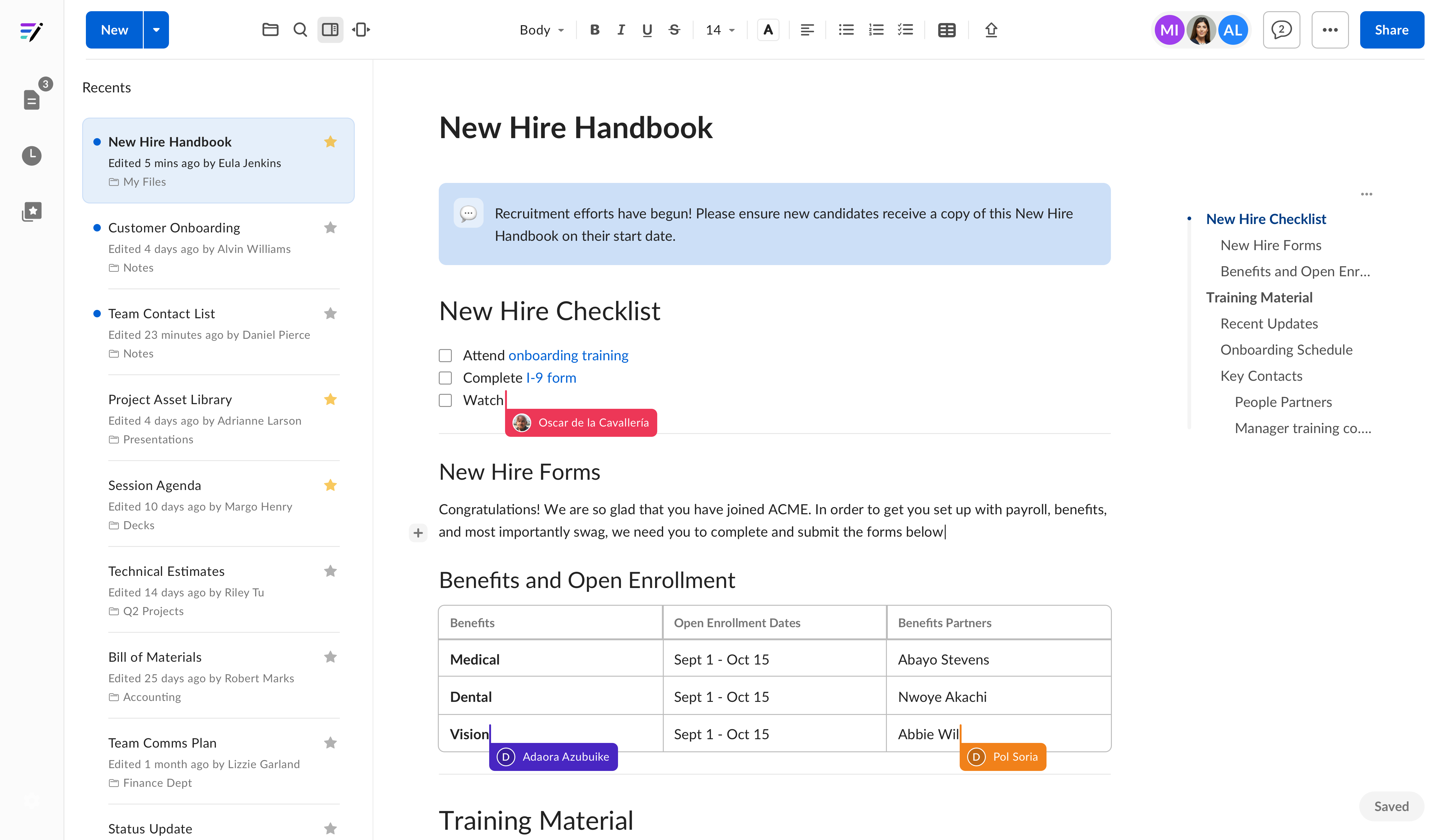
Navigation and organization
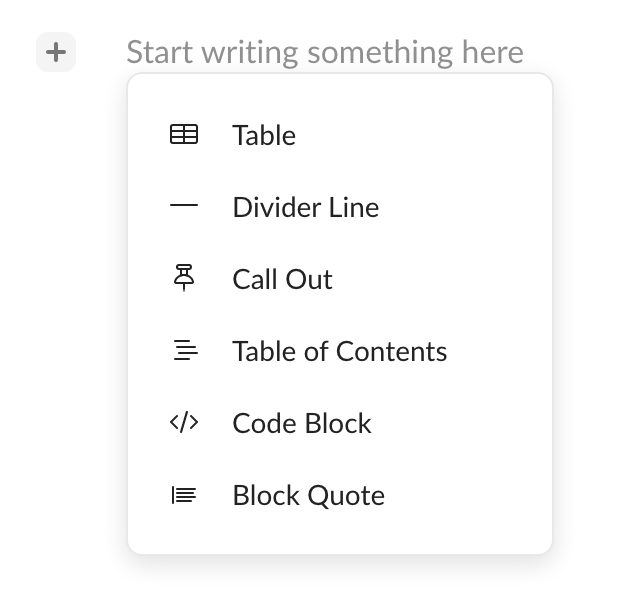
In addition to the toolbar, you can insert content such as tables, call outs, dates, and inline AI chat using the inline menu. Select the + icon on the left of the text editor, or type / anywhere in the note to open the slash menu. The slash menu supports filtering — start typing to narrow the list of available content blocks.
Get started quickly with Box Notes
- Create new notes quickly to capture ideas and discussions in real-time
- Format text easily for simple and powerful collaboration
- Add hyperlinks, images, and tables to bring your notes to life
- Insert dates with an interactive date picker — type
/datein the slash menu or select the + icon to add a date to your note - Use Templates in Box Notes to make recurring work simple
- 4 Ways to Use a Box Note - Video