To move or copy a Box Note:
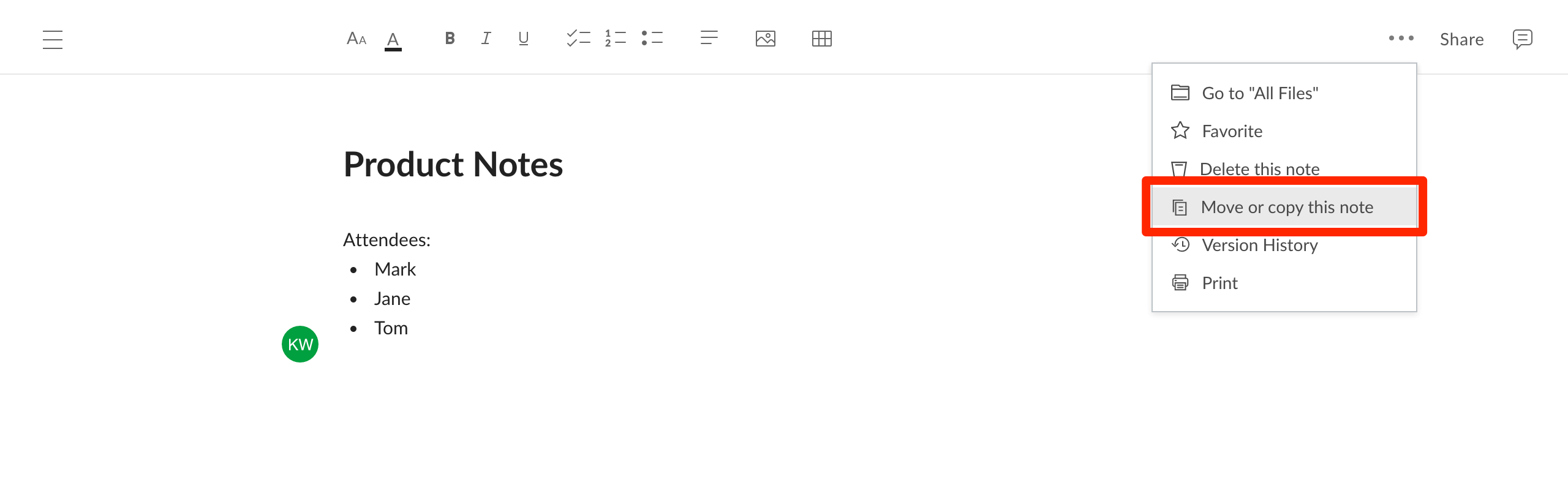
- Open the More Options menu (ellipses in the upper right corner) and select Move or copy this note.
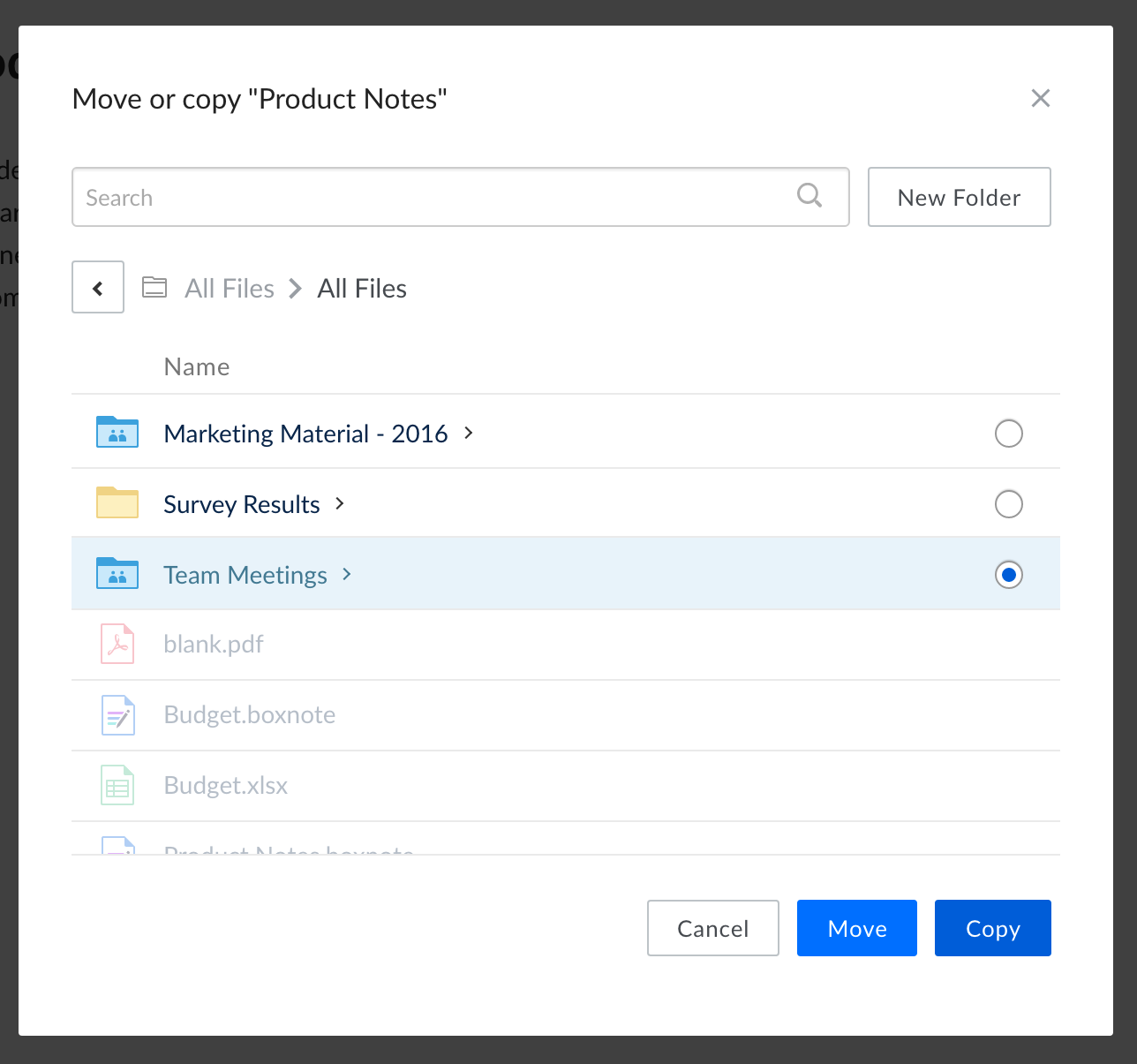
- In the window that appears, select a destination folder by selecting the bubble beside its name. If you do not select a folder, the file will be moved or copied into the folder that you are currently viewing.
- Alternatively, you can create a new folder (inside the folder you are currently viewing) by selecting New Folder.
- Select Move or Copy to complete the action.
Open the folder that contains a note
When you want to find content stored alongside a note or see where the note lives in Box, you can open its parent folder directly from the note.
To open the folder that contains a note:
- Open the note and select the More options menu (the ellipsis in the upper-right corner).
- Select Go to parent folder.
Box opens the folder that contains the note and displays the note among its other contents. Opening the parent folder does not change the note, its location, or its permissions. Last modified on October 28, 2026