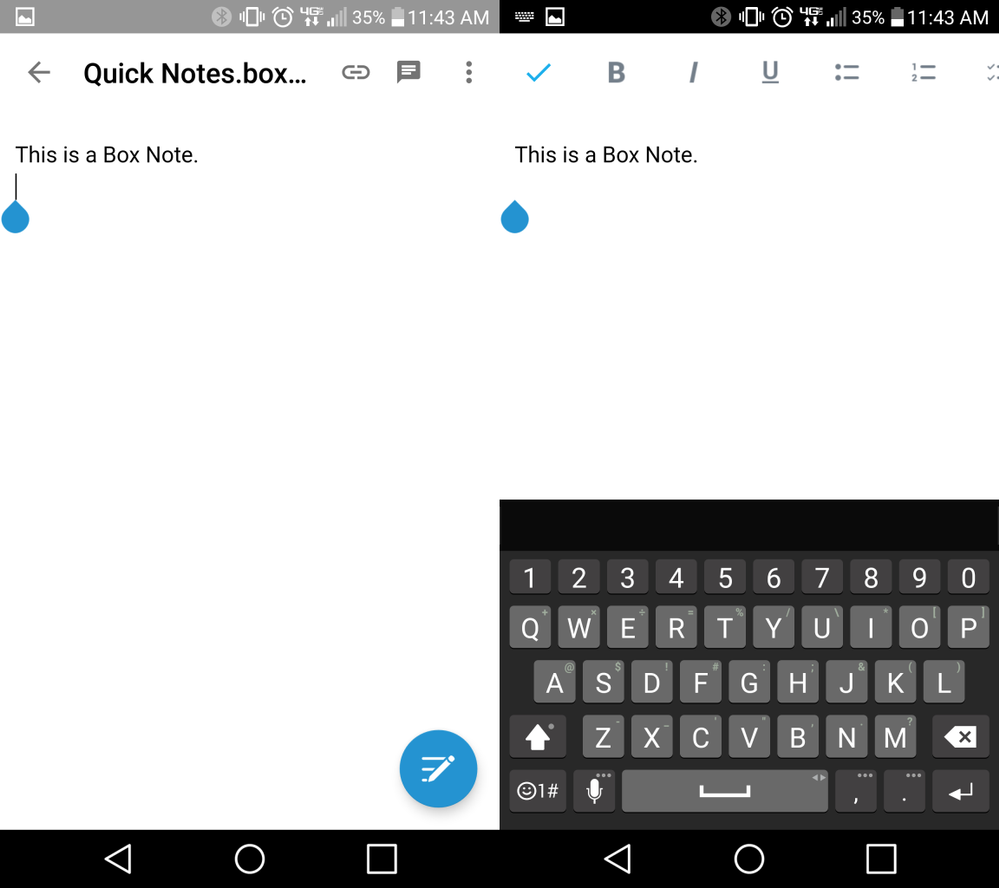
Box Notes can be created and edited in the Box Android app. Box Notes are web-based documents and do not require any additional software. Use Box Notes to create, edit, and share ideas in real-time with your collaborators.
Creating Box Notes
To create a new Box Note:
- Navigate to the folder where you’d like to create the new Box Note.
- Tap the + icon from the action menu at the bottom of the screen.
- Tap New Box Note.
- Name your Box Note, then tap Create. The note will open automatically.
Editing Box Notes
- Tap the Edit icon in the bottom-right to begin typing in your new Box Note.
- Use the toolbar at the top of the screen to format text. Apply changes to existing text by highlighting it before selecting a formatting option.
- Tap the Check Mark in the upper-left once you are done typing to dismiss the keyboard.
- You can leave comments on Box Notes by tapping the Comment icon in the upper-right corner.
Sharing Box Notes
Tap the Share Link icon at the top of the screen, then tap the Share link enabled slider to generate a shared link to your Box Note.
Only collaborators with access levels of Editor or Co-owner can make changes to Box Notes. All other collaborators will only have view access. You can choose to send the shared link directly to collaborators via the messaging app of your choice, or copy the link to the clipboard and paste it later. Last modified on May 22, 2026