Box makes it easy to collaborate on and share files and documents with anyone, inside or outside your organization. However, when you add new content, or when you share, move, or copy content, the permission to access those items might change, often to a less restrictive setting.
To help you avoid inadvertently disclosing sensitive information to a wider audience than you intend, and enable you swiftly and clearly to understand with whom you are actually collaborating or sharing, Box displays a series of indicators and warnings. With these indicators, you can visually and quickly distinguish whether you’re sharing content externally and whether the content you’re working on will be publicly available through shared links. Use them to identify in advance whether you’ve specified an appropriate destination or collaborator, and also as an opportunity to change your mind before you complete a file or folder action.
There are 3 ways Box lets you know when a file or folder is available, or will become available, to an external collaborator or to anyone with a shared link:
- The right-hand sidebar, under the Sharing tab
- When you move or copy content
- When you share content
The right-hand sidebar, under the Sharing tab
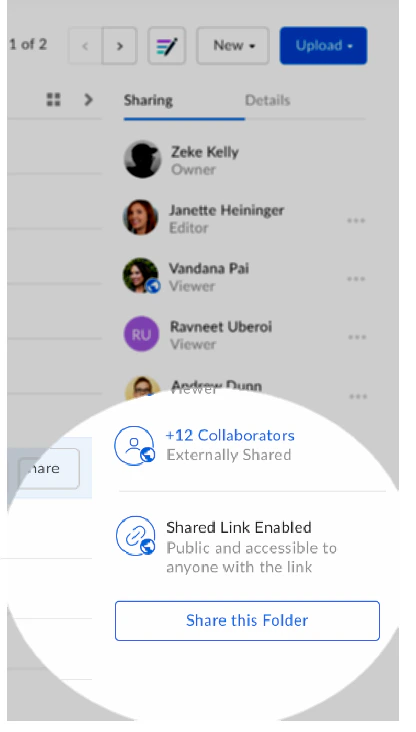
To the right of your content list in Box, under the Sharing tab, Box displays visual indicators when:
- Content is available through an open shared link
- Content is externally collaborated
Looking at the Sharing tab prevents you from unknowingly adding content – either by uploading or creation – to a folder that permits the general public to access to your files or documents.
When you move or copy content into another folder
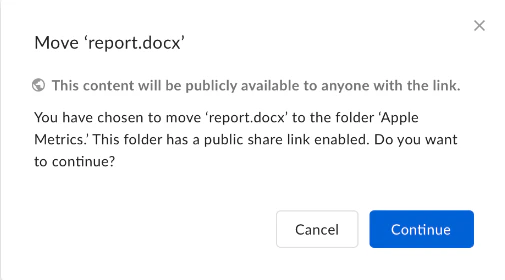
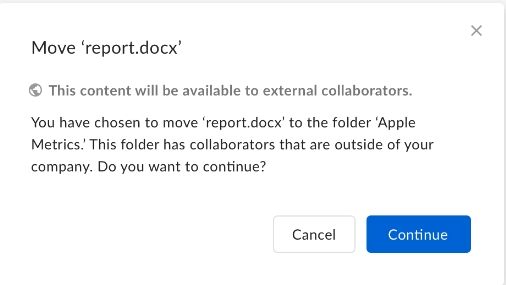
There are several warnings Box may display if there’s a potential change in the access level of the content that’s in motion. These include:
If the destination folder, or any of its parent folders, has a public link enabled:
If the destination folder, or any of its parent folders, allows external collaborators:
If it seems you received either of these messages in error, it’s possible you’ve overlooked the permission level of a parent folder. If you don’t own the parent folder, you may need to ask whoever does to examine the folder for any public links or external collaborators.
When you share content
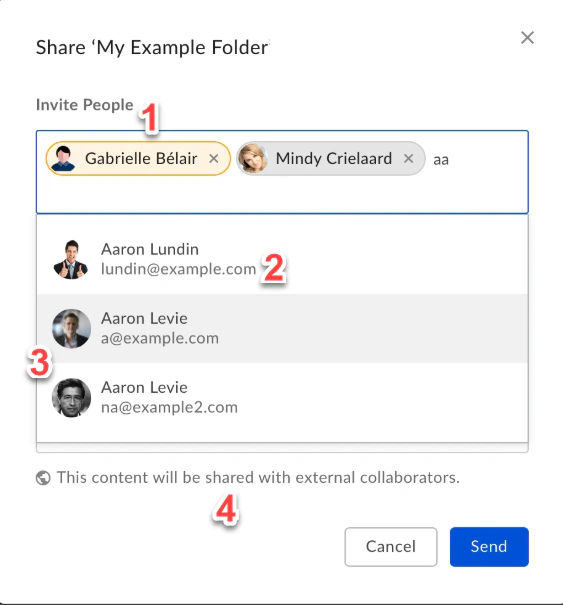
When you share content with anyone outside your organization, in the Sharing dialog box, Box displays the following:
- a different colored background for the names of external collaborators
- the specific external domain (if any) of your invitees
- images of each person you invite, to help ensure you don’t send an invitation to a different individual with the same name as your intended recipient
- a text advisory at the bottom of the Share window
This helps prevent you from accidentally sharing content with someone you don’t intend.
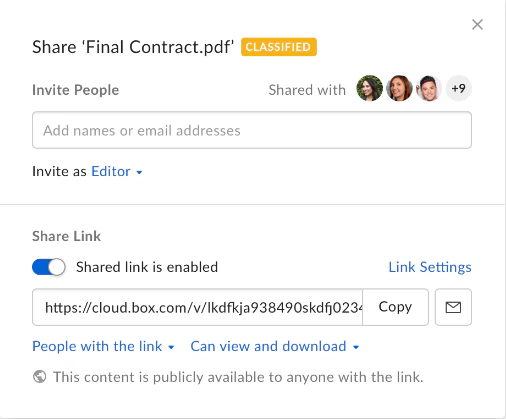
When you share content via a public link, in the Sharing dialog box, Box reminds you that this content will be available to the general public:
If a subfolder has been shared externally, the parent folder does not automatically inherit the security indicator itself. Rather, the indicator applies to the folder level in which the external collaborator was added (and inherited to that folder’s children).