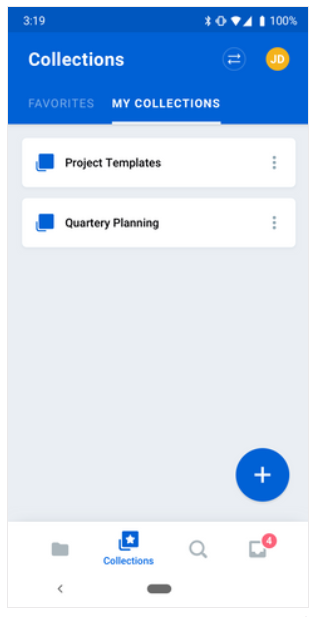
When you’re on the go, Box Collections for Android enables you to create and name private collections of content in your Box account, where you can organize files and folders that you own or share. And although the content may be shared, your collections are not shared and are visible only to you.
Using Box Collections you can
- intuitively organize your Box content into logical groupings of your choice,
- name these groupings to provide clear and meaningful context, and
- quickly find the content you need right now.
To create a collection:
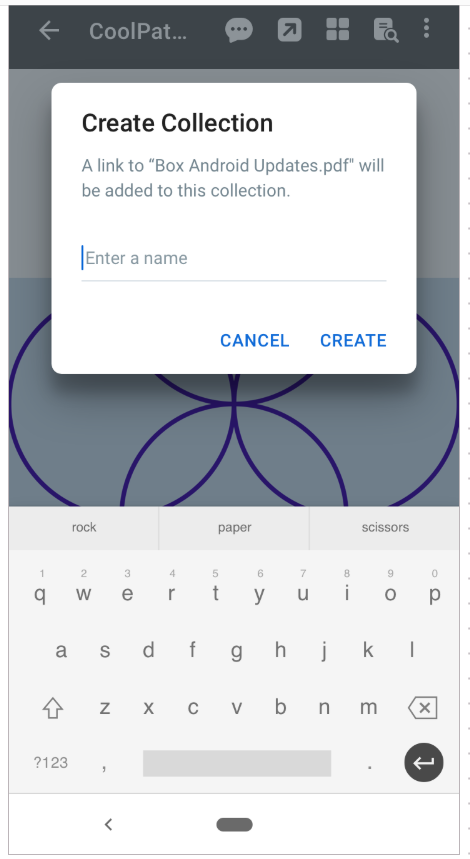
- In the bottom-right of the screen, tap +. Box displays the Create Collection dialog screen.
- In the text field, type the name of the collection.
- Tap CREATE.
- After you add files and folders to a collection, the name of the collection appears next to the names of these files and folders throughout your Box account.
- Your Favorites category is now a collection.
- Tap the item you want to add. Box displays the preview screen.
- In the preview screen, tap the ellipsis (…) button and select Add to Collection.
- Tap the name of the collection to which you want to add the item.
- Tap DONE.
Last modified on August 28, 2026