

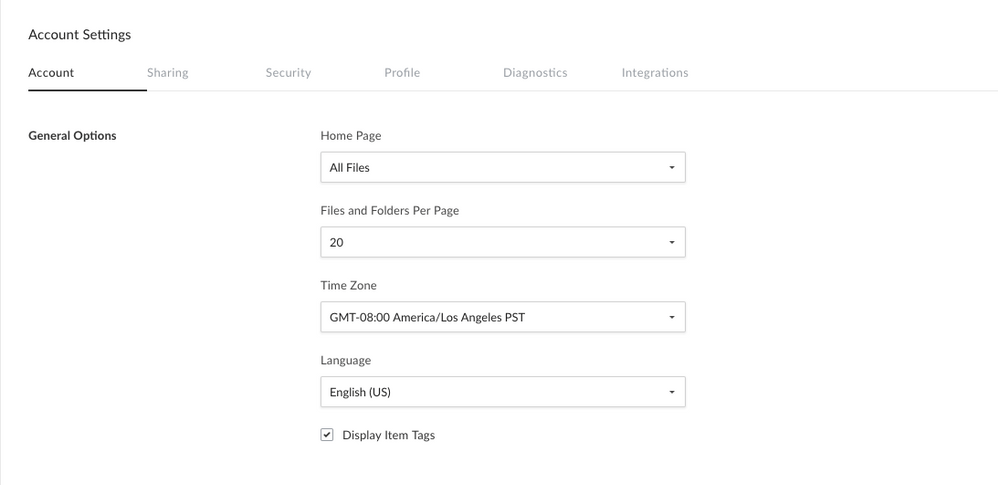
Changing the Time Zone
- Sign into your Box account
- Click your initials in the top-right corner to open the Account Menu.
- Click Account Settings.
- The Account tab should open by default. Locate the General Options section.
- Select your preferred timezone from the pulldown menu under Time Zone.
- Be sure to click Save Changes in the top right to save your settings.
Changing the Language
- Sign into your Box account
- Click your initials in the top-right corner to open the Account Menu.
- Click Account Settings.
- The Account tab should open by default. Locate the General Options section.
- Select your preferred language from the pulldown menu under Language.
- Be sure to click Save Changes in the top right to save your settings.
Account administrators can change the default language and time zone settings for their enterprise from the Admin Console. Simply open your Enterprise Settings, and navigate to the User Settings tab.