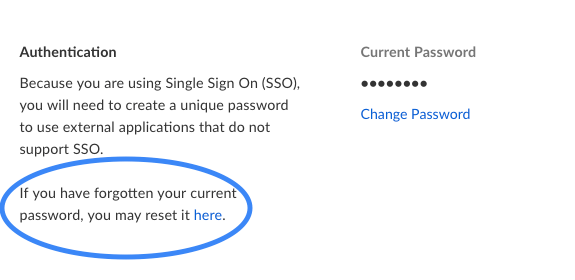
If your organization uses Single Sign On (SSO), you can use your company password to log into Box. However, Box also offers the ability to create an External Password. This can be used for:
- Logging into Box if your company is set to SSO Test Mode.
- Accessing Box via FTP, which does not support SSO.
To set up an External Password
-
You can do so by logging into your Box via SSO.
-
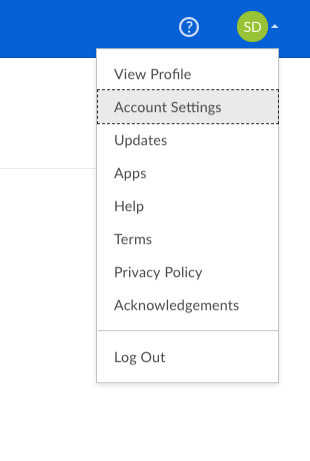
Then go to your Account Settings.
-
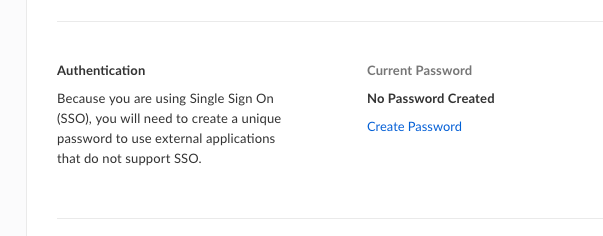
Under Authentication you will see that you can choose Create Password.
-
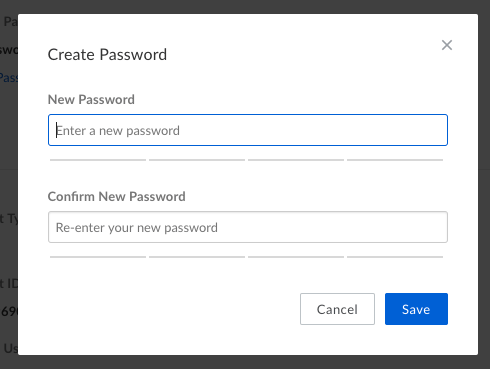
You can then create a new password.
If you wish to change your external password:
-
Go to Account Settings.
-
Navigate to Authentication.
-
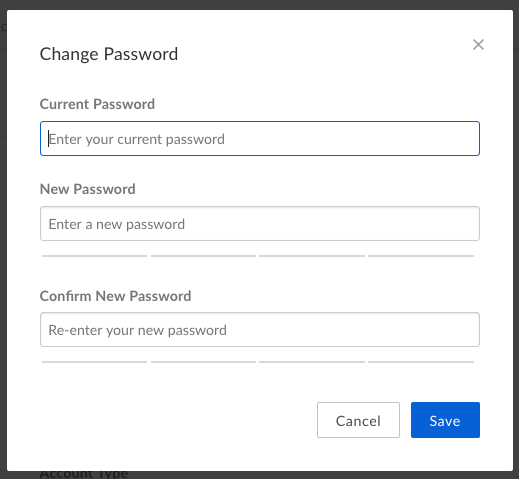
Then select “Change Password” to change your external password.
-
However, you will need to enter your “Current Password” (external password you had set) in order to change it. If you do not remember it continue below to follow steps for “If you forget your external password”.
If you forget your external password:
-
Go to your Account Settings.
-
Navigate to Authentication.
-
Then select “reset it here” to change your external password if you have forgotten it.
Last modified on July 10, 2026