> ## Documentation Index
> Fetch the complete documentation index at: https://docs.box.com/llms.txt
> Use this file to discover all available pages before exploring further.
# Box for AndroidでのBox Notes
Box Notesは、Box Androidアプリで作成および編集できます。Box Notesはウェブベースのドキュメントで、追加のソフトウェアは必要ありません。Box Notesを使用して、コラボレータとリアルタイムでアイデアを作成、編集、共有できます。
**Box Notesの作成**
新しいBox Noteを作成するには:
* 新しいBox Noteを作成するフォルダに移動します。
* 画面下の処理メニューで\*\*+\*\*アイコンをタップします。
* \[**新しいBox Note**] をタップします。
* Box Noteに名前を付け、\[**作成**] をタップします。Box Noteが自動的に開きます。
**Box Notesの編集**
* 右下の \[**編集**] アイコンをタップし、新しいBox Noteに入力します。
* 画面上部の**ツールバー**を使用して、テキスト書式を変更します。 既存のテキストに変更を適用するには、ハイライトしてから書式設定オプションを選択します。
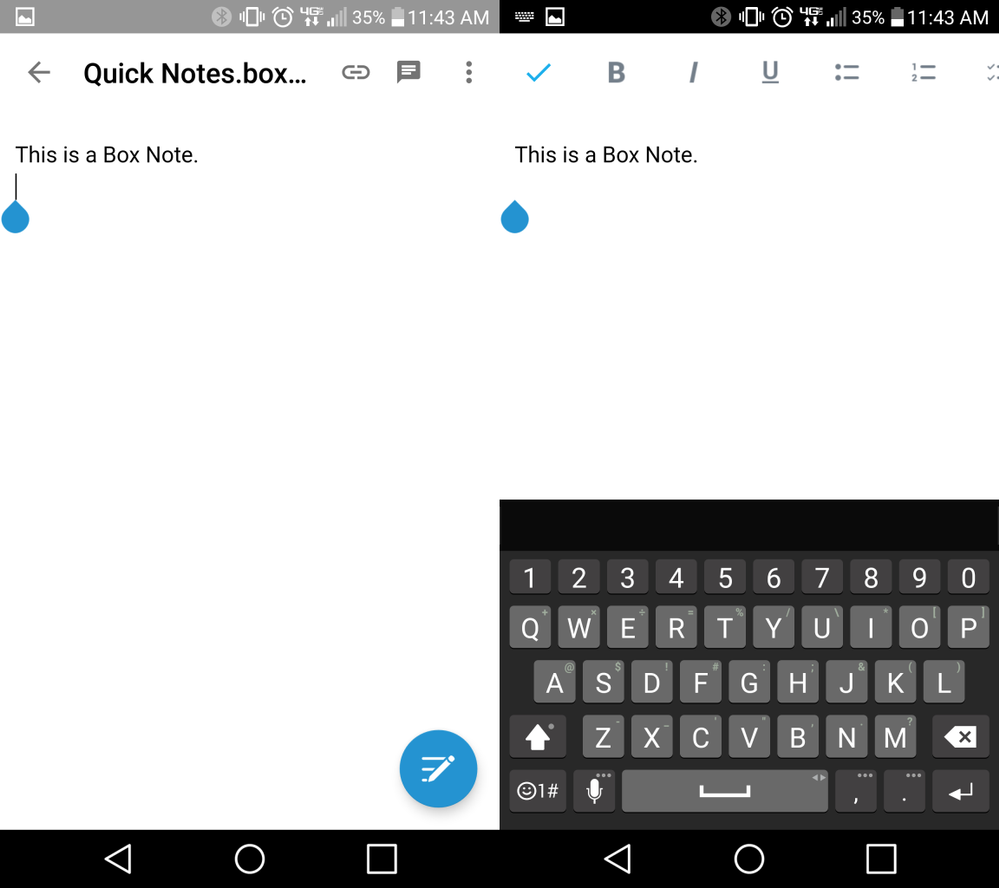 * 入力が完了したら、左上の**チェックマーク**をタップし、キーボードを非表示にします。
* 右上の \[**コメント**] アイコンをタップすることで、Box Notesにコメントを残すことができます。
**Box Notesの共有**
画面の上部にある \[**リンクの共有**] アイコンをタップし、\[**共有リンクを有効化**] スライダをタップして、[共有リンク](/ja/box-fundamentals/for-users/collaborating/using-shared-links/creating-shared-links) をBox Noteに生成します。
Box Notesを変更できるのは、編集者または共同所有者の [アクセスレベル](/ja/box-fundamentals/for-users/collaborating/collaborating-by-inviting-others/understanding-collaborator-permission-levels) を持つコラボレータのみです。その他すべてのコラボレータは表示専用アクセスになります。共有リンクは、選択したメッセージアプリでコラボレータに直接送信するか、リンクをクリップボードにコピーして後で貼り付けることができます。
* 入力が完了したら、左上の**チェックマーク**をタップし、キーボードを非表示にします。
* 右上の \[**コメント**] アイコンをタップすることで、Box Notesにコメントを残すことができます。
**Box Notesの共有**
画面の上部にある \[**リンクの共有**] アイコンをタップし、\[**共有リンクを有効化**] スライダをタップして、[共有リンク](/ja/box-fundamentals/for-users/collaborating/using-shared-links/creating-shared-links) をBox Noteに生成します。
Box Notesを変更できるのは、編集者または共同所有者の [アクセスレベル](/ja/box-fundamentals/for-users/collaborating/collaborating-by-inviting-others/understanding-collaborator-permission-levels) を持つコラボレータのみです。その他すべてのコラボレータは表示専用アクセスになります。共有リンクは、選択したメッセージアプリでコラボレータに直接送信するか、リンクをクリップボードにコピーして後で貼り付けることができます。