> ## Documentation Index
> Fetch the complete documentation index at: https://docs.box.com/llms.txt
> Use this file to discover all available pages before exploring further.
# Box Noteの作成
新しいBox Noteは、簡単かつ迅速に作成できます。このプロセスは、Box Noteの作成時にBox内のどこが表示されているかによって若干異なります。
**注**
この記事では、新しい空のBox Noteを作成する方法を説明します。[新しいメモをテンプレートから作成する](/ja/box-notes/creating-and-editing-box-notes/using-templates-in-box-notes)こともできます。
**既定のNotesフォルダに新しいBox Noteを作成するには**
1. 左側のナビゲーションで、\[**Notes**] の横にあるプラスアイコンをクリックします。
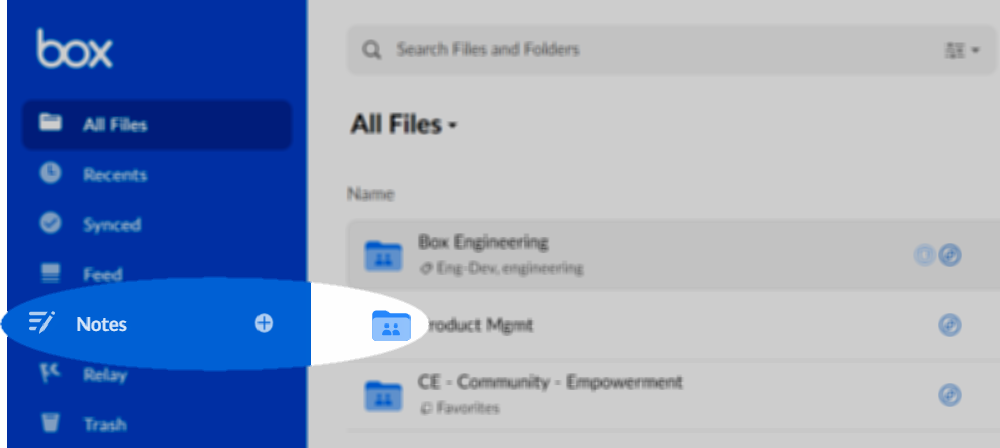 このメモは、デフォルトの \[**私のBox Notes**] フォルダに自動的に保存されます。
**選択したフォルダに直接メモを作成するには**
1. 目的のフォルダに移動します。
2. 上部のナビゲーションで \[**新規**] をクリックし、表示されるリストから \[**Box Note**] をクリックします。
このメモは、デフォルトの \[**私のBox Notes**] フォルダに自動的に保存されます。
**選択したフォルダに直接メモを作成するには**
1. 目的のフォルダに移動します。
2. 上部のナビゲーションで \[**新規**] をクリックし、表示されるリストから \[**Box Note**] をクリックします。
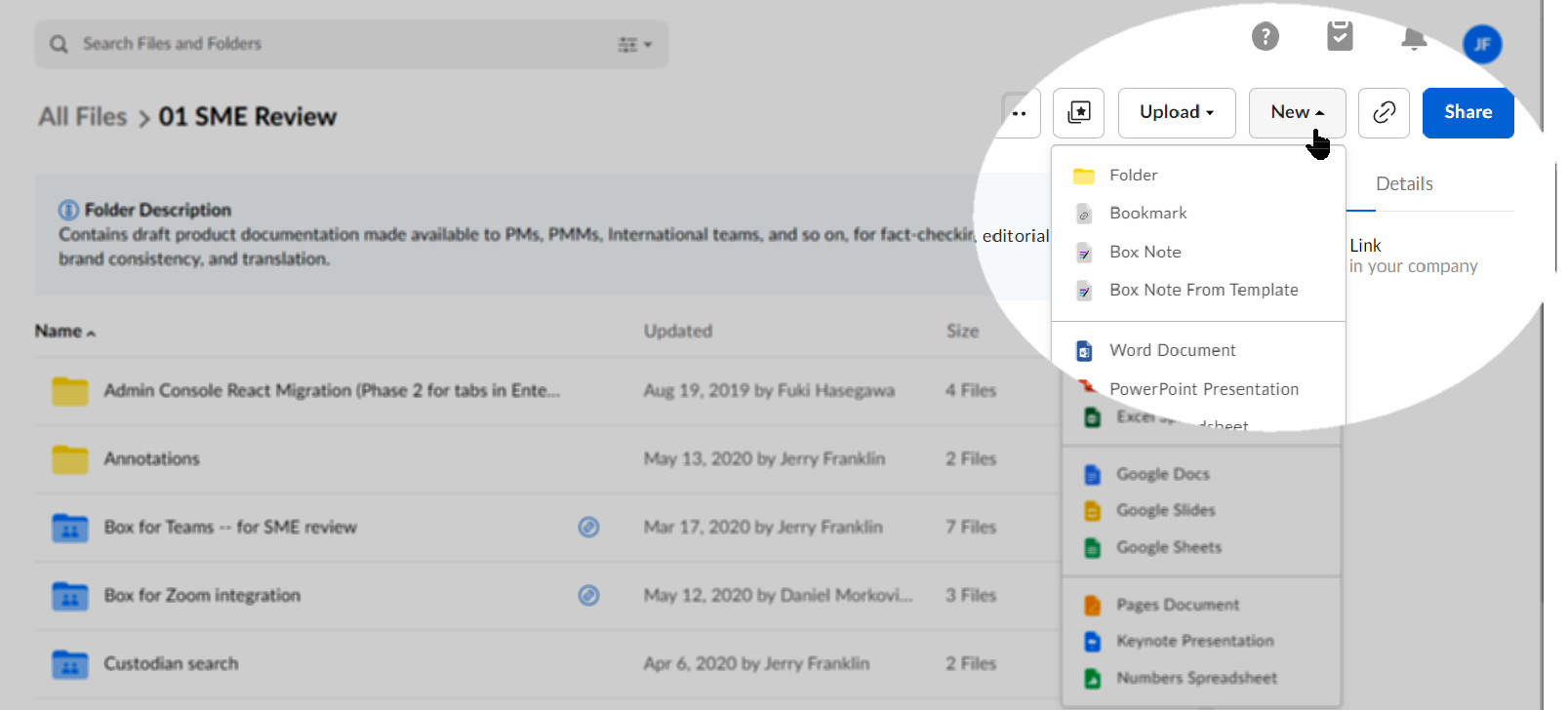 作成したメモは自動的に現在のフォルダに保存されます。
新しいメモを簡単に作成する方法は他にも2つあります。
* 既存のBox Noteから直接作成する。そのためには、Box Noteを開き、上部のナビゲーションに移動して、\[**新規作成**] をクリックします。
* \*\*[https://app.box.com/notes/create\_note](https://app.box.com/notes/create_note)\*\*を使用して作成する。ブラウザでこのURLをショートカットまたはブックマークとして保存します。その後、保存したURLをクリックすると、新しいメモが開きます。
上記のいずれの場合も、メモにタイトルを付けることができます。それには、ヘッダーバーをクリックし (デフォルトのタイトルは \[**タイトルを追加**])、独自のタイトルを入力します。入力を開始すると、変更内容も自動的に保存されます。
**注:** Box Noteのタイトルでは、スラッシュおよびバックスラッシュを使用できません。 Boxではこれらの文字を含むタイトルは保存されません。
テンプレートを使用したBox Notesの作成の詳細については、[こちら](/ja/box-notes/creating-and-editing-box-notes/using-templates-in-box-notes)を参照してください。
作成したメモは自動的に現在のフォルダに保存されます。
新しいメモを簡単に作成する方法は他にも2つあります。
* 既存のBox Noteから直接作成する。そのためには、Box Noteを開き、上部のナビゲーションに移動して、\[**新規作成**] をクリックします。
* \*\*[https://app.box.com/notes/create\_note](https://app.box.com/notes/create_note)\*\*を使用して作成する。ブラウザでこのURLをショートカットまたはブックマークとして保存します。その後、保存したURLをクリックすると、新しいメモが開きます。
上記のいずれの場合も、メモにタイトルを付けることができます。それには、ヘッダーバーをクリックし (デフォルトのタイトルは \[**タイトルを追加**])、独自のタイトルを入力します。入力を開始すると、変更内容も自動的に保存されます。
**注:** Box Noteのタイトルでは、スラッシュおよびバックスラッシュを使用できません。 Boxではこれらの文字を含むタイトルは保存されません。
テンプレートを使用したBox Notesの作成の詳細については、[こちら](/ja/box-notes/creating-and-editing-box-notes/using-templates-in-box-notes)を参照してください。