> ## Documentation Index
> Fetch the complete documentation index at: https://docs.box.com/llms.txt
> Use this file to discover all available pages before exploring further.
# Reporting on Relay Usage in your Organization
As an admin, you can generate a usage activity report on Relay. This report shows who has created, modified, or deleted a workflow in your organization.
You can view the report directly when you run it, and/or export it as a .csv file to your default reports folder in Box.
**To view who has created, edited, or deleted workflows:**
1. From your admin console, go to **Reports** > **Create Report** > **User Activity**.
2. Using the righthand scrollbar, scroll down to the **Relay** section.
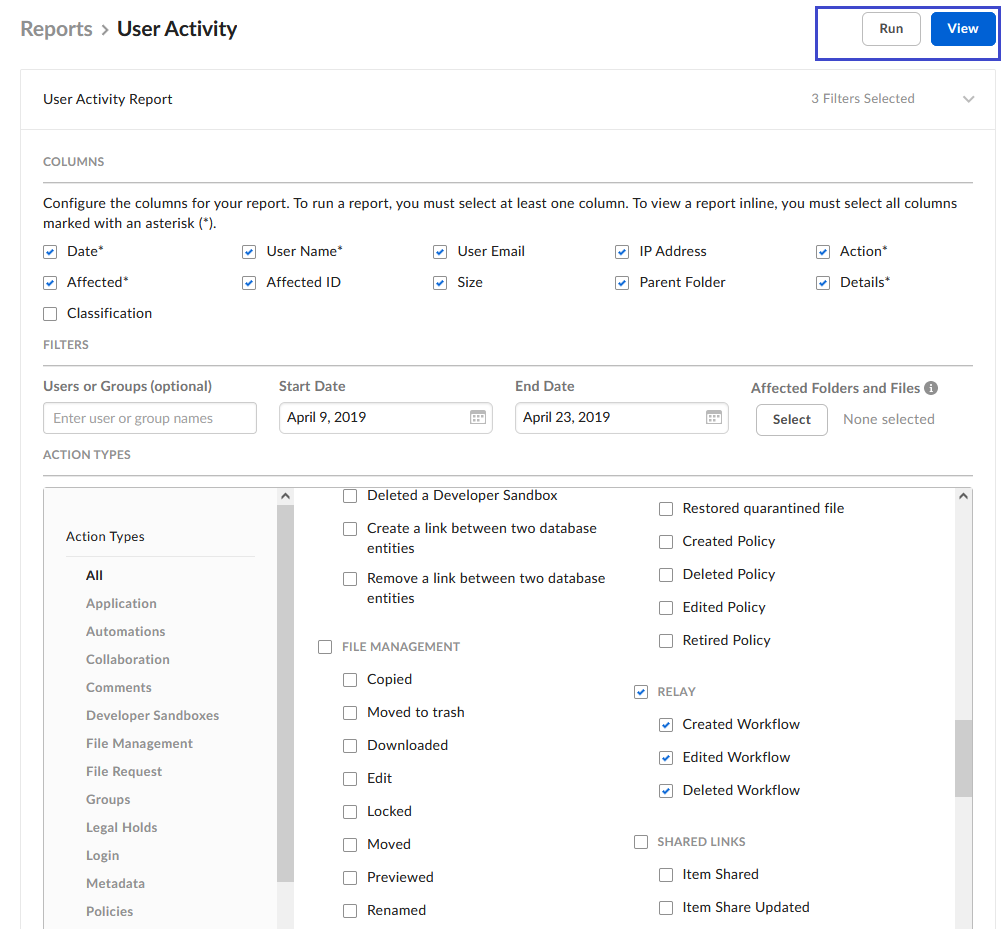
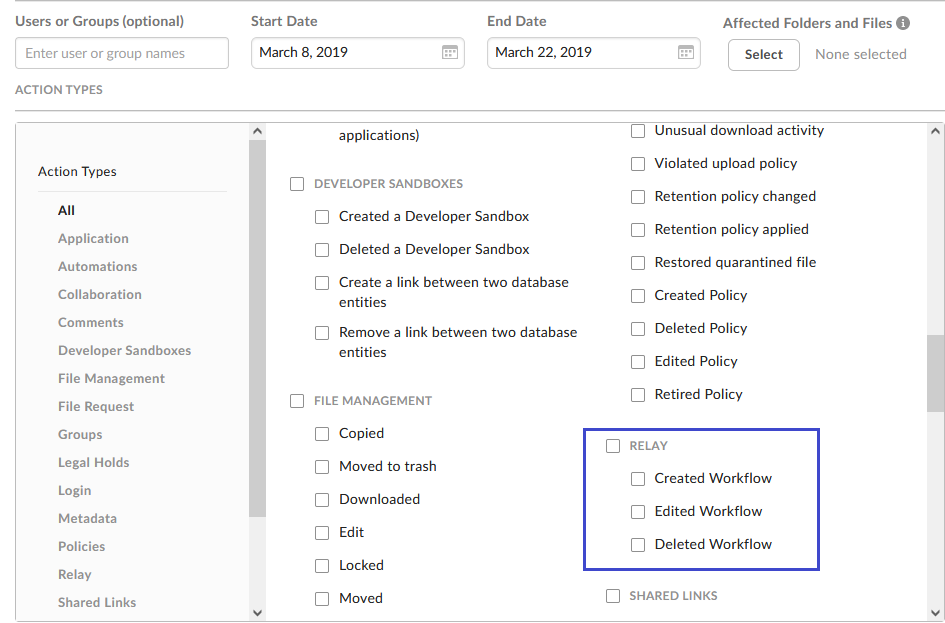 * To see everyone who’s either created, edited, or deleted a workflow, check **Relay** and then, in the top-right portion of the screen, click **View**. The report displays.
* To see only people who’ve performed one or two of those actions, leave **Relay** clear, check the corresponding box or boxes, and then click **View**. The report displays.
3. To export the report as a .csv file click **Run**. (You can do this either before or after you view the report.) Box uploads the report to the default Reports folder in your Box user account.
* To see everyone who’s either created, edited, or deleted a workflow, check **Relay** and then, in the top-right portion of the screen, click **View**. The report displays.
* To see only people who’ve performed one or two of those actions, leave **Relay** clear, check the corresponding box or boxes, and then click **View**. The report displays.
3. To export the report as a .csv file click **Run**. (You can do this either before or after you view the report.) Box uploads the report to the default Reports folder in your Box user account.