> ## Documentation Index
> Fetch the complete documentation index at: https://docs.box.com/llms.txt
> Use this file to discover all available pages before exploring further.
# Tracking Changes and Recent Activity in a Box Note
Box Notes Differences, Presence and Collaboration Cursors make it easier to see what's specifically changed in a particular Box Note, and who's been active there.
## Tracking Changes with Differences
We've made it easy to keep track of changes made by other collaborators. When you open a Box Note that has been modified, any additions made since the last time you viewed the Box Note will be highlighted in purple.
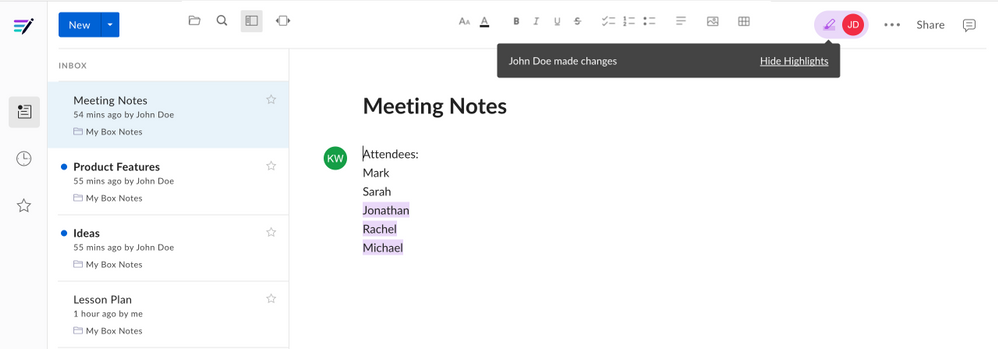 To hide these highlights, click the **highlighter icon** in the upper right corner, and then click the icon again to unhide the changes.
## Tracking Recent Activity with Presence
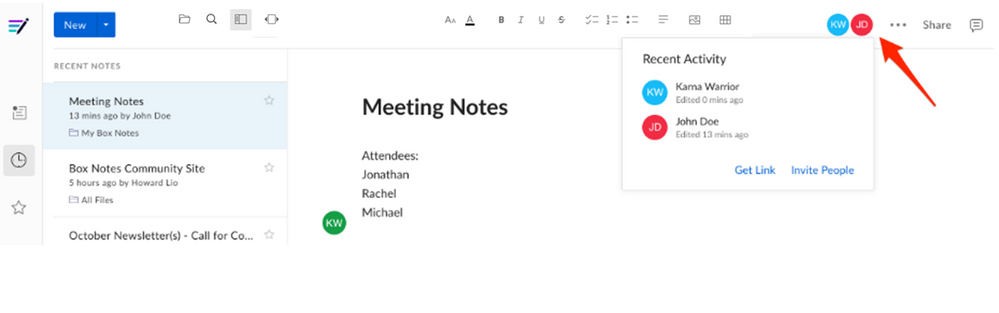
You can keep track of who has viewed or edited a Box Note by clicking on any collaborator's badge (their profile picture or initials), displayed in the upper right. This will open the Recent Activity tab, where you will see a list of collaborators, sorted by when they last viewed or edited the Box Note. Note that if a collaborator has been invited to the Box Note, but has never opened it, they will not appear in this list.
To hide these highlights, click the **highlighter icon** in the upper right corner, and then click the icon again to unhide the changes.
## Tracking Recent Activity with Presence
You can keep track of who has viewed or edited a Box Note by clicking on any collaborator's badge (their profile picture or initials), displayed in the upper right. This will open the Recent Activity tab, where you will see a list of collaborators, sorted by when they last viewed or edited the Box Note. Note that if a collaborator has been invited to the Box Note, but has never opened it, they will not appear in this list.
 ## Tracking Recent Edits with Collaboration Cursors
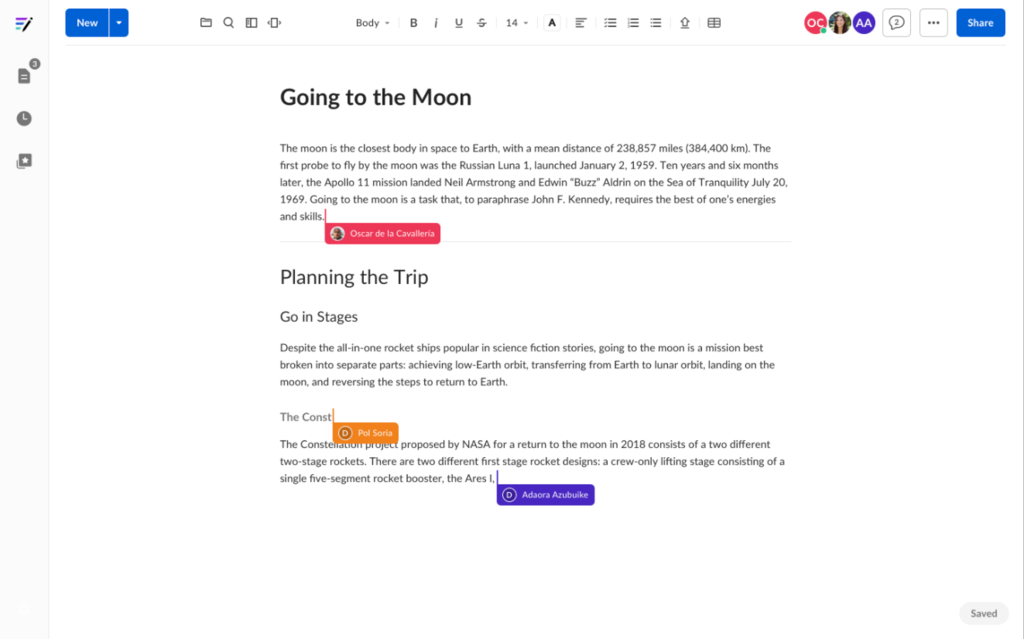
You can see where other collaborators are working in the file. When someone's editing a Box Note you're viewing, a colored cursor displays the editor's name and icon on hover next to their current edit. Each time a collaborator moves a cursor, Box updates the location of the cursor.
## Tracking Recent Edits with Collaboration Cursors
You can see where other collaborators are working in the file. When someone's editing a Box Note you're viewing, a colored cursor displays the editor's name and icon on hover next to their current edit. Each time a collaborator moves a cursor, Box updates the location of the cursor.