> ## Documentation Index
> Fetch the complete documentation index at: https://docs.box.com/llms.txt
> Use this file to discover all available pages before exploring further.

# Moving or Copying Box Notes

export const InlineImage = ({src, alt = "", height = "1em"}) => {
  return <img noZoom src={src} alt={alt} style={{
    display: "inline-block",
    verticalAlign: "middle",
    height: height,
    width: "auto",
    margin: "0"
  }} />;
};

<div className="article_labels_list" style={{display: 'none'}} dangerouslySetInnerHTML={{__html: "End User , Box Notes , Users , move , Article , Product Utilization , Established , Instruction , P5"}} />

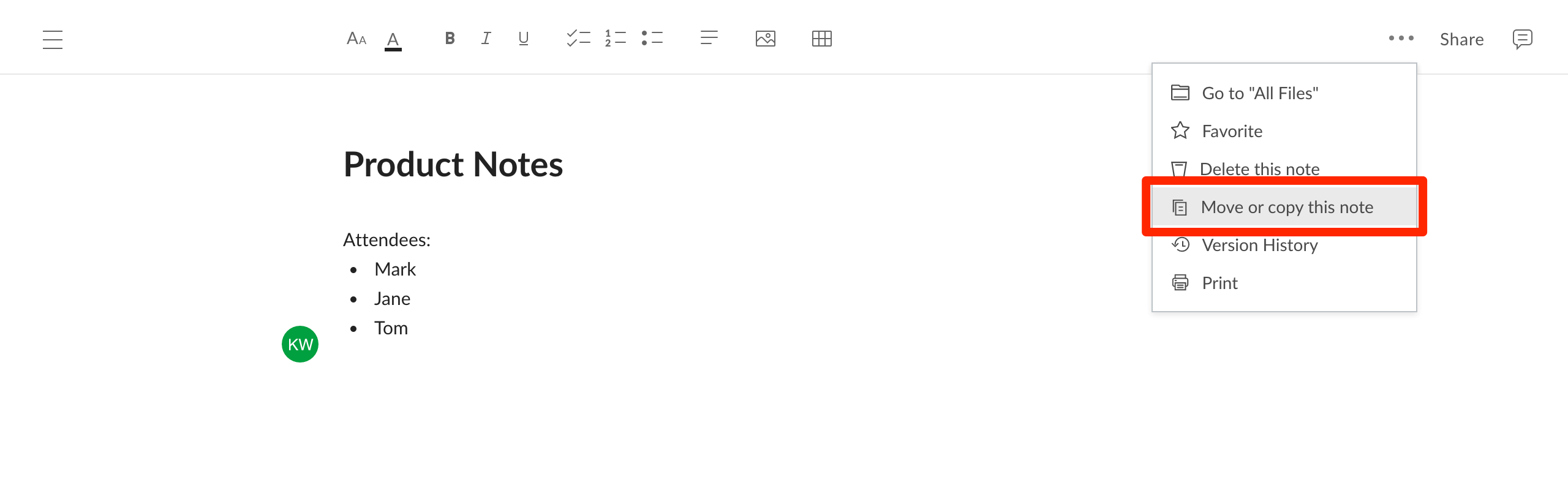
To move or copy a Box Note:

* Open the **More Options** menu (**ellipses** in the upper right corner) and select **Move or copy this note**.<Frame><img src="https://mintcdn.com/product-docs/8lXyx5j-wSA1mfCm/images/box-notes/ypabb3wo1wwrub4yblfa1jjbqejui764.png?fit=max&auto=format&n=8lXyx5j-wSA1mfCm&q=85&s=8a242f9512a6add5e8a67fa207a46da0" width="2560" height="810" data-path="images/box-notes/ypabb3wo1wwrub4yblfa1jjbqejui764.png" /></Frame>
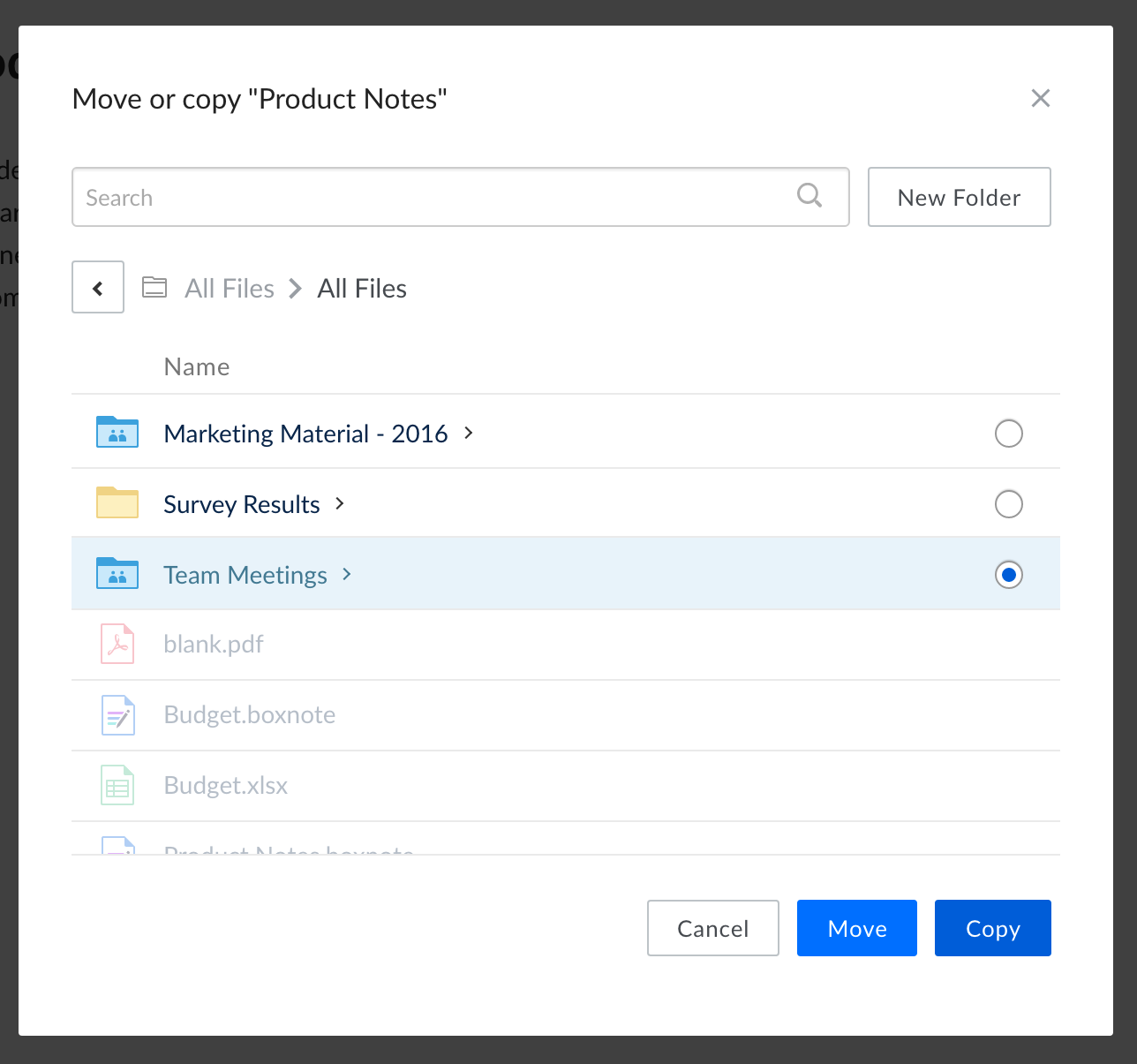
* In the window that appears, select a destination folder by clicking the bubble beside its name. If you **do not** select a folder, the file will be moved or copied into the folder that you are currently viewing.
<Frame>
  <img src="https://mintcdn.com/product-docs/S7YEON1MH5lHfCKo/images/box-notes/25s46iyuqa9q0tg7oxbj0grfoggtac5q.png?fit=max&auto=format&n=S7YEON1MH5lHfCKo&q=85&s=34f9ac20831f7a4648cd3bda59fc6c71" alt="" width="1288" height="1205" data-path="images/box-notes/25s46iyuqa9q0tg7oxbj0grfoggtac5q.png" />
</Frame>

* Alternatively, you can create a new folder (inside the folder you are currently viewing) by clicking **New Folder**.
* Click **Move** or **Copy** complete the action.
