> ## Documentation Index
> Fetch the complete documentation index at: https://docs.box.com/llms.txt
> Use this file to discover all available pages before exploring further.

# Inserting Call Outs

<div className="article_labels_list" style={{display: 'none'}} dangerouslySetInnerHTML={{__html: "End User , Box Notes , Article , New , Product Utilization , Instruction"}} />

A Call Out allows you to highlight important information or make your announcements stand out. Use Call Outs to provide tips, warning messages, or any other type of information you perceive as particularly helpful for the user.

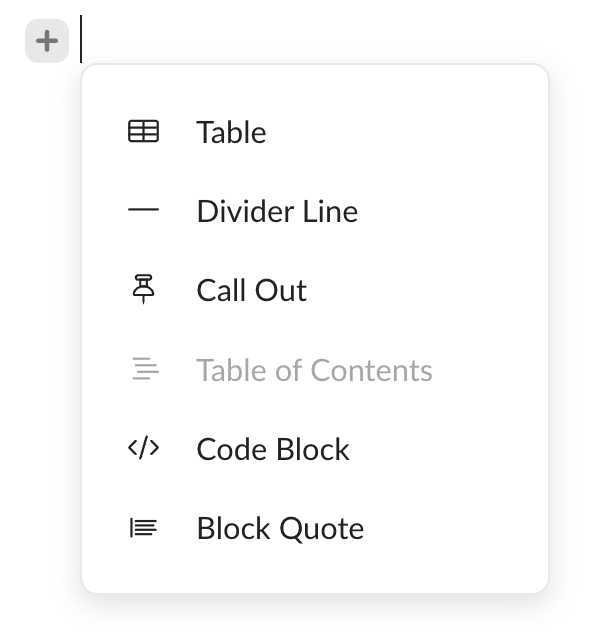
1. Click the **+** icon and select **Call Out** from the context menu.

   <Frame>
     <img src="https://mintcdn.com/product-docs/w-T_6NPwQG7Ze9eT/images/box-notes/callout.png?fit=max&auto=format&n=w-T_6NPwQG7Ze9eT&q=85&s=b5652eddbf5743839200c422b59165a7" alt="callout-png" width="606" height="636" data-path="images/box-notes/callout.png" />
   </Frame>
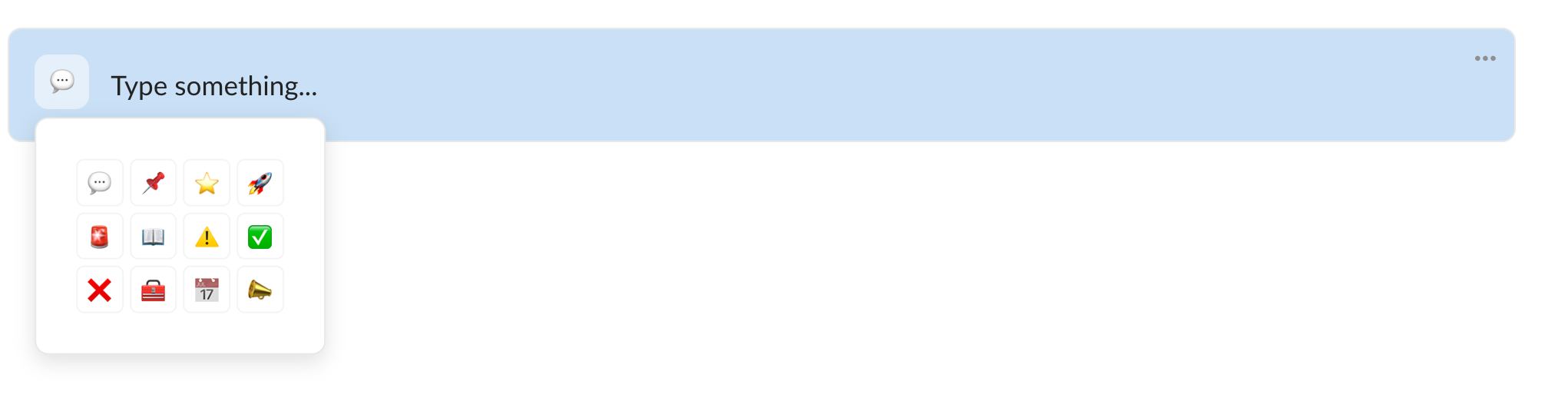
2. The call out appears in a new line.

   <Frame>
     <img src="https://mintcdn.com/product-docs/w-T_6NPwQG7Ze9eT/images/box-notes/call-out.png?fit=max&auto=format&n=w-T_6NPwQG7Ze9eT&q=85&s=9a1094715f73bb63e981238af5d0632a" alt="call-out-png" width="1982" height="191" data-path="images/box-notes/call-out.png" />
   </Frame>
3. Type in the content. The call out is saved automatically.

## Customizing call outs

You can customize your call outs to suit your needs and match the content you are working on.

* The speech bubble emoji that appears on the left is the default emoji. Click it to choose a suitable one.
  <Frame>
    <img src="https://mintcdn.com/product-docs/w-T_6NPwQG7Ze9eT/images/box-notes/call-out-icons.png?fit=max&auto=format&n=w-T_6NPwQG7Ze9eT&q=85&s=556113349dc4a512b95d5365fbd32d1a" alt="call-out-icons-png" width="2042" height="518" data-path="images/box-notes/call-out-icons.png" />
  </Frame>
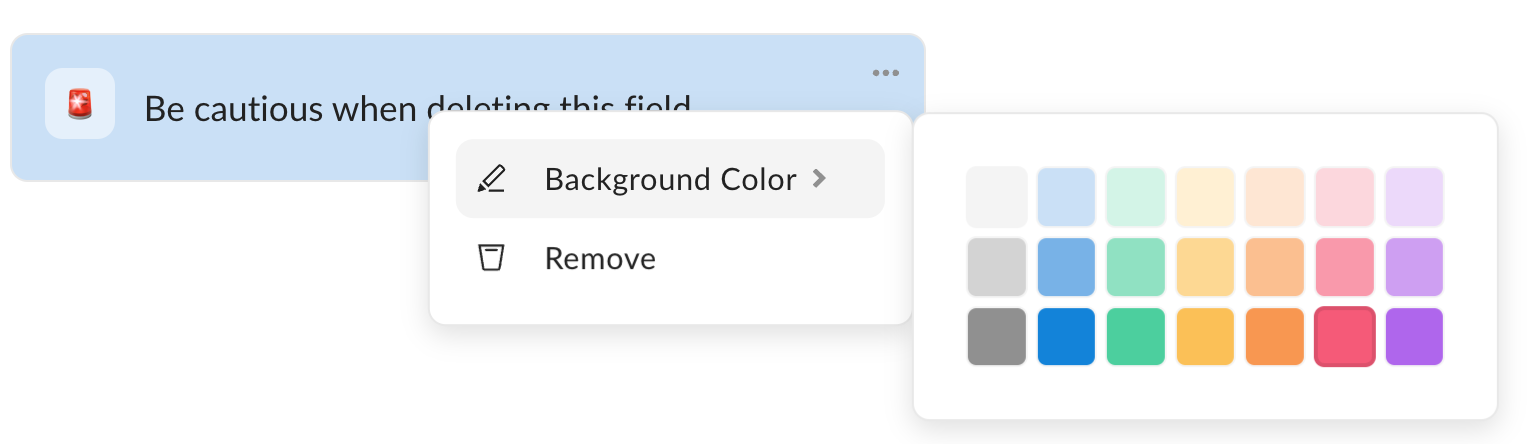
* To change the background color, click the ellipsis (...) button and select the color.
  <Frame>
    <img src="https://mintcdn.com/product-docs/w-T_6NPwQG7Ze9eT/images/box-notes/calloutcolor.png?fit=max&auto=format&n=w-T_6NPwQG7Ze9eT&q=85&s=ccf5f43f4b3260de3058e7cbc5e73bdc" alt="calloutcolor-png" width="1528" height="444" data-path="images/box-notes/calloutcolor.png" />
  </Frame>

## Deleting call outs

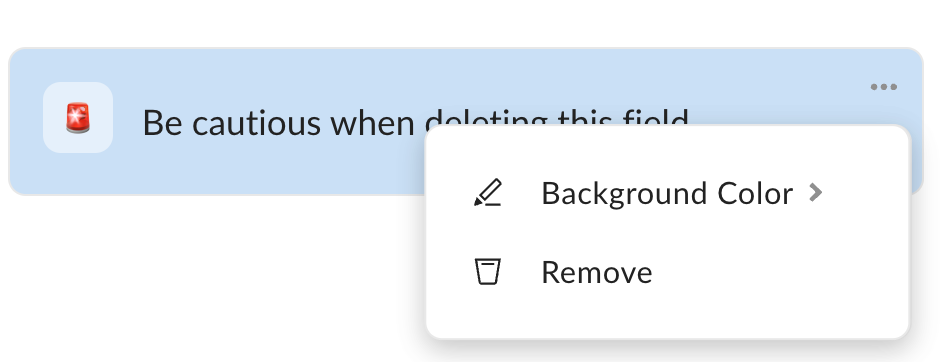
To delete a call out, click the ellipsis (...) button and select **Remove**.
<Frame>
  <img src="https://mintcdn.com/product-docs/am8R3s1XSmI2sD3k/images/box-notes/removecallout.png?fit=max&auto=format&n=am8R3s1XSmI2sD3k&q=85&s=1bc7f18a77b069872b3cf13101cfc365" alt="removecallout-png" width="940" height="362" data-path="images/box-notes/removecallout.png" />
</Frame>
