> ## Documentation Index
> Fetch the complete documentation index at: https://docs.box.com/llms.txt
> Use this file to discover all available pages before exploring further.
# Adding Descriptions to Folders and Files
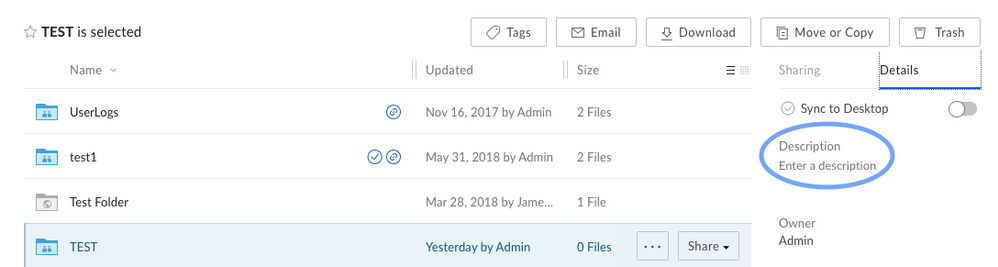
A **Description** can be added to Folders or Files on the Box Web Application, as long as **you have Editor access** in the folder. 255 characters is the maximum character limit for the Description field.
## **Folder:**
1. Click the folder (do not open the folder).
2. In the right pane under Details, you will see the Description where you can enter or modify a description.
 ## **File:**
1. Click the file (do not Preview the file).
2. In the right pane under Details, you will see the Description where you can enter or modify a description.
## **File:**
1. Click the file (do not Preview the file).
2. In the right pane under Details, you will see the Description where you can enter or modify a description.
