> ## Documentation Index
> Fetch the complete documentation index at: https://docs.box.com/llms.txt
> Use this file to discover all available pages before exploring further.
# Generating Documents Using Box Web App
You can manually generate documents from the Box Doc Gen interface in Relay. This method is ideal for one-off document generation or testing your templates.
To manually generate a document in Box Doc Gen:
1. Go to **Relay** > **Doc Gen**.
2. Select the template and click the ellipsis (...).
3. Click **Generate Document**.
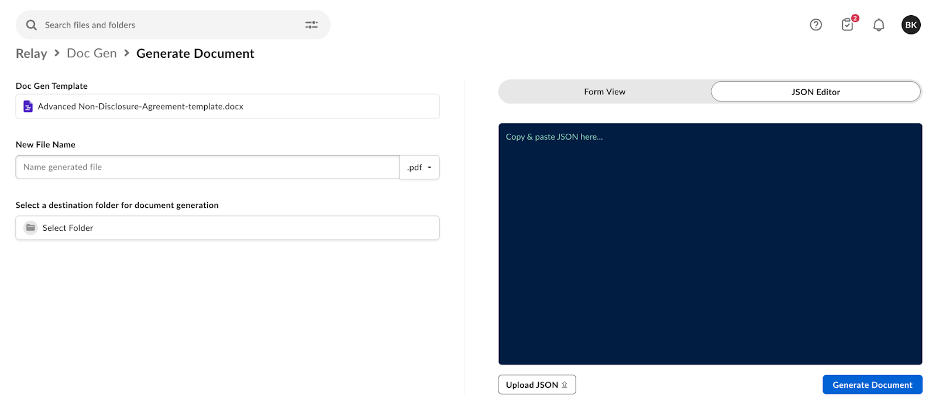
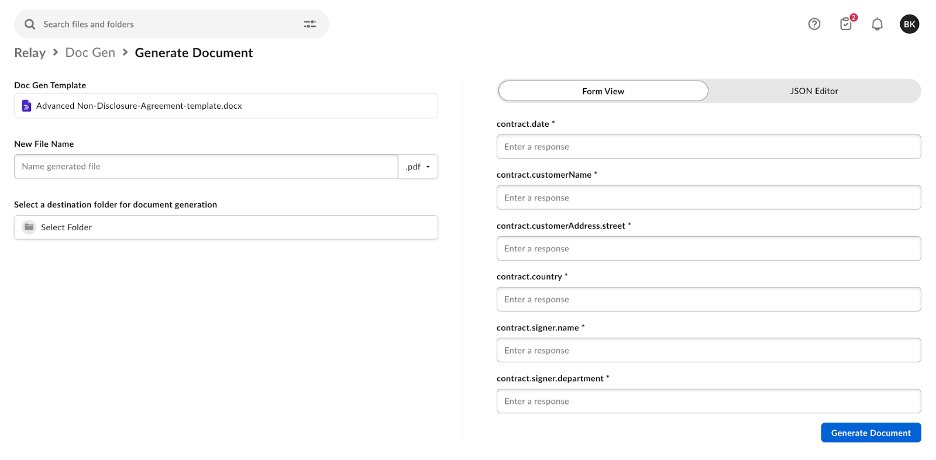
4. Use either the **Form View** to manually fill in data that auto-populates within the Box Doc Gen template placeholder text tags or leverage the **JSON Editor** to copy, paste, or upload JSON data to generate the placeholder tags to auto-populate within the generated document.
**Note:**
The **Form view** allows you to generate documents using only text tags. To generate document features such as dynamic lists, tables, images, and or more, we recommend using the JSON Editor view.
**Form View**
 **JSON View**