> ## Documentation Index
> Fetch the complete documentation index at: https://docs.box.com/llms.txt
> Use this file to discover all available pages before exploring further.
# Configuring Box Canvas
As a Box Admin, you can enable or disable [Box Canvas](http://www.box.com/canvas) for all your managed or selected users and groups.
Enabling Canvas
To configure Box Canvas, open the admin console and navigate to **Enterprise Settings** → **Content and Sharing**. Scroll down to the **Canvas** section.
There are four configuration options available for Canvas:
* Disable for all managed users,
* Enable for all managed users,
* Enable for select users and groups,
* Enable for everyone except select users and groups.
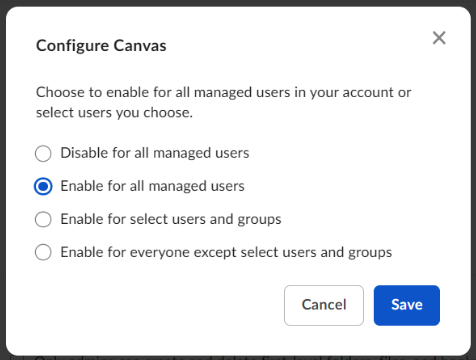 Pick the option that suits your needs the most and save your changes. After saving, the option you chose is displayed next to the **Canvas** section in the admin console.
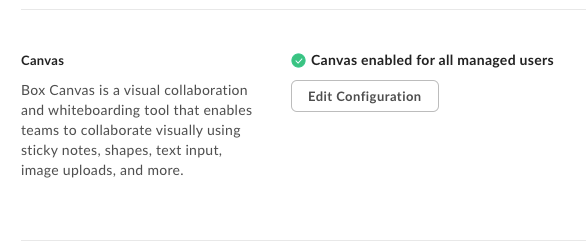 You can change the configuration in the same section if necessary.
**Note**:\
Enabling Box Canvas for specific users has the following limitations: You can enter up to 100 names/email addresses and up to 100 groups. If you want to enable or disable more, you have to enable or disable Canvas for the entire organization.
You can change the configuration in the same section if necessary.
**Note**:\
Enabling Box Canvas for specific users has the following limitations: You can enter up to 100 names/email addresses and up to 100 groups. If you want to enable or disable more, you have to enable or disable Canvas for the entire organization.