> ## Documentation Index
> Fetch the complete documentation index at: https://docs.box.com/llms.txt
> Use this file to discover all available pages before exploring further.
# MCP Server Activity Report
The MCP Server Activity report provides an overview of the tool usage through your MCP server.
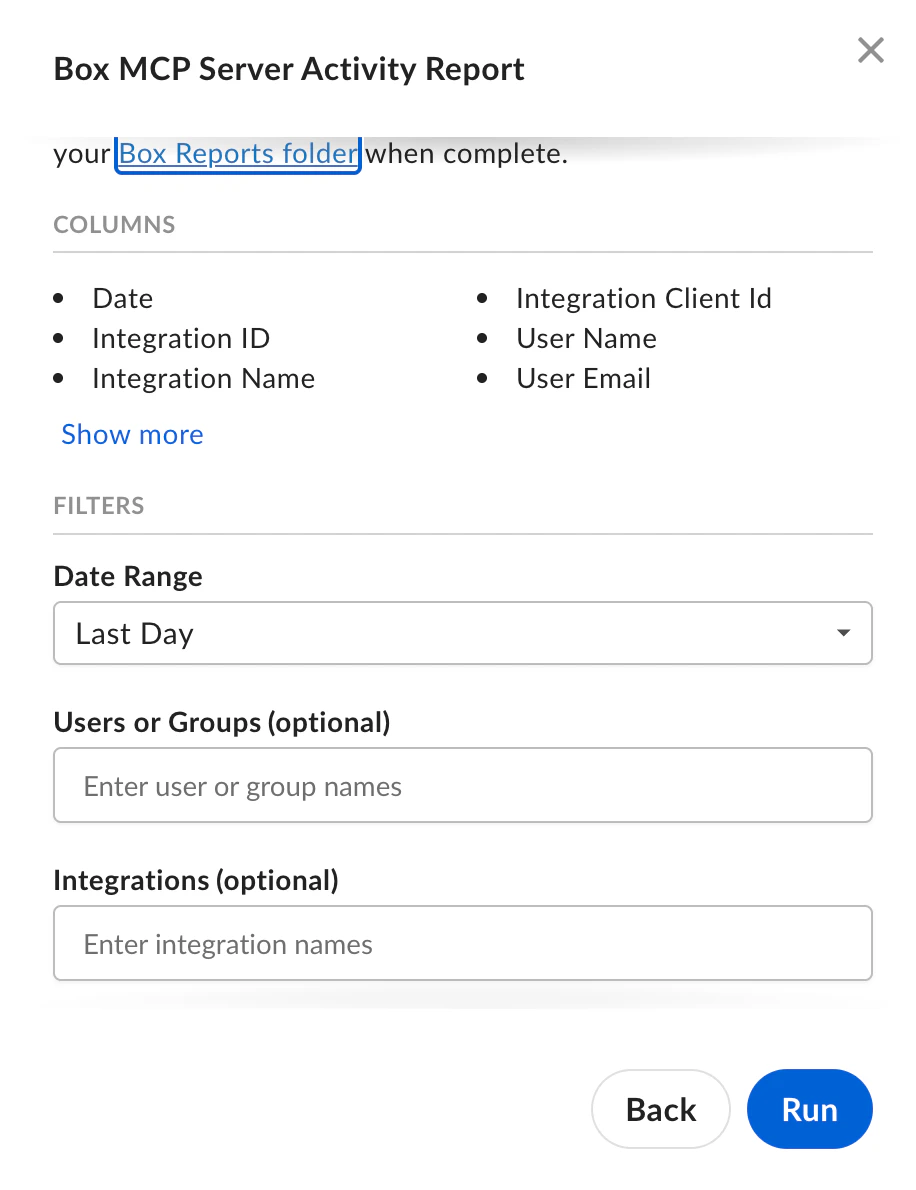 ## MCP Server Activity report data columns
The date of the MCP server activity.
The unique identifier of the integration used to access the MCP server.
The name of the integration used to access the MCP server.
The client ID of the integration.
The full name of the user who performed the activity.
The Box email address of the user who performed the activity.
## MCP Server Activity report filters
Optional. To limit the MCP Server Activity report to a specific time period, select the time period of past MCP server activity.
Optional. To limit the MCP Server Activity report to activities of specific users, enter the names of managed users or of user groups. Default is all users and all groups.
Optional. To limit the MCP Server Activity report to specific integrations, enter one or more integration names to include in the report. Default is all integrations.
## MCP Server Activity report data columns
The date of the MCP server activity.
The unique identifier of the integration used to access the MCP server.
The name of the integration used to access the MCP server.
The client ID of the integration.
The full name of the user who performed the activity.
The Box email address of the user who performed the activity.
## MCP Server Activity report filters
Optional. To limit the MCP Server Activity report to a specific time period, select the time period of past MCP server activity.
Optional. To limit the MCP Server Activity report to activities of specific users, enter the names of managed users or of user groups. Default is all users and all groups.
Optional. To limit the MCP Server Activity report to specific integrations, enter one or more integration names to include in the report. Default is all integrations.