> ## Documentation Index
> Fetch the complete documentation index at: https://docs.box.com/llms.txt
> Use this file to discover all available pages before exploring further.
# Editing an Existing Automation
**Important**
Box Automations is a legacy Box feature. Box released a re-architected and significantly enhanced Box Relay in June, 2019, which is more powerful and includes a much larger range of trigger and output events, including files, folders, tasks, metadata, and more, and we recommend all Automations users transition to Box Relay for any workflow needs.
## To edit any of your existing automated processes:
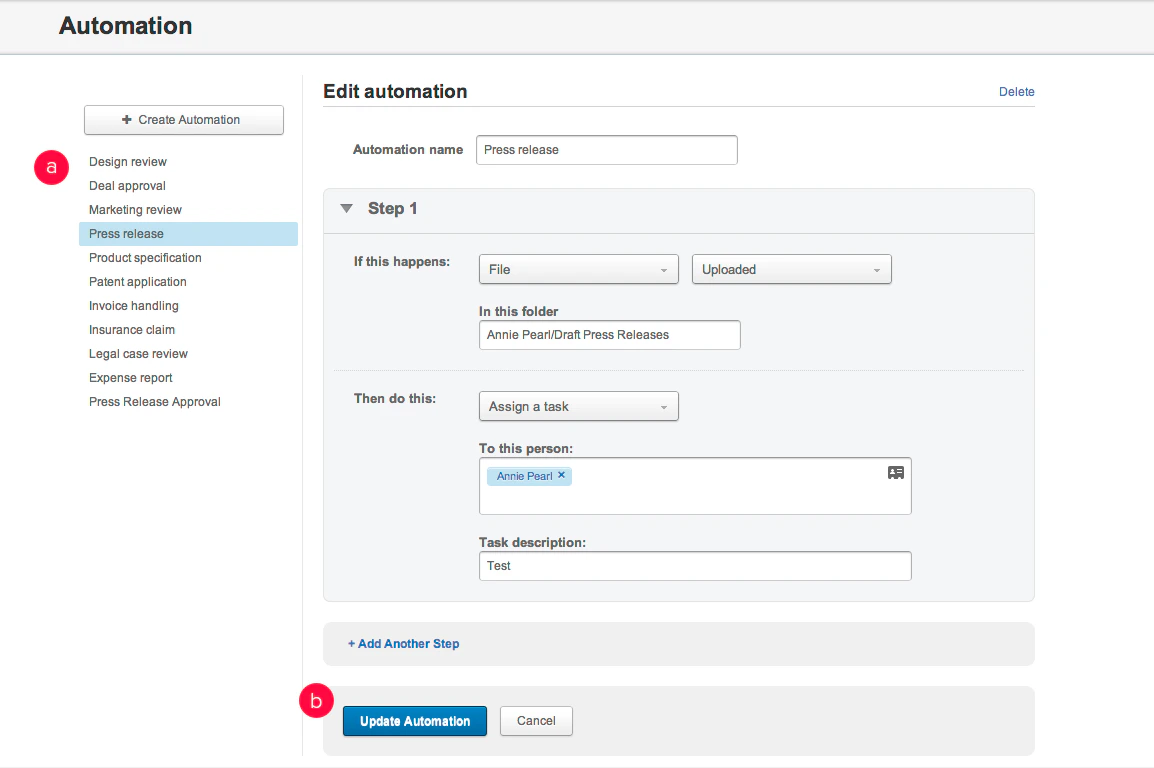
1. From the Admin Console, in the lefthand navigation, click **Content**.
2. Toward the top of the page, click **Automation**.
3. From the list on the left, select the automation you want to edit.
4. Enter your changes.
5. Click **Update Automation**.
Your changes go into effect immediately.